Chart Service
- Utilità
-
Boris Sedov
 👨💻 Boris Sedov — Sviluppatore di Strumenti di Trading Professionali dal 2008
 - Versione: 1.4
- Aggiornato: 5 marzo 2025
Chart Service — improving the charts of the custom symbol.
The service shows trading levels on the chart of a custom symbol.
For example, it can be used when working on a seconds chart built using the Seconds Chart utility.
Unlike Expert Advisors, indicators and scripts, services are not linked to a specific chart. Such applications run in the background and are launched automatically when the terminal is started (if they were previously launched).
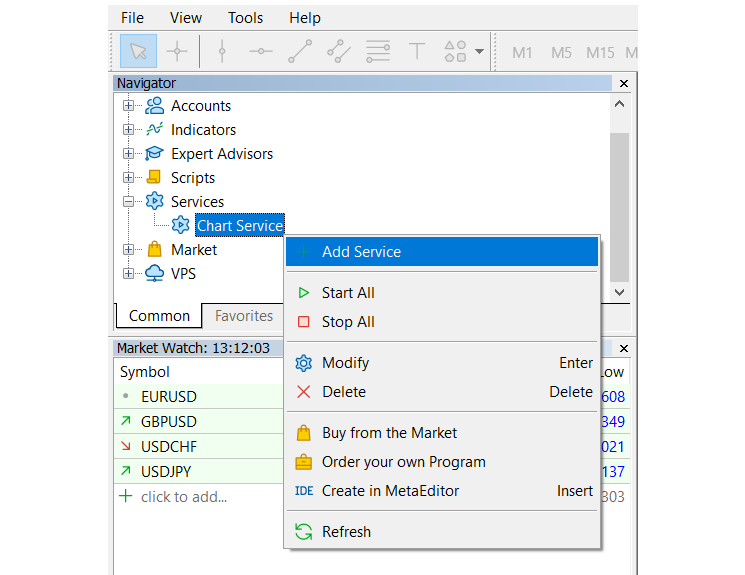
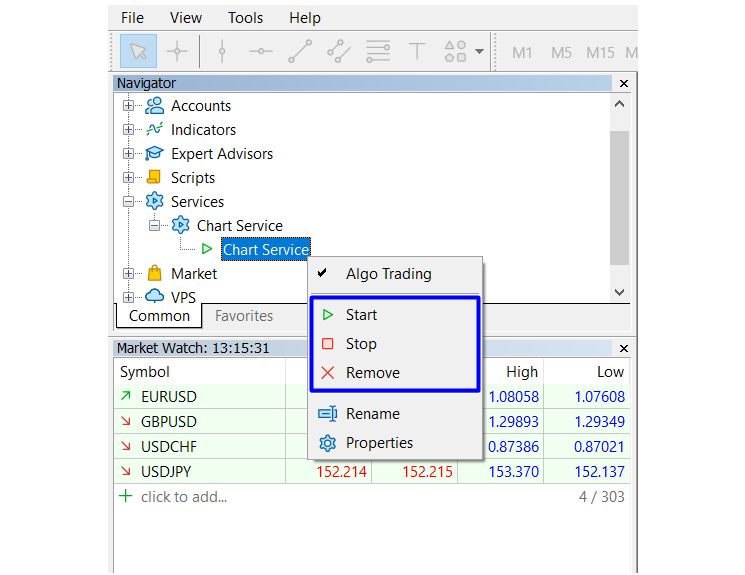
Use the Navigator to manage services.
Services are not linked to charts, therefore a special mechanism has been implemented for the creation of service instances. Select a service from the Navigator and click "Add service" in its context menu. This will open a standard MQL5 program dialog, in which you can set various parameters.