
PA Super Robot
- Experts
- Versione: 1.40
- Aggiornato: 23 agosto 2025
- Attivazioni: 5

Price Action Super Robot
UPDATED VERSION 1.4 with multiple enhancements !
Link to Guide and User Manual
Before running the free demo version of this EA, make sure that your account size matches the initial deposit input parameter (RM0) in the set file you are running.
-
This is a price-action expert advisor that detect patterns such as: doji, engulfing, reversal, gaps, fractals, and more, to decide entry prices and timing.
-
It trades ANY Forex symbol, ANY metal symbol. Use major ones: combinations of USD, GBP, JPY, EUR, AUD, CAD, XAU.
-
User may run any number of symbols in parallel by running an instance of this robot on each symbol.
-
It does not use grid, martingale, or hedging strategies. Don’t be fooled by other EAs that show exponential growth in back testing.
-
Account type: Netting or Hedging. It always use Netting rules.
-
Initial Balance, lot size and leverage are subject to your broker's limits.
-
User level required: from beginner to expert traders. It requires user to know the MetaTrader 5
Optimization tools as we recommend to optimize parameters before running live. -
Users can optimize variables to get strategies with high annual return, low risk, high win rate, high expected payoff, high probability of success, and more, based on the training data.
-
All time frames are available. Preferred time frames are below one day (D1).
-
All trades are opened with a Stop Loss automatically. Never lose more of what you risk in a given trade.
-
User may select which days of the week to trade.
-
User may select a time window for trades (start/end hours).
-
User may select a maximum number of bars to keep the position open.
-
User may select a specific time of the day to close the position.
-
There are multiple methods for opening Take Profit (TP) calculation.
-
There are multiple methods for the opening and trailing Stop Loss (SL) calculation.
-
There are multiple methods to handle large changes in price (positive or negative).
RISK MANAGEMENT
-
There are multiple options to calculate money at risk and lot sizes that the user can chose from.
-
PASR is Proprietary Firm friendly: at every tick, it checks max daily loss and max account loss limits.
-
It closes positions and suspends trading until next day if daily loss limit is approaching.
-
It closes positions and stops trading if account loss limit is approaching.
-
It stops trading and closes positions when Prop. Firm target is achieved (optional).
NEWS and WEEKEND HANDLING
-
It handles high importance news (it ignores low and medium priority news).
-
It handles open positions and pending orders before and after the news.
-
It handles open positions and pending orders before weekend starts.
OPTIMIZATION
-
We prefer to run the MT5 optimization tool every one or two weeks on the symbol of your interest. This solves the problem with many EAs which become unprofitable after few weeks.
-
We prefer to optimize with the Generic Optimization Formulation (GOF) explained in this article: https://www.mql5.com/en/articles/14365
-
Users can optimize variables to get strategies with high annual return, low risk, high win rate, high expected payoff, high probability of success, and more, based on the training data.
YOUR COMMITMENT IS REQUIRED
The more time you spend learning this EA, and the more often you optimize parameters, then the more likely the EA will perform well . PASR has lots of parameters, each with multiple levels, hence the need to optimize them. In one hand, this feature may seem a disadvantage compared to other simpler EAs, on the other hand, you have in your hands the power to improve the EA as weeks and months pass. Other simpler EAs (some of them that only work for one symbol and cannot be optimized ) will work well for a while, but eventually will under perform due to changing market conditions. PASR can be optimized as the market changes. We recommend to optimize parameters weekly or bi-weekly, but you can do it less or more often.
THE TRADER’S ENVIRONMENT: A CRITICAL FACTOR IN BACK TESTING
Every trader operates within a unique environment, defined by three key components:
1. Broker : Prices, spreads, leverage, fees, and commissions vary across brokers, impacting trading outcomes.
2. Network : Local internet connection speeds influence execution speeds, affecting entry and exit prices.
3. Computer : Processing power and internet connection speed combine to determine delays and slippage.
These environmental differences mean that two traders using the same:
- Expert Advisor (EA)
- Input set file
- Symbol
- Time frame
- Dates
will never achieve identical back test results. While results may be similar, variations in environment ensure that outcomes will always differ.
Therefore, running optimization of the input parameters before you start trading in your environment is critical . This step helps ensure that your trading strategy is tailored to your unique environment, maximizing its potential for success.
RISKS
-
Before purchasing this (or any!) EA, be aware of risks involved.
-
Past performance is not a guarantee of future profitability (EA could also incur losses).
-
Back-tests shown are optimized for the training data, and the performance cannot be directly applied to live trading in the future.
-
There is a probability (although small) when using any EA that you may lose money in all your trades.
-
Hence, risk the amount of money you are comfortable losing.
UNDERSTANDING LEVERAGE
When you buy a house and get a mortgage, you are using leverage. Suppose the house is 100k, you make a down payment of 10k, and ask a bank to pay 90k. Your mortgage is 90k. You were able to buy a house 10 times more expensive of what you can afford. Your leverage is 1:10. Eventually, you pay your mortgage to the bank (plus interests) and you own the house fully. The same happens in financial transactions that use leverage.
Leverage is the power to buy more “lots or shares of a financial instrument” than you can afford.
PASR is agnostic when it comes to leverage. PASR will only use the leverage allowed in the account by calling the function AccountInfoInteger(ACCOUNT_LEVERAGE). That is the leverage allowed in all trades.
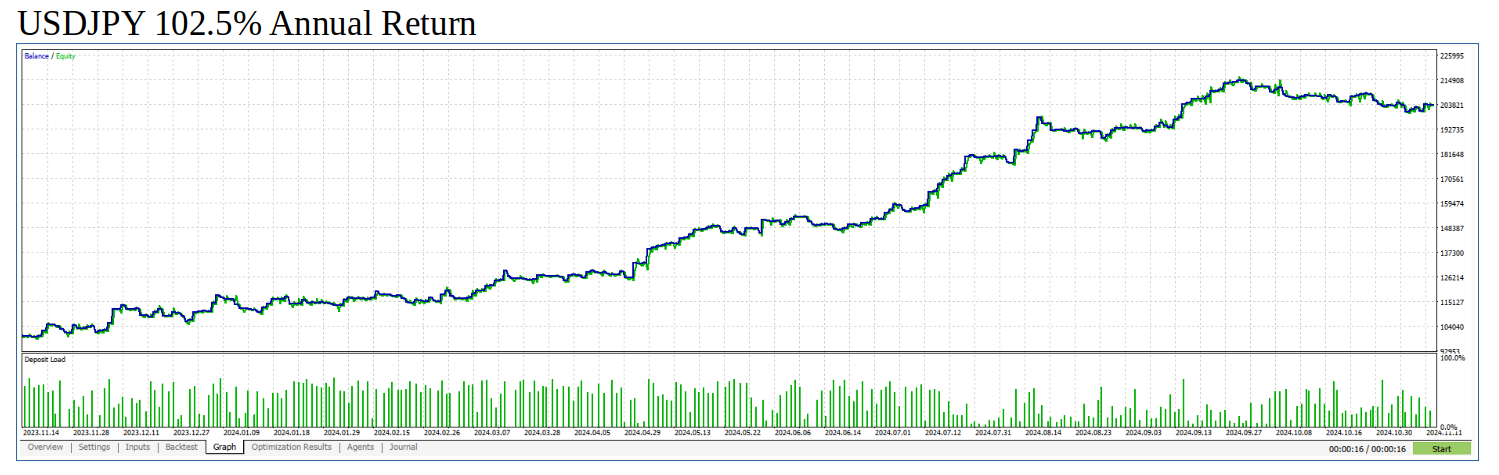
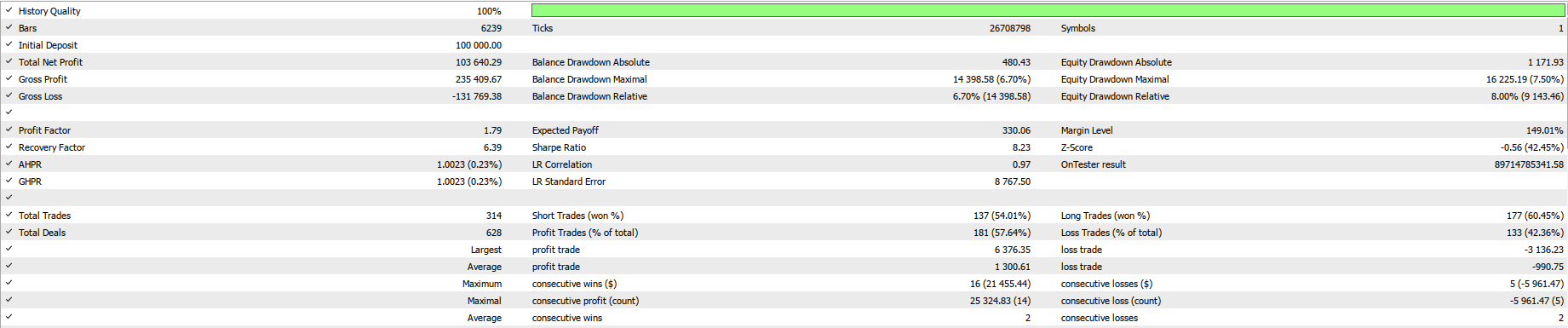
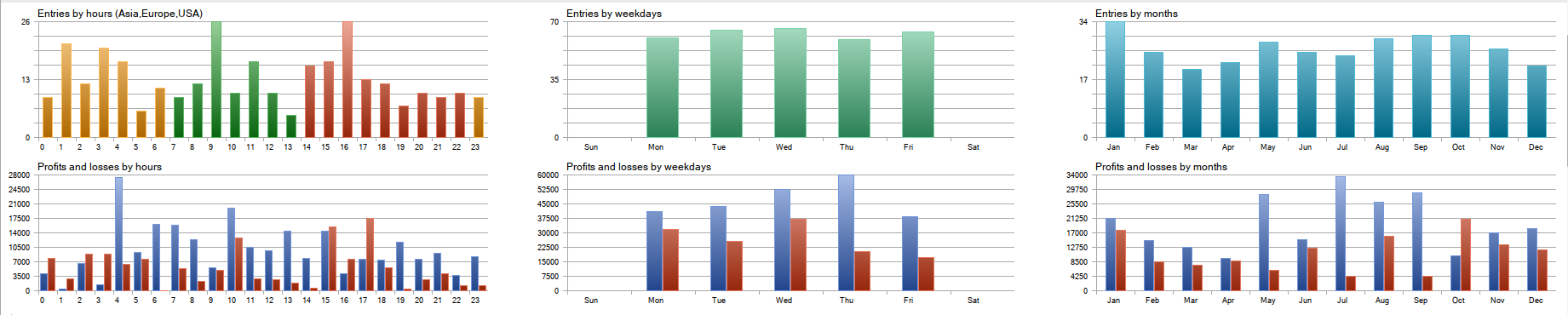
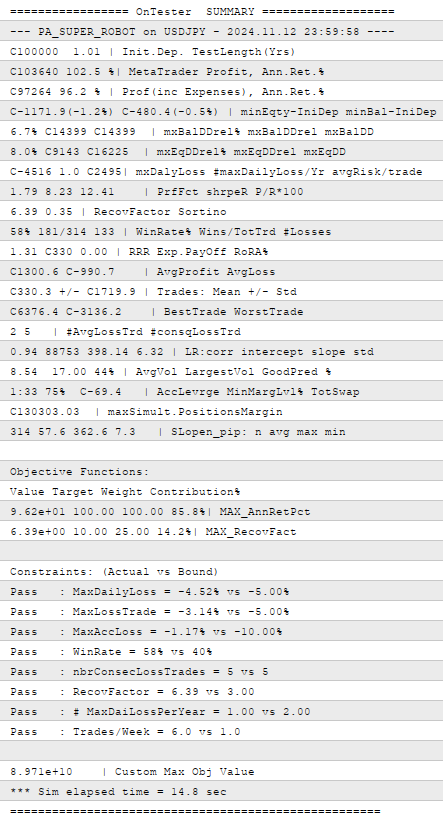
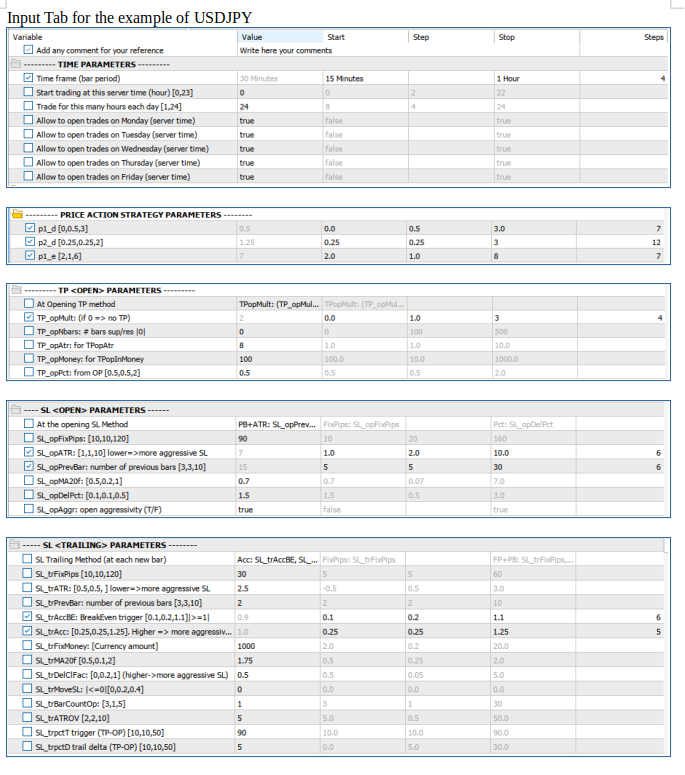
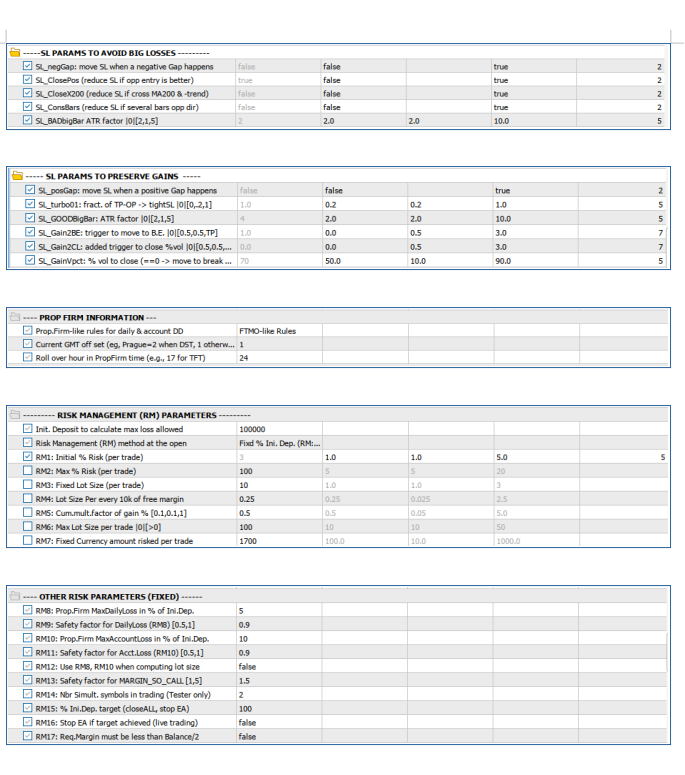
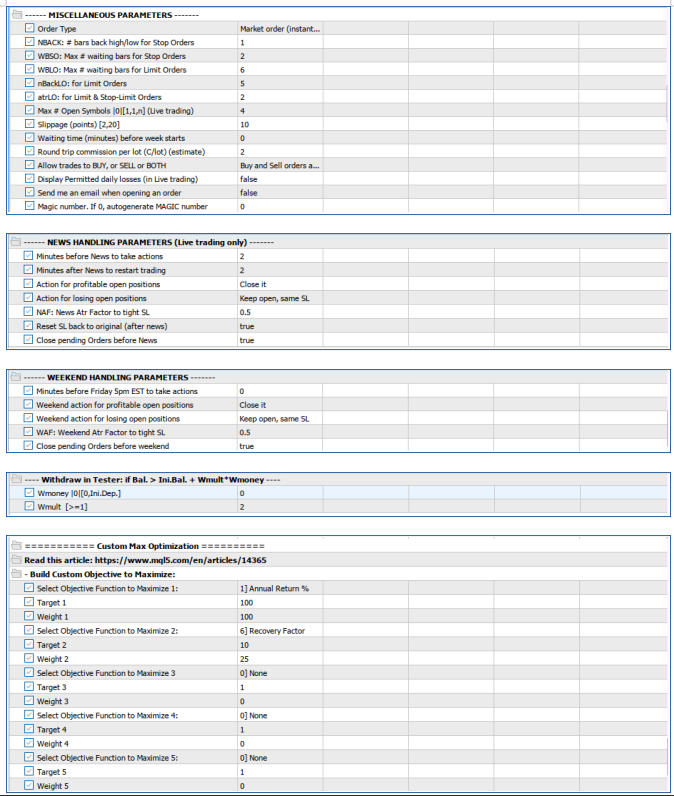
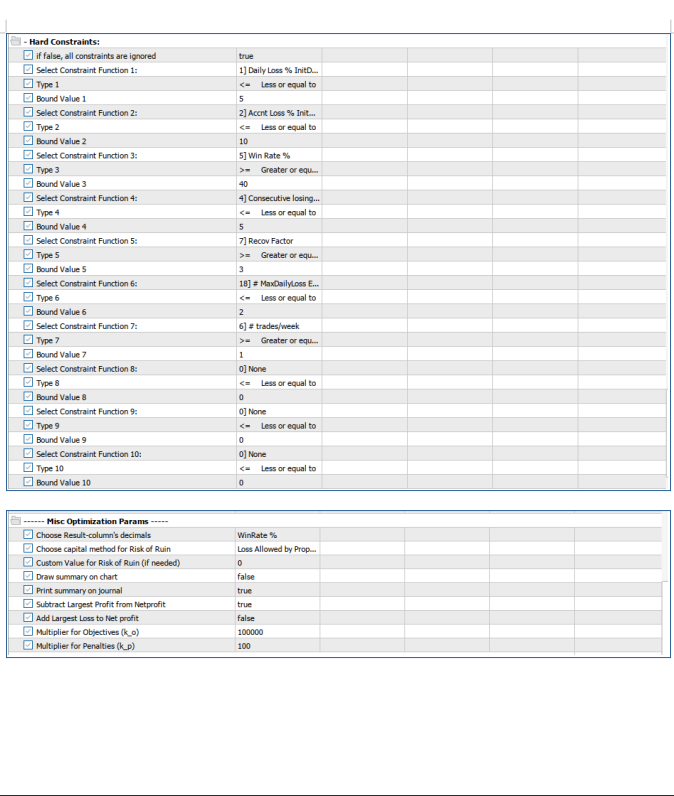










































PA SUPER ROBOT is a great bot (ROBOT) that executes its own strategy based on price action (PA). The title SUPER is tailor-made for it, because this bot can be configured in hundreds of different ways to fit your trading style in terms of risk management, stop loss, take profit and trailing of both. You can adapt the bot to different criteria and scenarios until you get the combination that makes you happy. Optimization is essential to get the most out of this SUPER ROBOT. Perhaps so many optimization variables can be overwhelming at first, but in reality you will only use a handful of variables in each optimization, those that you really believe will give value to your trading. If you have doubts, download a demo and try to optimize some parameters and you will see how powerful it is and the fine tuning possibilities that this tool allows you. I am very happy with this tool. Eventhough I believe that some additional information like tutorial or even a course, will be appreciated. Thanks to Ciro, the creator.