Trades Time Manager

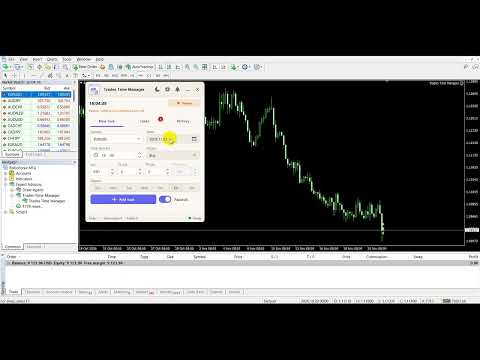
Trades Time Manager è un pianificatore di operazioni per MetaTrader. Scegli l'azione, il simbolo e la data e l'ora del server, e lo strumento fa il resto: apre ordini, inserisce ordini pendenti, chiude operazioni, sposta lo stop loss a pareggio, modifica il take profit o cancella gli ordini pendenti. Non fornisce segnali: esegue solo le attività che aggiungi.

Usalo per entrare con le notizie o all'apertura della sessione, chiudere tutto prima del weekend o spostare le tue operazioni a pareggio a un'ora stabilita, una volta o nei giorni che scegli.

Caratteristiche principali

  • 14 azioni: Buy, Sell, Buy Stop, Sell Stop, Buy Limit, Sell Limit, Close Buy only, Close Sell only, Close all, Close profit, Close loss, Move SL to break-even, Modify TP, Cancel all pending
  • Funziona per data e ora del server, al secondo; lotto, prezzo, SL e TP in punti
  • «All symbols» (tutti i simboli) o un solo simbolo per le azioni di chiusura, pareggio, modifica del TP e cancellazione
  • Ripetizione nei giorni della settimana che scegli
  • Ogni attività viene controllata all'aggiunta e di nuovo all'esecuzione: orario, simbolo, limiti del lotto, passo del lotto, livello degli stop
  • Prima dell'esecuzione: eseguire subito, chiedere con una finestra Sì / No, oppure un conto alla rovescia con Annulla
  • Attività perse (ad esempio il terminale era spento): saltare, eseguire in ritardo o chiedere a te
  • Pause all (sospendi tutto) e un avviso prima di un'attività
  • Attività e cronologia come schede; la prossima attività ha un conto alla rovescia in tempo reale; la barra di stato mostra attività, completate oggi, fallite e lo stato del terminale
  • Cronologia di ogni esecuzione con il risultato: Done, Failed, Missed o Cancelled, e cosa è successo (ticket, operazioni chiuse o il motivo)
  • Avvisi prima, al completamento, in caso di errore e di attività persa: finestra, suono, push ed email
  • Più grafici condividono un'unica lista di attività: usa lo strumento su un solo grafico
  • Attività e cronologia sono salvate in file; esportazione e importazione .csv
  • Cinque temi, colore di accento e di hover personalizzati, scala del pannello, ombre delle finestre e animazioni
  • Cinque lingue: inglese, tedesco, spagnolo, francese e arabo (da destra a sinistra)
  • Tutte le impostazioni vengono ricordate tra le sessioni

Input e parametri

  • Symbol, Date e Time (ora del server), Action.
  • Lot, SL pts e TP pts (distanza dall'ingresso, 0 = nessuno), Price pts (distanza di un ordine pendente dal mercato).
  • Repeat: i giorni della settimana; nessuno = esegui una volta.
  • Add task e Pause all.
  • Schede: New task, Tasks (elimina con la x) e History.
  • Impostazioni (ingranaggio): General (tema, lingua, scala, animazioni, ombre, colore di accento e di hover), Tasks (chiedi prima di eseguire, secondi del conto alla rovescia, regola per le attività perse, persa dopo minuti, valori di una nuova attività), Alerts (minuti prima, eventi, canali) e Data (esporta, importa, cancella cronologia).

Come si usa

1. Attiva Algo Trading e collega lo strumento a un grafico.

2. Scegli simbolo, data, ora e azione, poi lotto, SL, TP e prezzo.

3. Se serve, scegli i giorni di ripetizione e premi Add task.

4. Guarda la prossima attività in alto; vedi i risultati in History.

Il terminale deve essere acceso con Algo Trading attivo al momento dell'attività. Gli avvisi push ed email si impostano in Strumenti > Opzioni > Notifiche ed Email.

La tua opinione è benvenuta. Per domande o idee scrivi nei commenti del prodotto oppure inviami un messaggio su MQL5.com.

#tags Pianificatore Pianificatore-di-operazioni Controllo-orario Basato-sul-tempo Gestione-attività Pianificatore-di-ordini Chiudi-tutto Pareggio Ordini-pendenti Ripetizione Giorni-della-settimana Automazione Forex Expert GUI Grafico Tema Tema-scuro MT4 MT5 utilità pannello
Prodotti consigliati
DepoControl
Evgeniy Zhdan
DepoControl – Full Control Over the Deposit Closers   Expert Advisor controls the overall account status and closes ALL market orders on the account when certain conditions occur. The trading robot closes ALL orders on the account in the following cases (by profit): Close ALL orders by a total profit on the account   in monetary terms . For example, suppose that the settings specify that   positions should be closed when profit of 100 is reached. In this case, the Expert Advisor closes all mark
Indicator Values Panel
AL MOOSAWI ABDULLAH JAFFER BAQER
Indicator Values Panel – Your Ultimate Indicator Monitoring Solution! Are you tired of constantly switching between indicators to check values? Want a simple, elegant, and real-time solution that puts all key indicator readings in one place? Indicator Values Panel is the ultimate utility for traders who want a clear and concise display of important indicator values – directly on their chart! What is Indicator Values Panel? Indicator Values Panel is a sleek, easy-to-use utility that provides rea
Trade History Exporter automatically exports trade history to a CSV (comma separated values) file. Trade History Exporter: - automatically exports trade history every time a trade is closed - allows you to manually force an export by using the "W" key on your keyboard - can use Order Comments as Magic Numbers - useful for instance when using a Trade Copier - calculates the Net Profit per trade
MQL Tool "Ofir Email to Telegram": Never Miss a Trading Alert Again! Tired of missing important alerts from your indicators and Expert Advisors (EAs)? Ofir Email to Telegram   is the solution you've been waiting for!   This revolutionary MQL tool automatically forwards all email alerts from your indicators and EAs directly to your Telegram account. Never again will you miss a trading opportunity or important notification! Here are just a few of the benefits of Ofir Email to Telegram: Quick and e
Script CloseAll SELL
Raudhah Hayatun Nufus
Close All SELL Orders for MT4 script   - closes absolutely all orders, whether pending or market ones. Orders are closed at the current profit/loss indicators at the time of closing. The script is suitable for moments when you need to quickly close all orders at the current indicators. The script is very easy to use, just drag the script onto the chart and it will do its job. Add me as a friend, I have many other useful products.
FREE
One Click Trader is a tool designed for MetaTrader 4 platform, which enables you to take your trading to the next level. It enables you to open, manage and close your trades in simple an efficient way by just one click of your mouse button. Up arrow minimizes the OCT panel Down arrow maximizes the OCT panel Right arrow displays the next panel with additional features Left arrow hides the panel with additional features Red SELL button enables you to open short market orders Red SELL STOP button e
Telegram Ultimate Manager MT4 Use Cases: Manager Order (open, close, modify order) Publish open and close order to Telegram Channel Open trade based on Forex Factory News Requirement: Telegram Chat ID Telegram Bot API Token Telegram Channel ID Please read the guide This tools can not be backtested Free n8n workflow template to : 1. Import Forex Factory news to Google Calendar 2. Send chat to Telegram bot about news release. Is it good or bad for the currency Inputs: Telegram Bot Token : your T
Partial Close MT4
Ahmed Alaoui Chrifi
This is a very simple, and easy-to-use Trade Manager with features like   Auto Partial Close, Auto Stop-loss, Breakeven. EA  closes a profitable position in partial closes when the price moves first in the direction of profits, and then comes back. EA monitors the position. If the price moves in the direction of profits, then ea establish the first level of rollback price at a distance. If the price continues to move in the direction of profits, this level of profit continues modifying this lev
Script CloseAll BUY
Raudhah Hayatun Nufus
Close All BUY Orders for MT4 script   - closes absolutely all orders, whether pending or market ones. Orders are closed at the current profit/loss indicators at the time of closing. The script is suitable for moments when you need to quickly close all orders at the current indicators. The script is very easy to use, just drag the script onto the chart and it will do its job. Add me as a friend, I have many other useful products.
FREE
Symbol Cost Monitor è un’utilità di analisi professionale per MetaTrader 4, progettata per monitorare rapidamente i costi di trading di più strumenti contemporaneamente. Lo spread e lo swap influiscono direttamente sul risultato finale delle operazioni. Questo aspetto è particolarmente importante nello scalping, nel trading intraday attivo, nel mantenimento delle posizioni per diversi giorni e nel lavoro simultaneo con più simboli. L’interfaccia standard di MetaTrader 4 non consente di confronta
FREE
Market Monitor
Rodrigo Rethka Goncalves
Market Monitor – Smart Asset Performance Dashboard for MT4 Turn your MetaTrader 4 into a professional trading intelligence center! Market Monitor is a powerful monitoring tool that displays, in real time, the most relevant performance metrics of each symbol being traded — helping you make faster, smarter, and more strategic decisions. What Does This Indicator Do? Market Monitor scans all open and historical orders, consolidates the data by symbol, and displays everything in visual pa
"Support or Resistance Alert Broken" is a simple and very intuitive tool that allows you to create or eliminate horizontal and trend supports and / or resistances with a simple click. When the support or resistance line is broken by the closing price at the end of the current candle, the "Support or Resistance Alert Broken" tool will send an alert with sound, as well as a notification to the MT4 or MT5 mobile application. This tool can send alerts from multiple pairs at the same time. Utility
Introducing the   “Symbol Cost Info MT4”   indicator – your ultimate tool for staying ahead in the forex market! This innovative indicator is designed to empower traders with real-time cost information, directly on their charts. Here’s why every trader needs the “Symbol Cost Info MT4” in their arsenal: Real-Time Spread Monitoring : Keep a close eye on the spread for any currency pair, ensuring you enter the market at the most cost-effective times. Pip Value at Your Fingertips : Instantly know t
FREE
Spread Control MT4
Nikita Chernyshov
Spread Control è un indicatore compatto per MetaTrader 4 che consente di monitorare lo spread attuale e la sua dinamica direttamente sul grafico dello strumento. Funzionalità Spread attuale in tempo reale Grafico delle variazioni dello spread con lo storico degli ultimi valori Calcolo di LOW / AVG / HIGH per il periodo visualizzato Indicazione a colori dello stato dello spread: livello normale; livello di avviso; livello critico Scala visiva del valore corrente Visualizzazione dei valori attuali
Title : Trade Assistant Manager for MT4 Trade Assistant Manager   — See your risk before you click Trade Assistant Manager is a MetaTrader 4 chart utility for discretionary   traders who want a clear, visual way to size positions . Place your Entry, Stop Loss, and Take Profit directly on the chart. The panel shows the lot size, the money at risk, the profit target in money, and the reward-to-risk ratio — updated as you move the lines. What you gain   Faster decisions   : - Automatically   calcu
FREE
Gev VPS Guardian
Amir Hussein Kamal Othman Othman
GEV VPS Guardian V1.00 – Technical Specification & Professional User Guide 1. Product Overview GEV VPS Guardian is an advanced infrastructure monitoring system (Expert Advisor) engineered specifically for the MetaTrader 4 platform. It serves as a 24/7 technical sentinel, ensuring that your automated trading environment—comprising the VPS, internet connectivity, and the MT4 terminal—remains stable and synchronized. It is designed to eliminate "silent failures" by providing real-time transparenc


FREE
Omni Signal Copier – Telegram, Discord, Slack and TradingView signals into MetaTrader 4 Omni Signal Copier reads trading signals from Telegram, Discord, Slack, TradingView alerts (via ntfy), text files and manual input , understands them with a multi-language parser and trades them on your MetaTrader account – with multi-TP, break-even, trailing, a prop-firm guard and a live dashboard with 8 tabs. Everything runs inside the Expert Advisor: no extra program, no DLL, no external server of ours . T
KFX Dashboard EA
Peter Kariuki Thande
** Automatically Adds to your existing trades that you open ** KFX Dashboard EA monitors Price Action using Candle Direction + Moving Average on Multiple currency pairs (selected by you) and on Multiple Timeframes (selected by you). The dashboard also reveals Currency Strength of pairs based on your Moving Average selection. KFX Dashboard EA option to set Stop Loss(SL) and Take Profit(TP) based on your selected Timeframe and ATR / Points settings. Trailing stop by ATR / Points also available (s
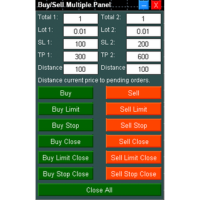
Buy Sell Multiple Panel - Execute Bulk Orders in a Single Click! Description: Save time and seize market opportunities instantly. This powerful panel allows you to place multiple buy or sell orders simultaneously, each with custom lot sizes, take-profit, and stop-loss levels. Perfect for sophisticated entry strategies and managing complex trades efficiently. Key Features: Bulk Order Execution:   Open multiple market orders at once with just one click. Flexible Lot Sizing:   Set individual lot
Hedge 120
Hassane Zibara
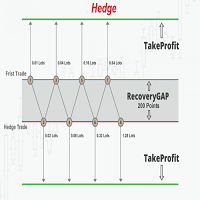
HEDGE   120   is an EA that opens an order if the market moves an adverse will make a safe zone . Hedging with Forex is a strategy used to protect one's position in a currency pair from an adverse move. It is typically a form of short-term protection when a trader is concerned about news or an event triggering volatility in currency markets. The main reason that you want to use hedging on your trades is to limit risk. Hedging can be a bigger part of your trading plan if done carefully. I
Your All-in-One Trade Management Assistant Trade Guard Pro MT4 is a semi-automated trade management Expert Advisor ( Utility ) designed to help traders manage their positions through an intuitive, customizable on-chart control panel. It provides convenient BUY and SELL execution, position management, partial closing, break-even protection, trailing stops, and basket profit/loss management. With adjustable lot sizing, risk-based volume calculation, Stop Loss, Take Profit, and Magic Number support
TickChart
Boris Sedov
5 (1)
Tick Chart — full-featured chart for MetaTrader 4. A utility for creating and working with a tick chart in the MetaTrader 4 terminal. You can create a tick chart that works exactly the same as a regular chart. You can apply indicators, Expert Advisors and scripts to the tick chart. You get a fully functional tick chart on which you can work just as well as on a regular chart. You can enable the output of the Ask price data. The data are generated in the form of the upper shadow of a tick bar. Fr
Time Wizard
Agus Santoso
Blog di MQL5: https://www.mql5.com/en/blogs/post/761446 Versione MT4: https://www.mql5.com/en/market/product/136790 Versione MT5: https://www.mql5.com/en/market/product/136791 Time Wizard è un assistente di trading professionale pensato per i trader che necessitano di velocità, tempismo e controllo dell'esecuzione in un'unica dashboard intuitiva. Questo Expert Advisor è progettato per il trading basato su eventi, l'esecuzione programmata e la gestione semiautomatica rapida degli ordini. Conse
Hello Traders! Version 3.0 of the script has been released!  What's new?  Thanks to your suggestions I have inserted these changes to the tool: 1 - Data input are now date picker, it will be easier and faster to set the data export period; 2 - A message box will check that there is not a file with the same name in your folder; 3 - Error message to check that data insert are correct. If you like this product, take a look to the FULL INTERFACE!   MT4 To Excel Interface This script is a very usefu
Stoploss Supporter
Ugur Oezcan
5 (1)
This tool monitors your current Expert Advisors and manages stop losses and take profits. You can customize which EAs and/or which currencies to monitor. It is primarily meant for EAs that you feel manage stop losses and/or take profits poorly. If you want this tool to be able to monitor manual trades, please use '0' (zero) as the magic number. Supports hidden stoploss and take profit Supports ATR-calculated dynamic stoploss Supports Breakeven for individual trades Supports Trailing stop Lower r
The utility is designed to close several types of orders. Closing is done by pressing the hot key. How to place and delete orders by voice using the utilities of this type, see the video below the description.  https://www.youtube.com/channel/UCTpVWJkEic6TzoXr0qc9RIw/featured Provided closing options: KEY "1" DELETE BUY STOP. KEY "2" DELETE SELL STOP. KEY "3" DELETE BUY AND SELL STOP. KEY "4" DELETE BUY LIMIT. KEY "5" DELETE SELL LIMIT. KEY "6" DELETE BUY AND SELL LIMIT. KEY "7" DELETE ALL PEND
FREE
The only drawdown guardian that stops your other EAs from digging you deeper. PropMarshal monitors your account equity in real time and instantly closes all positions the moment a drawdown or profit target threshold is breached. But it doesn't stop there — it closes every chart on your platform too, cutting off any other Expert Advisors before they can open new trades and compound the damage. The Problem   PropMarshal   Solves Most prop firm traders run multiple EAs across multiple charts. When
FREE
Position Close Button MT4
Osazee Asikhemhen
5 (1)
This EA helps to Close all Positions opened. It saves you the time of closing multiple positions manually. Parameters: Buy:  Close Buy Positions Only Sell:  Close Sell Positions Only Buy & Sell: Close Buy & Sell Positions Pending: Close Pending Orders More Advanced MT4 version available at:   https://www.mql5.com/en/market/product/93468?source=Unknown%3Ahttps%3A%2F%2Fwww.mql5.com%2Fen%2Fmarket%2Fmy More Advanced MT5 version available at:  https://www.mql5.com/en/market/product/93301?source=Unk
close all profitable orders The set contains scripts for different purposes, facilitating work in the MetaTrader 4 terminal. If necessary, a screen is provided for some scripts. Before working on a real account, check (on a demo account) whether the required script responds to your tasks (for example, there is a script for opening five orders at the same time, by default the lot is set to 10; so that you do not accidentally open five positions with a total volume of 50 lots - be attentive))) Use
Heaven Assistant: Simplify Your MT4 Management Simplify the management of the MetaTrader 4 (MT4) platform with the Heaven Assistant . This Expert Advisor (EA) is a robust tool that allows you to control and customize your trading environment in an efficient and user-friendly manner. Key Features: Multiple Pairs Opening: Quick access to most currency pairs, both major and minor, plus exotic pairs. The ability to open indices, metals, and cryptocurrencies with a single click. Template Change: Easi
Gli utenti di questo prodotto hanno anche acquistato
Forex Trade Manager MT4
InvestSoft
4.98 (447)
Benvenuto a Trade Manager EA, lo strumento definitivo per la gestione del rischio , progettato per rendere il trading più intuitivo, preciso ed efficiente. Non è solo uno strumento per l'esecuzione degli ordini, ma una soluzione completa per la pianificazione delle operazioni, la gestione delle posizioni e il controllo del rischio. Che tu sia un principiante, un trader avanzato o uno scalper che necessita di esecuzioni rapide, Trade Manager EA si adatta alle tue esigenze, offrendo flessibilità s
Ultimate No Nonsense FX Backtester - You can Run Forward Test Simulation with this tool! Do Not Download the Demo Here, Please Read Below! Step by Step Manual Guide PDF for this backtester PDF List of Commands(Shortcuts) for this backtester Ultimate NNFX Backtester is a powerful utility tool that significantly reduces the length of backtesting process for NNFX followers.  As well as for Forex traders that operates their entries and exits at the close of a candle and manage the risk using ATR.
The product will copy all telegram signal to MT4   ( which you are member  ) , also it can work as remote copier.  Easy to set up, copy order instant, can work with almost signal formats, image signal, s upport to translate other language to English Work with all type of channel or group, even channel have "Restrict Saving Content", work with  multi channel, multi MT5 Work as remote copier: with signal have ticket number, it will copy exactly via ticket number. Support to backtest signal. How to
Black Week: acquisto a 69.99 USD. L'offerta termina venerdì 27 novembre. Telegram to MT4 Multi-Channel Copier   copia automaticamente i segnali di trading dai tuoi canali Telegram e Discord direttamente su MetaTrader 4. Niente bot, niente estensioni del browser, niente copia manuale. Il segnale arriva su Telegram o Discord e l'EA apre l'operazione nel tuo terminale in pochi secondi. E prima di copiare un canale, il backtester integrato ti mostra cosa avrebbe fatto quel canale sul tuo conto. Il p
Trade Indicator Assistant is a powerful MT4 utility designed to turn indicators into automated trading systems. Its main feature is the ability to automatically detect an indicator’s   BUY and SELL signal buffers , without requiring you to know the buffer numbers, search through indicator settings, or modify the indicator source code. Bonus Indicator: After purchasing Trade Indicator Assistant, contact me to receive Trade Signal Pro completely free as a bonus indicator. [Download Demo Version]
News Filter EA MT4
Rashed Samir
5 (10)
News Filter EA: Advanced Algo Trading Assistant News Filter EA is an advanced algo trading assistant designed to enhance your trading experience. By using the   News Filter EA , you can integrate a Forex economic news filter into your existing expert advisor, even if you do not have access to its source code. In addition to the news filter, you can also specify   trading days   and   hours   for your expert. The News Filter EA also includes   risk management   and   equity protection   features
TradePanel MT4
Alfiya Fazylova
4.84 (95)
Trade Panel è un assistente commerciale multifunzionale. L'applicazione contiene più di 50 funzioni di trading per il trading manuale e permette di automatizzare la maggior parte delle attività commerciali. Istruzioni per l'applicazione : https://www.mql5.com/it/blogs/post/762331 Versione di prova dell'applicazione per un conto demo: https://www.mql5.com/it/blogs/post/762419 Come installare l'applicazione: https://www.mql5.com/it/blogs/post/762362 Come testare l'applicazione in modalità visuale:
Grid Manual MT4
Alfiya Fazylova
4.71 (17)
Grid Manual è un pannello di trading per lavorare con una griglia di ordini. L'utilità è universale, ha impostazioni flessibili e un'interfaccia intuitiva. Funziona con una griglia di ordini non solo nella direzione delle perdite, ma anche nella direzione dell'aumento dei profitti. Il trader non ha bisogno di creare e mantenere una griglia di ordini, lo farà l'utilità. È sufficiente aprire un ordine e il manuale di Grid creerà automaticamente una griglia di ordini per esso e lo accompagnerà fino
Drawdown Minimizer for MetaTrader 4 - your EAs pay in, old losers get paid off. This utility runs next to your other Expert Advisors and never opens a trade. It keeps a savings book of the net realized profit of your whole account and uses it to close the oldest losing positions of the EAs you choose - slice by slice, oldest first. WHY IT EXISTS Made by traders, for traders. One of our grid EAs got stuck in drawdown for months. The old positions did not come back, and they paid swap every single
TradeMirror è uno strumento locale di copia degli ordini progettato per le piattaforme MT4/MT5, con supporto alla sincronizzazione delle operazioni in tempo reale. Tutorial Clicca sul link Tutorial di Trademirror per visualizzare altri tutorial. Vantaggi del Prodotto In linea con gli elevati standard di sicurezza, stabilità e privacy per i software finanziari, abbiamo ottimizzato tre aspetti fondamentali: Interfaccia grafica intuitiva per un utilizzo semplificato Protezione rafforzata della priv
RiskManager
Roman Zhitnik
5 (4)
Risk Manager MT4   is an account protection Expert Advisor for traders who want strict risk control inside MetaTrader 4. The utility monitors your account equity, daily and weekly results, drawdown, open positions, trade count, consecutive losses, and trading hours. When a configured limit is reached, it can automatically close positions, cancel pending orders, stop other EAs, send notifications, or close the terminal. Instead of relying on discipline during a stressful trading session, you defi
Take a Break
Eric Emmrich
5 (32)
Take a Break pauses your Expert Advisors when trading is a bad idea: before news, after a daily loss, outside your trading hours, or when a rule you wrote yourself says so. When the pause is over, your EAs simply continue. Account protection for all your EAs in one tool: news filter, drawdown and equity protection, time filter and custom rules. One EA on one chart protects the whole account, the free indicator gives every chart its own rules on top. Free demo | What is new in 26.09 | Support Ass
Copiatrice->Interazione dell'interfaccia comoda e veloce, gli utenti possono utilizzarla subito       ->>>> Si consiglia di utilizzarlo su computer Windows o VPS Windows Caratteristiche: Impostazioni di copy trading diversificate e personalizzate: 1. È possibile impostare diverse modalità di lotto per diverse fonti di segnale 2. È possibile impostare diverse fonti di segnale per il copy trading forward e reverse 3. I segnali possono essere impostati con commenti 4. Se calibrare il lotto in base
Price Action DashBoard
Chantal Sala
3.86 (7)
The Price Action Dashboard is an innovative tool to help the trader to control a large number of financial instruments. This tool is designed to automatically suggest signals and price conditions. The Dashboard analyzes all major Time Frame suggesting price action conditions with graphic elements. The Dashboard can suggest you the strength of the trend identifying directional movement, it is an indispensable tool for those who want to open position themselves using market trends identifiers. The
Trade Manager MT4 DaneTrades
Levi Dane Benjamin
4.09 (11)
Trade Manager per aiutarti a entrare e uscire rapidamente dalle operazioni calcolando automaticamente il tuo rischio. Incluse funzionalità che ti aiutano a prevenire l'eccessivo trading, il vendetta trading e il trading emotivo. Le operazioni possono essere gestite automaticamente e i parametri di performance del conto possono essere visualizzati in un grafico. Queste caratteristiche rendono questo pannello ideale per tutti i trader manuali e aiuta a migliorare la piattaforma MetaTrader 4. Suppo
Il MT4 to Telegram Signal Provider è uno strumento facile da usare e completamente personalizzabile che consente l'invio di segnali a Telegram, trasformando il tuo account in un fornitore di segnali. Il formato dei messaggi è completamente personalizzabile! Tuttavia, per un uso semplice, puoi anche optare per un modello predefinito e abilitare o disabilitare parti specifiche del messaggio. [ Dimostrativo ]  [ Manuale ] [ Versione MT5 ] [ Versione Discord ] [ Canale Telegram ]  New: [ Telegram To
PZ Trade Pad Pro MT4
PZ TRADING SLU
3.67 (3)
Effortlessly calculate lot sizes and manage trades to save time and avoid costly errors The Trade Pad Pro EA is a tool for the Metatrader Platform that aims to help traders manage their trades more efficiently and effectively. It has a user-friendly visual interface that allows users to easily place and manage an unlimited number of trades, helping to avoid human errors and enhance their trading activity. [ Installation Guide | Update Guide | Troubleshooting | FAQ | All Products ] One of the k
Shepherd Safety EA
AW Trading Software Limited
4.92 (13)
AW Shepherd Safety EA è un Expert Advisor per la gestione delle posizioni aperte. Il primo ordine lo apre il trader dal pannello, poi l'EA gestisce il basket da solo: aggiunge ordini di recupero con filtro del trend, chiude il lato su TakeProfit, trailing o stop e mostra i livelli di chiusura sul grafico. Acquisti e vendite sono gestiti separatamente, entrambi i lati possono essere aperti contemporaneamente. L'ordine di recupero non si apre semplicemente al raggiungimento del passo di prezzo, ma
KT Equity Protector MT4
KEENBASE SOFTWARE SOLUTIONS
3.75 (4)
An equity protection EA for MetaTrader that enforces your loss limits and profit target for you: when your account reaches a rule you set, it closes your trades on every symbol, before one bad day turns into a lost account. It suits prop firm challenges and personal accounts alike. Attach it to one chart, answer a few questions in the on-chart setup wizard, and it watches your whole account in the background while you trade by hand or with other EAs. What it protects Daily loss limit: a percenta
Trade Manager Pro MT4
Bryan Djoufack Nguessong
Si tratta di un'utility che semplifica il trading, mettendo a portata di clic o di pochi clic attività che richiedono molto tempo come la gestione degli ordini e la gestione del rischio. Caratteristiche Gestione del rischio  Calcola automaticamente i lotti in base al rischio specificato in % o in $ nel campo del rischio e vi permette di inserire le linee per SL TP ecc. e di visualizzare in tempo reale il Risk Reward. TrueRisk include le commissioni quando calcola la dimensione del lotto sol
Riskless Pyramid
Snapdragon Systems Ltd
5 (1)
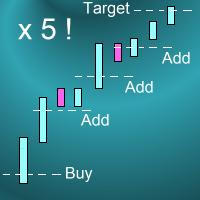
Introduction This powerful MT4 trade mangement EA offers a way potentially to aggressively multiply trade profits in a riskfree manner. Once a trade has been entered with a defined stoploss and take profit target then the EA will add three pyramid add-on trades in order to increase the overall level of profit. The user sets the total combined profit target to be gained if everything works out. This can be specified either as a multiple of the original trade profit or as a total dollar amount. Fo
The News Filter
Leolouiski Gan
5 (25)
Questo prodotto filtra tutti gli esperti consulenti e i grafici manuali durante il periodo delle notizie, così non dovrai preoccuparti di improvvisi picchi di prezzo che potrebbero distruggere le tue impostazioni di trading manuali o le negoziazioni effettuate da altri esperti consulenti. Questo prodotto viene fornito anche con un sistema completo di gestione degli ordini che può gestire le tue posizioni aperte e gli ordini in sospeso prima della pubblicazione di qualsiasi notizia. Una volta che
Prop Guardian Risk Manager MT4 – Drawdown, Risk & Hedge Protection for Prop Firm and Managed Accounts Prop Guardian Risk Manager is a professional risk-control utility for MetaTrader 4, designed for prop firm traders, money managers and anyone who wants strict account-level risk protection. It does not generate trading signals, strategy entries or trading decisions. Instead, it runs in the background, monitors your account risk and can automatically block new exposure, close managed trades or ac
FCK CurrencyStrength Pro
Patel Hitendrakumar Mahendrabhai
Hi Friends, " FCK Currency Strength Pro " is a auto & semi auto trading expert with direction of pair. Buy-Sell separate or multi currency in one click. The strategy of  FCK Currency Strength Pro  is a combination of custom indicator, Trendlines, Support & Resistance levels ( Price Action ) and most important secretive trading algorithm mentioned above. Download News Ex4 and csv file You need the following SDSnews.ex4 in MQL4/Libraries and the daylightsavings.csv in MQL4/Files. Only 4 of 5 copi
Trade Assistant Pro 36 in 1
Makarii Gubaydullin
4.76 (21)
Strumento Multifunzionale: Calcolatore di Lotti, Ordini Grid, Rapporto R/R, Gestore Trade, Zone di Domanda e Offerta, Price Action e molto altro Versione Demo   |   Manuale utente L'Assistente di Trading non funziona nel tester di strategie: puoi scaricare la Versione Demo QUI per testare l' utilità . Contattami per qualsiasi domanda / idee di miglioramento / in caso di bug trovato Se hai bisogno di una versione MT5, è disponibile qui Semplifica, accelera e automatizza il tuo processo di tradin
Risk manager Risk manager - it will simplify the tracking of drawdown and will notify you (alert) when the specified risk is reached, and close/lock orders when the critical DD risk level is reached. If the specified drawdown is exceeded, you can choose two options for actions: All orders will be closed that mean loss will be fixed on depo. The terminal also closes. Instead of fixing the loss on depo, the opposite order will be opened - orders locking will occure. Not a single order will be c
Lot Architect MT4
Do Thi Phuong Anh
Lot Architect — Trade Panel and Position Size Calculator for MT4 Lot Architect is a trade panel and risk-based position size calculator for MetaTrader 4. It helps calculate lot size from the selected risk, displays trade parameters before entry, and supports Market, Limit and Stop orders from the chart. The utility is designed for traders who want a structured workflow for position sizing, stop-loss placement, take-profit planning and order execution. Purpose Before opening a trade, a trader nee
Ultimate Partial Profit EA
BLAKE STEVEN RODGER
4.67 (3)
This EA Utility delivers a robust solution for managing an unlimited array of open orders, both manual and automated. It enables customizable partial profit levels utilizing metrics such as pips, ratios, ATR (Average True Range), and profit amounts for precise trade management. The utility features an advanced on-screen display, offering clear visualization of all orders and their profit levels to enhance strategic decision-making and control. To evaluate its performance and interface, the EA s
Trade Copier Global
Laszlo Tormasi
5 (15)
Trade Copier Global: The name speaks for itself. This copier allows you to copy orders between MT4 terminals even if they are not installed on the same computer. Features Copying trades between MT4 terminals around the world with a short delay. Automatically recognizes symbol prefixes. Can connect many Slaves to the same Master. Supports pending and market orders. Supports partial order close (with limitations, see below) Can send messages and notifications to the Slaves from the Master Several
Trade Signal Pro (MT4) — Telegram Signal Provider (Utility) A lightweight utility that sends trade notifications from your MT4 account to Telegram. It does NOT open/close trades. It only reads positions/deals and sends messages. What it sends Entry signal (BUY/SELL) with Entry, SL, TP, pips + Risk:Reward   Updates when SL/TP is modified (reply/tag to the original signal)   Close notifications: TP hit / SL hit / Breakeven / Manual close   Optional Daily & Weekly performance summary (win

Altri dall’autore
Hai trovato un ottimo segnale, ma il lotto di un fornitore è troppo piccolo? Hai bisogno di un volume di posizione maggiore, ma le impostazioni del terminale sono troppo scadenti? Signal Lot Manager aumenterà il volume della posizione del fornitore mediante un ordine duplicato del volume necessario. Basta impostare una dimensione del lotto e un nome di un segnale da cui copiare gli ordini. Signal Lot Manager è un'utilità moltiplicatrice di lotti per duplicare gli ordini sul tuo terminale. La fon
Elliott Wave Counter è un pannello per il markup manuale rapido e intuitivo delle onde di Elliott. Si può selezionare un colore e un livello di segni. Sono inoltre disponibili funzioni per la rimozione dell'ultimo markup e dell'intero markup effettuato dallo strumento. Il markup viene eseguito con un clic. Fai clic cinque volte: ottieni cinque onde! Elliott Wave Counter sarà un ottimo strumento sia per i principianti che per gli analisti professionisti delle onde di Elliott. Guida all'installazi
If you wish to draw Support and Resistance lines, view: daily market opening, classical pivot levels, Fibonacci pivot levels, trend lines, Fibonacci levels, the remaining time to candle closing, and current spread. If you seek to place your orders with the exact lot that meets your desired stop loss risk. If you wish to do all this and more with just one click, then this is the perfect tool to use. This tool will allow you to feel more relaxed when deciding to open orders, as well as predicting
Lo strumento di analisi con un clic è un       creazione di oggetti basata su scorciatoie da tastiera       e strumento di copia per MetaTrader. Semplifica l'utilizzo degli strumenti di analisi in MetaTrader con un semplice clic. Con il nostro strumento, puoi disegnare rapidamente livelli di supporto e resistenza, livelli di Fibonacci, forme, canali, linee di tendenza e tutti gli altri oggetti sul tuo grafico. Basta fare clic sul pulsante, spostare il mouse e One Click Analysis Tool farà il rest
Draw Agent
Omar Alkassar
Draw Agent è uno strumento di disegno per i grafici MetaTrader. Disegna a mano sul grafico come su una lavagna e gestisci tutti i tuoi disegni da un pannello compatto. Non opera, non invia ordini e non fornisce segnali. Usalo per abbozzare onde di Elliott, segnare supporti, resistenze e zone, schizzare idee di trading o spiegare un grafico a studenti e clienti in un webinar dal vivo. I disegni sono fatti con oggetti standard del grafico e restano sul grafico dopo il riavvio del terminale. Guida
Partial Close Expert
Omar Alkassar
5 (1)
Partial Close Expert   è uno strumento che combina numerose funzioni in un unico sistema automatizzato. Questo EA può aiutare i trader a gestire le proprie posizioni in modo più efficace, offrendo molteplici opzioni per gestire il rischio e massimizzare i potenziali guadagni. Con Partial Close Expert, i trader possono impostare un       chiusura parziale       livello per bloccare i profitti, un       stop mobile       livello per proteggere i profitti e limitare le perdite, un       pareggiare
Trade Copier Agent è progettato per copiare operazioni tra account/terminali multi MetaTrader (4/5). Con questo strumento, puoi agire come fornitore (fonte) o ricevitore (destinazione). Tutte le azioni di trading verranno copiate dal fornitore al destinatario senza alcun ritardo. Questo strumento ti consente di copiare operazioni tra più terminali MetaTrader sullo stesso computer con velocità di copia fulminee inferiori a 0,5 secondi. Guida all'installazione e agli input di Trade Copier Agent S
The library is dedicated to help manage your trades, calculate lot, trailing, partial close and other functions Orders CloseallSell CloseallBuy CloseallOpen DeletePending DeleteAll: Close All Market Orders and delete all pending orders. CheckOpenBuyOrders: return the count of buy orders. CheckOpenSellOrders: return the count of sell orders. CheckOpenOrders: return the count of market orders. ModifyOrder DeleteOrder CloseOrder OpenOrder Lot Calculation Mode 0: Fixed Lot. Mode 1: Martingale Lot
Telegram Publisher Agent   è un componente aggiuntivo che consente ai trader di inviare segnali ai propri canali e gruppi Telegram in tempo reale. Con messaggi personalizzabili, schermate di grafici e altre funzionalità, lo strumento aiuta i trader a condividere le loro intuizioni e strategie di trading con i loro follower. Lo strumento presenta anche un bellissimo design con interruttore a tema chiaro e scuro, offrendo agli utenti un'esperienza di trading estetica e funzionale. Telegram Publish
Hai trovato un ottimo segnale, ma il lotto di un fornitore è troppo piccolo? Hai bisogno di un volume di posizione maggiore, ma le impostazioni del terminale sono troppo scadenti? Signal Lot Manager aumenterà il volume della posizione del fornitore mediante un ordine duplicato del volume necessario. Basta impostare una dimensione del lotto e un nome di un segnale da cui copiare gli ordini. Signal Lot Manager è un'utilità moltiplicatrice di lotti per duplicare gli ordini sul tuo terminale. La fon
Binary Trade Panel è uno strumento molto utile per il trading di opzioni binarie sulla piattaforma MT4/MT5. Non è più necessario configurare plug-in al di fuori di MT4/MT5. Questo è un pannello semplice e conveniente direttamente sul grafico MT4/MT5. Il Binary Trade Panel è uno strumento utile per i trader che utilizzano la piattaforma MT4/MT5 per negoziare opzioni binarie. È un pannello semplice e conveniente che consente ai trader di effettuare operazioni di opzioni binarie direttamente dal g
News Panel MT4
Omar Alkassar
1 (1)
News Panel per MetaTrader è uno strumento che visualizza i dati del calendario economico all'interno della piattaforma di trading MetaTrader. Lo strumento estrae notizie economiche e rilasci di dati da fonti esterne, come siti Web di notizie finanziarie o fornitori di dati, e li visualizza in un formato di facile lettura. Lo strumento consente agli operatori di filtrare i comunicati stampa per fonte, fuso orario, livello di impatto, valuta e metodo di notifica. Include anche un pulsante Aggiorna
Risk to Reward Ratio Manager è uno strumento visuale per gli ordini e un calcolatore della dimensione della posizione per MetaTrader. Imposta rischio, stop loss e take profit sul grafico, vedi il lotto, il rischio e il guadagno prima di operare e apri l'ordine con un clic. Calcola il lotto dal tuo rischio, così ogni operazione ha il rischio che hai pianificato. Usalo per pianificare un'operazione con linee di ingresso, stop loss e take profit trascinabili, mantenere il rapporto rischio/rendiment
Un grafico. Controllo totale. Smetti di perdere tempo a gestire oggetti, colori e impostazioni su ogni grafico separatamente. Con Chart Sync Manager puoi sincronizzare, copiare e controllare all'istante tutti i tuoi grafici MetaTrader, usando un solo pannello e pochi tasti di scelta rapida. Disegna una volta, aggiorna ovunque. Apri e chiudi i grafici con un solo clic. Mantieni ordinato il tuo spazio di lavoro con la gestione degli oggetti per simbolo. E non perdere nessun dettaglio importante gr
Notes Manager è uno strumento di note adesive per i grafici di MetaTrader. Scrivi note e checklist direttamente sul grafico, fissale a un prezzo o a una candela, imposta promemoria e tieni un diario delle tue operazioni, tutto da un pannello compatto. Non fa trading, non invia ordini e non dà segnali. Usalo per scrivere il tuo piano di trading prima della sessione, segnare livelli chiave con una nota che segue il prezzo, spuntare una checklist prima di entrare, ricevere un avviso quando il prezz
Draw Agent MT5
Omar Alkassar
5 (1)
Draw Agent è uno strumento di disegno per i grafici MetaTrader. Disegna a mano sul grafico come su una lavagna e gestisci tutti i tuoi disegni da un pannello compatto. Non opera, non invia ordini e non fornisce segnali. Usalo per abbozzare onde di Elliott, segnare supporti, resistenze e zone, schizzare idee di trading o spiegare un grafico a studenti e clienti in un webinar dal vivo. I disegni sono fatti con oggetti standard del grafico e restano sul grafico dopo il riavvio del terminale. Guida
OneClick Analysis MT5
Omar Alkassar
5 (1)
Lo strumento di analisi con un clic è un       creazione di oggetti basata su scorciatoie da tastiera       e strumento di copia per MetaTrader. Semplifica l'utilizzo degli strumenti di analisi in MetaTrader con un semplice clic. Con il nostro strumento, puoi disegnare rapidamente livelli di supporto e resistenza, livelli di Fibonacci, forme, canali, linee di tendenza e tutti gli altri oggetti sul tuo grafico. Basta fare clic sul pulsante, spostare il mouse e One Click Analysis Tool farà il rest
Elliott Wave Counter è un pannello per il markup manuale rapido e intuitivo delle onde di Elliott. Si può selezionare un colore e un livello di segni. Sono inoltre disponibili funzioni per la rimozione dell'ultimo markup e dell'intero markup effettuato dallo strumento. Il markup viene eseguito con un clic. Fai clic cinque volte: ottieni cinque onde! Elliott Wave Counter sarà un ottimo strumento sia per i principianti che per gli analisti professionisti delle onde di Elliott. Guida all'installazi
Partial Close Expert   è uno strumento che combina numerose funzioni in un unico sistema automatizzato. Questo EA può aiutare i trader a gestire le proprie posizioni in modo più efficace, offrendo molteplici opzioni per gestire il rischio e massimizzare i potenziali guadagni. Con Partial Close Expert, i trader possono impostare un       chiusura parziale       livello per bloccare i profitti, un       stop mobile       livello per proteggere i profitti e limitare le perdite, un       pareggiare
If you wish to draw Support and Resistance lines, view: daily market opening, classical pivot levels, Fibonacci pivot levels, trend lines, Fibonacci levels, the remaining time to candle closing, and current spread. If you seek to place your orders with the exact lot that meets your desired stop loss risk. If you wish to do all this and more with just one click, then this is the perfect tool to use. This tool will allow you to feel more relaxed when deciding to open orders, as well as predicting
The library is dedicated to help manage your trades, calculate lot, trailing, partial close and other functions. Lot Calculation Mode 0: Fixed Lot. Mode 1: Martingale Lot (1,3,5,8,13) you can use it in different way calculate when loss=1 ,when profit=0. Mode 2: Multiplier Lot (1,2,4,8,16) you can use it in different way calculate when loss=1 ,when profit=0. Mode 3: Plus Lot (1,2,3,4,5) you can use it in different way calculate when loss=1 ,when profit=0. Mode 4: SL/Risk Lot calculate based on s
Telegram Publisher Agent   è un componente aggiuntivo che consente ai trader di inviare segnali ai propri canali e gruppi Telegram in tempo reale. Con messaggi personalizzabili, schermate di grafici e altre funzionalità, lo strumento aiuta i trader a condividere le loro intuizioni e strategie di trading con i loro follower. Lo strumento presenta anche un bellissimo design con interruttore a tema chiaro e scuro, offrendo agli utenti un'esperienza di trading estetica e funzionale. Telegram Publish
Trade Copier Agent è progettato per copiare operazioni tra account/terminali multi MetaTrader (4/5). Con questo strumento, puoi agire come fornitore (fonte) o ricevitore (destinazione). Tutte le azioni di trading verranno copiate dal fornitore al destinatario senza alcun ritardo. Questo strumento ti consente di copiare operazioni tra più terminali MetaTrader sullo stesso computer con velocità di copia fulminee inferiori a 0,5 secondi. Guida all'installazione e agli input di Trade Copier Agent S
News Panel per MetaTrader è uno strumento che visualizza i dati del calendario economico all'interno della piattaforma di trading MetaTrader. Lo strumento estrae notizie economiche e rilasci di dati da fonti esterne, come siti Web di notizie finanziarie o fornitori di dati, e li visualizza in un formato di facile lettura. Lo strumento consente agli operatori di filtrare i comunicati stampa per fonte, fuso orario, livello di impatto, valuta e metodo di notifica. Include anche un pulsante Aggiorn
Binary Trade Panel è uno strumento molto utile per il trading di opzioni binarie sulla piattaforma MT4/MT5. Non è più necessario configurare plug-in al di fuori di MT4/MT5. Questo è un pannello semplice e conveniente direttamente sul grafico MT4/MT5. Il Binary Trade Panel è uno strumento utile per i trader che utilizzano la piattaforma MT4/MT5 per negoziare opzioni binarie. È un pannello semplice e conveniente che consente ai trader di effettuare operazioni di opzioni binarie direttamente dal g
Trades Time Manager è un pianificatore di operazioni per MetaTrader. Scegli l'azione, il simbolo e la data e l'ora del server, e lo strumento fa il resto: apre ordini, inserisce ordini pendenti, chiude operazioni, sposta lo stop loss a pareggio, modifica il take profit o cancella gli ordini pendenti. Non fornisce segnali: esegue solo le attività che aggiungi. Usalo per entrare con le notizie o all'apertura della sessione, chiudere tutto prima del weekend o spostare le tue operazioni a pareggio a
Risk to Reward Ratio Manager è uno strumento visuale per gli ordini e un calcolatore della dimensione della posizione per MetaTrader. Imposta rischio, stop loss e take profit sul grafico, vedi il lotto, il rischio e il guadagno prima di operare e apri l'ordine con un clic. Calcola il lotto dal tuo rischio, così ogni operazione ha il rischio che hai pianificato. Usalo per pianificare un'operazione con linee di ingresso, stop loss e take profit trascinabili, mantenere il rapporto rischio/rendiment
Un grafico. Controllo totale. Smetti di perdere tempo a gestire oggetti, colori e impostazioni su ogni grafico separatamente. Con Chart Sync Manager puoi sincronizzare, copiare e controllare all'istante tutti i tuoi grafici MetaTrader, usando un solo pannello e pochi tasti di scelta rapida. Disegna una volta, aggiorna ovunque. Apri e chiudi i grafici con un solo clic. Mantieni ordinato il tuo spazio di lavoro con la gestione degli oggetti per simbolo. E non perdere nessun dettaglio importante gr
Notes Manager è uno strumento di note adesive per i grafici di MetaTrader. Scrivi note e checklist direttamente sul grafico, fissale a un prezzo o a una candela, imposta promemoria e tieni un diario delle tue operazioni, tutto da un pannello compatto. Non fa trading, non invia ordini e non dà segnali. Usalo per scrivere il tuo piano di trading prima della sessione, segnare livelli chiave con una nota che segue il prezzo, spuntare una checklist prima di entrare, ricevere un avviso quando il prezz
Filtro:
Nessuna recensione
Rispondi alla recensione