EA Control Tower
- Utilità
-
Almuatasim Assad Abdel Rahman Aqel
 Trader and MQL5 developer based in Dubai. I trade gold, forex and crypto, and I’ve spent years building and testing trading systems on MetaTrader, which taught me how much the right numbers matter and how often they’re hidden.
- Versione: 1.14
See what is really happening on your account, per EA.
MT5 shows one profit number for the whole account. If you run two or more Expert Advisors, or an EA next to manual trades, you cannot tell which one is making money, which one is losing, and which one has quietly stopped. EA Control Tower reads your account and shows it per EA, live, on one panel.
It never opens, modifies or closes a trade. It only reads.
WHAT THE PANEL SHOWS
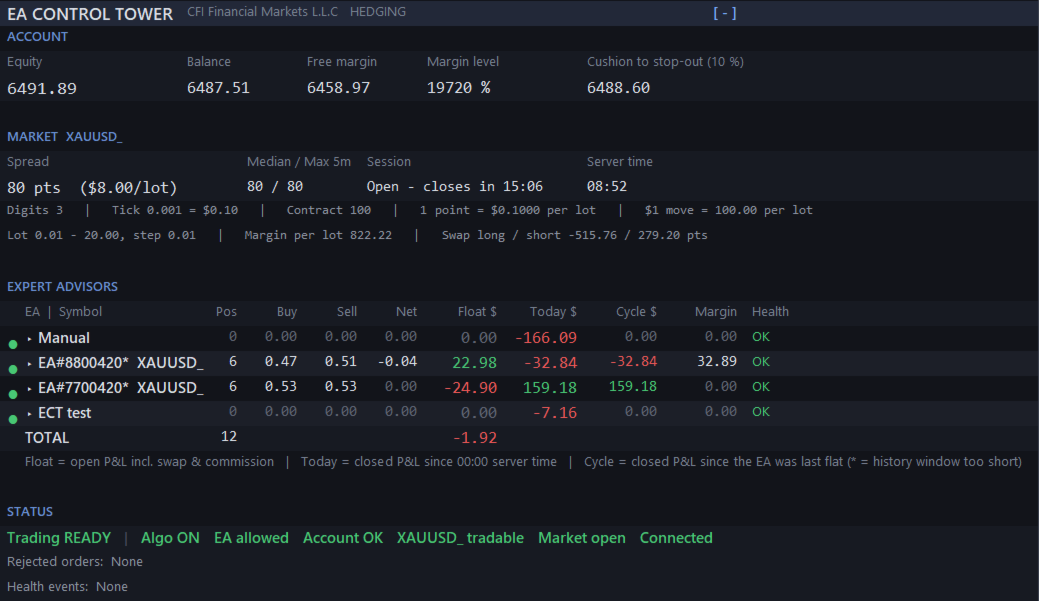
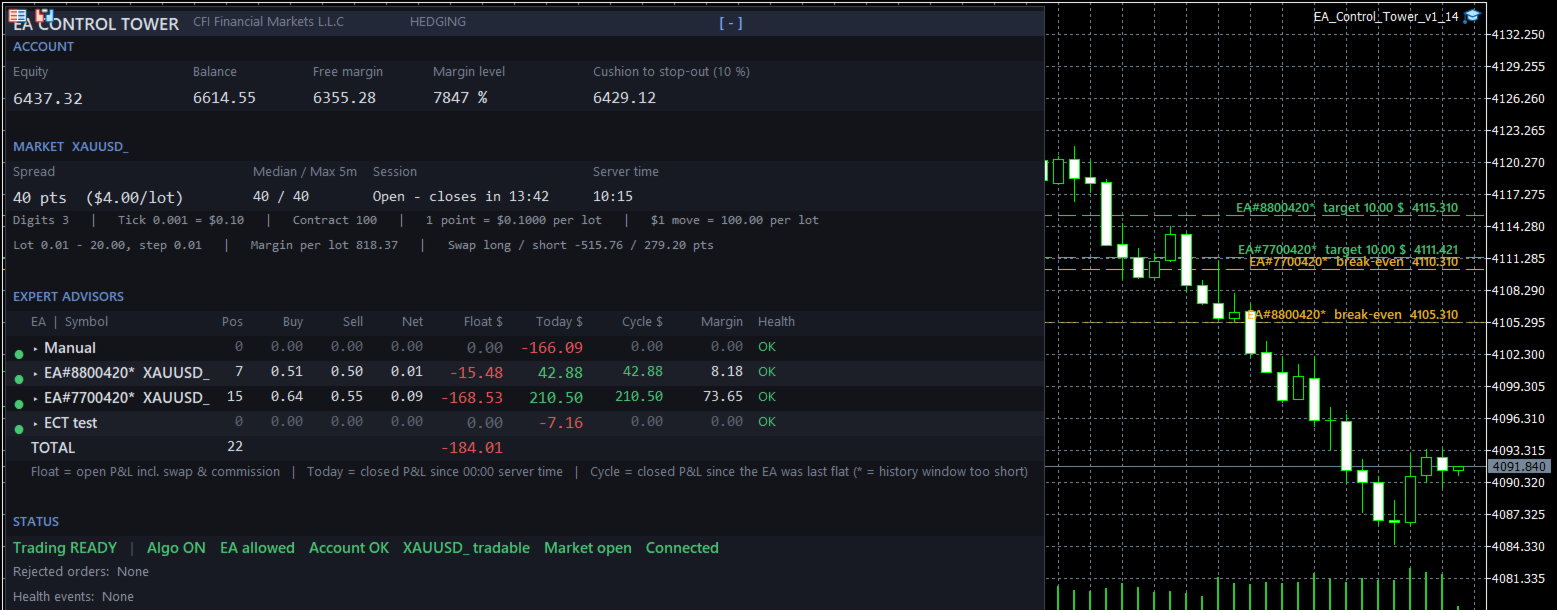
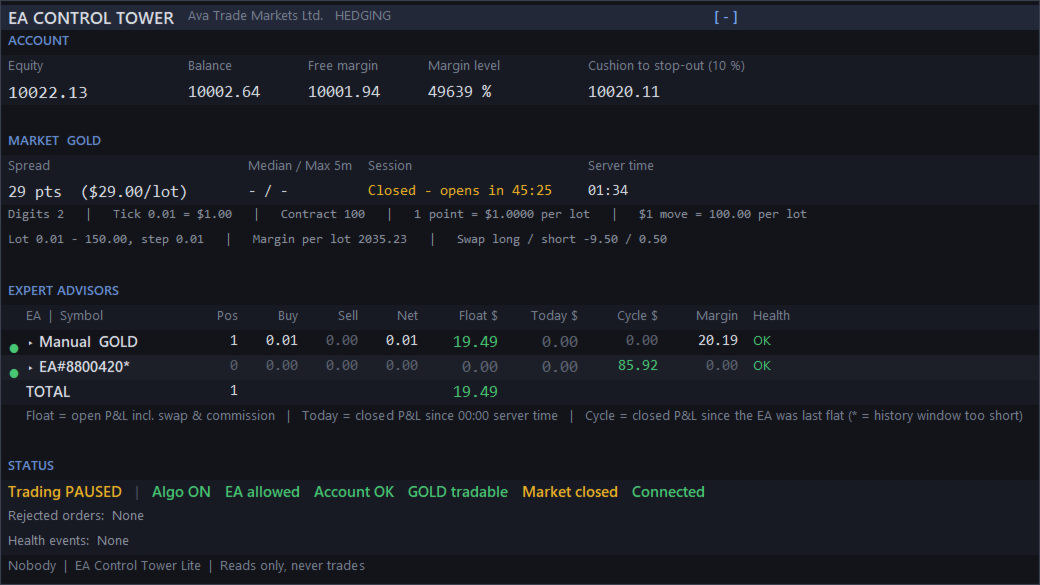
- One row per EA, grouped by magic number. EAs that use many magic numbers are detected and merged automatically (by order comment or by a common magic prefix). Each row: open positions, buy / sell / net lots, floating P&L including swap and commission, closed P&L today, closed P&L for the current cycle (since the EA was last flat), margin used and a health light.
- Margin per EA is hedge-aware: it follows your broker's rule for hedged positions instead of counting every leg at full margin.
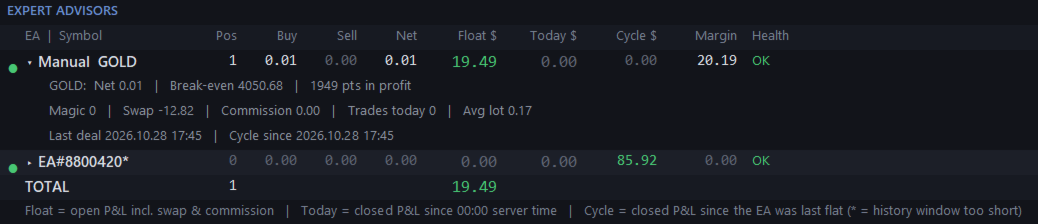
- Click a row to expand it: break-even price per symbol and the distance to it, swap, commission, trades today, average lot, last deal and cycle start.
- Break-even and target lines drawn on the chart, each labelled with the EA name and price. Set a basket target in dollars and see the exact price where the EA reaches it.
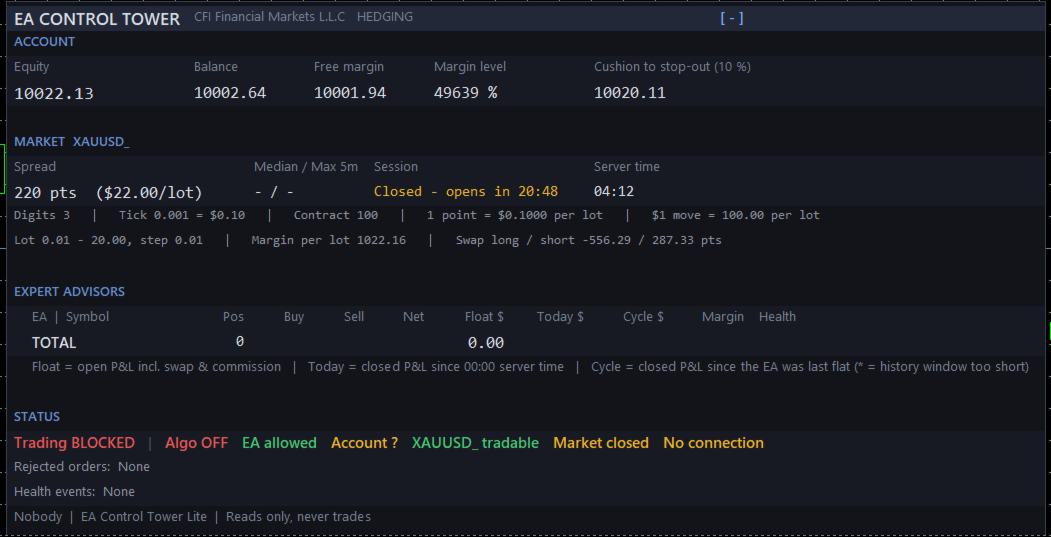
- Account: equity, balance, free margin, margin level and the cushion to stop-out in money.
- Symbol card: digits, tick size and value, contract size, what one point and a $1 move are worth per lot, lot limits, margin per lot, swaps with their unit (points, money or % per year). The numbers behind every lot-size mistake, for any broker and any symbol suffix.
- Spread in points and in money per lot, with median and 5-minute maximum and a warning on spikes. Session countdown, rollover warning, broker server time.
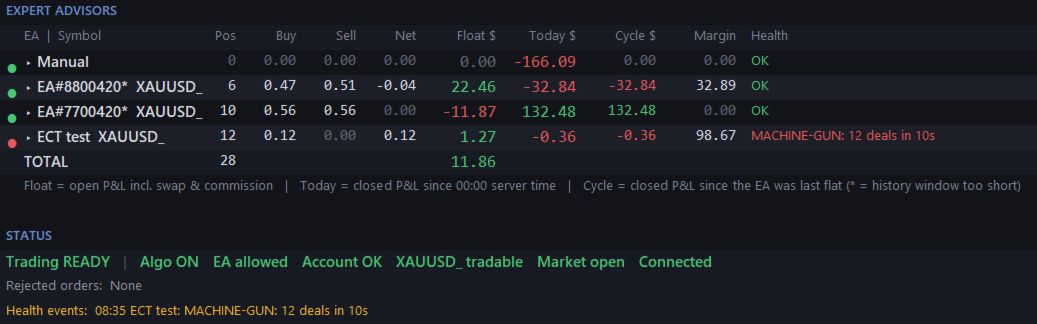
- EA health: STALLED (no deals for N hours while the market is open), MACHINE-GUN (too many deals within seconds), ABNORMAL LOT (a deal far above the EA's average), plus a log of recent health events and orders rejected by the server.
- Trading status line: one verdict (READY, PAUSED or BLOCKED) followed by each check in its own colour: Algo trading, EA permission, account, symbol, market session, connection. "Why is my EA not trading?" answered at a glance.
WHO IT IS FOR
Traders who run one or more EAs on gold, indices, forex or crypto CFDs; prop-firm traders who need to know their real exposure; anyone who has been surprised by a margin call.
SETUP
- Attach to any chart (one instance per terminal is enough). Allow Algo Trading: it is needed only to read the account.
- Optional: name your EAs in "EA names", for example 770042-770049=Warrior;123456=Scalper
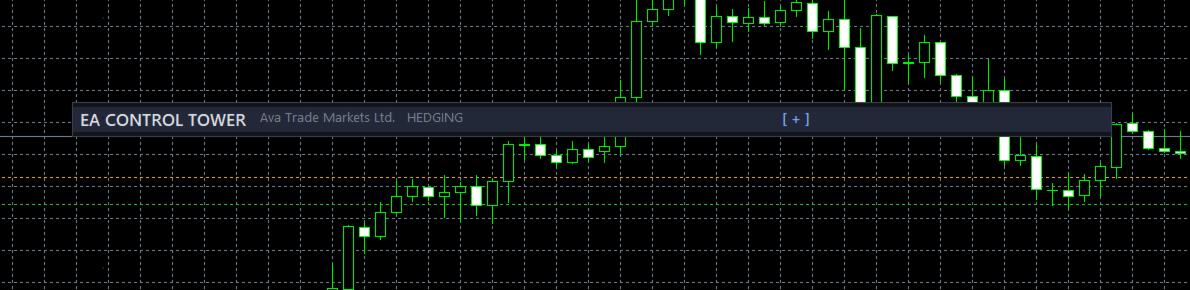
- Drag the header to move the panel, click it to collapse. Click an EA row to expand it. Position and layout are remembered per account.
INPUTS
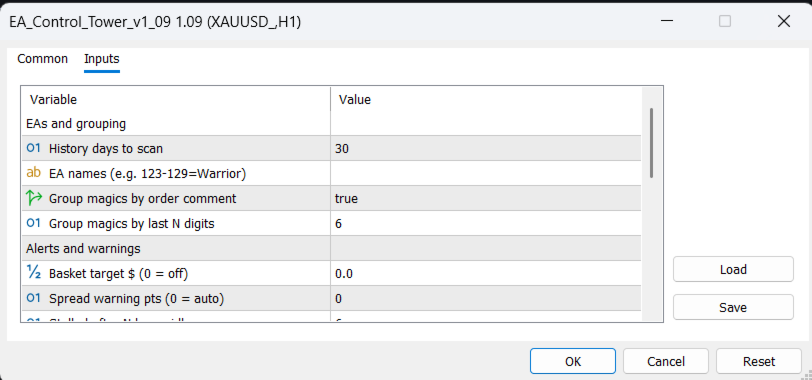
- EAs and grouping: history days to scan, EA names, group magics by order comment, group magics by last N digits.
- Alerts and warnings: basket target $, spread warning, stalled hours, machine-gun deal count and seconds, abnormal lot multiple, session close warning, how long alerts stay visible.
- Display: break-even lines on/off, hide EAs idle N days, panel position, font size, refresh seconds, hide account number (for screenshots).
NOTES
- Works on hedging and netting accounts, any symbol, any broker. Light: refreshes once per second on a timer, no history scans on ticks.
- The "cycle" figure uses the scanned history window; an asterisk marks EAs whose open positions are older than that window.
- Free. A Pro version (prop-firm presets with daily drawdown countdown, alerts to phone, verified close buttons, CSV export) will follow.