
MagicLines MT5
- Indicators
-
Mostafa Ghanbari
 ✅ Founder of MGH Products
✅ Software Engineer | Custom Indicator & Expert Advisor Developer
✅ Published Author on MQL5.com - Version: 1.1
- Updated: 13 July 2026
- Activations: 5
MGH-MagicLine — Trend & Multi-Timeframe Divergence in One Tool
MagicLine combines trend detection and divergence analysis into a single indicator — a refined alternative to running MultiStoch and MultiMACD separately, with cleaner output and less lag.
It is a confirmation and analysis tool. It does not give entry points, Take Profit or Stop Loss. Instead, it adds a strong, flexible confirmation layer that fits almost any trend-based strategy and helps you read the market with more clarity.
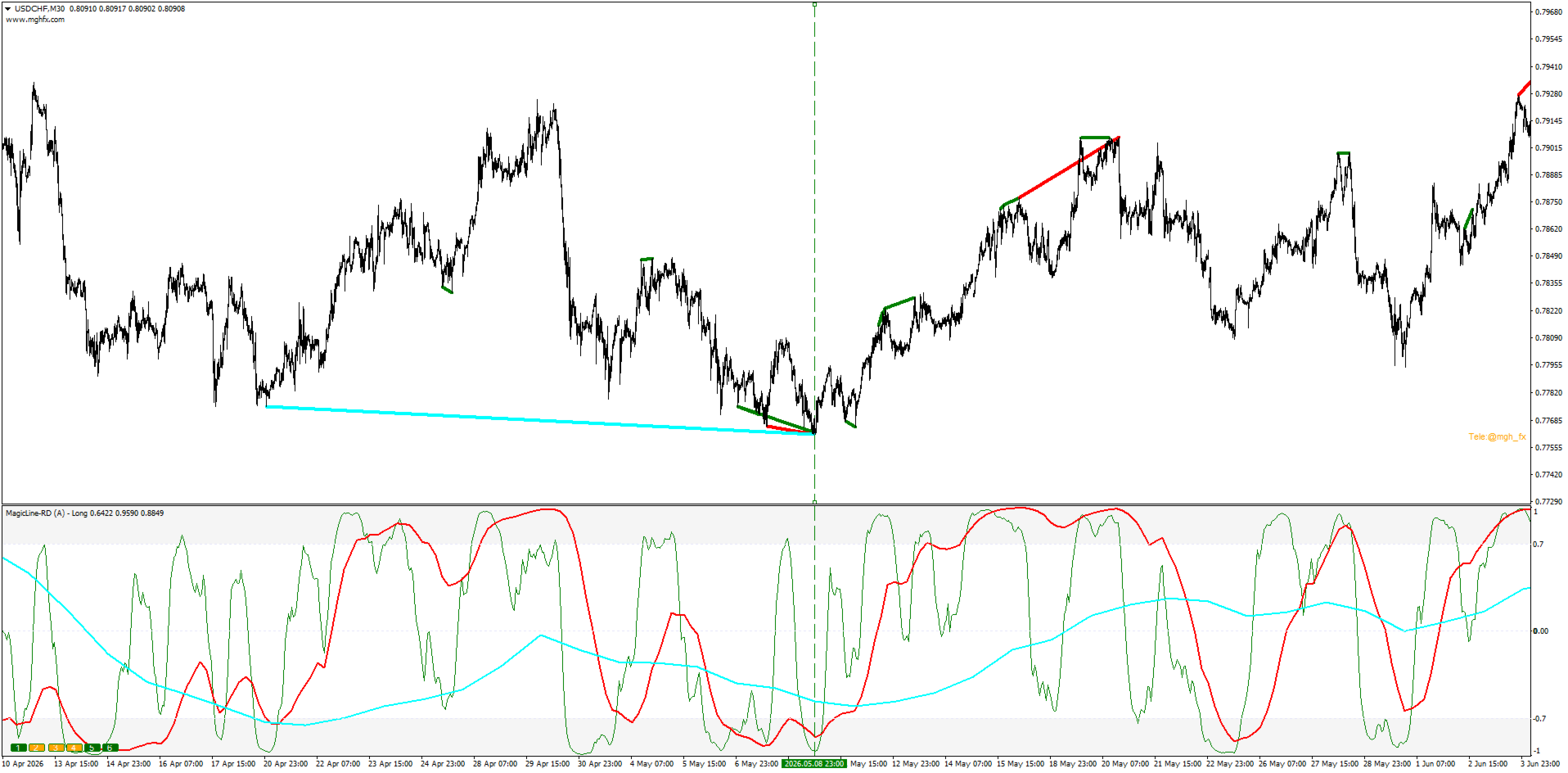
Three Line Modes — One Indicator
Choose the Line Type in settings; the active mode is shown directly in the indicator window name, so you always know what you are looking at:
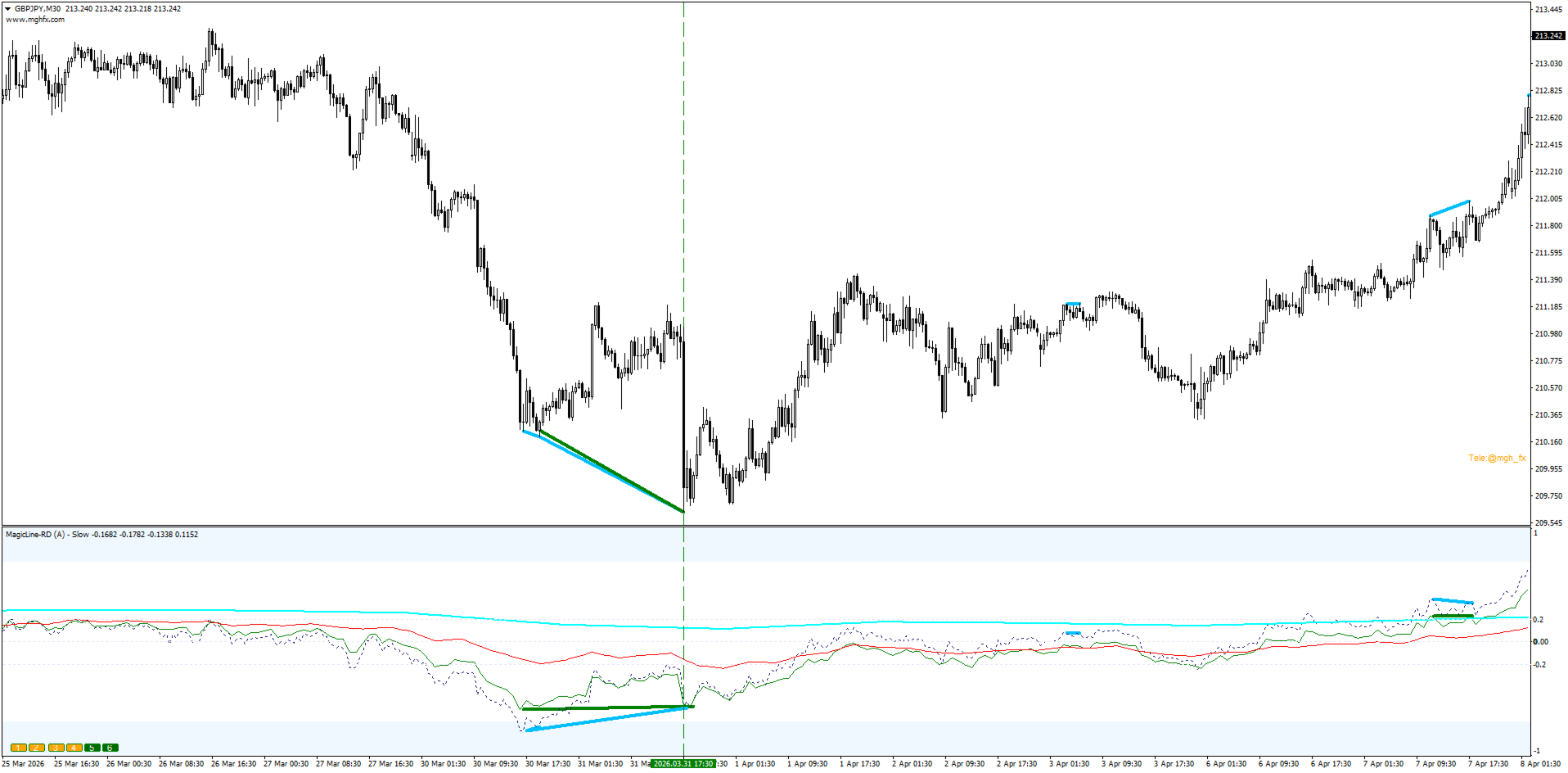
- Slow — lowest noise, built to read the long-term trend direction. Lines reaching the ±0.2 zone confirm the dominant trend.
- Long — clean trend detection with more responsiveness. A balanced, everyday choice.
- Fast — quickest reaction, suited to scalping and intraday momentum.
One indicator, three distinct behaviors — adapt it to your timeframe and your style.
Multi-Timeframe Lines — Now With Full Timeframe Control (MT5)
Because MetaTrader 5 supports a wider range of timeframes than MT4, this version adds per-line timeframe selection — giving you complete control over which timeframe each line represents.
Set TimeFrame Type to choose how timeframes are assigned:
- Auto — the indicator applies a smart neighboring-timeframe rule: each successive line is assigned a timeframe at least 3× larger than the previous one, adapting automatically to whatever chart period you are on. No manual configuration needed.
- From Inputs — set each line's timeframe independently (L1 through L6) from a full list of MetaTrader 5 periods, from M1 all the way to Monthly.
The result: up to 6 lines, each on its own timeframe, covering exactly the multi-timeframe spread that matches your strategy — automatically or manually, your choice.
- Hover any line to confirm its timeframe instantly.
- Toggle each line ON/OFF with the on-chart buttons (1–6).
See the higher-timeframe picture and your entry timeframe together, in one window.
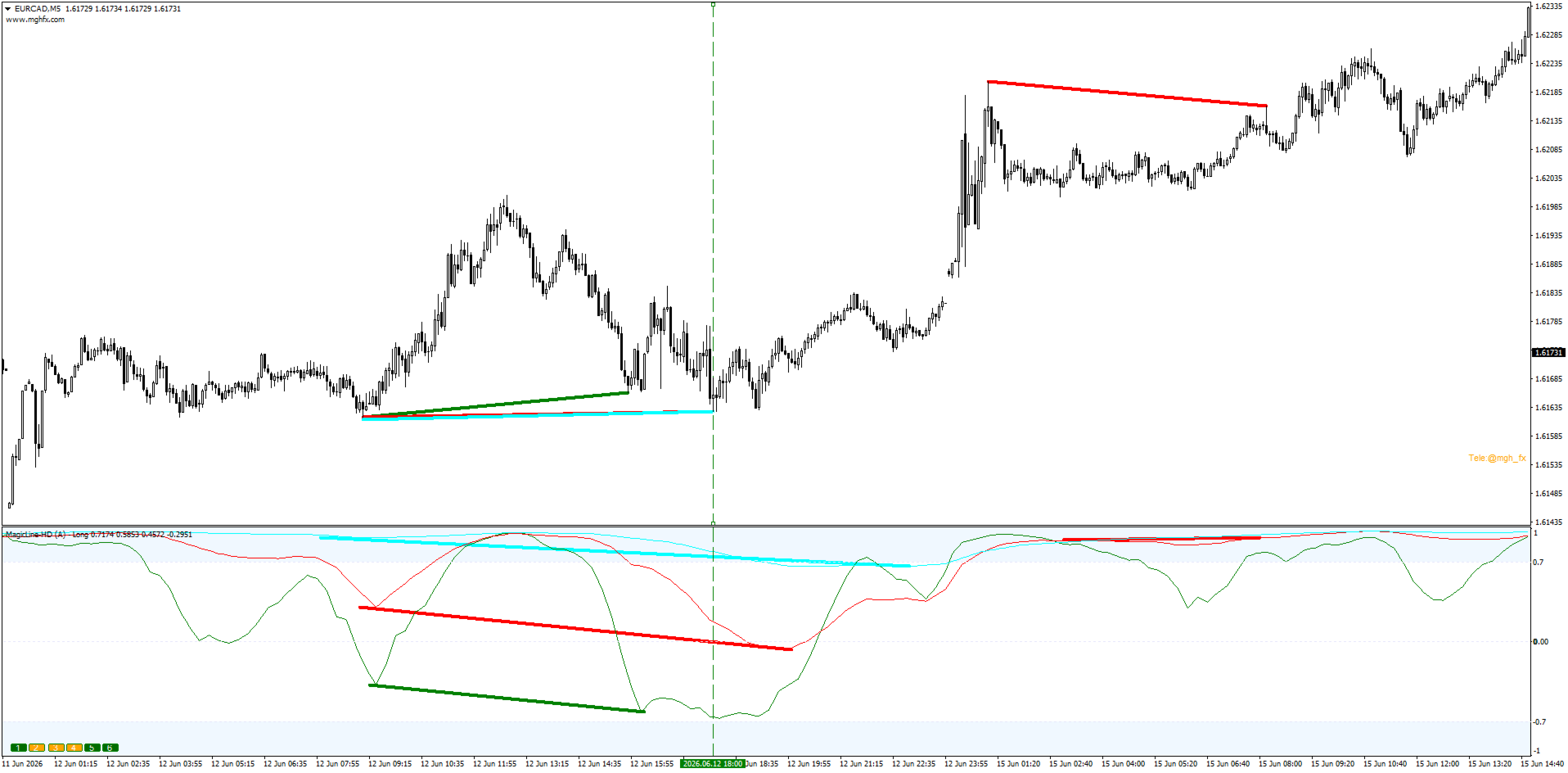
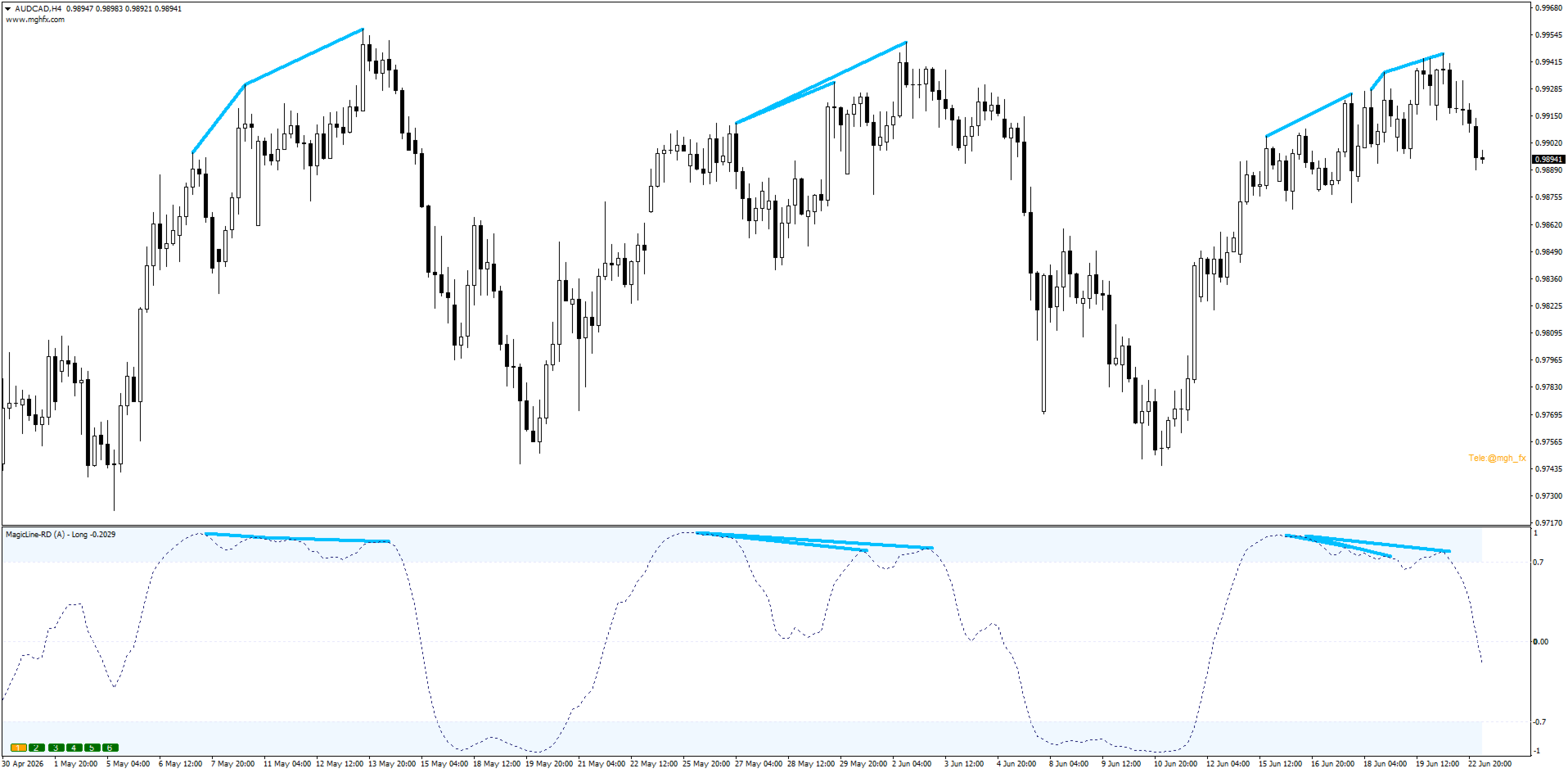
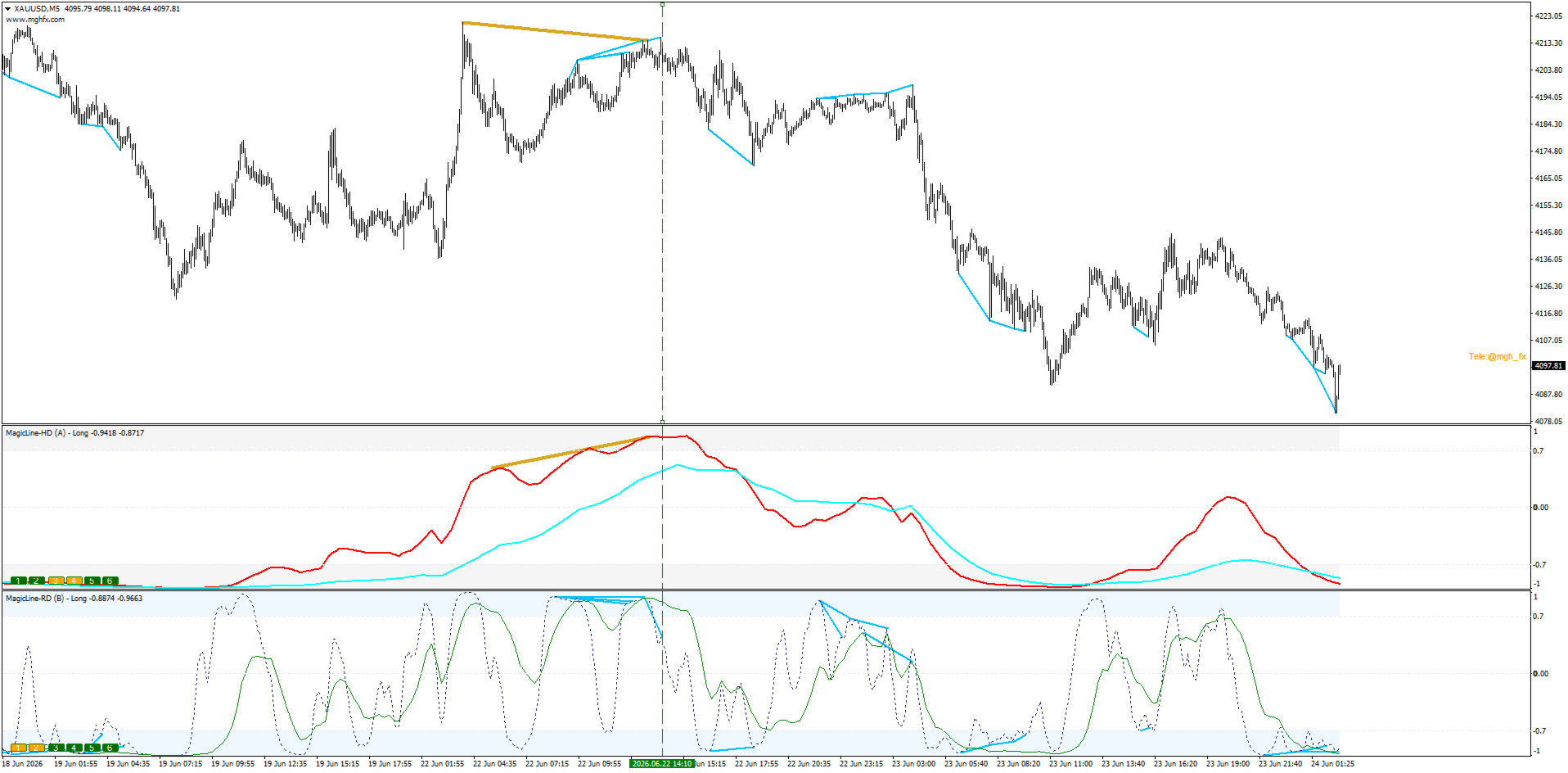
Regular & Hidden Divergence
Set Divergence Type to Regular or Hidden; the mode (RD / HD) is added to the indicator name so multiple instances stay easy to identify on the same chart.
- Regular (RD) — highlights potential reversals.
- Hidden (HD) — highlights trend continuation.
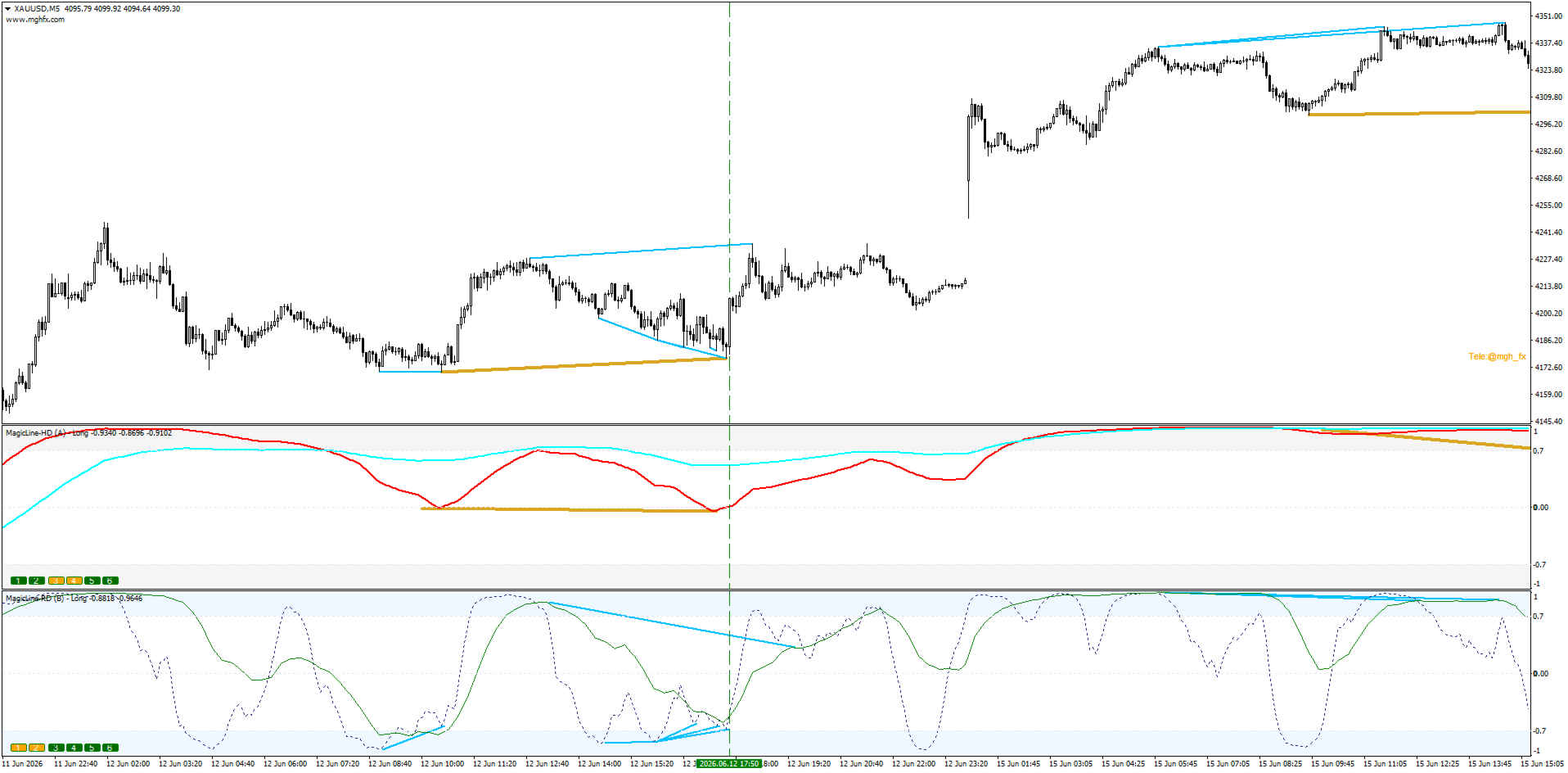
Each divergence is drawn both in the indicator window and directly on the price chart, color-coded per timeframe — no need to match peaks and troughs by eye. The Increase Divergence Range input extends detection to farther peaks and valleys for setups that are easy to miss otherwise.
Two Practical Approaches
1. Divergence stacking — multiple RD (or multiple HD) signals from different timeframes converging on the same candle, for a higher-conviction setup. The more lines that align, the stronger the picture.
2. RD + HD confluence — Hidden divergence from a higher timeframe (Daily/Weekly) for direction, combined with Regular divergence from a lower timeframe (H1/H4) for timing.
Built-In Alerts
Three independent alerts — Overbought/Oversold break, Center line break, and Divergence — delivered via popup, sound, email, or push notification, so you never have to watch the screen all day.
Input Parameters
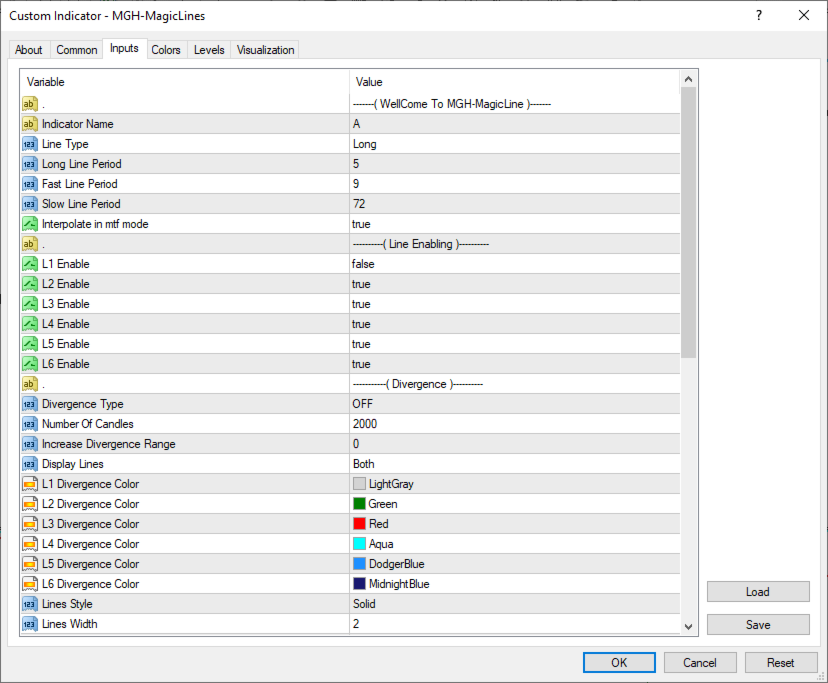
Lines
- Indicator Name — custom label for the indicator window.
- Line Type — Long / Fast / Slow engine selection.
- Long / Fast / Slow Line Period — independent period for each engine.
- Interpolate in MTF mode — smooths lines in multi-timeframe mode.
- L1–L6 Enable — turn each of the 6 timeframe lines on or off (color shown in brackets).
Line TimeFrame (MT5 exclusive)
- TimeFrame Type — Auto or From Inputs.
- Auto: the indicator automatically selects neighboring timeframes following the rule that each successive timeframe is at least 3× larger than the previous one, based on your current chart period.
- From Inputs: assign each line's timeframe manually from the full MT5 period list.
- L1–L6 TimeFrame — active only when TimeFrame Type is set to From Inputs.
Divergence
- Divergence Type — Regular / Hidden / OFF.
- Number Of Candles — history depth scanned for divergence.
- Increase Divergence Range — widens detection to farther peaks/troughs.
- Display Lines — show divergence in the window, on the chart, or both.
- L1–L6 Divergence Color — color per timeframe.
- Lines Style / Lines Width — divergence line appearance.
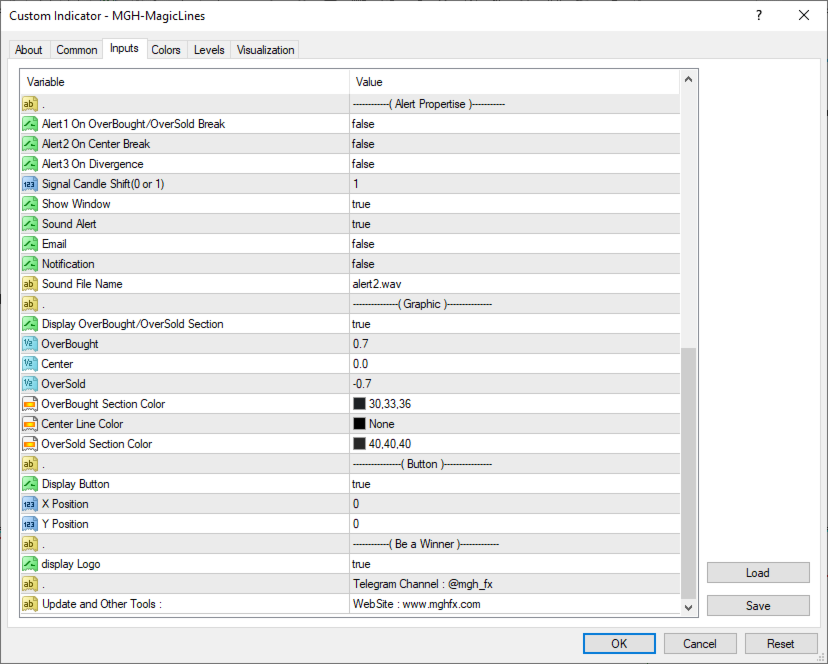
Alerts
- Alert on Overbought/Oversold Break, Center Break, Divergence — enable each independently.
- Signal Candle Shift (0 or 1) — signal on the closed or current candle.
- Sound / Email / Notification — choose delivery method.
- Sound File Name — custom alert sound.
Graphic
- Overbought / Center / Oversold — adjustable zone levels.
- Section & Center Line Colors — visual customization.
- Show Window, Display Button, X/Y Position — layout controls.
Important
MagicLine is a confirmation tool, not an automated strategy. It works best when combined with your own analysis and risk management. Past behavior of any indicator does not guarantee future results.
Download the demo and test MagicLine on your own charts and strategy — see how it fits before you decide.
MT4 Version: https://www.mql5.com/en/market/product/182884
If you're looking for a more automated, multi-timeframe approach built on this same divergence-detection logic, check out MGH-MagicTrigger. It scans a chain of timeframes automatically, confirms higher-timeframe divergence with matching divergence on the lower timeframes, and draws an entry trigger, stop loss, and two targets for every confirmed signal.
MagicTrigger link:
MT5: https://www.mql5.com/en/market/product/186243
MT4: https://www.mql5.com/en/market/product/186226




























User didn't leave any comment to the rating