HyperRecover - The Assistant Every Manual Trader Needs When a Trade Goes Wrong

Every manual trader has lived this night.
You open a trade with a clear idea. Price moves against you. You hold, because closing means admitting the loss. You add a second order to improve the average — price keeps going. Third order. Fourth. Now the floating loss is larger than everything you made this month, and you are no longer trading. You are hoping.
The problem is not that you were wrong. Every trader is wrong often. The problem is that after the first mistake there is no plan — only emotion. Panic closes at the worst price. Hope adds orders at random distances with random lot sizes. Fear keeps you watching the chart at 3 a.m.
HyperRecover was built for exactly that moment.
1. You keep trading your way — HyperRecover waits
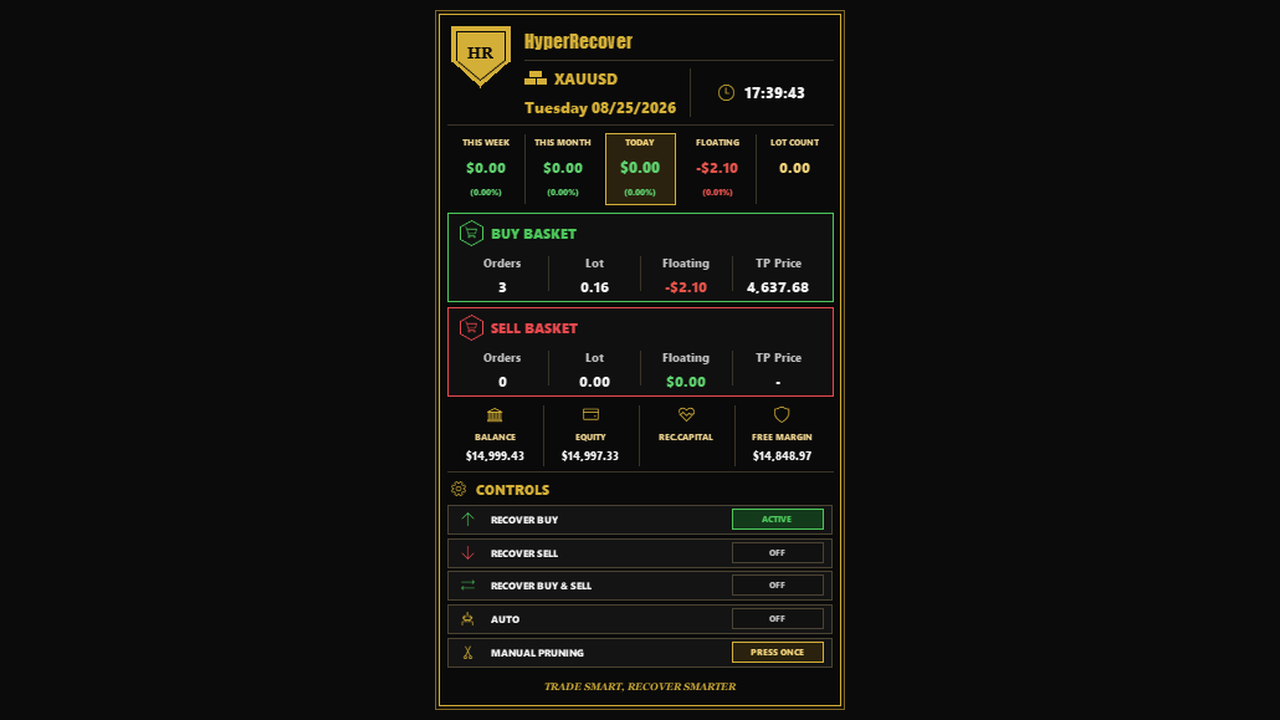
All buttons are OFF by default. HyperRecover does not open, close or modify anything until you ask. You trade manually as you always do; the dashboard simply shows your BUY and SELL baskets, their floating result and their TP.
2. One click turns emotion into a plan
When a position goes wrong, press RECOVER BUY or RECOVER SELL. From that moment HyperRecover manages your own manual positions:
- It locks a take profit in dollars (by default $5 per 0.01 lot of your first trade) and places a real TP at your broker.
- It adds recovery orders only when price has travelled far enough, with spacing that widens as the basket grows — not "by feeling".
- When the basket reaches its target, every order closes together in profit and the button switches itself off.
3. Smart Pruning — the basket gets lighter, not heavier
Averaging down fails when the basket grows until margin runs out. Smart Pruning closes the farthest losing order together with profitable orders, so the worst position leaves the basket paid for by the others. Fewer orders, more free margin, and a shorter distance to TP. Prefer to decide yourself? Press MANUAL PRUNING.
4. Stuck in a hedge? Let both sides work together
Many traders end up with BUY and SELL open at the same time and no idea which side to close. RECOVER BUY & SELL manages both, and Combined TP closes both baskets the moment their total result reaches the target — the winning side pays for the losing side.
5. And when you are away from the screen — AUTO
AUTO runs the Virtual-First engine: it trades a virtual basket first and opens real orders only when the virtual basket meets its activation conditions. If you place a manual trade while AUTO runs, AUTO rescues your positions first, then restarts clean.
A manual trader does not need another signal. A manual trader needs a reliable partner for the moment a trade goes wrong. That is what HyperRecover is.
HyperRecover on the MQL5 Market: https://www.mql5.com/en/market/product/204136
Default settings are optimized for XAUUSD. Trading another symbol? Message me after purchase or rental and I will send you the matching setting file. Buyers also receive my Ultimate AUTO Setting as a personal bonus.