
1. What it is
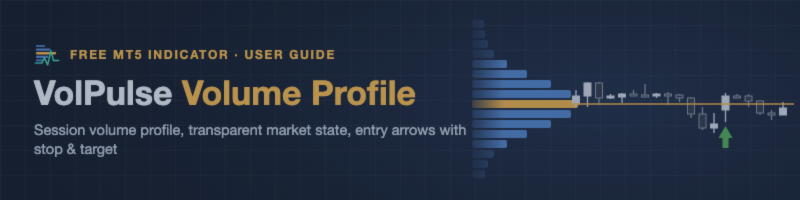
VolPulse is a session volume profile for MetaTrader 5. It shows where volume traded in each session, marks the levels that matter (POC, value area, VWAP, untouched POCs), and summarizes the market in one line — with the reasons shown next to it.
It has two parts:
| Part | Type | What it does | Required? |
|---|---|---|---|
| VolPulse Volume Profile | Indicator | Profiles, levels, state panel, alerts (popup / sound / MT5 push) | Yes |
| VolPulse Telegram Bridge | Expert Advisor (utility) | Forwards the indicator's alerts to your Telegram | Optional |
Both are free. Neither places, modifies or closes orders.
2. Features
Session profiles
- One volume histogram per session (1–10 sessions, default 3), kept inside the visible chart area.
- POC (point of control), VAH / VAL (value area, default 70%), session VWAP.
- HVN / LVN rows highlighted (high / low volume nodes).
- Developing POC / VAH / VAL / VWAP for the current session, drawn as lines that build up bar by bar.
Naked POCs
- POCs of earlier sessions that price has not returned to yet, with a price label and date (up to 20, looking back 20 days by default). Once price touches one, it is removed.
Market state panel
- One line: Bullish / Bearish / Neutral, with strength (Weak / Moderate / Strong) and the three reasons that produced it (see §4).
- Shows current session, value area, POC, VWAP and the nearest naked POC with its distance from price.
- Collapsible, draggable (it remembers where you put it), follows light / dark chart themes, sharp on high-DPI screens.
Alerts
- Market state change; price touching the previous session's POC / VAH / VAL; price touching a naked POC.
- Popup, sound, MetaQuotes push to the MT5 mobile app — and Telegram if the Bridge is attached.
- Built to stay quiet: a level only alerts again after price has moved away by 2×ATR(M15), plus a 5-minute cooldown per level. In replay tests on 22 days of XAUUSD and EURUSD M1 data this came to about 6 alerts per day per chart.
Entry arrows with stop and target
- ▲ / ▼ arrows mark possible entry moments at the previous session's value-area edges and POC (see §5).
- The latest arrow shows its stop (red dashed) and target (green dashed) with the risk-reward ratio.
- Three filters — All / Balanced / Selective — switchable with one click on the chart.
Gold preset
- On XAUUSD / GOLD (including broker suffixes) the indicator automatically uses finer settings (120 rows, finer price grid). Can be turned off. It is not applied to silver or currencies.
Two languages
- English and Chinese for the panel and alert texts; follows the terminal language by default.
3. How the profile is calculated
- Data source: M1 bars of the chart symbol, regardless of the chart timeframe. Use the chart on M1–H4; on D1 and above the indicator asks you to switch to a lower timeframe.
- Volume: tick volume by default (real volume is available as an input if your broker provides it).
- Each M1 bar's volume is spread over its high–low range on a fine price grid (step = ATR(D1) / 600 by default, / 800 with the gold preset), then grouped into display rows. Changing the number of rows does not change POC / value area precision.
- Value area: standard expansion from the POC until the configured percentage of volume is covered.
- Sessions: one per trading day, starting at 00:00 server time by default (or UTC / custom hour). Weekend data is merged — Sunday's bars belong to Monday, Saturday's to Friday — so you do not get tiny weekend profiles.
- No repainting of closed data: profiles of finished sessions are frozen; VWAP and developing lines use closed M1 bars only. The value printed on a closed chart bar does not change afterwards. (When a session moves out of the displayed window, its lines are simply no longer drawn.)
4. The market state — how it is decided
VolPulse does not hide the rule. It uses three checks on closed bars of your chart timeframe:
| Check | Bullish | Bearish |
|---|---|---|
| Trend | EMA20 above EMA50 | EMA20 below EMA50 |
| VWAP | Close above session VWAP | Close below session VWAP |
| Value area | Close above the middle of the value area | Close below the middle of the value area |
- All three bullish → Bullish. All three bearish → Bearish. Anything else → Neutral.
- A small tolerance (ATR × 0.10) around VWAP and the value-area middle prevents flipping back and forth when price sits on the level.
- Strength comes from ADX(14): below 18 = Weak, 18–25 = Moderate, 25 and above = Strong.
- The panel's Why row shows each check with ✓ or ✗, so you can see exactly why the state is what it is.
This is a context filter, not a trading signal. It describes where price is relative to trend, VWAP and value; it does not predict where price goes next.
5. Entry arrows — possible entry moments
An arrow marks a moment that may be worth considering as an entry. It is not a recommendation and not a prediction. VolPulse does not mark arrows as wins or losses and does not publish a win rate: no arrow rule wins every time, and the decision stays with you.
When an arrow appears (on a closed bar, M15 and higher):
| Setup | Buy (sell is the mirror) |
|---|---|
| Value-area edge rejection | Price dips to the previous session's VAL, and the bar closes back above it |
| Breakout retest | Price has closed above the previous session's VAH at least twice, pulls back to it and closes above again |
| POC hold | Price dips to the previous session's POC and closes back above it (not while the state is Bearish) |
The bar itself must confirm: it closes in the upper 55% of its range with a body of at least 0.1 × ATR.
Stop and target (fixed when the arrow appears):
- Stop: just beyond the level — where the idea is wrong (0.25 × ATR beyond the level or the bar's extreme, at least 0.5 × ATR from entry).
- Target: the next real level in the trade direction (previous POC / VAH / VAL, session VWAP) that is at least as far as the stop. If there is none, the target is 2 × the stop distance.
- Only the latest arrow draws its lines; they disappear once price reaches the stop or the target. Hover over any arrow to see its entry, stop and target.
All / Balanced / Selective (button under the panel, remembered per chart):
| Filter | Shows | Roughly (gold M15) |
|---|---|---|
| All | Every setup | 3–4 arrows a day |
| Balanced (default) | Setup + at least 2 of the 4 checks below + not against a strong trend + a real target with risk-reward ≥ 1.5 | about 2 a day |
| Selective | At least 3 of the 4 checks + risk-reward ≥ 2 + market state not opposite | about 1 a day |
| Off | No arrows | — |
The 4 checks: ① EMA20/EMA50 trend in the arrow's direction ② price on the right side of VWAP (for edge rejections: VWAP lies ahead as room) ③ another key level near the entry level ④ a real target at least 2× the stop distance.
A stricter filter gives a cleaner chart; it does not make the arrows more accurate. Recommended timeframes: M15 and H1. Arrows are not shown below M15 — on M1 / M5 the stops become so small that the plans are not meaningful.
Arrows are computed on closed bars only and never move or disappear afterwards. A new arrow triggers an alert (popup / sound / push / Telegram) with entry, stop and target.
6. Install and first use
- Download VolPulse Volume Profile from the Market: https://www.mql5.com/en/market/product/200141.
- Open a chart (for example XAUUSD M15) and attach the indicator from Navigator → Market.
- Wait a few seconds the first time — MT5 may need to download M1 history. The panel shows "Loading history..." until it is ready.
- Done. Defaults are chosen to work without changes.
Useful inputs (everything else can stay as is):
| Input | Default | Notes |
|---|---|---|
| Sessions shown | 3 | 1–10 |
| Session day boundary / start hour | Server time, 00:00 | Switch to UTC if your broker's day starts at an odd hour |
| Rows per profile | 100 | Gold preset uses 120 |
| Value area % | 70 | |
| Alert on state change / POC / VA / naked POC | On | |
| Also alert on today's developing levels | Off | Noisy — developing levels move all day |
| MetaQuotes push | On | Needs your MetaQuotes ID in Tools → Options → Notifications |
| Colors | None (= automatic) | Picks colors that work on your chart background |
| Render on chart | On | Off = calculate only (for EAs reading the buffers) |
| Show entry signals | On | Arrows + stop / target |
| Signal filter | Balanced | Also switchable with the chart button |
| Draw stop / target lines | On | For the latest open arrow only |
| Alert on new signal | On |
7. Telegram alerts (optional, free)
The VolPulse Telegram Bridge sends the indicator's alerts to Telegram. No account data, no login, no API keys.
Setup (about 2 minutes):
- Download VolPulse Telegram Bridge from the Market: https://www.mql5.com/en/market/product/200146.
- In MT5: Tools → Options → Expert Advisors → tick Allow WebRequest for listed URL and add
https://volpulse.edgehone.com - Attach the Bridge to one chart (any symbol).
- The Bridge panel shows an 8-digit pairing code, for example 2480 2217 .
- In Telegram, open @VolPulseBot and send /start 2480 2217 (with or without the space).
- The bot replies Paired: MT5 ···1234, and the Bridge panel shows Connected. The indicator panel's Telegram row turns green.
Good to know:
- One Bridge per terminal covers every chart that has VolPulse on it. If you attach a second one, it shows Standby and takes over automatically if the first one is removed.
- The pairing code is valid for 1 hour; an expired code is replaced automatically.
- Alerts are only sent while MT5 is running. If the connection drops, alerts wait in a local queue and are sent when it comes back — none are lost or duplicated.
- To protect your chat from floods, the server sends at most 5 messages per minute and 30 per hour per chat. Extra alerts are merged, and the next message tells you how many were merged.
Bot commands:
| Command | Effect |
|---|---|
| /status | Your paired terminals and their last alerts |
| /mute / /unmute | Pause / resume sending (alerts are still recorded while muted) |
| /lang | Switch message language (English / 中文) |
| /unbind | Disconnect a terminal ( /unbind N or /unbind all ; the Bridge panel then shows "Unpaired" with a button to pair again) |
| /help | Command list |
What the server stores: your Telegram chat ID, the terminal name shown in messages (default MT5 ··· + last 4 digits of the account number; you can set your own), and the alert texts for 30 days. It does not receive your account number, password, balance, positions or orders.
8. Using it with your own EA (buffers)
The indicator can be read with iCustom (set Render on chart to false if you only need values):
| Buffer | Value |
|---|---|
| 0 | Session VWAP |
| 1 | Developing POC |
| 2 | Developing VAH |
| 3 | Developing VAL |
Values are written for closed bars and do not change afterwards. Empty value = no data for that bar.
9. Troubleshooting
| Symptom | Cause / fix |
|---|---|
| Panel says "Loading history..." for long | MT5 is still downloading M1 data. Open an M1 chart of the symbol once, or wait. |
| "Use H4 or lower" | The chart is on D1 or above. Switch to H4 or lower. |
| Nothing on the chart over the weekend for "today" | Normal — the new session has no bars yet. Previous sessions and naked POCs are still shown. |
| No phone push | Set your MetaQuotes ID in Tools → Options → Notifications and enable notifications. |
| Bridge: "Add this URL ... WebRequest" | Add https://volpulse.edgehone.com exactly (no trailing / ). |
| Bridge: "Cannot reach server" | Check the internet connection; the Bridge retries automatically. |
| No arrows on M1 / M5 | By design — use M15 or higher (M15 / H1 recommended). |
| Arrows changed after switching the filter | The button only changes which arrows are shown; the arrows themselves never change. |
| Bridge: "Standby" | Another Bridge is already running on another chart in this terminal. Remove one. |
| Bridge: "Unpaired in Telegram" | You used /unbind . Click Pair again on the panel. |
| Strategy Tester | The indicator works in the tester (alerts are switched off there). The Bridge does nothing in the tester — it has no network access there. |