In my previous post, I described the difference between identifying a good trade and actually executing a good order.
Have you ever placed an order and it was executed on the wrong symbol? Have you placed an order only to find the trade opened with an outrageous spread that instantly killed the trade? Or placed an order at a specific price only for price to spike just before execution, and beyond your expectation? Have you tried to sell and you inadvertently clicked on buy thus entering against the trend and your intended trade?
My conclusion and solution is simple:
SIGNAL → VALIDATION → ORDER
That missing validation layer is what led me to develop TradeGate Manager.
Every order should pass through a gate before it reaches the market. This is what the gate checks, and what happens when a check fails.
The principle is equally simple. Five checks, and any one of them can keep the gate shut.
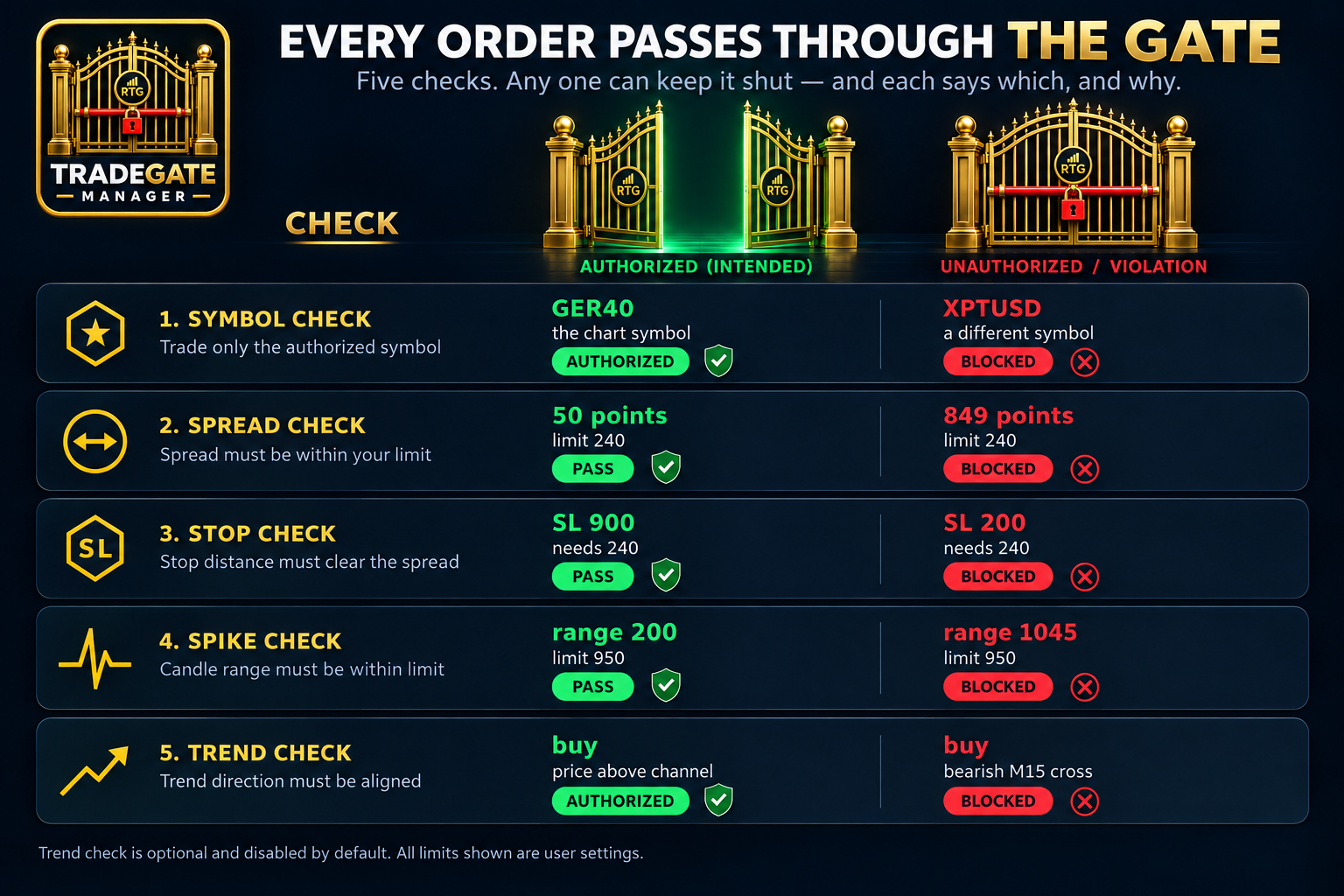
1. SYMBOL
Am I trading the instrument I intended to trade?
TradeGate can only send an order for the symbol on the chart where it is running.
There is no symbol selector and no way to change the trading instrument from within the panel as it is locked on that symbol. If TradeGate is attached to GER40, the order is for GER40.
Wrong symbol — blocked.
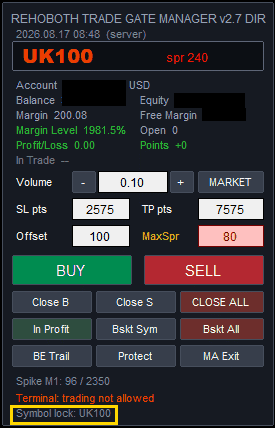
2. SPREAD
Is the current spread acceptable?
The spread is checked against the maximum you have configured. But it isn't checked only once.
TradeGate checks the spread when the order is initiated, and again immediately before the order is sent. If the spread widens beyond your limit during that brief interval, the order is blocked.
A trade that was acceptable a moment ago does not automatically remain acceptable.
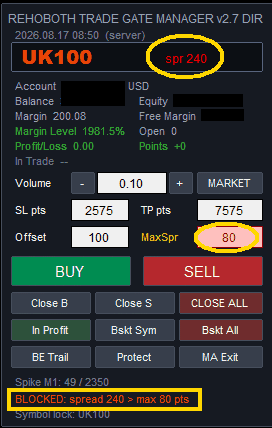
3. STOP
Can the trade be properly protected?
The stop-distance rules discussed in my previous post are applied before the order is sent. TradeGate weighs the current spread and the broker's stop requirements against your configured protection rules.
If the intended stop is insufficient, the order is blocked — and the panel tells you the minimum distance that would be accepted.
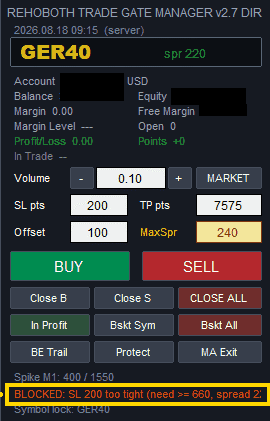
4. PRICE
Is the market moving normally enough to enter?
A sudden price spike can turn an otherwise valid signal into a very different trade.
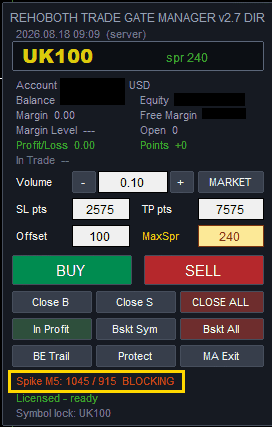
TradeGate provides a configurable spike check based on the forming candle's price range. If the movement exceeds your defined threshold, the order is blocked.
The purpose isn't to predict what happens next. It is to prevent entering during conditions you have already decided are unacceptable.
5. TREND — OPTIONAL
Is the proposed trade consistent with the trend conditions I have chosen?
The trend gate is optional and disabled by default.
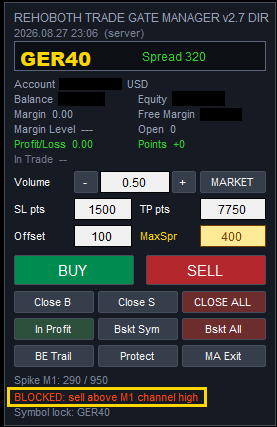
When enabled, it prevents trades that contradict your selected trend rules — buying below the moving-average channel, selling above it, buying against a bearish cross, selling against a bullish one.
When disabled, it does nothing.
Three Possible States
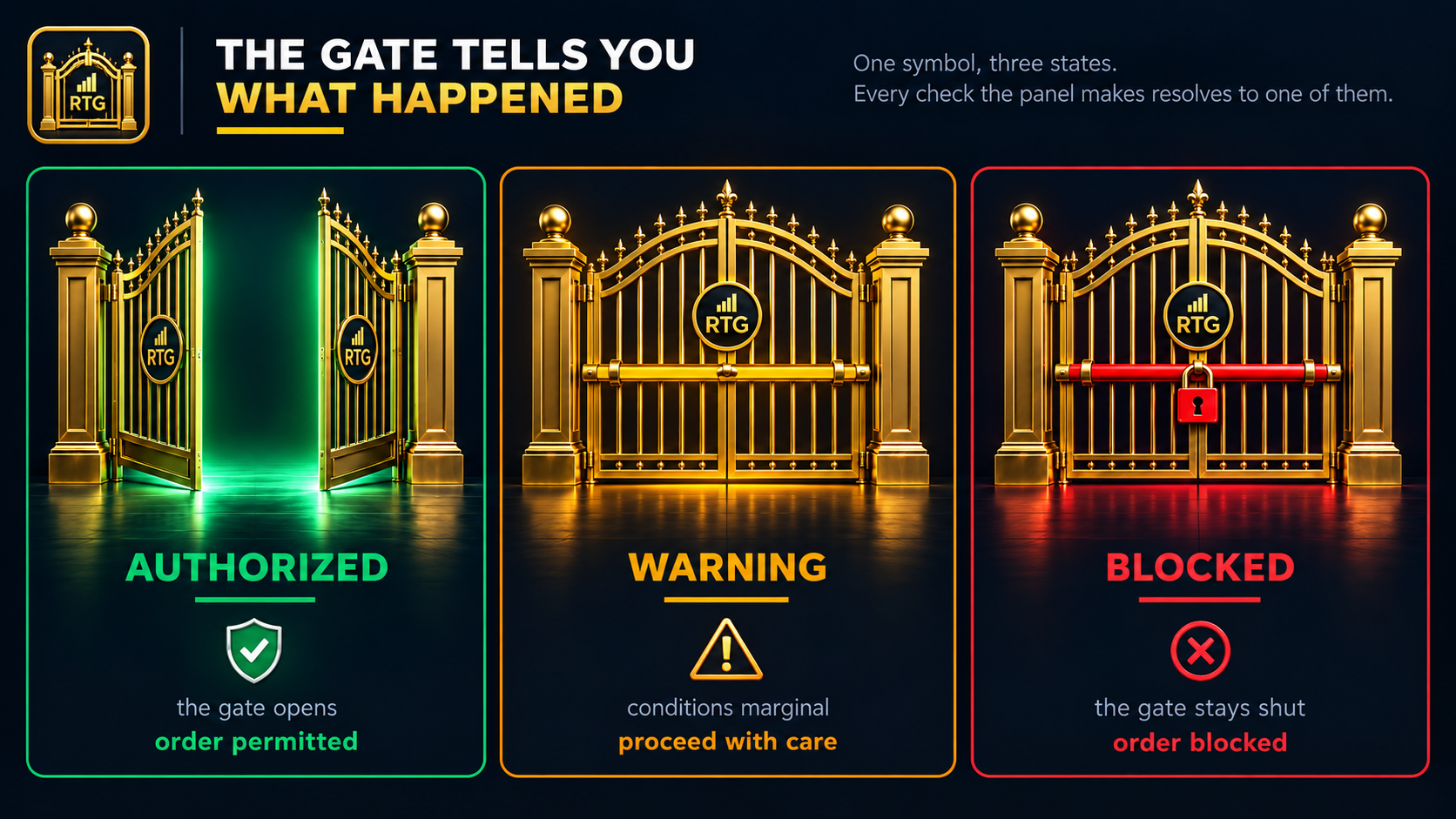
Every check resolves to one of three outcomes:
🟢 AUTHORIZED — all required conditions have passed. The order is allowed.
🟡 WARNING — a measured value is approaching a limit you have set. The spike reading, for example, turns amber as the candle range nears your threshold. Nothing is refused yet.
🔴 BLOCKED — a critical condition has failed. The order is refused.
The important part is that the panel doesn't simply say no.
It tells you which condition failed, and with what numbers.
Protection Doesn't End When the Order Opens
The gate is only the first part of TradeGate. Once a position is open, it can be progressively protected by:
- Break-even steps
- Profit protection
- Retracement protection
- Spike protection
But there was another problem I wanted to solve.
When a position closes, what actually caused it to close?
Those protection mechanisms don't close positions — they move your stop loss. The broker closes the position when price reaches it. So from the panel's point of view, the trade simply disappears, and there is no record of which mechanism was responsible.
That struck me as unacceptable. If you can't tell which of your own settings closed a trade, you can't tune any of them.
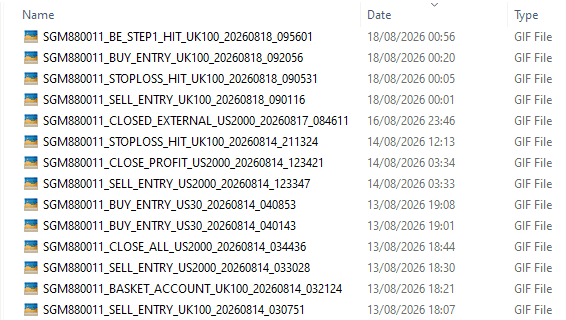
TradeGate monitors open positions, detects when one closes, reads it back from the account history and names the cause:
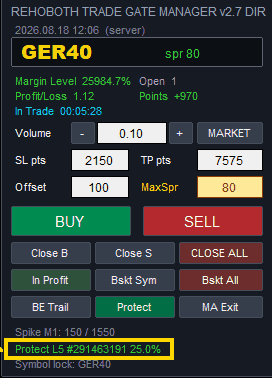
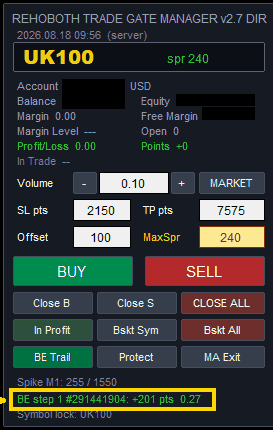
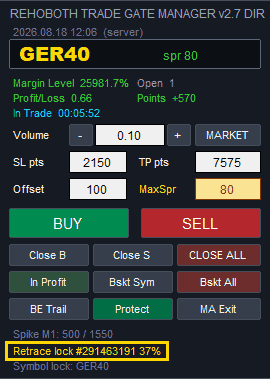
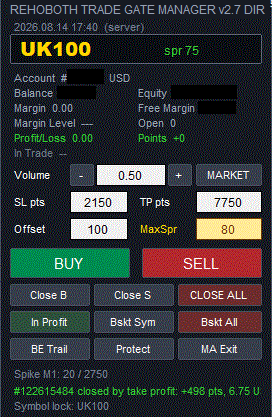
Spike lock #122862427: +640 pts 7.8 (Profit Lock on Price Spike)
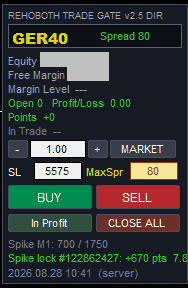
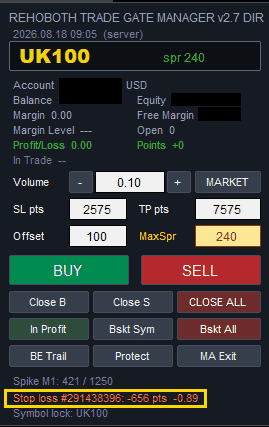
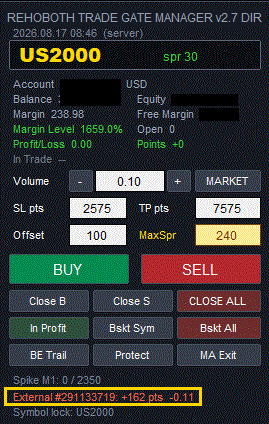
That turns your trading history into something more useful than a list of closed orders. You can see which protection mechanism actually ended each trade — and adjust it.
What TradeGate Is Not
TradeGate is not a signal generator.It does not predict direction. It does not decide which currency pair, index or instrument you should trade. It does not replace your trading strategy.
You decide what to trade. TradeGate checks whether the order is allowed to pass.
The Refusal Is the Point
When I developed TradeGate, the objective wasn't to make order placement faster.
The objective was an independent layer of protection capable of saying no — this order should not go through — and telling you why.
After losing substantial trading capital to unintended executions, I came to appreciate that a trading system needs rules for when not to trade, as much as when to trade.
If I had TradeGate, when I wanted to sell GER40 my trade would not have been executed on XPTUSD.
If I had TradeGate, I would not have sold XPTUSD with a spread of $845.
Your strategy decides when to trade. TradeGate decides whether the trade is safe enough to pass.
TradeGate Manager for MT4 is now available on the MQL5 Market. Click here to buy.
MetaTrader 5 Version Coming Soon
TradeGate Manager for MT5 is already developed and currently undergoing final testing. It will be available soon.
Previous posts in this series
- The Trade That Was Never Going to Work
- Your Stop Loss Has Three Enemies, Not One
- The Trade Was Right, But the Order Execution Was Disastrous
Next: From Initial Risk to Protected Profit: Two Trade Illustrations with TradeGate Manager for MT5