
Typically, a computer can open only about 15 terminals simultaneously, even if there are plenty of free system resources left. To bypass this limitation, you need to increase the memory allocation for the desktop heap.
1. Open Registry Editor located in: Control Panel\All Control Panel Items\Administrative Tools
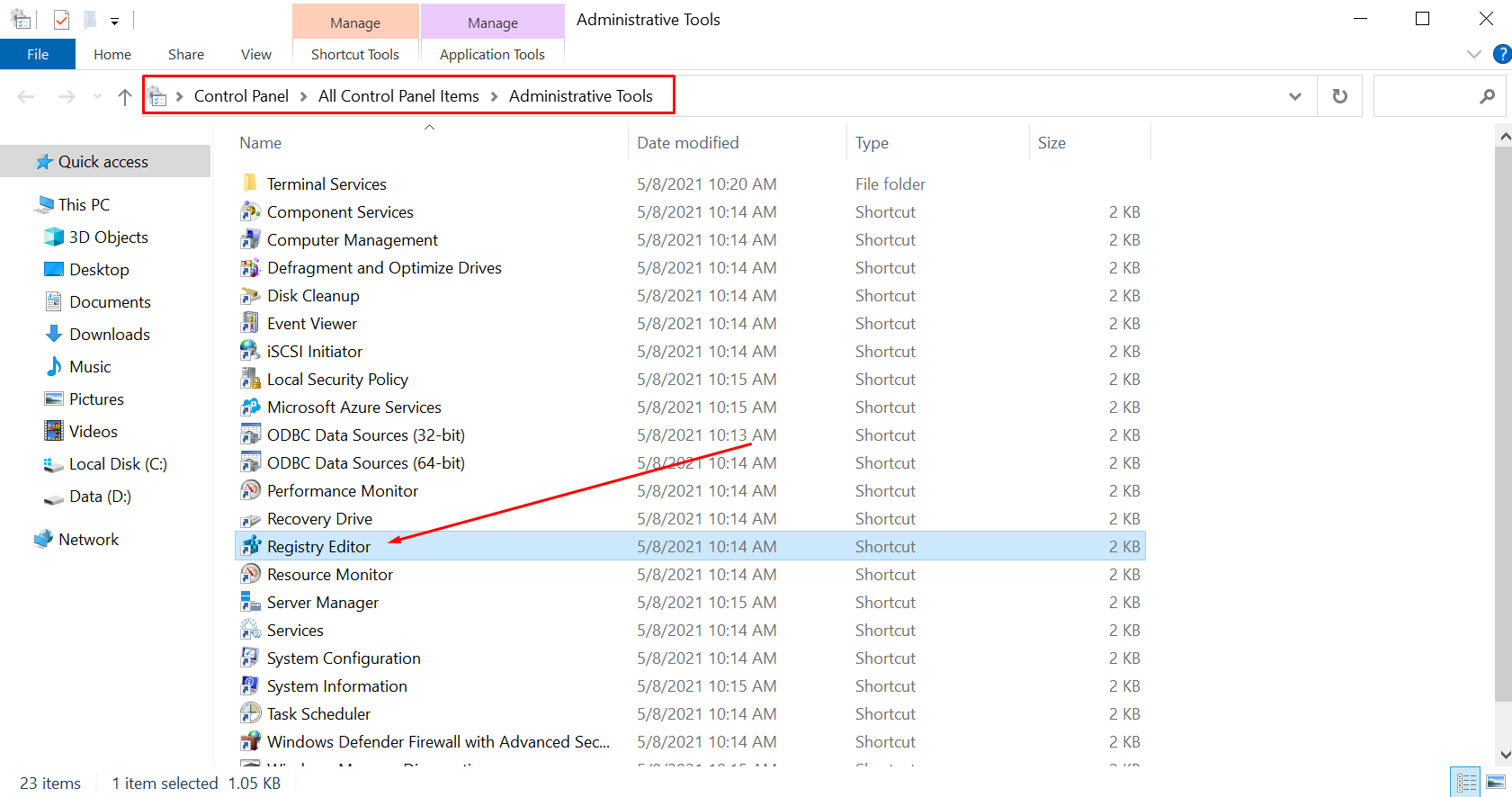
2. Locate and select the following registry subkey: HKEY_LOCAL_MACHINE\SYSTEM\CurrentControlSet\Control\Session Manager\SubSystems
3. Right-click the Windows entry and select Modify
4. Change the SharedSection values
from

%SystemRoot%\system32\csrss.exe ObjectDirectory=\Windows SharedSection=1024,20480,768 Windows=On SubSystemType=Windows ServerDll=basesrv,1 ServerDll=winsrv:UserServerDllInitialization,3 ServerDll=sxssrv,4 ProfileControl=Off MaxRequestThreads=16

to

%SystemRoot%\system32\csrss.exe ObjectDirectory=\Windows SharedSection=1024,65536,65536 Windows=On SubSystemType=Windows ServerDll=basesrv,1 ServerDll=winsrv:UserServerDllInitialization,3 ServerDll=sxssrv,4 ProfileControl=Off MaxRequestThreads=16
5. The changes will take effect after a restart.
P.S. If your computer is very low-spec, do not do this.
⭐️⭐️⭐️ The Best Offer: https://www.mql5.com/en/blogs/post/768696


