

Most position sizing advice stops at one line: risk 1% of your account, divide by your stop distance, and there is your lot size. The arithmetic is right. The problem is that the number it gives you often cannot be sent to the broker, and when it can, it frequently risks more than you intended.
This post covers what MetaTrader 5 actually requires, with a worked example and the code to do it properly.
The calculation everyone gives you
You have a 10,000 USD account. You are willing to lose 1% on this trade, so 100 USD. You want to buy XAUUSD at 2,400.00 with a stop at 2,390.00, which is a distance of 10.00.
The usual formula:
For XAUUSD the contract is 100 ounces, so a 10.00 move is worth 1,000 USD per lot. That gives 100 / 1000 = 0.10 lots.
Clean. And on this particular example it happens to work. Change the account currency, the symbol, or the broker, and it stops working, because three things were assumed rather than checked.
What the broker actually imposes
Four symbol properties decide whether your calculated volume is real.
- SYMBOL_TRADE_TICK_VALUE is the money value of one tick for one lot, expressed in your account currency. This is the number that makes the calculation portable. If your account is in EUR and you trade a USD-quoted symbol, the value already includes the conversion, and it moves with the exchange rate.
- SYMBOL_TRADE_TICK_SIZE is the smallest price change. It is not always equal to the point. On some symbols a tick is several points, and a formula written in points will be wrong by that factor.
- SYMBOL_VOLUME_MIN, SYMBOL_VOLUME_MAX and SYMBOL_VOLUME_STEP define which volumes exist. A step of 0.01 means 0.137 lots does not exist. Neither does 0.10 if the minimum is 0.25.
- SYMBOL_TRADE_STOPS_LEVEL is the minimum distance, in points, that the broker accepts between the current price and a stop. Place a stop closer than that and the order is rejected with error 10016, invalid stops. This one has nothing to do with sizing, but it decides whether the trade you sized can be sent at all.
The calculation that survives a broker change
Value of one point, for one lot, in account currency:
Then:
On the XAUUSD example, with a point of 0.01 and a tick size of 0.01, the point value is 1.00 USD per lot. The stop is 1,000 points away. So 100 / (1000 x 1.00) = 0.10 lots. Same answer as before, but now it holds when the account currency or the tick size changes.
There is also a shortcut that MetaTrader 5 gives you and that almost nobody uses. OrderCalcProfit() asks the terminal what a move from one price to another is worth, for a given volume, on a given symbol. It handles the contract size, the tick value and the currency conversion for you:
OrderCalcProfit(ORDER_TYPE_BUY, _Symbol, 1.0, entry, stop, loss);
// loss is now the money result of one lot moving from entry to stop
double lots = riskMoney / MathAbs(loss);
If you only take one thing from this post, take this one. It removes an entire class of currency and contract size bugs.
Round down, never up
Your formula gives 0.137 lots. The volume step is 0.01. You now have to choose between 0.13 and 0.14, and the answer is to round down, always.
Rounding up looks harmless, and on this example it takes your risk from 100 USD to about 102 USD. But the error is proportional, and on a small account with a minimum volume of 0.01 it can be much worse. If your calculation gives 0.004 lots and the minimum is 0.01, the honest answer is not to round up to the minimum. It is that this trade is too large for this account at this stop distance. Either move the stop, or skip the trade.
lots = MathFloor(lots / step) * step;
double minLot = SymbolInfoDouble(_Symbol, SYMBOL_VOLUME_MIN);
if(lots < minLot)
return(0.0); // the trade does not fit, do not force it
Check the stop before you size
Sizing a trade whose stop the broker will refuse is wasted work. The check is two lines:
double minDistance = stopsLevel * SymbolInfoDouble(_Symbol, SYMBOL_POINT);
if(MathAbs(entry - stop) < minDistance)
return(0.0); // broker will reject this stop
Note that stops level is not fixed. Brokers widen it around news and at the session open, which is exactly when a tight stop looks most attractive. A value read at attach time and cached will be wrong at the worst possible moment.
Putting it together
//| Volume for a given money risk, or 0 when the trade does not fit. |
//+------------------------------------------------------------------+
double PositionSize(const string symbol, const double riskMoney,
const double entry, const double stop)
{
if(riskMoney <= 0.0 || entry == stop)
return(0.0);
const double point = SymbolInfoDouble(symbol, SYMBOL_POINT);
const long level = SymbolInfoInteger(symbol, SYMBOL_TRADE_STOPS_LEVEL);
if(MathAbs(entry - stop) < level * point)
return(0.0); // stop too close for this broker
double lossPerLot = 0.0;
if(!OrderCalcProfit(ORDER_TYPE_BUY, symbol, 1.0, entry, stop, lossPerLot))
return(0.0);
if(lossPerLot == 0.0)
return(0.0);
double lots = riskMoney / MathAbs(lossPerLot);
const double step = SymbolInfoDouble(symbol, SYMBOL_VOLUME_STEP);
const double lo = SymbolInfoDouble(symbol, SYMBOL_VOLUME_MIN);
const double hi = SymbolInfoDouble(symbol, SYMBOL_VOLUME_MAX);
lots = MathFloor(lots / step) * step; // never round up
if(lots < lo) return(0.0); // does not fit, do not force it
if(lots > hi) lots = hi;
return(NormalizeDouble(lots, 2));
}
//+------------------------------------------------------------------+
Four checks, one call, no assumptions about the symbol or the account currency.
Doing it without writing code
The calculation above has to run before every trade, and it has to read live symbol properties each time. That is fine inside an Expert Advisor. It is tedious when you trade manually.
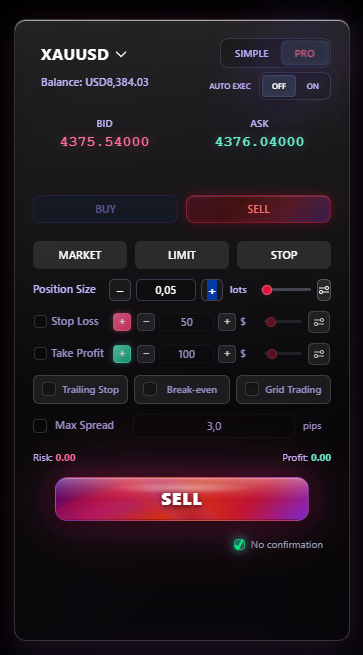
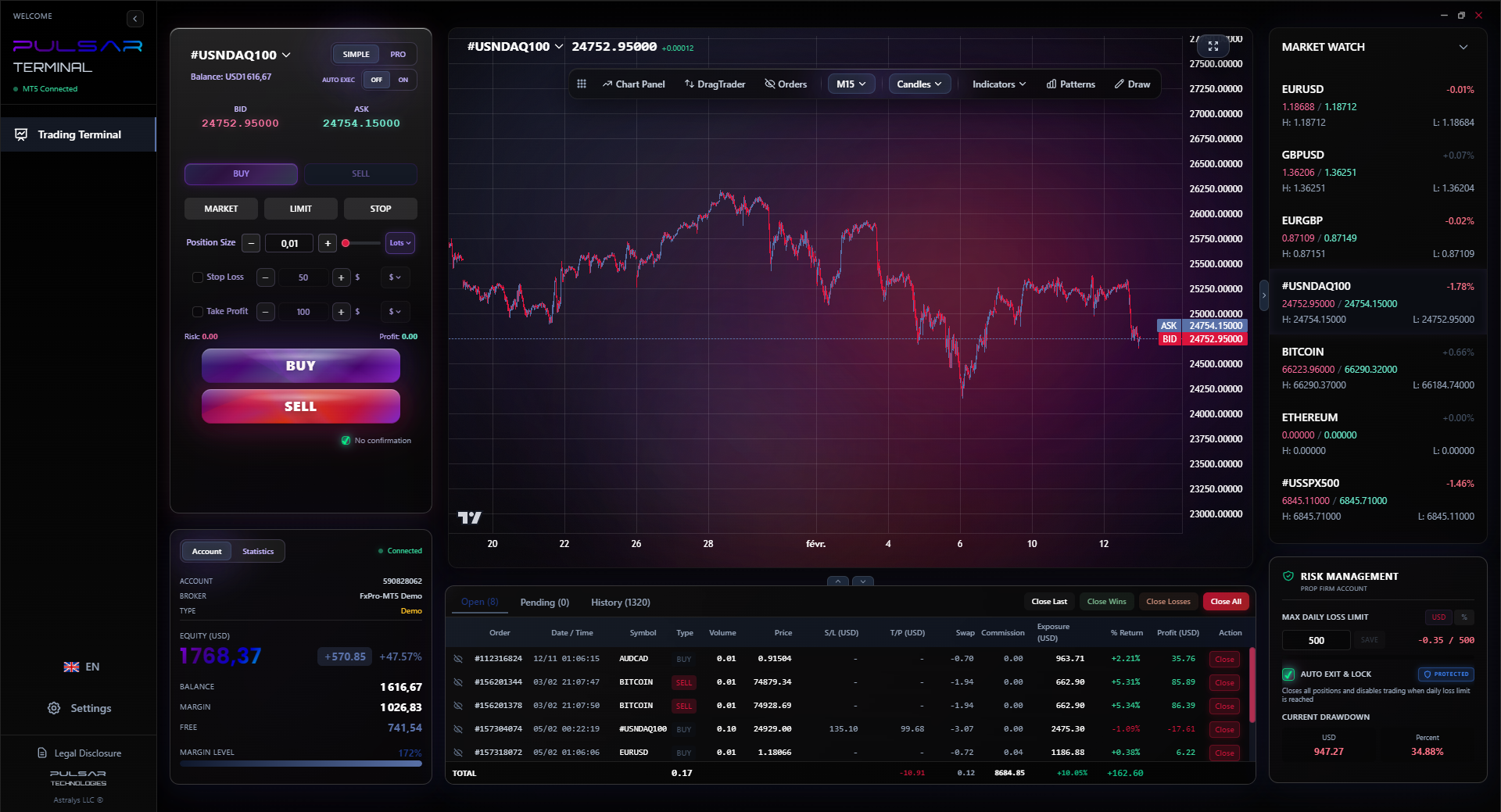
Pulsar Terminal does this for you. You set the risk, drag the stop, and it reads the tick value, the volume step and the stops level from the broker at that moment, then shows the volume you can actually send. The two failure cases above, a volume below the minimum and a stop inside the stops level, are reported before the order goes out rather than as an error code afterwards.
What to take away. Use OrderCalcProfit() rather than a hand written formula. Round the volume down to the step, never up. Check the stops level before sizing, and read it fresh each time. And when the volume comes out below the broker minimum, that is information about the trade, not a rounding problem to solve.



