
Candle Pattern Engine: A Multi-Timeframe Candlestick Scanner for MetaTrader 5
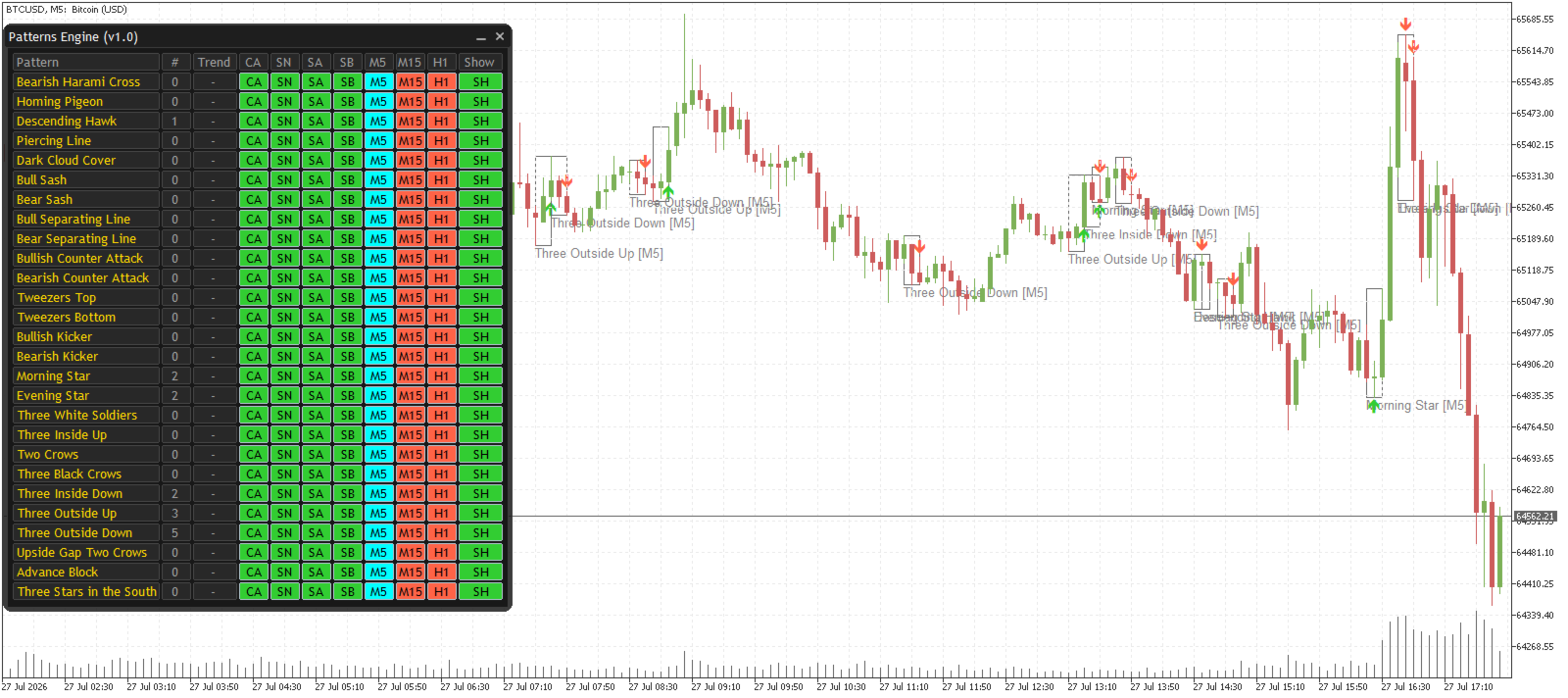
If you trade price action, you already know the problem: candlestick patterns are everywhere, but manually checking for them across several timeframes is slow, and it's easy to miss a setup while you're focused on one chart. Candle Pattern Engine was built to solve that — it scans multiple timeframes at once, detects up to 41 candlestick patterns, and can filter signals by trend so you're not chasing patterns against the market direction.
This post walks through installing the free demo version (attached to this post), configuring the key settings, and shows a few real detections on chart.
| 💎 Get the Full Version Unlock all symbols: |
1. Installing the Demo Version
The demo files are attached directly to this post below — no need to visit the Market page to try it out:
- Download the attached file(s) at the bottom of this post.
- Open File → Open Data Folder in MetaTrader 5.
- Copy the downloaded file(s) into MQL5 → Indicators.
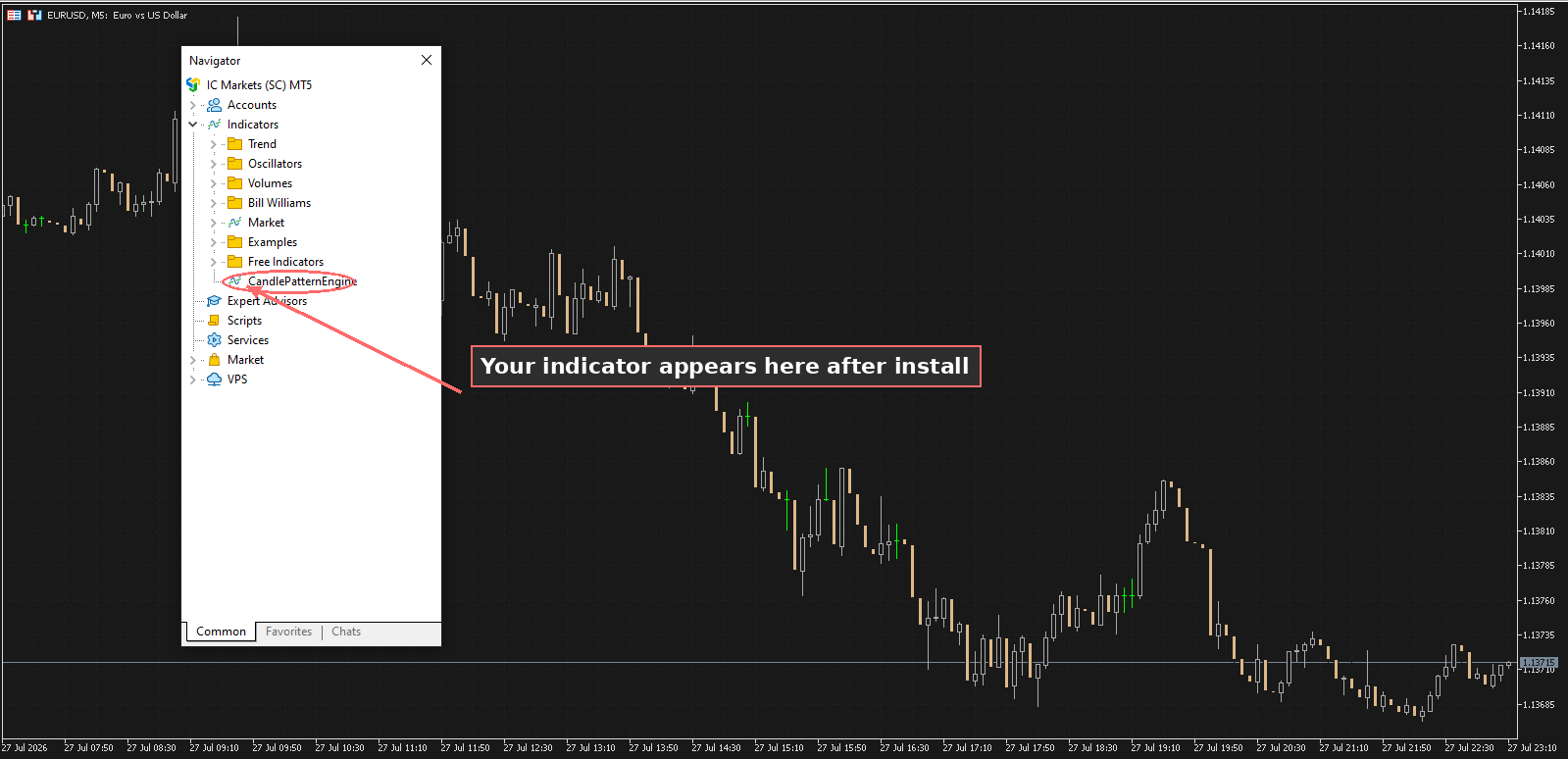
- Restart MetaTrader 5, or right-click Indicators in the Navigator panel and select Refresh.
- Drag Candle Pattern Engine from the Navigator onto a EURUSD chart (see note below on the demo's only limitation).
2. Choosing Your Timeframes and Lookback
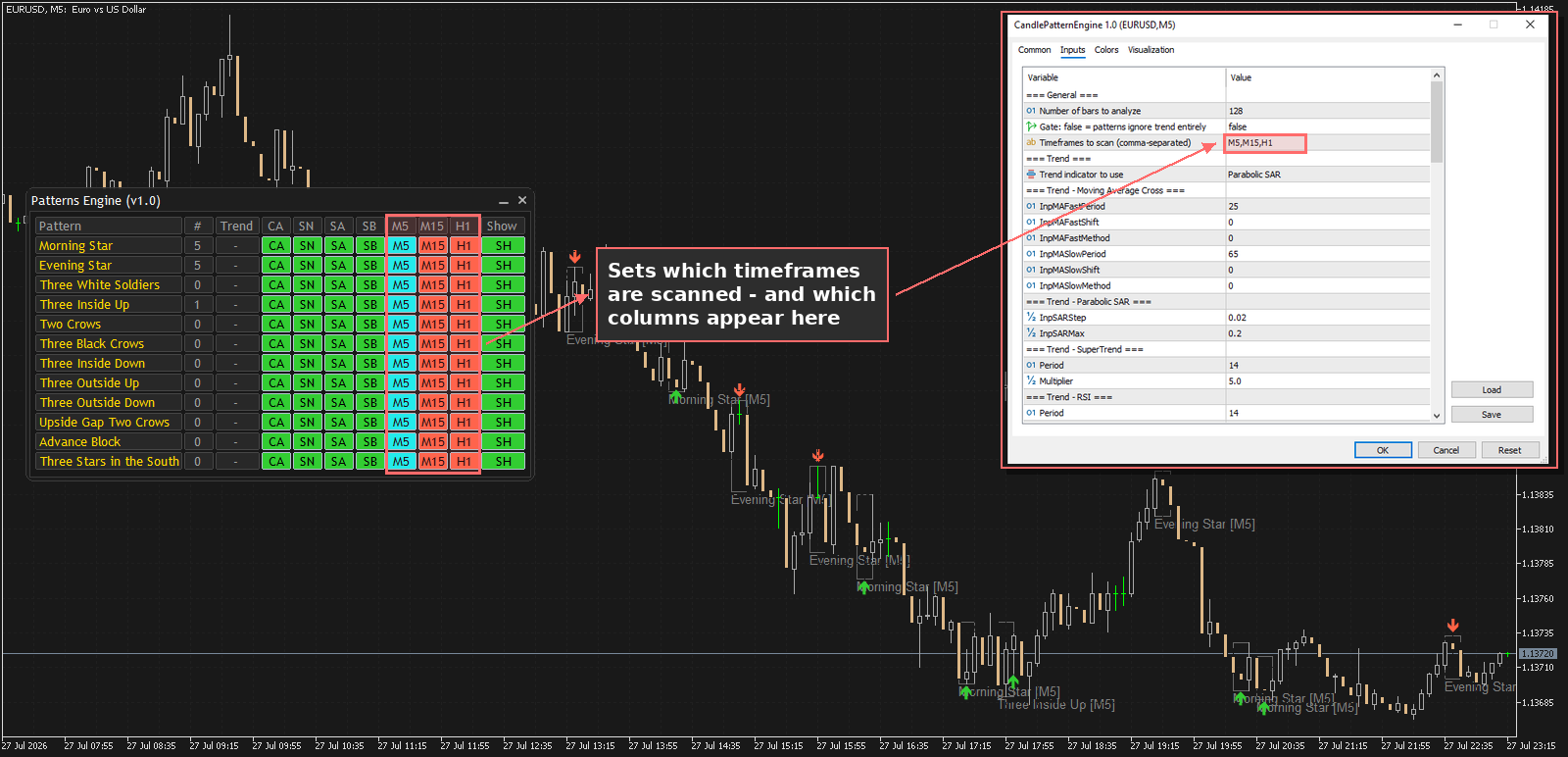
The first thing to set up is which timeframes to scan. This is a comma-separated list, for example:
M5,M15,H1
The indicator will scan all three timeframes from a single chart — you don't need to open separate charts for each one. The Lookback input controls how many bars back the scan goes on each timeframe; a higher lookback finds more historical patterns but takes slightly longer to calculate.
3. Turning On Pattern Groups
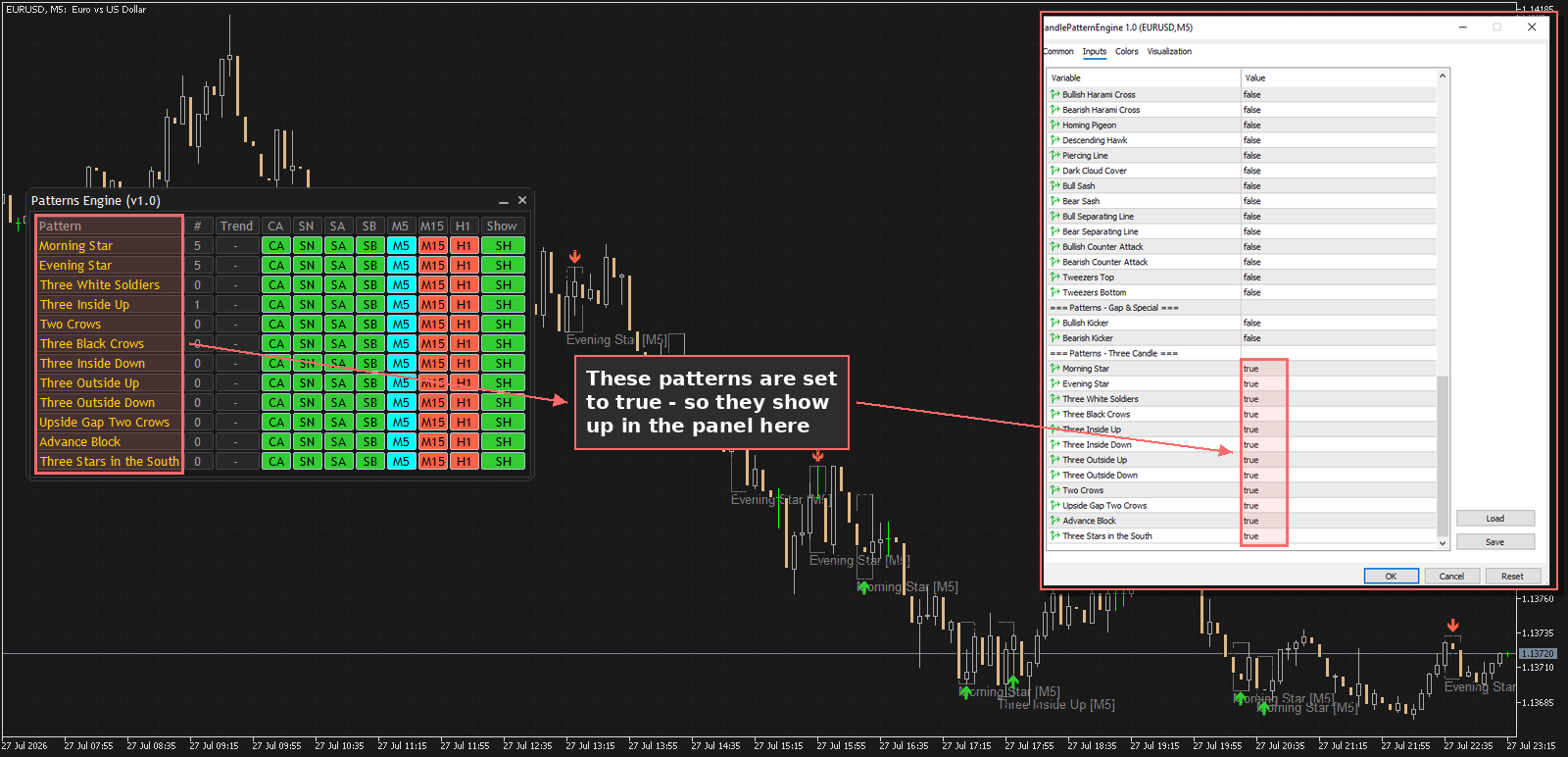
Patterns are organized into four groups: Single Candle, Two Candle, Gap & Special, and Three Candle. Each pattern has its own on/off switch, so you can run the engine with just the patterns you actually trade rather than being flooded with every formation.
By default, the Three Candle group (Morning Star, Evening Star, Three White Soldiers, and others) is enabled. The other groups start disabled — turn on whichever ones fit your strategy.
4. Example: Spotting a Evening Star
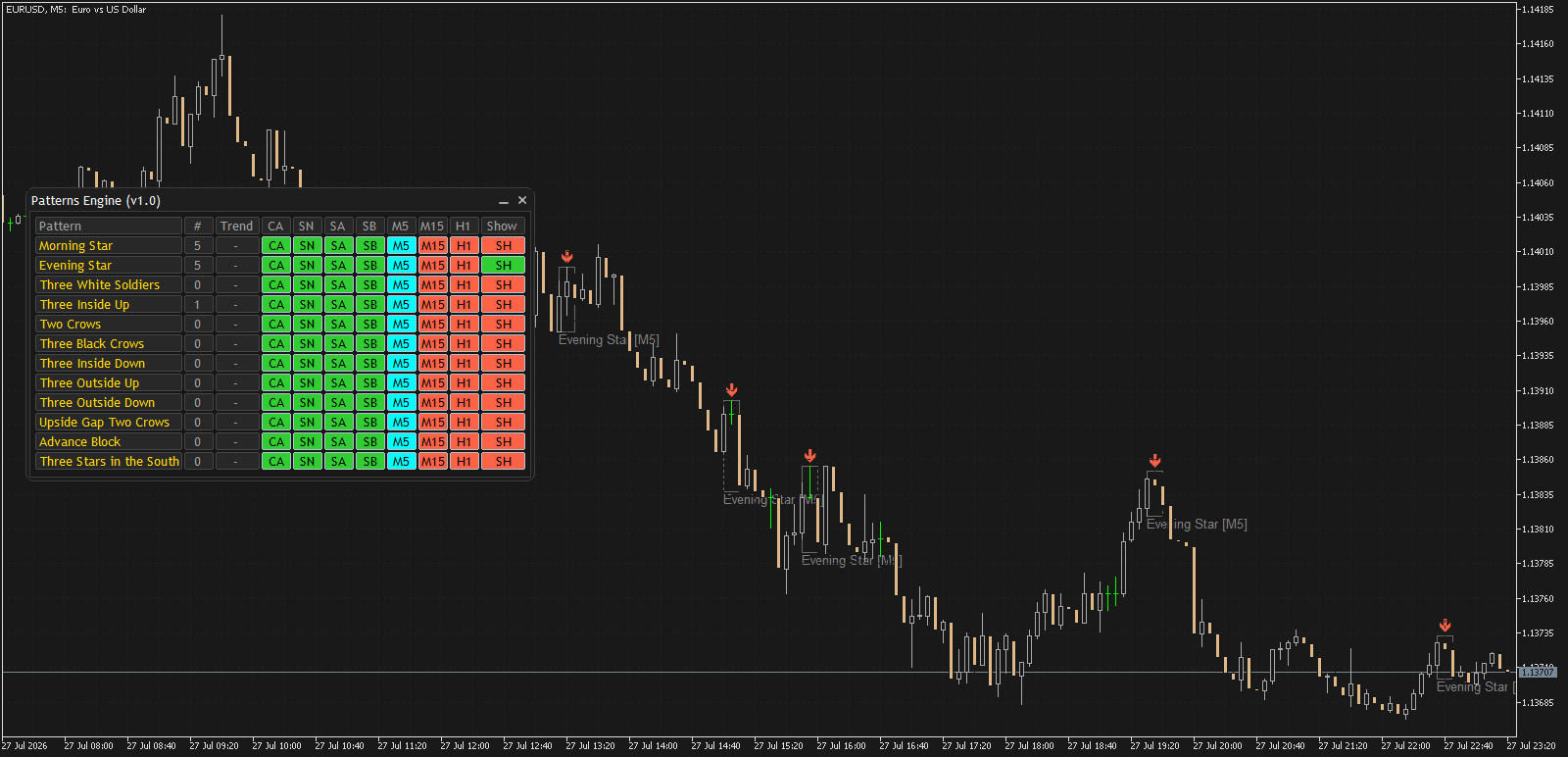
Here's a Evening Star pattern detected on a live EURUSD chart. Notice the boundary box around the three candles, the pattern name label (including which timeframe it was found on), and the green up arrow marking the bearish direction:
5. Filtering by Trend
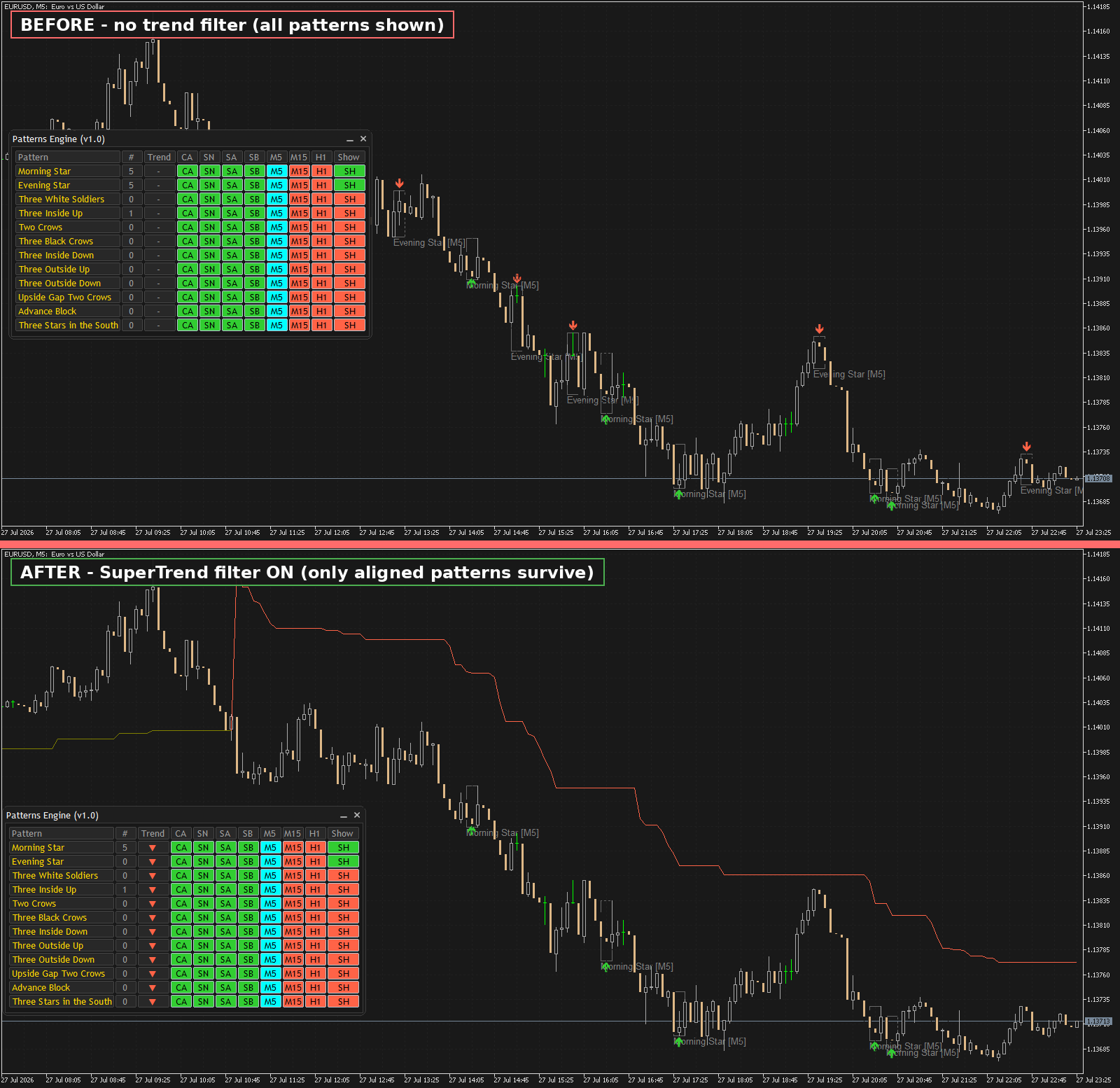
Raw pattern detection is useful, but a lot of candlestick "signals" are noise when they show up against the prevailing trend. Candle Pattern Engine lets you gate detections through a trend filter, choosing from five sources: Moving Average Cross, Parabolic SAR, SuperTrend, RSI, or Stochastic.
Here's the same chart with Use Trend switched on, using SuperTrend as the filter. Notice how counter-trend patterns are no longer marked:
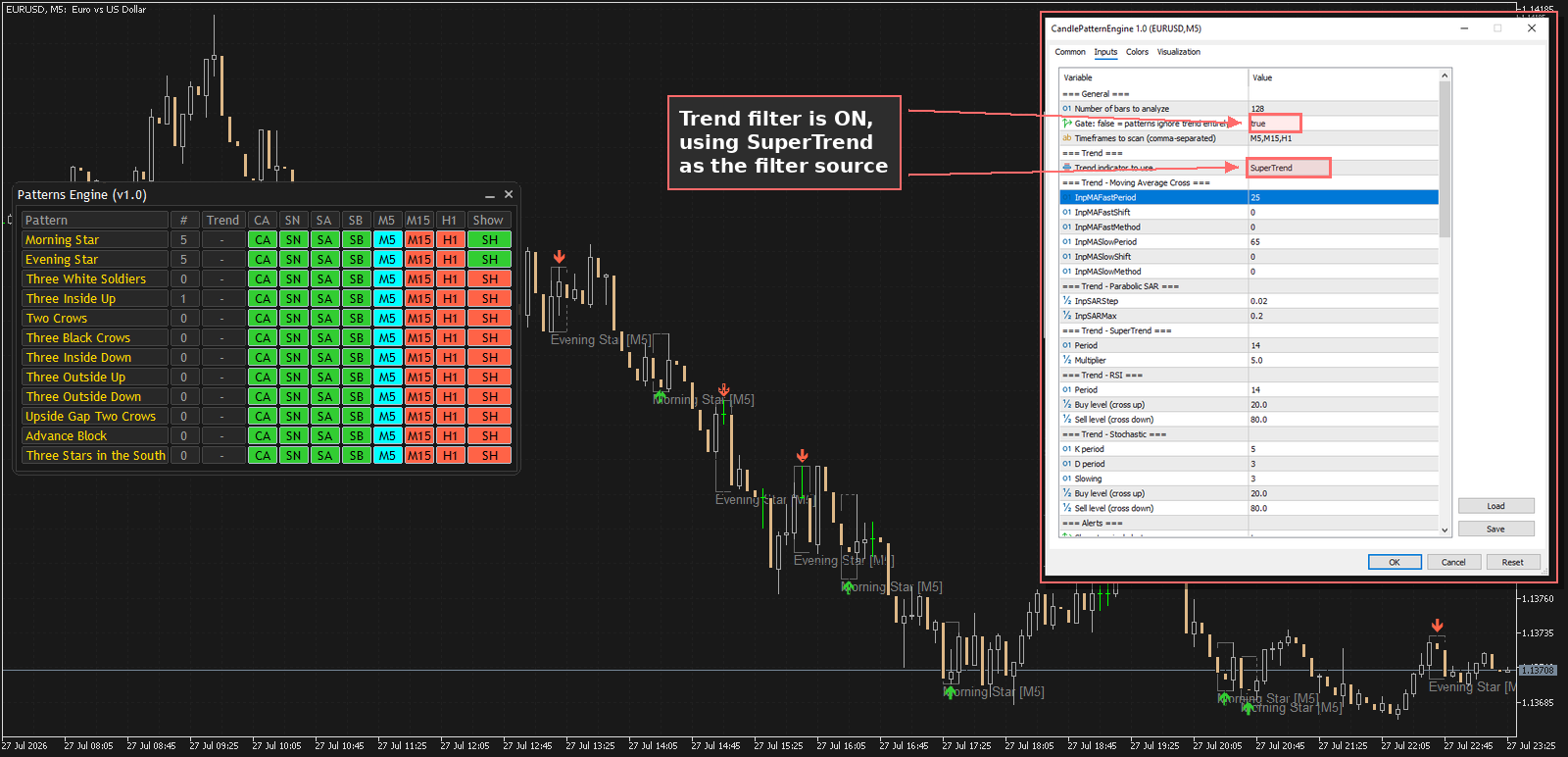
Each trend source has its own parameters (periods, buy/sell levels, etc.) under its own input group, so you can tune it to match your usual trend-following setup.
6. Setting Up Alerts
Rather than watching the chart all day, you can let the indicator notify you. Three alert types are available and can be combined:
- Popup alerts in the terminal
- Push notifications to your phone via the MetaTrader mobile app
- Email alerts, if you've configured email in your terminal settings
About This Demo Version
The demo attached to this post is fully functional — every pattern, the trend filter, alerts, and all visualization options work exactly as in the full version. The only limitation is that it runs on the EURUSD symbol only. If you trade other instruments, the full version in the MQL5 Market removes this restriction.
Try It Yourself
Download the demo below, attach it to a EURUSD chart, and turn on a couple of pattern groups to see how it looks with your own settings. If you have questions or find a pattern that doesn't look right, drop a comment below — I read and respond to all of them.