ConfluX Pro: The Multi-Filter Confluence System That Stops You From Guessing Every Entry

A non-repaint MT5 indicator that only signals when trend, momentum, and volatility actually agree — and shows you the Entry, Stop Loss, and Take Profit the moment a candle closes.
If you have ever stared at a chart with five indicators open, each one pointing in a slightly different direction, you already know the real problem most traders face. It is not a lack of indicators. It is the lack of a system that tells you when those indicators actually agree with each other — and when they do not.
That is exactly the gap ConfluX Pro was built to close. It is a multi-filter confluence indicator for MetaTrader 5: instead of replacing your judgement, it does the one thing that is genuinely hard to do by eye under pressure — checking a dozen conditions at once, every time a candle closes, with zero emotion and zero hindsight bias.
What Is ConfluX Pro, Exactly?
ConfluX Pro is a Trend / Oscillator / Level confluence indicator. At its core sits a Supertrend engine that defines the prevailing direction. Around it, a set of independent confirmation filters — RSI, ADX/DI, MACD, Bollinger Bands, several EMA variants, volatility and candle-quality checks, and a Fibonacci structure filter — each get a vote. A signal only appears when enough of the filters you have enabled agree with the trend, and with each other.
Every one of those filters can be switched on or off directly from the on-chart control panel — no need to dig through the settings window. You can watch, in real time, how tightening or loosening the confluence requirements changes the number and quality of signals on your own chart history.
Non-Repaint, By Design
This matters more than most product descriptions admit. ConfluX Pro evaluates every filter strictly on the lastclosedcandle. It never reads ahead, and a signal that appears on your chart will not silently disappear or move five minutes later. What you see while the market is live is what would have been visible at that exact moment — which is the only honest way to judge whether a strategy actually works.
Breaking Down the Filters
You do not need to run all 24 filters at once — in fact, you shouldn’t. Here is what each group is actually for, so you can pick the ones that fit your style instead of guessing:
• Supertrend —the baseline direction every other filter is checked against. Turning this off lets other filters trade independently of trend — not recommended for beginners.
• ADX / DI —blocks signals when the market has no real directional strength. This single filter is usually responsible for the biggest jump in signal quality on sideways instruments.
• RSI / MACD Divergence —confirms momentum is actually aligned with price, not just lagging behind it.
• EMA Trend / EMA Zone / Fast-Slow EMA / EMA Slope —four different ways of reading the same moving-average story, at different sensitivities — useful for separating short scalps from swing-style entries.
• ATR Strength / ATR Over-Extension —avoids dead, low-volatility chop on one side, and chasing price that has already stretched too far on the other.
• Candle Close / Wick —rejects indecisive candles — small bodies, long opposing wicks — that often precede a fakeout.
• Fibonacci Filter / Fibonacci TP —qualifies pullback entries against recent swing structure, and offers a structure-based exit target in addition to the fixed Take Profit.
• Probability Score —the filter that ties everything together. It calculates the percentage of your currently enabled filters that agree on a candidate signal, and blocks anything below the confidence threshold you set.
• Min Bars Between Signals / Time Filter / Distance Filter —practical guardrails against overtrading — spacing out entries, restricting to chosen trading hours, and requiring price to be meaningfully away from the trend line before entering.
Reading the Chart: Entry, SL, TP, and the Statistics Panel
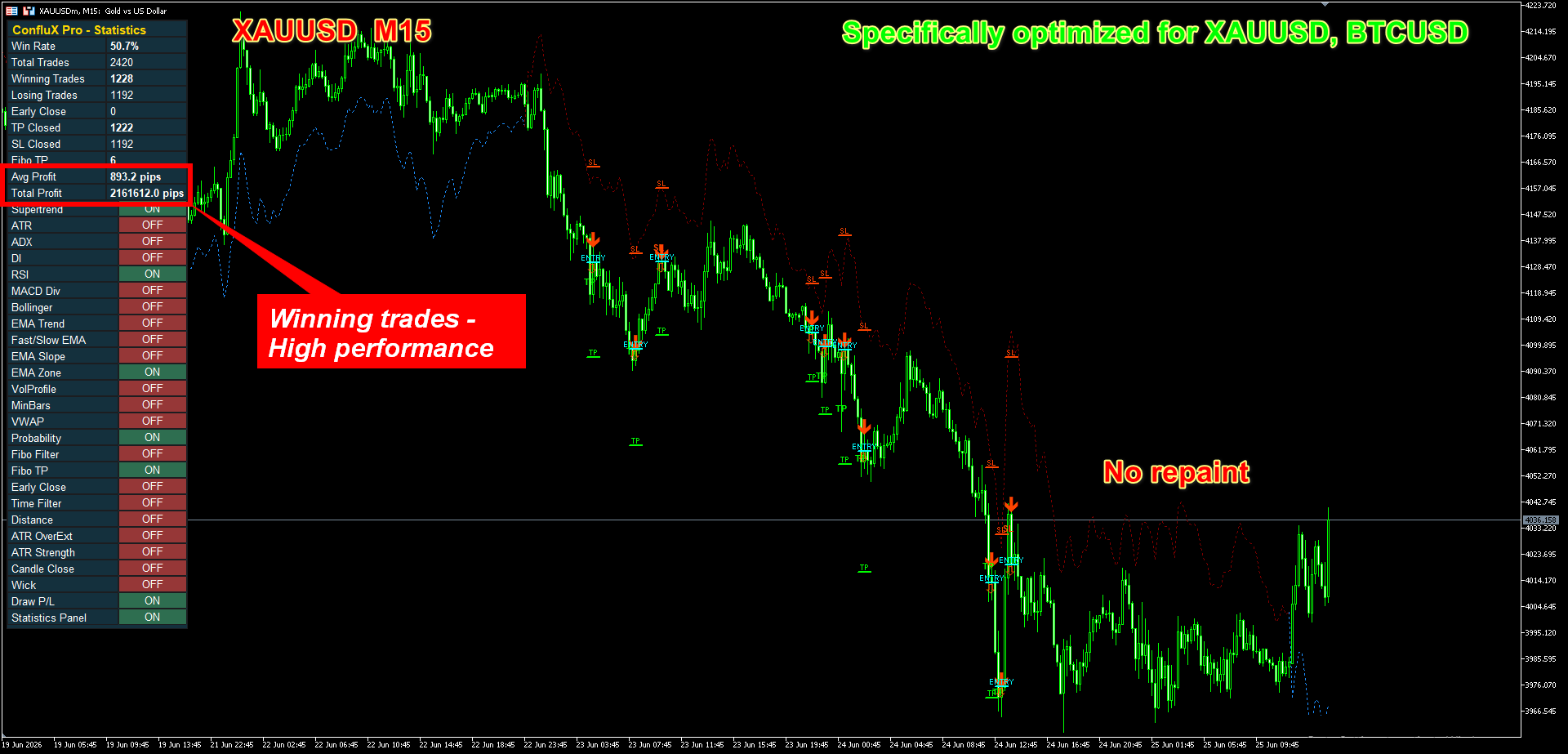
When a signal fires, ConfluX Pro draws an arrow plus three clearly labelled levels — ENTRY, SL, and TP — directly on the price line where they belong. You are not left to calculate position size or guess where the stop should sit; the trade idea is complete the moment the candle closes.
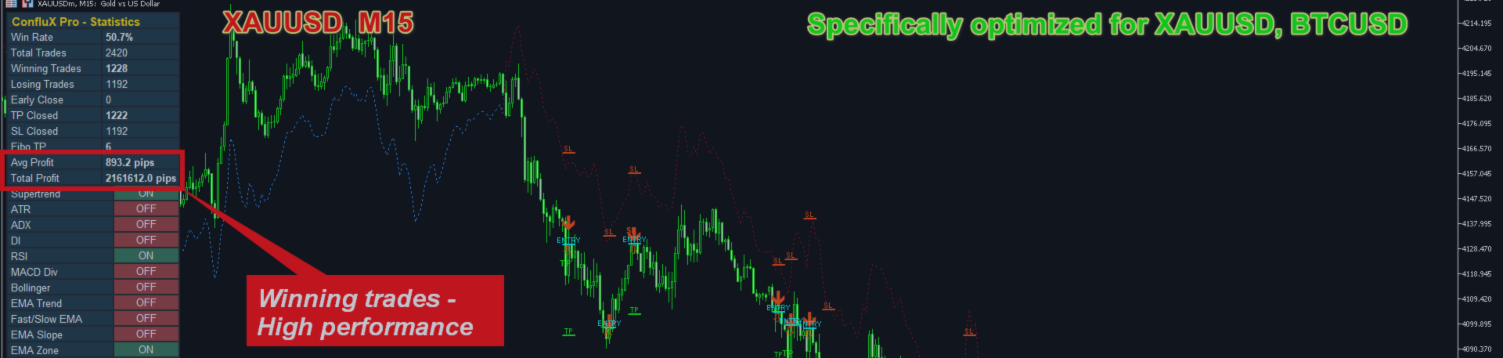
Above the chart, the built-in Statistics Panel keeps a running, two-column scoreboard — Win Rate, Total Trades, Avg Profit, Total Profit, and a breakdown of how trades closed (TP, SL, Fibonacci TP, or Early Close) — based on how every historical signal on your current chart would have played out. It is the fastest way to sanity-check a filter combination before you trust it.
A Step-by-Step Setup Guide
1. Attach ConfluX Pro to a chart on the timeframe you trade — it works on any timeframe, but is most commonly run on M15–H1 for intraday use and H4–D1 for swing trading.
2. Start lean. Keep Supertrend, RSI, EMA Zone, and Probability enabled, and leave the rest off. This is the baseline confluence set — one trend filter, one momentum filter, one structure filter, one confidence gate.
3. Scroll back through your chart’s history and watch the Statistics Panel. Note the Win Rate and Total Profit for this baseline before changing anything.
4. Add one filter at a time — ADX is usually the highest-impact next step on choppy instruments — and click it ON directly on the panel. Compare the new statistics to your baseline before deciding to keep it.
5. Raise the Probability threshold until the signal count drops to a number you can realistically follow — a handful of high-confidence setups per week beats a dozen mediocre ones per day.
6. Turn on push, e-mail, or sound alerts so you are notified the moment a qualifying candle closes, instead of having to watch the chart all day.
Risk Management Still Comes First
No indicator removes the need for position sizing. ConfluX Pro’s SL and TP are calculated from ATR, which means they automatically widen in volatile conditions and tighten in calm ones — but the lot size that turns that distance into an acceptable dollar risk is still your decision. As a starting discipline: decide the percentage of your account you are willing to risk per trade before you ever look at a signal, and let that number, not the chart, set your position size.
The Early Close filter is worth special mention here: it closes a tracked setup the moment the Supertrend direction flips against you, instead of waiting for a full stop-out. On trending instruments, this alone tends to noticeably shrink average losing trades.
A Worked Example
Picture XAUUSD on the M15 chart with the baseline filter set running. Price has been grinding higher, the Supertrend line is sitting below price in its uptrend color, and RSI has just crossed back above 50 after a shallow pullback. EMA Zone confirms price is still above the trend EMA. The moment that candle closes, ConfluX Pro prints an arrow with ENTRY at the closing price, a SL roughly one and a half ATR below it, and a TP at two and a half ATR above — with a Fibonacci extension marked further out in case the move keeps running. If price reaches that further Fibonacci level first, the panel logs it as a “Fibo TP” close; if the Supertrend flips down before either target is hit, Early Close steps in. Either way, the Statistics Panel updates in real time, so the next signal is judged against an honestly-kept track record, not a hopeful guess.
Frequently Asked Questions
Does ConfluX Pro repaint?
No. Every filter is evaluated only on fully closed candles. Nothing is recalculated after the fact.
What symbols and timeframes does it work on?
Any symbol and timeframe available on your broker. Because the indicator works from ATR-scaled, percentage-based, and structure-based logic rather than fixed pip values, it adapts to the instrument instead of needing a separate version for each one.
Is this an automated trading robot?
The indicator itself is a decision-support tool — it does not place, modify, or close real positions. A companion Expert Advisor that automates entries and trade management is available separately for traders who want hands-off execution of the same logic.
Will this guarantee profit?
No tool can. The Statistics Panel reflects how the signals on your chart would have performed historically — it is a transparency feature for reviewing a filter combination, not a promise about future results. Markets change, and past behaviour is never a guarantee of what comes next. Trade with a risk level you can live with, on a demo account first if you are new to the strategy.
Stop Reconciling Five Indicators By Eye
ConfluX Pro will not make your trading decisions for you — but it will make sure the decision you do make is backed by every condition you care about agreeing at once, with a fully visible Entry, Stop Loss, and Take Profit the second a candle closes.
ConfluX Pro is available now on the MQL5 Market.
https://www.mql5.com/en/market/product/183150
Disclaimer: Trading involves risk, and past or simulated performance shown by any indicator does not guarantee future results. ConfluX Pro is a decision-support tool; all trading decisions and risk remain the responsibility of the trader.