Full Input Settings & User Guide
GENERAL SETTINGSTimeFrame
Selects the timeframe used by the indicator.
Examples:
- CURRENT = Current chart timeframe
- M1 = 1 Minute
- M5 = 5 Minutes
- H1 = 1 Hour
Recommended:
- M5 / M15 for stable signals
- M1 for aggressive scalping
HalfLength
Controls the smoothing and sensitivity of the fractal band calculation.
Lower value:
- Faster signals
- More aggressive
- More noise
Higher value:
- Cleaner signals
- More stable trend filtering
- Less frequent signals
Recommended:
- 21 for balanced trading
- 34+ for swing trading
Price
Defines which candle price type is used in calculations.
Options:
- Close
- Open
- High
- Low
- Median
- Weighted
Recommended:
- PRICE_WEIGHTED
BandsDeviations
Controls band width and signal sensitivity.
Lower value:
- More signals
- Higher sensitivity
Higher value:
- Stronger filtering
- Fewer signals
Recommended:
- 2.1 for Gold and Forex
Interpolate
Smooths higher timeframe calculations on lower timeframes.
TRUE:
- Smoother visual appearance
- Better MTF display
FALSE:
- Raw calculations only
Recommended:
- TRUE
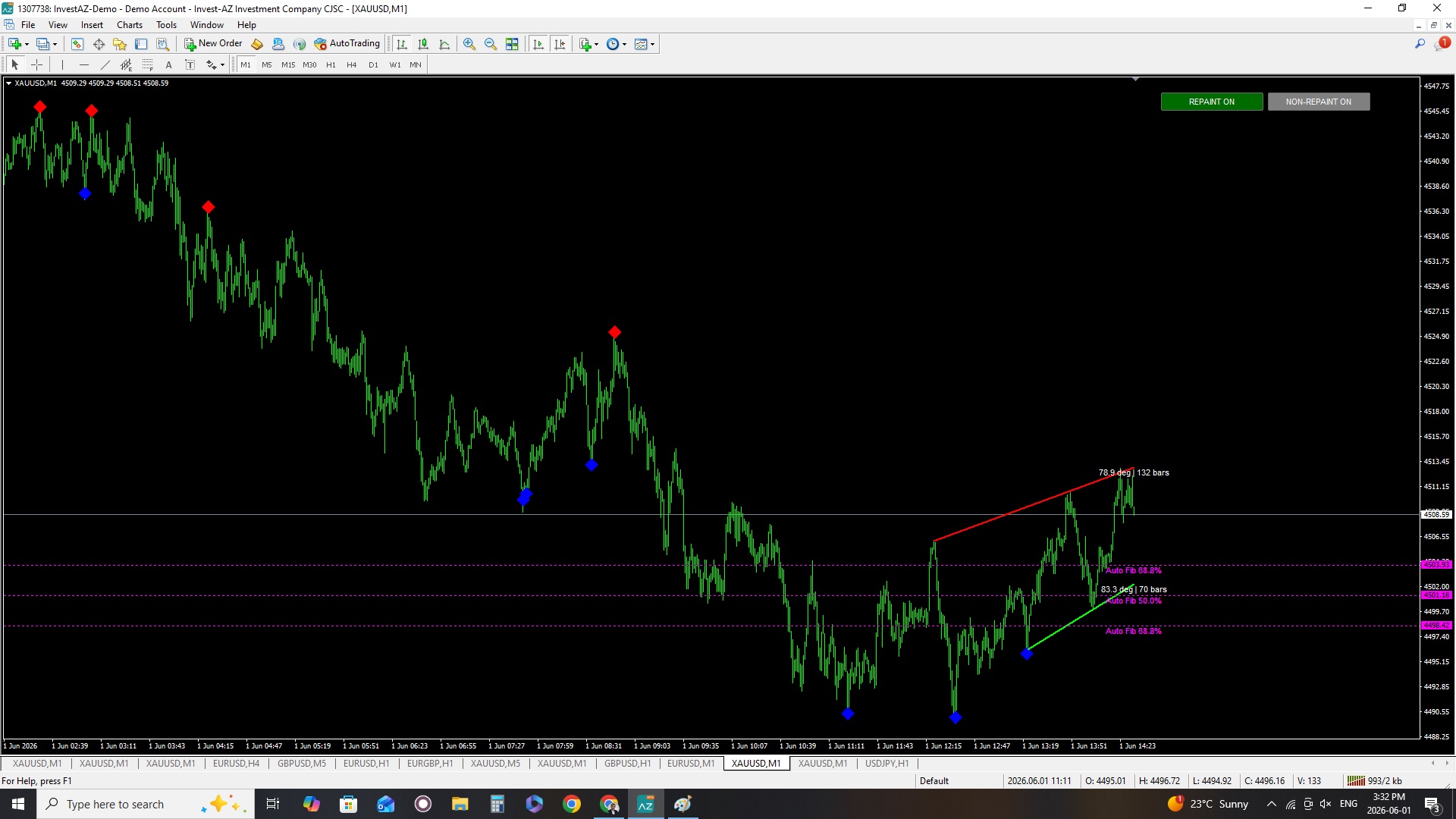
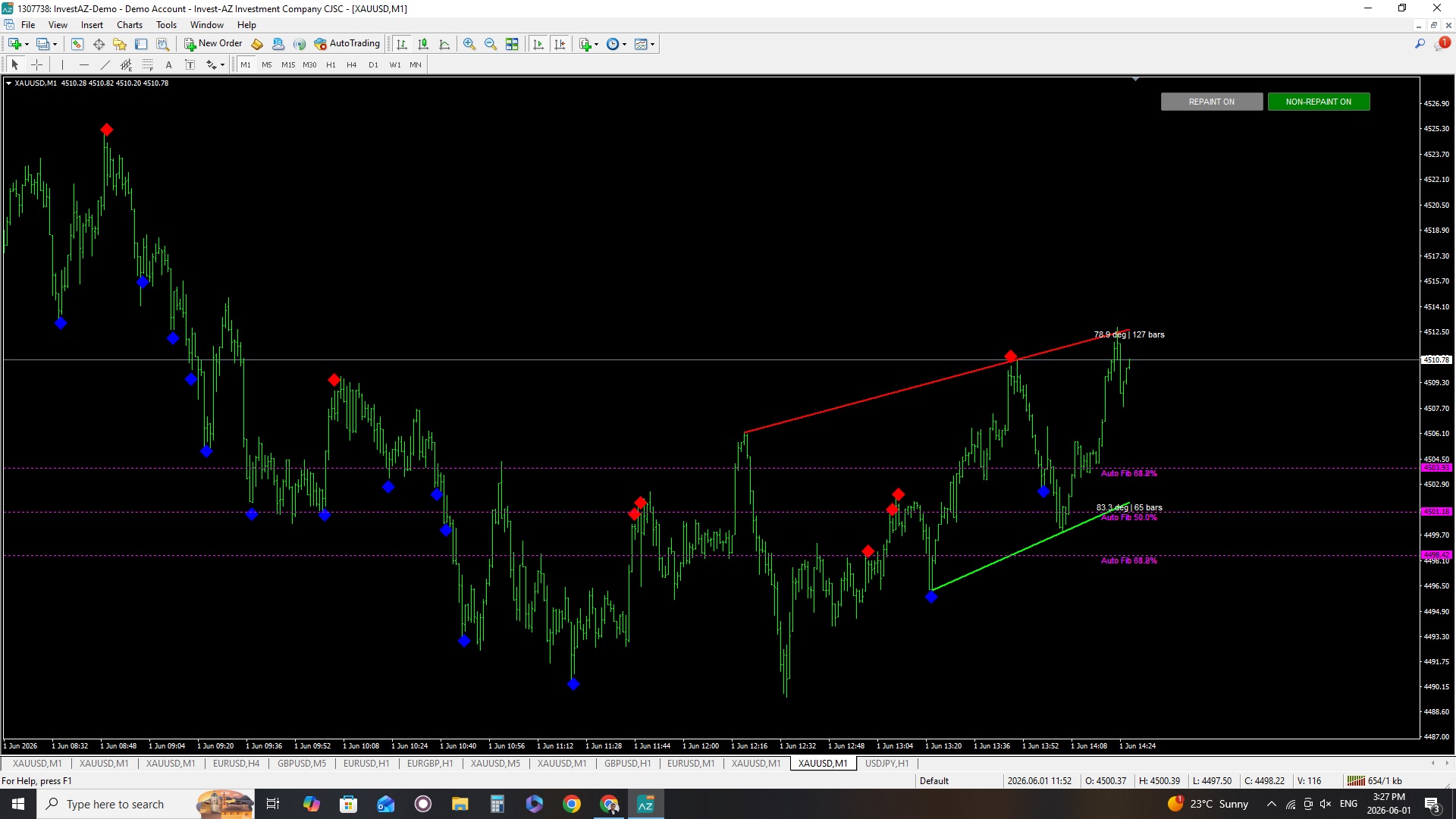
NonRepaintMode
Controls signal confirmation logic.
TRUE:
- Candle close confirmation required
- Safer signals
- Recommended for live trading
FALSE:
- Faster signals
- More aggressive entries
- Can redraw during live candle formation
Recommended:
- TRUE
alertsOn
Enables popup alerts.
TRUE:
- Alert notifications active
FALSE:
- No alerts
alertsOnCurrent
Controls whether alerts are generated on current candle.
TRUE:
- Faster alerts
- More aggressive
FALSE:
- Waits for candle close
Recommended:
- FALSE
alertsOnHighLow
Defines alert trigger type.
TRUE:
- Uses candle High/Low penetration
FALSE:
- Uses candle Close penetration
Recommended:
- FALSE for safer confirmation
CodeUp
Defines BUY arrow style.
Default:
- 119
Wingdings code for bullish signal.
CodeDn
Defines SELL arrow style.
Default:
- 119
Wingdings code for bearish signal.
Size
Controls arrow size.
Lower value:
- Smaller arrows
Higher value:
- Larger arrows
Recommended:
- 6 to 8
Gap
Controls distance between arrows and candles.
Lower value:
- Arrows closer to candles
Higher value:
- More spacing
Recommended:
- 1.5
ShowModeButtons
Shows or hides chart buttons.
TRUE:
- Buttons visible
FALSE:
- Buttons hidden
ButtonCorner
Defines button location.
Values:
- 0 = Top Left
- 1 = Top Right
- 2 = Bottom Left
- 3 = Bottom Right
Recommended:
- 1
ButtonX
Horizontal button position.
Higher value:
- Moves buttons horizontally
ButtonY
Vertical button position.
Higher value:
- Moves buttons lower
ButtonWidth
Controls button width.
ButtonHeight
Controls button height.
ButtonGap
Spacing between buttons.
RememberButtonState
Saves button mode after MT4 restart.
TRUE:
- Remembers selected mode
FALSE:
- Resets after restart
Recommended:
- TRUE
MaxBarsToCalculate
Limits maximum historical bars processed.
Lower value:
- Faster performance
Higher value:
- More historical calculations
Recommended:
- 3000
ShowTrendLines
Enables trendline system.
TRUE:
- Trendlines visible
FALSE:
- Trendlines disabled
TrendPrd
Defines pivot sensitivity for trendline detection.
Lower value:
- More trendlines
- More aggressive
Higher value:
- Stronger trend structures
- Cleaner trendlines
Recommended:
- 20
TrendPPnum
Defines number of pivots used for trendline calculation.
Lower value:
- Faster trend updates
Higher value:
- Stronger confirmation
Recommended:
- 3
UpTrendColor
Bullish trendline color.
Default:
- Lime
DownTrendColor
Bearish trendline color.
Default:
- Red
ShowTrendInfo
Displays trendline angle and bar information.
TRUE:
- Shows angle and bar count
FALSE:
- Hidden
ShowAutoSwingFib
Enables automatic Fibonacci retracement system.
TRUE:
- Fibonacci levels visible
FALSE:
- Hidden
SwingFibLookback
Controls how many candles are used to detect swing highs/lows.
Lower value:
- Faster updates
- More sensitive
Higher value:
- Stronger swing structures
- More stable Fibonacci levels
Recommended:
- 200
FibColor
Defines Fibonacci line color.
Default:
- Magenta
Conservative Trading
- NON-REPAINT = TRUE
- HalfLength = 21
- TrendPrd = 20
- SwingFibLookback = 200
- Timeframe = M15
Scalping Setup
- Timeframe = M1 or M5
- Use M5 trend confirmation
- Low spread broker recommended
About Repainting
- Fractals require candle confirmation
- Trendlines can slightly redraw because pivot structures evolve
- NON-REPAINT mode minimizes unstable signals
Recommended risk:
- 1% to 2% per trade
Always use:
- Stop Loss
- Proper lot size
- Session filtering
Avoid trading:
- During major news
- During extreme volatility
This indicator is a technical analysis tool and does not guarantee profits.
Always test on a demo account before live trading.