How to Use TradingView Features in MetaTrader (Complete Guide)
Abstract: Many traders use TradingView for analysis and MetaTrader for execution. This article explains how you can combine both into a single powerful workflow and significantly improve your trading efficiency.
Many traders today use both TradingView and MetaTrader at the same time. One platform is used for analysis, while the other is used for execution. This workflow is not only inefficient, but it also increases the chances of missing opportunities.
Switching between platforms, redrawing levels, and managing alerts in different environments can slow down decision-making and reduce trading accuracy.
What if you could do everything in one place?
This is exactly the idea behind the Trading View Extension.
This tool allows traders to bring the most popular TradingView features directly into the MetaTrader environment. Instead of splitting your workflow between two platforms, you can analyze, plan, and execute trades on a single chart.
With this approach, traders can significantly improve their speed, consistency, and overall trading performance.
One of the main advantages of this solution is the removal of common limitations. Unlike traditional setups, you are not restricted by the number of charts or alerts. You can create unlimited analysis layouts, monitor multiple markets, and define custom alert conditions without interruption.
In addition, the tool provides a full set of advanced drawing and analytical features.
The image below shows the Trading View Extension environment, designed to closely match the TradingView experience with similar icons, colors, and functionality. You gain access to advanced drawing tools that are not available in the standard MetaTrader platform.
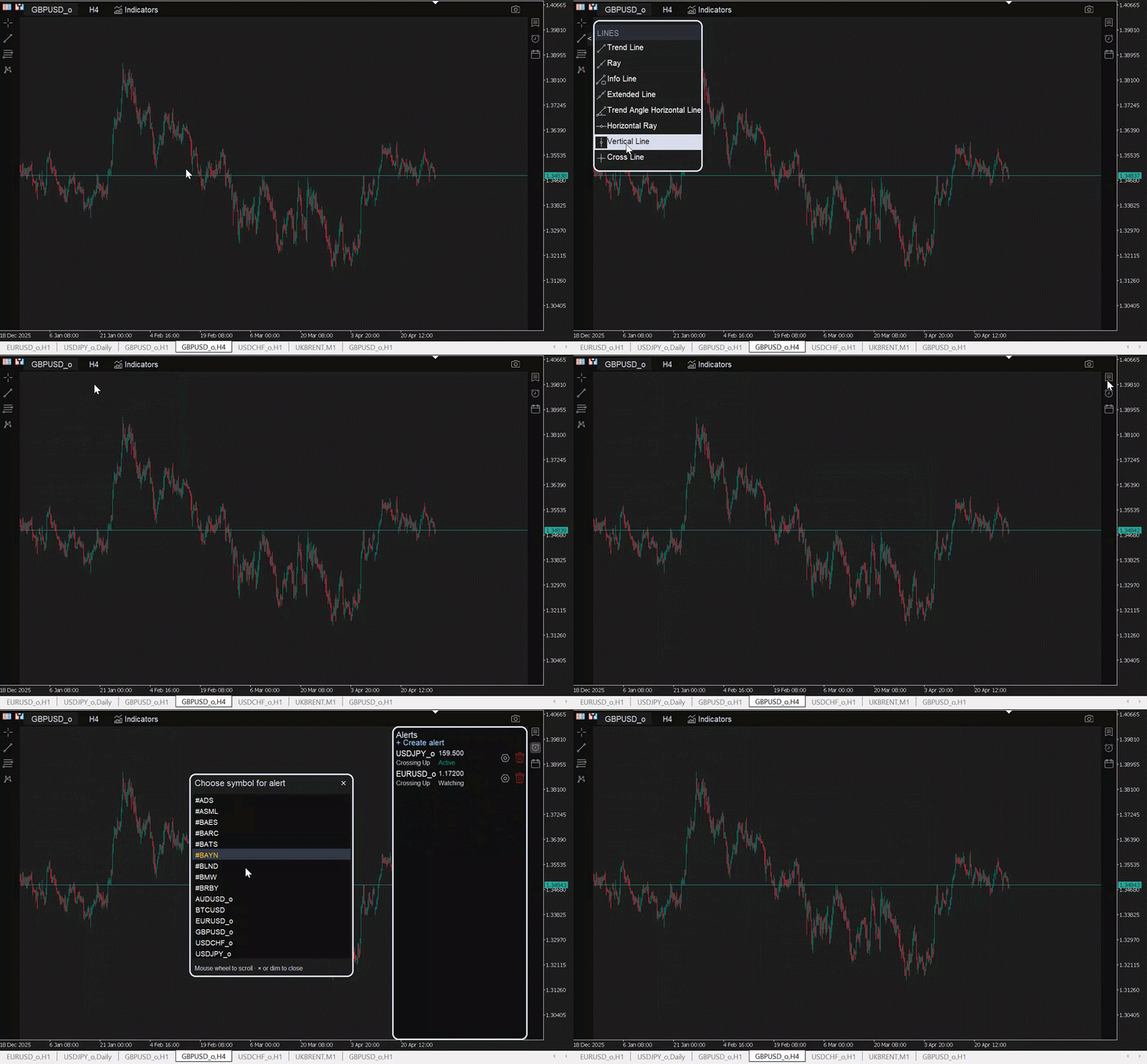
Key Features Available in Version 1.00:
Trend Line Tools
A complete set of professional tools for accurate market structure analysis:
- Standard Trend Line
- Extended Trend Line
- Ray Line
- Horizontal Line
- Horizontal Ray
- Vertical Line
- Angle Line
- Parallel Channel
Fibonacci Tools
Advanced tools for retracement and projection analysis:
- Fibonacci Retracement
- Fibonacci Trend-Based Extension
- Fibonacci Time Zone
Chart Patterns
Tools to assist in identifying key market patterns:
- XABCD Pattern
- Cypher Pattern
- Head and Shoulders
- ABCD Pattern
Elliott Wave Tools
Support for advanced wave-based analysis:
- Elliott Impulse Wave (1–5)
- Elliott Corrective Wave (ABC)
- Elliott Triangle Wave (ABCDE)
Smart Alerts and Monitoring
Configure alerts based on specific conditions across multiple symbols and timeframes. The system tracks market conditions and triggers alerts automatically when predefined rules are met.
Additional capabilities include:
- Create and manage a custom watchlist
- Monitor economic calendar news directly within the platform
Included Indicators
The current version includes a set of TradingView-style indicators designed to enhance your analysis. Additional indicators are provided after purchase.
- Super Trend
- Market Structure Break Out
- Moving Average Cross
- Stochastic RSI
- Bollinger Bands
- MACD
- RSI Divergence
Ready to upgrade your trading workflow?
You can now test the Trading View Extension and experience a more advanced, flexible, and efficient trading environment directly inside MetaTrader.
Download and try it now:
Download Trading View Extension