PrizmaL - Settings / F.A.Q.
Would you be willing to assist with the setup? I haven't set up an EA before.
Answer:
Yes, of course. I can guide you through the setup step by step and explain everything in a simple and clear way.
Is there a preset file available for configuring the EA?
Answer:
No custom set file is required. The EA is designed to work with the default settings. In most cases, the only parameters you need to adjust are Risk Level and Broker Time.
For correct Broker Time configuration, please use this page:
https://prizmal.bot/
It contains the necessary details to help you set the correct Broker Time value for your broker.
Do I need to adjust my Broker Time settings for daylight saving time?
Answer:
No, manual daylight saving adjustments are usually not required. The EA is designed to handle time-based rules automatically. However, broker server time may differ between brokers, so if you are unsure, please contact me and I will help you verify the correct Broker Time setup.
On what timeframe should I operate the EA?
Answer:
The recommended timeframe is specified in the product description. Please use the timeframe listed there for the correct strategy setup.
System Settings
Magic Number — a unique identifier that allows the EA to recognize and manage only its own trades, without interfering with other orders or other EAs running on the same account. In most cases, this value should be left at default. If you run several instances of the EA on the same trading account, each instance must use a different Magic Number.
Order Comment — a trade comment automatically attached to every order opened by the EA. It includes the robot name and version number, making it easier to identify EA trades in your account history and provide accurate support when needed.
Broker Compatibility
Max Deviation — the maximum allowed price slippage, measured in points, between the requested order price and the actual execution price. If the market moves beyond this value before the order is executed, the trade will not be opened. This is a safety parameter and does not affect the EA’s entry logic or trading strategy.
Trade Execution Mode — defines how orders are technically sent to your broker’s server, depending on the broker’s execution model: Market, Instant, or Exchange execution. This setting is used only for broker compatibility and has no effect on the trading strategy itself. If you are not sure which option to choose, leave it on Automatic.
Hybrid Filters
Use News Filter — enables or disables a trading pause around high-impact economic news related to USD and Gold (XAU). Since the EA trades XAUUSD exclusively, news for other currencies is not monitored.
Pause Before News (min) — the number of minutes before a news release during which the EA will stop opening new trades. Existing open trades are not affected by this filter.
Pause After News (min) — the number of minutes after a news release before the EA resumes opening new trades. This pause allows the initial volatility spike to settle before new entries are allowed.
Important: the news filter only blocks new trade entries. It does not close existing positions and does not modify Stop Loss or Take Profit.
Do I need to enter any web address for the news filter?
No. The news filter uses the economic calendar built directly into the terminal, so no external web address or third-party service is required.
Money Management
Type — defines the lot sizing method used by the EA:
- Fixed Lot — the EA uses a constant lot size that does not change with account balance or equity.
- Auto (Risk per Equity) — the lot size is recalculated automatically based on current account equity, including floating profit or loss.
- Auto (Risk per Balance) — the lot size is recalculated automatically based on account balance only, ignoring floating profit or loss.
Fixed Lot — the lot size used only when Type = Fixed Lot. This value is ignored when one of the automatic lot calculation modes is selected.
Risk Level — this is not a percentage risk per trade. It defines the lot size relative to each $1000 of balance or equity. A higher value increases the trading volume and may also increase potential drawdown. This is the main parameter used to control risk. There are no separate “low / medium / aggressive” presets — the table below shows approximate historical drawdown levels for each value:
| Risk Level | Expected Drawdown |
|---|---|
| 0.005 | ~10% — conservative |
| 0.01 | ~20% — medium |
| 0.015 | ~30% — aggressive |
The public signal account uses Risk Level 0.007, with all other settings left at default and no custom set file.
Can I adjust the risk level while trades are already open?
Yes. However, any change to the risk level will apply only to new trades. Existing open positions will remain unchanged.
If I increase my deposit, do I need to change any settings?
No changes are required when using automatic lot calculation. The EA automatically adapts position sizing based on your account balance or equity, depending on the selected money management mode.
Conversion Pair — required for accounts where the deposit currency is not USD, such as EUR, GBP, JPY, or CAD. This allows the EA to correctly convert the account balance into a USD equivalent for accurate lot calculation. Examples:
- JPY account → set USDJPY
- EUR account → set EURUSD
- GBP account → set GBPUSD
If this field is left empty, the EA will attempt to detect the correct conversion pair automatically. However, setting it manually is recommended for maximum reliability, especially for JPY and other non-major account currencies. Cent accounts such as USC, USc, or UST do not require a Conversion Pair — leave this field empty.
Risk & Money Management F.A.Q.
What is the minimum initial deposit needed for a trading account?
Answer:
The minimum initial deposit is specified in the product description.
What leverage setting do you recommend?
Answer:
The recommended leverage is specified in the product description.
What is the current risk level at which you are operating?
Answer:
Each EA may use a different risk level. The recommended risk level is specified in the product description. If you are unsure which setting to use, please contact me directly and I will be happy to help.
Prop Firm Risk Protection
📖 Full Prop Firm setup guide: https://www.mql5.com/en/blogs/post/767424
These settings are mainly designed for Prop Firm challenge and funded accounts with strict drawdown rules. They can also be used on regular trading accounts as an additional layer of capital protection, but if you are trading a standard personal account and are not sure how to configure these limits, it is recommended to leave them disabled.
Daily Loss Limit % — the maximum allowed loss within a single trading day, calculated as a percentage of the selected base. Once this limit is reached, the EA will block new trades until the next daily reset. Set this value to 0 to disable the feature.
Total Drawdown Limit % — the maximum total drawdown allowed from the initial balance. Once this limit is reached, the EA stops trading completely until it is manually restarted. Set this value to 0 to disable the feature.
Initial Balance for Calculations — the balance used as the base for drawdown calculations. Set this value to 0 if you want the EA to automatically use the balance detected at first startup.
Strict Mode: Initial Balance / Daily Balance — defines which base is used for the Daily Loss Limit:
- true — the daily loss is always calculated from the original initial balance. This is the stricter mode and matches most Prop Firm rules.
- false — the daily loss is calculated from the balance at the start of each trading day. This mode is more flexible.
Daily Reset Time Offset (UTC) — the UTC offset used to determine when the daily loss limit resets. Adjust this value according to your Prop Firm’s official daily reset time.
Close All Trades on Limit — if set to true , all open trades will be force-closed immediately when a protection limit is reached. If set to false , the EA will only block new trades, while existing positions remain open and continue to be managed normally by SL, TP, and Trailing Stop.
Show Protection Status Logs — prints the current protection status in the Experts/Journal tab. This option is for monitoring purposes only and does not affect trading behavior.
How does the Max Daily Loss work?
The Daily Loss Limit is a protection mechanism designed to pause trading when the daily loss reaches the selected limit. In simple words: if market conditions are unfavorable and the EA reaches the daily loss threshold, it stops opening new trades until the next daily reset. This feature is especially useful for Prop Firm accounts where strict daily drawdown rules apply.
Time, Spread & Direction
Trade Mode — defines the allowed trade direction: Buy & Sell, Buy only, or Sell only.
Max Spread — the maximum spread, measured in points, allowed for opening a new trade. If the current spread is higher than this value, the EA will skip the signal and wait for the next valid opportunity. This is normal behavior and does not indicate an error.
Broker Time — the broker server time offset. This value must be set correctly because it is used by the news filter and all time-based rules, including trading days, Friday close, and the New Year pause. Do not rely on the broker’s physical location or official time zone — only the actual server time matters. You can check the correct value for your broker at prizmal.bot.
Trading Days
Monday – Sunday — enables or disables trading on each individual day of the week. Saturday and Sunday are disabled by default because Gold is not traded by most brokers during the weekend.
Friday Close All
Enable Friday Close All — when enabled, the EA will force-close all open trades before the weekend to reduce exposure to weekend gap risk.
Friday Close Hour / Minute (broker time) — the exact broker server time when all open trades should be closed on Friday.
New Year Pause
Enable New Year Pause — pauses trading during the New Year period, when liquidity is usually low and volatility or spreads may increase unpredictably.
Days to Close BEFORE New Year (Dec) — the number of days before December 31st when the EA stops opening new trades.
Days to Block AFTER New Year (Jan) — the number of days in January during which trading remains blocked before normal operation resumes.
Does the EA execute trades automatically, or does it only generate signals?
Answer:
The EA executes trades fully automatically. It does not simply generate signals and does not require manual confirmation.
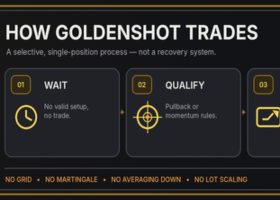
Is a grid or martingale strategy used?
Answer:
No. The EA does not use high-risk trading techniques such as martingale, grid, or position averaging. Every trade is protected by a predefined Stop Loss.
Does the EA use Stop Loss for every trade?
Answer:
Yes. Every trade is opened with a predefined Stop Loss.
Can I manually adjust Stop Loss, Take Profit, or Trailing Stop?
Answer:
No. Stop Loss, Take Profit, and Trailing Stop logic are built into the EA and are not available as user-adjustable parameters.
Why did a trade close before reaching its Stop Loss?
Answer:
In rare cases, usually only a few times per year, the EA may intentionally close a trade earlier based on its internal logic. This is expected behavior and should not be treated as an error.
Would it be wise to intervene manually when trades move against me?
Answer:
Manual intervention is not recommended. The EA manages trades according to its strategy and risk logic. Interfering manually may disrupt its performance and lead to unintended results.
How often does the EA trade, and how long does it usually take to open the first trade after installation?
Answer:
The EA does not trade on a fixed schedule and does not open trades every day. It enters the market only when its specific signal conditions are met. Periods of several days, and sometimes even weeks, without a trade are an expected part of the strategy and do not indicate a malfunction. You can also check the signal page for approximate information about trading frequency.
How many trades can the EA open simultaneously?
Answer:
In most cases, the EA opens only one trade at a time. However, this may depend on the specific strategy, so please check the product description for exact details.
Which account type and broker should I use?
Answer:
A hedging account is required. Standard, ECN, Raw, Cent, and Micro account types are supported. We do not recommend Exness for automated trading because of differences in price feed and execution. We also do not rank or recommend one single “best” broker, since performance can vary depending on each broker’s feed and execution conditions.
Why are my results different from another broker or from the signal account?
Answer:
Different brokers use different price feeds, tick flow, spreads, liquidity, and execution conditions. Because of this, trade timing and results may naturally vary between brokers. This is normal and does not necessarily mean that one broker is better than another. Please also note that the public signal account statistics are displayed with a delay of 1–2 days, so temporary differences between the signal page and your own account may occur.
Is the EA compatible with MetaTrader 4?
Answer:
No. The EA is developed only for MetaTrader 5.
Can I use the EA with an account currency other than USD?
Answer:
Yes. You can use accounts in USD, EUR, GBP, JPY, CAD, and other currencies. If your account currency is not USD, set the Conversion Pair when required so the EA can correctly calculate the USD equivalent for lot sizing. The key requirement is that your account balance, when converted to USD, meets the minimum deposit requirement.
Can I use other EAs simultaneously with this EA?
Answer:
Yes, you can use other EAs on the same trading account. However, all EAs share the same account balance and margin, so it is recommended to reduce the risk level in each EA to avoid excessive exposure. Also make sure that each EA uses a different Magic Number to prevent conflicts.
Can I use the EA on another trading instrument?
Answer:
Each EA is designed and tested for specific trading instruments. This EA is intended for XAUUSD unless explicitly stated otherwise. Using it on other instruments is not recommended.
Can I use the EA to pass a Prop Firm Challenge?
Answer:
The EA includes flexible risk settings and Prop Firm risk protection tools, including daily loss and total drawdown limits. However, suitability depends on the specific strategy, broker conditions, and the exact rules of the Prop Firm. Always configure the risk settings according to the rules of your challenge or funded account.
Can I test the EA on a demo account before purchasing?
Answer:
A demo version is not available before purchase. After purchase, you can test the EA in the MetaTrader 5 Strategy Tester to evaluate its performance.
Can I test the EA on a MetaQuotes Demo server?
Answer:
No. The MetaQuotes Demo server does not provide real broker market conditions and is not suitable for testing this EA. Please use a demo account from your actual broker instead.
How should I properly test the EA in the Strategy Tester?
Answer:
Use the MetaTrader 5 Strategy Tester with data from your broker. Testing results may vary between brokers because each broker has its own price feed, spread, tick flow, and execution model. Avoid testing on MetaQuotes Demo data, as it does not represent real broker conditions.
Where can I get support?
Answer:
Support is provided only through the MQL5 chat. We do not use Discord, Telegram, or any other external platforms for support. No discount codes or coupons are issued. For security reasons, never share your investor password publicly.