How to use the market replay in MetaTrader 5 (MT5) with the Timeless Charts Utility

Here’s how to load and replay your chart step-by-step 👇
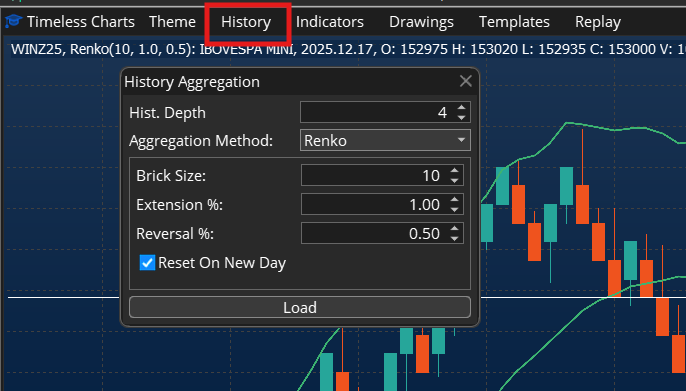
1️⃣ Set your history configuration
Choose how much data you want to load and the aggregation.
Example: History = 5 days, Aggregation by Time = 5 minutes.
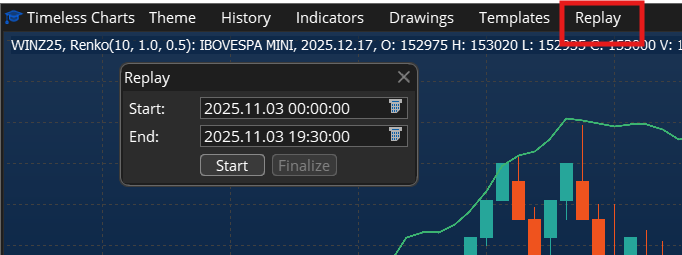
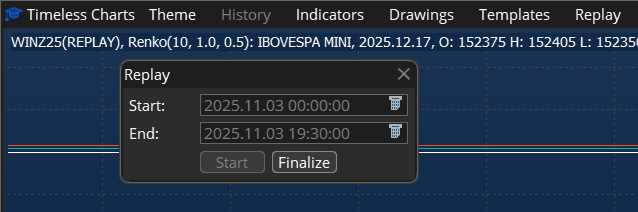
2️⃣ Open Replay and pick your time window
Set your simulation Start and End dates.
Example: Start: 2025-10-29 → End: 2025-10-31
Because your history is 5 days, the system preloads data from 2025-10-25 and begins replay at 2025-10-29.
3️⃣ Click Start, then press Play ▶️
After pressing Start, the system loads the data.
When it’s ready, a Play button appears — hit it to begin!
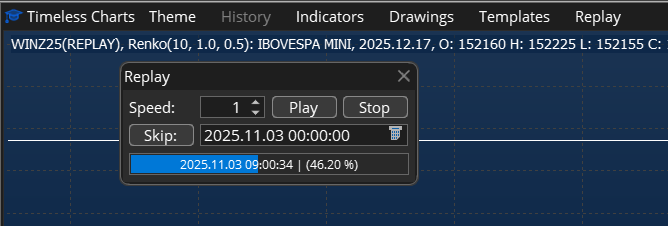
4️⃣ Control playback
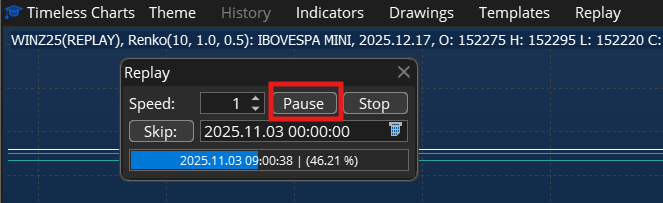
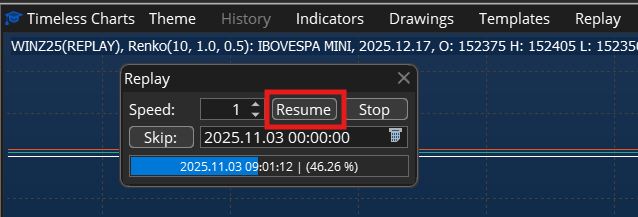
Use Pause ⏸️ and Resume ⏯️ to control the replay.
Press Stop ⏹️ to end it — but the replay chart stays open for review.
5️⃣ Finalize to return to live market data
When finished, press Finalize ✅ to exit replay mode and reload the current market data.
💡 Tips & Notes
-
If Play doesn’t show up immediately after Start, wait a few seconds — it’s still loading.
-
After Stop, you can scroll through the replay chart to review trades or setups.
-
To get back to live charts, just hit Finalize.
❓ Don't know Timeless Chart utility for MT5? Check in the product page:
🔗 https://mql5.com/8cp1n