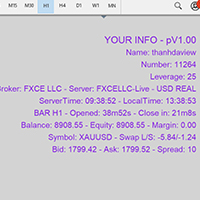
Your Information MT5

Show Account Information

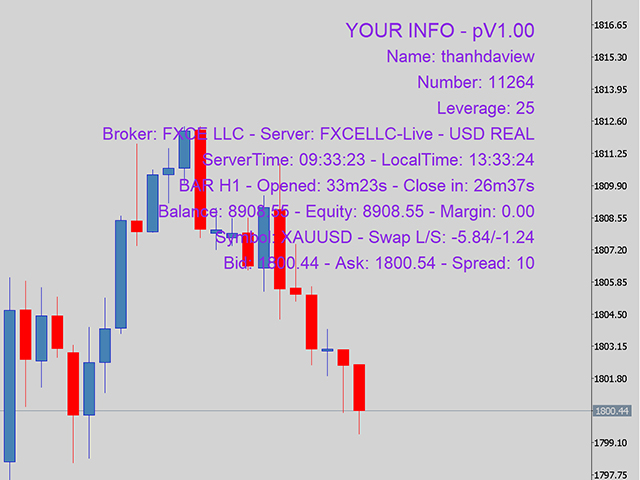
Custom showing your MT5 account information

Indicators add account information to chart.

Profit, Balance, Equity, Free Margin, Margin and Margin Level % Profit....

Hide account information: Click anywhere on account information text.    


The hide/show response is dependent on incoming ticks or chart refresh. In tick scarce or closed markets the indicator hide/show click will appear not to function while waiting for a tick or chart refresh. It is only necessary to attach the autorefresh timer to one chart because it refreshes all instances of account info vertical and account info horizontal across all charts.

推荐产品
适用于MT5平台的“WPR双均线指标”,无重绘。 - WPR本身就是短线交易的最佳震荡指标之一。 - “WPR双均线指标”允许您查看WPR震荡指标的快慢均线。 - 该指标能够帮助您及早发现价格回调。 - 此指标的参数设置非常简单,适用于任何时间周期。 - 您可以在图片中看到买入和卖出的入场条件。 - 通过 PC 和移动设备接收 WPR MAs 交叉警报。 买入信号示例: (1) - 如果快均线向上穿过慢均线,且WPR值低于-50:开立买单。 (2) - 一旦WPR值进入超买区域,高于-20:平仓。 卖出信号示例: (1) - 如果快均线向下穿过慢均线,且WPR值高于-50:开立卖单。 (2) - 一旦 WPR 值低于 -80 进入超卖区域:平仓卖单。 点击这里查看高质量的交易机器人和指标! 这是仅在 MQL5 网站上提供的原创产品。
EA Manage Emotion
Hua Nguyen Nguyen Tran
EA Emotion   is not a traditional Expert Advisor that places trades automatically – instead, it’s a psychological checkpoint that helps you manage   trading discipline and emotional control . Designed especially for discretionary traders, prop firm challengers, and anyone serious about improving consistency,   EA Emotion   asks a series of custom questions   right after you open a trade , such as: Did you follow your trading plan? Are you in the right mental state? Is this trade part of your set
Manual trading panel — opens one test trade for validation only. fRC Trade Assistant — Smart Manual Trading Panel fRC Trade Assistant is an intelligent trading panel designed for manual traders. It allows you to open positions with one click, calculate lot size based on your predefined risk, and automatically place Stop Loss (SL) and Take Profit (TP) levels. For example, if your balance is $1000 and you set a 1% risk , the panel automatically calculates the appropriate lot size. When the trad
Equity Firewall 是一款适用于 MT5 的工具,旨在实现账户级别的自动回撤控制和风险管理。它能够保护资金,尤其是在同一账户上有多个智能交易系统同时交易,存在仓位突然增加或回撤的风险时。 安装演示账户试用版本 Equity Firewall 允许设置最大总体回撤、每日亏损限额以及盈利目标,并可选择在达到限制时的操作:关闭所有持仓和挂单、关闭所有图表,或同时执行这两项操作。 程序会在触发限制时自动执行所选操作,并且完全兼容智能交易系统——即使多个 EA 同时交易。程序支持推送和电子邮件通知,并在清晰的仪表盘上显示当前回撤、每日亏损和目标进度。 使用场景 • Prop 交易和多 EA 账户:在多个智能交易系统同时交易时进行风险控制。 • 资金保护:当达到盈利目标或最大回撤时,完全停止交易。 提示与建议 • 程序可在策略测试器中使用。设置交易手数和交易方向——在测试器中启动智能交易系统时将自动开仓。使用可视化测试模式查看面板工作情况,并验证限制是否正确触发。 • 确保在演示账户上测试您的交易场景。 • 账户余额操作不会被自动考虑——所有计算基于当前权益。在进行存入或取出操作之前,
Trading panel for manual trading. Has a fairly wide functionality. Allows you to automatically calculate the order size, open both market and pending orders. It has a wide range of options for closing orders, it is possible to partially close orders, close orders after reaching a certain profit or loss, separately close profitable and unprofitable, buy and sell, as well as pending orders. The panel also contains a simple implementation of a grid of pending orders, reverse and lock functions, tr
Trading Utility for Forex Currency Pairs Only not for Gold  Functions Auto Lot Calculation based on Risk Auto stoploss  Auto TakeProfit Breakeven Auto Close Half % Close in percentage with respect to the PIPs Pending Orders BuyLimit Sell Limit with distances BuyStop Sell Stop    with distances Trading Informations Risk in percentage For Multiple trades Combine Takeprofit and Combine Stoplosses
Prop Guardian Risk Manager MT5 – Daily and Overall Drawdown Protection for Prop Firm Traders Prop Guardian Risk Manager is a professional risk-control utility for MetaTrader 5, created for traders who operate under prop firm rules. It does not open trades and does not implement any trading strategy. Instead, it runs in the background, monitors your account risk and can automatically block trading or close positions when your own limits are reached. Use it as a safety layer on top of your manual
Risk-o-meter is a Risk calculator Panel designed to help people who are new to trading, better understand how much they are risking for potential profit or loss. Inputs: 1. Enter your Risk in % or currency 2. Enter your Return Ratio 3. Enter your Lot Size Results: 1. SL line 2. TP Line Features: 1. By moving the SL line, lot size will adjust to keep Risk fixed. 2. By moving the TP line, Risk Ration will adjust to keep Risk fixed.  
Turbo Close All is a powerful and versatile script designed to help traders quickly and efficiently manage their trading positions and pending orders on MetaTrader 5. With its advanced features and customizable settings, this script is an essential tool for traders who want to streamline their trading process and maintain control over their positions and orders. Key Features: Comprehensive Closing Options: Turbo Close All allows you to close all market positions and/or delete pending orders bas
TP SL Bot MT5
Ruslan Brezovskiy
5 (1)
TP SL Bot - 新开立的 订单根据您的指示自动设置止损和止盈的工具。此外,还提供了一个计算器功能,可以计算在给定止损 / 止盈大小下,需要开立交易的数量来达到所需金 额。 有几种 选项来调整大小和参数: 1. 根据用 户指定的百分比来调整止损和止盈金额,作为账户余额的百分比。 2. 根據使用者指定的止盈和停損金額進行調整。 3. 根据开 仓价格的点数( tick )来 调整。 4. 根据开 仓价格的百分比来调整。 特点: 简单易用的界面 适用于市价 订单和挂单 适用于所有品种和 时间周期 多个工作模式 风险管理系统所需正确交易量的计算器 工作原理: !工具在 订单开仓后接收到第一个 tick 时更改订单参数。 模式 1 (存款百分比)。您 设置了存款百分比以计算止损和止盈金额。计算以点数 ( tick ) 为单位进行。 模式 2 ( 金 额 ) 。您设置了期望的止损和止盈金额。工具会自动计算点数 ( tick ) 大小。 注意 ! 前两种模式可能会有小 误差 , 因为指定的金额不一定是最小 tick 值的倍数。 模式 3 ( 点数 ) 。您 设置了止损和止盈的点数 ( tick
Click Trading
Jawad Tauheed
5 (1)
One Click Trading – Auto TP SL Developer TraderLinkz Version 1.00 Category Utility What it does Adds missing TP and SL to your manual trades and pending orders Sets them once per ticket Lets you move TP and SL afterward Works on hedging and netting accounts Scans on every tick and reacts on trade events Why you want it You place faster entries You get consistent risk and exit targets You reduce fat finger errors You keep full manual control Quick start Attach the EA to any chart Keep TP and SL e
FREE
MAFX Trading Manager
Mark Anthony Noblefranca Nazarrea
5 (1)
MAFX Trading Manager 适用于 MetaTrader 5 的专业手动交易管理面板 产品概述 MAFX Trading Manager 是一款适用于 MetaTrader 5 的专业手动交易管理面板, 旨在帮助交易者更高效地执行和管理交易。 它提供快速的订单执行以及必要的交易管理工具, 界面简洁、紧凑且易于使用。 本产品适用于希望在交易管理中获得更高控制力、 执行速度和一致性的手动交易者, 无需依赖自动化策略或交易信号。 主要优势 一键 Buy / Sell,下单无需打开 MT5 订单窗口 集成 Stop Loss 与 Take Profit 管理 支持部分平仓和保本功能 界面简洁,不遮挡图表 轻量化设计,运行稳定 适用于剥头皮、日内及主观交易 针对 XAUUSD(黄金)和 BTC 优化的默认设置 持续维护并定期更新 主要功能 市价 Buy / Sell 执行 可调节手数输入 Stop Loss 和 Take Profit 控制 带偏移的保本功能 按百分比部分平仓 一键关闭所有持仓 交易信息可视化显示 适用于所有 MT5 品种和周期 限制与重要说明 本产品不提供交易信
FREE
The Expert Advisor is a comprehensive risk manager helping users to control their trading activities. With this tool being a safeguard you can easily configure various risk parameters. When any limit is exceeded, the risk manager can force close opened positions, close other EAs, and even close the terminal to prevent emotional trading that doesn't correspond to your trading strategy. Risk Manager Settings Account Protection Check min equity limit to close all (account currency) - check the min
Capital Management EA – Smart Risk Management & Profit Optimization for MT5 Take control of your trading capital with smart, automated strategies — fully optimized for MetaTrader 5 (MT5). Looking to protect your capital and maximize profits through automated money management strategies ? Capital Management EA is the all-in-one Expert Advisor for MetaTrader 5 (MT5) that helps you trade smarter, not harder. Core Features: 5-in-1 Capital Management Strategies – Built-in versatility Gr
Auto Trade Close
Makarii Gubaydullin
自动平仓:按时间或达到盈利/亏损触发 使用此工具,您可以在给定条件下自动平仓。 多功能工具 : 66+ 功能,包括此工具  |   联系我  如有任何问题  |   MT4版本 要激活自动平仓,需要设置以下参数(在面板上): 1. 交易品种   应用此功能的: 特定   [Symbol]   / 或所有   [ALL]   品种。 2. 条件, 何时平仓: [if total] / [if single] / [at time]: 根据此参数,可以选择 达到盈利/亏损时平仓 ,或 在指定时间平仓 。 [按盈利/亏损平仓] 选项设置: 1. [if total] / [if single]: 计算P/L方式:所有 选定交易 合计 ,或每笔交易 单独 ; 2. [Floating] / [Potential]: 计算 浮动P/L (未平仓交易), 或计算 潜在P/L (当达到TP/SL水平时); 3. [Profit] / [Loss] / [P/L]: 计算内容: 盈利、亏损或[盈利或亏损] ; 4. [On active] / [On pending] / [On both]: 应用
TradeMngrMT5
Edgar Enrique Retontali
TradeManager 1.0   is an Expert Advisor for MetaTrader 4 y 5 that streamlines real-time trade management. Through a graphical control panel, you can send market and pending orders, move stop losses to breakeven, and automatically calculate position size based on your risk settings. Below is a comprehensive overview of its features and input parameters. Key Features Market Orders & Pending Orders BUY/SELL Buttons : Instantly open long or short positions at market. BUY STOP / SELL STOP / BUY LIMI
The utility places virtual (hidden from your broker) trailing stop, breakeven, stop loss and take profit.‌ It is necessary to allow automated trading in the terminal settings. In testing mode, the utility opens Buy or Sell positions on the first ticks, which allows you to visually observe the given logic, changing the utility parameters. In real mode, the utility does not open positions. Discuss the complexities of Forex trading here:  chat "Age of Expert Advisors" . Parameters magic   - magic n
Risk Manager Pro
Jhojan Alberto Tobon Monsalve
Risk Manager Pro is a simple utility that calculates the necessary lots with the risk percentage and the pips of stop loss, before opening positions. The web calculators can be useful in some cases but they are not efficient to open operations in real time. In the trading days, there are few opportunities to open positions and when the opportunity arises, the seconds make the difference. This is not possible with conventional web calculators, since to calculate the size of an operation regarding
Indicator Automator EA: The Ultimate Indicator Automation Tool Tired of being chained to your desk, waiting for signals from your favorite indicator? Do you want to eliminate emotional trading and unlock the true potential of your manual strategy? Indicator Automator EA is a powerful and highly versatile Expert Advisor for MetaTrader 5 designed to automate ANY trading indicator that provides clear Buy and Sell signals through its indicator buffers. You don't need to be a programmer. If you have
Tool Auto Modify SLTP – Protect Your Trades, Optimize Your Strategy In trading, risk is always present. Just one forgotten SL/TP can turn a promising trade into a loss. Even experienced traders occasionally make mistakes. That’s why Tool Auto Modify SLTP was created – to keep you protected and let you focus on your strategy. Key Features: Manage Orders for All Symbols: Monitor and adjust SL/TP for all your trading pairs. Three Flexible Risk Modes: Point-Based: Set fixed SL/TP distances. Account
Global Risk Manager Auto Stop Loss  Automate Your Risk Management This utility works seamlessly with any symbol, by intelligently setting your initial Stop Loss and Take Profit the instant a new position is opened. Perfect for traders who enter manually or via an EA  but want consistent, rules-based risk management applied automatically. Why You Need This Eliminates Human Error: Never forget to set a stop loss again. Ensures every trade is protected from the start. Enforces Discipline: Removes
盈亏平衡水平:一键移动止损。避免损失现有利润 使用此工具,您可以一键快速保护您的利润。 对短期交易尤其重要。偏移选项也可用。 多功能工具 :66+功能,包括此工具 | 联系我 如有任何问题 | MT4版本 如何移动SL水平: 1. 指定具体的 [交易品种] ,或选择 [全部] 交易品种。 2. 选择您要应用盈亏平衡的 交易类型 : [全部]:适用于所有活跃交易; [多头]:仅适用于买入交易; [空头]:仅适用于卖出交易; 3. [如果利润>] 选项:如果激活,SL将仅在利润超过指定值时移动。 4. [+偏移] :您可以设置 额外的SL偏移 ,向TP水平方向移动。 因此,SL不仅可以移动到盈亏平衡,还可以移动到盈利水平。 使用 [v]选择器 ,您可以选择利润和偏移值的 计算方法 : 金额/点/点值/SL大小的%/TP大小的%/价格变化的%/账户大小的%/点差大小; ! 使用[%/SL]或[%/TP]方法时:仅当交易有SL/TP水平时才会包括。 5. 顶部的 绿色按钮 将显示符合您条件的交易数量。 点击此按钮后,SL将被移动。 在输入设置中,您可以选择将点差成本、佣金和掉期费用计入盈亏平
This tool will perform Trailing stop loss and Break even management for orders. Helps you limit or reduce the time spend watching orders on the screen, especially when you need to go to sleep. Just add this EA to 1 chart, you can manage all pairs. You can filter orders by comment, magic number, symbol and order ticket number. When Breakeven it can add shift/offset pips (to cover the commission...). You can try in strategy tester before purchase. The EA will add Buy and Sell alternately, so you
Important! Demo version will work only on EURGBP. One Click Trader  is a tool designed for MetaTrader 4 platform, which enables you to take your trading to the next level. It enables you to open, manage and close your trades in simple an efficient way by just one click of your mouse button. "-"   ,  "+"  change OCT window size  Up arrow minimizes the OCT panel Down arrow maximizes the OCT panel Right arrow displays the next panel with additional features Left arrow hides the panel with additiona
FREE
执行者 Trader Panel  (Sta)标准版,是一个具有多功能的交易员工具,交易面板内嵌有30+种单一功能,同时具有10+种组合功能,为交易员提供了极大的灵活操作途径。 执行者的主要功能简介: 即时知道是否与交易商之间丢失连接 即时知道当前本地时间与所在交易服务器的时间 可在任何标的中使用 可在任何周期下使用 可灵活的设置标的开仓手数 可设置开仓手数的同时设置止盈 可设置开仓手数的同时设置止损 可设置开仓手数的同时设置是否进行当前手数的(批量开仓),批量开仓可设置订单间距 建仓后可获知全仓位的成本价位 可对(BUY、SELL)开平仓 可快速的处理反手单 可随意点击图表设置挂多单或挂空单 可对挂单进行手工拖拉移位 可对持仓订单进行止盈或止损设定 可对持仓订单进行追踪提损(移动止损) 可观察当前标的即时点差 可开启突破交易策略(EA模式) 可设置突破交易策略的顶部开空(反手模式) 可设置 突破交易策略的 底部开多(反手模式) 可设置突破交易策略的顶底部进行移位调整 可随时改变订单止盈与止损位置 可观察账号资金使用情况(净值、保证金率、日盈、当前持仓赢亏) 可观察多仓头寸已建仓手
RiskCopilot
Carlos Adrian Feged Zapata
RiskCopilot Utility - Your Intelligent Trading Assistant "See Your Risk. Master Your Trade." RiskCopilot Utility is the ultimate risk management and position sizing solution for MetaTrader 5. This comprehensive trading assistant provides real-time calculations, advanced risk assessment tools, and professional trade analytics without taking control of your trading decisions. Perfect for both novice and professional traders seeking precise risk management across all asset classes. You focus on yo
Overview Mirror Signals EA is a powerful monitoring Expert Advisor that automatically sends real-time Telegram notifications for all important trade events on your MetaTrader 5 account. It is engineered specifically for signal providers , trade-copier operators , auditors , educators , and professional trading services that require immediate, detailed, and reliable reporting. Everything from entries, exits, SL/TP changes, comment changes, trailing stop activations, pending order modifications
StopLoss and TakeProfit Utility MT5 for automatic setting of stop loss and take profit levels. Created by a professional trader for traders.   The utility   works with any market orders opened by a trader manually or using advisors. Can filter trades by magic number. The utility can work with any number of orders simultaneously. WHAT THE UTILITY CAN DO: Set virtual stop loss and take profit from 1 pip Real   stop loss and take profit W ork with each order separately (   stop loss and take prof
TradePilotmt5
Hossein Khalil Alishir
TradePilot Expert Advisor (EA) for MetaTrader 5 TradePilot is a professional and user-friendly Expert Advisor (EA) for MetaTrader 5 (MT5) . It simplifies automated trading , risk management , and trade execution with a smart trading panel . Perfect for beginners and experienced traders looking for a reliable trade manager EA with automated lot size calculation and smart position management. Key Advantages User-Friendly Trading Panel: Customizable panel with buttons and hotkeys for fast ex
SafeZone Auto Close – Smart Equity Protection Script (MT5) Automatically protects your trading account by closing all positions once your equity reaches a defined profit target or critical loss limit – with optional time filter for trading hours. What This Script Does SafeZone Auto Close is a lightweight yet powerful MetaTrader 5 (MT5) script designed to monitor your equity in real time and instantly close all open positions based on two conditions: Profit Target Reached – Close all positio
该产品的买家也购买
Trade Assistant MT5
Evgeniy Kravchenko
4.41 (206)
它有助于计算每笔交易的风险,容易安装新的订单,具有部分关闭功能的订单管理, 7 种类型的追踪止损和其他有用的功能。   附加材料和说明 安装说明   -   应用程序说明   -   模拟账户应用程序的试用版 线条功能  - 在图表上显示开仓线、止损线、止盈线。 有了这个功能,就可以很容易地设置一个新的订单,并在开仓前看到它的附加特性。   风险管理  - 风险计算功能在考虑到设定的风险和止损单的大小的情况下,计算新订单的成交量。它允许你设置任何大小的止损,同时观察设定的风险。 批量计算按钮 - 启用 / 禁用风险计算。 在 " 风险 " 一栏中设置必要的风险值,从 0 到 100 的百分比或存款的货币。 在 " 设置 " 选项卡上选择风险计算的变量: $ 货币, % 余额, % 资产, % 自由保证金, % 自定义, %AB 前一天, %AB 前一周, %AB 前一个月。   R/TP 和 R/SL - 设置止盈和止损的关系。 这允许你设置相对于损失的利润大小。 例如, 1 : 1 - 这决定了 TP = SL 的大小。 2 : 1 - 这意味着 TP 是 SL 的两倍。 RR -
欢迎来到 Trade Manager EA——这是一个终极风险管理工具,旨在使交易变得更直观、精准和高效。它不仅仅是一个下单工具,而是一个用于无缝交易计划、仓位管理和风险控制的全面解决方案。不论您是新手交易员、资深交易员,还是需要快速执行的剥头皮交易员,Trade Manager EA 都可以满足您的需求,适用于外汇、指数、大宗商品、加密货币等各种市场。 借助 Trade Manager EA,复杂的计算已成过去。只需分析市场,在图表上用水平线标记入场、止损和止盈,设置您的风险水平,Trade Manager 就会立即计算出理想的头寸规模,并实时显示以点、账户货币计价的止损和止盈。每笔交易都得以轻松管理。 主要功能: 头寸规模计算器 :根据定义的风险瞬间确定交易规模。 简单的交易计划 :在图表上用可拖动的水平线直接计划交易,设置入场、止损和止盈。 实时显示 SL 和 TP :以账户货币、点或分显示止损和止盈,便于分析。 高级保护工具 盈亏平衡选项 : 基本盈亏平衡 :当您的交易达到设定水平时自动保护利润。 多级盈亏平衡 :设置多达 4 个级别以逐步保护利润。 尾随止损选项 : 基本尾随
Local Trade Copier EA MT5
Juvenille Emperor Limited
4.96 (122)
通过 Local Trade Copier EA MT5 获得非常快速的交易复制体验。它的简单1分钟设置,使您可以在同一台Windows计算机或Windows VPS上在多个MetaTrader终端之间复制交易,具有闪电般快速的复制速度,低于0.5秒。 无论您是初学者还是专业交易者, Local Trade Copier EA MT5 都提供了广泛的选项,可根据您的特定需求进行自定义。对于任何希望增加利润潜力的人来说,这都是终极解决方案。 今天就尝试一下,看看为什么它是市场上最快、最简单的贸易复印机! 提示: 您可以在您的模拟账户中下载并试用 Local Trade Copier EA MT5 模拟版: 这里 将下载的免费演示文件粘贴到您的 MT5 >> 文件 >> 打开数据文件夹 >> MQL5 >> 专家文件夹并重新启动您的终端。  免费演示版本每次可在 4 小时内发挥全部功能,仅限演示帐户。 要重置试用期,请转至 MT5 >> 工具 >> 全局变量 >> Control + A >> 删除。 请仅在非关键模拟账户上执行此操作,不要在挑战道具公司账户中执行此操作。 如果您无法
TradePanel MT5
Alfiya Fazylova
4.86 (148)
交易面板是一个多功能的交易助手。该应用程序包含超过 50 个用于手动交易的交易功能,并允许您自动化大多数交易操作。 注意,该应用程序在策略测试器中不起作用。购买之前,您可以在模拟帐户上测试演示版本。演示版 这里 。 完整说明 这里 。 贸易。 让您一键执行交易操作: 通过自动风险计算打开挂单和仓位。 一键打开多个订单和仓位。 打开订单网格。 按组关闭挂单和持仓。 头寸反转(关闭买入并打开卖出或关闭卖出并打开买入)。 锁定头寸(开立额外头寸,以平衡买入和卖出头寸的交易量)。 一键部分平仓所有仓位。 为同一价格水平的所有头寸设置止盈和止损。 将所有头寸的止损设置为该头寸的盈亏平衡水平。 开单建仓时,您可以应用以下功能: 计算交易量的多个订单或仓位之间的分布(一键开仓多个订单或仓位时)。 图表上未来订单交易水平的可视化。 设置开仓时允许的最大点差大小。 止盈和止损之间的自动比率。 虚拟止损和止盈。 根据当前点差的大小自动增加止损和止盈的大小。 根据 ATR 指标的读数计算止盈和止损。 设置挂单的到期日期。 挂单设置为“追踪”(挂单自动跟随当前价格移动指定距离)。 管理通过移动终端(手机)开立
测试版发布 Telegram to MT5 Signal Trader 即将进入正式的 Alpha 版本。一些功能仍在开发中,您可能会遇到一些小错误。如果您遇到问题,请反馈,您的意见将帮助我们改进软件。 价格将在售出 20 份后上涨。剩余 $90 的副本: 2/20 。 Telegram to MT5 Signal Trader 是一款强大的工具,能够将 Telegram 频道或群组的交易信号自动复制到您的 MetaTrader 5 账户。 支持公开和私人频道,可将多个信号提供者连接至一个或多个 MT5 账户。软件优化、高效、稳定,精准控制每笔复制交易。 界面简洁,仪表盘美观,图表交互性佳,导航直观。您可以管理多个信号账户,自定义每个提供者的设置,并实时监控所有操作。 系统需求 由于 MQL 限制,EA 需要配合 PC 端应用与 Telegram 通信。 安装程序可通过官方 安装指南 获取。 核心功能 多提供者支持: 从多渠道复制信号至多个 MT5 帐户 高级信号识别: 关键词、模式和标签全面自定义 逐提供者控制: 可启用/禁用特定信号类型、平仓策略等 灵活风险管理: 固定手数、固
Trade Dashboard MT5
Fatemeh Ameri
4.96 (111)
疲于复杂的订单下达和手动计算?Trade Dashboard 是您的解决方案。凭借其用户友好的界面,订单下达变得轻而易举,只需点击一下,您就可以开设交易、设置止损和止盈水平、管理交易手数,并计算风险回报比,让您只需专注于您的策略。告别手动计算,使用 Trade Dashboard 简化您的交易体验。 立即下载演示版本 。 您可以在这里找到仪表盘功能和特性的详细信息 。 加入 Telegram 频道 。 购买后请给我发消息以获取支持。如果您需要添加更多功能,可以在产品的评论区留下您的想法,我愿意听取任何建议,希望您能在使用我的产品时获得最佳体验 。 这是 MT4 版本。 风险管理:使用 Trade Dashboard,可以将您的风险设置为账户余额或权益的百分比,或将风险设置为总金额。在图表上直观地定义您的止损,让工具准确计算每个货币对的适当手数。该工具还可以根据您期望的风险回报比自动设置止盈水平。它甚至可以在手数计算中涵盖佣金和点差费用。此外,您的止损和止盈可以转变为虚拟水平,隐藏于经纪商。通过 Trade Dashboard 的高级风险管理功能,掌控风险,保护您的资本。 交易线
Copy Cat More Trade Copier MT5 (复制猫MT5) 是一个本地跟单软件,也是一个完整的风险管理和执行框架,专为当今的交易挑战而设计。从资金管理公司挑战到个人投资组合管理,它能适应各种情况,结合了稳健的执行、资本保护、灵活配置和高级交易处理功能。 该跟单软件可在主端(发送方)和从端(接收方)模式下工作,实时同步市价单和挂单、交易修改、部分平仓和对冲平仓操作。它兼容模拟和实盘账户、交易或投资者登录,并通过持久的交易记忆系统确保恢复功能,即使EA、终端或VPS重启也不例外。可以同时管理多个主端和从端,使用唯一ID,并通过前缀/后缀调整或自定义品种映射自动处理跨经纪商差异。 手册/设置  | Copy Cat More MT4 | 频道  特色功能: 易于设置——快至30秒(见视频)。 快速、稳定、准确——Turbo模式下低延迟复制(见截图)。 高安全性——不使用潜在危险的DLL或WebRequest。 持久交易记忆,避免孤立、丢失或不准确的交易。 可从手动或EA复制,支持所有账户类型。 品种自动前缀/后缀,快速设置;支持MT4和MT5之间复制。 非常灵活的多主端
Trade copier MT5
Alfiya Fazylova
4.61 (36)
Trade Copier 是一种专业实用程序,旨在复制和同步交易账户之间的交易。 复制发生从供应商的帐户/终端到收件人的帐户/终端,安装在同一台计算机或 vps 上。 在购买之前,您可以在演示帐户上测试演示版本。 演示 这里 。 完整说明 这里 。 主要功能和优点: 支持复制MT5>MT5、MT4>MT5、MT5>MT4,包括МТ5 netting账户。 供应商和收件人模式在同一产品中实现。 简单直观的界面,允许您直接从图表中实时控制复制。 连接中断或终端重新启动时不会丢失设置和位置。 允许您选择要复制的符号,也可以替换接收者的符号,例如 EURUSD> USDJPY。 支持回拷贝。 能够仅复制某些订单。 允许您设置开仓交易价格的最大差异和最大时间延迟。 正确复制部分订单关闭的执行。 计算复制手数的几种方法。 同步止盈和止损。有几种方法可以计算它们的位置。 支持通过执行在“Market account”上工作,其中 SL / TP 仅在开仓后设置。 如何使用简单的设置复制交易 将供应商终端和接收终端安装在同一台计算机或 VPS 上。 在供应商终端上以“Master”模式安装复印机,然后
Ultimate Extractor
Clifton Creath
5 (9)
Ultimate Extractor - Professional Trading Analytics for MT5 *****this is the local HTML version of Ultimate Extractor. Check out Ultimate Extractor Cloud on mql5 for the Cloud version****** Ultimate Extractor transforms your MetaTrader 5 trading history into actionable insights with comprehensive analytics, interactive charts, and real-time performance tracking. What It Does Automatically analyzes your MT5 trading history across all Expert Advisors and generates detailed HTML reports with inte
YuClusters
Yury Kulikov
4.93 (43)
Attention: You can view the program operation in the free version  YuClusters DEMO .  YuClusters is a professional market analysis system. The trader has unique opportunities to analyze the flow of orders, trade volumes, price movements using various charts, profiles, indicators, and graphical objects. YuClusters operates on data based on Time&Sales or ticks information, depending on what is available in the quotes of a financial instrument. YuClusters allows you to build graphs by combining da
Smart Stop Scanner – 多品种结构化止损扫描系统 概述 Smart Stop Scanner 为交易者提供跨市场的专业止损结构监控。系统基于真实市场结构、关键突破点以及价格行为逻辑,自动识别最有意义的止损区域,并在统一的、高度清晰、DPI 自适应面板中展示所有信息。 适用于 Forex、黄金、指数、金属、加密货币等多种资产。 止损如何计算 本系统并未使用传统指标或任意公式,而是通过纯价格行为识别 突破、更高高点、更低低点 等结构事件。 止损位置基于这些结构节点生成,因此更加真实、自然,并与实际市场行为紧密吻合。 核心功能亮点 • 多品种精准兼容 完整支持外汇、黄金、指数、金属、加密资产及其他工具,自动处理不同的点值和小数位。 • 即时结构识别 实时检测新的、失效的和当前有效的止损结构,并提供方向、形成时间、距离等关键信息。 • SL %ADR – 自适应止损质量评估 每个止损都会与该品种历史的结构性止损事件进行统计对比。 自适应颜色区间清晰显示止损是 极紧、紧、适中、宽、非常宽 。 基于真实波动率,而非固定阈值。 • Dist % – 实时止损距离
Trade Manager DaneTrades
Levi Dane Benjamin
4.33 (27)
交易管理器可帮助您快速进入和退出交易,同时自动计算风险。 包括帮助您防止过度交易、报复性交易和情绪化交易的功能。 交易可以自动管理,账户绩效指标可以在图表中可视化。 这些功能使该面板成为所有手动交易者的理想选择,并有助于增强 MetaTrader 5 平台。多语言支持。 MT4版本  |  用户指南+演示 交易经理在策略测试器中不起作用。 如需演示,请参阅用户指南 风险管理 根据%或$自动调整风险 可选择使用固定手数或根据交易量和点自动计算手数 使用 RR、点数或价格设置盈亏平衡止损 追踪止损设置 最大每日损失百分比,在达到目标时自动平仓所有交易。 保护账户免遭过多提款并阻止您过度交易 最大每日损失(以美元为单位)在达到目标时自动关闭所有交易。 保护账户免遭过多提款并阻止您过度交易 一键实现所有交易的盈亏平衡 自动计算从手机/电话发送的交易的风险 OCO 在设置中可用 交易和头寸管理 通过设置每月、每周、每天、每小时或每分钟的最大交易次数,停止过度交易和报复性交易。 高级挂单管理。 调整何时关闭挂单的规则 追踪挂单 支持市价订单和挂单 每日最大利润目标(以美元为单位)以确保头寸并停止
Telegram to MT5 Coppy
Sergey Batudayev
5 (7)
Telegram 到 MT5: 终极信号复制解决方案 使用 Telegram 到 MT5 简化您的交易,这款现代化工具可直接从 Telegram 频道和聊天室复制交易信号到您的 MetaTrader 5 平台,无需 DLL 文件。这款强大的解决方案可确保精准的信号执行、丰富的自定义选项,节省时间并提高您的效率。 [ Instructions and DEMO ] 主要特点 直接 Telegram API 集成 通过电话号码和安全码进行身份验证。 通过用户友好的 EXE 桥轻松管理聊天 ID。 添加、删除和刷新多个频道/聊天以同时复制信号。 使用高级过滤器进行信号解析 跳过包含异常词(例如“报告”、“结果”)的不需要的信号。 支持灵活的 SL 和 TP 格式:价格、点数或点数。 自动计算指定点而不是价格的信号的切入点。 订单定制和灵活性 使用多种模式配置订单大小:固定手数、动态手数(% 风险)或特定符号手数。 使用信号数据或自定义参数调整 SL/TP。 设置滑点限制、挂单到期时间和重试参数,以实现无缝执行。 综合符号管理 排除特定符号或映射到特定经纪人的符号。 自定义信号和经纪商符号之间
The product will copy all telegram signal to MT5 ( which you are member) , also it can work as remote copier.  Easy to set up, copy order instant, can work with almost signal formats, image signal,  s upport to translate other language to English Work with all type of channel or group, even channel have "Restrict Saving Content", work with  multi channel, multi MT5 Work as remote copier: with signal have ticket number, it will copy exactly via ticket number. Support to backtest signal. How to s
Farmed Hedge Yield Farming - Professional Pair Trading Dashboard (Manual - Hybrid - Fully Automated EA) Launch Price: $359 (Regular: $599) VERSION 3 - WILD HARVEST UPDATE Trading Approach: - Manual Trading: Primary focus - Auto Pilot: Optional supplementary feature - Full Automation: Not the main purpose Recommended Timeframe: H1-H4 VERIFIED TRADING RESULTS - Farmed Hedge Yield Axi Copy: https://www.mql5.com/en/signals/2356376 - Farmed Hedge Yield Exn Copy: https://www.mql5.com/en/signals/23
Exp COPYLOT CLIENT for MT5
Vladislav Andruschenko
3.82 (34)
MT5 交易复印机是 МetaТrader 5 平台的交易复印机 。 它复制外汇交易 之间   任何账户 MT5   -   MT5, MT4   -   MT5 对于 COPYLOT MT5 版本(或 MT4   - MT4 MT5   -   MT4 对于 COPYLOT MT4 版本) 值得信赖的复印机! MT4版本 详细描述   +DEMO +PDF 如何购买 如何安装     如何获取日志文件     如何测试和优化     Expforex 的所有产品 您还可以在 МТ4 终端 (   МТ4   -   МТ4, МТ5   -   МТ4   ) 中 复制交易: COPYLOT CLIENT for MT4 此版本包括在终端 МТ5   -   МТ5, МТ4   -   МТ5 之间 。 交易复制器用于在 2/3/10 终端之间复制交易/头寸。 支持从模拟账户和投资账户复制。 该程序可以在多个终端绑定上运行。 使用它作为您在一个账户上交易的各种投资者账户的交易的同步器, - COPYLOT 会将您的交易复制到其他终端。 从 多个 终端复制到一个; 从一个终端复
HINN MagicEntry Extra
ALGOFLOW OÜ
4.67 (12)
HINN MAGIC ENTRY – the ultimate tool for entry and position management! Place orders by selecting a level directly on the chart! full description Key features: - Market, limit, and pending orders - Automatic lot size calculation - Automatic spread and commission accounting - Unlimited partitial take-profits  - Breakeven and trailing stop-loss and take-profit  functions - Invalidation leves - Intuitive, adaptive, and customizable interface - Works with any assets and account types Really feels
Grid Manual MT5
Alfiya Fazylova
4.9 (20)
Grid Manual是一个交易面板,用于处理订单网格。 该实用程序是通用的,具有灵活的设置和直观的界面。 它不仅可以在亏损方向上设置订单网格,还可以在盈利方向上设置订单网格。 交易者不需要创建和维护订单网格,实用程序会这样做。 打开一个订单就足够了,Grid manual会自动为它创建一个订单网格,并伴随它直到非常关闭。 完整说明和演示版 此處 。 该实用程序的主要特性和功能: 伴隨以任何方式打開的訂單,包括從移動終端打開的訂單。 適用於兩種類型的網格:“限制”和“停止”。 使用兩種方法計算網格間距:固定和動態(基於 ATR 指標)。 允許您更改未結訂單網格的設置。 顯示圖表上每個網格的盈虧平衡水平。 顯示每個網格的利潤率。 允許您一鍵關閉網格中的盈利訂單。 讓您一鍵關閉每個訂單網格。 允許您對訂單網格應用追踪止損功能。 允許您在訂單網格上應用將訂單網格的止損轉移到盈虧平衡水平的功能。 相對於訂單網格的盈虧平衡水平自動重新排列止盈(僅在限價網格模式下,距離取決於所選的計算類型:“保守”或“激進”)。 最多可管理 20 個訂單網格,每個網格最多可包含 100 個訂單。 計算初始手數時,
Smart Stop Manager – 专业级自动化止损管理系统 概述 Smart Stop Manager 是 Smart Stop 产品线的执行核心,为需要结构化、可靠且全自动止损管理的交易者而设计。它持续监控所有持仓,根据 Smart Stop 市场结构逻辑计算最佳止损位置,并按照清晰透明的规则自动更新止损。 无论是管理单一品种还是多品种组合,Smart Stop Manager 都能为每笔交易提供纪律性、一致性和全面的风险可视化。它减少情绪化判断,降低手动操作负担,并确保止损始终基于真实的市场结构进行调整。 功能亮点 基于市场结构的自动止损计算 • 自动评估所有持仓,并根据 Smart Stop 逻辑应用最佳止损水平。 一站式组合管理面板 • 显示交易品种、方向、Magic Number、手数、开仓价、当前价、推荐止损、点差距离、浮动盈亏、风险敞口及实时状态标签。 DPI 自适应专业界面 • 在高分辨率屏幕上呈现清晰锐利的显示效果,布局会动态适配窗口。 清晰的状态标签 • 每笔交易都会标注当前状态,让交易者即时了解风险状况。 高级特殊情况识别 • 智能识别逆趋势
Mentfx Mmanage mt5
Anton Jere Calmes
4.25 (8)
The added video will showcase all functionality, effectiveness, and uses of the trade manager. Drag and Drop Trade Manager. Draw your entry and have the tool calculate the rest. Advanced targeting and close portions of a trade directly available in tool (manage trades while you sleep). Market order or limit order on either side with factored spread. Just draw the entry, the tool does the rest. Hotkey setup to make it simple. Draw where you want to enter, and the stop loss, the tool calculates al
MT5 to Telegram Signal Provider 是一个易于使用且完全可自定义的工具,它允许向 Telegram 的聊天室、频道或群组发送 指定 的信号,将您的账户变为一个 信号提供商 。 与大多数竞争产品不同,它不使用 DLL 导入。 [ 演示 ] [ 手册 ] [ MT4 版本 ] [ Discord 版本 ] [ Telegram 频道 ]  New: [ Telegram To MT5 ] 设置 提供了逐步的 用户指南 。 不需要了解 Telegram API;开发者提供了您所需的一切。 关键特性 能够自定义发送给订阅者的订单详情 您可以创建分层的订阅模型,例如铜、银、金。其中金订阅获得所有信号等。 通过 id、符号或评论过滤订单 包括执行订单的图表截图 在发送的截图上绘制已关闭的订单,以便额外核实 延迟发送新订单消息的可能性,以便在发送前对位置进行调整 订单详情完全透明: 新的市场订单*带截图 订单修改(止损、获利) 已关闭的订单*带截图 部分关闭的订单** 新的挂单 修改的挂单(进场价格) 挂单激活(作为新的市场订单附加) 已删除的挂单 历史订单报告
Seconds Chart MT5
Boris Sedov
4.59 (17)
秒级图表 (Seconds Chart) — 一款专为 MetaTrader 5 设计的独特工具,用于创建秒级时间框架的图表。 通过 秒级图表 ,您可以构建以秒为单位的时间框架图表,获得标准分钟或小时图表无法提供的极致灵活性和分析精度。例如,时间框架 S15 表示每根蜡烛图持续15秒。您可以使用任何支持自定义交易品种的指标和EA交易系统。操作它们就像在标准图表上交易一样方便。 与标准工具不同, 秒级图表 让您能够在超短时间框架下进行高精度交易,无延迟干扰。 秒级图表的优势 支持 1至900秒 的时间框架图表。 基于内置的实时报价数据库, 即时加载 历史数据。 数据实时更新, 无延迟或滞后 。 可同时创建 多个秒级图表 。 秒级图表的理想应用场景 剥头皮交易 和高频交易。 精确的入场和出场时机。 在短时间框架下测试交易策略。 时间框架设置 默认设置包含以下时间框架: S1、S2、S3、S4、S5、S6、S10、S12、S15、S20、S30 。 您可轻松自定义时间框架组合,只需按升序列出 1至900秒 的数值且避免重复即可。 其他免费工具 快速交易管理器 ( Quick Trade Ma
EasyInsight AIO MT5
Alain Verleyen
4.91 (11)
EASY Insight AIO – 全能智能交易一站式解决方案 概述 想象一下,您可以在几秒钟内扫描整个市场——外汇、黄金、加密货币、指数,甚至股票——无需手动筛选图表、繁琐安装或配置指标。 EASY Insight AIO 是您专为 AI 交易打造的即装即用数据导出工具。它将整个市场快照一次性输出为简洁的 CSV 文件,直接支持 ChatGPT、Claude、Gemini、Perplexity 等各类 AI 平台的即时分析。 无需窗口切换,无需图表叠加,也没有任何杂乱。只需纯净、结构化的数据自动导出,让您专注于基于数据的高效决策,无需再盯盘耗时。 为什么选择 EASY Insight AIO? 真正的一体化 • 无需设置,无需安装指标,无图表叠加。只需安装、运行并导出——就是这么简单。 多资产全覆盖 • 扫描分析外汇、金属、加密货币、指数、股票——您的券商所能提供的一切市场。 AI 专属数据导出 • 高度结构化、针对 AI 优化的 CSV 文件,直接适配主流智能工具和平台。 完整导出内容: • 三个可选周期的货币强度分析 • 净多头头寸变化体现市场情绪 • 成交量变化、
Advanced trading tool: One click smart orders that execute under your conditions Developed by trader for trading community:  position size calculator (lot size), open position after price action, strategy builder, set and forget trading, mobile notifications Risk Management -  Risk percentage position size calculator, gain percentage, target risk reward ratio, spread and commissions are included in calculations 7 Advanced order types  - Set and forget trading with price action automation (OCO,
Trade Manager DashPlus
Henry Lyubomir Wallace
5 (12)
DashPlus 是一款先进的交易管理工具,旨在提升您在 MetaTrader 5 平台上的交易效率和效果。它提供一整套功能,包括风险计算、订单管理、先进的网格系统、基于图表的工具和绩效分析。 主要功能 1. 恢复网格 实施一个平均和灵活的网格系统,以在不利的市场条件下管理交易。 允许设置战略性进出点,以优化交易恢复。 2. 叠加网格 通过在强劲的市场波动中增加仓位,最大化有利交易的潜在回报。 帮助您通过扩展获利交易来利用趋势市场。 3. 盈亏线 在图表上直接提供潜在利润和损失场景的可视化表示。 调整设置并拖动盈亏线,以在执行之前评估各种交易结果。 4. 篮子模式 简化同一交易品种的多仓位管理,将它们合并为一个聚合仓位。 基于平均价格,便于监控和应用止损、止盈以及其他订单修改。 5. 图表上的新闻 将预定的经济新闻事件整合到您的交易图表中。 帮助您随时掌握可能影响市场波动的即将发生的事件,从而更好地规划交易。 6. 警报 设置基于时间或价格的警报,通知会显示在 MT5 中,或通过 MT5 应用发送到您的移动设备。 对监控关键价格水平或重要的交易时段非常有用。 7. 绩效统计 提供详细的
Telegram To MT5 Receiver
Levi Dane Benjamin
4.53 (15)
将信号从您所属的任何渠道(包括私人和受限渠道)直接复制到您的 MT5。 该工具在设计时充分考虑了用户的需求,同时提供了管理和监控交易所需的许多功能。 该产品采用易于使用且具有视觉吸引力的图形界面。 自定义您的设置并在几分钟内开始使用该产品! 用户指南 + 演示  |   MT4版本  |   不和谐版本 如果您想尝试演示,请参阅用户指南。 Telegram To MT5 接收器在策略测试器中不起作用! Telegram 至 MT5 功能 一次复制多个通道的信号 从私人和受限频道复制信号 不需要机器人令牌或聊天 ID(如果出于某种原因需要,您仍然可以使用这些) 使用风险百分比或固定手数进行交易 排除特定符号 选择复制所有信号或自定义要复制的信号 配置单词和短语以识别所有信号(默认值应适用于 99% 的信号提供商) 配置时间和日期设置以仅在需要时复制信号 设置一次打开的最大交易量 交易和头寸管理 使用信号或自动设置的管理 通过设置每月、每周、每天、每小时或每分钟的最大交易次数,停止过度交易和报复性交易。 支持市价订单和挂单 每日最大利润目标(以美元为单位)以确保头寸并停止过度交易 确
HINN Lazy Trader
ALGOFLOW OÜ
5 (2)
Lazy Trader is your personal risk management assistant that independently finds the best market entries, manages positions, and helps you extract maximum profit from every trading idea! It monitors charts from M1 to W1 , finds optimal entry points based on your parameters, and manages trades without your involvement: - Got an idea on the daily chart? No need to wait for lower timeframes to form a signal — Lazy Trader will check everything and open all necessary positions while you live your lif
DrawDown Limiter
Haidar, Lionel Haj Ali
5 (20)
Drawdown Limiter EA You are in the right place if you were searching for Drawdown control, Drawdown limiter, Balance protection, Equity Protection or Daily Drawdown Limit related to Prop Firm, FTMO, or Funded account trading, or if you want to protect your trading account. Have you suffered from controlling your drawdown when trading funded accounts? This EA is meant for you. Prop firms usually set a rule called “Trader Daily Drawdown”, and if it is not respected, you are disqualified.  I am an
交易面板一键交易。 处理仓位和订单! 通过 图表 或 键盘 进行交易 。 使用我们的交易面板,您只需单击一下即可直接从图表中执行交易,执行交易操作的速度比使用标准 MetaTrader 控件快 30 倍。 参数和函数的自动计算使交易者的交易更加快捷、方便。 图形提示、信息标签和有关贸易交易的完整信息均位于图表 MetaTrader 上。 MT4版本 详细描述   +DEMO +PDF 如何购买 如何安装     如何获取日志文件     如何测试和优化     Expforex 的所有产品 打开和关闭、反转和锁定、部分关闭/Autolot。虚拟/真实止损/止盈/追踪止损/盈亏平衡,订单网格... МetaТrader 5 中主要订单的交易控制面板 :买入、卖出、buystop、buylimit、sellstop、selllimit、平仓、删除、修改、追踪止损、止损、获利。 有 5 个选项卡 可用:头寸、挂单、账户信息、信号和总利润。 Description on English VirtualTradePad在“  MQL5语言最佳图形面板  ”竞赛中 获得二等奖 。 注意!如果
Everything for chart Technical Analysis indicator MT5 in one tool Draw your supply demand zone with rectangle and support resistance with trendline and get alerts to mobile phone or email alert -  Risk reward indicator mt5 Video tutorials, manuals, DEMO download   here .   Find contacts on my   profile . 1.   Extended rectangles and trendlines Object will be extended to the right edge of the chart when price will draw new candles on chart. This is rectangle extender or trendline extender. 2. Pri
作者的更多信息
Custom showing your MT4 account information Indicators add account information to chart. Profit, Balance, Equity, Free Margin, Margin and Margin Level %. Hide account information: Click anywhere on account information text.     The hide/show response is dependent on incoming ticks or chart refresh. In tick scarce or closed markets the indicator hide/show click will appear not to function while waiting for a tick or chart refresh. It is only necessary to attach the autorefresh timer to one char
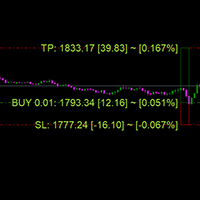
Show Your Trades Information Show all your trades with profit; stop loss .. risk percentage.. on chart Custom showing your MT4 account information Indicators add account information to chart. Profit, Balance, Equity, Free Margin, Margin and Margin Level %. Hide account information: Click anywhere on account information text.     The hide/show response is dependent on incoming ticks or chart refresh. In tick scarce or closed markets the indicator hide/show click will appear not to function whi
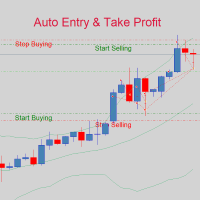
If you are good at market analysis this Semi-automatic EA will help you to manage trade for entry and take profit as you analyzed You job is set the zone for buying or selling by moving the lines on MT4 chart For Supply and Demand Strategy - Support & Resistance System.. Buy low sell high from potential reversal point For this tool you only need to set the Market zone for buy or sell Start lots should be small for low drawdown for 0.01 standard lots for each $200 or more Default setting is for t
If you are good at trading at levels This indicator is all you need levels to manage your trades Market is usually follow current trend when break out some levels or reverse Trade at the Institutional traders level with the best supply and demand zone indicator available in MT4 and MT5 The Secret Profit Levels Signals indicator for MT4 is a complete trading system that provides traders with the entry price and 2 take profit levels. Technical analysts use support and resistance levels to identi
筛选:
无评论
回复评论