Precision Trade Assistant
- 实用工具
- 版本: 1.0
- 激活: 5

Professional Risk Management & Trade Execution for MT5
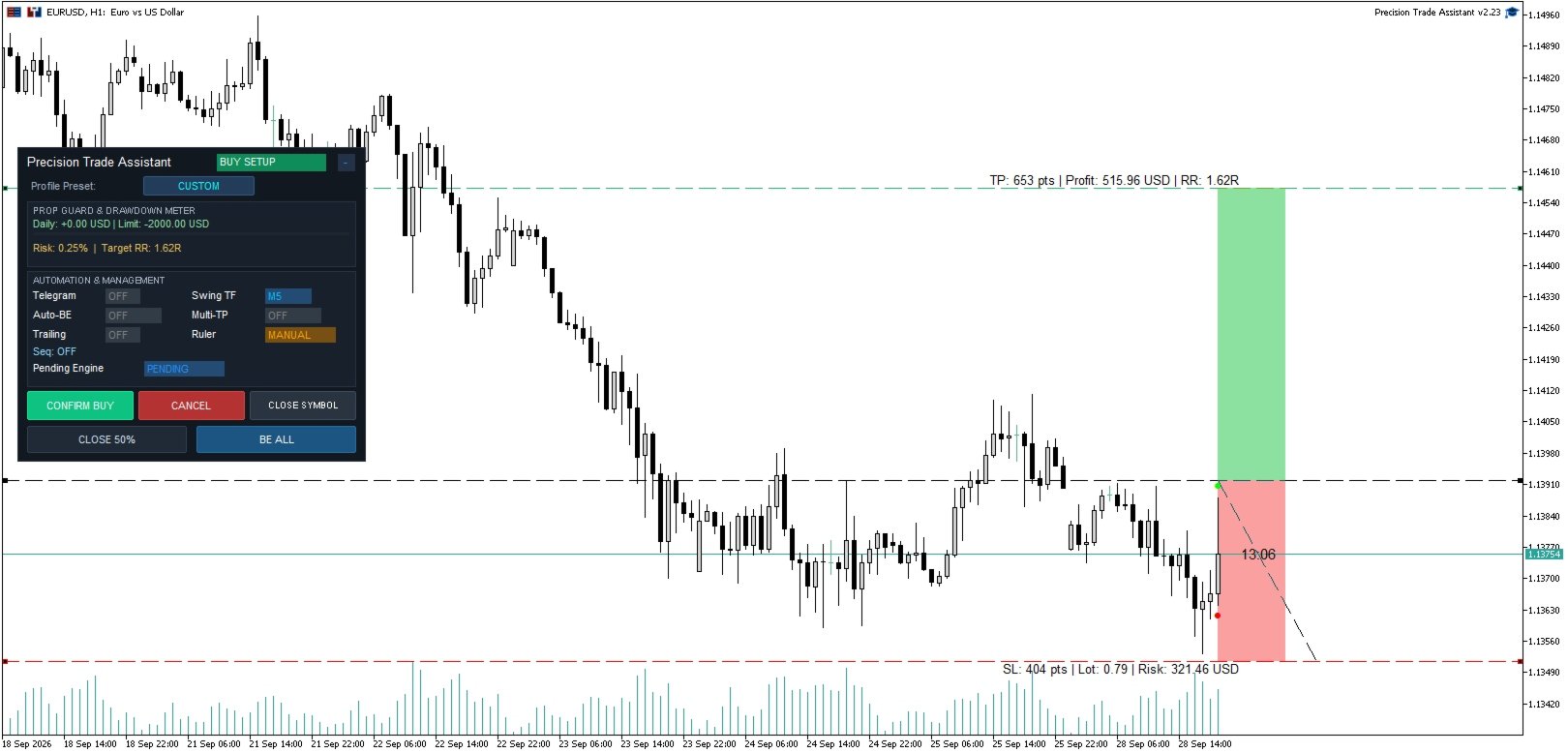
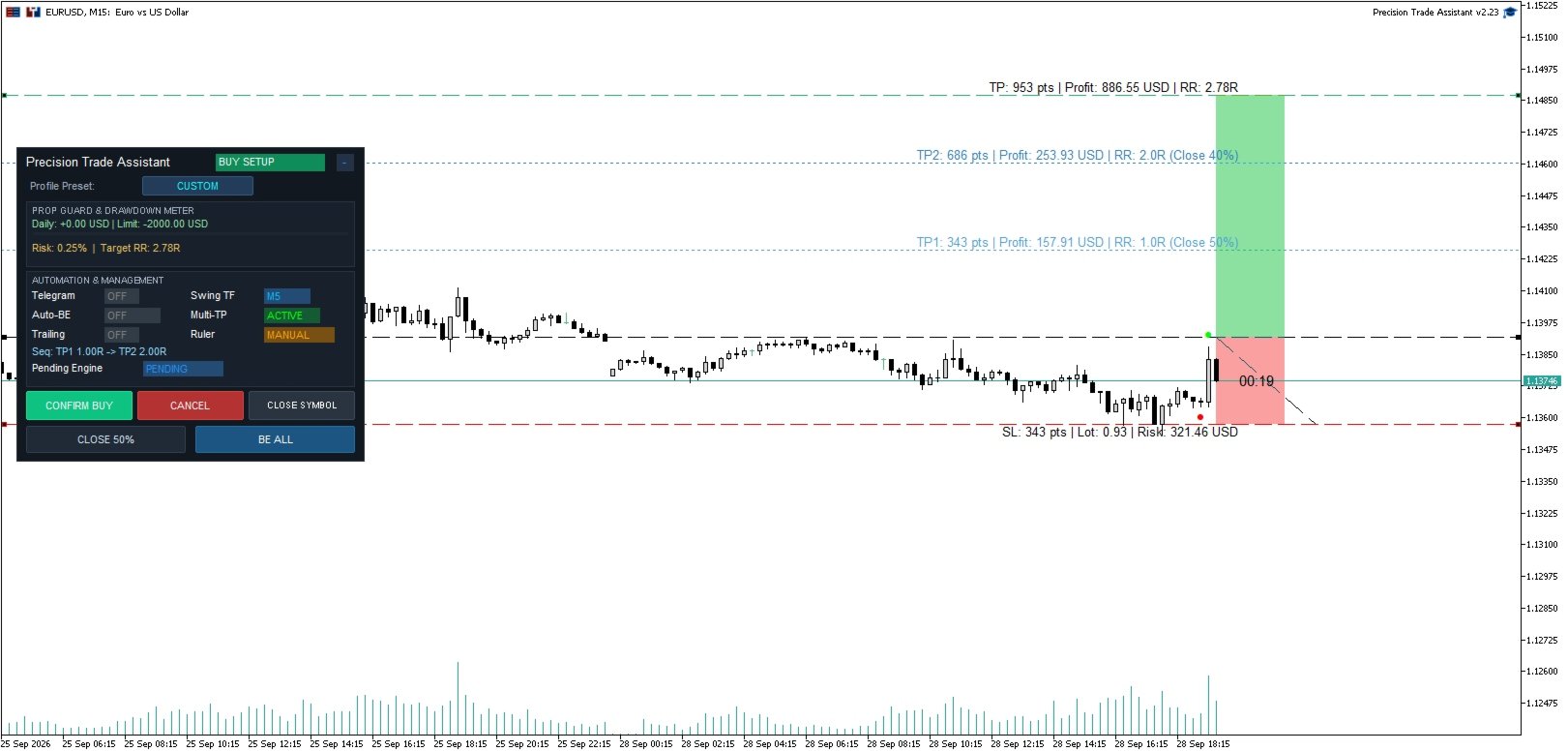
Trade with precision. Control your risk. Execute without friction. Forget manual lot size calculations and repetitive Stop Loss and Take Profit setup. Precision Trade Assistant (PTA) is an execution utility and risk management assistant that provides one cohesive workflow — from visual trade setup and hotkey-based execution to automated position management and systematic risk controls.
Designed for discretionary day traders, intraday traders, swing traders, and traders using funded accounts. Works across Forex, Gold, Indices, Crypto, and other MT5-supported instruments.
Quick Start
-
Attach PTA to any MT5 chart and enable "Allow Algo Trading".
-
Press B (for Buy) or S (for Sell) to spawn the visual setup ruler.
-
Drag the Stop Loss line on the chart — PTA automatically calculates the position volume according to your selected risk in real-time.
-
Press 1, 2, 3, or 4 to set a 1:1, 1:2, 1:3, or 1:4 Risk-to-Reward ratio (R:R).
-
Press Enter (or Space) to execute.
-
PTA automatically manages Break-Even, Multi-TP scaling out, and Trailing Stops according to your settings.
Core Modules and Features
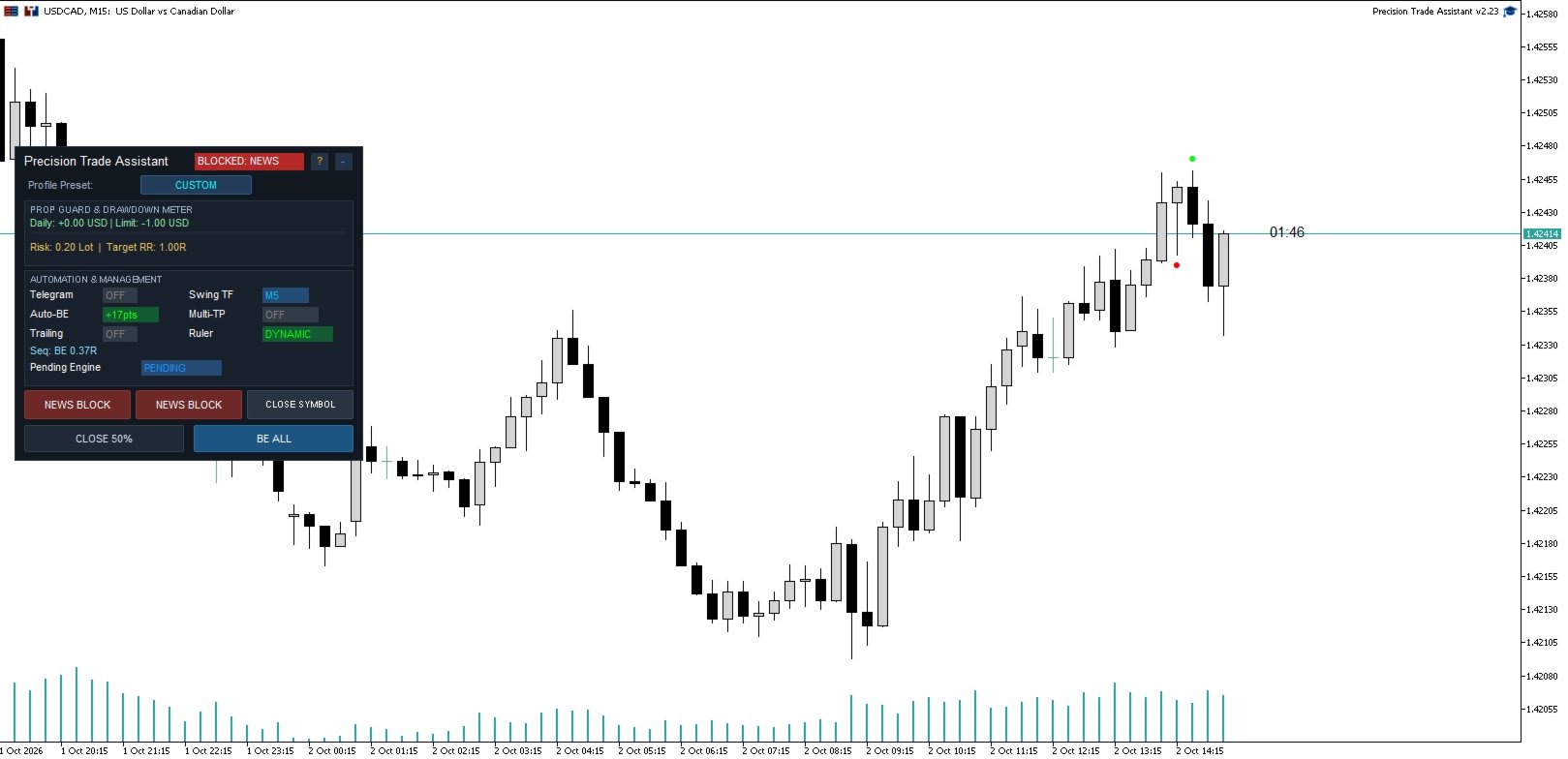
Protect: Prop-Firm Risk Guard
Trading with funded accounts? This module helps you enforce predefined account limits and trading rules.
-
Daily Loss & Profit Target: Set maximum daily loss and profit limits in your account currency.
-
High-Water Mark & Trailing Drawdown: PTA constantly tracks your peak equity and calculates drawdown from that highest point.
-
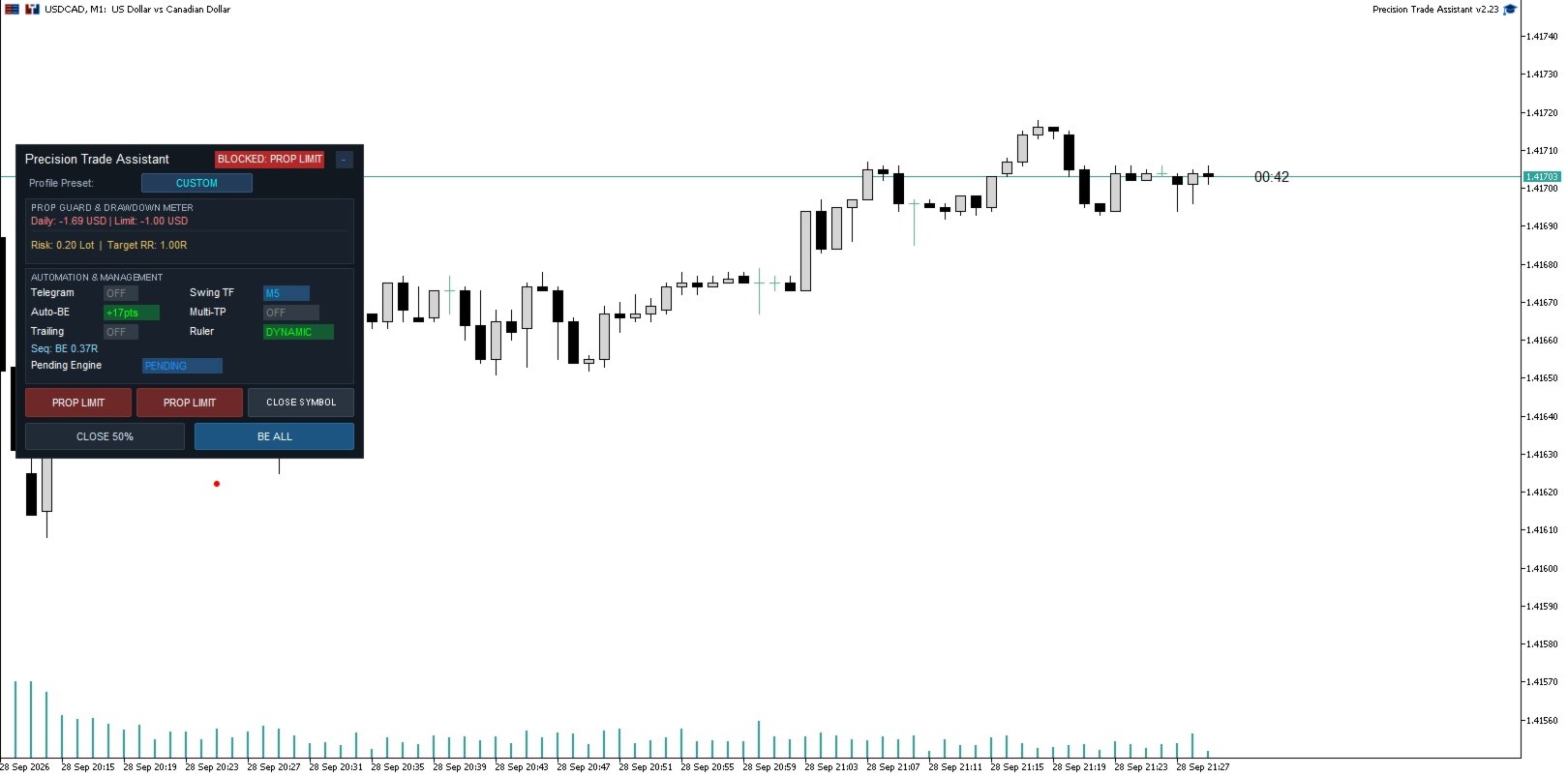
Trade Blocking: Once a limit is breached, PTA automatically blocks new positions (and can close open ones) until the daily reset.
-
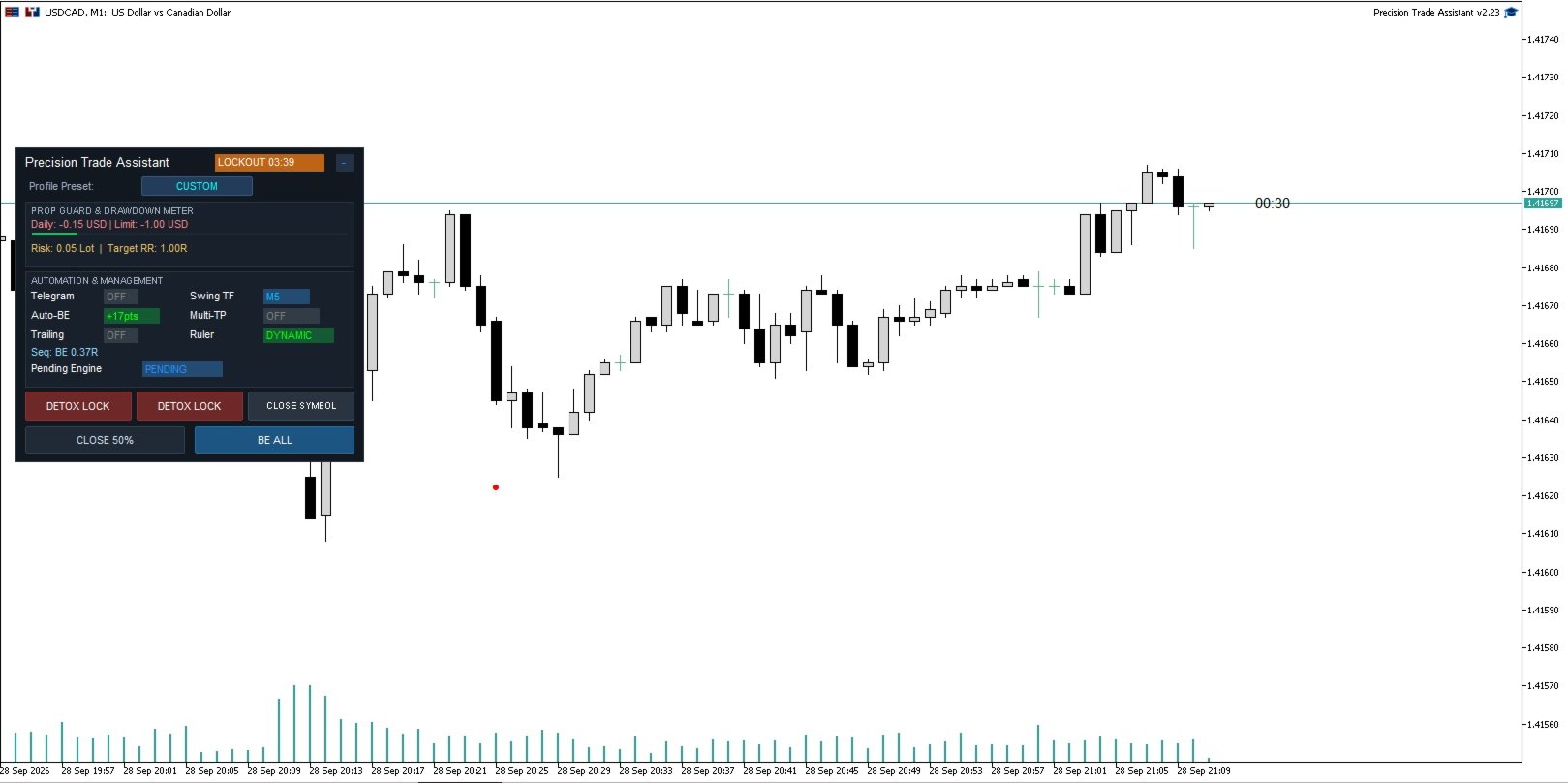
Detox Lock: Automatically pauses new trade execution after a losing trade for a configurable period, helping reduce impulsive trading after a loss.
Setup and Risk: Visual Risk Engine
-
Dynamic Position Sizing: Position volume is calculated automatically based on your selected risk and Stop Loss distance. Drag the Stop Loss line to see risk, lot size, and Risk-to-Reward update in real-time.
-
Flexible Risk Modes: Choose between fixed Risk Percentage (%) or Fixed Lot size.
-
Preset Profiles: Quickly switch between preconfigured trading profiles for different instruments and risk styles (e.g., GOLD_SCALPING, FOREX_INTRADAY, PROP_SAFE, or full CUSTOM control).
Execute: Smart Orders and Hotkeys
-
Hotkey Trade Execution: Full keyboard control. Spawn Buy/Sell rulers, place quick market or pending orders at the mouse cursor price, instantly close 50% of positions, or adjust Stop Losses without clicking.
-
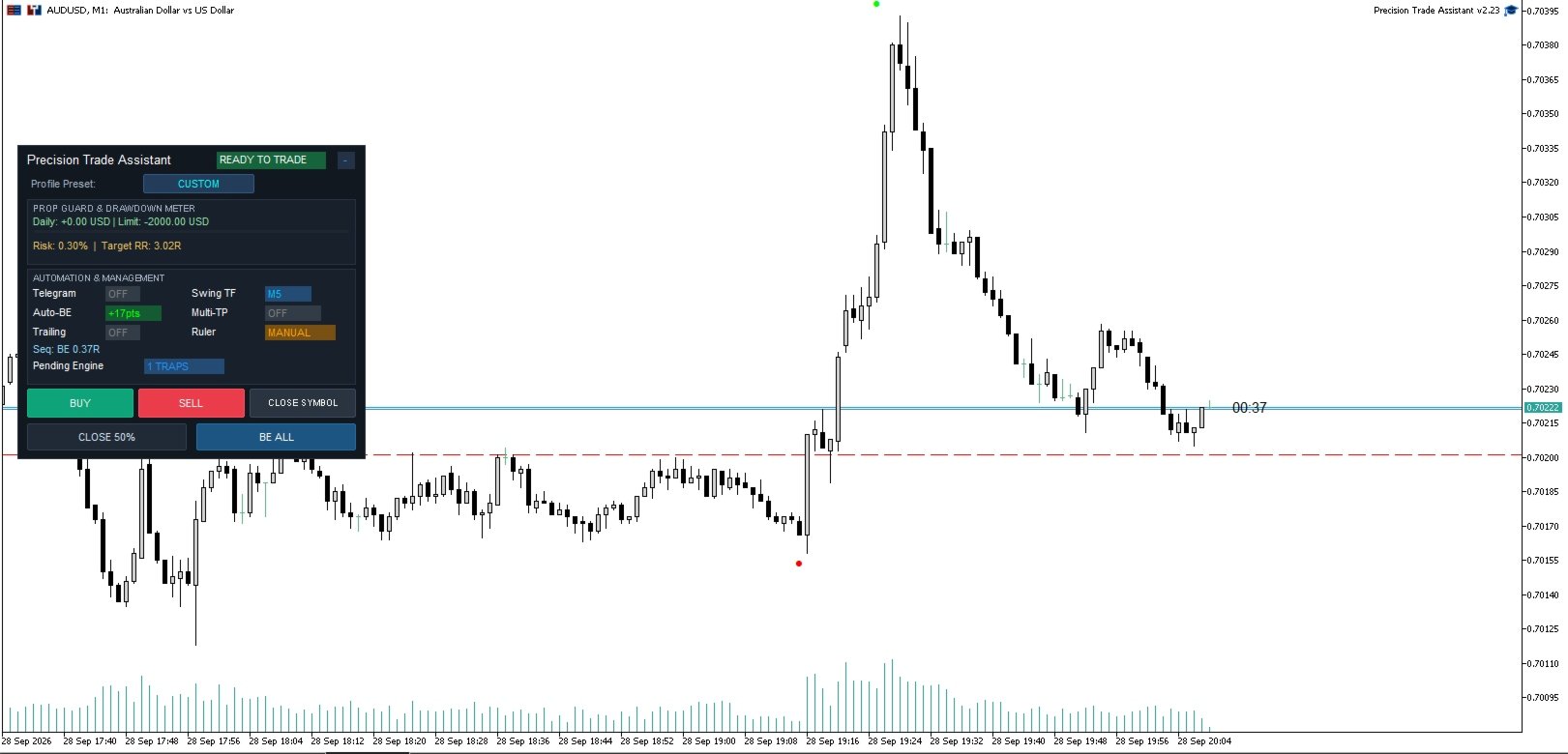
Local Virtual Pending Orders (Virtual Traps): Local pending-entry system that keeps entry levels within your MetaTrader 5 terminal.
Manage: Automated Trade Management
-
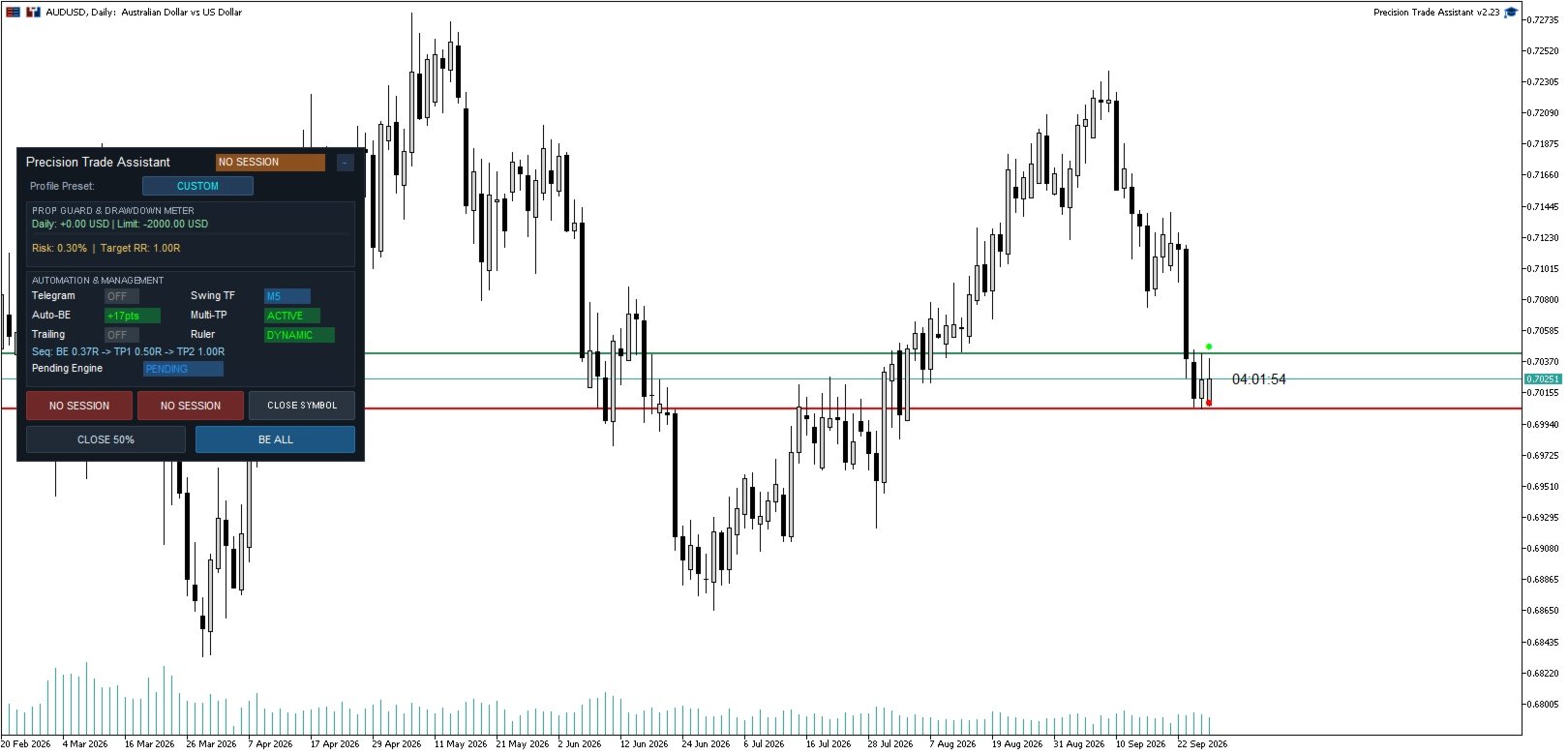
Auto Break-Even: Automatically moves your SL to the break-even point with broker-distance validation.
-
Multi-TP (Partial Scaling): Enforce multi-tier partial take-profits based on your initial volume.
-
Trailing Stop: Dynamic SL trailing based on defined distance and step.
Monitor: Market Structure Alerts and Filters
-
Telegram Market Structure Alerts: On-chart structure tracking. Get notified via Telegram when a detected Swing High/Low is broken, signaling a potential change in market structure.
-
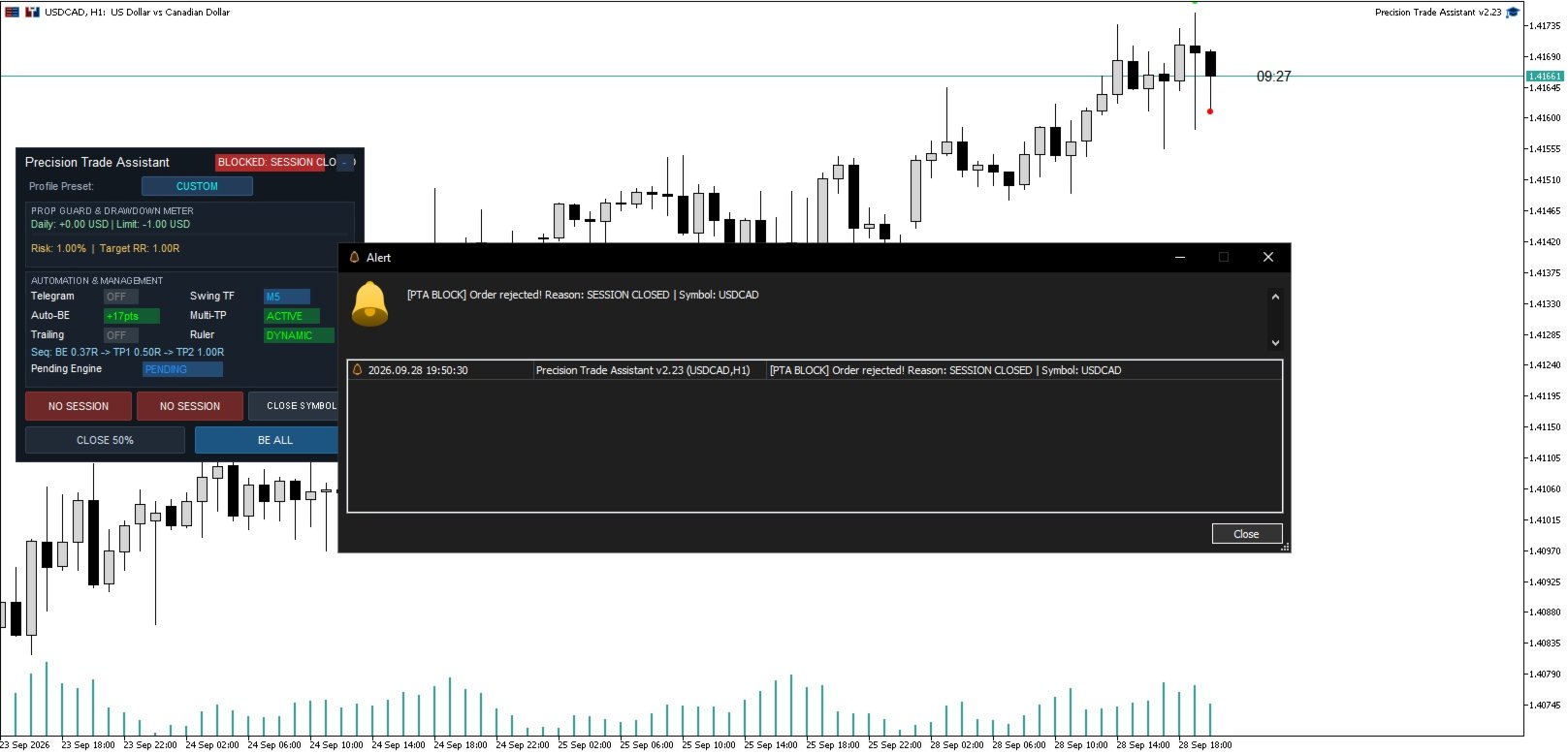
Advanced Protection Filters: Maximum spread filter, session time windows, and MQL5 economic calendar news blocking.
-
Visual Enhancements: On-chart candle countdown timer and Previous Day High/Low (PDH/PDL) levels.
Hotkey Shortcuts Reference
-
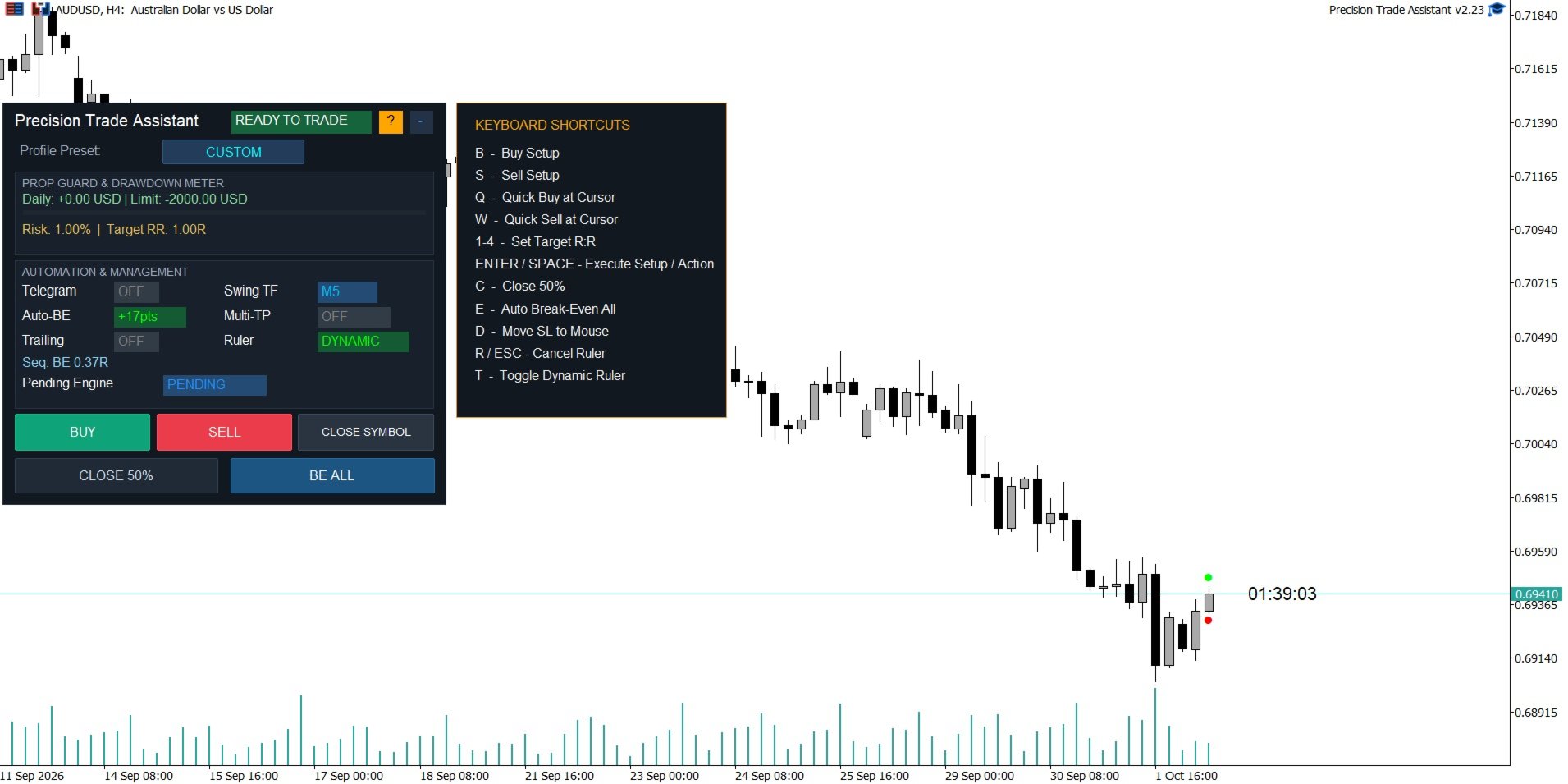
B - Buy Setup: Spawns or confirms Buy Setup Ruler
-
S - Sell Setup: Spawns or confirms Sell Setup Ruler
-
Q - Quick Buy: Market / Pending Order / Virtual Trap at mouse price
-
W - Quick Sell: Market / Pending Order / Virtual Trap at mouse price
-
Space / Enter - Execute Setup / Custom Action: Confirms the active setup OR executes a user-defined action (e.g., Close All) when no setup is active.
-
R / Esc - Cancel: Clears active setup ruler lines from the chart
-
C - Close 50%: Closes 50% of the managed position volume
-
E - Break-Even All: Moves SL of eligible positions to Break-Even
-
D - Move Stop Loss: Moves Stop Loss of managed positions to mouse cursor price
-
1 – 4 - Target R:R: Sets Take Profit to 1:1, 1:2, 1:3, or 1:4 Risk-to-Reward
-
T - Ruler Mode: Toggles setup entry between Dynamic (follows Bid/Ask) and Static
-
Up / Down - Risk %: Adjusts setup risk percentage by 0.1% increments
Local Virtual Pending Orders (Virtual Traps)
Standard pending orders reside on the broker's order book. When set to Virtual Trap mode, entry levels remain local to your MetaTrader 5 terminal:
-
Local Triggering: PTA monitors price locally and submits a market order when price reaches the entry level.
-
Gap & Slippage Protection: If a market gap exceeds your configured maximum slippage, the trap is cancelled automatically to avoid an unintended entry.
-
State Persistence: Traps are saved in MT5 Global Variables and restored if the terminal restarts.
-
Note: Virtual Traps require MetaTrader 5 to remain running and connected to the broker server while active.
Presets and Account Compatibility
-
Preset Overrides: Selecting a preset profile streamlines settings for specific trading styles, overriding setup risk, Break-Even, TP targets, and Quick SL values. Select PRESET_CUSTOM to use your configured input values without preset overrides.
-
Hedging & Netting: Supports both account types. On Netting accounts, PTA includes conflict guards to prevent interfering with positions owned by other Magic Numbers.
-
Unique Magic Numbers: Assign a unique Magic Number to each instance if running PTA on multiple charts of the same symbol.
-
Telegram Notifications: WebRequest authorization is required only if you enable Telegram notifications or chart screenshots. The built-in Economic Calendar (News Filter) uses native MQL5 calendar functions and does not require WebRequest authorization.