Trade Copier Local MT4
- 实用工具
- 版本: 1.1
- 激活: 20

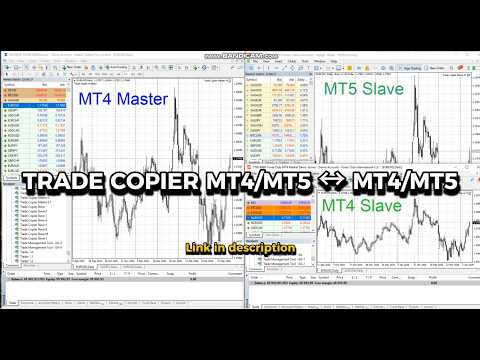
Trade Copier Local MT4 is a fast local trade copier for copying trades between multiple MT4 and MT5 accounts.
One EA works in both Master and Slave modes. Simply select the required Copier Mode and use the same product on your MetaTrader terminals.
Copy trades between:
• MT5 → MT5
• MT5 → MT4
• MT4 → MT5
• MT4 → MT4
Perfect for:
• Trading multiple accounts at once
• Linking multiple trading accounts
• Personal account mirroring
• Signal providers
• Account managers
• Prop trading setups
## Main Features
• Master and Slave modes in one EA
• One Master → multiple Slave accounts
• Fast local trade copying
• Low latency execution
• Automatic trade synchronization
• Stop Loss and Take Profit synchronization
• Full and partial position closing
• Copy open positions on startup
• Symbol Mapping (for example XAUUSD → GOLD)
• Lot size management
• Fixed Lot
• Lot Multiplier
• Proportional lot sizing
• Magic Number filters
• Comment filters
• Reverse copying
• Multiple Slaves on one account using Custom User IDs
• Stable file-based communication
• Easy setup
## How It Works
Install Trade Copier Local MT5 on the MetaTrader terminals you want to connect.
On the source account:
Copier Mode = Master
On receiving accounts:
Copier Mode = Slave
The Master sends trading actions to the selected Slave accounts automatically.
## Slave Identification
Slaves can be identified using:
1. Account Number
Example:
12345678
2. Custom User ID
Custom IDs allow multiple independent Slave instances to run on the same trading account.
Example:
GOLD1
FX1
## Symbol Mapping
Different brokers may use different symbol names.
Example:
XAUUSD = GOLD
EURUSD = EURUSD.a
Symbol Mapping allows trades to be copied between accounts even when broker symbol names are different.
━━━━━━━━━━
Important
━━━━━━━━━━
Trade Copier Local MT4 is a LOCAL trade copier.
Master and Slave MetaTrader terminals must run on the same computer or the same Windows VPS.
It does NOT copy trades between different computers or different VPS servers.
## Video Tutorials
- Main Overview
- MT4 to MT5 Setup
- MT5 → MT4 Full Synchronization
- Symbol Mapping (XAUUSD = GOLD)
- Copy Trades to Multiple MT4 & MT5 Accounts