Risk Budget Panel
- 实用工具
- 版本: 1.0

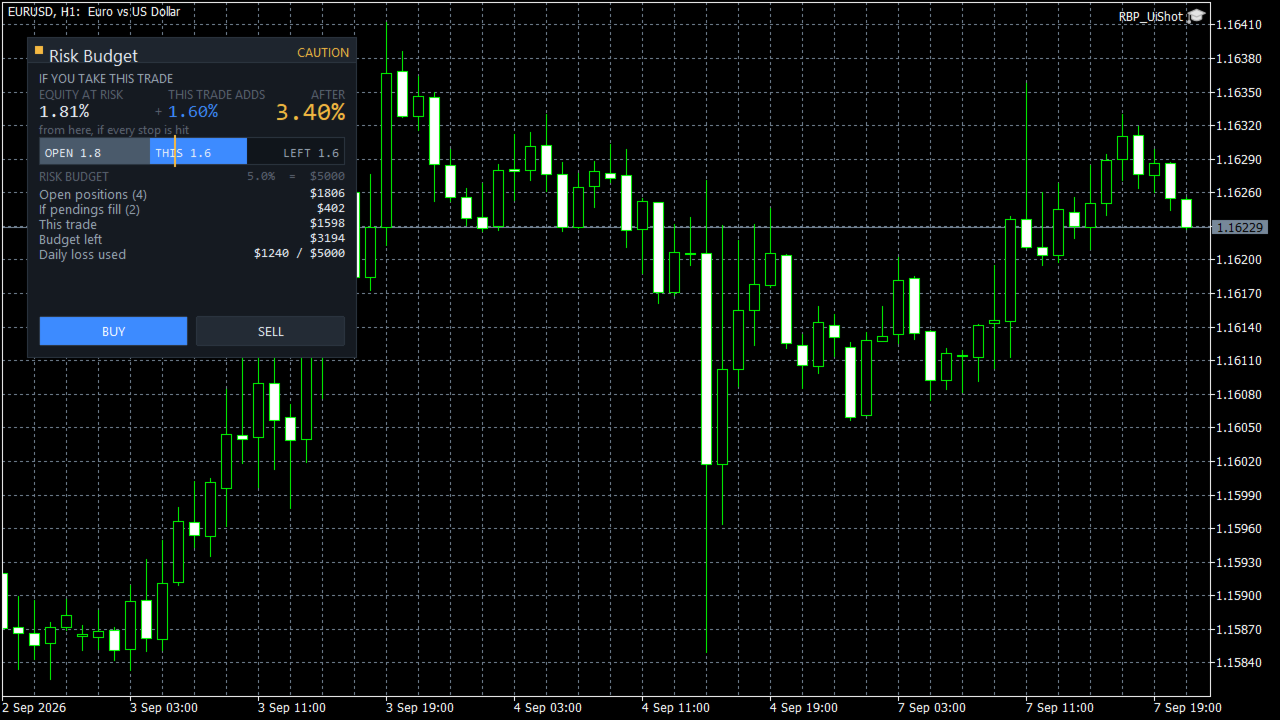
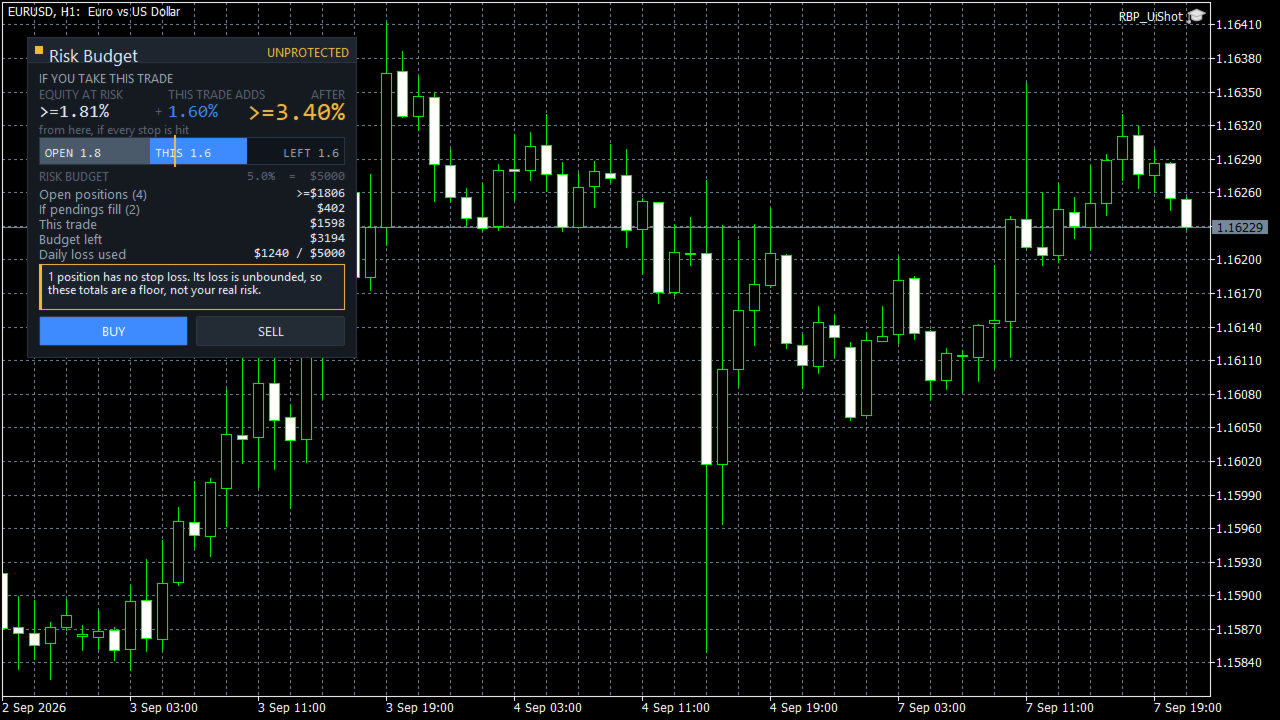
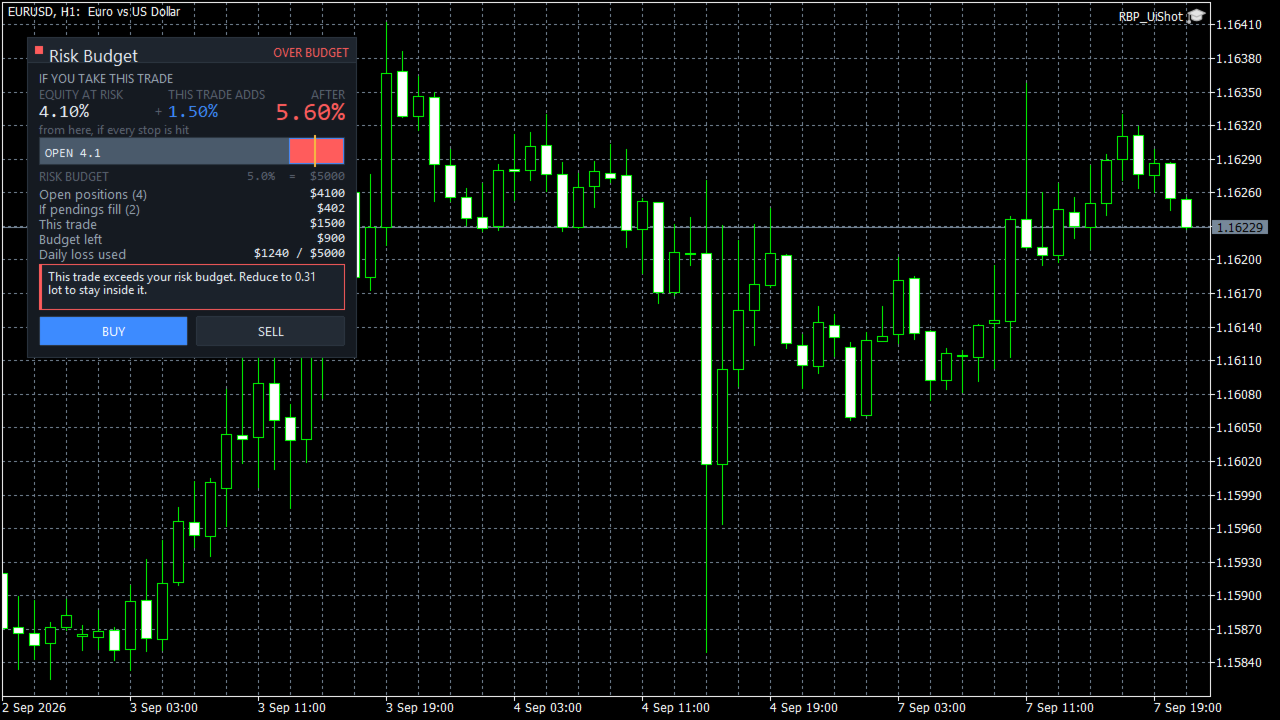
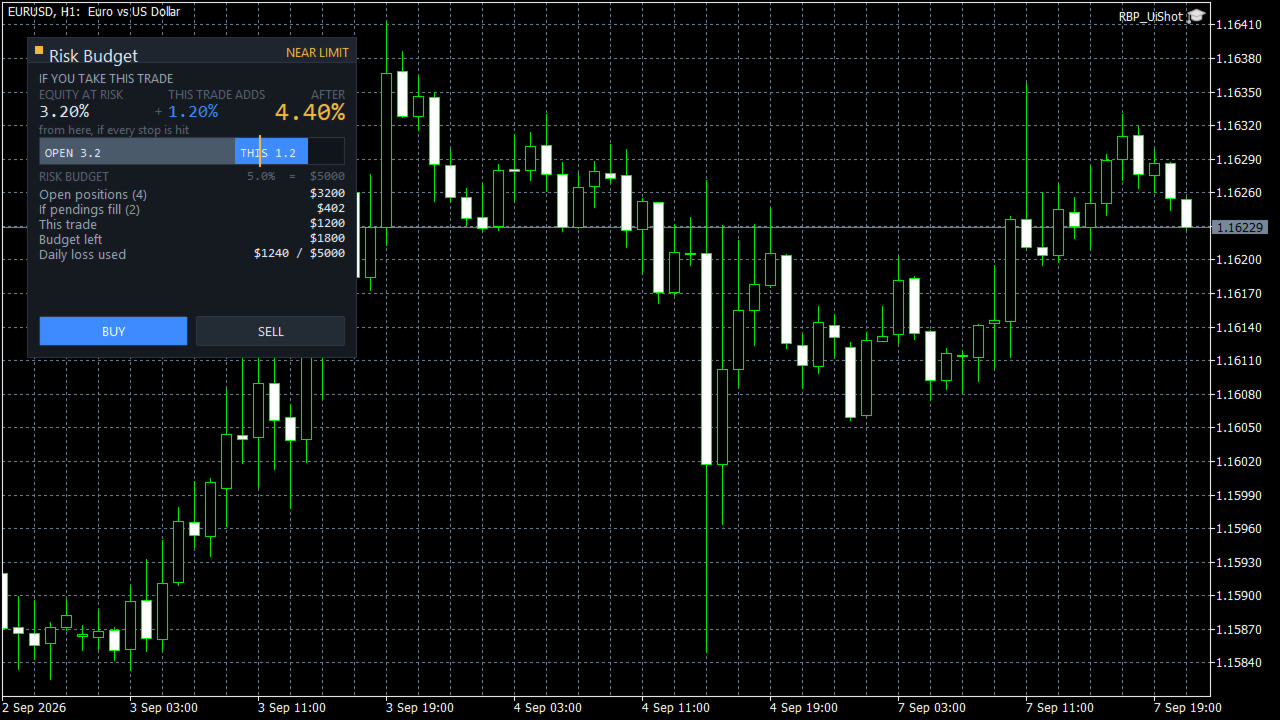
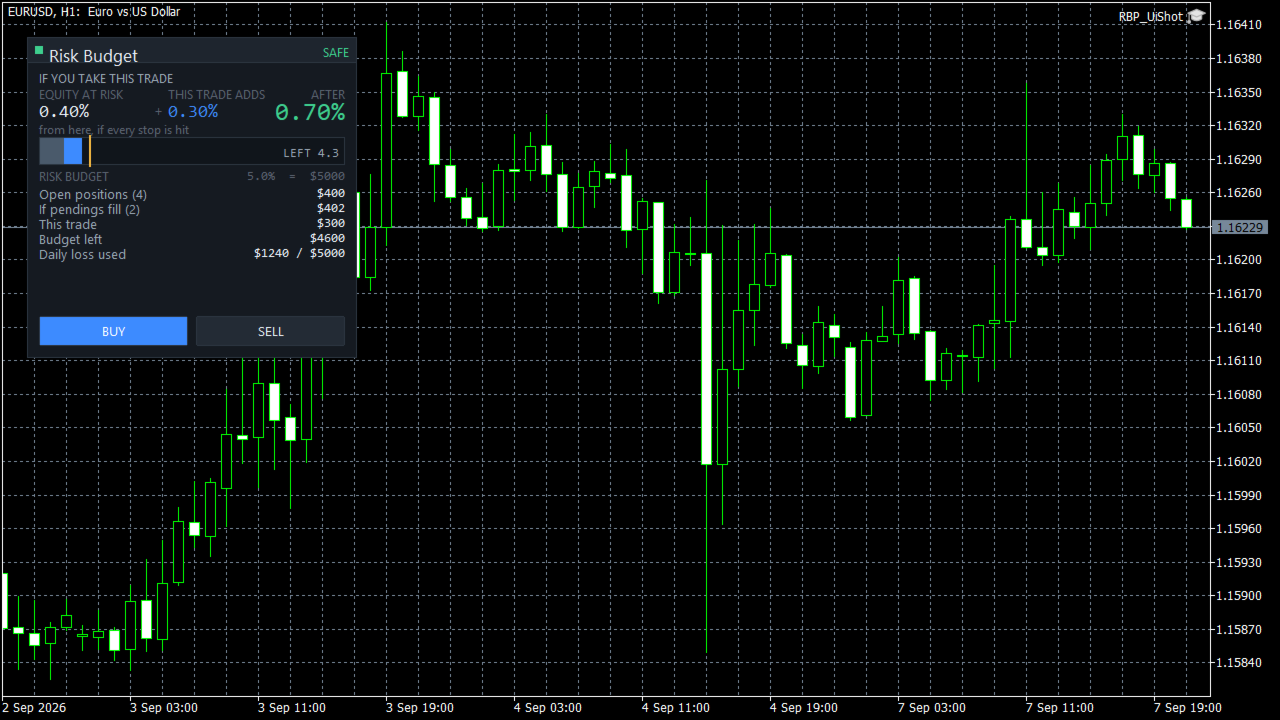
See what happens to your account risk before you take the next trade. Most panels answer "what lot size is 1% of my balance?". This one answers a different question: if I take this trade right now, what happens to the risk of my ENTIRE account? EQUITY AT RISK + THIS TRADE ADDS = AFTER Set 1% per trade and open eight positions and your account is carrying eight percent, not one. Risk Budget Panel keeps that total in front of you and shows what a planned trade would do to it before the order is sent. WHAT IT SHOWS Equity at risk What your account can still lose from this moment if every stop is hit. It covers every open position, on every symbol, not only the chart in front of you. This trade adds The risk of the trade you are planning, sized from your risk setting and your stop distance. After The total once the trade is on. This is the number the product exists for. Risk budget A single bar showing what is already committed, what this trade would add, and what is left. Your budget is the smaller of your maximum total account risk and what remains of your daily loss allowance. If pendings fill What your pending orders would add if every one of them triggered. Shown separately, never mixed into the headline, because pending orders are conditional. POSITIONS WITHOUT A STOP LOSS A position with no stop loss has no finite risk. This panel will not invent one. When you have an unprotected position, every total is shown as a floor with a "greater than or equal" prefix, the panel tells you how many positions are unprotected, and the status will not show as safe no matter how small the calculated number is. Most tools either ignore these positions or quietly treat them as zero risk. Both produce a confident number that is wrong. WHEN IT WILL NOT GIVE YOU A NUMBER If the symbol specification cannot be read, or a value cannot be converted to your account currency, the panel shows UNKNOWN and tells you which property is unavailable. It does not fall back to a plausible looking figure. A number you cannot trust is worse than no number. HOW RISK IS MEASURED Risk is measured from the current price to your stop, not from your entry price. This matters, and it is the part most people find surprising at first. If you are long from 1.1000 with a stop at 1.0900 and price moves to 1.1050, your equity at risk goes UP, not down. Your unrealised profit is now exposed too. Move the stop up and the number collapses. That is what the panel measures and what it teaches: your risk is not what you staked, it is what you can still lose. The risk shown when you entered the trade is kept as a separate figure and is never mixed into the total. BUILT FOR EVERY INSTRUMENT All figures are converted to your account currency by the terminal itself, so crosses, metals, indices and CFDs are handled correctly rather than by an assumed pip value. Volume is rounded down to the broker's volume step, never up, so a rounding step cannot push you past your budget. Stop distance is checked against the broker's minimum stop level. PERFORMANCE The panel does no work on incoming ticks. It recalculates when your positions or orders change, when you change an input, and on a slow timer. Redrawing is limited to the values that actually changed. Measured on the development machine, an idle update costs about 8 microseconds and the panel creates 40 chart objects, which do not grow over time. SETTINGS ARE REMEMBERED Your risk mode, budget, panel position and theme survive a terminal restart, a chart reload, and timeframe or symbol changes. Calculated risk is never stored and never restored from disk. It is always recomputed from your live account, so what you see is current. HOW TO USE 1. Attach Risk Budget Panel to any chart. 2. Set your risk per trade, your maximum total account risk and your daily loss allowance in the inputs. 3. Drag the stop line on the chart. The panel sizes the trade and updates the three numbers immediately. 4. Check the AFTER figure. If it is more than you want your account to carry, reduce the size or tighten the stop. 5. Press BUY or SELL when you are satisfied. IMPORTANT Figures are the risk to your configured stop levels under normal execution. A stop loss is a trigger price, not a guaranteed execution price. Weekend gaps, news gaps and slippage can result in a larger loss than shown. This is a risk information and trade management tool. It does not generate trading signals, it does not predict the market, and it does not trade on its own. It places an order only when you press a button. SUPPORT Please use the comments section of this product for questions and bug reports.