ImpulseTrend
- 指标
- Bekmuxammad Sabirov
- 版本: 1.0
- 激活: 10
ImpulseTrend is an information indicator for market momentum analysis. It plots visual risk and profit zones but does not execute trades automatically.
| Parameter | Currency Pairs (Forex) | Metals (Gold/Silver) | Cryptocurrencies (BTC/ETH) |
| ADX Threshold | 18 – 25 | 20 – 22 | 25 – 30 |
| Signal EMA Period | 34 – 50 | 34 – 50 | 21 – 34 |
| EMA SlopeBars | 3 – 5 | 3 – 4 | 2 – 3 |
| ZoneMultiplier(ATRx) | 1.0 – 1.5 | 1.5 – 2.0 | 2.0 – 3.0 |
General Usage Tips: - Signal Bar Type: Keep SignalBar = CLOSE . This protects you from signal repainting, as the calculation will be based on a candle that has already closed.
- Timeframe: The indicator performs best on H1 and H4. On lower timeframes (M5, M15), it is recommended to increase the ADX Threshold to filter out market noise.
- Zones: If the risk zones seem too wide, decrease the ZoneMultiplier . However, keep in mind that this increases the chance of being stopped out by "market noise."
How to Use
-
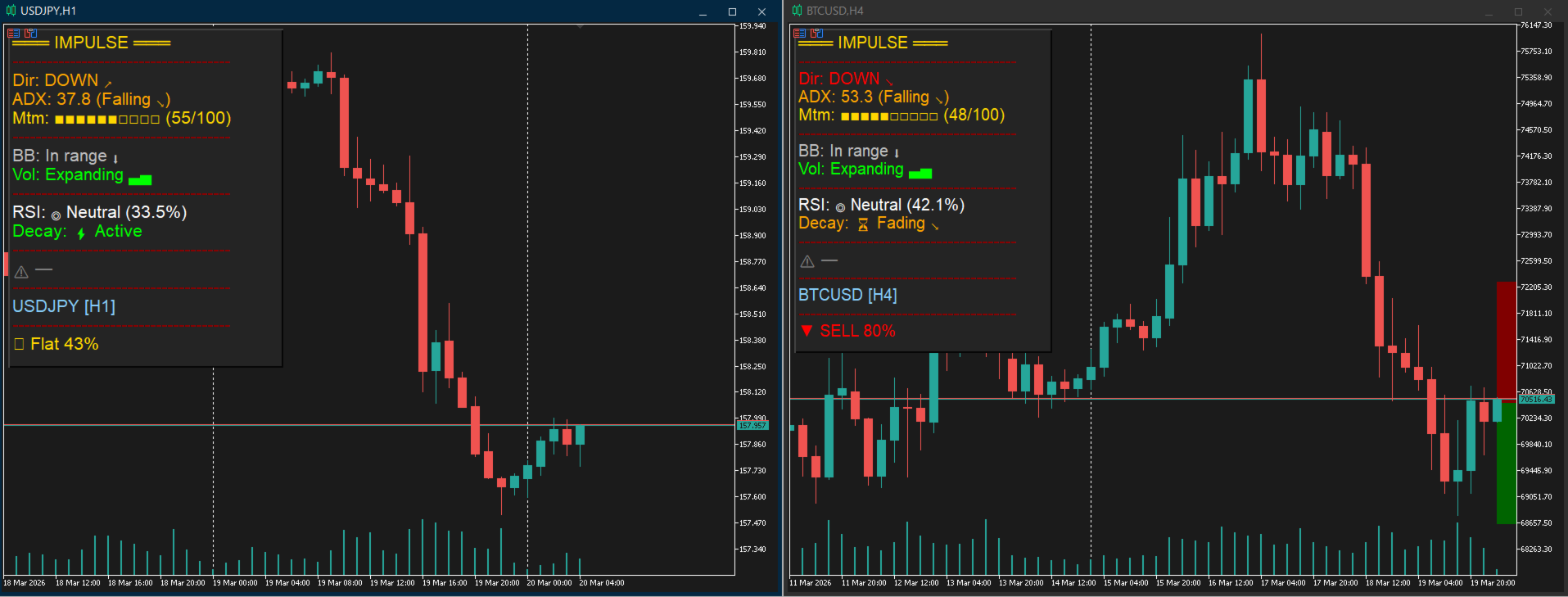
The Signal: ▲ BUY or ▼ SELL alert, complete with a signal strength percentage (0-100%) .
-
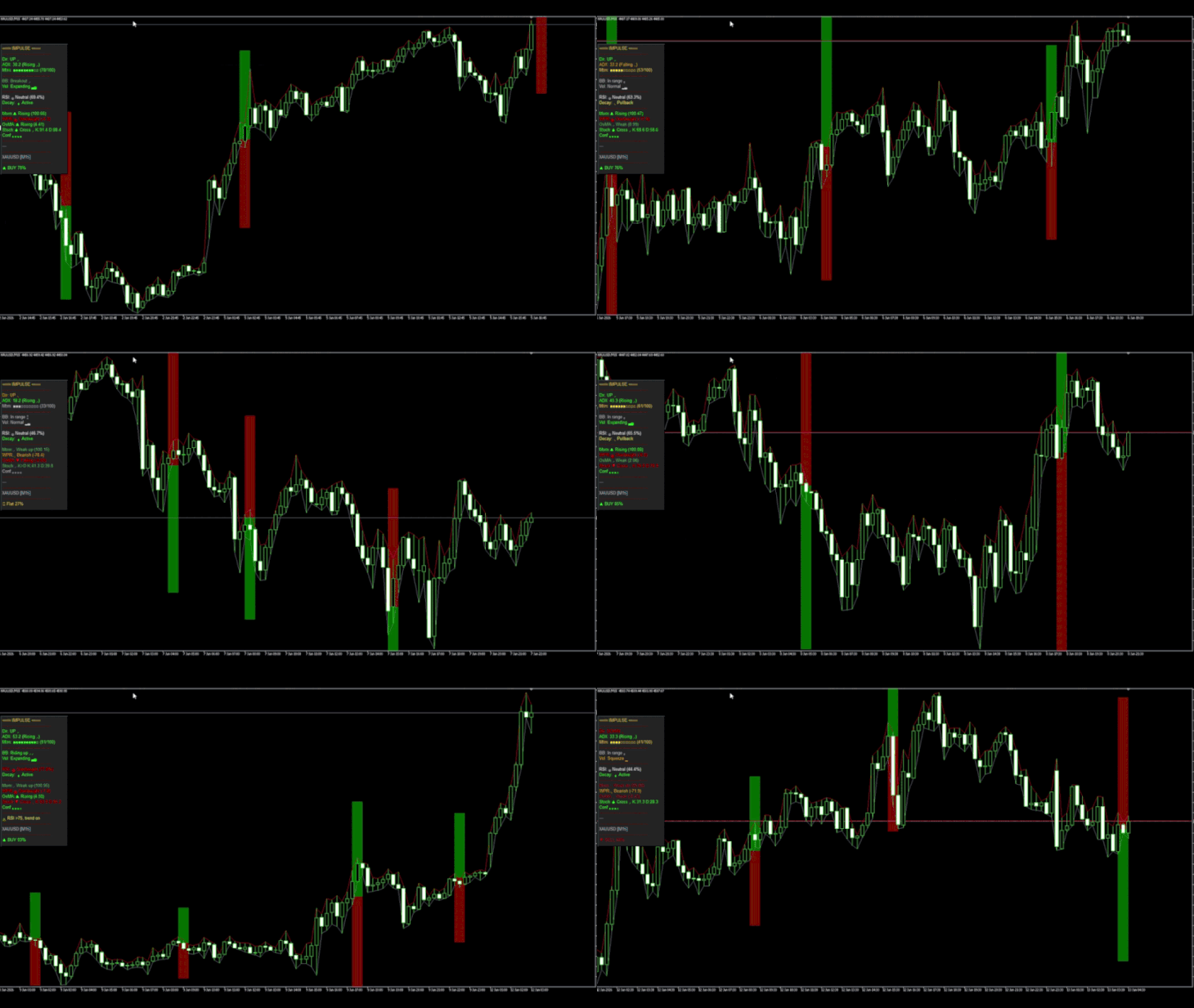
Set Your Targets: If enabled, Impulse Trend automatically plots visual Take Profit (Green) and Stop Loss (Red) zones directly on your chart the moment a signal fires .
-
Filter the Trade: Glance at the panel to confirm market conditions before entering. Look for strong momentum, Bollinger Band breakouts, and ensure the RSI isn't flashing a reversal warning .
-
Stay Clear of Clutter: Just hover your mouse over the panel, and it will instantly hide itself behind the chart so you can analyze your candlesticks uninterrupted .
Minimal Settings Guide
-
ADX/EMA Signal: Tune your main signal engine. Adjust the ADX Threshold based on your asset (the code recommends 20-22 for Gold, 25-30 for BTC, 18-25 for Forex) .
-
Signal Bar: Choose between BAR_CURRENT (faster, but repaints until close) or BAR_CLOSED (safer, confirmed signals) .
-
Risk/Profit Zones: Turn automatic target boxes on/off . Adjust the Zone Multiplier to increase or decrease the size of your TP/SL based on the ATR .
-
Alerts: Toggle Alert Sound for desktop pop-ups and Alert Push for notifications sent straight to your mobile phone .
-
Display: Customize the look! Change the panel's background color, text color, or move it to any corner using the X/Y Offsets .