
Telegram Trader MT5 Pro

Setting Up a Telegram Bot for MetaTrader 5 (MT5)

MetaTrader 5 (MT5) is a powerful platform for trading, and integrating it with Telegram can help you receive trading updates and alerts efficiently. Follow these steps to set up a Telegram bot for MT5:

  1. Launch Telegram: Begin by opening the Telegram app on your device.

  2. Search for "BotFather": In the Telegram search bar, type "BotFather" and select it from the search results.

  3. Create a New Bot:

    • Send /start to BotFather.
    • Next, send /newbot to initiate the bot creation process.
  4. Bot Nickname and Username:

    • Give your bot a friendly nickname (e.g., "Bestnavisignal").
    • Choose a username for your bot that ends with 'bot' (e.g., "Bestnavisignalbot").
  5. Congratulations!: You've successfully created your Telegram bot.

  6. API Token: Upon creating the bot, you will receive a unique API token (e.g., 787517015:AAFnbcZYxx_iXAdRGrZD1W8bsSF5Xr_FmQ0 ). Remember to save this token; you'll need it later.

  7. Create a Channel or Group: If you haven't already, establish a Telegram channel or group where you'd like to receive trading updates.

  8. Add Bot as Administrator:

    • Open the channel/group Info.
    • Navigate to "Manage," then "Add Administrators."
    • Enter the bot's username (e.g., "Bestnavisignalbot") and click "Save."
  9. Send a Test Message: To ensure proper setup, send a test message to the channel/group, such as "hello world."

  10. Retrieve Channel/Group ID:

    • Open a web browser and visit the URL: https://api.telegram.org/bot&lt;token>/getUpdates (Replace <token> with your bot's API token).
    • Look for the string "chat":{"id": to find a large negative number. This number represents your group or channel ID. Copy this ID.
  11. MetaTrader 5 Configuration:

    • In MetaTrader 5, navigate to "Tools" > "Options" > "Expert Advisors."
    • Enable the option for 'Allowed WebRequest for specified URL' and add 'https://api.telegram.org' to the list.
  12. Attach the Utility:

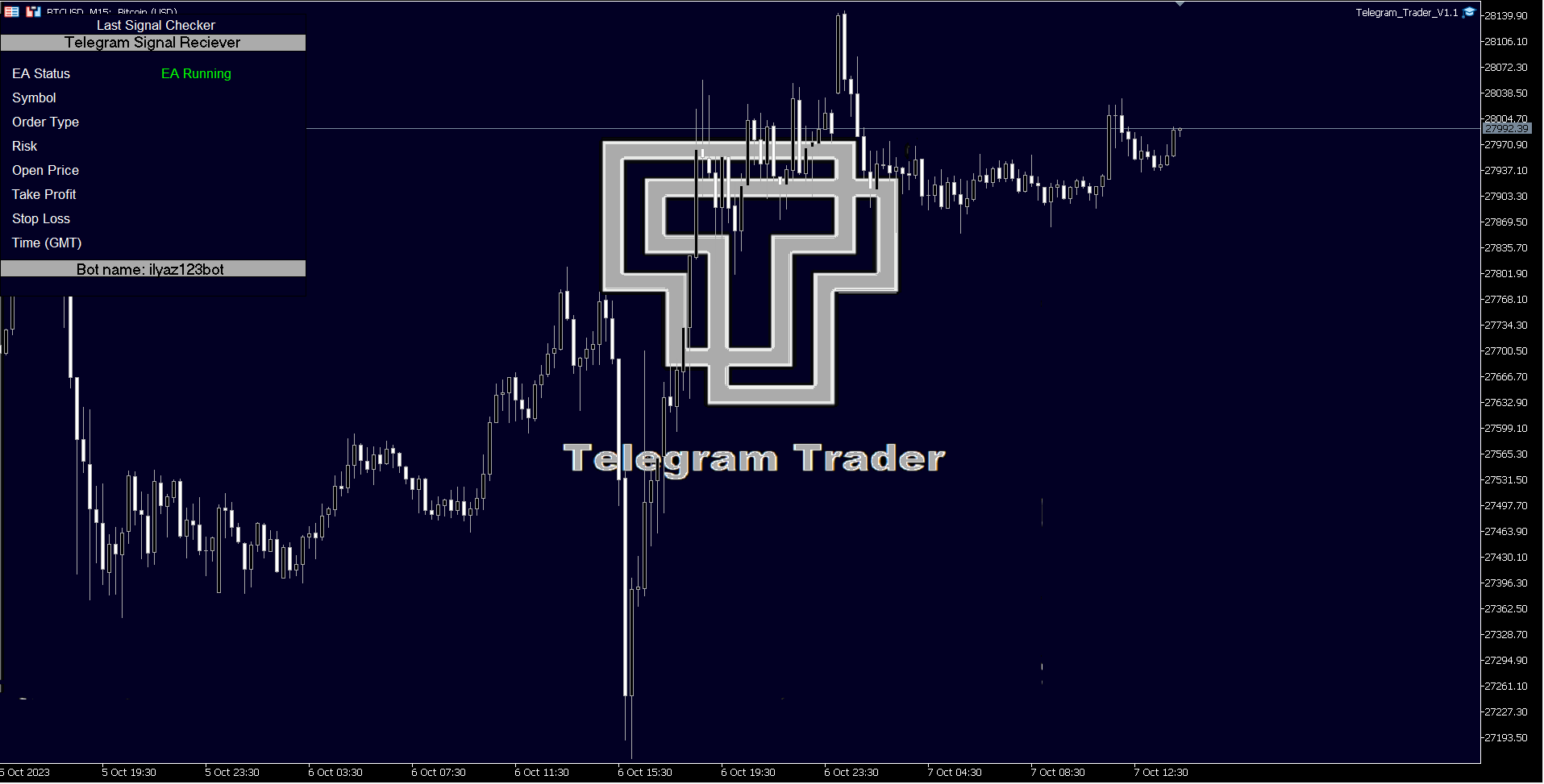
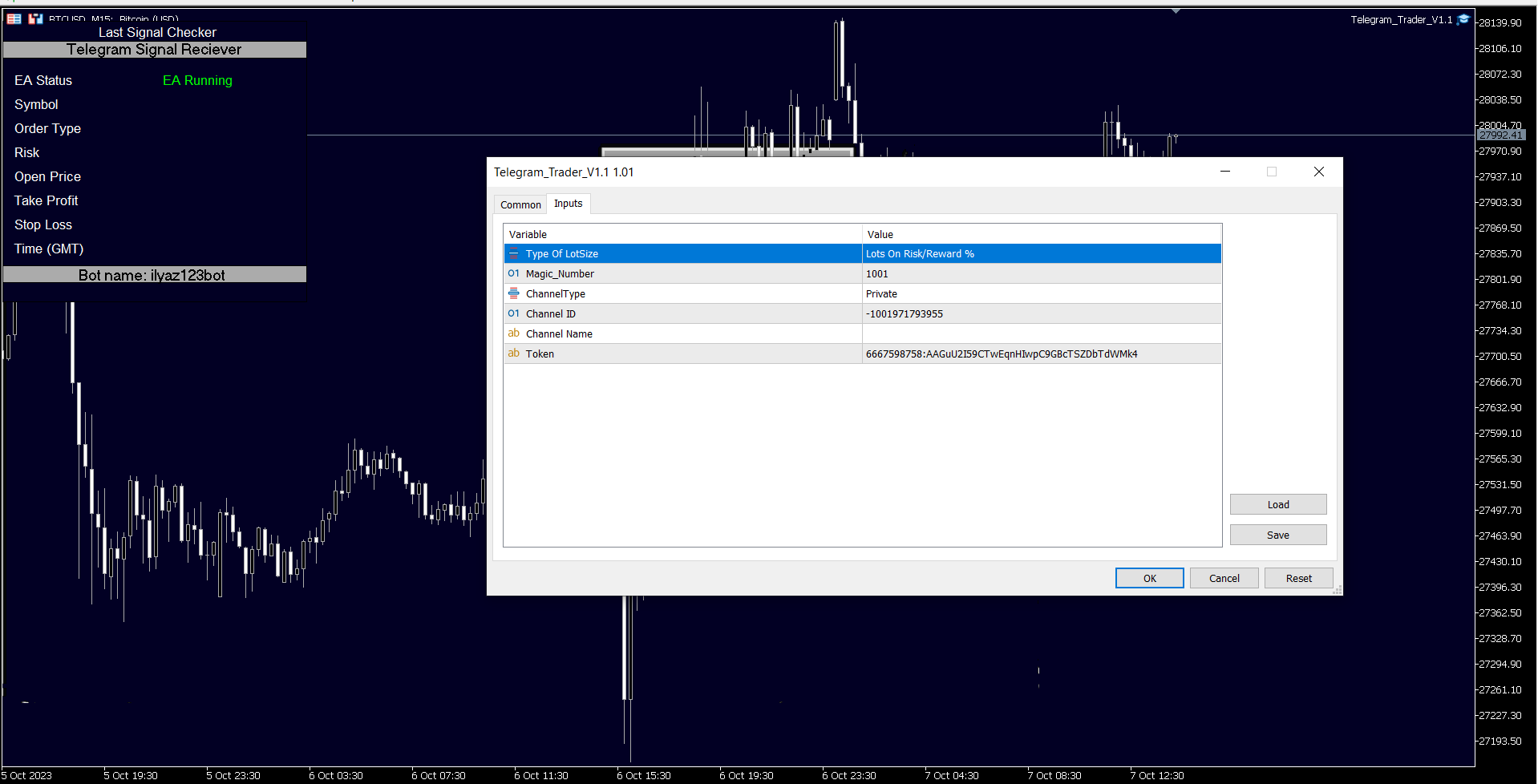
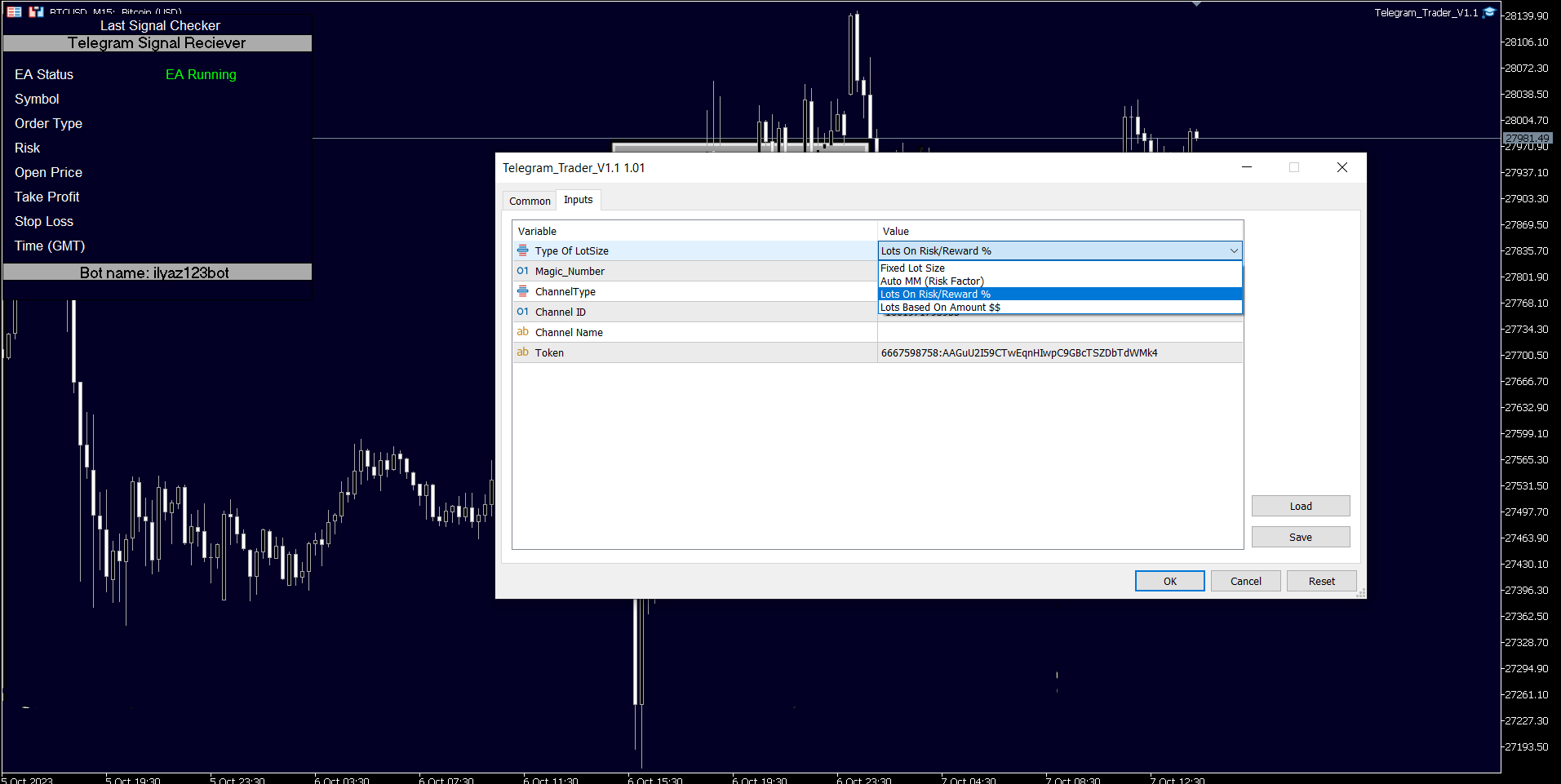
    • In MetaTrader 5, attach the utility to your trading chart.
    • Fill in the Token (from step 6) and Chat ID (from step 10).
    • Additionally, enter the magic number separated by commas (",") in the utility chart window to specify which trades should be sent to Telegram.
  13. Ready to Receive Updates: Your utility is now configured and ready to work seamlessly with MetaTrader 5. It will send trading updates and alerts to your Telegram channel/group according to your settings.

By following these steps, you can effortlessly integrate your MetaTrader 5 trading activities with Telegram, ensuring you receive real-time updates and alerts on your chosen channel or group.
推荐产品
Orders Executor
Claudio Aguiar De Aragao
Introducing Orders Executor , your powerful and efficient trading companion designed to seamlessly execute orders directly from a user-specified text file . This innovative trading tool streamlines your trading process, providing a convenient and automated solution for executing trades with precision and speed. Key Features : **Text File Integration:**     Orders Executor is designed to effortlessly read and interpret orders from a plain text file, eliminating the need for manual input. Simpl
This tool will perform Trailing stop loss and Break even management for orders. Helps you limit or reduce the time spend watching orders on the screen, especially when you need to go to sleep. Just add this EA to 1 chart, you can manage all pairs. You can filter orders by comment, magic number, symbol and order ticket number. When Breakeven it can add shift/offset pips (to cover the commission...). You can try in strategy tester before purchase. The EA will add Buy and Sell alternately, so you
With the 2UP Risk & Trade Management EA you will be able to enjoy seeing your positions being fulfilled all you gotta do is take the position and have the right lot size and the 2UP EA will do the rest - You can set your risk per position so your account never losses more than what is supposed to, it will close automatically once you reach a certain % of DrawDown. - You can set your reward as well based on %, how much do you wanna grow your account in % per trade ?,  it will close automatically
该智能交易顾问(EA)会在 MetaTrader 5 中监控所有交易品种上的所有持仓。一旦在任意持仓上 手动设置或调整 了止损(SL)或止盈(TP),EA 会将该值 自动应用于其他所有未平仓头寸 ,无论是买单还是卖单、哪个交易品种。这确保整个账户的 SL 和 TP 水平始终保持同步。 非常适合通过平板或智能手机进行移动交易!    ......................................................................................................................................................
Trade Control Panel
Jerry Jilun Anak Liban
Trade Control Panel Function Normal One Click Function Close All Close All Profit Close All Loss Close All Pending Order Close All Sell Close All Buy Advance One Click Function 1.  Close Partial Lot Sell by Percent It will help you partial close for all open position by desire percent you wanted. No longer partial close one by one for every open position Manual input for desire percent 2. Close Partial Lot Buy by Percent It will help you partial close for all open position by desire percent
Telegram2MT5 Signal Copier — 将您的 Telegram 信号自动复制到 MetaTrader 5 Telegram2MT5 Signal Copier を使えば、Telegramで受け取ったあらゆるシグナルが、あなたのMetaTrader 5口座で即座に自動執行されます。 高速・信頼性・フルカスタマイズ対応。 获取 Windows Bridge APP 文件和教程 桥接文件用于将本地 Web 控制面板连接到 MT5 EA 兼容 Windows 10 和 Windows 11(64 位),以及自 2016 年起的 Windows Server Main Features 完全兼容:可完美支持公开频道和私密频道——无任何限制。 即时执行:在毫秒级时间内识别并下单 ENTRY、STOP LOSS 以及最多 5 个 TAKE PROFIT 水平。(目前使用挂单模式) 自定义解析模板:可以轻松将复制器适配为您的 Telegram 频道使用的精确信号格式——无需编程。 灵活管理:可以选择使用原始 SL/TP,或设置您自己的自定义 SL/TP。 动态 RRR 模式:可以
TradeBlitz
Feng Jiang Peng
闪刃: 外汇交易的智能助手 闪刃 是一款专为外汇交易者设计的高效交易助手工具软件。它通过一系列智能化功能,帮助交易者在复杂多变的外汇市场中快速做出决策,精准控制风险,从而提升交易效率和收益。 核心功能 一键开仓与平仓 :支持快速一键开仓和平仓操作,让交易者能够迅速捕捉市场机会,把握每一个关键瞬间。 智能风险管理: 提供灵活的止损、止盈和浮动止损设置,帮助交易者精准控制风险,确保交易安全。 灵活仓位管理: 支持自定义开仓手数、持仓止损和持仓止盈,让交易者能够根据自身策略灵活调整仓位,优化交易表现。 特色优势 极速操作: 闪电般的执行速度,确保交易指令瞬间下达,不错过任何市场机会。 精准控制: 高度灵活的参数设置,让交易者能够根据市场动态和自身策略精准调整交易参数。 安全保障: 强大的风险控制功能,帮助交易者在复杂多变的市场环境中稳健前行。 用户友好: 自动适配中英文环境,简洁直观的操作界面,让新手也能快速上手,同时满足资深交易者的需求。 闪刃 是外汇交易者的得力助手,无论是新手还是资深交易者,都能通过它实现更高效、更安全的交易体验。立即加入 闪刃,开启您的智能交易之旅! TradeB
Scalping Scale in
Konstantinos Kalaitzidis
“Scalping Scale in”是一款实用工具,专为想要在固定距离的初始位置进行缩放而无需担心 S/L 和 T/P 位置的黄牛而设计,因为剥头皮时每一秒都很重要。 工作原理: 您在 EA 的输入选项卡中设置所需的值,更具体地说,您希望 T/P 放置的风险回报比、您希望 S/L 的宽度(以点为单位)-也是下一个止损订单的距离(位置比例)。您在 MT5 上手动点击“买入/卖出”,EA 会自动设置止损和止盈,同时在相同方向设置新的止损单,距离等于止损(以点数为单位)(即,如果您买入,止损/止损为 5 点,下一个买入止损订单将放置在高于初始入场价格 5 点的位置)。一旦止损挂单被执行,之前的仓位将被追至盈亏平衡点,并且将下达新的止损单,其止损位于之前交易的入场水平。  本质上,这个工具利用了均匀分布的规模来捕捉激进的动作。 输入参数说明: 自动跟踪 - 两个选项:开/关。如果设置为开,则启用自动追踪,并且在触发(输入)的每个新止损订单上,之前的交易将按照刚刚触发的订单的止损水平进行追踪。如果关闭,则不会发生任何事情,但请注意,新的头寸规模不会有 S/L,因此需要用户主动管理! 警报
OCN Trade Manager Professional Trade Management for MetaTrader 5 Trading requires precision. A poorly placed Stop Loss, a missed Break Even, or incorrect Take Profit levels can quickly turn a well-planned trade into an avoidable mistake. OCN Trade Manager was designed to solve this problem. This utility helps you manage your trades automatically and with precision directly on MetaTrader 5. Once a trade is opened, the manager applies your predefined rules and helps you maintain a disciplined exec
Manually enter the price for Buy position or Sell position. This EA will automatically open 3 orders and also 3 Pending (In deposited position) = Total 6 orders per one click Please see Screenshot or Videos for more explanation. - Easy to manage your different order. - Fast in modification for SL and TP. - Can modified the SL and TP depends on individual techniques.
Telegram Trade Notifier EA Enhanced Utility Expert Advisor Real-time Telegram notifications for new positions AND TP/SL closures on its chart symbol Core Functionality Monitors all new positions (manual/EA/script) on its attached chart Alerts when positions close via Take Profit or Stop Loss Sends Telegram alerts within 0.5-2 seconds Works concurrently with other EAs New Position Alerts Include : • Symbol • Direction (Buy/Sell) • Entry Price • Take Profit Level • Stop Loss Level • Position Tick
Elevate Your Trading Signals with Our Advanced Telegram Bridge EA It’s time to captivate your audience with real-time trading updates that are both professional and visually appealing. Contact me to see the demo and get a trial version We have significantly invested in user friendly features that create a unique experience for customers and providers. Not sure? Check our brochure  here SIGNAL BRIDGE is able to deliver 100% COPIER FRIENDLY SIGNALS for all business cases, even bypassing Metatrade
King ElChart Manual Trade Panel
Mohammed Maher Al-sayed Mohammed Ahmed Saleh
King Chart – Manual Trading Panel for MetaTrader 5 Overview King Chart is a simple yet powerful manual trading panel built for traders who want speed, precision, and clarity. It enables quick order execution, clear lot control, and real-time account monitoring — all directly on your MT5 chart. Main Features Multi-Lot Trade Execution 3 Buy and 3 Sell buttons for instant execution Each button is tied to a custom lot size field Designed for flexible scaling in or out of trades Position Management
Manual Trading Assistant Pro 【手动交易者的终极“生存工具”】 您是否曾在行情剧烈波动时,因计算手数或设置止盈止损(TP/SL)而手忙脚乱? 这款工具专为手动交易者设计,让您能100%专注于“入场(进攻)”,而将繁琐的“出场(防守)”完全交给机器处理。 【核心功能】 内置设置诊断功能 (Pips Check) 无需再为倍率设置(x1 或 x100)而困惑。 只需点击 [Pips Check] 按钮,系统就会根据您的经纪商报价格式(日元货币对、标准账户等)自动验证设置是否正确。在事故发生前杜绝人为设置错误。 自动 TP/SL 在您手动开仓的瞬间,自动设置止盈和止损线。绝不让您的仓位在无保护状态下裸奔。 篮子计算(平均盈亏平衡点) 在图表上可视化显示多个仓位的平均价格(保本线)。当总利润达到目标时,可瞬间一键全平。非常适合加仓/摊平策略。 隐形模式(虚拟订单) 如果您经纪商的止损距离(Stop Level)过大导致无法设置止损,本模式将在内部监控价格,并在达到目标时执行虚拟平仓,绕过经纪商的限制。 金额盈亏保护 (Amount Close)
点差成本 是指交易中由点差造成的损失金额, 隔夜息收益 是指隔夜持仓获得的收益金额。 点差成本 对于短线交易者尤其是超短线交易者来说是一个重要的指标, 隔夜息收益 则对长线交易者来说是一个很重要的指标。由于MT5平台中得到的点差及隔夜息都是以点表示的,我们需要将它转换成以账户货币计价的金额 。本工具可以在不同的账户类型(美元账户、欧元账户等等)下,通过面板表格展示平台报价中所有外汇货币对(包括黄金XAU、白银XAG)的 点差成本 及 隔夜息收益 。面板表格中所有的数据都是实时更新的。 计算方法 点差成本 = Lots × OnePointValue × Spreads 隔夜息收益 = Lots × OnePointValue × Swaps 其中: Lots: 交易手数 OnePointValue: 以账户货币表示,一个点代表的金额 Spreads: 点差(以点表示) Swaps: 隔夜息(以点表示) 注意:在每周按“三日隔夜息”结算的那天,通常为每周周三, 隔夜息收益 的结果要再乘以3。 有关OnePointValue的详细计算方法,见文章: 外汇货币对的交易成本 Part1 如
Trade Manager DaneTrades
Levi Dane Benjamin
4.36 (28)
交易管理器可帮助您快速进入和退出交易,同时自动计算风险。 包括帮助您防止过度交易、报复性交易和情绪化交易的功能。 交易可以自动管理,账户绩效指标可以在图表中可视化。 这些功能使该面板成为所有手动交易者的理想选择,并有助于增强 MetaTrader 5 平台。多语言支持。 MT4版本  |  用户指南+演示 交易经理在策略测试器中不起作用。 如需演示,请参阅用户指南 风险管理 根据%或$自动调整风险 可选择使用固定手数或根据交易量和点自动计算手数 使用 RR、点数或价格设置盈亏平衡止损 追踪止损设置 最大每日损失百分比,在达到目标时自动平仓所有交易。 保护账户免遭过多提款并阻止您过度交易 最大每日损失(以美元为单位)在达到目标时自动关闭所有交易。 保护账户免遭过多提款并阻止您过度交易 一键实现所有交易的盈亏平衡 自动计算从手机/电话发送的交易的风险 OCO 在设置中可用 交易和头寸管理 通过设置每月、每周、每天、每小时或每分钟的最大交易次数,停止过度交易和报复性交易。 高级挂单管理。 调整何时关闭挂单的规则 追踪挂单 支持市价订单和挂单 每日最大利润目标(以美元为单位)以确保头寸并停止
The Stop Loss Manger - SL Mange With the Stop Loss Manager you can finally sleep peacefully while it effectively manages your risk in stock market trading. Simply set your individual stop loss limits and let the manager trade for you. Never worry about losses again - the Stop Loss Manager takes care of it for you! Get the ultimate support for your trading now and maximize your profits with ease. Join the community of successful traders who swear by Stop Loss Manager today. Function overview: 1.
Expert TP SL v04 - Professional Trading Assistant with AI Motivation System Advanced manual trading tool with automatic risk management, overtrading protection, and intelligent psychological support for disciplined trading. PRODUCT OVERVIEW Expert TP SL v04 is a comprehensive trading assistant designed for manual traders who want to maintain emotional discipline while automating risk calculations. This isn't just another order placement tool - it's a complete trading psychology system that pr
This script use DIDI+BB indicators and display alerts, send mail, send notifications, and play sounds. Scanner can monitor market watch using  ***MARKET***  as symbol name, with  all timeframes Inputs: media_lenta=3 media_base=8 media_longa=20 bb_periodo=20 bb_shift=0 bb_deviation=1.96 symbols - Symbol list, separated by ;   when using ***MARKET*** symbols from marketwatch will be included wait_interval_between_signals - Seconds between signals, default =60, but high frequency signals should red
SwiftEdge Scalper 具有完全手动控制的专业跳动点剥头皮EA 剥头皮交易需要瞬间决策、精确的风险管理和无缝的订单执行。在观察价格走势的同时管理盈亏平衡计算、追踪止损和多个仓位,没有合适的工具是难以应付的。 SwiftEdge Scalper是为活跃的剥头皮交易者和日内交易者设计的专业交易助手。通过一键点击或键盘快捷键执行交易,而EA自动处理盈亏平衡、追踪止损和仓位管理。这不是自动交易机器人——只有当您决定时才会交易。 了解更多: 完整设置指南和文档 (English) 限时优惠: 前50次下载免费!之后该产品将变为付费。立即下载以获取免费副本。 主要功能 一键交易: 通过面板按钮或可自定义的键盘快捷键(B/S/A/C/E/M)即时执行买入/卖出 智能盈亏平衡: 包含点差和佣金的成本感知BE计算——永不因交易成本亏损 激进追踪: 自动追踪止损,随着价格朝有利方向移动逐跳锁定利润 双重TP/SL模式: 选择固定点数或基于ATR的动态水平以适应市场波动 剥头皮模式: 相反方向键立即平仓——完美适用于快速反转 扩展功能: 在强势趋势中即时放大您的TP/SL 可拖动面板: 完全可自
Use for risk management and opening positions as per the user settings. The user is allowed to set the stop loss and take profits in pips. The user can also choose the risk percentage per trade that he/she wants to use while opening the trade. The volume of the trade that the user wants to sent shall be calculator according to the stoploss and the risk percentage that the user has selected.
Help Panel
Bogdan Kupinsky
Данная панель предназначена для удобного совершения сделок в платформе Metatrader. Она позволяет с легкостью открывать позиции, устанавливать стоп лосс и тэйк профит, использовать трейлинг стоп и тд.. Входные параметры : Magic - уникальный номер эксперта Lot step - шаг изменения лота Custom - произвольная сумма для высчитывания риска Risk Value  - тип поиска значения риска (в %) Функции панели : Открытие sell и buy позиций Возможность установки profit / loss для позиции, в том числе и графичес
Introducing the Revolutionary   Trade Closing Assistant ! Are you tired of manually closing hundreds trades? Are you a   scalper ,   day trader ,   swing trader   and  you want to maximize your profits and minimize your losses by closing multiple positions at thesame time under different conditions? Are you a   Prop Firm Trader  who wishes to avoid hitting maximum daily drawdown? Search no further. This kit is the ultimate solution for all you. GUIDE TO USE THE KIT 1. Shows the total profit/los
SmartRAL
Jemy Yeferson Dimu Ludji
SmartRAL (Smart Risk Auto-Lot EA) SmartRAL: The Ultimate Risk & Lot Management Expert Advisor (EA) SmartRAL is an essential tool for traders who demand precise risk management and automated position sizing in MetaTrader 5. Stop guessing your lot size and let the algorithm handle the calculations. This EA allows you to trade with confidence by guaranteeing your risk exposure on every single trade, while offering absolute flexibility in setting your Stop Loss (SL). Key Features & Benefits Guarante
Quick Close Panel
Boaz Nyagaka Moses
5 (1)
'Quick Close Panel' is an easy to use interface for managing orders. It has a button for closing all winning trades on the current chart, a button for closing all losing trades and another button for closing   all running trades (Losing and Winning)   on the current chart. It is very responsive and quick to execute operations due to the effective time complexity of the algorithm used in the  program.  Vist this link to download demo:  https://www.mql5.com/en/market/product/62901?source=Site+Mark
Trailing Stop loss last X candles swing high and low.  X is a value of candles you can set as an input parameter. This Trailing stop loss moves the SL below the last X candles low(if BUY positions) or high(for SELL positions) If we are in a trend and we open a position following the trend, the SL will be automatically placed at the low or high of the last X bars. contact me if you need further assistence
Size Calculator allow you to calculate the size you need for your position giving two parametres: the number of pips risked and the money risked, for example if you want to risk 20 USD on 200 pips, then you will need to input 200 in the case reserved for pips and 20 in the case reserved for risk, the size will appear in left top carner of the chart in your metatrader 4 platform,    Size Calculator  support the following symbols : EURUSD GBPUSD AUDUSD NZDUSD  GOLD WTI  EURJPY GBPJPY USDJPY AUDJP
委托单, 交易面板, 风险管理, 手动交易, 跟踪止损, 订单管理, 快速执行 — JoOrderTrade Pro — MetaTrader 5 执行面板 摘要 JoOrderTrade Pro 是用于 MetaTrader 5 的图形委托单与执行面板,面向手动下单与订单管理。方便下达市价与挂单、设置止损/止盈,并提供风险管理工具(跟踪止损、保本(Breakeven)、SP 系统),支持可配置的快捷键与实时统计。该产品不是自动化交易机器人。 要求 MetaTrader 5,需启用 Algotrading (工具栏上的 “Algotrading” 按钮)。 账户类型(Netting 或 Hedge):某些功能在不同账户类型下表现不同。 以已编译的 EX5 文件形式交付。 主要功能 快速下达市价单与挂单。 可配置的跟踪止损(按金额或点数激活)。 保本功能(Breakeven),在达到配置的盈利水平时将止损移动到开仓价。 SP(Save Position)系统:在跟踪止损的止损位创建备份订单。 管理多笔订单(单独关闭、全部关闭、反向操作)。 取消挂单。 可配置快捷键。 面板上的实时统计
Equity Firewall 是一款适用于 MT5 的工具,旨在实现账户级别的自动回撤控制和风险管理。它能够保护资金,尤其是在同一账户上有多个智能交易系统同时交易,存在仓位突然增加或回撤的风险时。 安装演示账户试用版本 Equity Firewall 允许设置最大总体回撤、每日亏损限额以及盈利目标,并可选择在达到限制时的操作:关闭所有持仓和挂单、关闭所有图表,或同时执行这两项操作。 程序会在触发限制时自动执行所选操作,并且完全兼容智能交易系统——即使多个 EA 同时交易。程序支持推送和电子邮件通知,并在清晰的仪表盘上显示当前回撤、每日亏损和目标进度。 使用场景 • Prop 交易和多 EA 账户:在多个智能交易系统同时交易时进行风险控制。 • 资金保护:当达到盈利目标或最大回撤时,完全停止交易。 提示与建议 • 程序可在策略测试器中使用。设置交易手数和交易方向——在测试器中启动智能交易系统时将自动开仓。使用可视化测试模式查看面板工作情况,并验证限制是否正确触发。 • 确保在演示账户上测试您的交易场景。 • 账户余额操作不会被自动考虑——所有计算基于当前权益。在进行存入或取出操作之前,
SafeZone Auto Close – Smart Equity Protection Script (MT5) Automatically protects your trading account by closing all positions once your equity reaches a defined profit target or critical loss limit – with optional time filter for trading hours. What This Script Does SafeZone Auto Close is a lightweight yet powerful MetaTrader 5 (MT5) script designed to monitor your equity in real time and instantly close all open positions based on two conditions: Profit Target Reached – Close all positio
该产品的买家也购买
VERIFIED TRADING RESULTS - Farmed Hedge Yield Axi Copy:  https://www.mql5.com/en/signals/2356376 - Farmed Hedge Yield Exn Copy:   https://www.mql5.com/en/signals/2356404 - Farmed Hedge Yield V Copy:  https://www.mql5.com/en/signals/2357156 Contact me via private message to receive the User Manual and Setup. * Thai Lauguage Support Available Farmed Hedge Yield Farming - Professional Pair Trading Dashboard (Manual - Hybrid - Semi/Automated EA) VERSION 3 - WILD HARVEST UPDATE Trading Approac
Ultimate Extractor
Clifton Creath
5 (9)
Ultimate Extractor - Professional Trading Analytics for MT5 *****this is the local HTML version of Ultimate Extractor. Check out Ultimate Extractor Cloud on mql5 for the Cloud version****** Ultimate Extractor transforms your MetaTrader 5 trading history into actionable insights with comprehensive analytics, interactive charts, and real-time performance tracking. What It Does Automatically analyzes your MT5 trading history across all Expert Advisors and generates detailed HTML reports with inte
Custom Alerts AIO:多市场智能监控,一键启动,无需设置 概述 Custom Alerts AIO 是一款“开箱即用”的高级市场扫描工具,无需额外安装任何其他指标或进行复杂设置。它内置了 Stein Investments 的所有核心指标(FX Power、FX Volume、FX Dynamic、FX Levels 和 IX Power),可帮助您轻松监控所有主要资产类别,如外汇、黄金、指数和加密货币。如果您的经纪商支持股票,您也可以手动添加个股进行监控。 1. 为什么选择 Custom Alerts AIO? 无需额外购买任何指标 • 所有关键指标均已内置,开箱即用。 • 专注于实时预警,不包含任何图形元素,性能高效,界面简洁。 全面覆盖所有主要市场 • 支持监控外汇、金属、加密货币和指数市场。 • 无需手动输入任何交易品种,只需在设置中勾选资产类别即可启用。 • 股票并不属于默认类别,如有需要可手动通过参数输入添加。 高效、专业、便捷 • 无需图表模板和手动加载,适合自动化或远程交易环境。 • 非常适合 VPS 上长期运行,或作为后台市场预警工具使用。 2
The product will copy all telegram signal to MT5 ( which you are member) , also it can work as remote copier.  Easy to set up, copy order instant, can work with almost signal formats, image signal,  s upport to translate other language to English Work with all type of channel or group, even channel have "Restrict Saving Content", work with  multi channel, multi MT5 Work as remote copier: with signal have ticket number, it will copy exactly via ticket number. Support to backtest signal. How to s
Telegram To MT5 Receiver
Levi Dane Benjamin
4.53 (15)
将信号从您所属的任何渠道(包括私人和受限渠道)直接复制到您的 MT5。 该工具在设计时充分考虑了用户的需求,同时提供了管理和监控交易所需的许多功能。 该产品采用易于使用且具有视觉吸引力的图形界面。 自定义您的设置并在几分钟内开始使用该产品! 用户指南 + 演示  |   MT4版本  |   不和谐版本 如果您想尝试演示,请参阅用户指南。 Telegram To MT5 接收器在策略测试器中不起作用! Telegram 至 MT5 功能 一次复制多个通道的信号 从私人和受限频道复制信号 不需要机器人令牌或聊天 ID(如果出于某种原因需要,您仍然可以使用这些) 使用风险百分比或固定手数进行交易 排除特定符号 选择复制所有信号或自定义要复制的信号 配置单词和短语以识别所有信号(默认值应适用于 99% 的信号提供商) 配置时间和日期设置以仅在需要时复制信号 设置一次打开的最大交易量 交易和头寸管理 使用信号或自动设置的管理 通过设置每月、每周、每天、每小时或每分钟的最大交易次数,停止过度交易和报复性交易。 支持市价订单和挂单 每日最大利润目标(以美元为单位)以确保头寸并停止过度交易 确
ManHedger MT5
Peter Mueller
4.8 (5)
THIS EA IS A SEMI-AUTO EA, IT NEEDS USER INPUT. Manual & Test Version Please TEST this product before BUYING  and watch my video about it. The price of the ManHedger will increase to 250$ after 20 copies sold. Contact me for user support or bug reports or if you want the MT4 version! MT4 Version  I do not guarantee any profits or financial success using this EA. With this Expert Advisor, you can: Implement your own Zone Recovery strategy to capitalize on trending markets. Create Grid trading s
YuClusters
Yury Kulikov
4.93 (43)
Attention: You can view the program operation in the free version  YuClusters DEMO .  YuClusters is a professional market analysis system. The trader has unique opportunities to analyze the flow of orders, trade volumes, price movements using various charts, profiles, indicators, and graphical objects. YuClusters operates on data based on Time&Sales or ticks information, depending on what is available in the quotes of a financial instrument. YuClusters allows you to build graphs by combining da
Active Lines
Yury Kulikov
5 (2)
Attention: Demo version for review and testing can be downloaded here . It does not allow trading and can only be run on one chart. Active Lines - a powerful professional tool for operations with lines on charts. Active Lines provides a wide range of actions for events when the price crosses lines. For example: notify, open/modify/close a position, place/remove pending orders. With Active Lines you can assign several tasks to one line, for each of which you can set individual trigger conditions
Dynamic Fibonacci Grid
Tsvetan Tsvetanov
5 (1)
推出最新版本的 MT5 动态斐波那契网格仪表盘(Dynamic Fibonacci Grid Dashboard)。 全新版本配备了众多新功能,为您的交易体验带来彻底升级,并让您从全新的角度观察市场和价格行为。通过同时分析多个时间周期和多个交易品种,探索更多可能性。界面友好,支持手动交易和持仓管理,并大幅扩展了预设自动化策略的应用能力。此外,DFG 现在在策略测试器中可作为交易模拟器全面运行,您可以使用历史数据重现不同的交易环境。在可视化模式中练习手动交易,在高速模式中测试自动化策略。 主要功能 • 基于动态斐波那契通道(Dynamic Fibonacci Bands)的多周期、多品种高级技术分析。 通过我们的实时市场监控仪表盘,体验前所未有的高效分析能力。我们将来自 M1、M5、M15 和 H1 图表的复杂数据合成为易于理解的网格水平。这种独特呈现方式让交易者能够在同一个屏幕上监控 10 个不同品种的价格行为,而无需依赖传统图表。结果是更快速的决策过程,以及更简洁、不杂乱的交易环境。 • 可自定义且用户友好的界面,集成最重要的功能。 包括账户状态与信息、快捷手动交易与持仓管理按
Footprint Chart Pro — Professional Order Flow EA for MetaTrader 5 Version 6.34 | Professional tool for real traders | Institutional-Grade Visualization DEMO USERS - PLEASE SELECT EVERY TICK / REAL TICK WHEN TESTING AND YOU HAVE DOWNLOADED HISTORICAL DATA. IF YOU SEE A WAITING SCREEN AND IT IS NOT DOWNLOADING, IT MEANS YOU HAVE LOW HISTORICAL DATA. TRY 1 MIN AND 5 MIN FIRST ON 1 DAY DATA. ONE DAY DATA SHOULD BE THE NEWEST AND MOST CURRENT DATE. PLEASE WAIT UNTIL THE MARKET HAS ROLLED OVER PERIOD
EasyInsight AIO MT5
Alain Verleyen
4.92 (12)
EASY Insight AIO – 全能智能交易一站式解决方案 概述 想象一下,您可以在几秒钟内扫描整个市场——外汇、黄金、加密货币、指数,甚至股票——无需手动筛选图表、繁琐安装或配置指标。 EASY Insight AIO 是您专为 AI 交易打造的即装即用数据导出工具。它将整个市场快照一次性输出为简洁的 CSV 文件,直接支持 ChatGPT、Claude、Gemini、Perplexity 等各类 AI 平台的即时分析。 无需窗口切换,无需图表叠加,也没有任何杂乱。只需纯净、结构化的数据自动导出,让您专注于基于数据的高效决策,无需再盯盘耗时。 为什么选择 EASY Insight AIO? 真正的一体化 • 无需设置,无需安装指标,无图表叠加。只需安装、运行并导出——就是这么简单。 多资产全覆盖 • 扫描分析外汇、金属、加密货币、指数、股票——您的券商所能提供的一切市场。 AI 专属数据导出 • 高度结构化、针对 AI 优化的 CSV 文件,直接适配主流智能工具和平台。 完整导出内容: • 三个可选周期的货币强度分析 • 净多头头寸变化体现市场情绪 • 成交量变化、
Telegram Broadcast MT5
Volodymyr Hrybachov
3.67 (3)
TELEGRAM BROADCAST 實用程序可幫助您立即將您的交易發佈到 Telegram 頻道。如果您一直想用外匯信號創建自己的電報頻道,那麼這就是您所需要的。 TELEGRAM BROADCAST 可以發送消息: 開啟和關閉交易; 放置和刪除掛單; 修改止損和準備金(最後訂單); 止損和取證觸發; 掛單的激活和刪除: 發送交易報告; 發送存款和取款信息; 當回撤或利潤達到N值時發送消息; 賬戶監控 - 每 N 分鐘發送一次統計信息。 您可以在每條消息中添加自己的文本並以分鐘為單位發布延遲。所有消息都是靈活的。該實用程序僅安裝在一張圖表上,但它會從所有交易品種發送消息。您可以隱藏設置中的任何符號。 實用程序配置: 服務 -> 設置 -> EA 交易 -> 允許以下 URL 的 WebRequest(添加 URL: https://api.telegram.org ); 在 @BotFather 的 Telegram 上創建您自己的機器人。記住令牌,它看起來像這樣 - 1280210427:AAG-6Piwk7rdmxMUJwlL9N8oXYlYPajtWy8; 創建您的
HINN Lazy Trader
ALGOFLOW OÜ
5 (2)
Lazy Trader is your personal risk management assistant that independently finds the best market entries, manages positions, and helps you extract maximum profit from every trading idea! It monitors charts from M1 to W1 , finds optimal entry points based on your parameters, and manages trades without your involvement: - Got an idea on the daily chart? No need to wait for lower timeframes to form a signal — Lazy Trader will check everything and open all necessary positions while you live your lif
The product will copy all  Discord  signal   to MT5   ( which you are member  ) , also it can work as remote copier.  Easy to set up. Work with almost signal formats, support to translate other language to English Work with multi channel, multi MT5. Work with Image signal. Copy order instant, auto detect symbol. Work as remote copier: with signal have ticket number, it will copy exactly via ticket number. How to setup and guide: Let read all details about setup and download Discord To MetaTrader
Mentfx Mmanage mt5
Anton Jere Calmes
4.25 (8)
The added video will showcase all functionality, effectiveness, and uses of the trade manager. Drag and Drop Trade Manager. Draw your entry and have the tool calculate the rest. Advanced targeting and close portions of a trade directly available in tool (manage trades while you sleep). Market order or limit order on either side with factored spread. Just draw the entry, the tool does the rest. Hotkey setup to make it simple. Draw where you want to enter, and the stop loss, the tool calculates al
VOLUME BUBBLES ORDERFLOW FOOTPRINT PROFESSIONAL Expert Advisor for MetaTrader 5 Complete Feature Documentation Introduction: Volume Bubbles OrderFlow Footprint Professional is an advanced order flow visualization tool designed for the MetaTrader 5 platform. It provides institutional-grade market analysis through real-time volume bubbles visualization, volume profiling, and sophisticated order flow analysis. This Expert Advisor transforms raw market data into actionable trading intelligence, hel
Trade Copier for MT5   Supports multiple master and slave terminals   Local operation without DLL usage   Optional slow monitoring mode   Compatible with prop firm and personal accounts   IMPORTANT – SYMBOL SUFFIX & SYMBOL MAPPING If your Master and Slave accounts are on different brokers, symbol suffixes may differ (e.g. XAUUSD vs XAUUSD.m). In such cases, trades will NOT be copied unless Symbol Mapping is configured correctly in the Expert settings. Example: XAUUSD:XAUUSD.m MT5 to MT5
Unlimited Trade Copier Pro MT5 is a tool to copy trade remotely to multiple MT4, MT5 and cTrader accounts at different computers/locations over internet. This is an ideal solution for you if you are a signal provider and want to copy your trades to other receivers globally on your own rules. One provider can copy trades to multiple receivers and one receiver can get trade from multiple providers as well. The provider can even set the subscription expiry for each receiver, so that receiver will n
部分平仓专家 是一款将多种功能整合到一个自动化系统中的工具。该 EA 提供多种风险管理选项,并最大化潜在收益,从而帮助交易者更有效地管理仓位。 使用部分平仓专家,交易者可以设置   部分关闭   锁定利润的水平,     追踪止损   保护利润和限制损失的水平,     收支平衡   水平,以确保即使价格朝着不利于交易的方向变动,交易也能实现盈亏平衡,以及其他一些功能。 使用这款一体化智能交易系统,交易者可以节省时间和精力,因为他们无需时刻监控交易。相反,EA 会根据市场情况执行预设指令,从而为交易者提供更大的灵活性和对交易的控制力。 附加部分关闭专家,     按下键盘上的“p”   ,更改设置,然后就可以开始了。 部分关闭专家   安装和输入指南 如果您想收到有关 EA 的通知,请添加 URL(   http://www.betasoft.dev   )MT4/MT5 终端(见截图)。 MT4版本 https://www.mql5.com/en/market/product/14965 MT5版本 https://www.mql5.com/en/market/product/15
Spot vs Future Arbitrage EA  is a sophisticated, fully automated Expert Advisor engineered for MT5, delivering consistent profits through pure price arbitrage on Gold (XAUUSD). Spot vs Future Arbitrage EA  Requirement - Your Broker should provide SPOT and FUTURE for trading. This EA deploys a market-neutral hedge by simultaneously opening one long position in Gold spot and one short position in Gold futures. Risk is minimized via perfect offset—market swings affect both equally—while profits a
Time saving and fast execution Whether you’re traveling or sleeping, always know that Telegram To MT5 performs the trades for you. In other words, Our   Telegram MT5 Signal Trader  will analyze the trading signals you receive on your selected Telegram channels and execute them to your Telegram to MT5 account. Reduce The Risk Telegram To Mt5   defines the whole experience of copying signals from   Telegram signal copier to MT5 platforms. Users not only can follow all instructions from the signal
Crystal Trade Manager – Advanced MT5 Risk and Trade Control Utility Overview Crystal Trade Manager (CTM) is a professional MetaTrader 5 utility designed for risk management, trade automation, and instant execution control. It provides traders with an integrated system for protecting equity, managing daily drawdowns, controlling lot sizes, and applying automation features such as automatic SL/TP, break-even, and trailing stop. The tool is suitable for manual traders, prop-firm challenge particip
Crypto Charting
Rajesh Kumar Nait
5 (5)
Crypto Charting for MT5 – MetaTrader 5 加密货币图表集成工具 概述 Crypto Charting for MT5 通过 WebSocket 提供实时 OHLC 图表数据。支持多家交易所,并可在 MT5 中自动更新历史数据。 功能 实时 WebSocket 数据传输 自动历史数据同步 网络中断后的计划更新 兼容所有 MT5 时间周期 支持 OHLCV 数据格式 支持策略测试器 自动重新连接 支持的交易所 Binance, Bybit, OKX, KuCoin, MEXC, Gate.io, Bitget, XT.com 补充说明 如需获取 Tick 数据和深度数据,可查看名为 Crypto Ticks 的相关产品。 注意事项 不使用 DLL,适用于 VPS 环境。 Strategy Tester 不支持 WebRequest 功能。 如需试用版本,请通过 MQL5 私信联系作者。 Full Documentation & Setup Guide : Click Here
Bots Builder Pro MT5
Andrey Barinov
4.17 (6)
This is exactly what the name says. Visual strategy builder . One of a kind. Turn your trading strategies and ideas into Expert Advisors without writing single line of code. Generate mql source code files with a few clicks and get your fully functional Expert Advisors, which are ready for live execution, strategy tester and cloud optimization. There are very few options for those who have no programming skills and can not create their trading solutions in the MQL language. Now, with Bots Builde
Mt5 To InterativeBrokers Copier allows you to copy deals from MT5 account to Interactive Brokers. With this, you can run your EA strategy on a MT5 Demo/Real Account, then copy all the deals to Interactive Brokers account real time. Features: 1. Copy or Invert-Copy deals Realtime from MT5 to IB Account. 2. Synchronizing positions of both accounts periodicaly, in case any missing copying. 3. You can choose only Buy position or Sell position. Symbols Setup: General Format:  {MT Symbol} -> {IB S
SSFx Ultimate Hedge Manager EA 产品描述: SSFx Ultimate Hedge Manager EA 是MT5平台上最先进的交易管理工具。它将 SSFx Hedge Manager EA 的高级交易管理功能与 SSFx Manual Backtester 的全面回测功能相结合,为交易者提供了无与伦比的灵活性和优化交易策略的能力。 此EA采用基于对冲的风险管理方法,为交易者提供了替代止损的动态解决方案。凭借实时交易管理和回测模拟的双重功能, SSFx Ultimate Hedge Manager EA 是精确、高效风险控制的理想伴侣。 主要功能: 无缝回测集成: 在回测环境中测试您的交易策略,同时EA全自动处理交易管理,评估对冲策略的效果,而非依赖传统止损。 自动化交易管理: EA动态监控并管理交易,利用盈利头寸逐步平仓亏损头寸,平衡买入和卖出订单。 盈利优化: 自动分配部分盈利交易的收益来抵消亏损交易,最大限度地减少账户回撤,同时保持整体盈利能力。 动态再平衡: 根据当前市场条件调整交易量和对冲策略,实现持续有效的交易管理。 产品优势: 测试
Trading Chaos Expert
Gennadiy Stanilevych
5 (11)
世界上没有本软件的同等产品,它代表一个覆盖交易信号的通用交易 "控制台",自动入场,设置止损和止盈,还有在单一窗口里同时进行多交易尾随终止。EA 的 "三次点击" 直观控制,确保在不同计算机上全方位使用所有功能,包括平板电脑。 与附加的信号指标交互来标记图标,给出实际市场的全貌,EA 令您做出正确的选择,以及在大多数情况下成为胜者一方。内置资金管理算法, 还有自动计算手数, 虚拟订单交易, 以及一些其它从崩溃账户里挽救交易者的 "诀窍"。它不是一个 "黑盒子"。而是一个深思熟虑的交易员的不可或缺的助理, 至少要尝试一次它的动作。 注,在面板上形成的 EA 不能在策略测试员中测试。可以在您的模拟账户里以实时模式检查它, 您可以下载本 EA 的免费版 - 混沌交易 EA 演示 。 EA 表现为一个面板,带有内置功能的交易机器人的,自动基于交易者可直观检查的交易信号入场,完全按照比尔·威廉姆斯的策略“混沌交易:第二版”和“新贸易维度”。在单独的窗口里,EA 识别价格走势的导向,用于指定品种和时间帧的全自动交易模式,也可以多品种并发。 它同时分析 MetaTrader 5“市场观察”窗口中显示
The  Easy Strategy Builder (ESB)  is a " Do It Yourself " solution that allows you to create a wide range of the automated trading strategies without any line of codes. This is the world’s easiest method to automate your strategies that can be used in STP, ECN and FIFO brokers. No drag and drop is needed. Just by set conditions of your trading strategy and change settings on desired values and let it work in your account. ESB has hundreds of modules to define unlimited possibilities of strategi
GRat Crypto
Ivan Titov
4.5 (2)
Trade on crypto exchanges in MT5! GRat_Crypto is a tool for manual and automated trading , including ANY available EA, ANY  cryptocurrency  on most popular crypto exchanges in the familiar MT5 environment 24/7. Features 1. ALL instruments of the 9 most popular crypto exchanges are available: Binance, BingX, Bybit, Coinbase, CoinEx, Kraken,   KuCoin, MEXC and OKX . 2. The ability to place ANY type of order available in MT5, both market and pending, to modify orders and positions, to delete order
HotkeyTrader
Leonardo Andriulli
5 (1)
HotkeyTrader V5 – Your Ultimate Fast Trading Ally! ️ Enter the market, exit in profit – all with one key! Ever dreamed of buying, selling, setting break-even, or closing all trades with a simple keyboard shortcut or Stream Deck button? With HotkeyTrader V5, it's reality. No clicks, no distractions. Just pure speed. Description HotkeyTrader V5 is an advanced utility for manual traders, designed to simplify and execute scaling IN/OUT strategies precisely, quickly, and in a structured way
作者的更多信息
Rambo Breakout
Mahammadjamil Kazi
Follow a step-by-step system that detects the most powerful breakouts! Discover market patterns that generate massive rewards based on a proven and tested strategy. Benefits You Get On Indicator: Unique price action based algorithm. Powerful combination to any trading strategy. Auto-detects entry, exit, stop loss & take profit levels. Auto-calculates statistics of signals. Never repaints, never backpaints, never recalculates. Signals strictly on the "Close of the bar". Works in all symbols a
Here's a step-by-step guide on how to create and set up a Telegram bot for MetaTrader 4, enabling you to receive trading updates and alerts on your Telegram channel or group. Open Telegram : Launch your Telegram app on your device. Search for "BotFather" : In the Telegram search bar, type "BotFather" and select it from the search results. Create a New Bot : Type /start and send it to BotFather. Then, type /newbot to initiate the bot creation process. Bot Nickname and Username : Give your bot a n
筛选:
无评论
回复评论