
Telegram Trader MT5 Pro

Setting Up a Telegram Bot for MetaTrader 5 (MT5)

MetaTrader 5 (MT5) is a powerful platform for trading, and integrating it with Telegram can help you receive trading updates and alerts efficiently. Follow these steps to set up a Telegram bot for MT5:

  1. Launch Telegram: Begin by opening the Telegram app on your device.

  2. Search for "BotFather": In the Telegram search bar, type "BotFather" and select it from the search results.

  3. Create a New Bot:

    • Send /start to BotFather.
    • Next, send /newbot to initiate the bot creation process.
  4. Bot Nickname and Username:

    • Give your bot a friendly nickname (e.g., "Bestnavisignal").
    • Choose a username for your bot that ends with 'bot' (e.g., "Bestnavisignalbot").
  5. Congratulations!: You've successfully created your Telegram bot.

  6. API Token: Upon creating the bot, you will receive a unique API token (e.g., 787517015:AAFnbcZYxx_iXAdRGrZD1W8bsSF5Xr_FmQ0 ). Remember to save this token; you'll need it later.

  7. Create a Channel or Group: If you haven't already, establish a Telegram channel or group where you'd like to receive trading updates.

  8. Add Bot as Administrator:

    • Open the channel/group Info.
    • Navigate to "Manage," then "Add Administrators."
    • Enter the bot's username (e.g., "Bestnavisignalbot") and click "Save."
  9. Send a Test Message: To ensure proper setup, send a test message to the channel/group, such as "hello world."

  10. Retrieve Channel/Group ID:

    • Open a web browser and visit the URL: https://api.telegram.org/bot&lt;token>/getUpdates (Replace <token> with your bot's API token).
    • Look for the string "chat":{"id": to find a large negative number. This number represents your group or channel ID. Copy this ID.
  11. MetaTrader 5 Configuration:

    • In MetaTrader 5, navigate to "Tools" > "Options" > "Expert Advisors."
    • Enable the option for 'Allowed WebRequest for specified URL' and add 'https://api.telegram.org' to the list.
  12. Attach the Utility:

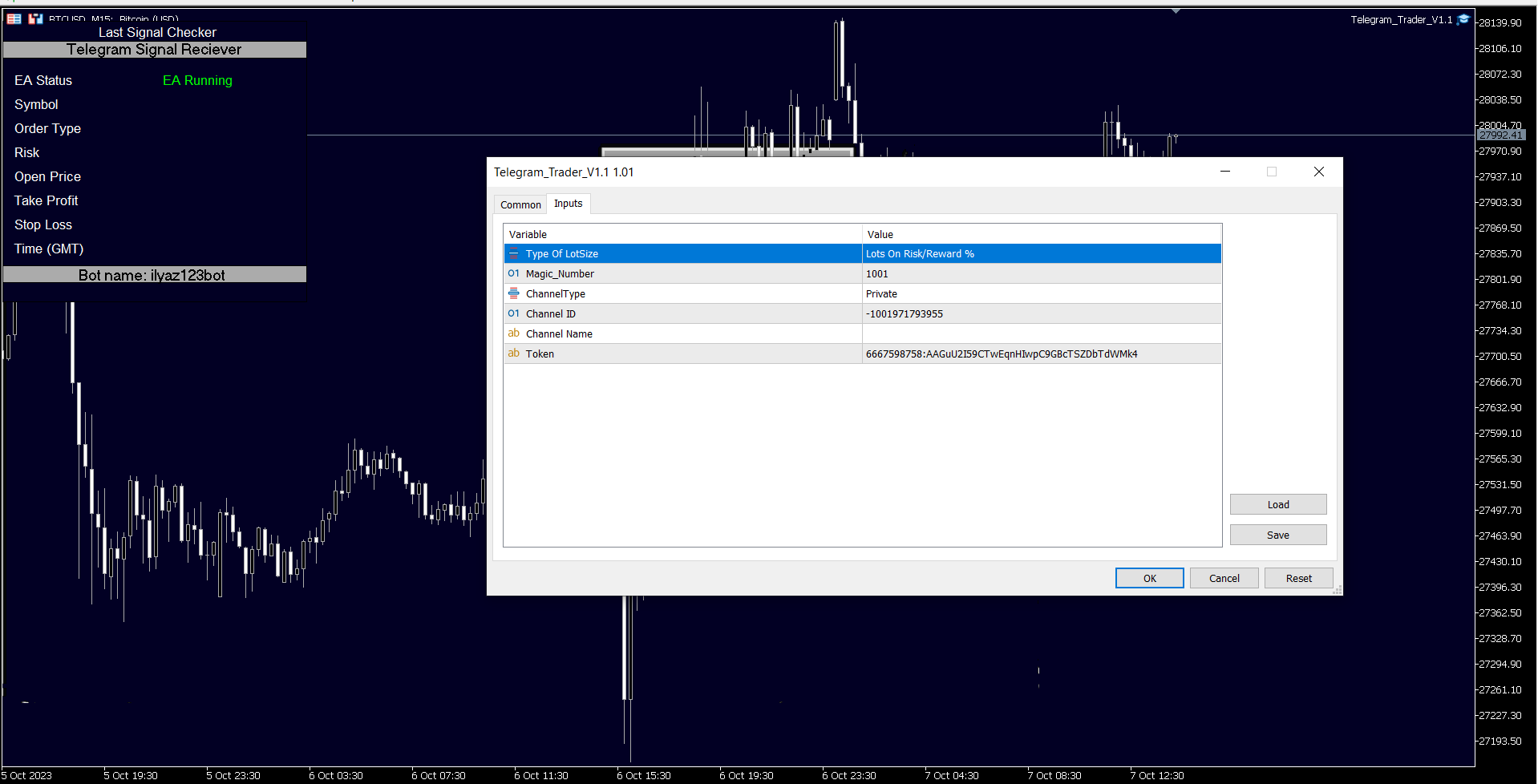
    • In MetaTrader 5, attach the utility to your trading chart.
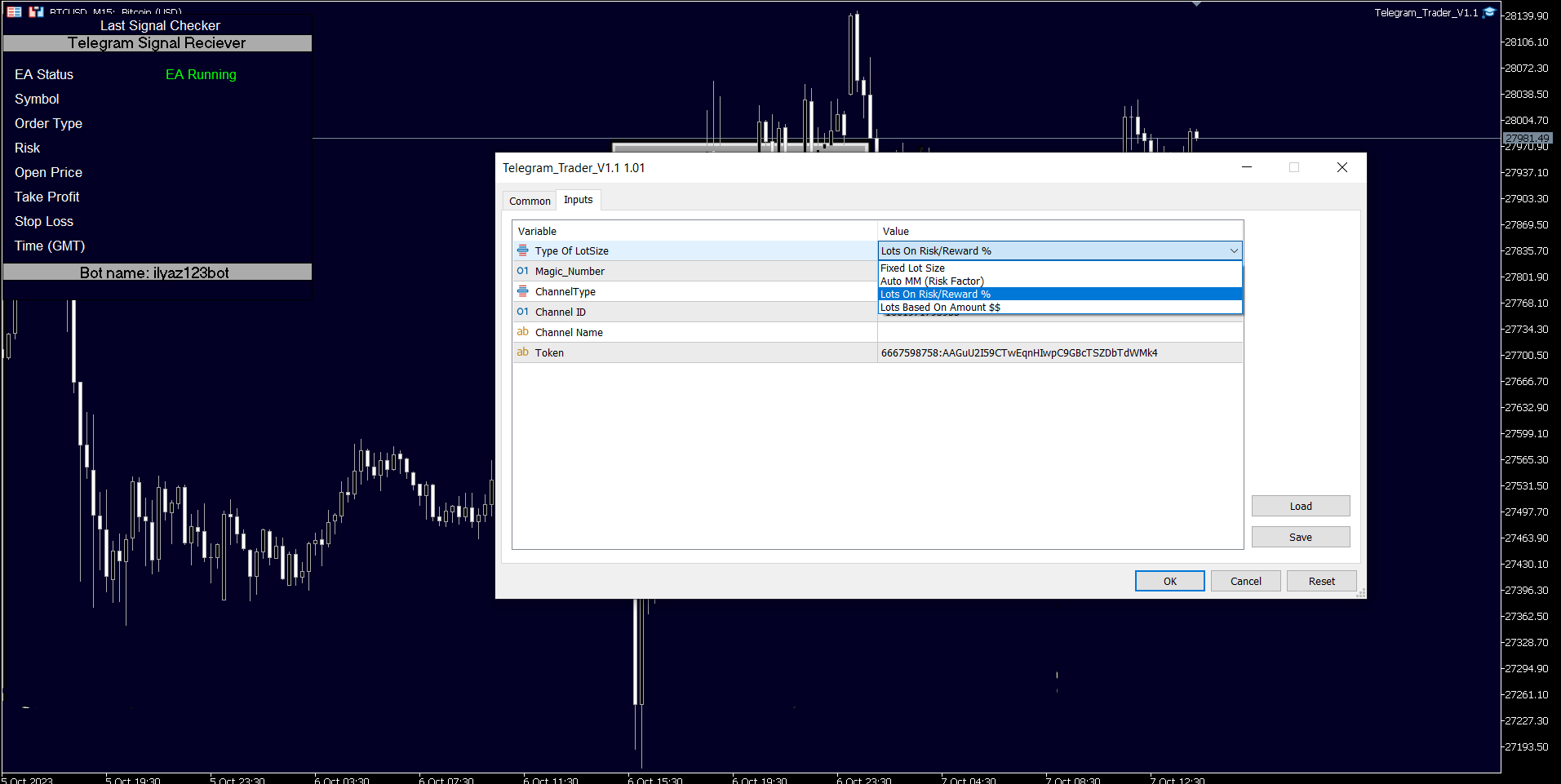
    • Fill in the Token (from step 6) and Chat ID (from step 10).
    • Additionally, enter the magic number separated by commas (",") in the utility chart window to specify which trades should be sent to Telegram.
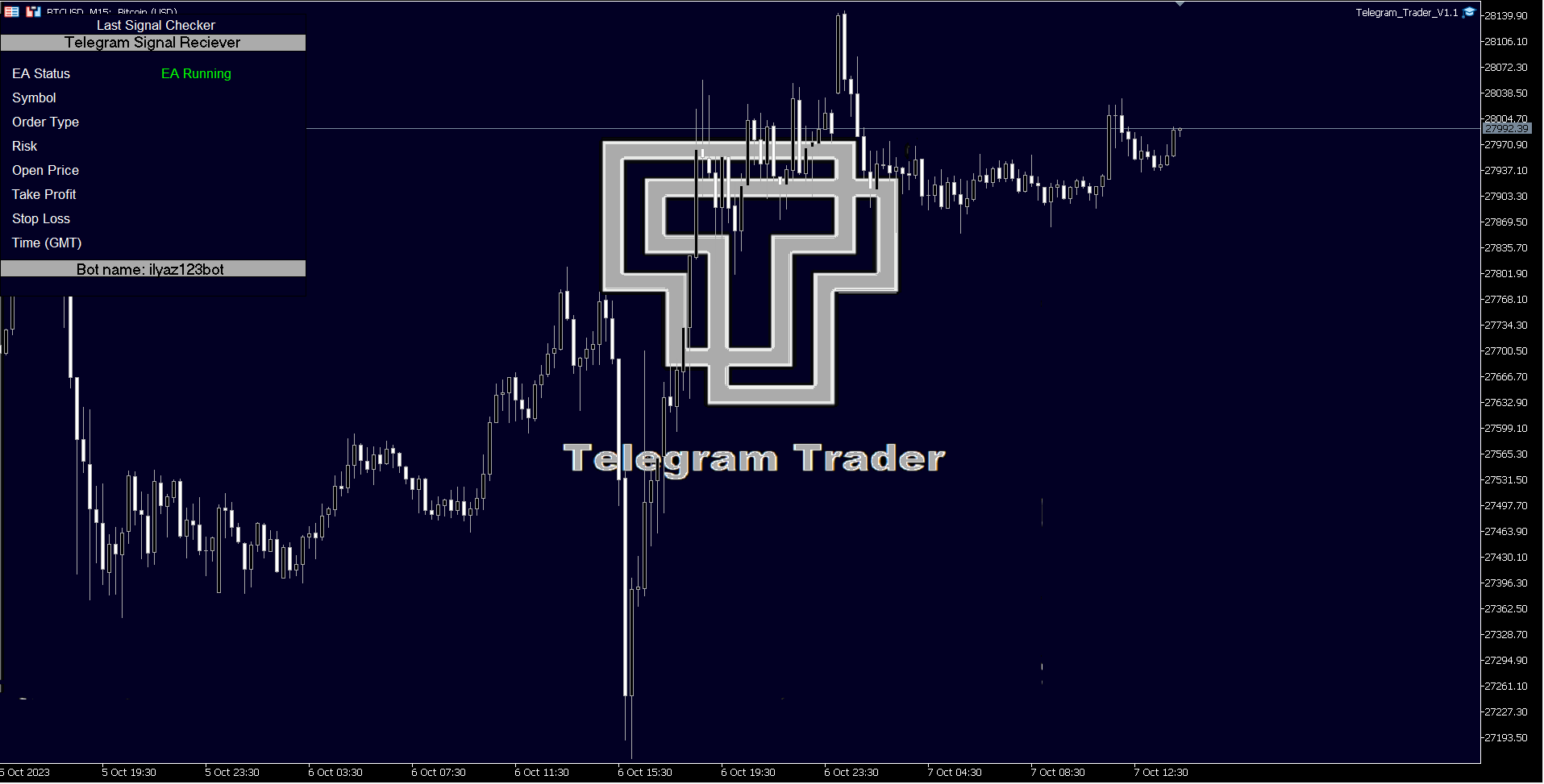
  13. Ready to Receive Updates: Your utility is now configured and ready to work seamlessly with MetaTrader 5. It will send trading updates and alerts to your Telegram channel/group according to your settings.

By following these steps, you can effortlessly integrate your MetaTrader 5 trading activities with Telegram, ensuring you receive real-time updates and alerts on your chosen channel or group.
Önerilen ürünler
EA Follower Version any Follow Copy Account  (Acc. Number)  need a open MT Terminal, download multiple times Step1:   Open Master MT5 Terminal    =  install master- Version   (on any Symbol just one Time) Step2:   Open Follower MT5 Terminal = install follower- Version  (on any Symbol just one Time) Step3:   all Trades from any Symbol or any Robot are copy now to follow- Terminal immediately for simple copy set on Chart and   Start   no optimization. This Robot is a Trade Copier for MT5 that auto
Pattern Recognition EA
Claudiu-georgian Zavera
Pattern Recognition EA - From Learn to Earn. The market repeats itself. This EA finds every past repeat of the current candle sequence - and lets history vote the direction. ONE SHAPE. EVERY REPEAT IN HISTORY VOTES. The last N candles on your signal timeframe form a shape. The EA scans the history you choose - a fixed number of bars or everything your broker provides - for the SAME shape, and checks what happened next, every single time. Only when enough repeats exist AND a clear majority of t
Orders Executor
Claudio Aguiar De Aragao
Introducing Orders Executor , your powerful and efficient trading companion designed to seamlessly execute orders directly from a user-specified text file . This innovative trading tool streamlines your trading process, providing a convenient and automated solution for executing trades with precision and speed. Key Features : **Text File Integration:**     Orders Executor is designed to effortlessly read and interpret orders from a plain text file, eliminating the need for manual input. Simpl
This tool will perform Trailing stop loss and Break even management for orders. Helps you limit or reduce the time spend watching orders on the screen, especially when you need to go to sleep. Just add this EA to 1 chart, you can manage all pairs. You can filter orders by comment, magic number, symbol and order ticket number. When Breakeven it can add shift/offset pips (to cover the commission...). You can try in strategy tester before purchase. The EA will add Buy and Sell alternately, so you
Trade Manager Panel ## Short description  Manage your manual trades with one click: automatic break-even, trailing stop, two-level partial close and risk-based lot sizing — all from a single on-chart panel. --- ## Full description Trade Manager Panel is an on-chart utility that takes care of your open trades so you can focus on the market instead of the order ticket. Drop it on any chart and it manages every position on that symbol automatically, while an interactive panel lets you size new
Apex StopLoss Manager
Muhammad Hassan Muhammad Ahmad Atiyah
Apex StopLoss Manager MT5 Script – Stop Loss Control Utility Overview Apex StopLoss Manager is a trade management script for MetaTrader 5 designed to provide precise, rule-based control over Stop Loss behavior on existing open positions . The script focuses on manual execution and accuracy. It does not use automated trading logic, does not open trades, and runs once per attachment . Core Functionality The script provides two independent Stop Loss control functions, both enabled only through exp
With the 2UP Risk & Trade Management EA you will be able to enjoy seeing your positions being fulfilled all you gotta do is take the position and have the right lot size and the 2UP EA will do the rest - You can set your risk per position so your account never losses more than what is supposed to, it will close automatically once you reach a certain % of DrawDown. - You can set your reward as well based on %, how much do you wanna grow your account in % per trade ?,  it will close automatically
LotCalculatorPro
Reynaldo Jr Audencial Pascual
LotCalculatorPro + Akıllı Trading Paneli LotCalculatorPro , risk yönetimini, lot büyüklüğü hesaplamayı ve işlemleri doğrudan grafik üzerinden kolayca yapmanızı sağlayan güçlü bir hepsi-bir-arada trading asistanıdır. Bu araç, traderların riski kontrol etmesine, doğru lot büyüklüklerini hesaplamasına ve Break-Even, kısmi kapatma ve günlük kar/zarar koruma gibi akıllı özelliklerle işlemleri otomatik yönetmesine yardımcı olur. Özellikle MetaTrader 5 içinde temiz ve verimli bir trading iş akışı iste
This Expert Advisor monitors all open positions across all symbols in MetaTrader 5. Whenever a Stop Loss (SL) or Take Profit (TP) is manually set or adjusted on any position, the EA automatically applies that value to all other open positions , regardless of symbol or order type (Buy/Sell). This ensures consistent and synchronized SL and TP levels across your account. Perfect for mobile trading via tablet or smartphone!
Trade Control Panel Function Normal One Click Function Close All Close All Profit Close All Loss Close All Pending Order Close All Sell Close All Buy Advance One Click Function 1.  Close Partial Lot Sell by Percent It will help you partial close for all open position by desire percent you wanted. No longer partial close one by one for every open position Manual input for desire percent 2. Close Partial Lot Buy by Percent It will help you partial close for all open position by desire percent
Telegram2MT5 Signal Copier — Telegram sinyallerinizi doğrudan MetaTrader 5’te otomatikleştirin Telegram2MT5 Signal Copier ile Telegram’da aldığınız her sinyal, MetaTrader 5 hesabınızda anında ve otomatik olarak yürütülür. Hızlı, güvenilir ve tamamen özelleştirilebilir. Windows Bridge APP dosyasını ve kılavuzu indirin Köprü (bridge) dosyası, Yerel Web Paneli’ni MT5 EA’ye bağlamak için gereklidir  Windows 10 & Windows 11 — 64 bit — ve 2016’dan itibaren Windows Server ile uyumlu Ana Özellikler Tam
TradeBlitz: The Intelligent Forex Trading Assistant TradeBlitz is a highly efficient trading assistant tool specifically designed for forex traders. It helps traders make quick decisions and precisely manage risks in the complex and volatile forex market, thereby enhancing trading efficiency and returns. Core Features One-Click Trading: Supports instant one-click opening and closing of positions, allowing traders to swiftly seize market opportunities and capture every crucial moment. Intelligen
"Scalping Scale in", S/L ve T/P yerleşimi konusunda endişelenmeden sabit mesafelerde başlangıç ​​pozisyonunda ölçeklendirme yapmak isteyen kafa derisi yüzücüler için tasarlanmış yardımcı bir araçtır, çünkü ölçeklendirme sırasında her saniye önemlidir. Nasıl çalışır: EA'nın girişler sekmesinde istediğiniz değerleri ve daha spesifik olarak T/P'nin yerleştirilmesini istediğiniz Risk-Ödül oranı, S/L'nizin ne kadar geniş olmasını istediğinizi (pip cinsinden) - hangisini belirlersiniz? aynı zamanda
Manually enter the price for Buy position or Sell position. This EA will automatically open 3 orders and also 3 Pending (In deposited position) = Total 6 orders per one click Please see Screenshot or Videos for more explanation. - Easy to manage your different order. - Fast in modification for SL and TP. - Can modified the SL and TP depends on individual techniques.
Recovery Manager Panel MT5 is a manual order management panel for traders who want to manage open positions directly from the chart in a clearer and more organized way. This tool is not a signal robot. It does not predict market direction, generate entry signals, or trade automatically based on market forecasts. Instead, it helps traders work with positions that are already open. You can calculate possible recovery lot sizes, view estimated target levels on the chart, and use available floating
Grid Trading EA is a semi-automated one-click trading EA for both Normal Trading and Grid/Martingale Trading . Normal Trading Simply click Buy or Sell directly from the chart. The EA will automatically manage trades by: Setting Stop Loss and Take Profit Managing Trailing Stop Grid / Martingale Trading (For Hedging Account Type Only) When Grid Trading mode is enabled, the EA will automatically open additional grid orders at specified distances while increasing the lot size based on your settings.
Atlas Trade Desk MT5 Atlas Trade Desk MT5 is a visual trade panel, risk manager and lot calculator for manual MetaTrader 5 traders. Plan market and pending orders directly on the chart, calculate position size from your selected risk, adjust Entry, Stop Loss and Take Profit visually, and manage open positions from one clean dashboard. The tool is built for discretionary traders who want faster order preparation, clearer risk control and safer position management without switching between multipl
ASTANA TRADE PRO — Professional Trade Management Panel for MetaTrader 5 ASTANA TRADE PRO is a professional trade management utility for MetaTrader 5, designed for manual traders who want faster trade execution, better position control, and disciplined risk management from one premium trading panel. The utility does not use automatic entry signals and does not replace a trading strategy. It is created to help traders manage already planned trades more efficiently: open positions, manage TP stages
**Forex Trade Manager Pro MT5** **Trade Manager MT5** , MetaTrader 5 için kapsamlı bir işlem yönetim yardımcı programıdır ve bir işlemi planladığınız andan kapattığınız ana kadar pozisyonunuzun her yönü üzerinde size tam kontrol sağlar. Riski ciddiye alan yatırımcılar için tasarlanmıştır; disiplin oluşturan acemiden, birden çok pozisyonda anında işlem yapması gereken profesyonel skalpera kadar herkes için uygundur. Araç herhangi bir grafiğe eklenir ve temiz, kompakt bir panel sunar. Grafik üz
Telegram Trade Notifier EA Enhanced Utility Expert Advisor Real-time Telegram notifications for new positions AND TP/SL closures on its chart symbol Core Functionality Monitors all new positions (manual/EA/script) on its attached chart Alerts when positions close via Take Profit or Stop Loss Sends Telegram alerts within 0.5-2 seconds Works concurrently with other EAs New Position Alerts Include : • Symbol • Direction (Buy/Sell) • Entry Price • Take Profit Level • Stop Loss Level • Position Tick
King ElChart Manual Trade Panel
Mohammed Maher Al-sayed Mohammed Ahmed Saleh
King Chart – Manual Trading Panel for MetaTrader 5 Overview King Chart is a simple yet powerful manual trading panel built for traders who want speed, precision, and clarity. It enables quick order execution, clear lot control, and real-time account monitoring  all directly on your MT5 chart. Main Features Multi-Lot Trade Execution 3 Buy and 3 Sell buttons for instant execution Each button is tied to a custom lot size field Designed for flexible scaling in or out of trades Position Management D
Manual Trading Assistant Pro 【Manuel Yatırımcılar İçin Nihai "Hayatta Kalma" Aracı】 Hızlı piyasa hareketleri sırasında lot hesaplamaları veya TP/SL ayarlarıyla hiç zorlandınız mı? Bu araç, %100 "Giriş (Saldırı)" üzerine odaklanmak ve "Çıkış (Savunma)" işini makineye bırakmak isteyen yatırımcılar için tasarlanmıştır. 【V3.82'de Yeni: Tanı Özelliği】 Dahili Ayar Tanısı (Pips Check) Yanlış ayarlar konusunda endişelenmeyin. [Pips Check] düğmesi, çarpan ayarlarınızın aracı kurumunuzun formatına (JPY
DDKiller Pro
Njaratahiry Michael Randrianiaina
Stop Blowing Your Account. Once and For All. DDKiller Pro is the MT5 risk guardian that runs silently on your chart and shuts down trading the moment you hit a limit — whether you're grinding a prop firm challenge or managing your own CFD account. The problem every trader knows: You set your rules. You break them anyway. One revenge trade. One overleveraged position. One session that erases a month of gains. DDKiller Pro removes that decision from your hands entirely. What it does: The second yo
Akıllı Uzaktan İşlem Asistanı MT5: MetaTrader 5 için Telegram Üzerinden Uzaktan İşlem Paneli Akıllı Uzaktan İşlem Asistanı MT5, işlemlerini hızlı, güvenli ve uzaktan, doğrudan Telegram üzerinden kontrol etmesi gereken yatırımcılar için tasarlanmış gelişmiş bir MetaTrader 5 panelidir. Windows Köprü Uygulama Dosyası ve Eğitimi Edinin Telegram İşlem Panelini MT5 EA'ya bağlamak için köprü dosyası gereklidir. Windows 10 ve Windows 11 - 64 bit - ve 2016'dan itibaren Windows Server ile uyumludur. Bu
Spread Costs refers to the amount of the loss caused by the spread, and Swap Benefits refers to the amount of the income gained by overnight positions. Spread Costs is an important indicator for short-term traders, especially for scalping traders, and Swap Benefits is an important indicator for long-term traders. Since the spreads and swaps on the MetaTrader 5 platform are all expressed in points, we need to convert it into the amount expressed in the account currency. This tool can display the
MATTRIX Position Monitor An 8x8 currency matrix dashboard that gives you a live overview of all  your open positions across the 28 Forex majors in one compact panel.  Designed for traders who manage multiple currency exposures and want  to see direction, hedging, profit, and risk at a glance. WHAT YOU SEE: The 8x8 matrix is organized by the Big8 currency hierarchy: EUR, GBP, AUD, NZD, USD, CAD, CHF, JPY. - Lower triangle (28 cells): one cell per Forex major pair   Cell color = direction:    
HELIOS Trade Panel — MetaTrader 5 için hızlı yürütme, sermaye koruması, pozisyon yönetimi ve güçlü çoklu zaman dilimli uyarı tarayıcısını tek bir panelde birleştiren hepsi-bir-arada işlem kontrol merkezi.   Tek Tıkla İşlem • Risk %'sine göre otomatik stop-loss hesaplamasıyla BUY / SELL piyasa emirleri • Mouse ile bekleyen emirler: Entry / SL / TP çizgilerini doğrudan grafikte sürükleyin • Pozisyon açıldıktan sonra otomatik görselleştirme yüklemesi (çizgiler + kar/zarar bölgeleri) • Grafikteki
Riskinizi otomatik olarak hesaplarken işlemlere hızlı bir şekilde girip çıkmanıza yardımcı olacak Ticaret Yöneticisi. Aşırı Ticaret, İntikam Ticareti ve Duygusal Ticaretten korunmanıza yardımcı olacak özellikler içerir. İşlemler otomatik olarak yönetilebilir ve hesap performans ölçümleri bir grafikte görselleştirilebilir. Bu özellikler, bu paneli tüm manuel yatırımcılar için ideal kılar ve MetaTrader 5 platformunun geliştirilmesine yardımcı olur. Çoklu Dil desteği. MT4 Sürümü  |  Kullanım Kılavu
Trading tool combining a sophisticated equity stop-loss, dynamic take-profit management (Breakeven & Trailing), and symbol-group-based closing logic. It is a complete risk management and trade supervision tool. Features: All features of `Equity Master Stop v1` (floating profit/loss limits, exit protection, skip hours). Take-Profit Override: Can force a TP on any order to lock in a `MAX_FLOATING_PROFIT`. Step Breakeven: Locks in increasing amounts of profit as a trade moves favorably (e.g., aft
The   Layer Grid Tool   is a highly intuitive, semi-automated trading panel designed for traders who utilize grid, layering, or zone recovery strategies. Instead of manually calculating lot sizes and placing multiple pending orders by hand, this tool allows you to visually map out your trading zone directly on your chart and execute a basket of orders with just a few clicks. Key Features & Advantages: Interactive Visual Range Calculation:   Click the "Calculate Range" button to spawn Top and Bot
Bu ürünün alıcıları ayrıca şunları da satın alıyor
Power Candles Strateji Tarayıcısı - Kendi Kendini Optimize Eden Çoklu Sembol Kurulum Bulucu Power Candles Strateji Tarayıcısı , Power Candles göstergesini çalıştıran aynı kendinden optimize edici motoru, Piyasa İzleyicinizdeki her sembol üzerinde yan yana çalıştırır. Tek bir panel, şu anda istatistiksel olarak hangi sembollerin işlem yapılabilir olduğunu, her birinde hangi stratejinin kazandığını, en uygun Stop Loss / Take Profit çiftini gösterir ve yeni bir sinyal geldiği anda size bildirim gön
The product will copy all telegram signal to MT5 ( which you are member) , also it can work as remote copier.  Easy to set up, copy order instant, can work with almost signal formats, image signal,  s upport to translate other language to English Work with all type of channel or group, even channel have "Restrict Saving Content", work with  multi channel, multi MT5 Work as remote copier: with signal have ticket number, it will copy exactly via ticket number. Support to backtest signal. How to s
Farmed Hedge Yield Farming | All Markets (Manual - Hybrid - Semi/Automated EA) MULTI-ASSET SUPPORT Trade any asset available on your broker - Forex: Major, Minor, Exotic pairs - Crypto: BTC, ETH, XRP, SOL, BNB - Stocks: Apple, Tesla, Amazon, Google, etc. - Commodities: Gold, Silver, Oil, Gas - Indices: US30, NAS100, SPX500, DAX40 - Any CFD your broker offers VERIFIED TRADING RESULTS - Farmed Hedge Yield Axi Copy:  https://www.mql5.com/en/signals/2356376 - Farmed Hedge Yield Exn Copy:   https:/
================================================================================ POC BREAKOUT - V20.72. Full Professional Grade Toolkit ================================================================================ POC Breakout is a full MetaTrader 5 trading dashboard for discretionary traders who want breakout signals, Point of Control (POC) context, volume profiles, order flow, market structure, news, alerts, and advanced trade planning in one professional workspace. Attached directly to you
Quant AI Agents are independent trading Expert Advisors. Instead of trading using a fixed strategy like other conventional EAs, Quant AI Agents   is a   multi-agent AI trading framework   that turns natural-language strategy prompts into live.  WANT THE SAME RESULTS AS MY LIVE SIGNAL?   Use the exact same brokers I do:   IC MARKETS , IC TRADING   .  Unlike the centralized stock market, Forex has no single, unified price feed.  Every broker sources liquidity from different providers, creating un
Premium Trade Manager - İçine Koç Yerleştirilmiş İşlem Paneli Premium Trade Manager , grafiğinizin içine bir trading koçu yerleştirir; altında tam bir yürütme motoru çalışır. İşlemi her zamanki gibi kurun, ardından yapay zeka trading koçunuz Max, o kurulumu tam olarak okusun ve canlı hesabınıza göre taahhüt etmeden önce size net bir değerlendirme sunsun: stop disiplinli bir yaklaşıma uyuyor mu, risk büyüklüğü makul mü, yüksek etkili bir haber dakikalar sonra mı geliyor, prop firm limitinize yakl
EASY Insight AIO – Akıllı ve zahmetsiz yatırım için hepsi bir arada çözüm Genel Bakış Tüm piyasayı — Forex, Altın, Kripto, Endeksler ve hatta Hisseler — saniyeler içinde, manuel grafik incelemesi, gösterge kurulumu ya da karmaşık ayarlar olmadan analiz edebildiğinizi hayal edin. EASY Insight AIO , yapay zekâ destekli yatırım için nihai, kullanıma hazır dışa aktarma aracınızdır. Tüm piyasanın kapsamlı bir anlık görüntüsünü tek bir temiz CSV dosyasında sunar; bu dosya ChatGPT, Claude, Gemini, Pe
Footprint Chart Pro — Professional OrderFlow EA for MetaTrader 5 Version 6.34 | Professional tool for real traders | Institutional-Grade Visualization DEMO USERS - PLEASE SELECT EVERY TICK / REAL TICK WHEN TESTING AND YOU HAVE DOWNLOADED HISTORICAL DATA. IF YOU SEE A WAITING SCREEN AND IT IS NOT DOWNLOADING, IT MEANS YOU HAVE LOW HISTORICAL DATA. TRY 1 MIN AND 5 MIN FIRST ON 1 DAY DATA. ONE DAY DATA SHOULD BE THE NEWEST AND MOST CURRENT DATE. PLEASE WAIT UNTIL THE MARKET HAS ROLLED OVER PERIOD.
LIMITED SUMMER SALE -40% ! ONLY $470 insead of $790!  Maximum real discount! The core idea: using the user interface, you configure the parameters the chart must meet before entering a position (or positions), choose which entry models to use, and set the rules for when trading and planning should end. Lazy Trader  handles the rest: it  takes over all the routine chart watching and execution! full description  :: 3 key videos [1] ->  [2]   ->  [3] What can it do? - Understands Larry Williams
YuClusters
Yury Kulikov
4.93 (43)
Attention: You can view the program operation in the free version  YuClusters DEMO .  YuClusters is a professional market analysis system. The trader has unique opportunities to analyze the flow of orders, trade volumes, price movements using various charts, profiles, indicators, and graphical objects. YuClusters operates on data based on Time&Sales or ticks information, depending on what is available in the quotes of a financial instrument. YuClusters allows you to build graphs by combining da
FUTURES ORDERFLOW FOOTPRINT CHART Professional OrderFlow EA for MetaTrader 5 Version 1.01| Professional tool for real traders | Institutional-Grade Visualization STRATEGY TESTER USERS - PLEASE SELECT EVERY REAL TICK WHEN TESTING AND YOU HAVE DOWNLOADED HISTORICAL DATA. IF YOU SEE A WAITING SCREEN AND IT IS NOT DOWNLOADING, IT MEANS YOU HAVE LOW HISTORICAL DATA. TRY 1 MIN AND 5 MIN FIRST ON 1 DAY DATA. ONE DAY DATA SHOULD BE THE NEWEST AND MOST CURRENT DATE. PLEASE WAIT UNTIL THE MARKET HAS ROL
Üye olduğunuz herhangi bir kanaldan (özel ve kısıtlı olanlar dahil) sinyalleri doğrudan MT5'inize kopyalayın.  Bu araç, kullanıcıyı göz önünde bulundurarak tasarlanmış olup işlemleri yönetmek ve izlemek için ihtiyacınız olan birçok özelliği sunar. Bu ürün, kullanıcı dostu ve görsel olarak çekici bir arayüzde sunulmaktadır. Ayarlarınızı özelleştirin ve ürünü dakikalar içinde kullanmaya başlayın! Kullanıcı Kılavuzu + Demo  | MT4 Sürümü | Discord Sürümü Demo denemek isterseniz lütfen kullanıcı kı
AI Agent Supervisor is NOT an Expert Advisor. AI Agent Supervisor   is a   multi-agent AI risk & portfolio supervisor   that watches every EA on your account and intervenes in real time.  WANT AN AI PORTFOLIO MANAGER WATCHING YOUR FLEET 24/7?   Run your fleet on the same brokers I do:   IC MARKETS , IC TRADING   .  Unlike the centralized stock market, Forex has no single, unified price feed.  Every broker sources liquidity from different providers, creating unique data streams. The Supervisor r
Telegram to MT5 Pro — Advanced Telegram Signal Copier with Auto-Fix, Multi-TP, Risk Control and Full Trade Management Telegram to MT5 Pro — Profesyonel Telegram Sinyal Kopyalayıcı Telegram to MT5 Pro, Telegram’dan gelen sinyalleri MetaTrader 5 hesabına otomatik olarak doğrudan uygulayan yüksek performanslı bir trade kopyalayıcıdır ve risk, işlem yürütme ve trade yönetimi üzerinde tam kontrol sağlar. Sistem iki bileşenden oluşur: • MetaTrader 5 içinde çalışan Expert Advisor (EA) • Telegram’a bağ
# If you have any other requirements or are interested in collaboration, please contact  dev.quantech.london@gmail.com . Flash Trade (FT) Most friendly manual trading tool. Easy operation to secure your funds. Features of FT Click the chart to trade fast FT supports market orders and pending orders Click twice to complete the order and set SL and TP Click trice to complete the pending order and set SL and TP Automatically set the stop-loss amount of each order to a fixed percentage of the bala
QCML Assistant
Maxime Turcotte-lafreniere
QCML Assistant MT5 Your Trading. Our Assistant. Your Edge. Looking for a tool that completely transforms your experience on MetaTrader 5? QCML Assistant is the all-in-one solution built by traders, for traders. Just one tool installed on your chart, and you get access to an ultra-complete, ultra-fast, and ultra-simple trading platform. No more hours wasted setting up your workspace. No more complicated trade entries. With QCML Assistant, everything becomes simple, smooth, and efficient right fro
Ultimate Extractor - Professional Trading Analytics for MT5 *****this is the local HTML version of Ultimate Extractor. !!!!!it is not compatible with Cloud!!!! For the online version please reach out to me directly****** Ultimate EA manager also now available when you use cloud pro and above for free!! Ultimate Extractor transforms your MetaTrader 5 trading history into actionable insights with comprehensive analytics, interactive charts, and real-time performance tracking. What It Does Automa
Royal Copier
Janet Abu Khalil
5 (1)
Royal Copier — Profesyonel MT5 Trade Copier Royal Copier, MetaTrader 5 için profesyonel, gerçek zamanlı yerel bir trade copier çözümüdür. Artık her iki işlev de tek bir MT5 Expert Advisor içinde yer almaktadır. Giriş ayarlarından EA’nın Master Modu veya Client Modu ile çalışmasını seçmeniz yeterlidir. Bu, aynı EA’nın kaynak hesapta da alıcı hesapta da kullanılabileceği ve orijinal copier davranışının korunacağı anlamına gelir. Royal Copier, hesaplar arasında en yaygın tüm kopyalama kombinasyonla
VOLUME BUBBLES ORDERFLOW FOOTPRINT PROFESSIONAL Expert Advisor for MetaTrader 5 Complete Feature Documentation Introduction: Volume Bubbles OrderFlow Footprint Professional is an advanced order flow visualization tool designed for the MetaTrader 5 platform. It provides institutional-grade market analysis through real-time volume bubbles visualization, volume profiling, and sophisticated order flow analysis. This Expert Advisor transforms raw market data into actionable trading intelligence, hel
Double X Trade
Gayathiri Gopalakrishnan
5 (2)
DOUBLE X TRADE  SIGNAL MULTIPLIER DOUBLE X TRADE is a MetaTrader 5 Expert Advisor designed to operate alongside existing Expert Advisors and provide additional trade-management functionality. The EA can monitor trading activity on the account and perform actions according to user-defined settings, risk parameters, and operating mode configuration. DOUBLE X TRADE is intended for traders who want an additional management layer while continuing to use their existing Expert Advisors. The product doe
Custom Alerts AIO: Tüm Piyasaları Takip Et — Hiçbir Kurulum Gerekmez Genel Bakış Custom Alerts AIO , hiçbir ek yapılandırma gerektirmeyen, kullanıma hazır bir piyasa izleme çözümüdür. Gerekli tüm göstergeler — FX Power, FX Volume, FX Dynamic, FX Levels, IX Power — iç yapısına gömülüdür. Grafik görüntülemesi olmadan çalışır, bu da onu sessiz ve verimli bir şekilde gerçek zamanlı alarm üretimi için mükemmel hale getirir. Brokerınızın sunduğu tüm varlık sınıflarını destekler: Forex, Metaller, End
Gamma Edge Pro MT5 — GexBot Classic API Integration Gamma Edge Pro   brings institutional-grade   Gamma Exposure (GEX) data   directly onto your MetaTrader 5 chart — the same data used by professional options traders to anticipate price magnets, hedging flows, and dealer positioning. Powered by the   GexBot Classic API , this indicator automatically maps options market data from US-listed instruments onto any   MT5 CFD instrument   — Forex pairs, Gold, indices, and more — with intelligent price
Prop Firm Os
Gayathiri Gopalakrishnan
5 (1)
PROP FIRM OS Structured Trading Assistant for MetaTrader 5 PROP FIRM OS is a structured trading assistant designed for MetaTrader 5 users who prefer rule-based market analysis and organized trading workflows. The Expert Advisor combines market analysis tools, scanner functions, dashboard monitoring, alerts, risk-control settings, and trade management features inside one system. PROP FIRM OS is designed to help traders follow selected rules, filters, and monitoring conditions during trading activ
ManHedger MT5
Peter Mueller
4.83 (6)
THIS EA IS A SEMI-AUTO EA, IT NEEDS USER INPUT. Manual & Test Version Please TEST this product before BUYING  and watch my video about it. The price of the ManHedger will increase to 250$ after 20 copies sold. Contact me for user support or bug reports or if you want the MT4 version! MT4 Version  I do not guarantee any profits or financial success using this EA. With this Expert Advisor, you can: Implement your own Zone Recovery strategy to capitalize on trending markets. Create Grid trading s
This is exactly what the name says. Visual strategy builder . One of a kind. Turn your trading strategies and ideas into Expert Advisors without writing single line of code. Generate mql source code files with a few clicks and get your fully functional Expert Advisors, which are ready for live execution, strategy tester and cloud optimization. There are very few options for those who have no programming skills and can not create their trading solutions in the MQL language. Now, with Bots Builde
Discord Signal Notifications — это мощный инструмент для трейдеров, проповодов и управляющих счетами, который автоматически отправляет все ваши торговые события в канал или чат Discord. Главное преимущество — Глобальный мониторинг. Вам не нужно устанавливать советник на каждый график. Достаточно запустить одну копию утилиты на одном любом окне, и она будет отслеживать действия по всем инструментам и всем счетам в вашем терминале одновременно. Основные возможности Глобальный мониторинг счёта Ути
Crystal Trade Manager – Advanced MT5 Risk and Trade Control Utility Overview Crystal Trade Manager (CTM) is a professional MetaTrader 5 utility designed for risk management, trade automation, and instant execution control. It provides traders with an integrated system for protecting equity, managing daily drawdowns, controlling lot sizes, and applying automation features such as automatic SL/TP, break-even, and trailing stop. The tool is suitable for manual traders, prop-firm challenge particip
Global Investing FX Terminal , MetaTrader 5'te tek bir canvas katmanı üzerinde on üç analitik panel sunar — merkez bankası politika faizleri, CFTC COT pozisyonlanması, carry sıralamaları, ekonomik sürprizler, opsiyon skew'u, perakende duyarlılığı ve korelasyonlar — tek bir ekli EA'dan her 10 saniyede bir güncellenir. Harici yazılım gerekmez. Profesyonel FX analizi, normalde ayrı platformlarda bulunan verilere eş zamanlı erişim gerektirir: faiz türevleri, devlet veri portalları, aracı kurum swap
DİKKAT : Ücretsiz deneme sürümü için web sitemi ziyaret edin. Kullanım Kılavuzu RiskGuard Management — Tavizsiz bir ticaret için nihai yardımcınız. Lot Calculator — Otomatik lot büyüklüğü hesaplama. Quantum — Kârı maksimize etmek ve drawdown'u azaltmak için otomatik risk. Automatic Journal — Dahil edilmiştir ve web sitemden ücretsiz indirilebilir. Automatic Screenshot — İki ekran görüntüsü: biri işlem açılışında, diğeri kapanışında. Partial Profit — Akıllı şekilde yönetilen kısmi çıkışlar. Sma
One button. One trade. MT5 Trading Deck is a hotkey trading panel for MetaTrader 5 that turns the platform into a keyboard-driven execution cockpit. Stop loss, take profit and lot size are pre-calculated for every key; the moment you press, a market order is live on the broker. A complete technical user manual is attached in the product Comments section. It documents every input parameter, the full hotkey map, the recommended Stream Deck XL layout, and the advanced workflows for Pre-Limit orders
Yazarın diğer ürünleri
Rambo Breakout
Mahammadjamil Kazi
Follow a step-by-step system that detects the most powerful breakouts! Discover market patterns that generate massive rewards based on a proven and tested strategy. Benefits You Get On Indicator: Unique price action based algorithm. Powerful combination to any trading strategy. Auto-detects entry, exit, stop loss & take profit levels. Auto-calculates statistics of signals. Never repaints, never backpaints, never recalculates. Signals strictly on the "Close of the bar". Works in all symbols a
Here's a step-by-step guide on how to create and set up a Telegram bot for MetaTrader 4, enabling you to receive trading updates and alerts on your Telegram channel or group. Open Telegram : Launch your Telegram app on your device. Search for "BotFather" : In the Telegram search bar, type "BotFather" and select it from the search results. Create a New Bot : Type /start and send it to BotFather. Then, type /newbot to initiate the bot creation process. Bot Nickname and Username : Give your bot a n
Filtrele:
Değerlendirme yok
Değerlendirmeye yanıt