 MetaTrader 5
 专家
专家
 指标
指标
 程序库
程序库
 实用工具
实用工具
 窗口小部件
窗口小部件
 规则
规则
适用于MetaTrader 5的新EA交易和指标 - 321
 使用EA交易和指标,使外汇交易获得更多盈利。EA交易可使您自动开启和关闭交易,而指标将帮助您更准确地预测市场行为。
该页面提供MetaTrader 5应用程序的目录。
使用EA交易和指标,使外汇交易获得更多盈利。EA交易可使您自动开启和关闭交易,而指标将帮助您更准确地预测市场行为。
该页面提供MetaTrader 5应用程序的目录。 
动态RSI卫士 – 精准交易与全面风险管理 动态RSI卫士是一款专为重视稳定性能、严格风险控制和灵活性的交易者设计的专业算法交易系统。基于先进的点差计算和智能RSI驱动的过滤器,它确保每笔交易遵循严格的规则,以最小化风险,同时最大化机会。 主要功能 : 智能入场系统
• 基于RSI的多重过滤器确认
• 检测高概率信号并在图表上以箭头可视化 全面风险管理
• 基于风险百分比的动态手数计算
• 最大持仓量和交易检查(防止过度交易)
• 无效止损水平保护 高级退出策略
• 基于ATR或固定点差的追踪止损
• 可调止损和止盈(基于点差)
• 自动调整止损以适应经纪商限制 可视化HUD仪表板
• 实时状态(买入、卖出、阻止)
• 市场条件显示
• 信号跟踪和分隔线 支持回测与优化
• 专为剥头皮和日内交易设计
• 适用于多个交易对和时间框架
• 易于优化以适应不同策略 策略与使用 :
动态RSI卫士在低延迟环境(ECN/STP经纪商)中表现最佳。
推荐使用: 交易对 :EURUSD、GBPUSD、XAUUSD(黄金)、US30 时间框架 :M1 – M15 低点差经纪商以获
FREE

HiLo Ladder 是经典 HiLo 指标 的全新演绎版本。HiLo 指标长期以来被交易者广泛使用,用于识别市场趋势的方向和潜在的反转点。无论是短线交易者还是长期投资者,HiLo 都是帮助他们判断市场节奏的重要工具。 与传统的 HiLo 不同, HiLo Ladder 在图表上的绘制采用阶梯式结构 —— 也就是交易者常说的 “阶梯线” 。这种表现形式不仅在视觉上更直观,而且能够有效地避免连续曲线带来的模糊感。每一段阶梯代表一个清晰的趋势区间,使得价格的上升和下降状态一目了然。 主要优势: 绿色表示价格处于上涨阶段,红色表示下跌阶段,让用户快速区分市场情绪。 阶梯式的走势比传统连线更稳定,减少了噪音干扰。 分析更加直观,无需复杂的解读,新手也能轻松使用。 能够帮助交易者更快地识别趋势变化,尤其是在震荡行情中。 可用作确认入场信号、辅助离场策略或仅作为趋势跟踪工具。 对于希望快速把握市场节奏的交易者来说, HiLo Ladder 提供了一种现代化的方式来解读价格走势。它结合了 HiLo 经典的核心逻辑,同时通过 “阶梯” 视觉效果增强了清晰度和可操作性。在快节奏的市场环境下,它
FREE

Weis Waves(魏斯波浪) 是由大卫·魏斯 (David Weis) 开发的技术指标,灵感来源于理查德·威科夫 (Richard Wyckoff) 的原理。
与传统逐根显示的成交量不同,Weis Waves 将成交量累积为连续的上涨或下跌“波浪”,当价格方向反转时重新开始计算。 这种方法使交易者能够清晰地看到市场运动的 真实力度 ,因为每一波浪都反映了支撑一系列K线的成交量强度。 主要特点: 将成交量分组为买入波浪和卖出波浪。 突出显示市场的主导力量(买方或卖方)。 有助于识别 趋势延续 或 潜在反转 。 基于威科夫方法论,被广泛应用于成交量与资金流分析。 Weis Waves 被众多专业交易者使用,用于分析价格与成交量之间的平衡,提供更深入的市场动态视角。
FREE

PROP FIRM READY! 推出促销: 当前价格仅提供数量极其有限! 最终价格:990美元 349 美元起:免费选择 1 个 EA!(最多 2 个交易账户)
终极组合优惠 -> 点击此处 加入公共群组: 点击此处
LIVE RESULTS
独立审查
欢迎来到“ORB大师” : 开盘区间突破的优势 利用 ORB Master EA 释放开盘区间突破 (ORB) 策略的力量:一款专为现代交易者设计的精致、高性能专家顾问。 ORB 因其能够捕捉早期市场势头而人气飙升,而这款 EA 代表了我对这种行之有效的方法的个人看法。
ORB Master 如何交付成果 : ORB Master 在美国和欧洲股市开盘后立即开始行动,瞄准四大主要指数的关键开盘区间:SP500、US30(道琼斯)、纳斯达克和 DAX 这些突破通常预示着当天的主导趋势,提供可靠的方向偏差。 EA 精准地利用这一优势,进入顺势交易,以获得最大利润潜力。 对于每个指数,EA 部署三种不同的策略变化,创建一个由 12 种不相关方法组成的稳健投资组合。 这种多样化可以最大限度地降低风险,同时扩大机会。

BabylonTraderSmallAccount-Pro - 高级 XAUUSD 交易机器人
BabylonTraderSmallAccount-Pro 是一款先进的算法交易机器人,专为小额账户 XAUUSD H1(黄金)交易而设计,尤其适用于 XAUUSD 3 位账户。这款基于 MQL5 的智能交易系统结合了多种技术分析策略和强大的风险管理功能,打造全面的交易解决方案。
核心交易策略 该机器人采用多层级方法,结合前一日最高/最低价位的支撑/阻力位,并结合双 EMA 趋势分析(默认为 12/26 周期)。它分为三个不同的交易阶段,并逐步调整仓位规模和止盈目标。
主要功能 多阶段仓位管理 阶段 1:初始入场,0.04 手,目标盈利 800 点
阶段 2:二次入场,0.02 手,目标盈利 600 点
阶段 3:三次入场,0.01 手,目标盈利 400 点
高级风险管理 市场安全交易量标准化,确保经纪商合规
可配置的回撤保护(默认限制为 -40)
每日盈利目标系统(默认为 20 美元),并带有自动暂停交易功能
可选的追踪止损功能(默认为 50 点)
下单前最低保证金验

简介 Golden Breakout Rider 会利用一种非常高效的算法,识别价格稳定、快速变化的区间,并进行挂单交易黄金(XAUUSD)。 没有 AI,没有网格,没有马丁格尔,没有任何危险不透明的交易策略。 Golden Breakout Rider 本来想起名为 Free Rider,但因为含禁用词,校验没有通过。Free Rider 是想说,这个 EA 会在价格稳定、快速变化时,搭便车,并借此盈利。 Free Rider (Golden Breakout Rider) 不是免费的,但也不贵,目前价格 $32 推荐配置 时间周期: M1 入金: 最低 $200 交易品种: XAUUSD 杠杆: 最低 1:30 经纪商: 不限 配置文件: 默认配置即可,有需要可以调整风险等级 交易信号: 准备中

NeuraVault Pro v1.0 - 专业RSI反转交易系统 概述 NeuraVault Pro 是一个基于RSI(相对强弱指数)反转的专业自动化交易系统。它专为捕捉超买和超卖区域的反转机会而设计,配备先进的过滤器和全面的风险管理功能。 交易逻辑 核心策略:RSI反转 EA在市场达到超买或超卖区域时捕捉反转机会: 买入信号: RSI值跌破定义的下限水平(默认:40) 表明市场超卖,有向上反转潜力 卖出信号: RSI值升破定义的上限水平(默认:60) 表明市场超买,有向下反转潜力 交易场景示例 欧美 M15 - 买入场景 市场条件: 价格: 1.0850 RSI(14): 35 (超卖区域) MACD: 正向交叉 趋势: 看涨倾向 EA决策: RSI < 40 (买入信号) MACD过滤器确认 未达到最大仓位限制 交易执行: 仓位: 买入 0.01 手 入场: 1.0850 止损: 1.0820 (基于ATR,动态) 止盈: 1.0895 (基于ATR,动态) 风险: $10 (可调整) 仓位管理: 追踪止损激活 (ATR倍数: 1.0) SL随价格盈利自动上移 仓位在
FREE

Ratio X Breakout EA — 精确突破执行
重要提示: 购买后可在评论区获取完整配置指南。
概述 Ratio X Breakout EA是一个自主交易系统,旨在捕捉由蜡烛突破触发的方向性走势。其逻辑核心是用户定义的参考蜡烛,建立框架,当价格行为果断突破该结构时,EA进入市场。 核心方法论 系统的核心是参考蜡烛(可配置时间框架和时间,例如13:30的M5)。EA标记其高点和低点。第一根随后的蜡烛主体收盘价超出此范围即定义方向偏向: 收盘价高于高点:仅做多偏向 收盘价低于低点:仅做空偏向 一旦方向确认,EA在突破水平执行限价入场,止损设在参考蜡烛的另一侧。用户可以定义缓冲区(以点数计)来控制入场和保护水平。 交易管理 止损和止盈 可通过固定点数距离或风险回报倍数配置 用户定义的入场和出场水平缓冲区 追踪选项 基于步进R倍数的追踪 使用蜡烛高低点的动态追踪 可配置的追踪参数 执行纪律 默认每天最多三笔交易 测试模式可用于MQL5市场验证(测试目的忽略所有过滤器) 参考蜡烛确认后每天一个方向偏向 主要特点 基于突破的架构,具有透明、规则驱动的执行 可自定义输入:参考蜡烛时间和
FREE

Clyra
Clyra
Special Launch Offer, Current price: 100. Price will increase to 135 after the first 10 copies are sold. 9 copies sold so far.
Message me to receive a trial build for demo use. 这不仅仅是另一个专家顾问。这是一个为一致性、准确性和生存能力而建立的系统——即使在最不可预测的市场中也能生存。
Need proper backtest results? Contact me and I’ll send you the correct settings file plus full guidance. 关注市场更新: https://www.mql5.com/en/channels/babayeasnews 用户指南: https://www.mql5.com/en/blogs/post/762213
是什么使它独特? 多时间框架趋势网 – 利用五个时间框架之间同步的趋势数据网,E

手动交易助手 TP (Manual Helper TP) 此工具旨在帮助您保护利润并降低风险。 它会为您的交易设置止损 (Stop Loss),并管理追踪止损 (Trailing Stop)。 如何使用 将其附加到您交易品种的图表上,它将根据您的规则处理您的头寸。 所有设置均以点数 (points) 为单位。根据您的交易品种和策略进行调整非常重要。默认设置适用于黄金 (XAUUSD)。对于剥头皮交易 (scalping),最好使用较小的止损 (SL)、保本 (BE) 和止盈 (TP)。 此智能交易系统 (EA) 绝不会自行开设任何交易。 它唯一的工作是根据您的个性化设置来管理您现有交易的止损。它是您手动交易或管理其他 EA 所开交易的强大助手。 主要功能 初始止损: 如果开仓时没有设置止损,该工具将根据您的设置自动添加一个。 保本止损 (Secure Breakeven): 一旦交易朝对您有利的方向移动,它会自动移动您的止损以锁定少量利润。 高级双层追踪止损: 使用两个级别的追踪止损。开始时使用较宽的追踪距离让利润奔跑,之后随着趋势的增强使用较窄的追踪距离来保护您的收益。 适用于任何交
FREE

BarX — 指定蜡烛图的最高价与最低价显示指标 BarX 是一款实用的技术指标工具,能够 自动标记当天某根特定蜡烛图的最高价与最低价 ,该蜡烛由用户自定义(例如, 蜡烛 0 表示 市场开盘后的第一根蜡烛图 )。 该指标对于使用 固定价格水平作为支撑位、阻力位、突破点或反转点 的交易者非常有帮助。BarX 通过在图表上 清晰标示关键位置 ,帮助交易者更快速地进行 技术分析与市场判断 ,提升操作效率与准确性。 BarX 可广泛应用于多种时间周期,支持多种交易策略,包括基于每日开盘行为或特定时间段内重复模式的策略。 无论是新手还是专业交易者都能轻松上手并受益。 支持多种时间周期与图表类型
轻量级设计,运行快速,界面简洁
适用于基于日内开盘行为或特定时间模式的策略系统 让 BarX 成为您日常交易中的 高效助手,提升精准度与市场清晰度 。
FREE

黄金 ECN EA 采用先进的人工智能算法设计,可分析市场不确定性。它基于机器学习系统开发,能够适应新闻更新,并在市场持续变化的情况下动态掌控行情。
与预测性人工智能同步,机器学习算法用于识别市场在一段时间内的极高低点、极高高点、极低高点和极低低点,并检查是否存在类似的重复现象;它还能利用价格行为实时研究图表。
立即查看实时信号 查看 MT4 版本 1. 策略概述 策略类型:
此 EA 使用两种策略来适应市场变化:趋势市价单策略和趋势突破单策略。XAUUSD 市场瞬息万变,其随着市场变化而灵活调整的能力使黄金 ECN 在创建入场和离场订单方面具有优势。
结构说明:
当检测到看涨趋势或看跌趋势时,它会寻找确认蜡烛形态,并下达交易订单以捕捉重大的市场波动。当趋势失效时,系统会分析突破点并开立新订单,以补充趋势信号所下达的先前订单;在XAUUSD市场快速波动的情况下,这些操作通常在几毫秒内完成。
交易频率:
为了提高长期可持续性,只有在检测到清晰信号时才会开立交易。低频率交易是最佳选择;这与频繁或随机交易形成鲜明对比。
目标: 该策略并非以投机性短期收益为目标,而是致力于实
Consolidation Breakout Panel EA Consolidation Breakout Panel EA 是一个 实时智能面板 ,可同时监控多个品种和周期 (M2, M5, M15, M30, H1, D1),自动识别 价格盘整区域 并检测 突破 ,并根据成交量对突破强弱进行分类。 它是使用 突破策略 的交易者的理想工具,帮助您同时跟踪 多个市场 ,并清晰了解 各个周期的趋势方向 。 主要功能 盘整识别:
自动检测由至少 5 根连续K线 构成的盘整区域,且该区域内只有 一个最高点 和 一个最低点 。 突破信号: / → 确认突破(收盘价有效)。 大黄色箭头 = 强突破 (成交量高于盘整平均值)。 小灰色箭头 = 弱突破 (成交量低于盘整平均值)。 EMA55 趋势判定: ↑ 绿色 = 上升趋势(价格在EMA55之上且EMA55上升)。 ↓ 红色 = 下降趋势(价格在EMA55之下且EMA55下降)。 · 橙色 = 中性趋势。 多品种面板:
在一张表格中实时监控所有设置的品种,显示哪些周期正在发生突破。 一键打开图表并绘制水平线:
点击品种

Meta Cipher A:精准的价格行为叠加指标 Meta Cipher A 将流行的 Market Cipher A 概念引入 MetaTrader 5,作为一个高精度的叠加指标。它能够直接在价格图表上显示预警信号,结合 8 条 EMA 均线带 、WaveTrend 分析以及八种不同的信号类型,帮助您在行情完全形成之前识别进场、出场和高风险环境。 虽然 Meta Cipher A 本身已经非常强大,但它被设计为可与 Meta Cipher B 自然搭配,以实现更深入的确认与分析。
功能介绍 该叠加系统绘制动态 EMA 均线,并使用趋势颜色编码及填充区域以增强可视化效果。它包含八种专业信号类型,包括 Blood Diamond(血钻) 反转信号、 Yellow Cross(黄色交叉) 操纵警告信号,以及 Blue Triangle(蓝色三角) 延续信号。 WaveTrend 振荡器在后台运行,将多层分析结果输入 RSI 和 MFI 动量确认中。您可以用它来读取价格结构、预测走势,并判断何时应暂时观望。
为 Heiken Ashi 优化设计 Meta Cipher A 内置 Hei

Order Block Pro (MQL5) – 版本 1.0 作者: KOUAME N'DA LEMISSA
平台: MetaTrader 5 描述: Order Block Pro 是一个高级指标,可自动识别图表上的 多头和空头订单块 (Order Blocks) 。通过分析盘整蜡烛及随后强势的冲击蜡烛,该指标帮助交易者识别价格可能加速的关键区域。 适合希望以下目标的交易者: 精准确定进出场点。 发现动态支撑和阻力区域。 提升风险管理和交易策略。 主要功能: 多头订单块检测:
在盘整蜡烛之后的强势上涨蜡烛处显示绿色箭头。 空头订单块检测:
在盘整蜡烛之后的强势下跌蜡烛处显示红色箭头。 完全可自定义: 最大蜡烛实体比例 ( BodyMaxRatio ) 下一根蜡烛最小比例以确认走势 ( NextCandleMinPct ) 箭头偏移量 ( Arrow_Offset_Pts ) Marketplace 准备就绪:
优化且干净的代码,符合 MQL5 Marketplace 标准。 输入参数: 参数 描述 Arrow_Up_Code Wingdings 上箭头代码 (默认: 233

Glow Beyond Time 欢迎来到交易的新纪元。Glow Beyond Time不仅仅是另一个EA,它是一个复杂的解决方案,旨在让您在不断变化的市场中获得优势。基于先进的框架,这款专家顾问结合了尖端策略和创新的风险管理系统,让您可以自信且精确地进行交易。 每周交易范围:7 to 11。 Request a demo-exclusive trial by contacting me directly. Early access pricing: 248. Just 14 users have purchased so far. Once 15 copies are sold, the price will change to 315.
Welcome to a new era of trading. Glow Beyond Time is not just another EA—it's a sophisticated solution designed to give you an edge in the ever-evolving markets. Built on an
Haven ZScore 振荡器 是一款功能强大的统计振荡器,旨在识别价格与其平均值的异常偏差。该指标不仅跟随价格,还衡量当前价格在统计上的显着性,从而可以高精度地确定超买/超卖区域并找到潜在的趋势反转点。 对于喜欢数据驱动方法并旨在在回调或趋势变化概率最大时进入市场的交易者来说,该工具将成为不可或缺的助手。 其他产品 -> 此处 . 主要特点: 统计分析方法: 与使用固定水平(例如 RSI 的 70/30)的经典振荡器不同,Haven ZScore 振荡器使用标准差。这样可以客观地评估当前价格位置相对于其近期行为的极端程度。 清晰的极值区域: 指标会自动为设定阈值以上和以下的区域着色。这些彩色区域会立即引起人们对市场处于严重超买(红色区域)或超卖(绿色区域)状态的关注。 精确的反转信号: 一种特殊的算法会在 Z-Score 在极值区域形成局部峰值的确切时刻生成买入和卖出箭头。信号出现在已收盘的柱线上,从而消除了重绘并提高了其可靠性。 灵活的通知系统: 绝不错过任何交易机会。该指标配备了全套警报:终端中的弹出警报(Alerts)、手机推送通知和声音信号。 完全根据您的交易风格进行定制

PrevBreak Trader EA – 智能突破策略 PrevBreak Trader EA 是一款专为希望在前一根K线突破中实现高精度自动化入场的交易者开发的智能EA。它结合价格行为与多种辅助指标,提供稳定的交易表现与稳健的风险管理。 该 EA 也可以配置为仅作为信号生成器运行,而不自动下单。在此模式下,您将在图表上收到清晰的提示,并可使用自定义的进场、止损和止盈手动执行交易。 ️ 交易设置 可配置手数 – 手动设置或根据风险偏好自动调整。 每日盈利与亏损限制 – 自动化纪律,避免过度交易。 灵活的止盈 (Take Profit) – 根据波动性调整目标点数。 固定止损 (Stop Loss) – 始终启用以保护资金。 突破逻辑 EA监控前一根K线,在最高点与最低点识别突破。当确认条件满足时才会执行订单,确保入场选择性强并避免低质量交易。 智能过滤器 快慢均线 – 判断市场主要方向。 HiLo指标 – 用于趋势确认。 ️ 高级追踪止损 在达到设定的最小利润后启用。 价格推进时动态调整止损。 可自定义调整步长与距离。 结合 RSI 和 ADX 验证后启用,提升获利

Gold Wallet EA 是一款专为 XAUUSD M15 设计的智能交易顾问,支持500美元及以上的账户。该程序提供四种可选模式:低风险、正常、高风险和财富模式。所有风险设置都可通过输入参数访问,选择模式后交易会自动开始。
性能信息: - 回测时间: 2025年1月1日至9月30日,采用99.90%高质量tick数据。 - 高风险模式最大回撤约250美元。 - 年度测试收益近1500美元,基于500美元账户。 - 财富模式展示极小回撤。 - 建议最低余额500美元,建议手数0.01。
特点: - 四种操作模式,灵活风险管理。 - 自动交易,简易设置,适用于XAUUSD M15。
Happy Tradings to all. Feel free to contact us

Chinois (Chinois / 中文) Booster Trading Pro
pour KOUAME N'DA LEMISSA
: MetaTrader
5 描述 Le produit Booster Trading Pro est le suivant : 月度关键水平: 高点、低点、开盘和收盘,快速识别支撑和阻力区域。 动态高低范围: 跟踪价格在月度水平上下的极端波动。 动态开盘范围: 相对于月开盘检测关键价格水平。 自动流动性区域: 使用动态彩色矩形可视化潜在买卖区域。 主要特点 兼容所有交易品种和时间周期。 实时更新动态水平。 可自定义颜色和厚度,灵活调整区域显示。 清晰显示月度水平和动态范围,便于快速阅读图表。 Il s'agit d'une application MetaTrader 5. 交易者优势 快速决策: 快速识别关键区域,无需浪费时间。 清晰可视化: 流动性区域和动态范围简化图表分析。 多功能性: 适用于剥头皮、日内交易或波段交易。 节省时间: 所有关键工具集中在一个指标中。 可自定义参数 Ref_Timeframe: 用于计算月度水平的参考周期
Get ALL my MT4 & MT5 indicators FREE — See how here
特别优惠 : ALL TOOLS ,每个仅 $35 ! 新工具 将以 $30 的价格提供 第一周 或 前 3 笔购买 ! Trading Tools Channel on MQL5 :加入我的 MQL5 频道以获取我的最新消息 Specter Trend Cloud 是一款基于移动平均的趋势可视化工具,用于突出市场方向和关键回测机会。通过将自适应平均线与波动率调整结合,它会生成一个随趋势变化而翻转的彩色“云”,并跟踪价格在趋势进行中与短期平均线的互动。
查看更多 MT5 版本: Specter Trend Cloud MT5 Scanner 查看更多 MT4 版本: Specter Trend Cloud MT4 Scanner 查看更多产品: All P roducts Key Features 多均线核心引擎
可选 SMA、EMA、SMMA (RMA)、WMA 或 VWMA。指标使用两条均线:一条短期均线(用户自定义长度)和一条长度为其两

频道: https://www.mql5.com/en/channels/algosuban 设置指南: https://www.mql5.com/en/blogs/post/762808 启动优惠: 现在以特别折扣价 XXX价格XXX 抓住 Obsidian Path,下一价格: 84(剩余9/10份)。
Without my settings file, results may be wrong. Contact me for the correct backtest setup. 欢迎来到智能、结构化、无压力的交易 Obsidian Path 不仅仅是另一个专家顾问—它是您经过精心设计的高效、纪律和稳定结果的静默交易伙伴。无论您是在小账户上扩展还是与专业公司合作,这个EA帮助您通过逻辑驱动的交易执行和智能资金保护保持在正轨上。
核心引擎: Obsidian Path 的驱动力 组件 目的 回调狙击手 在趋势中等待暂时的价格回调,然后进入交易 风险层 内置止损、止盈和追踪止损逻辑—没有马丁格尔,没有网格
为何使用 Obsidian Path? 超简单部署: 仅需加载到
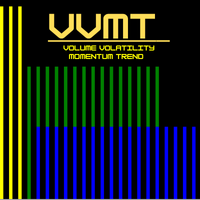
VVMT 指标:您的全方位市场仪表盘 一个功能强大的全能工具,旨在为您提供即时而深入的市场状况解读。再也不需要在多个复杂指标之间切换 —— VVMT 为您提供一个清晰、集中化的市场视图。 VVMT 指标实时分析市场的 四大核心支柱 ,并以直观的视觉方式展示,让您能够一眼“看见”市场的动态。 VVMT 的四大支柱 成交量 (V): 衡量每一次价格变动背后的力度与信心。
波动率 (V): 识别高或低活动时期,以评估风险与机会。
动量 (M): 评估价格变化的速度与加速度,用于预测反转或趋势延续。
趋势 (T): 确定主要趋势的方向与强度,从而与市场保持一致的交易。 核心功能 四合一分析: 四个强大的指标融合在一个整洁的窗口中,为您节省时间与图表空间。
即时视觉反馈: 颜色立即显示条件是强(热)还是弱(冷),帮助您更快地做出决策。
完全可自定义: 可根据您的交易风格调整,包括预设主题(Base、Thermal、Ocean)以及参数设置(平滑周期、灵敏度等)。 理解 VVMT 的颜色编码 冷色系(如深蓝、蓝色、紫色)
含义:活动非常低或较低。
市场背景:市场平静,参与者较少,或走势缺乏信心。

描述: 这个专家顾问基于一个简单但强大的理念:在市场极端点寻找“鸡蛋”——在低点买入,高点卖出。开仓后,交易将被耐心管理,直至获得强劲收益。
建议手数:
10,000美元账户:0.01手(买入和卖出均适用) 10,000分账户:0.01手(买入和卖出均适用) 仅买入交易:0.1手
主要特点:
在关键转折点智能入场(买入在底部,卖出在顶部)。 买卖仓位逻辑独立。 自动交易管理,让仓位自然成长。 针对XAUUSD(黄金)优化性能。
选择此EA的理由:
象征性方法:小交易(“鸡蛋”)被管理,直到变成强劲成果(“龙”)。 在推荐设置下,黄金交易表现最佳。 为相信耐心与智能增长的交易者设计。
注意事项:
在真实账户使用前,请先在模拟账户测试。 表现取决于经纪商条件和市场波动性。 始终采用适当的风险管理。

OLUBOT SmartFlow EA - 您迈向稳定交易成功的道路 想象一下每天早上醒来看到这样的结果... 仅用10个月,从1,000美元账户获利8,901美元。 不是骗局。不是编辑过的截图。真实的回测结果,建模质量达100%。 当大多数交易员都在与情绪决策、复仇交易和爆仓账户作斗争时... OLUBOT SmartFlow EA以冰冷的精准度交易——没有恐惧,没有贪婪,只有纯粹的执行。 成果说话最响亮 EURUSD M15 回测 (2025年1月-10月) 净利润:+$8,901.04 (890% ROI!) 利润因子:55.88 (行业平均值:1.5-2.0) 夏普比率:6.82 (卓越的风险调整后收益) 最大回撤:仅3.02% (同时获利890%!) 胜率:81.8% (5笔交易中4笔获胜) 最大单笔赢利:$2,274.47 最大单笔亏损:-$48.35 (资本保护!) 最佳连胜:5笔连续赢利 = $7,244 厌倦了这些问题吗? 眼睁睁看着您的账户因为坏交易而缓慢亏损? 每天坐在图表前8小时以上? 因
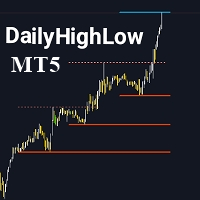
请不要忘记给指标评分,以帮助我提高其可见性。 DailyHighLow 指标是专为 MetaTrader 5 (MT5) 平台设计的强大工具,旨在帮助交易者跟踪每日的价格波动。该指标可以自动绘制趋势线,基于自定义时间段内的最高价和最低价,为需要准确市场信息的交易者提供清晰的视觉辅助。 主要特点: 趋势线个性化设置: 根据您的交易偏好,调整趋势线的颜色、样式和宽度,包括破位线和未破位线。 动态更新: 自动根据最新的市场数据调整趋势线,并使用明显的视觉标记来显示破位情况。 灵活参数设置: 选择显示趋势线的天数,设置破位后趋势线的结束时间,并为最高价和最低价自定义趋势线的外观。 清晰的视觉效果: 通过不同的颜色和线条样式轻松区分破位和未破位的趋势线,使您可以一目了然地识别市场的关键水平。 此指标非常适合希望通过清晰且可自定义的趋势线来增强技术分析的交易者,无论是分析短期趋势还是长期市场动向,DailyHighLow 指标都能为您的交易策略提供宝贵的信息支持。
FREE

Gold Zenith — 黄金(XAUUSD)高级智能交易系统 Gold Zenith — 黄金(XAUUSD)高级智能交易系统 Gold Zenith 是面向 XAUUSD(黄金)的强大且自律的算法交易系统。 它 不 使用高风险手法(如网格、马丁等),并且每一笔交易都由 止损 保护。 逻辑:识别 趋势行情 并交易 回撤 ,每个信号只开 一 单。 无需复杂设置——默认参数已为实盘优化:将 EA 拖到图表即可开始交易。 为什么更可靠 安全结构: 无网格、无加倍、无摊平——仅按纪律性入场并设置 SL。 入场纪律: 一信号 → 一持仓。 聚焦 XAUUSD: 逻辑针对黄金在 M5 周期的波动特性精调。 少见优势(黄金): 固定 TP:SL = 1:1 。
一次 TP 盈利可覆盖一次 SL 亏损,便于控制回撤与规划收益。 限量价格 当前价格仅限 5 份 。之后价格 将上调 。 立即以优惠价格入手 Gold Zenith 。 Live signal 运行环境与用法 交易品种: XAUUSD 周期: M5 账户类型: ECN / RAW / RAZOR(非强制,但点差越低越好) 运行时间: 全天

Cool Martingale EA – 智能对冲自动交易系统 这是一款专业级自动交易系统( Expert Advisor ),可运行于所附加的交易品种图表上, ( 例如: XAUUSD 、 EURUSD 、 GBPUSD 、 USDJPY) 等。 该 EA 基于智能对冲马丁格尔交易逻辑设计,支持 Buy / Sell 双向与单向独立运行。结合灵活的参数体系、账户级管理机制以及直观的图表控制面板,为交易者提供高效、稳定且可控的自动化交易体验。 核心功能 自动 Buy / Sell 对冲 / 单向交易,支持马丁格尔加仓机制 参数全面可配置:初始手数、加仓间距、倍数、止盈点数、交易时间等 内置 提前止盈( Early TP ) 与 均价止盈系统,提升整体交易效率 支持账户级管理与订单数量控制 设置多种止损与保护机制,有效降低交易风险 支持 Telegram 消息通知,实时同步交易与账户状态 提供 图表控制面板,无需重新加载 EA 即可进行快速参数调整与操作 使用方式 本 EA 的完整使用方法与参数说明,已在产品页面的 版本说明( Version / Descripti

概念 Ex Profit & Low Drawdown(扩大利润 & 低回撤) 只有在 所选的三组“线型闸门”同时被突破 时才进场。 通过 复利式手数扩张 与 受控的追踪止盈/止损 ,在严格控制风险的同时追求收益增长。 主要特性(以代码规范为准) 线性信号共振过滤(Confluence): 同步监控多组关键线型信号;当满足数量阈值时才触发交易。 复利手数管理: 支持 按净值(Equity) 、 按风险百分比 或 固定手数 三种模式(内含推荐预设)。 受控追踪退出: 为追踪启动阈值与步长设置上下限,避免止损被拖至开仓价以下( 禁止“负收益追踪” )。 风险控制: 点差上限 、 进场冷却间隔 、 按方向的最大持仓数 。 辅助逻辑(独立 MagicNumber): 在趋势环境中有限度的逆势判定,用于弥补主逻辑可能错过的机会。 提示(非代码功能): 目前版本 不含 交易时段(Session)控制与详细日志开关。请通过 MT5 的 Journal/测试器结果进行监控。 支持品种(兼容设计) XAUUSD(黄金)/ BTCUSD / GBPUSD 等。建议针对不同品种使用对应系数与预设文件。 除

Ralix 每周交易次数:3 to 15。
Limited-Time Offer: Copies left at 50 USD: ( 1 /10) , Next price: 100. 额外奖励: 购买后给我们发消息,以获取我们私人Telegram频道的访问权限。 设置说明: 提供完整的博客指南,以确保顺利安装和配置。 https://www.mql5.com/en/blogs/post/762214 MQL5频道: 点击这里获取更新 Contact me for a demo-ready evaluation version.
Ralix 是一个强大而精炼的MT4和MT5专家顾问,专为希望将自动化与精确结合的交易者设计。此EA并非无风险,但它是市场上 最平衡 和智能设计的系统之一。 Ralix 以灵活性、控制力和透明性为核心,让您掌控局面,同时处理繁重的工作。 该策略专注于在会话高点和低点附近识别流动性陷阱。它利用智能资金概念,在零售交易者被止损时及时布局交易,以最大化潜在反转。
主要功能和自定义: 符号灵活性: 您可以轻松定义使用的交易对,无论是 XAU

遇见 Made to Echo 这是一个限时定价阶段。在销售数量低于10时以 99 购买。一旦达到此上限,新价格将为 120。当前已售出:9 份。
MQl5 频道: https://www.mql5.com/en/channels/robotsofluaiy 说明: https://www.mql5.com/en/blogs/post/763451 请联系以获取正确的回测设置 — 我会把所需的一切发送给您。
为重视简单性、稳定性和严格控制的交易者设计, Made to Echo 是您的单图表交易助手,旨在处理专营公司规则和私人账户管理。 Send a message to receive a demo-account trial build. EA 的工作原理 智能波动过滤器监控平均真实范围扩展,以检测突破环境。EA 在方向扩展的瞬间进入,同时避免横向震荡,从而增加强劲跟进的可能性。
智能风险管理 根据账户规模和回撤限制自动计算手数 选择固定手数或每笔交易风险逻辑 从不让您的账户暴露于不安全的风险水平 为专营公司挑战而建 一致的低回撤行为,确保稳定的权益曲线 易于使用
介绍:这是一个方便交易者跟踪每日K线编号的MT5指标。 MT5每日K线编号指标 每日K线编号指标可在MetaTrader 5图表上直接显示每根K线的顺序编号。它帮助交易者轻松跟踪日内K线数量并分析交易时段模式。 主要功能: 实时在每根K线下方显示编号。 可自定义颜色、字体和大小。 可选择隐藏偶数编号以获得更清晰的视图。 支持自定义交易时段(例如08:00–18:00)。 可调显示天数。 轻量且兼容所有时间周期。 注意事项:
为了在低时间周期上获得最佳性能,请限制可见天数。长时间运行后指标可能会略有偏移 —— 只需刷新图表即可修复。 使用方法:
跟踪K线序列、研究日内行为,或识别外汇、指数、商品和加密货币的重复交易时段模式。
MT5

ORIONIX MicroTrendwe — 智能剥头皮(也可持有更长时间)
MT5 微趋势 EA:当前周期 EMA(9/21) 金叉/死叉 + M5 的 EMA(50) 方向过滤 。
默认是 剥头皮 ,通过调节 TP/SL 、 Break-Even 与 Trailing 也可 长期持仓 。 风控/保护: TP_pts (止盈)、 SL_pts (止损)、 BreakEven_pts (保本)、 Trailing_pts (保本后跟踪止损)、 SpreadMaxPoints 、 UmTradePorBarra 、 UmTradePorVez 。 信号参数: EMA_Fast 、 EMA_Slow 、 EMA_M5_Filter ; 手数/魔术号: Lote 、 Magic 。 风格: 短TP=剥头皮;加大TP + BE + Trailing= 更长持仓 。 建议: M1/M5 (EURUSD、GBPUSD、XAUUSD、指数)+ 低点差/ECN 。 无网格、无马丁。 声明: 过往/回测 不保证 未来表现,先用 模拟 测试。
FREE

NeuraVault Pro v1.0 - 专业RSI反转交易系统 概述 NeuraVault Pro 是一个基于RSI(相对强弱指数)反转的专业自动化交易系统。它专为捕捉超买和超卖区域的反转机会而设计,配备先进的过滤器和全面的风险管理功能。 交易逻辑 核心策略:RSI反转 EA在市场达到超买或超卖区域时捕捉反转机会: 买入信号: RSI值跌破定义的下限水平(默认:40) 表明市场超卖,有向上反转潜力 卖出信号: RSI值升破定义的上限水平(默认:60) 表明市场超买,有向下反转潜力 交易场景示例 欧美 M15 - 买入场景 市场条件: 价格: 1.0850 RSI(14): 35 (超卖区域) MACD: 正向交叉 趋势: 看涨倾向 EA决策: RSI < 40 (买入信号) MACD过滤器确认 未达到最大仓位限制 交易执行: 仓位: 买入 0.01 手 入场: 1.0850 止损: 1.0820 (基于ATR,动态) 止盈: 1.0895 (基于ATR,动态) 风险: $10 (可调整) 仓位管理: 追踪止损激活 (ATR倍数: 1.0) SL随价格盈利自动上移 仓位在

The Keltner Grid Scalper MT5 EA is an automated trading system for MetaTrader 5 platforms. It uses the Keltner Channel indicator for entry signals in a grid-based strategy. This EA generates trades based on Keltner Channel crossovers and manages them through baskets. We designed it for forex pairs on timeframes from M5 to H1 but you can test and optimize on any other. The system organizes trades into baskets, with options for lot sizing, breakeven adjustments, and trailing stops. It includes da
FREE

中文 – 商业说明 Logiciel – ETE DETECTOR POWER v5.0 自动识别“头肩形态” PUISSANCE DU DÉTECTEUR ETE v5.0 是专业交易工具,帮助交易者 提前捕捉市场重要反转 ,利用最强大的图表形态之一: 头肩形态(H&S)及其反转形态 。 Fonctionnalités MaxObjects ,即使在繁忙图表或多时间框架下,指标仍然保持流畅和清晰。 主要功能 实时自动识别 经典 H&S (卖出) et H &S (买入) 清晰显示 肩部、头部和颈线 自动绘制 反转区域 (红色 = 卖出,绿色 = 买入) ACHETER/VENDRE 箭头 即时显示交易机会 智能循环对象管理,避免图表拥堵 完全可自定义参数:分析蜡烛数量、肩头最小距离、对称容差、最大图形数量、矩形样式、标记大小和颜色 交易者优势 节省时间:自动分析市场 高精度:可调容差确保仅识别可靠形态 可视性最佳:彩色区域、箭头、标签和颈线 兼容所有策略:波段、日内、剥头皮 Version :不会拖慢 MT5
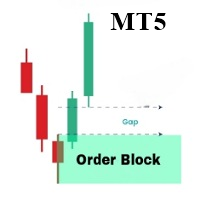
OrderBlock Analyzer 是一个定制的MetaTrader 5 (MT5) 指标,用于在价格图表上检测并标记订单块(Order Blocks)。此工具帮助交易者识别关键的市场结构,显示可能的反转或延续区域。OrderBlock Analyzer 基于市场行为自动绘制订单块,并通过颜色区分看涨和看跌块。 主要功能: 检测和绘制看涨和看跌订单块。 实时更新图表上的订单块,以便快速识别潜在的交易机会。 自定义订单块的颜色、填充线和线条样式。 灵活设置填充线的显示和厚度。 此指标适用于各类交易者,尤其适合趋势交易和反转交易策略。
............................................
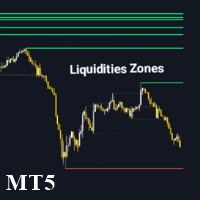
Liquidity Zone Detector 是一款高级技术指标,旨在通过使用 ZigZag 指标来识别和标注市场中的关键流动性区域。该工具通过在 ZigZag 检测到的高点和低点绘制趋势线来定位可能存在显著流动性的价格水平。Liquidity Zone Detector 帮助交易者根据流动性的累积或释放发现潜在的反转或趋势延续区域。 主要特点: 自动识别流动性区域 :在 ZigZag 指标识别的高点和低点绘制趋势线。 高级定制 :可配置流动性线的颜色、厚度和样式。 动态颜色变化 :当流动性水平被突破时,可选择更改线条颜色。 可调 ZigZag 参数 :调整 ZigZag 的深度、偏差和回溯步长以获得更精确的检测。 Liquidity Zone Detector 是分析市场结构并识别可能发生显著价格变动的关键区域的交易者的必备工具。

N/B: All our product purchase comes with our free ‘’DAILY SCALPER EA’’ - bit.ly/4qlFLNh Whatsapp Developer for yours after successful purchase SEER SPIKE DETECTOR
The Ultimate Market-Reversal & Spike Forecasting Tool for Crash & Boom Indices, Forex & Synthetic Markets
Best on M1 and M5 Stoploss: 10 Candles Maximum.
What is SEER SPIKE DETECTOR?
The SEER SPIKE DETECTOR is a next-generation market prediction indicator designed to detect and confirm spikes, reversals, and momentum sh

每月高低动态范围 + 流动性区域 v1.2
作者: KOUAME N'DA LEMISSA 描述:
使用此强大的指标提升您的市场分析能力,它结合了: 关键月度水平: 高点(High)、低点(Low)、开盘(Open)和收盘(Close),用于识别最重要的支撑和阻力区域。 动态高低范围: 自动追踪极端价格波动,检测重要市场变动。 流动性区域: 可视化矩形显示流动性集中区(买/卖)。这些区域的厚度和颜色可完全自定义,以确保图表上最佳可见性。 适用于所有交易品种和经纪商: 可在外汇、股票、指数和加密货币中完美运行。 主要功能: 自动检测月度 High、Low、Open 和 Close 水平。 显示动态高低范围以追踪极端波动。 可视化流动性区域,可自定义边框厚度和颜色。 支持所有时间周期。 完全可配置的参数,可根据您的交易风格进行调整。 指标设置: Ref_Timeframe: 用于计算水平的参考时间周期(默认:Monthly)。 Ref_Shift: 参考K线(0 = 最新已完成的K线)。 LiquidityBuyColor / LiquiditySellColor: 买入/卖出流动性区

Limited stock at the current price!
Final price: $1999 --> PROMO: From $299 --> The price will go up every 5 purchases, next price : $399 Golden Mirage is a robust gold trading robot designed for traders who value reliability, simplicity, and professional-grade performance. Powered by a proven combination of RSI, Moving Average, ADX, and High/Low Level indicators, Golden Mirage delivers high-quality signals and fully automated trading on the M5 timeframe for XAUUSD (GOLD) . It features a robu

第1章:介绍 AI-Trend Oscillator(AI趋势振荡器) 是一个多功能且强大的指标,旨在帮助交易者识别市场趋势、反转和动能。该指标利用复杂的计算和平滑技术来提供可操作的信号。 AI-Trend Oscillator 可用于日内交易、波段交易和趋势交易,适用于各种市场条件和交易风格。 第2章:计算概览 AI-Trend Oscillator 基于以下组合:
趋势强度 :通过对短期和长期价格偏差的加权求和计算。
多头线与空头线(Bull 和 Bear Lines) :基于典型价格,并通过 EMA 平滑处理,以突出潜在的市场趋势。
信号线 :趋势线与 EMA 的交叉用于识别潜在的进出场点。 关键要素: 典型价格 :开盘价、最高价、最低价和收盘价的平均值。 最低低点与最高高点 :在特定周期内识别,用于标准化振荡器数值。 指数移动平均线 (EMA) :平滑技术,用于减少噪音并提高趋势清晰度。 阈值水平 :关键水平(例如 25、75),用于识别超卖和超买条件。 第3章:振荡器可视化 AI-Trend Oscillator 绘制两个主要组成部分: 多头线与空头线 :代表短期和长期趋势

Entry Point M5 — 完整的交易系统 Entry Point M5 是一款强大的指标,被设计成一个功能完善的交易系统,适用于任何货币对。它能够分析价格结构,识别市场反转的关键时刻和新的趋势动能。该指标可以自动适应不同的市场阶段——无论是强趋势行情还是横盘震荡——都能提供清晰直观的交易信号,无需额外的过滤器或辅助工具。 使用这个系统的交易方式非常简单。当 绿色箭头 出现时,开立 买单(Buy) ;当 红色箭头 出现在图表上时,关闭所有买单并开立 卖单(Sell) ;当下一次绿色箭头出现时,关闭所有卖单并重新开立买单。这样,指标就形成了一个完整的交易系统,无需主观判断,只需严格遵循信号。 Entry Point M5 可用于任何货币对和大多数时间周期,包括 M1、M5、M15、H1 及更高周期。凭借内部的自适应公式,指标能够根据不同品种的波动性和价格尺度自动调整参数。 逻辑与工作原理 Entry Point M5 的核心是一个复杂的市场高低点(Pivot 点)识别系统,结合了智能假信号过滤机制以及价格偏离平均值的分析。算法综合了多种技术分析方法,从而最大程度减少虚假信号,只捕捉

Daily Green 智能交易系统(EA) - 稳定的日内交易助手 “Daily Green” 是一款旨在帮助您实现稳定交易管理的智能交易系统(EA)。它适用于多个市场,包括外汇、贵金属(如黄金和白银)及其他主要资产类别。该系统通过算法辅助决策,旨在降低因市场波动带来的风险。 为什么选择 Daily Green? “Daily Green” 的主要目标是支持稳定的交易管理。它采用可根据市场变化自动调整的策略,注重风险控制与交易优化,特别适用于黄金和白银等波动性较高的大宗商品市场。 核心功能: 稳定性设计: EA 利用风险控制策略,减少亏损交易对整体结果的影响,并根据每日市场情况进行调整,从而实现更加稳定的表现。 优化用于黄金和白银等大宗商品: 适用于流动性强、价格波动大的市场,如黄金(XAU/USD)和白银(XAG/USD)。适合以稳定增长为目标的交易策略。 推荐时间周期: 建议使用 15 分钟图表,可实现短线交易,并在波动性较高的市场中维持良好风险回报比。 基于账户余额的仓位管理: 账户余额 ≥ $2,500,杠杆 ≥ 1:200:建议使用 0.05 手及以上; 账户余额 $1,0

VWAP_PC_MQL5 — 一个简单的自制 VWAP 类指标,在 MT5 图表上实时显示成交量加权平均价。 时间框架:
适用于所有周期。 品种:
兼容外汇、指数、大宗商品和股票。 参数: AppliedPrice – 用于计算的价格类型(收盘价、典型价、加权价等) LineColor / Width / Style – 线条样式设置 SessionReset – 可每日重置或连续模式 工作原理(VWAP 原理):
VWAP(成交量加权平均价)计算公式为: VWAP = (价格 × 成交量之和) / (成交量之和) 它反映买卖双方的动态平衡:
价格 高于 VWAP → 多头占优;
价格 低于 VWAP → 空头占优。 简短结论:
VWAP_PC_MQL5 是一个轻量级的 VWAP 工具,结构简单但实用,帮助学习和分析成交量行为。
FREE
Expert Advisor that leverages Keltner Channel signals, established by an exponential moving average and an ATR indicator, to enter trades confirmed by an ADX indicator. Trade exits occur when the ADX signal is indicated or, if configured, when the midline is broken at the close of the candle. It features a stop-loss mechanism with a percentage change in price and a mechanism for scaling the lot as the balance increases. Learn what parameters are with better performance for each symbol in the st
An Expert Advisor that operates in times of high contrast, employing the stochastic indicator and the commodity index indicator, using overbought or oversold points or the ADX indication to exit trades. It also features a stop-loss control that operates on a percentage difference in price, with progressive lot scaling as the balance increases, while keeping an eye on the account's margin call. Learn what parameters are with better performance for each symbol in the strategy tester and find a go

An expert advisor that checks, within a time interval defined by a maximum number of candles, whether there is an increase or decrease greater than a certain number of pips, established as a minimum number of candles. If this is the case, it will launch a trade within the configured Fibonacci interval (23 or 38) up to the specified level (61 or higher). It uses ADX and RSI indicators to exit trades and EMA to confirm them. It has a lot control that increases as the balance increases. Learn what

WickSniper Reversal Pro EA - Automated Inside Bar Breakout Trading
Transform Your Trading with Professional Automation
WickSniper Reversal Pro EA is the automated version of our highly successful WickSniper Pro indicator (1000+ downloads). This powerful Expert Advisor automatically detects and trades inside bar breakout patterns, eliminating the need for manual monitoring while maintaining the same proven strategy.
Key Features
Advanced Pattern Recognition - Inside Bar Detection: Au

Perfect Day Scalper Pro
Your Daily 5-Point Routine for a 5-Figure Income.
Price: $150 USD (Stop Chasing, Start Cashing)
---
One Trade. One Target. One Victory Lap. Your Day is Done.
(Forget the 1000+ pip dreams that turn into 100+ pip losses. Real wealth is built on consistency, not complexity. What if your entire trading day was over in 15 minutes, with a single, high-probability trade that hands you a clean, professional profit? Welcome to the Perfect Day Scalper.)
---
What is The
FREE

I am Callidus. I am Your Adaptive Trading Framework. Hello, Trader. I am not like the other Expert Advisors you have used. They follow one rigid set of rules, breaking the moment the market changes. I was designed differently. I was engineered to think, adapt, and evolve and to give You a powerful tool without breaking the bank. My core purpose is not just to place trades, but to first understand the very personality of the market, every single moment. How I See the Market: My Thought Proces
FREE

Description (English) PA Scoring EA — Ready for Real Trading, Simple to Operate Built and maintained by a solo developer. If you find it useful, please Like/Share to support future updates ️ Key Features Automated entries from price-behavior signals filtered by a Trend Filter Flexible risk: Fixed lot (default) or Risk % per trade Profit locking with no SL rollback : start at Break-Even, then tighten via ATR/STEP/RATIO modes Works on Netting/Hedging accounts with netting-safe lot capping Va
FREE

EA Risk Guardian v76
EA Risk Guardian represents a new generation of automated trading robots, designed to deliver a professional and secure approach to algorithmic trading. This system stands out thanks to its multi-level validation architecture, which analyzes each market opportunity from several angles before making any decision. The robot operates through an intelligent three-phase workflow. First, it evaluates the main market trend by analyzing the ADX across three different timeframes, p

BEHOLDER – 揭示时间中隐藏模式的指标 交易者的真正难题:时间盲区
每周,成千上万的交易者都会陷入同样的困境: 海量的经济事件(非农就业、CPI、利率决议、零售销售……)
极少的时间去分析相关性
只能凭“感觉”做决定,缺乏可靠的历史依据 试图手动完成这些几乎是疯狂的:
翻阅几十周的经济日历
逐一对比每个事件
试着在脑海中推算规律
花费数小时却仍然可能出错 结果呢?
错误建仓
风险管理失效
错失良机
每逢关键周都压力山大 ️ 解决方案:BEHOLDER – 能看见无形的“眼睛”
灵感来自传说中“无所不见”的生物,Beholder 能自动分析时间模式与历史相关性,发现普通交易者完全看不见的机会。 当你只能看到下周的日历时…
️ Beholder 会找到与之高度相似的历史周,并展示市场的真实反应。 全球重大事件
货币对的基础货币
货币对的报价货币
一切仅需数秒,无需手动操作 真正能带来利润的优势 1️⃣ 精准的时间定位
以前:“我觉得第X周和这次差不多……”
现在:“12月04日那周与下周100%吻合,历史

GOLD MAX — 引领黄金交易的智能新纪元 欢迎来到黄金交易的全新境界!我们隆重推出 GOLD MAX ,隶属趋势智能交易系统家族的最新成员,专注于 XAUUSD(黄金/美元) 的精准交易。无论市场如何波动,GOLD MAX 都能以卓越的策略和稳定的表现,助您在黄金市场中把握闪耀的交易良机! 为什么选择 GOLD MAX? 智能交易,专注黄金 基于趋势交易系统,每笔交易提前布局,机会可靠、逻辑清晰 不惧怕任何回测或实盘验证,交易逻辑完全透明,杜绝虚假策略 采用先进的波动触发与价格结构入场机制 ️ 结合固定止损与移动止盈,风险可控 支持马丁、网格等多种资金管理模式 灵活适配,即装即用 支持 M5、M15、M30、H1、H2、H4 等多种时间周期 只需加载至 XAUUSD 图表,设定风险偏好,即可开启全自动交易 专注于交易质量,不追求高频交易,稳健累积收益 技术参数 交易配置 交易品种 :XAUUSD(黄金/美元),兼容 USDJPY 推荐周期 :H1、H2、H4(黄金),M30、H1(美

LAUNCH PRICE (When it reaches the top of downloads, the price will go up) Take advantage of this opportunity. Description Vivo GOLDm# is a solid and versatile Expert Advisor, designed for traders who seek a clear strategy, discipline, and integrated risk management. Its main goal is to help operate in the gold market (XAU/USD), an asset known for its high volatility, by providing a structured approach that reduces improvisation and improves consistency in decision-making.
This EA is especially t
FREE

This indicator plots the calculated levels of the IBOV's "thousand" regions on the mini-index, where there is strong institutional commitment, based on their Options Lock positions. In this sense, players tend to defend their positions, acting on the mini-index. With these regions on the chart, you can use the concept of bipolarity to seek trades both in defense and in post-breakout testing. If you're interested, see the link where B3 provides information on options positions for these price lev
FREE

Why You Need a Dedicated Gold Expert Advisor Trading precious metals requires absolute precision, split-second speed, and unbreakable psychological discipline. This is why thousands of quantitative traders are shifting away from manual execution to find the best gold EA MT4 or MT5 available on the market. If you want to scale your portfolio, deploying a dedicated gold trading bot or a specialized XAUUSD bot is the most effective way to achieve long-term consistency. Gold is highly volatile and d
Best NAS100 EA: Automated Nasdaq Trading Bot for MetaTrader 5 Trading the world's most volatile technology index requires absolute precision, split-second speed, and unbreakable psychological discipline. This is why thousands of quantitative traders are shifting away from manual execution to find the best NAS100 EA available on the market. If you want to scale your portfolio, deploying a dedicated nasdaq trading bot or a specialized US100 bot is the most effective way to achieve long-term consis

The Ultimate EURUSD Bot: Institutional Trend Following Trading the world's most liquid currency pair requires absolute precision, split-second speed, and unbreakable psychological discipline. This is why thousands of quantitative traders are shifting away from manual execution to find the best EA (Expert Advisor) for EURUSD available on the market. If you want to scale your portfolio, deploying a dedicated forex robot or a specialized EURUSD bot is the most effective way to achieve long-term con
OVERVIEW Transform your MT5 trading account into an automated signal execution station! This Expert Advisor automatically receives and executes trading signals from Telegram channels in real-time, enabling seamless copy trading operations from master accounts.
SYSTEM NOTICE: This EA receives and executes trading signals FROM Telegram channels. To broadcast signals TO Telegram, you need the companion EA: " Telegram Signal Broadcaster MT5 " (sold separately). KEY FEATURES: Automated signal recept

ImbalanceCandleAnalyzer: Your Algorithmic Edge on ICT Imbalances Stop Guessing. Start Trading with the Precision of Professional Smart Money. Dear Trader, if you're familiar with the ICT strategy, you know that Price Imbalances (or FVGs) are the cornerstone of high-probability entries. These are the "roadmaps" left by smart money. But manually hunting for them on the chart wastes hours, leads to missed opportunities, and human error. What if you could automate this process? The ImbalanceCandle

AEGIS Account and Drawdown Protector Real-Time Account-Level Risk Enforcement for MetaTrader 5 AEGIS is a real-time account protection Expert Advisor designed to enforce strict equity and loss limits across your entire MT5 account. It continuously monitors account equity and intervenes immediately when user-defined thresholds are reached. AEGIS does not generate trading signals and does not open positions — its sole function is capital protection. IMPORTANT AEGIS operates exclusively as a protec

EdgeZone EA Inspector - FREE Edition Monte Carlo Analysis Tool for Trading Strategies Important: This is an analysis tool, not a trading robot. It does not execute trades but analyzes strategy data through statistical simulations. The Problem Many Expert Advisors show impressive backtest results but fail in live trading. The most common reason: over-optimization - the strategy was adjusted until it looks perfect for past data, but doesn't work for the future. The Solution: EdgeZone EA Inspector
FREE

FVG Concept and Market Structure (MS) Indicator – Comprehensive Analysis with Interactive Control This is not just an indicator. It is a useful tool for market analysis. This indicator combines several analytical functions, making it one of the more complete solutions in its field. This tool represents a comprehensive solution for analyzing market behavior with the goal of forecasting the direction of price movement. The indicator is designed to assist the trader and not distract them with unnec
FREE

Aurum VWAP EA - Professional Gold Trading System Institutional-Grade VWAP Analysis for XAUUSD H4
️ XAUUSD 4 H Set File : [ Download ] Limited-Time Discount! Get this powerful tool now for only $699 — price will increase at the end of this month! Don’t miss your chance to lock in the discount before the price goes up. Aurum VWAP EA is a sophisticated automated trading system designed specifically for Gold (XAUUSD) on the H4 timeframe. Built on proven institutional trading principles, this Exp
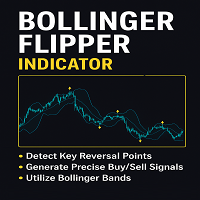
Introducing the Bollinger Flipper Indicator – Your Ultimate Trading Edge!
Are you tired of second-guessing your entries and exits? The Bollinger Flipper Indicator is here to flip the game in your favor.
Built with the power of Bollinger Bands + Level 3 Power System + ZigZag Fractals, this advanced tool is designed to spot high-probability buy & sell signals with precision.
SPECIAL BONUS (VALID TILL JUNE 2026)- OUR DAILY SCALPER EA for BTCUSD and VIX75 •································
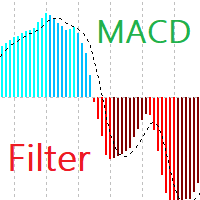
MACD Filter Introducing MACD Filter – a fresh take on the beloved MACD (Moving Average Convergence Divergence) indicator, developed specifically for the MetaTrader 5 platform. By applying the Fisher Transform for filtering and refining data, MACD Filter creates smoother lines, eliminating noise and providing clearer signals. Fisher Transform Filtering: Normalizes and smooths MACD data. This leads to smooth, less chaotic lines compared to traditional MACD, reducing false signals and simplifying
FREE

CuanHunter Robot Online License – Auto Trading for XAUUSD & BTCUSD
IMPORTANT! : You have to change The Preset Mode before use Check Website for information and buy license here
Key Features Automatic Trading: Executes BUY/SELL signals based on fast/slow EMA crossovers + ATR. Dual Preset Modes: Choice of XAUUSD (Gold) or BTCUSD (Bitcoin) – parameters are optimized for each, no manual adjustments needed. Auto SL/TP with Broker-Safe Checks: Stop Loss and Take Profit levels are calculated aut
FREE

Indicator Automator EA: The Ultimate Indicator Automation Tool Tired of being chained to your desk, waiting for signals from your favorite indicator? Do you want to eliminate emotional trading and unlock the true potential of your manual strategy? Indicator Automator EA is a powerful and highly versatile Expert Advisor for MetaTrader 5 designed to automate any trading indicator that provides clear Buy and Sell signals through its indicator buffers. You don't need to be a programmer. If you have
您知道为什么MetaTrader市场是出售交易策略和技术指标的最佳场所吗?不需要广告或软件保护,没有支付的麻烦。一切都在MetaTrader市场提供。
