 MetaTrader 5
 专家
专家
 指标
指标
 程序库
程序库
 实用工具
实用工具
 窗口小部件
窗口小部件
 规则
规则
全新的MetaTrader 5 交易程序库
 一组适用的交易程序库可加速开发交易应用程序。
Read-only basket analytics library for grid and averaging EAs. Real breakeven, what-if, stress test and stop-out distance. Sends no orders.
What it is A library that reads your open positions and tells you the real state of a grid or averaging basket. It does not trade. It sends no orders. It has no entry logic. You call it from your own EA.
What it tells you - Breakeven of the basket, with swap and commission counted - The price where the basket nets a money amount you choose - Where the ave
FREE

Stop training your models on the future. Every quant developer knows the nightmare: a beautiful backtest, then live trading falls apart. The number-one silent killer is lookahead bias — reading a higher-timeframe bar that has not closed yet, or labeling rows with information from the future. One wrong bar shift and your entire dataset is poisoned, and you will never see it in the backtest. MTF Data Core is the multi-timeframe data engine behind kouaAlgo's data tools — now free for MQL5 developer
FREE

Japan Bank Holiday and Gotobi Library 在您自己的 EA、指标或脚本中回答日元市场的日历问题:今天是否为日本银行休息日、是否为五十日(gotobi)、下一次东京定盘价(仲值)在何时,以及按您经纪商的服务器时间,日本现在是几点。 所有规则均通过计算得出,无需更新节假日表。1980-2027 年的结果与日本内阁府公布的国民节假日列表逐日一致。不使用 DLL、不发送网络请求、不读写文件、不含任何交易函数。 可以回答的问题 日本国民节假日,包括调休假日(振替休日)和国民休息日(国民の休日),并给出每个节日的英文名称。 日本银行休息日:周六、周日、国民节假日以及 12 月 31 日至 1 月 3 日。其余日期为营业日。 五十日(gotobi):每月 5、10、15、20、25 日和月末最后一天。若该日为银行休息日,则提前到前一个营业日。 东京定盘价(仲值)的时间:日本时间 09:55。 经纪商服务器时间与日本时间的相互换算。日本不实行夏令时(JST = UTC+9)。 函数 JpIsBankHoliday(date) - 周六、周日、国民节假日及 12 月 3
FREE

A dependency-free MQL5 library of independent building blocks for Expert Advisor developers: risk-based position sizing, stop construction, spread filter, logging, state persistence and a retry state machine. No strategy, no profit claims.
---
ARV EA Toolkit is a dependency-free library of independent modules for MQL5 Expert Advisor developers. Use only what you need; the modules do not depend on each other except for a tiny shared defines header. It contains no trading strategy and makes no

STOP GUESSING GOLD’S DIRECTION. LET THE GRID DO IT. BIDIRECTIONAL GRID EA | XAUUSD | MT5
Gold spikes up. Gold crashes down. Gold fakes you out both ways in the same hour. Most traders lose here because they have to pick a side. This EA doesn’t pick one. It trades both.
Every new candle, it spreads a full ladder of Buy Stops above price and Sell Stops below price. Whichever way Gold moves, the grid is already waiting. When the total basket reaches the profit target, everything closes auto

AsyncPro: MQL5 的 JavaScript 风格 Promise 和非阻塞计时器 "After purchase, I will send you the complete source code with MCP Server . Please leave your email address in the comments."
概述 您是否厌倦了您的专家顾问 (EA) 在执行 Sleep() 、进行外部 API 调用或等待交易确认时完全冻结? AsyncPro 将 JavaScript 异步事件循环的强大功能直接引入 MQL5。它允许您的 EA 在后台执行耗时的任务,而不会阻塞主线程。 主要特点 真正的非阻塞执行: 用 Timer::setTimeout() 替换 Sleep() 。 方法链: 告别混乱的 if-else 代码。使用 .then() 、 .ccatch() 和 .finally() 块处理多步执行。 高级静态方法: Promise::all() 、 Promise::race() 、 Promise::any() 。 防内存泄漏: 内置自动垃圾回收功

MCR ADAUSD — Python local para MT5 mcr_adausd_python.py es un script independiente para Windows con el terminal MetaTrader 5 abierto y conectado . No usa credenciales ni conexiones MT5 en Replit. El modo predeterminado solo observa ; no llama a order_send . Reproduce la dirección R de 15 barras diarias cerradas y las presiones de volumen de ticks de M1/M5/M15/M30 del EA experimental de fases. No utiliza datos de volumen institucional. Advertencia: aún no hay backtest de ADAUSD ni ejecución demo

XAUUSD BREAKOUT EA — Stop Predicting the Market. Trade the Breakout. You do not need to sit in front of the chart all day waiting for gold to break support or resistance. This XAUUSD Breakout EA is designed to identify market consolidation, detect meaningful price expansion, and automatically execute trades when predefined breakout conditions are met. BACKTEST RESULTS — 99% QUALITY Initial Deposit: $1,000
Total Net Profit: +$21,115
Profit Factor: 2.37
Expected Payoff: $213 per trade
Total Tr

Nexus Quant Matrix MT5 Nexus Quant Matrix 是专为 MetaTrader 5 原生打造的机构级量化计算与流式统计分析库。专为量化交易开发者、系统化对冲基金与程序化策略架构师设计,无需依赖任何外部 Python、C++ 或 DLL 动态链接库,直接在 MQL5 原生运行环境中提供极速数值计算支持。 该库具备严格的 O(1) 计算复杂度,依托预分配环形缓冲区与 Welford 增量算法原理,彻底消除了动态内存重新分配带来的性能开销。系统整合了自适应一维卡尔曼滤波(Kalman Filter)、滚动双变量皮尔逊相关系数(Pearson Correlation)、最小二乘法线性回归(OLS)、经厚尾修正的 Cornish-Fisher 在险价值(VaR)、预期亏损(CVaR / Expected Shortfall)以及受保证金严格约束的凯利公式(Kelly Criterion)头寸管理。 核心功能架构 流式统计矩引擎 (CStreamingStats) 实时计算滑动窗口内的均值、样本方差、标准差、偏度(Skewness)与峰度(Kurtosis

用于 MetaTrader 5 的 DhanHQ v2 API 桥接程序
将 MetaTrader 5 连接到您的 DhanHQ 交易账户,直接通过 MQL5 管理订单、
持仓、资金和投资组合。该库封装了官方 DhanHQ v2 REST API(支持 NSE、BSE、MCX),
让您能够在 Dhan 平台上构建自己的 EA(智能交易系统)、脚本和自动化策略。
功能特性
- 完整的订单生命周期管理:下单、修改、取消、拆单、查询订单簿、按 ID 查询订单、
按关联 ID 查询订单、查询成交记录及按订单查询成交明细。
- 订单辅助功能:市价单、限价单、止损单(Stop-Loss)和止损市价单(Stop-Loss-Market)。
- 超级订单(区间/Bracket 订单):下单、修改子单、取消子单、查询列表。
- 投资组合:持仓资产、持仓明细、转换持仓、平掉所有仓位。
- 资金管理:资金限额查询及保证金计算器。
- 交易控制:紧急停止(Kill Switch)功能。
- 身份验证:使用 access-token 标头(header)及 Dhan 客户 ID。
- 静态 IP 白名单(设

Auto trading so strong mt5 trading script so rich and running amazing auto trading trades with so high quality performance and results Look that is the best trading script that will help you to make good results like in screenshots i built that strategy depend on Envelopes indicator to make that script trading in that area excellent scalping trades and gain maximum good results per trade so i built that strategy manually then I make it auto trading so to start use that script add to scripts aft

ตัวชี้วัดการกลับตัวของราคาแบบมืออาชีพสำหรับ MetaTrader 5 PA Reversal Sniper เป็นตัวชี้วัดแบบกำหนดเองสำหรับ MT5 ที่ออกแบบมาโดยเฉพาะสำหรับ XAUUSD ในกรอบเวลา M5 โดยเน้นที่การเคลื่อนไหวของราคา โครงสร้างการกลับตัว การกวาดสภาพคล่อง การแตกหักของโครงสร้างตลาด สภาวะโมเมนตัม และการยืนยันความผันผวน ตัวชี้วัดนี้ให้สัญญาณซื้อและขายที่ชัดเจน พร้อมด้วยจุดเข้าซื้อ จุดหยุดขาดทุน และจุดทำกำไรหลายระดับ คุณสมบัติหลัก XAUUSD M5 ปรับแต่งแล้ว การตรวจจับการกลับตัวของราคา การตรวจจับแท่งเทียน Pin Bar ขาขึ้นและขาลง การตร

Apex Adaptive Risk Engine
Apex Adaptive Risk Engine is an advanced risk management library for MetaTrader 5 developers.
It is designed to help MQL5 developers integrate professional risk controls into Expert Advisors without rebuilding the same risk-management infrastructure for every project.
Unlike a basic lot-size calculator, Apex Adaptive Risk Engine can dynamically adjust risk according to volatility, account drawdown and consecutive losing trades while also providing essential trade pr

```text IndexRaider Library 将 IndexRaider 核心引擎以可调用函数的形式提供:包括流动性扫单(SFP)检测、H4 趋势方向判断、Fair Value Gap 确认,以及整个 IndexRaider 产品系列所使用的基于风险的仓位计算功能。
您可以基于相同的规则构建自己的 Expert Advisor、指标或交易面板——Library 负责分析,您的程序负责做出交易决策。
它提供的函数
- IXR_Drive(symbol) — 基于 H1 数据推进每个交易品种的状态机;可在每个 tick 或定时器中调用。每根完整收盘的 H1 K 线只执行一次,并返回当前阶段: 0 = 空闲 1 = 已检测到流动性扫单 / 等待确认 2 = 交易 setup 已激活
- IXR_Setup(symbol, direction, entry, sl, tp) — 当阶段为 2 时返回已激活 setup 的价格水平: 入场位于 gap 边缘, 止损位于 sweep 影线之外, 目标位于被扫荡区间的另一端
- IXR_Bias(symb

TradeJournal AutoExporter is a powerful utility designed for MetaTrader 5 that automatically captures and logs your trading activity in real time. Eliminate manual record-keeping and keep your focus entirely on the market. Key Features: Automated Data Capture: Instantly logs detailed trade statistics—including open/close prices, lot sizes, trade duration, commissions, swap, and profit/loss—the moment a trade closes. Seamless Exporting: Automatically saves your trade history into clean, structure

Behavioral Tilt Circuit Breaker A smart psychological mirror for traders. Revenge trading happens when you least notice it. Instead of forcing you out of the market with annoying trade blocks, the Behavioral Tilt Circuit Breaker acts as an instant visual "pattern interrupt" to help you regain control. What It Does Monitors Your Trades in Real Time: Detects key emotional triggers, such as 3 consecutive losses or rapid-fire entries (e.g., 3 trades within 15 minutes). Triggers a Visual Reset: When

MT5 to Delta Exchange API Bridge EA Connector allows your expert advisor with mq5 file to integrate and communicate with Delta Exchange using API Keys You can place order, check balance and other order managements using Delta Exchange API - Place Limit, SL Limit and Take Profit Limit Orders - Place Market, SL-Market, TP-Market orders - Cancel Order - Query Orders - Change Leverage, margin - Get Position info and many more, details available at demo script Script Documentation

This library will allow you to send your trades using your MT5 EA bot and its very easy to integrate on any EA which you can do yourself with the script code which is mentioned in documentation. This product allows trading operations via API For MEXC chart : Renting Crypto Charting for OHLC data or Crypto Ticks with Order Book Depth is optional - Supports MEXC API calls - Place Limit, SL Limit and Take Profit Limit Orders - Place Market, SL-Market, TP-Market orders - Modify Limit order - C

适用于 MetaTrader 5 的 ModernUI 库 ModernUI 是一个用于 MetaTrader 5 的图表内用户界面库。它可以帮助 MQL5 开发者在 MT5 图表环境中构建更清晰的 EA 面板、仪表盘、设置窗口、表单、表格、对话框、抽屉式面板以及紧凑型交易风格界面。 它适合希望获得比零散图表对象更专业的界面层,同时仍然完全掌控自己 EA、指标或工具逻辑的开发者。 Modern UI - 用户指南 | EA 示例演示
你可以构建什么 ModernUI 并不局限于某一种面板类型。它为你提供了一个可复用的界面层,几乎可以用于任何你想在 MetaTrader 5 图表中构建的工具。 你可以用它创建简单的设置界面、紧凑型交易面板、完整仪表盘、数据视图、控制面板、账户工具、流程界面、监控界面、实用工具窗口、商业 EA 前端界面等等。 随附的演示展示了几个实用示例,但它们只是起点。如果你的 MQL5 项目需要按钮、输入框、表格、对话框、标签页、抽屉面板、图表、状态区域,或需要一种更清晰的方式在图表上展示信息,ModernUI 都可以为你提供构建模块。 主要功能 适用于 Me

CRingBuffer - Numeric ring buffer with lightweight high-performance statistics engine
CRingBuffer is a powerful MQL5 library for numeric rolling-window analysis. After each insertion it immediately provides mean, variance, standard deviation, percentiles, z-scores, min/max tracking and normalized values - all in O(1) to O(n log n). Table of contents: Application area
Two operating modes Basic statistics Welford statistics (numerically stable, recommended for large price levels) Percentiles Z-s
FREE

A complete PostgreSQL client implemented in pure MQL5 over native MetaTrader 5 TCP sockets. The library implements the PostgreSQL client with MD5 and SCRAM-SHA-256 authentication, SSL/TLS, the Simple Query Protocol, and explicit transactions. No DLLs, no external dependencies, no third-party services. Features
Direct TCP connection to any PostgreSQL-compatible database MD5 and SCRAM-SHA-256 authentication, auto-detected SSL/TLS via PostgreSQL's SSLRequest flow Full transaction support Typed res

Clean dual-tab panel: TRADE and SETTINGS are on separate tabs, with dark and light themes and a live dashboard showing balance, equity, floating P&L ($ and %), open positions, total lots, and spread. Edit directly on the chart: Change lot size, SL, TP, or risk by clicking the value and typing, or with the +/− buttons. Settings are saved and reload automatically after a restart. 1-click execution: Market orders, Buy/Sell Limit, and Buy/Sell Stop orders, all with SL and TP attached. Split orders:

SimpleLotCalculator: Professional Multi-Symbol Risk Manager Library Stop guessing your lot sizes and start trading with institutional precision.
SimpleLotLogic is a high-performance MQL5 developer library designed to solve the number one problem for algorithmic and manual traders: Risk Management. Instead of writing complex math for every new EA, simply plug in this library to calculate the perfect lot size based on your account equity and stop-loss distance.
Why Choose SimpleLotLogic? Precis

AI Utility Library for MQL5 The AI Utility Library for MQL5 is a next‑generation development framework that brings artificial intelligence, adaptive logic, and intelligent data processing directly into the MetaTrader ecosystem. Designed for traders, quants, and algorithm developers who demand more than traditional indicator logic, this library transforms MQL5 into a smarter, more predictive, and more efficient environment for building advanced trading systems.
Built with a modular architectur

BOSS`s Scalping Assistant — это вспомогательный эксперт-советник, предназначенный для упрощения и оптимизации ручной торговли по скальпинг-стратегиям. Советник не открывает сделки автоматически, а помогает трейдеру управлять позициями и рисками. Управление рисками Take Profit (TP) — автоматическая установка уровня прибыли Stop Loss (SL) — контроль убытков Trailing Stop (сопровождение сделки) Функция трейлинг-стопа может быть включена или отключена После достижения заданного уровня прибыли стоп-л

More speed, precision, and control in your operations
Introducing the StreamDeck for Trading, pre-programmed with Hotkeys, a solution developed to make your order execution much faster and more efficient.
With dedicated Buy and Sell buttons, you execute trades with just one touch, with programmable Stop Loss and Take Profit, ensuring greater control over risk management.
The system also features automatic Trailing Stop, which follows market movement and intelligently protects your profits wi

EX5 信号复制库 — 适用于 MT 的专业交易事件引擎
无需编写复杂的交易跟踪逻辑,即可将任何智能交易系统 (EA) 转换为强大的交易复制器、信号处理器或自动化引擎。
EX5 信号复制库是一个高性能的事件驱动系统,能够捕获 MetaTrader 5 中的所有交易活动,并将其转换为结构化信号,您可以利用这些信号构建:
交易复制器(MT5 → MT5 / MT5 → 外部)
风险管理引擎
分析仪表盘
自定义执行桥接(币安、API 等)
为什么选择此库?
实时交易检测
结构化信号队列
事件分类(开仓、平仓、修改、部分平仓)
内置复制引擎(可选)
通过自定义逻辑实现完全控制
主要特性
实时交易捕获
使用 OnTradeTransaction 即时检测每一笔交易
备份轮询系统确保不遗漏任何信号
完整的交易生命周期支持
捕获所有操作:
买入/卖出
限价/止损单
止损/止盈修改
部分平仓
持仓平仓
反向交易
成交量增加
信号队列系统
线程安全的内部队列
按顺序处理信号
即使在高负载下也不会遗漏任何事件
内置复制引擎

该库允许您使用任何 EA(智能交易系统)来管理交易,并且非常容易集成到任何 EA 中。您可以通过描述中提供的脚本代码自行完成集成,同时还有演示视频示例,完整展示了整个流程。
该产品允许通过 API 在 Bybit 交易所执行交易操作。 图表说明: 用于 OHLC 数据的加密货币图表租赁,或带有订单簿深度的加密货币 Tick 数据是可选的。 下限价单和市价单 修改限价单 根据订单 ID 取消单个订单或取消所有订单 查询订单 更改杠杆 获取持仓信息 创建 Bybit 交易品种 从任意自定义日期加载 K 线历史数据 以及更多功能…… 脚本文档
该库允许您使用任何 EA(智能交易系统)来管理交易,并且非常容易集成到任何 EA 中。您可以通过描述中提供的脚本代码自行完成集成,同时还有演示视频示例,完整展示了整个流程。
该产品允许通过 API 在 Bybit 交易所执行交易操作。 图表说明: 用于 OHLC 数据的加密货币图表租赁,或带有订单簿深度的加密货币 Tick 数据是可选的。 下限价单和市价单 修改限价单 根据订单 ID 取消单个订单或取消所有订单 查询订单 更改杠杆 获取持仓信息 创建

Universal MarketInfo Service Library for MT4 & MT5
Bring simplicity and power to your trading projects with the Universal MarketInfo Service — a professional library that exposes a unified API for both MetaTrader 4 and MetaTrader 5.
No more rewriting code for each platform. With this library, you can: Access symbol data, OHLC prices, spreads, and volatility with a single call. Query account balance, free margin, stop levels, and lot constraints. Work with currency precision, pip values, and n
FREE

TradeGate – Product Description / Brand Story
“The gatekeeper for your trading success.” Overview:
TradeGate is a professional MT5 validation and environment guard library designed for serious traders and EA developers who demand safety, reliability, and market-ready performance . In today’s fast-moving markets, even a small misconfiguration can cause EAs to fail initialization, skip trades, or be rejected by MQL5 Market. TradeGate acts as a smart gatekeeper , ensuring your EA only operates un

Important: This product is a Library for developers . It is suitable only for users who can write/modify MQL5 code and integrate a compiled library into their own EA/Script. It is not a “drag & run” notifier. Telegram SDK helps you send Telegram messages and photos from MetaTrader 5 in a simple and reliable way. Use it when you want Telegram notifications inside your own automation tools. If you need the MetaTrader 4 version, it is available separately in the Market: Telegram SDK M T4 . Main f

INTRODUCING MML Data Bridge The demand for bridging external data and machine learning with trading platforms is higher than ever. MetaTrader 5 is a powerful environment for trading and back testing, but without a data bridge, MT5 is largely isolated from using any external data. MML Bridge is a developer tool that allows users to bridge external data into MT5 for back testing, live trading, and optimization. It's built for ease of use, providing users with a simple function API that drip-feeds
FREE

本 EA 专为震荡 / 横盘行情设计。
在设定区间内自动补单交易
EA 仅在 预先设定的价格区间内运行 。
当订单平仓、成交、取消后(单数量少了),EA 会自动补充新的订单,以维持交易策略的持续运行。
您以通过 Max Orders 来控制最大订单数量。 示例: 最大订单数(Max Orders):8 当前持仓订单:2 单 挂单 Buy Limit:6 单 在这种情况下,EA 不会继续下新单。
只有当订单 平仓、成交 、 取消 后,EA 才会 自动补单 ,持续捕捉 震荡行情 中的利润。
注意: Buy Limit 订单 只会挂在当前市场价格的下方 。
产品参数说明 Trade Symbol :
交易品种 XAUUSD、USDJPY、BTCUSD 等等...
区间设置 Zone Low :区间下边界 Zone High :区间上边界 说明:
例如,您将黄金的交易区间设定为: Zone Low :4420 Zone High :4455 EA 只会在该价格区间内挂单并自动交易。
当价格突破区间范围时,EA 将停止交易。
当价格回到区间内,EA 会自动恢复交易。
订单设置

本 EA 专为震荡 / 横盘行情设计。
在设定区间内自动补单交易
EA 仅在 预先设定的价格区间内运行 。
当订单平仓、成交、取消后(单数量少了),EA 会自动补充新的订单,以维持交易策略的持续运行。
您可以通过 Max Orders 来控制最大订单数量。 示例: 最大订单数(Max Orders):8 当前持仓订单:2 单 挂单 Sell Limit:6 单 在这种情况下,EA 不会继续下新单。
只有当订单 平仓、成交 、 取消 后,EA 才会 自动补单 ,持续捕捉 震荡行情 中的利润。
注意: Sell Limit 订单 只会挂在当前市场价格的上方 。
产品参数说明 Trade Symbol :
交易品种 XAUUSD、USDJPY、BTCUSD 等等... 区间设置 Zone Low :区间下边界 Zone High :区间上边界 说明:
例如,您将BTCUSD的交易区间设定为: Zone Low : 92000 Zone High : 94500 EA 只会在该价格区间内挂单并自动交易。
当价格突破区间范围时,EA 将停止交易。
当价格回到区间内,EA 会自动恢复

本服务程序下载后,将作为 Dom BookHeatMAP Lightning Trading Panel 的服务支持程序使用。 Dom BookHeatMAP Lightning Trading Panel 下载地址: https://www.mql5.com/zh/market/product/159414?source=Site+Market+MT5+Search+Rating006%3aDom+BookHeatMAP+Lightning+Trading+Panel
请您先将下载的文件拖拽至 MT5 数据目录下的对应服务文件夹( `MQL5\Services`)内,并确认文件已成功放置。随后,双击运行启动服务,系统将自动加载相关组件并初始化服务环境。 具体操作位置详见截图:按照截图所示流程完成启动后,Dom BookHeatMAP Lightning Trading Panel 的主界面将正常显示,此时您即可启用其全部功能,体验高效、流畅的 DOM 闪电交易服务,包括实时深度图热力图监控和快速订单执行等核心特性。 请注意,为保障交易系统稳定运行,务必确保该服务程序中设置的交

Modern Dark Chart Theme for MT5 Upgrade your MetaTrader 5 chart into a clean, dark, professional trading workspace. Your chart is your trading office. It is where you analyze the market, test Expert Advisors, review setups, record videos, share screenshots, and make trading decisions. If your MT5 chart looks old, bright, noisy, or unprofessional, your trading environment can feel distracted before you even start your analysis. Modern Dark Chart Theme for MT5 helps you create a cleaner, darker,
FREE

Scan a fixed list of assets (Ibovespa) in the chosen timeframe (TimeFrame). For each pair and for various periods. Calculate a regression model between the two assets (and, if desired, using the bova11 index as a normalizer). Generate the spread of this relationship, its mean, standard deviation, speculative deviation, and betas (B1 and B2). Apply an ADF test without exclusion (cointegration/stationarity). Calculate the Z-score of the current exclusion (how many standard deviations are away from
FREE
点击此处查看我所有免费产品
SignalXpert 是我专为使用 RangeXpert 指标的交易者开发的一款强大的分析工具。 RangeXpert 作为系统的基础,可精确识别市场区域并提供数据, SignalXpert 会对这些数据进行实时分析,从而生成清晰且可执行的交易信号。 这使得系统能够在不同周期中同时监控多达 25 个不同的资产 ,并实时捕捉最重要的市场变化。得益于集成的提醒功能, 可以通过 alert、push 或 email 发送通知 ,确保你不会再错过任何交易机会。安装在 MetaTrader VPS 上后, SignalXpert 可 24/7 全天候运行,为你提供可靠的信号监控。无论你是在规划进场还是出场, SignalXpert 都能为你提供快速而精准的支持,帮助你在波动的市场中自信交易。
规格 与 RangeXpert 无缝集成 - 使用其数据对市场区域和区间进行实时分析。 同时监控多达 25 个资产 - 非常适合多资产和多周期分析。 兼容所有主要市场 - 外汇、货币、金属、股票和指数。
实时信号检测 - 自动识别突破、区间切换和趋势区域。
实时通知 -
FREE

What it does: Scans a fixed list of assets (24-hour US stock pairs from the Pepperstone brokerage) on the chosen timeframe. For each pair and for various periods (Period1…Period100 ABOVE) it: Calculates a regression model between the two assets (and, if desired, using the US500 index as a normalizer). Generates the residual (spread) of this relationship, its mean, standard deviation, correlation, and betas (B1 and B2). Applies an ADF test to the residual (cointegration/stationarity). Calculates

LSTM Library - MetaTrader 5的高级神经网络 专业算法交易神经网络库 LSTM Library为您的MQL5交易策略带来递归神经网络的强大功能。这个专业级实现包括LSTM、BiLSTM和GRU网络,具有通常只在专业机器学习框架中才能找到的高级功能。 "交易机器学习成功的秘诀在于正确的数据处理。 垃圾进,垃圾出 –您的预测质量永远不会超过您的训练数据质量。" — 马科斯·洛佩兹·德·普拉多博士, 金融机器学习进展 主要特点 完整实现LSTM、BiLSTM和GRU 递归Dropout实现更好的泛化 多种优化算法(Adam, AdamW, RAdam) 高级归一化技术 全面的指标评估系统 训练进度可视化 支持通过类权重处理不平衡数据 技术规格 纯MQL5实现 - 无外部依赖 为交易应用程序优化 全面的错误处理和验证 完全支持保存/加载训练模型 详尽的文档 集成说明 要将LSTM Library集成到您的Expert Advisor中,请按照以下步骤操作: 1. 完整库导入 #import "LSTM_Library.ex5" // 库信息 void Get

Overview AlgoNLP.mqh is a standalone MQL5 library that converts human-written trading instructions into structured trade intents that your Expert Advisor (EA) or indicator can understand. Do leave a review if you like :D
Also check out my new Indicator : ALGOCHAMP v3 Plus Example input: Buy gold at 2370 with TP 0.3% and SL 1% Output intent: Side: BUY | Type: LIMIT | Symbol: XAUUSD | Entry: 2370 | TP: 0.3% | SL: 1% | Lot: 0.00 This enables you to build chat-controlled or Telegr
FREE

Questo Expert Advisor (EA) è stato progettato per offrire un'esperienza di trading automatizzata di alto livello, adatta sia ai trader principianti che a quelli esperti. Utilizzando algoritmi avanzati e tecniche di analisi del mercato, l'EA è in grado di identificare opportunità di trading redditizie con precisione e velocità. L'EA è configurabile per operare su vari strumenti finanziari, tra cui forex, indici e materie prime, garantendo una flessibilità senza pari.
Le caratteristiche princip

Sniper Utility Rimani sempre aggiornato sui tuoi trade, ovunque tu sia. Sniper Utility invia notifiche immediate ogni volta che uno dei tuoi ordini raggiunge il Take Profit o lo Stop Loss .
Perfetta per trader attivi che desiderano monitorare le proprie operazioni senza dover controllare costantemente il terminale. ️ Funzionalità principali Notifica istantanea alla chiusura dell’ordine (TP o SL) Compatibile con notifiche push su dispositivi mobili Supporto per ordini manuali, EA e p

TeleSignal EA is an intelligent Expert Advisor designed to automatically send Telegram notifications whenever a position is opened, closed, or modified in MetaTrader 5 .
It allows you to monitor your trades in real time , wherever you are — no need to keep your trading platform open. Through its direct integration with the Telegram API, you’ll receive clear and instant messages showing: Trade opened (symbol, lot size, order type, entry price) Trade closed (exit price, profit/loss, trade du

Turn your manual trades into fully automated profit machines! This powerful MT5 EA takes over the moment you open a position — no delays, no stress. It instantly places Stop Loss and Take Profit, activates customizable trailing, and locks in profits while protecting your capital
Perfect for scalpers: Every trade is immediately secured, giving you the freedom to focus on sniping the best entries while the EA handles all the management work in the background.
Auto SL/TP Full trailin
FREE
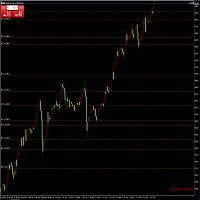
【黄金智能交易EA|风控稳守,盈利突围】 专为黄金波动特性定制的智能交易EA,以硬核交易系统为核心,每笔下单均源自量化模型对行情趋势、支撑压力的精准研判,杜绝主观干扰,让交易决策更客观高效。
搭载多维风控体系,动态止损止盈+仓位智能调控双保险,严格锁定单笔风险阈值,即便面对黄金跳空、黑天鹅行情,也能有效规避大幅回撤,守护本金安全。
更具备浮盈加仓智能算法,趋势明朗时自动放大盈利头寸,让利润在顺势中滚动增长,既不浪费单边行情红利,又通过阶梯式加仓策略平衡风险与收益,实现“风控打底,盈利上不封顶”的交易闭环!
本款EA历经38次修改与测试,每一次升级都境加了EA的稳定盈利能力,才最终确定此为终极版本发布。 本款EA目前只针对现货黄金 交易的长期回测和实盘验证,按照下图设置实现长期的稳定 盈利。如果需要交易期它品种,请根据实际情况更改设置。
本EA为阶梯定价,每卖出10份价格增加10%

Key Features: 200+ Fully Implemented Patterns across all categories Advanced Market Structure Analysis Smart Money Integration (Wyckoff, Order Blocks, Liquidity) Professional Risk Management Multi-Timeframe Analysis AI-Powered Confidence Scoring Advanced Visualization Real-time Alerts Pattern Categories: Single Candle Patterns (Hammer, Doji, Marubozu, etc.) Multi-Candle Patterns (Engulfing, Stars, Harami, etc.) Chart Patterns (Head & Shoulders, Cup & Handle, Triangles, etc.) Harmonic Pattern
FREE

突破交易策略:智能风控系统升级版 当价格突破关键阻力位时,往往意味着趋势的质变时刻。我们的突破交易策略通过三重智能系统——动态阈值识别、量能验证机制和自适应止损算法,帮助交易者精准捕捉这些跃迁机会。 核心优势: 智能预警:实时监测200+技术指标,自动标记潜在突破位 风险对冲:突破失败时自动触发0.5秒内止损,保护本金安全 多周期验证:结合日线/4小时/1小时数据过滤假信号 实战案例: 2025年第二季度,该策略在现货黄金市场实现连续23次有效突破,平均持仓周期缩短至4.7小时,收益率达传统趋势策略的3.2倍。 智能风控系统: 动态止盈:根据ATR指标自动调整止盈位,锁定利润的同时保留上行空间 分级止损:首次突破失败后自动切换至1:1盈亏比保护模式,二次突破确认后恢复原策略 本EA依下图设置做黄金1小时图线,经长时期实盘验证年利润达到30多倍,修改参数可以用作比特币和纳斯达克指数都有很好的收益。

Close All Trades - MT5 UI Tool Features - Trading Executions Simplified! One-Click Buy/Sell Buttons : Instantly place buy or sell orders for trades with a single click, streamlining order execution from the desktop. Customizable Lot Size & Parameters : Enter desired lot size, stop-loss (in decimal places e.g. 7 SL Units for 0.7 below or above for buy or sell), take-profit ( in decimal places ), and the number of trades before submitting (1,2,3,4,5 etc.), allowing precise control over each trade

BlitzGeist Telegram Notifier – Stay Connected to Your Trades Anywhere! BlitzGeist Telegram Notifier is a powerful tool that instantly connects your MetaTrader 5 account with Telegram .
No matter where you are – you will always receive real-time notifications about your trading activity directly on your phone, PC, or any device with Telegram installed. Perfect for traders who want professional trade reporting, transparency, and risk management monitoring . ️ Key Features Easy Configuratio

This script is simply used to convert candlesticks into excel. This is beneficial to use when intergrating CHATGPT, CLAUDE AND ALL THE AIs.
Better to use this than a screenshot like other do! Thank me later!!
Just attach to the chat and you will find the converted excel in: C:\Users\Username\AppData\Roaming\MetaQuotes\Terminal\E3E3B02889D32F38295D39BF94B6AD4A\MQL5\Files

静态文本显示 是一个轻量且用户友好的 MetaTrader 5 专家顾问(EA),旨在通过在您的图表上直接显示激励性交易提示来启发和教育交易者。凭借优雅的居中黑色背景和等宽字体白色文本,该 EA 以轮换片段形式提供简洁、可操作的建议,帮助您专注于纪律交易。适合初学者和经验丰富的交易者,它倡导风险管理、耐心和策略开发等关键原则。 主要功能: 动态提示显示 :将用户定义的交易提示分割为 50-60 个字符的可读片段,每隔几秒轮换一次(持续时间可自定义)。 专业设计 :在图表顶部中心显示提示,带有黑色背景,确保可读性和均匀填充。 响应式定位 :在图表大小调整或切换时自动调整文本和背景对齐。 可自定义设置 :根据您的偏好调整字体大小、文本颜色、背景颜色和显示持续时间。 开关控制 :无需移除 EA 即可轻松启用或禁用显示。 轻量高效 :资源占用极低,不影响平台性能。 为什么选择静态文本显示? 无论您是想提升交易纪律还是寻求每日动力,此 EA 始终将核心交易智慧置于显眼位置。默认提示强调风险管理、策略测试和情绪控制,但您可以自定义文本以匹配您的交易理念。适合重视教育和一致性的交易者。 输入参数:
FREE

License Panel Integration Guide This EA uses a license panel system to verify usage before running trading logic. File Placement Place LICENSE_SINGLE.mqh in the same folder as your EA .mq5 file. If using a subfolder, update the #include path in the EA file. Integration Steps Include the License File #include "LICENSE_SINGLE.mqh" Initialization (OnInit)
Call the license check when the EA starts: VerifyLicense(); Deinitialization (OnDeinit)
Clean up license resources when EA is removed: HandleLi

Smart Trading EA – Capture Every Bullish & Bearish Opportunity!
Maximize your profit potential with an Expert Advisor that leverages price movements in both Bullish and Bearish trends , designed for XAU (Gold) , Forex pairs , and Crypto assets . Key Advantages:
Optimized for low time frames – more trading opportunities every day
Clean, easy-to-use interface – perfect for all trader levels
Equipped with Take Profit & Stop Loss for safe risk management
Ideal for both beginners and

Introducing Your New Go-To Trading EA! Boost your trading performance with this Bollinger Bands-based Expert Advisor, specially designed for XAU (Gold) and various Forex pairs.
Why this EA is a must-have: Clean, user-friendly interface – perfect for all trader levels Built-in Hidden Take Profit & Stop Loss for added strategy security Ideal for both beginners and experienced traders
Ready to use out of the box – no complex setup required. Trade smarter, not harder!

This lightweight utility library provides essential functions for MQL5 developers to streamline and simplify expert advisor (EA) and indicator development. Whether you’re building trading algorithms or managing chart resources dynamically, this library offers clean and reusable building blocks to enhance your code quality and reduce repetition. Key Features Price Access Functions ASK(string symbol) – Get the current Ask price. BID(string symbol) – Get the current Bid price. Account Information
FREE

概述
EagleFX 是一个面向 MetaTrader 5 的全自动专家顾问(EA),在多种金融工具上全天候(24/7)执行高精度算法交易策略。它剔除交易决策中的情绪因素,对每个信号进行严格的历史回测,动态调整风险参数,并利用先进的机器学习启发式内存模块不断优化自身性能。 持续、无情绪执行
EagleFX 不知疲倦地 24/7 运行,持续监控价格走势,并在满足预设条件的瞬间执行交易。与易受恐惧与贪婪影响的人类交易者不同,它严格遵循预先编码的策略,杜绝任何情绪偏差。 经过验证的回测策略
所有进出场规则均基于量化指标(如 ATR、EMA、RSI),并在多年历史数据上反复回测以保证统计可靠性并避免过拟合。在上线实盘前,每组参数都经过严格的滚动前测(walk-forward)、不同波动率环境下的模拟,以及趋势和震荡市场条件下的双重优化。 先进架构与自适应
EagleFX 作为独立的 MT5 EA,采用 handle-方式调用指标以提高效率,并借鉴 LLM 代理(如 FinMem、TradingGPT)的分层记忆结构,以优先关注最近的市场动态同时保留长期背景。该多层设计使其信号可实时自适

This simple logging library is designed to provide clear and contextual log output with minimal hassle. It exposes five methods: LogError Message (message) LogWarn Message (message) LogInfo Message (message) LogDebug Message (message) LogTrace Message (message) Each method prints the provided message to the console only if the severity level meets or exceeds the current threshold set by a global variable logLevel. This means you control the verbosity of your application's logs by adjusting logL
FREE

快速关仓,无需任何操作。 当前版本的一键关仓主要针对的是来不及手动关仓的情况,目前是不分交易标的类别,是对所有的持仓进行关仓。 未来可能升级的方向: 1、分类别、分标的关仓。 适用场景:开了多个标的的仓位,并且波动不一,快速频繁的波动影响了整体的判断。 2、增加只关闭盈利仓位、只关闭亏损仓位。 适用场景:持仓较多,趋势发生变化。 个人建议:一般建议选择一键全部关仓,因为如果行情与持仓方向一致,只关闭盈利仓位无形就是扩大了亏损。如果行情方向与持仓方向相反,只关闭亏损仓位,当前已盈利的后面又会变为亏损,盈利无法变现。 3、按照仓位顺序由大到小关仓、按照仓位顺序由小到大关仓。 适用 场景:行情发生波动,对于未来行情判断把握不确定的,可根据自己需求选择仓位关仓顺序,由大到小关仓的话,可以避免亏损的进一步扩大。 4、减小仓位量,保持绝对的安全距离。 适用 场景:对未来趋势相对确定,不想错过当前行情,但是认为当前持仓体量又有点大,想降低仓位。

A free indicator for those who purchase the full version
This indicator is created by this Ai, with your desired settings Artificial Intelligence at your service
Have a complete artificial intelligence and use it in your codes
This artificial intelligence is trained to tell you on each candle whether the market is moving up or down.
In general, artificial intelligence can be used in all markets, all timeframes and all symbols
However, due to the increasing complexity and decreasing accuracy of

Bookeepr is an advanced MQL5 trading bookkeeping software that automates trade logging, tracks real-time P&L, and integrates a ledger-style financial system for deposits, withdrawals, and expenses. It supports multi-currency assets , generates detailed performance reports , and provides risk management tools to help traders optimize their strategies. With secure cloud storage, exportable reports, and seamless MetaTrader 5 integration , Bookeepr ensures accurate, transparent, and hassle-free fina

Pionex API EA 连接器(MT5) – 无缝集成MT5 概述 Pionex API EA 连接器 允许 MetaTrader 5(MT5) 无缝集成 Pionex API ,让交易者直接在 MT5 上执行交易、管理订单、获取账户余额并跟踪交易历史。 主要功能 账户和余额管理 Get_Balance(); – 获取 Pionex 账户的当前余额。 订单执行和管理 orderLimit(string symbol, string side, double size, double price); – 按指定价格下 限价单 。 orderMarket(string symbol, string side, double size, double amount); – 以指定数量执行 市价单 。 Cancel_Order(string symbol, string orderId); – 取消特定订单(通过 ID )。 Cancel_All_Order(string symbol); – 取消该交易对的所有 未完成订单 。 订单跟踪和历史 Get_Order(str

This Pine Script implements a Gaussian Channel + Stochastic RSI Strategy for TradingView . It calculates a Gaussian Weighted Moving Average (GWMA) and its standard deviation to form an upper and lower channel. A Stochastic RSI is also computed to determine momentum. A long position is entered when the price closes above the upper Gaussian band and the Stoch RSI K-line crosses above D-line . The position is exited when the price falls back below the upper band. The script includes commission, cap

适用于 MetaTrader 5 (MT5) 的 UZFX - Set Stop Loss to Breakeven Instantly 脚本是一款功能强大的工具,允许交易者将所有未结头寸的止损点快速移动至其入场价格,确保无风险交易。该脚本尤其适用于有效管理活跃交易,确保一旦头寸出现有利变动,交易者就能免受潜在损失。
(访问简介并查看所有其他 MT4/MT5 产品) (请不要忘记给予评论)
功能: 自动将所有未结头寸的止损设置为盈亏平衡(入市价格)。 通过确保利润和尽量减少潜在损失来加强风险管理。 使用方法 将脚本附加到图表上;它将自动调整所有未结头寸。 如果某个仓位的止损已达到盈亏平衡点,则将跳过该仓位。 注意: 该脚本仅修改现有交易,不会下新订单。 它适用于所有未结头寸,与符号无关。 确保经纪商允许以准确的入市价格修改止损。
FREE
适用于 MetaTrader 5 (MT5) 的 UZFX - 即时关闭所有未结买单和卖单脚本是一款功能强大的工具,交易者只需执行一次操作,即可立即关闭所有活跃的市场头寸。该脚本是紧急交易管理的理想工具,可帮助交易者在剧烈波动、新闻事件或策略调整期间快速退出市场。
功能 关闭所有符号的所有未结买入和卖出头寸。 使用最新的买入价/卖出价,执行准确。 帮助交易者即时退出市场,只需极少的手动操作。 使用方法 将脚本附加到 MT5 图表。 脚本将扫描并关闭所有未平仓的买入和卖出头寸。 专家选项卡中将显示每个平仓订单的确认信息。 注意 该脚本不会删除挂单,只会关闭活跃的市场头寸。 它适用于所有交易符号,而不仅仅是所附图表。 运行脚本前,请确保您要关闭所有仓位,因为脚本会立即执行。 开发者:Usman Zabir - UZ 乌斯曼-扎比尔 - UZFX 版本: 1.00 年份: 2025 网站: https://www.mql5.com/en/users/forextycoons
FREE
适用于 MetaTrader 5 (MT5) 的 UZFX - 所需保证金和最大手数脚本旨在帮助交易者快速确定开立 1 手头寸所需的保证金,并根据其当前账户净值计算可交易的最大手数。该工具对于风险管理和头寸大小至关重要,可帮助交易者有效规划交易。
功能
计算对所选符号开仓 1 手交易所需的保证金。 根据可用资金确定交易者可以开仓的最大手数。 使用当前卖出价精确计算保证金。 使用评论功能直接在图表上显示结果。 帮助交易者在管理杠杆和风险的同时优化仓位大小。 使用方法:
将脚本附加到所需交易符号的图表上。 脚本将计算并显示结果: 1 手所需保证金 基于可用资金的最大可交易手数 结果将显示在图表的左上角。 注意
脚本使用买入订单类型计算保证金。 最大手数是根据净值计算的,而不是自由保证金。 本脚本不进行交易;纯粹用于提供信息。 开发者:Usman Zabir - UZ 乌斯曼-扎比尔 - UZFX 版本: 1.00 年份: 2025 网站: https://www.mql5.com/en/users/forextycoons
FREE

适用于 MetaTrader 5 (MT5) 的 UZFX - 仅删除挂单脚本是一款简单而有效的工具,可自动删除交易账户中的所有挂单(限价买入、限价卖出、止损买入、止损卖出)。该脚本非常适合希望在不影响活跃市场头寸的情况下即时清除挂单的交易者。
查看我的所有其他 MT4/MT5 指标和 EA >> 这里 功能: 删除所有挂单(买入限价单、卖出限价单、买入止损单、卖出止损单)。 不影响未结市场头寸。 通过专家选项卡提供实时执行反馈。 帮助交易者快速重置挂单策略,无需手动干预。 使用方法: 将脚本附加到 MT5 图表。 脚本将自动扫描并删除所有挂单。 注意: 该脚本不会关闭有效交易,只会删除挂单。 运行脚本前,请确保您要删除所有挂单。 它适用于账户中的所有交易符号,而不仅仅是所附图表。 开发者: UZFX-LABS Version: 1.00 Year: 2025
下载 mt4 脚本 : 133840
FREE

UZFX - 删除图表上的所有图形和对象是一个简单而功能强大的Metatrader 5(MT5)脚本,旨在立即从活动图表中删除所有绘图对象。该脚本对于需要从技术分析图,趋势线,斐波那契工具,文本标签和其他对象中快速清除图表的交易者很有用,而无需手动删除它们。
特征:
在活动图表上删除所有对象和图纸。 立即使用单个执行。 显示成功和失败删除的确认消息。 帮助交易者保持清洁无杂乱的图表以进行更好的分析。 用法:
将脚本连接到要删除所有对象的图表上。 脚本将自动循环遍历所有对象并删除它们。 专家选项卡中的一条消息将确认成功删除对象。 注意:此脚本不会影响图表上运行的开放订单,指标或专家顾问,而仅删除仅图形对象。
开发人员:Usman Zabir -UZFX 版本:1.00 年:2025年 网站:https:// www.mql5.com/en/users/forextycoons
FREE

该产品已经开发了 3 年,它是 MQL5 编程语言中最先进的人工智能和机器学习代码库。它已被用于创建多个基于 AI 的交易机器人和指标,适用于 MetaTrader 5。 这是一个高级版,基于免费开源的 MQL5 机器学习项目,链接如下: https://github.com/MegaJoctan/MALE5 。免费版本功能较少,文档较少,维护不足,仅适用于小型 AI 模型。 该高级版包含您编写 AI 交易机器人的所有必需工具。 为什么要购买此库? 非常易于使用,代码语法友好,类似于 Python 的流行 AI 库,如 Scikit-learn、TensorFlow 和 Keras。 文档齐全,提供丰富的视频、示例和文档,帮助您快速上手。 计算优化,性能优越,运行方式类似普通 EA。 无需额外依赖,无需 DLL 文件,所有内容可编译为单一 .EX5 文件,便于测试和分发。 全天候技术支持,我将提供帮助,确保您正确使用,并在问题出现时协助修复。
谁适合使用此库? 具有基本机器学习和 AI 知识的用户。 机器学习爱好者,特别是来自 Python ML 社区的开发者。 MQL5 中级

This library allows you to automatically filter events by symbol. Additionally, it requires the use of "flags" to classify events based on their importance (high, low, etc.). Properties: Our library is simple and only requires the export of four functions to work properly. Requirements: The library uses OnTimer , so it is not compatible with programs that also use this event. If your bot utilizes OnTimer , this may interfere with the library’s functionality and prevent event filtering. We recomm
FREE
MetaTrader市场是独有的自动交易和技术指标商店。
阅读MQL5.community用户备忘更多地了解我们提供给交易者的独特的服务:复制交易信号,自由职业者开发的自定义应用程序,通过支付系统完成的自动付款和MQL5云网络。
