Pionex Crypto API EA Connector for MT5

  • 程序库
  • Rajesh Kumar Nait
    Rajesh Kumar Nait
    嗨,我是Rajesh,一名MQL开发者,拥有信息技术学士学位。拥有超过12年的编程经验,我从PHP开发人员转型为全职MQL5程序员和加密货币交易员。
    在我的当前角色中,我专注于作为日间交易员每日交易$SOL,并在我的销售页面上提供尖端程序出售。这些程序包括本机Websocket加密货币交易所连接实用程序,并通过Websocket和API从所有热门交易所加载图表。它们在VPS上无缝运行,无需外部DLL。
    如果您对加密货币图表或交易工具感兴趣,请随时通过DM与我联系。在我的MQL5销售页面上查看我的加密产品和交易所集成。我提供每天12小时的IST时区支持,每周7天。
  • 版本: 1.0
  • 激活: 20

Pionex API EA 连接器(MT5) – 无缝集成MT5

概述

Pionex API EA 连接器 允许 MetaTrader 5(MT5) 无缝集成 Pionex API,让交易者直接在 MT5 上执行交易、管理订单、获取账户余额并跟踪交易历史。

主要功能

🔹 账户和余额管理

  • Get_Balance(); – 获取 Pionex 账户的当前余额。

🔹 订单执行和管理

  • orderLimit(string symbol, string side, double size, double price); – 按指定价格下 限价单

  • orderMarket(string symbol, string side, double size, double amount); – 以指定数量执行 市价单

  • Cancel_Order(string symbol, string orderId); – 取消特定订单(通过 ID)。

  • Cancel_All_Order(string symbol); – 取消该交易对的所有 未完成订单

🔹 订单跟踪和历史

  • Get_Order(string orderId); – 获取指定订单的详细信息。

  • Get_All_Order(string symbol); – 获取该交易对的所有订单历史。

  • Get_OpenOrder(string symbol); – 获取所有 未完成订单

🔹 交易执行历史

  • Get_Fills_By_Order_Id(string orderId); – 获取指定订单的 成交详情

  • Get_Fills(string symbol); – 获取该交易对的所有成交记录。

为什么选择 Pionex API EA 连接器?

自动交易 – 直接在 MT5 上执行交易,无需手动输入。
实时数据 – 即时获取订单历史、账户余额和市场更新。
快速安全的 API 连接 – 直接连接 Pionex 交易所。
高效的订单管理 – 轻松管理未完成订单和历史订单。
无缝集成 MT5 – 在 MT5 上像交易外汇一样交易 Pionex 资产。
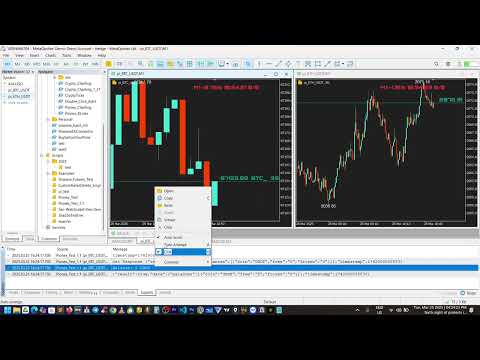
DEMO SCRIPT


推荐产品
Key Features: 200+ Fully Implemented Patterns   across all categories Advanced Market Structure Analysis Smart Money Integration   (Wyckoff, Order Blocks, Liquidity) Professional Risk Management Multi-Timeframe Analysis AI-Powered Confidence Scoring Advanced Visualization Real-time Alerts Pattern Categories: Single Candle Patterns (Hammer, Doji, Marubozu, etc.) Multi-Candle Patterns (Engulfing, Stars, Harami, etc.) Chart Patterns (Head & Shoulders, Cup & Handle, Triangles, etc.) Harmonic Pattern
FREE
ProTradeLib
Noel Anjao Alube
ProTradeLib - Professional MQL5 Trading Library Complete Developer Toolkit for MetaTrader 5 ProTradeLib is a production-ready, single-file MQL5 include library designed for professional developers building Expert Advisors and trading systems. With seven integrated modules, it provides all the essential building blocks needed to create robust, feature-rich trading applications. Key Features 1. Risk Manager Calculate lot sizes based on account balance percentage, fixed USD risk, or fixed lots Enfo
Scan a fixed list of assets (Ibovespa) in the chosen timeframe (TimeFrame). For each pair and for various periods. Calculate a regression model between the two assets (and, if desired, using the bova11 index as a normalizer). Generate the spread of this relationship, its mean, standard deviation, speculative deviation, and betas (B1 and B2). Apply an ADF test without exclusion (cointegration/stationarity). Calculate the Z-score of the current exclusion (how many standard deviations are away from
FREE
Modern Dark Chart Theme for MT5 Upgrade your MetaTrader 5 chart into a clean, dark, professional trading workspace. Your chart is your trading office. It is where you analyze the market, test Expert Advisors, review setups, record videos, share screenshots, and make trading decisions. If your MT5 chart looks old, bright, noisy, or unprofessional, your trading environment can feel distracted before you even start your analysis. Modern Dark Chart Theme for MT5 helps you create a cleaner, darker,
FREE
近段时间买家运行良好,但同时也有朋友担心: 1、EA测试回测数据的真实性; 2、回测效果好不代表实测效果好,而免费演示版的可测试时间太短,无法判断EA的实用性。 针对以上问题,现推出一个完美的解决方案,直接给到限定时间的测试版本,需要的可以私信留言,或者聊天窗口找我,看到后会发送测试版本过来。 此外,为了方便部分已购买源代码的客户熟悉了解代码,进一步优化和提升空间,并且让更多的有意向的客户了解这个EA的编辑逻辑,特将代码拆解,不定期的讲解基本思路,跟着走即便是小白也可以快速上手,以便后续购买源代码后快速上手优化! 知乎专栏: Day01:初始MQL5量化系统 - quanter的文章 - 知乎 https://zhuanlan.zhihu.com/p/1969031679428530490 Wordpress个人网站: https://quanter001.wordpress.com/ 如有任何问题,欢迎邮件沟通:quanter001@163.com ****************************************************************

Behavioral Tilt Circuit Breaker A smart psychological mirror for traders. Revenge trading happens when you least notice it. Instead of forcing you out of the market with annoying trade blocks, the Behavioral Tilt Circuit Breaker acts as an instant visual "pattern interrupt" to help you regain control. What It Does Monitors Your Trades in Real Time: Detects key emotional triggers, such as 3 consecutive losses or rapid-fire entries (e.g., 3 trades within 15 minutes). Triggers a Visual Reset: When
Bober Real MT5
Arnold Bobrinskii
4.88 (16)
Bober Real MT5 是一个全自动的外汇交易智能交易系统(EA)。该机器人创建于 2014 年 ,在此期间完成了大量盈利交易,在我的个人账户上实现了超过 7000% 的收益增长 。经过多次更新, 2019 年版本 是最稳定、最优秀的。机器人可用于任何交易品种,但在 EURGBP、GBPUSD(M5 周期) 上表现最佳。使用错误的参数会导致较差结果。 真实账户的 set 文件仅提供给购买者。 ️ 主要优势 无马丁格尔、无对冲、无加仓,始终使用 SL/TP 。 高速测试与优化。 可选 Dynamic Take-Profit ,自动适应价格通道高低点。 内置 新闻日历过滤器 ,自动避开重大事件。 自动检测 GMT 偏移 。 针对实盘交易长期优化,结果稳定。 设置后可自动运行,无需干预。 参数说明 Core / Trading type_order — 订单执行类型 (默认 ORDER_FILLING_FOK)。 ReverseTrade — 反转交易方向。 ToolEnter — 入场工具 (RSI 或 None)。 RSI304 / NoRSIbars — RSI 周期与
MT5 to Delta Exchange API Bridge EA Connector allows your expert advisor with mq5 file to integrate and communicate with Delta Exchange using API Keys You can place order, check balance and other order managements using Delta Exchange API - Place Limit, SL Limit and Take Profit Limit Orders - Place Market, SL-Market, TP-Market orders - Cancel Order - Query Orders - Change Leverage, margin - Get Position info and many more, details available at demo script Script Documentation 
Trade Panel Pro — MetaTrader 5 专业风险管理与订单执行终端 Trade Panel Pro 是一款先进的一体化 MetaTrader 5 交易与风险管理工具。它专为活跃日内交易者和专业人士打造,将精准的风险计算与极速的订单执行完美结合,助您保护资本,并轻松管理多目标交易。 主要优势与核心功能 自动手数计算: 告别繁琐的手动计算!面板可根据您设定的美元风险金额和止损距离,瞬间计算出精准的入场手数。 ️ 完全交互式视觉线条(杀手级功能): 告别盲目输入数字。直接在图表上拖动入场线 (EP)、止损线 (SL) 和止盈线 (TP) 来管理交易。当您移动线条时,所有风险指标、手数大小和潜在盈利都会实时动态重算! 全面多语言支持: 面板界面自动适配您的语言环境。支持 11 种全球主流语言,确保交易体验舒适便捷。 内置 ATR 波动率仪表盘 通过图表左下角紧凑整洁的 ATR 数据面板,随时掌握市场脉搏: ATR (5D / 12D): 显示当前的波动率数值。您可以根据自己的交易风格,在面板设置中自由切换 ATR 计算周期(5 天或 12 天)。
MT4/5通用交易库(  一份代码通用4和5 ) #ifdef __MQL5__      #define KOD_TICKET ulong      #define KOD_MAGIC   long #else        #define KOD_TICKET long      #define KOD_MAGIC   int #endif class ODLIST; #import "K Trade Lib Pro 5.ex5"       //祝有个美好开始,运行首行加入    void StartGood() ;    //简单开单    long OrderOpen( int type, double volume, int magic, string symbol= "" , string comment= "" , double opprice= 0 , double sl= 0 , double tp= 0 , int expiration= 0 , bool slsetmode= false , bool tpsetmode= false );    //复杂开单
Introducing Your New Go-To Trading EA! Boost your trading performance with this Bollinger Bands-based Expert Advisor, specially designed for XAU (Gold) and various Forex pairs. Why this EA is a must-have: Clean, user-friendly interface – perfect for all trader levels Built-in Hidden Take Profit & Stop Loss for added strategy security Ideal for both beginners and experienced traders Ready to use out of the box – no complex setup required. Trade smarter, not harder!
Gold plucking machine   Gold plucking machine   is an Expert Advisor designed specifically for trading gold. The operation is based on opening orders using the Fast and Slow lines indicator, thus the EA works according to the "Trend Follow" strategy, which means following the trend. Use grid strategy to place orders without stop loss operation, so please make sure the account has sufficient funds. magic number        -  is a special number that the EA assigns to its orders. Lot Multiplier     
This library will allow you to send your trades using your MT5 EA bot and its very easy to integrate on any EA which you can do yourself with the script code which is mentioned in documentation. This product allows trading operations via API For MEXC chart : Renting   Crypto Charting  for OHLC data or   Crypto Ticks with Order Book Depth  is optional - Supports MEXC API calls - Place Limit, SL Limit and Take Profit Limit Orders - Place Market, SL-Market, TP-Market orders - Modify Limit order - C
Trade Assistant Risk Calculator is an all-in-one floating trading panel Expert Advisor for MetaTrader 5, built for professional manual traders. It combines visual chart trading , automatic risk calculation , and advanced position management in one compact interface. Stop calculating lot sizes manually. Stop guessing your Risk:Reward ratio. Drag the planning lines on the chart and the EA calculates the exact lot size for your selected risk percentage, equity, fixed-money risk, or fixed-lot workfl
Trades History Visualizer is a MetaTrader 5 indicator that displays your trading history directly on the chart, providing a clear visual representation of past trades with additional information. Key Features: Visual trade history display with entry arrows Entry, Stop Loss, and Take Profit horizontal lines Color-coded connector lines between entry and exit points (green for profit, red for loss) Risk-Reward ratio display for each closed trade Profit/Loss amount display option Pip display option
SignalXpert
Steve Rosenstock
5 (4)
点击此处查看我所有免费产品 SignalXpert 是我专为使用 RangeXpert 指标的交易者开发的一款强大的分析工具。 RangeXpert 作为系统的基础,可精确识别市场区域并提供数据, SignalXpert 会对这些数据进行实时分析,从而生成清晰且可执行的交易信号。 这使得系统能够在不同周期中同时监控多达 25 个不同的资产 ,并实时捕捉最重要的市场变化。得益于集成的提醒功能, 可以通过 alert、push 或 email 发送通知 ,确保你不会再错过任何交易机会。安装在 MetaTrader VPS 上后, SignalXpert 可 24/7 全天候运行,为你提供可靠的信号监控。无论你是在规划进场还是出场, SignalXpert 都能为你提供快速而精准的支持,帮助你在波动的市场中自信交易。 规格 与 RangeXpert 无缝集成 - 使用其数据对市场区域和区间进行实时分析。 同时监控多达 25 个资产 - 非常适合多资产和多周期分析。 兼容所有主要市场 - 外汇、货币、金属、股票和指数。 实时信号检测 - 自动识别突破、区间切换和趋势区域。 实时通知 -
FREE
Local Copy Trader Utility - Professional Copy Trading System Overview Local Copy Trader Utility is the complete solution for mirroring trades between MetaTrader 5 accounts. With both Master and Slave functionality in one powerful Expert Advisor, it delivers reliable, lightning-fast trade copying with zero external dependencies. Perfect for managing multiple accounts, following trading signals, or transferring trades between brokers, this system ensures your positions stay perfectly synchronized
Apex Fibo Tracer — Smart Auto-Fibonacci Tool Apex Fibo Tracer is a professional analytical indicator that automates one of the most powerful methods in technical analysis — Fibonacci retracement levels. By combining a high-precision ZigZag algorithm with dynamic Fibonacci plotting, the tool delivers instant and accurate visualization of market structure directly on your chart. Most traders lose valuable seconds manually adjusting Fibonacci grids during high volatility. Apex Fibo Tracer eliminate
# RSI Pro Alert - 高级RSI指标 一款功能强大的专业级RSI指标,具备智能警报、定时快照和多维度通知功能,助您精准把握市场机会! --- ## 核心特性 ### 智能信号识别 - **精准交叉检测** :自动识别RSI穿越超买/超卖水平的关键时刻 - **状态跟踪机制** :实时监控市场状态变化(超买/超卖/中性) - **首次加载通知** :指标加载时立即报告当前市场状态 ### 多维度警报系统 - **弹窗警报** :MT5原生弹窗提醒 - **声音警报** :支持自定义买入/卖出提示音 - **文件通知** :自动生成带时间戳的警报日志文件 - **冷却机制** :可自定义警报间隔,避免频繁打扰 ### 定时快照功能 - **定期报告** :可设置15分钟/30分钟/60分钟等间隔自动生成市场快照 - **完整信息** :快照包含RSI值、价格、状态、交易建议等完整信息 - **历史记录** :所有快照自动保存,便于复盘分析 ### 个性化定制 - **自定义水平** :支持调整超买(默认70)和超卖(默认30)
Universal Trend
Maryna Shulzhenko
The Universal Trend indicator was created to detect trends in price movement and allows you to quickly determine not only the direction of the trend, but also understand the levels of interaction between buyers and sellers. The indicator works on all timeframes and currency pairs. The indicator gives fairly accurate signals and it is customary to use it both in trending and flat markets. It is advisable to use the indicator in combination with other tools for more reliable signals and making a
Crystal Dashboard
Muhammad Jawad Shabir
Crystal Profit Dashboard – Real-Time MT5 Account Performance Utility Overview Crystal Profit Dashboard is a lightweight MetaTrader 5 utility that provides real-time profit and loss monitoring directly on the chart. It offers a clean, modern dashboard interface that updates account performance without clutter, allowing traders to focus on execution while keeping essential metrics visible. Designed for scalpers, intraday traders, and swing traders, this tool provides accurate floating profit/los
FREE
Price Magnet — Price Density and Attraction Levels Indicator Price Magnet is a professional analytical tool designed to identify key support and resistance levels based on statistical Price Density. The indicator analyzes a specified historical period and detects price levels where the market spent the most time. These zones act as “magnets,” attracting price action or forming a structural base for potential reversals. Unlike traditional Volume Profile tools, Price Magnet focuses on price-time d
SDZ Trend Pro
Van Toan Nguyen
Overview SDZ Trend Pro is a professional Expert Advisor work for all symbol, recommend  XAUUSD (Gold) trading on the H1 timeframe . It combines dynamic price action patterns, EMA filters, and strict session-based trading logic to identify precise market entries with optimal risk control. This EA is ideal for traders who prefer structured, time-filtered trading during active market hours. ️ Core Features Dynamic Stop Loss (SL) logic Automatically sets SL based on candle pattern Chooses the
HMA Scalper Pro EA
Vladimir Shumikhin
5 (2)
HMA Scalper Pro EA — 基于 Hull Moving Average (HMA) 指标的 MetaTrader 5 自动交易顾问 概述 HMA Scalper Pro EA 是一款专业的 MetaTrader 5 交易机器人(Expert Advisor),根据 Hull Moving Average (HMA) 的方向进行交易。HMA 指标确定当前趋势方向,顾问据此开仓,并辅以 Smart Risk 资金管理、自适应网格交易、追踪止损、保本止损和时间过滤器。 该顾问支持 Netting 和 Hedging 账户,适用于黄金(XAU/USD)、外汇货币对、原油、指数和加密货币的交易。 为什么选择 HMA SCALPER PRO EA - Hull Moving Average 信号 — 基于 HMA 方向入场,该指标对趋势变化的反应快于经典移动平均线 - 多时间框架 HMA 计算 — 方向可在独立于图表时间框架的单独时间框架上计算 - Smart Risk 替代经典马丁格尔 — 每个后续网格订单的手数都比前一个小 - 自适应网格交易 — 固定步长、订单限制、
Trade assistant pro v8
Ahmed Mohammed Bakr Bakr
FREE FREE FREE Trade Assistant MT5 – Professional Trading & Risk Management Panel Trade Assistant MT5 is an advanced trading panel designed to help traders execute orders faster, safer, and more professionally . It simplifies manual trading by combining smart order management , precise risk control , and one-click execution , making it ideal for both beginners and advanced traders. This tool does not trade automatically . Instead, it empowers you with full control while applying professional-gra
FREE
ForexcopyLocalMT5
Wei Ming Ding
3 (1)
使用说明: https://www.mql5.com/zh/blogs/post/754946 MT4版本: https://www.mql5.com/zh/market/product/88205 MT5 版本: https://www.mql5.com/zh/market/product/88204 ---------------------------------------------- 1.复制订单,从12个主帐号到100个从帐号.从帐号数量可以自定,从12个到100个。 2.支持MT4到MT4, MT4到MT5, MT5到MT4,MT5 到MT5. 3.识别不同平台的交易品种后缀,如EURUSD,EURUSDm,EURUSDk. 4.自定义货币匹配,如XAUUSD=GOLD. 5.可复制所有交易,或只复制BUY,SELL,CLOSE指令 6.可选择是否复制止盈止损 7.可反向复制,如主帐号是BUY,从帐户就是SELL,反之也是。当主帐号平仓时,从帐户不管是同向复制还是反向复制,都会同时平仓 8.发生意外如从帐号关闭时,主帐号有平仓信号而从帐号没有及时复制,当从帐号再次启
This indicator presents an alternative approach to identify Market Structure. The logic used is derived from learning material created by   DaveTeaches (on X) Upgrade v1.10: + add option to put protected high/low value to buffer (figure 11, 12) + add  Retracements  value to buffer when Show Retracements When quantifying Market Structure, it is common to use fractal highs and lows to identify "significant" swing pivots. When price closes through these pivots, we may identify a Market Structure S
Smart Trading EA – Capture Every Bullish & Bearish Opportunity! Maximize your profit potential with an Expert Advisor that leverages price movements in both Bullish and Bearish trends , designed for XAU (Gold) , Forex pairs , and Crypto assets . Key Advantages: Optimized for low time frames – more trading opportunities every day Clean, easy-to-use interface – perfect for all trader levels Equipped with Take Profit & Stop Loss for safe risk management Ideal for both beginners and
TradeJournal AutoExporter
Mogae Ronald Sekwababe
TradeJournal AutoExporter is a powerful utility designed for MetaTrader 5 that automatically captures and logs your trading activity in real time. Eliminate manual record-keeping and keep your focus entirely on the market. Key Features: Automated Data Capture: Instantly logs detailed trade statistics—including open/close prices, lot sizes, trade duration, commissions, swap, and profit/loss—the moment a trade closes. Seamless Exporting: Automatically saves your trade history into clean, structure
| Fully-automated Smart Money Concept (ICT) inspired trading solution with multi-strategy capabilities | Built by a grid trader >> for grid traders.  This is MT5 version, click  here  for  Blue CARA MT4  (settings and logics are same in both versions)     Real monitoring signal  -->  Cara Gold Intro Blue CARA EA   ('CARA') - short for  C omprehensive  A lgorithmic   R esponsive   A dvisor is a next-gen  multi-currency    multi-timeframe  EA base on the widely known (and perhaps the most popul
该产品的买家也购买
WalkForwardOptimizer MT5
Stanislav Korotky
3.78 (9)
WalkForwardOptimizer library allows you to perform rolling and cluster walk-forward optimization of expert advisers (EA) in MetaTrader 5. To use the library include its header file WalkForwardOptimizer.mqh into your EA source code, add call provided functions as appropriate. Once the library is embedded into EA, you may start optimization according to the procedure described in the User guide . When it's finished, intermediate results are saved into a CSV file and some special global variables.
ModernUI Library
Levi Dane Benjamin
适用于 MetaTrader 5 的 ModernUI 库 ModernUI 是一个用于 MetaTrader 5 的图表内用户界面库。它可以帮助 MQL5 开发者在 MT5 图表环境中构建更清晰的 EA 面板、仪表盘、设置窗口、表单、表格、对话框、抽屉式面板以及紧凑型交易风格界面。 它适合希望获得比零散图表对象更专业的界面层,同时仍然完全掌控自己 EA、指标或工具逻辑的开发者。 Modern UI - 用户指南   | EA 示例演示 你可以构建什么 ModernUI 并不局限于某一种面板类型。它为你提供了一个可复用的界面层,几乎可以用于任何你想在 MetaTrader 5 图表中构建的工具。 你可以用它创建简单的设置界面、紧凑型交易面板、完整仪表盘、数据视图、控制面板、账户工具、流程界面、监控界面、实用工具窗口、商业 EA 前端界面等等。 随附的演示展示了几个实用示例,但它们只是起点。如果你的 MQL5 项目需要按钮、输入框、表格、对话框、标签页、抽屉面板、图表、状态区域,或需要一种更清晰的方式在图表上展示信息,ModernUI 都可以为你提供构建模块。 主要功能 适用于 Me
Binance Library MetaTrader 5 connects your Expert Advisors, indicators, and scripts to Binance.com and Binance.US directly from MetaTrader 5. It is a developer library for building custom Binance integrations inside MT5, not a standalone trading robot or copier. The library helps you add Binance instruments to Market Watch, read symbol specifications, load current and historical market data, check wallet balances, manage orders, and track open positions. It supports Spot, USD-M futures, and COI
The library is dedicated to help manage your trades, calculate lot, trailing, partial close and other functions. Lot Calculation Mode 0: Fixed Lot. Mode 1: Martingale Lot (1,3,5,8,13) you can use it in different way calculate when loss=1 ,when profit=0. Mode 2: Multiplier Lot (1,2,4,8,16) you can use it in different way calculate when loss=1 ,when profit=0. Mode 3: Plus Lot (1,2,3,4,5) you can use it in different way calculate when loss=1 ,when profit=0. Mode 4: SL/Risk Lot calculate based on s
Friends, join us! Ask questions and connect with like-minded traders: MetaCOT Public Group MetaCOT Information Channel: news, CFTC reports, and signals: MetaCOT Channel Here’s to successful trading and new profitable signals for us all! Attention! Recently, certain countries have been blocking access to the cftc.gov website. As a result, users in these countries are giving the product low ratings. MetaCOT has always adhered to the highest quality standards and is in no way associated with th
This is a simplified and effective version of the library for walk forward analysis of trading experts. It collects data about the expert's trade during the optimization process in the MetaTrader tester and stores them in intermediate files in the "MQL5\Files" directory. Then it uses these files to automatically build a cluster walk forward report and rolling walk forward reports that refine it (all of them in one HTML file). Using the WalkForwardBuilder MT5 auxiliary script allows building othe
OrderBook History Library
Stanislav Korotky
3 (2)
Order Book, known also as Market Book, market depth, Level 2, - is a dynamically updated table with current volumes of orders to buy and to sell specific financial instument at price levels near Bid and Ask. MetaTrader 5 provides the means for receiving market book from your broker, but in real time only, without access to its history. The library OrderBook History Library reads market book state in the past from archive files, created by OrderBook Recorder . The library can be embedded into you
BitMEX Trading API
Romeu Bertho
5 (1)
Cryptocurrency analysis has never been easier with Crypto Charts for MetaTrader 5. Now, trading on BitMEX has never been easier with BitMEX Trading API for MetaTrader 5. BitMEX Trading API library was built to be as easy to use as possible. Just include the library into your Expert Advisor or Script, call the corresponding methods and start trading! Features Trade on BitMEX and BitMEX Testnet. Build and automate your strategies. Concern more with the trading strategy logic and less with the co
Goliath Mt5
Nicolokondwani Biscaldi
Goliath MT5 - scalper fully automated Expert Advisor for medium-volatile forex markets P roperties: The Library trades 10 currency pairs (USDCHF, EURCHF, EURGBP, AUDUSD, USDCAD, GBPUSD, EURUSD, NZDUSD, CADCHF, EURAUD, EURCAD, AUDJPY) The Library does not use martingale The Library sets a fixed stop loss and take profit for all orders The Library only trades a user input volume The Library can be installed on any currency pair and any timeframe Recommendations: Before using on a real account, t
Binance Library
Hadil Mutaqin SE
5 (1)
The library is used to develop automatic trading on Binance Spot Market from MT5 platform. Support all order types: Limit, Market, StopLimit and StopMarket Support Testnet mode Automatically display the chart on the screen Usage: 1. Open MQL5 demo account 2. Download Header   file and EA sample   https://drive.google.com/uc?export=download&id=1kjUX7Hyy02EiwTLgVi8qdaCNvNzazjln Copy Binance.mqh to folder \MQL5\Include Copy  BinanceEA-Sample.mq5 to folder \MQL5\Experts 3. Allow WebRequest from MT5
The library is used to develop automatic trading on Binance Futures Market from MT5 platform. Support Binance Futures USD-M and COIN-M Support Testnet mode Support all order types: Limit, Market, StopLimit, StopMarket, StopLoss and TakeProfit Automatically display the chart on the screen Usage: 1. Open MQL5 demo account 2. Download Header file and EA sample https://drive.google.com/uc?export=download&id=17fWrZFeMZoSvH9-2iv4WDJhcyxG2eW17 Copy BinanceFutures.mqh to folder \MQL5\Include Copy  Bina
1. 这是什么 MT5系统自带的优化结果非常少,有时候我们需要研究更多的结果,这个库可以让你在回测优化时可以输出更多的结果。也支持在单次回测时打印更多的策略结果。 2. 产品特色 优化的输出的结果非常多。 可以自定义CustomMax。 输出结果在Common文件夹。 根据EA名称自动命名,且同一个EA多次回测会自动更新名称,不会覆盖上一次的结果。 函数非常简单,你一眼就可以看懂。 #import "More BackTest Results.ex5" // Libraries Folder, Download from the market. //---Set CustomMax void iSetCustomMax( string mode); //---Display multiple strategy results when backtesting alone (not opt). void iOnDeinit(); //--- void iOnTesterInit(); double iOnTester(); void iOnTesterPass( string lang
AO Core
Andrey Dik
3.67 (3)
AO Core is the core of the optimization algorithm, it is a library built on the author's HMA (hybrid metaheuristic algorithm) algorithm. Pay attention to the MT5 Optimization Booster product , which makes it very easy to manage the regular MT5 optimizer . An example of using AO Core is described in the article: https://www.mql5.com/ru/articles/14183 https://www.mql5.com/en/blogs/post/756510 This hybrid algorithm is based on a genetic algorithm and contains the best qualities and properties of p
EA Toolkit
Esteban Thevenon
EA Toolkit   is a library that allows any developer to quickly and easily program Advisor experts. It includes many functions and enumerations such as trailing stop, lot, stop loss management, market trading authorisations, price table updates, trading conditions and many more. Installation + Documentation : You will find all the information to install this library and the documentation of its functions on this GitHub : https://github.com/Venon282/Expert-Advisor-Toolkit WARNING : The installat
Native Websocket
Racheal Samson
5 (6)
An   easy to use, fast,  asynchronous   WebSocket library  for MQL5. It supports: ws://   and   wss://  (Secure "TLS" WebSocket) text   and   binary   data It handles: fragmented message  automatically (large data transfer) ping-pong   frames  automatically (keep-alive handshake) Benefits: No DLL required. No OpenSSL installation required. Up to 128 Web Socket Connections from a single program. Various Log Levels for error tracing Can be synchronized to MQL5 Virtual Hosting . Completely native t
该库将允许您使用任何 EA 来管理交易,并且非常容易集成到任何 EA 上,您可以使用描述中提到的脚本代码以及显示完整过程的视频演示示例自行完成。 - 下限价、止损限价和止盈限价订单 - 下达市场订单、SL 市场订单、TP 市场订单 - 修改限价订单 - 取消订单 - 查询订单 - 更改杠杆、保证金 - 获取位置信息 和更多... 租赁加密货币图表是可选的,除非您的 MT5 上没有币安图表。 对于脚本演示:单击此处 如果您想与交易面板进行交易,您可能对此产品感兴趣 该产品是加密图表的插件 该库将允许您使用任何 EA 来管理交易,并且非常容易集成到任何 EA 上,您可以使用描述中提到的脚本代码以及显示完整过程的视频演示示例自行完成。 - 下限价、止损限价和止盈限价订单 - 下达市场订单、SL 市场订单、TP 市场订单 - 修改限价订单 - 取消订单 - 查询订单 - 更改杠杆、保证金 - 获取位置信息 和更多... 租赁加密货币图表是可选的,除非您的 MT5 上没有币安图表。 对于脚本演示: 单击此处 如果您想与交易面板进行交易, 您可能对
Hello everyone! I am a professional MQL programmer , Making EAs, Indicators and Trading Tools for my clients all over the world. I build 3-7 programs every week but I seldomly sell any ready-made Robots. Because I am fastidious and good strategy is so few...  this EA is the only one so far I think its good enough to be published here.  As we all know, the Ichimoku indicator has become world popular for decades, but still, only few people knows the right way of using it, and if we check the clo
Applying these methods, I managed to arrive at a nuanced conclusion that is crucial to understanding the importance of unique strategies in contemporary trading. Although the neural network advisor showed impressive efficiency in the initial stages, it proved to be highly unstable in the long run. Various factors such as market fluctuations, trend changes, external events, etc. cause its operation to be chaotic and eventually lead to instability. With these experiences, I accepted the challenge
Introducing "TG Risk Service Manager" — your comprehensive toolkit for swift and precise risk management and lot size calculations in the dynamic world of trading. Designed to streamline development processes and enhance trading strategies, this indispensable library equips developers with essential tools for optimizing risk assessment and trade profitability. Metatrader4 Version |  All Products  |  Contact   Key Features: Efficient Lot Size Calculation : Harness the power of precise lot size c
Introducing "TG Trade Service Manager" — your all-in-one solution for seamless trade management in both MQL4 and MQL5 environments. With a focus on speed, reliability, and convenience, this powerful library simplifies the complexities of trade execution and management, empowering developers with a single interface for enhanced efficiency. Metatrader4 Version   |   All Products   |   Contact   Key Features: Unified Interface : TG Trade Service Manager" provides a unified interface for   MQL4   an
OpenAI Library MT5
VitalDefender Inc.
该库旨在提供一种尽可能简单的方法,直接在MetaTrader上使用OpenAI的API。 要深入了解库的潜力,请阅读以下文章: https://www.mql5.com/en/blogs/post/756098 The files needed to use the library can be found here: Manual 重要提示:要使用EA,需要添加以下URL以允许访问OpenAI API  如附图所示 要使用该库,需要包含以下Header,您可以在以下链接找到:  https://www.mql5.com/en/blogs/post/756108 #import "StormWaveOpenAI.ex5" COpenAI *iOpenAI(string); CMessages *iMessages(void); CTools *iTools(void); #import 这就是您需要的所有信息,以便轻松使用该库。 以下是如何轻松使用该库并与OpenAI的API交互的示例 #include <StormWaveOpenAI.mqh>       //--- 包含用于AP
KP TRADE PANEL EA is an EA MT5 facilitates various menus. KP TRADE PANEL EA is an EA skin care in MT5 is an EA that puts the system automatically in download EA MT5 to test with demo account from my profile page while some Trailing Stop Stop Loss require more than 0 features EA determines lot or money management calculates lot from known and Stop loss TS = Trailing stop with separate stop loss order Buy more AVR TS = Trailing stop plus
这是一个可以定时自动交易的EA。根据你设定的时间,精确到秒,可以设置最多下几单。下单buy或者Sell.可以设置值止盈止损点。并且可以设定在下单后多久平仓。一般都是用来做事件。祝你好运。 请看图片自己根据设定来使用。每一次使用请重新加载EA。不用的时候记得关闭EA按钮。 我来举个例子。比如英国央行利率决议。你在最后两秒下单(设置的是你本机的时间)。因为可能瞬间点差扩大,你可能不敢直接下最大手数,所以你可以选择小手分批从最后5秒开始进场。我相信做过的人知道我说的意思。因为我专业做这个已经十年。最近才做出了这个自动化EA。并且这里面有个检测就是你点击开始之后如果超过了你设定的时间十秒他就不会执行了。保证你的安全。你自己用DEMO账户测试几次你就知道我这个有多好用了!
MyTradingHistory
Max Timur Soenmez
一个易于使用的库,为开发者提供关键交易统计数据的便捷访问,适用于其MQL5 EA。 库中的可用方法: 账户数据和收益: GetAccountBalance() : 返回当前账户余额。 GetProfit() : 返回所有交易的净利润。 GetDeposit() : 返回总存款金额。 GetWithdrawal() : 返回总取款金额。 交易分析: GetProfitTrades() : 返回盈利交易的数量。 GetLossTrades() : 返回亏损交易的数量。 GetTotalTrades() : 返回执行的总交易数。 GetShortTrades() : 返回卖空交易的数量。 GetLongTrades() : 返回多头交易的数量。 GetWinLossRatio() : 返回盈利与亏损交易的比例。 GetAverageProfitTrade() : 返回每笔盈利交易的平均利润。 GetAverageLossTrade() : 返回每笔亏损交易的平均亏损。 GetROI() : 计算投资回报率。 GetLargestProfitTrade() : 返回单笔交易的最大利润。 Get
Molo kumalo
James Ngunyi Githemo
Trading Forex with our platform offers several key advantages and features: Real-time Data : Stay updated with live market data to make informed decisions. User-Friendly Interface : Easy-to-navigate design for both beginners and experienced traders. Advanced Charting Tools : Visualize trends with interactive charts and technical indicators. Risk Management : Set stop-loss and take-profit levels to manage your risk. Multiple Currency Pairs : Access a wide range of forex pairs to diversify your tr
Kaseki
Ben Mati Mulatya
The Hybrid Metaheuristic Algorithm (HMA) is a cutting-edge optimization approach that combines the strengths of genetic algorithms with the best features of population-based algorithms. Its high-speed computation ensures unparalleled accuracy and efficient search capabilities, significantly reducing the total time required for optimization while identifying optimal solutions in fewer iterations. HMA outperforms all known population optimization algorithms in both speed and accuracy. Use Cases AO
该产品已经开发了 3 年,它是 MQL5 编程语言中最先进的人工智能和机器学习代码库。它已被用于创建多个基于 AI 的交易机器人和指标,适用于 MetaTrader 5。 这是一个高级版,基于免费开源的 MQL5 机器学习项目,链接如下:  https://github.com/MegaJoctan/MALE5 。免费版本功能较少,文档较少,维护不足,仅适用于小型 AI 模型。 该高级版包含您编写 AI 交易机器人的所有必需工具。 为什么要购买此库? 非常易于使用,代码语法友好,类似于 Python 的流行 AI 库,如 Scikit-learn、TensorFlow 和 Keras。 文档齐全,提供丰富的视频、示例和文档,帮助您快速上手。 计算优化,性能优越,运行方式类似普通 EA。  无需额外依赖,无需 DLL 文件,所有内容可编译为单一 .EX5 文件,便于测试和分发。 全天候技术支持,我将提供帮助,确保您正确使用,并在问题出现时协助修复。  谁适合使用此库? 具有基本机器学习和 AI 知识的用户。 机器学习爱好者,特别是来自 Python ML 社区的开发者。 MQL5 中级
Shawrie
Kevin Kipkoech
This Pine Script implements a Gaussian Channel + Stochastic RSI Strategy for TradingView . It calculates a Gaussian Weighted Moving Average (GWMA) and its standard deviation to form an upper and lower channel. A Stochastic RSI is also computed to determine momentum. A long position is entered when the price closes above the upper Gaussian band and the Stoch RSI K-line crosses above D-line . The position is exited when the price falls back below the upper band. The script includes commission, cap
Bookeepr
Marvellous Peace Kiragu
Bookeepr is an advanced MQL5 trading bookkeeping software that automates trade logging, tracks real-time P&L, and integrates a ledger-style financial system for deposits, withdrawals, and expenses. It supports multi-currency assets , generates detailed performance reports , and provides risk management tools to help traders optimize their strategies. With secure cloud storage, exportable reports, and seamless MetaTrader 5 integration , Bookeepr ensures accurate, transparent, and hassle-free fina
Ai Prediction MT5
Mochamad Alwy Fauzi
A free indicator for those who purchase the full version This indicator is created by this Ai, with your desired settings Artificial Intelligence at your service Have a complete artificial intelligence and use it in your codes This artificial intelligence is trained to tell you on each candle whether the market is moving up or down. In general, artificial intelligence can be used in all markets, all timeframes and all symbols However, due to the increasing complexity and decreasing accuracy of
作者的更多信息
Malaysian SNR MT4
Rajesh Kumar Nait
Malaysian SNR 是一种由马来西亚交易者使用的支撑和阻力系统,是剥头皮交易者和日内交易者快速找到支撑和阻力的有效方法。 该指标具有以下功能: 面板用于显示/隐藏支撑和阻力 启用影线反转过滤,仅显示经过影线确认的SNR 显示/隐藏价格水平 仅在图表的可视区域内工作,可根据需要缩放窗口以实时更新分析 指标会随着用户移动图表自动更新 Malaysian SNR 是一种由马来西亚交易者使用的支撑和阻力系统,是剥头皮交易者和日内交易者快速找到支撑和阻力的有效方法。 该指标具有以下功能: 面板用于显示/隐藏支撑和阻力 启用影线反转过滤,仅显示经过影线确认的SNR 显示/隐藏价格水平 仅在图表的可视区域内工作,可根据需要缩放窗口以实时更新分析 指标会随着用户移动图表自动更新
Crypto Charting
Rajesh Kumar Nait
5 (5)
Crypto Charting for MT5 – MetaTrader 5 加密货币图表集成工具 概述 Crypto Charting for MT5 通过 WebSocket 提供实时 OHLC 图表数据。支持多家交易所,并可在 MT5 中自动更新历史数据。 功能 实时 WebSocket 数据传输 自动历史数据同步 网络中断后的计划更新 兼容所有 MT5 时间周期 支持 OHLCV 数据格式 支持策略测试器 自动重新连接 支持的交易所 Binance, Bybit, OKX, KuCoin, MEXC, Bitget, XT.com, Delta Exchnage 补充说明 如需获取 Tick 数据和深度数据,可查看名为 Crypto Ticks 的相关产品。 注意事项 不使用 DLL,适用于 VPS 环境。 Strategy Tester 不支持 WebRequest 功能。 如需试用版本,请通过 MQL5 私信联系作者。 Full Documentation & Setup Guide : Click Here
该指标最多绘制 6 个级别,可以根据交易者的要求启用/禁用以使图表更清晰 这 6 个级别分为 2 组:高和低 对于每组,可以选择不同的时间范围 它基于先前高低反转的策略,因为它认为当价格达到每日、每周或每月高低时,价格通常会在更小的时间范围内(如 5 分钟)显示拒绝 特征 : - 在单个图表中跟踪多达 6 个时间帧高低点 - 在这些级别设置警报,邮件、推送或终端警报,当价格触及这些级别时,您将立即收到警报 - 自定义关卡样式,包括线条样式、宽度、颜色等 - 班次:想要跟踪或研究第 2 天或第 3 天的高低?您可以将 shift 设置为 2 用于 2nd Bar 的 High Low 或 3 设置为 3rd Bar 的 High Low 等等。 该指标最多绘制 6 个级别,可以根据交易者的要求启用/禁用以使图表更清晰 这 6 个级别分为 2 组:高和低 对于每组,可以选择不同的时间范围 它基于先前高低反转的策略,因为它认为当价格达到每日、每周或每月高低时,价格通常会在更小的时间范围内(如 5 分钟)显示拒绝 特征 : - 在单个图表中跟踪多达 6 个时间帧高
Double Top and Double Bottom
Rajesh Kumar Nait
5 (3)
This indicator finds Double Top and Double bottom Example : What is Double Top When price establishes a new high and then falls, then reverse to the same candle area of High then its considered a valid double top and vice versa for double bottom. 1. It plots and high and low on visible chart if ChartChange is set to true else it searches on new bar opening 2. If there is double top and double bottom found in visible chart window then it plots a line 3. It has options to customize text color, tex
FREE
Crypto Ticks and Depth
Rajesh Kumar Nait
5 (2)
Crypto Ticks for MetaTrader 5 – 实时加密货币行情与订单簿集成 概述 Crypto Ticks 可将主要加密货币交易所的实时逐笔数据和订单簿深度直接传输至 MetaTrader 5。专为需要精准行情的高频交易者与算法策略开发者设计。 支持的交易所 Binance:现货 和期货 KuCoin:现货和期货(支持图表订单簿) Bybit:期货和反向期货 XT.com:现货和期货 主要功能 WebSocket 实时逐笔数据流 支持 Binance 数据流:@ticker、@bookTicker 使用交易所 API 获取完整 OHLCV 历史数据 订单簿深度可视化(买一/卖一+深度) 自动重连机制确保稳定数据流 定时替换数据提高K线准确性 MT5 重启时自动补全历史数据 与 Strategy Tester 兼容(基于逐笔数据) 完全兼容 VPS,无需外部 DLL 附加信息 适合需要高精度数据的高频与算法交易者 适合策略开发与逐笔回测 重要提示 MT5 的 Strategy Tester 不支持 WebRequest。 如需试用版本,请通过 MQL5 私信联系作
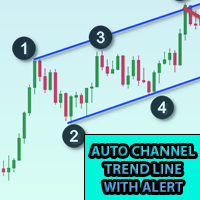
将此指标添加到图表并设置 ZigZag 的 ExtDepth 设置 当价格触及趋势线上、下或中通道时,它会立即发出警报 特征 : -启用/禁用上、下或中线的警报 - 在几秒钟内发出警报后添加暂停 - 使用图表上的按钮暂停或取消暂停趋势通道 - 通过在输入字段中添加点来添加早期警报,例如 ETH 价格是 2900.25,这里的数字 25 是“点”,所以如果您在输入字段中添加 25 以点为单位,并且如果趋势通道下线的值为 2900.25,那么您将在 2900.50 获得早期警报(从设置中增加 25 点) - 启用/禁用定向触摸,更多信息请参见屏幕截图,当价格触及底部阻力和顶部支撑时考虑定向触摸,添加此功能是为了避免来自多个警报的噪音 如果您在 1 分钟到 5 分钟图表中交易,Extdepth 的推荐设置为 55 如果您交易 1 小时到 4 小时图表,Extdepth 的推荐设置为 21 您可以根据图表上的需要调整任何其他 Extdepth,找到最佳趋势通道并暂停它并等待买入或卖出警报, 此外,您可以使用价格行为信息或蜡烛形态来验证反转。 您可以将其添加到许多图表并获得多个符
Real Spinning Top Candlestick
Rajesh Kumar Nait
5 (4)
真正的陀螺指示器 它检测图表上准确的陀螺,平衡的主体和灯芯高度比,这是陀螺的真正含义,不同于锤子和十字线或空烛台。 该指标在图表上找到的陀螺数量处绘制了一个翼形图标。 设置包括 条数:调整搜索条数 图标颜色:更改图标颜色 图标代码:更改图标的wingdings代码 真正的陀螺指示器 它检测图表上准确的陀螺,平衡的主体和灯芯高度比,这是陀螺的真正含义,不同于锤子和十字线或空烛台。 该指标在图表上找到的陀螺数量处绘制了一个翼形图标。 设置包括 条数:调整搜索条数 图标颜色:更改图标颜色 图标代码:更改图标的wingdings代码 真正的陀螺指示器 它检测图表上准确的陀螺,平衡的主体和灯芯高度比,这是陀螺的真正含义,不同于锤子和十字线或空烛台。 该指标在图表上找到的陀螺数量处绘制了一个翼形图标。 设置包括 条数:调整搜索条数 图标颜色:更改图标颜色 图标代码:更改图标的wingdings代码
FREE
Fibonacci Font Label
Rajesh Kumar Nait
该指标允许您以大字体显示斐波那契水平标签 。 它支持多达 25 个斐波那契水平 - 一旦您绘制斐波那契,它就会显示您作为输入参数添加的水平,并以大字体大小以及您选择的颜色和字体。 可定制选项: 1.Fibo文本字体 2. 斐波那契文本大小 3. 斐波那契文本颜色 3.为每个级别添加描述 4. 其他选项,例如锚点和度数 该指标允许您以大字体显示斐波那契水平标签 。 它支持多达 20 个斐波那契水平 - 一旦您绘制斐波那契,它就会显示您作为输入参数添加的水平,并以大字体大小以及您选择的颜色和字体。 可定制选项: 1.Fibo文本字体 2. 斐波那契文本大小 3. 斐波那契文本颜色 3.为每个级别添加描述 4. 其他选项,例如锚点和度数 该指标允许您以大字体显示斐波那契水平标签 。 它支持多达 20 个斐波那契水平 - 一旦您绘制斐波那契,它就会显示您作为输入参数添加的水平,并以大字体大小以及您选择的颜色和字体。 可定制选项: 1.Fibo文本字体 2. 斐波那契文本大小 3. 斐波那契文本颜色 3.为每个级别添加描述 4. 其他选项,例如
FREE
多符号双击图表上的任意位置以设置价格警报并从终端警报或推送通知中获得通知 1. 在图表上添加 EA Utility 2. 按 <- 左或 -> 右箭头键浏览图表 3. 双击图表上的任意位置,它会添加一条线,拖动这条线以设置您想要的价格,瞧,警报已设置! 当价格达到该线时,它会根据实用程序的设置通过终端或推送通知通知您。 即使您重新启动终端,此警报也会继续工作。 4. 继续浏览多品种并继续在您希望收到警报通知的许多图表上添加线条。 5. 如果您想重新开始,请按 D 删除您设置的所有警报。 6. 删除水平线,警报将被禁用。 -- 多符号双击图表上的任意位置以设置价格警报并从终端警报或推送通知中获得通知 1. 在图表上添加 EA Utility 2. 按 <- 左或 -> 右箭头键浏览图表 3. 双击图表上的任意位置,它会添加一条线,拖动这条线以设置您想要的价格,瞧,警报已设置! 当价格达到该线时,它会根据实用程序的设置通过终端或推送通知通知您。 即使您重新启动终端,此警报也会继续工作。 4. 继续浏览多品种并继续在您希望收到警报通知的许多图表上添加线条。 5. 如果
该指标最多绘制 6 个级别,可以根据交易者的要求启用/禁用以使图表更清晰 这 6 个级别分为 2 组:高和低 对于每组,可以选择不同的时间范围 它基于先前高低反转的策略,因为它认为当价格达到每日、每周或每月高低时,价格通常会在更小的时间范围内(如 5 分钟)显示拒绝 特征 : - 在单个图表中跟踪多达 6 个时间帧高低点 - 在这些级别设置警报,邮件、推送或终端警报,当价格触及这些级别时,您将立即收到警报 - 自定义关卡样式,包括线条样式、宽度、颜色等 - 班次:想要跟踪或研究第 2 天或第 3 天的高低?您可以将 shift 设置为 2 用于 2nd Bar 的 High Low 或 3 设置为 3rd Bar 的 High Low 等等。 该指标最多绘制 6 个级别,可以根据交易者的要求启用/禁用以使图表更清晰 这 6 个级别分为 2 组:高和低 对于每组,可以选择不同的时间范围 它基于先前高低反转的策略,因为它认为当价格达到每日、每周或每月高低时,价格通常会在更小的时间范围内(如 5 分钟)显示拒绝 特征 : - 在单个图表中跟踪多达 6 个时间帧高
Cobra Pivot Points 是一个用于绘制最佳优化枢轴点的指标,您可以通过下载 DEMO 自行回测。 1. 选择两种最佳枢轴模式:Cobra Pivots 或 Camrilla Pivots 2. 您可以使用任何时间范围,不限于 D1。 3. 您可以使用 Shift 参数来调整前一天的高低收盘值。 1 = 前一柱,2 = 前一柱之前的柱,依此类推。这些参数将帮助您研究和开发枢轴。 4. 触摸级别后发出警报、电子邮件或推送通知。 一旦触及水平,枢轴水平将被视为缓解,因此不会再次提醒您。 如果您想再次发出警报,则需要更改时间范围以重置警报。 5. 完全自定义线条颜色、线条样式、线条宽度、文本颜色和字体。 Cobra Pivots 分为三个区域:LZone(非常接近的剥头皮水平)、NZone(当市场盘整时)和 HZone(距离稍远的水平最适合头寸交易),可以在指标设置中显示/隐藏。 卡姆里拉枢轴公式为:     LS1 = 前一日收盘价- ((前一日最高价-前一日最低价)*0.50);     LS2 = 前一日收盘价- ((前一日最高价-前一日最低价)*0.75
多货币前蜡烛或前柱扫描仪可帮助您扫描具有从指标设置中选择的任何自定义时间范围的多品种图表。 基于产品: https://www.mql5.com/en/market/product/110229 它可用于扫描前一天高低、前一周高低、上个月高低或任何自定义时间范围的多个交易品种,例如 前 4 小时图高低 当价格触及高线或低线时,它会过滤噪音并发出方向警报 策略很简单,当触及前一天、一周或一个月的高点和低点时,价格会在较小的时间范围(如 5 分钟)内被拒绝 它具有选择各种警报类型的选项 您可以选择并设置扫描频率(以毫秒为单位) 1000 表示每秒扫描市场观察中的所有交易品种 产品特点 1. 终端警报 2. 电子邮件提醒 3. 推送通知 多货币前蜡烛或前柱扫描仪可帮助您扫描具有从指标设置中选择的任何自定义时间范围的多品种图表。 基于产品: https://www.mql5.com/en/market/product/78657 它可用于扫描前一天高低、前一周高低、上个月高低或任何自定义时间范围的多个交易品种,例如 前 4 小时图高低 当价格触及高线或低线时,它
枢轴点多符号扫描仪扫描市场观察中可用的所有符号,以查找地板、伍迪、卡玛利拉、丹麦或斐波那契枢轴点。 您可以选择任何时间范围来计算枢轴点,并在价格触及这些支撑位和阻力位时收到警报。 对于视觉枢轴点您可能对此产品感兴趣: https://www.mql5.com/en/market/product/110072 它具有选择各种警报类型的选项 您可以选择并设置扫描频率(以毫秒为单位) 1000 表示每秒扫描市场观察中的所有交易品种 产品特点 1. 终端警报 2. 电子邮件提醒 3. 推送通知 枢轴点多符号扫描仪扫描市场观察中可用的所有符号,以查找地板、伍迪、卡玛利拉、丹麦或斐波那契枢轴点。 您可以选择任何时间范围来计算枢轴点,并在价格触及这些支撑位和阻力位时收到警报。 对于视觉枢轴点您可能对此产品感兴趣: https://www.mql5.com/en/market/product/110231 它具有选择各种警报类型的选项 您可以选择并设置扫描频率(以毫秒为单位) 1000 表示每秒扫描市场观察中的所有交易品种 产品特点 1. 终端警报 2. 电子邮
该库将允许您使用任何 EA 来管理交易,并且非常容易集成到任何 EA 上,您可以使用描述中提到的脚本代码以及显示完整过程的视频演示示例自行完成。 该产品允许通过API进行交易操作,不包括图表。 用户可以使用提供加密图表的经纪商的图表并向币安发送订单 - 支持单向和对冲模式 - 下限价、止损限价和止盈限价订单 - 下达市场订单、SL 市场订单、TP 市场订单 - 修改限价单 - 取消订单 - 查询订单 - 更改杠杆、保证金 - 获取位置信息 和更多... 脚本文档 1 小时编程教程,帮助初学者使用 MQL5 编写一个简单的 EA,将订单发送到币安 https://www.youtube.com/watch?v=d_r4j2V77mY 该库将允许您使用任何 EA 来管理交易,并且非常容易集成到任何 EA 上,您可以使用描述中提到的脚本代码以及显示完整过程的视频演示示例自行完成。 该产品允许通过API进行交易操作,不包括图表。 用户可以使用提供加密图表的经纪商的图表并向币安发送订单 - 支持单向和对冲模式 - 下限价、止损限价和止盈限价订单 - 下达市场订单、
该库允许您使用任何 EA(智能交易系统)来管理交易,并且非常容易集成到任何 EA 中。您可以通过描述中提供的脚本代码自行完成集成,同时还有演示视频示例,完整展示了整个流程。 该产品允许通过 API 在 Bybit 交易所执行交易操作。 该工具 不包含图表功能 ,因此用户可以使用交易所提供的其他 BTCUSDT 及其他加密货币交易品种。 下限价单和市价单 修改限价单 根据订单 ID 取消单个订单或取消所有订单 查询订单 更改杠杆 获取持仓信息 以及更多功能…… 脚本文档 该库允许您使用任何 EA(智能交易系统)来管理交易,并且非常容易集成到任何 EA 中。您可以通过描述中提供的脚本代码自行完成集成,同时还有演示视频示例,完整展示了整个流程。 该产品允许通过 API 在 Bybit 交易所执行交易操作。 该工具 不包含图表功能 ,因此用户可以使用交易所提供的其他 BTCUSDT 及其他加密货币交易品种。 下限价单和市价单 修改限价单 根据订单 ID 取消单个订单或取消所有订单 查询订单 更改杠杆 获取持仓信息 以及更多功能…… 脚本文档
三角形图案的图案浏览器,例如对称三角形、不对称三角形或直角三角形,楔形图案,例如上升楔形或下降楔形,扩展图案和趋势通道 该指标探索历史模式以及当前模式,对于那些试图通过手动绘制趋势线或三角形来节省时间并希望将其用于自动分析在图表上绘制最佳模式的人来说,它是最佳指标 特征 : - 用于立即更改 ZigZag 扩展深度以调整并找到最佳模式的面板 - 将模式转移回之前的之字形柱以探索过去发生的事情,您可以探索趋势线是否受到尊重,了解价格走势 并通过探索以前的历史模式,使用该指标分析和学习它们,得出一个总体策略 - 从切换按钮立即从趋势通道或趋势线切换到楔形或三角形模式 - 暂停以冻结模式,因此模式不会改变并继续检查价格触摸以获取警报 - 触摸级别的多种类型的警报:邮件、推送、终端和打印通知 - 通过调整点启用早期警报,以便您在价格接近水平时提前收到警报并准备入场 - 趋势通道:启用/禁用上、中或下线警报 - 目标:对于三角形和楔形,它会自动设置目标,这是您必须买入卖出的有趣区域,如果您是突破交易者,您可以在那里预订利润或等待价格行动进行反转交易 - 改变趋势通道、三
Kraken 加密交易所期货历史更新面板 特征 : 1. 它将根据设置创建符号并完全更新历史记录,可从 Kraken API 获取符号。 此面板使用开盘高低收盘数据更新 Kraken 期货品种的历史记录,它还会在历史更新完成时打印消息。 请注意,这不是实时数据。   3.您需要添加Kraken API URL,如工具>选项>允许来自URL选项卡的Webrequest并勾选允许Webrequest复选框 - API URL:futures.kraken.com 4.消耗更少的内存和CPU 5.终端重启自动更新缺失数据! 每当你打开终端,最新的数据就准备好了! 6. 不进行 DLL 调用 -- Kraken 加密交易所期货历史更新面板 特征 : 1. 它将根据设置创建符号并完全更新历史记录,可从 Kraken API 获取符号。 此面板使用开盘高低收盘数据更新 Kraken 期货品种的历史记录,它还会在历史更新完成时打印消息。 请注意,这不是实时数据。   3.您需要添加Kraken API URL,如工具>选项>允许来自URL选项卡的Webrequest并勾选允许W
5 EMA Scalping Strategy Multi Symbol Scanner This EA utility will scan all symbols which are selected in marketwatch and alert when such condition is formed in chart when Candle low is above EMA 5 for Sell alert and Candle high is lower from EMA5 so you can be ready before selling or buying for scalping purpose on 5min chart For more details watch attached video Logic : When a candle closes above 5 EMA in 5 mins chart, Wait for its low to break and Sell when low is broken by wick, Your SL shou
Multi Symbol ZigZag Breakout Scanner 扫描在 marketwatch 中选择的所有符号。 当价格即将达到这些水平时,它将有助于轻松找到双顶、双底或任何斐波那契扩展水平。 您可以选择时间范围,以及 Zigzag 的多个 Extdepths(最多 3 个)。 推荐的 ZigZag 为 21,34 和 55,涵盖所有类型的 Zigzag 和过滤噪声 您可以设置接收终端警报或推送通知或两者 Multi Symbol ZigZag Breakout Scanner 扫描在 marketwatch 中选择的所有符号。 当价格即将达到这些水平时,它将有助于轻松找到双顶、双底或任何斐波那契扩展水平。 您可以选择时间范围,以及 Zigzag 的多个 Extdepths(最多 3 个)。 推荐的 ZigZag 为 21,34 和 55,涵盖所有类型的 Zigzag 和过滤噪声 您可以设置接收终端警报或推送通知或两者
Break of Structure
Rajesh Kumar Nait
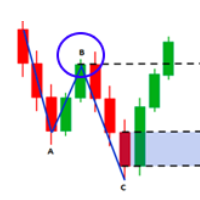
市场结构是在更高的时间范围内突破时可能有助于清除交易者趋势的结构。 1. 该指标将之字折线仅绘制到最后 2 个结构(之字折线的前高点和低点),并且仅当结构发生突破时才会形成之字折线的新柱 2.它给终端和推送通知结构中断 3.通过[和]键增加和减少ZigZag的Extdepth来调整摆动 4.更改线AB BC和CD的颜色 5.添加到许多图表并获得多个符号的警报 如果您正在寻找结构断裂 Multi ExtDepth Breakout Multi Symbol Scanner 您可以使用此产品: Multi Symbol Multi ExtDepth ZigZag Breakout Scanner 市场结构是在更高的时间范围内突破时可能有助于清除交易者趋势的结构。 1. 该指标将之字折线仅绘制到最后 2 个结构(之字折线的前高点和低点),并且仅当结构发生突破时才会形成之字折线的新柱 2.它给终端和推送通知结构中断 3.通过[和]键增加和减少ZigZag的Extdepth来调整摆动 4.更改线AB BC和CD的颜色 5.添加到许多图表并获得多个符号的警报 如果您正在寻
Fibo Musang FMBCR CB1 突破扫描器 MT5 Fibo Musang CB1 或 Candle Break 1 是一种非常适用于黄金 XAUUSD 和其他外汇交易品种的策略。 此扫描仪将帮助您非常快速地扫描多符号货币并在 FMCBR CB1 突破时获得警报 请查看视频了解更多详情,因为它完全可以根据交易者的喜好进行定制: 1. 您可以选择柱线的时间范围和历史记录 2. 您可以修改您喜欢的 ZigZag 设置:ExtDepth、ExtDeviation、ExtBackStep 3.获取终端警报或推送通知 4. 追踪斐波那契扩展的选项,如 1.618 2.618 或 4.236 或追踪 CB1 突破与 1.00 Fibo Musang FMBCR CB1 突破扫描器 MT5 Fibo Musang CB1 或 Candle Break 1 是一种非常适用于黄金 XAUUSD 和其他外汇交易品种的策略。 此扫描仪将帮助您非常快速地扫描多符号货币并在 FMCBR CB1 突破时获得警报 请查看视频了解更多详情,因为它完全可以根据交易者的喜好进行定制:
多符号双击图表上的任意位置以设置价格警报并从终端警报或推送通知中获得通知 1. 在图表上添加 EA Utility 2. 按 <- 左或 -> 右箭头键浏览图表 3. 双击图表上的任意位置,它会添加一条线,拖动这条线以设置您想要的价格,瞧,警报已设置! 当价格达到该线时,它会根据实用程序的设置通过终端或推送通知通知您。 即使您重新启动终端,此警报也会继续工作。 4. 继续浏览多品种并继续在您希望收到警报通知的许多图表上添加线条。 5. 如果您想重新开始,请按 D 删除您设置的所有警报。 6. 删除水平线,警报将被禁用。 -- 多符号双击图表上的任意位置以设置价格警报并从终端警报或推送通知中获得通知 1. 在图表上添加 EA Utility 2. 按 <- 左或 -> 右箭头键浏览图表 3. 双击图表上的任意位置,它会添加一条线,拖动这条线以设置您想要的价格,瞧,警报已设置! 当价格达到该线时,它会根据实用程序的设置通过终端或推送通知通知您。 即使您重新启动终端,此警报也会继续工作。 4. 继续浏览多品种并继续在您希望收到警报通知的许多图表上添加线条。 5. 如果
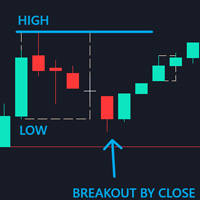
Control Candle is the candlestick which holds multiple inside bars and are in control until its high low range is broken by close of any candlestick. When control candle is broken, price may act on these control candle as support and resistance. This indicator create rectangles on chart which will help you find control candles fast. Control candle indicator box is customizable by color, style, width and other options in indicator settings.
Cobra Levels
Rajesh Kumar Nait
眼镜蛇等级 这是 6 组级别,具有两种频率模式,适用于通用市场,包括外汇、加密货币、商品、nifty 和banknifty。 它们是在对金融工具进行最佳研究后出版的。 上层称为U1至U5,下层称为D1至D5 在正常情况下,市场可能会在内部通道中驱动至 U3 或 D3,在波动情况下,市场可能会在外部通道 U4 至 U5 或 D4 至 D5 中驱动。 当价格达到 U3 U4 U5 或 D3 D4 D5 时,反转的可能性非常高,交易者应等待蜡烛图收盘以确认入场,并可以在有效的风险管理下进行交易。 该指标允许您通过指标设置中的自定义选项来改变级别。 用户可以通过添加 + 或 - 点来自定义级别 1. 他们正在处理时间范围:仅 M1、M3、M5、M15、H1 和 H4。 2.适合日内、波段、仓位交易方式 3. 与任何其他指标相比,根据研究帮助找到最佳超买和超卖转折点 4. 动态水平:水平值每分钟都会变化,但当价格在任何情况下超过标准达到这些水平时,就会出现一个循环,并且可以看到反转。 5. 包含提醒广告推送通知 有关交易策略的更多信息,您可以通过 DM 与我联系。
Higher Time Frame Bars
Rajesh Kumar Nait
5 (1)
该指标可有效跟踪您想要在同一图表上跟踪的任何其他时间范围烛台 1. 选择任何更高的时间范围来加载同一图表上的柱形图 2.自定义烛台的颜色和样式 3. 选择绘制烛台的柱数 4. 跟踪更高时间范围的完整蜡烛以及烛芯和实体 5. 对于那些不想切换图表的人来说,简单方便。 该指标可有效跟踪您想要在同一图表上跟踪的任何其他时间范围烛台 1. 选择任何更高的时间范围来加载同一图表上的柱形图 2.自定义烛台的颜色和样式 3. 选择绘制烛台的柱数 4. 跟踪更高时间范围的完整蜡烛以及烛芯和实体 5. 对于那些不想切换图表的人来说,简单方便。 该指标可有效跟踪您想要在同一图表上跟踪的任何其他时间范围烛台 1. 选择任何更高的时间范围来加载同一图表上的柱形图 2.自定义烛台的颜色和样式 3. 选择绘制烛台的柱数 4. 跟踪更高时间范围的完整蜡烛以及烛芯和实体 5. 对于那些不想切换图表的人来说,简单方便。
币安 MT5 交易工具 1. 本产品包含通过 WebSocket 获取的实时图表、历史图表, 并在 MT5 终端重启时自动更新,确保运行流畅,无需人工干预,让您在币安交易时体验流畅无阻。 现货和期货均可交易、实时图表和历史数据 图表功能: 1. 通过 WebSocket (WSS) 获取实时 OHLC 图表 2. 通过 API 更新历史记录 3. 每次打开 MT5 时自动更新图表历史记录 4. 支持从 M1 到 MN1 的所有时间范围 5. 可用数据:开盘价、最低价、收盘价、实际交易量和即时成交量 6. 您可以使用策略测试器,通过您的专家顾问对加密货币数据进行任何策略的回测 图表和历史记录使用说明: 1. 将 URL 添加到 MT5 选项 2. 在任何图表上加载实用程序,并选择“模式”为“实时”,然后选择交易所(例如币安现货),并在首次运行时将“创建交易品种”设置为“真”,以便创建交易品种。 3. 所有交易品种创建完成后,右键退出 EA,选择“Utility Crypto charts”(实用程序加密货币图表),然后点击“Remove”(移除)。重启 MT5(重要提示) 4
Cobra Pivot Points 是一个用于绘制最佳优化枢轴点的指标,您可以通过下载 DEMO 自行回测。 1. 选择两种最佳枢轴模式:Cobra Pivots 或 Camrilla Pivots 2. 您可以使用任何时间范围,不限于 D1。 3. 您可以使用 Shift 参数来调整前一天的高低收盘值。 1 = 前一柱,2 = 前一柱之前的柱,依此类推。这些参数将帮助您研究和开发枢轴。 4. 触摸级别后发出警报、电子邮件或推送通知。 一旦触及水平,枢轴水平将被视为缓解,因此不会再次提醒您。 如果您想再次发出警报,则需要更改时间范围以重置警报。 5. 完全自定义线条颜色、线条样式、线条宽度、文本颜色和字体。 Cobra Pivots 分为三个区域:LZone(非常接近的剥头皮水平)、NZone(当市场盘整时)和 HZone(距离稍远的水平最适合头寸交易),可以在指标设置中显示/隐藏。 卡姆里拉枢轴公式为:     LS1 = 前一日收盘价- ((前一日最高价-前一日最低价)*0.50);     LS2 = 前一日收盘价- ((前一日最高价-前一日最低价)*0.75
多货币前蜡烛或前柱扫描仪可帮助您扫描具有从指标设置中选择的任何自定义时间范围的多品种图表。 基于产品: https://www.mql5.com/en/market/product/78657 它可用于扫描前一天高低、前一周高低、上个月高低或任何自定义时间范围的多个交易品种,例如 前 4 小时图高低 当价格触及高线或低线时,它会过滤噪音并发出方向警报 策略很简单,当触及前一天、一周或一个月的高点和低点时,价格会在较小的时间范围(如 5 分钟)内被拒绝 它具有选择各种警报类型的选项 您可以选择并设置扫描频率(以毫秒为单位) 1000 表示每秒扫描市场观察中的所有交易品种 产品特点 1. 终端警报 2. 电子邮件提醒 3. 推送通知 多货币前蜡烛或前柱扫描仪可帮助您扫描具有从指标设置中选择的任何自定义时间范围的多品种图表。 基于产品: https://www.mql5.com/en/market/product/78657 它可用于扫描前一天高低、前一周高低、上个月高低或任何自定义时间范围的多个交易品种,例如 前 4 小时图高低 当价格触及高线或低线时,它会
枢轴点多符号扫描仪扫描市场观察中可用的所有符号,以查找地板、伍迪、卡玛利拉、丹麦或斐波那契枢轴点。 您可以选择任何时间范围来计算枢轴点,并在价格触及这些支撑位和阻力位时收到警报。 对于视觉枢轴点您可能对此产品感兴趣: https://www.mql5.com/en/market/product/110072 它具有选择各种警报类型的选项 您可以选择并设置扫描频率(以毫秒为单位) 1000 表示每秒扫描市场观察中的所有交易品种 产品特点 1. 终端警报 2. 电子邮件提醒 3. 推送通知 枢轴点多符号扫描仪扫描市场观察中可用的所有符号,以查找地板、伍迪、卡玛利拉、丹麦或斐波那契枢轴点。 您可以选择任何时间范围来计算枢轴点,并在价格触及这些支撑位和阻力位时收到警报。 对于视觉枢轴点您可能对此产品感兴趣: https://www.mql5.com/en/market/product/110072 它具有选择各种警报类型的选项 您可以选择并设置扫描频率(以毫秒为单位) 1000 表示每秒扫描市场观察中的所有交易品种 产品特点 1. 终端警报 2. 电子邮
该库将允许您使用任何 EA 来管理交易,并且非常容易集成到任何 EA 上,您可以使用描述中提到的脚本代码以及显示完整过程的视频演示示例自行完成。 - 下限价、止损限价和止盈限价订单 - 下达市场订单、SL 市场订单、TP 市场订单 - 修改限价订单 - 取消订单 - 查询订单 - 更改杠杆、保证金 - 获取位置信息 和更多... 租赁加密货币图表是可选的,除非您的 MT5 上没有币安图表。 对于脚本演示:单击此处 如果您想与交易面板进行交易,您可能对此产品感兴趣 该产品是加密图表的插件 该库将允许您使用任何 EA 来管理交易,并且非常容易集成到任何 EA 上,您可以使用描述中提到的脚本代码以及显示完整过程的视频演示示例自行完成。 - 下限价、止损限价和止盈限价订单 - 下达市场订单、SL 市场订单、TP 市场订单 - 修改限价订单 - 取消订单 - 查询订单 - 更改杠杆、保证金 - 获取位置信息 和更多... 租赁加密货币图表是可选的,除非您的 MT5 上没有币安图表。 对于脚本演示: 单击此处 如果您想与交易面板进行交易, 您可能对
筛选:
无评论
回复评论