Preppy

MCR ADAUSD — Python local para MT5

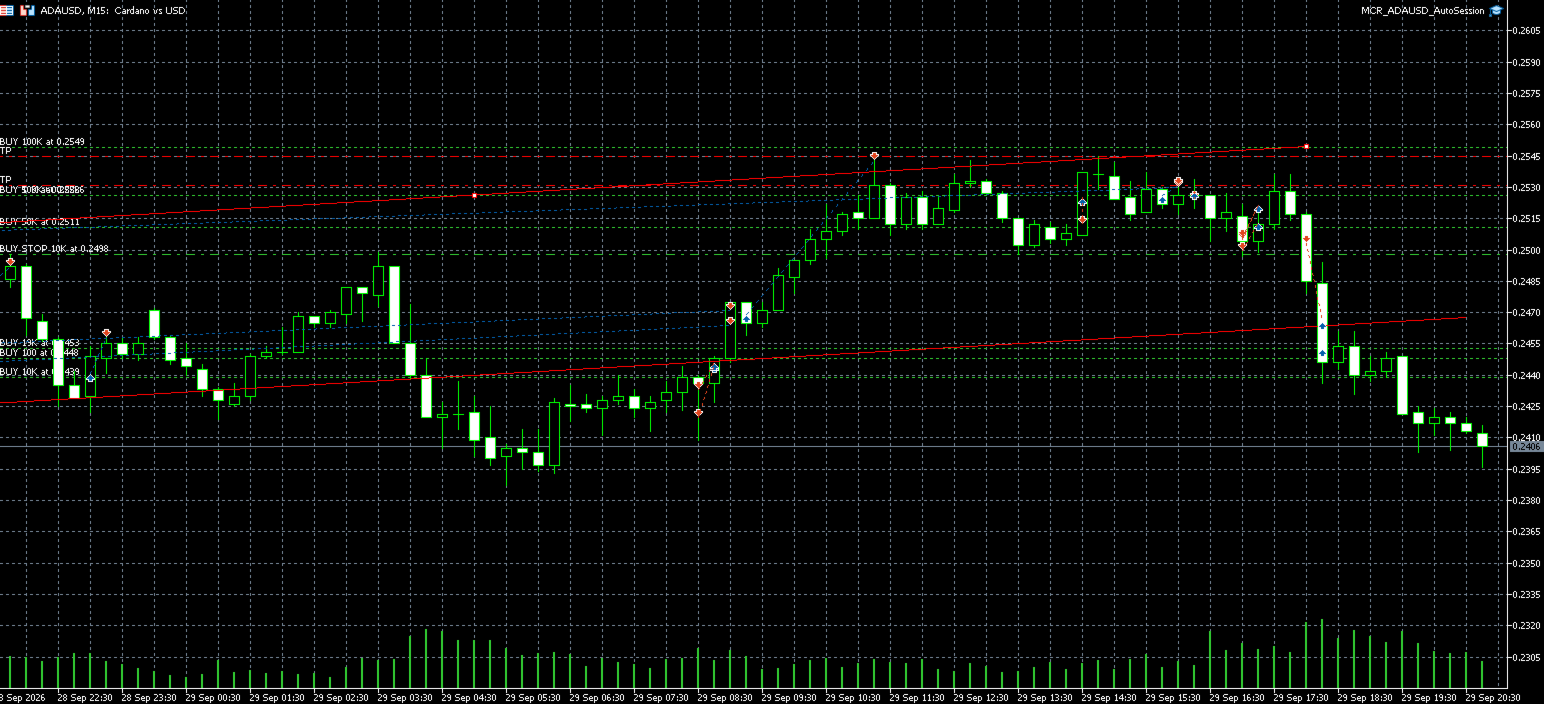
mcr_adausd_python.py es un script independiente para Windows con el terminal MetaTrader 5 abierto y conectado. No usa credenciales ni conexiones MT5 en Replit. El modo predeterminado solo observa; no llama a order_send . Reproduce la dirección R de 15 barras diarias cerradas y las presiones de volumen de ticks de M1/M5/M15/M30 del EA experimental de fases. No utiliza datos de volumen institucional.

Advertencia: aún no hay backtest de ADAUSD ni ejecución demo validada de este modelo. La posibilidad de enviar una orden no demuestra rentabilidad ni seguridad para dinero real. Los límites locales no impiden pérdidas por deslizamiento, saltos de precio, fallo de red o actividad en otros terminales. Nunca ejecutes a la vez este script y el EA capaz de operar sobre la misma cuenta. El script no modifica el EA existente.

Preparación en tu PC con Windows

  1. Instala Python compatible con el paquete oficial de MetaTrader 5 y, en el PC donde tienes MT5, ejecuta py -m pip install MetaTrader5 .
  2. Abre MT5 e inicia sesión normalmente. Activa ADAUSD con ese nombre exacto en Observación del mercado y comprueba en las especificaciones del bróker que su divisa de beneficio es USD y que 0.001 es múltiplo del tamaño de tick.
  3. Copia mcr_adausd_python.py al PC y ejecuta py mcr_adausd_python.py . Ctrl+C detiene el observador. Verás un mensaje por barra M1 cerrada indicando si R/fases se alinean; esto no envía órdenes.

El script exige una cuenta en USD, y en cualquier sesión que envíe órdenes fija el servidor y el número de cuenta proporcionado localmente. No incluyas contraseñas, tokens ni capturas con tu número de cuenta en chats o archivos del proyecto.

Prueba demo, antes de plantear dinero real

Con un terminal conectado a una cuenta Darwinex-Demo de tipo hedging, desactiva los EA que operen en esa cuenta y ejecuta desde tu PC:

py mcr_adausd_python.py --demo --account-login NUMERO_LOCAL --session-id IdentificadorNuevo123 --minutes 30

El script pide primero la frase ARM_MCR_PYTHON_ONE_ORDER ; cada candidato requiere además escribir BUY ADAUSD <barra> o SELL ADAUSD <barra> exactamente como lo indica la consola. Comprueba señal, precios, riesgo y cuenta de nuevo antes del envío. Caduca en 1–60 minutos y permite como máximo un intento de orden por sesión. Reutilizar la sesión o una barra ya intentada falla. Los marcadores locales se guardan en %LOCALAPPDATA%\MCR_PhasePython ; no los borres para repetir una orden dudosa. Un marcador pending_... bloquea todas las sesiones siguientes de esa cuenta si el resultado queda sin confirmar: inspecciona posiciones e historial con el bróker y resuelve la situación manualmente antes de considerar retirarlo. La autorización no se coordina entre equipos, otros scripts o el EA MQ5.

Si el notional experimental de 100 USD está por debajo del mínimo de lotes del bróker, el script rechaza la entrada en vez de aumentar el tamaño automáticamente. También rechaza posiciones ADAUSD ya abiertas, cualquier orden pendiente, historial/riesgo que no pueda verificar, stop inválido, spread superior a 0,02 USD, lotes superiores a 0,05, pérdida estimada en stop superior a 5 USD, notional total superior a 59.400 USD o presupuesto de pérdidas de 1.485 USD. Estos límites son comprobaciones locales previas, no topes garantizados por el bróker.

Modo real: preparado, no recomendado aún

Después de verificar resultados ADAUSD en backtest y en demo, y solo si decides asumir el riesgo de perder dinero real, el equivalente usa --live en lugar de --demo , una cuenta hedging en el servidor exacto Darwinex-Live , un identificador nuevo y la misma doble confirmación manual. No ejecutes ese comando mientras falten esas pruebas. La orden usa un único envío con SL/TP adjuntos y política fill-or-kill; ante resultado ambiguo no reintenta. La confirmación compara el identificador del deal/posición, lado, volumen, stop y riesgo real tras el fill, pero no puede deshacer una pérdida causada por un fill inseguro. Si la consola avisa que el stop no se pudo verificar o que el resultado es desconocido, revisa de inmediato las posiciones y el historial en MT5 y ciérralas manualmente si hace falta.

No se ha instalado el paquete MT5 ni se ha conectado este entorno Linux a tu terminal Windows; por tanto, no se han enviado órdenes ni validado fills reales o demo. Las pruebas locales de la aritmética no reemplazan la ejecución de la versión exacta en tu MT5.

推荐产品
1. 这是什么 MT5系统自带的优化结果非常少,有时候我们需要研究更多的结果,这个库可以让你在回测优化时可以输出更多的结果。也支持在单次回测时打印更多的策略结果。 2. 产品特色 优化的输出的结果非常多。 可以自定义CustomMax。 输出结果在Common文件夹。 根据EA名称自动命名,且同一个EA多次回测会自动更新名称,不会覆盖上一次的结果。 函数非常简单,你一眼就可以看懂。 #import "More BackTest Results.ex5" // Libraries Folder, Download from the market. //---Set CustomMax void iSetCustomMax( string mode); //---Display multiple strategy results when backtesting alone (not opt). void iOnDeinit(); //--- void iOnTesterInit(); double iOnTester(); void iOnTesterPass( string lang
本 EA 专为震荡 / 横盘行情设计。 在设定区间内自动补单交易 EA 仅在 预先设定的价格区间内运行 。 当订单平仓、成交、取消后(单数量少了),EA 会自动补充新的订单,以维持交易策略的持续运行。 您以通过 Max Orders 来控制最大订单数量。 示例: 最大订单数(Max Orders):8 当前持仓订单:2 单 挂单 Buy Limit:6 单 在这种情况下,EA 不会继续下新单。 只有当订单 平仓、成交 、 取消 后,EA 才会 自动补单 ,持续捕捉 震荡行情 中的利润。 注意: Buy Limit 订单 只会挂在当前市场价格的下方 。 产品参数说明 Trade Symbol : 交易品种  XAUUSD、USDJPY、BTCUSD 等等... 区间设置 Zone Low :区间下边界 Zone High :区间上边界 说明: 例如,您将黄金的交易区间设定为: Zone Low :4420 Zone High :4455 EA 只会在该价格区间内挂单并自动交易。 当价格突破区间范围时,EA 将停止交易。 当价格回到区间内,EA 会自动恢复交易。 订单设置
MT4/5通用交易库(  一份代码通用4和5 ) #ifdef __MQL5__      #define KOD_TICKET ulong      #define KOD_MAGIC   long #else        #define KOD_TICKET long      #define KOD_MAGIC   int #endif class ODLIST; #import "K Trade Lib Pro 5.ex5"       //祝有个美好开始,运行首行加入    void StartGood() ;    //简单开单    long OrderOpen( int type, double volume, int magic, string symbol= "" , string comment= "" , double opprice= 0 , double sl= 0 , double tp= 0 , int expiration= 0 , bool slsetmode= false , bool tpsetmode= false );    //复杂开单
本 EA 专为震荡 / 横盘行情设计。 在设定区间内自动补单交易 EA 仅在 预先设定的价格区间内运行 。 当订单平仓、成交、取消后(单数量少了),EA 会自动补充新的订单,以维持交易策略的持续运行。 您可以通过 Max Orders 来控制最大订单数量。 示例: 最大订单数(Max Orders):8 当前持仓订单:2 单 挂单 Sell Limit:6 单 在这种情况下,EA 不会继续下新单。 只有当订单 平仓、成交 、 取消 后,EA 才会 自动补单 ,持续捕捉 震荡行情 中的利润。 注意: Sell Limit   订单 只会挂在当前市场价格的上方 。 产品参数说明 Trade Symbol : 交易品种  XAUUSD、USDJPY、BTCUSD 等等... 区间设置 Zone Low :区间下边界 Zone High :区间上边界 说明: 例如,您将BTCUSD的交易区间设定为: Zone Low : 92000 Zone High : 94500 EA 只会在该价格区间内挂单并自动交易。 当价格突破区间范围时,EA 将停止交易。 当价格回到区间内,EA 会自动恢复
Native Websocket
Racheal Samson
5 (6)
An   easy to use, fast,  asynchronous   WebSocket library  for MQL5. It supports: ws://   and   wss://  (Secure "TLS" WebSocket) text   and   binary   data It handles: fragmented message  automatically (large data transfer) ping-pong   frames  automatically (keep-alive handshake) Benefits: No DLL required. No OpenSSL installation required. Up to 128 Web Socket Connections from a single program. Various Log Levels for error tracing Can be synchronized to MQL5 Virtual Hosting . Completely native t


CopyIQ
Stephen Sanjeeve Sahayam
CopyIQ mirrors your trades between MetaTrader 5 terminals running on the same Windows PC - one source account feeding as many receiver accounts as you need. Everything happens locally on the one machine: no VPS, no DLLs, and no internet link between terminals to lag or break. A trade on your source account reaches every receiver in milliseconds. CopyIQ was built by studying where other local copiers let traders down - copies that arrive late, lot sizes that ignore the receiving account, symbols
RiskGuard Toolkit Library
AL MOOSAWI ABDULLAH JAFFER BAQER
RiskGuard Toolkit Library for MQL5 developers - version 1.01 Questions before buying? Message me privately and I will show you how the functions fit into your own EA. Need an example for your use case? Ask by private message - integration help is included. Send a screenshot of your order and receive one of my free products as a thank-you. Stop rewriting the same risk code in every Expert Advisor Every serious EA needs the same boring but critical pieces: a lot size that matches the risk you inte
Edkt
Pitiphum Noikhieo
ตัวชี้วัดการกลับตัวของราคาแบบมืออาชีพสำหรับ MetaTrader 5 PA Reversal Sniper เป็นตัวชี้วัดแบบกำหนดเองสำหรับ MT5 ที่ออกแบบมาโดยเฉพาะสำหรับ XAUUSD ในกรอบเวลา M5 โดยเน้นที่การเคลื่อนไหวของราคา โครงสร้างการกลับตัว การกวาดสภาพคล่อง การแตกหักของโครงสร้างตลาด สภาวะโมเมนตัม และการยืนยันความผันผวน ตัวชี้วัดนี้ให้สัญญาณซื้อและขายที่ชัดเจน พร้อมด้วยจุดเข้าซื้อ จุดหยุดขาดทุน และจุดทำกำไรหลายระดับ คุณสมบัติหลัก XAUUSD M5 ปรับแต่งแล้ว การตรวจจับการกลับตัวของราคา การตรวจจับแท่งเทียน Pin Bar ขาขึ้นและขาลง การตร
Introducing "TG Trade Service Manager" — your all-in-one solution for seamless trade management in both MQL4 and MQL5 environments. With a focus on speed, reliability, and convenience, this powerful library simplifies the complexities of trade execution and management, empowering developers with a single interface for enhanced efficiency. Metatrader4 Version   |   All Products   |   Contact   Key Features: Unified Interface : TG Trade Service Manager" provides a unified interface for   MQL4   an
Gold Ray
Dmitriq Evgenoeviz Ko
Gold Ray MT5 — The Art of the Golden Ratio in Trading Gold Ray is more than just a trading robot. It's the culmination of years of research into the dynamics of gold ( XAUUSD ), embodied in a highly accurate spectral analysis algorithm. While most expert advisors use outdated indicators, Gold Ray works with the price structure itself, calculating the trajectory of the "golden ray"—the moment when market liquidity and volatility converge into a powerful directional impulse. Why is Gold Ray your
Ultimate SMC
Haidar Lionel Haj Ali
4.67 (6)
Ultimate SMC is a sophisticated MetaTrader 5 Expert Advisor designed to act as a framework for traders using advanced Smart Money Concepts (SMC). If you are a smart money concept trader and want to enhance and automate your trading strategies, this EA is for you. It is designed to cater to advanced traders seeking a robust and versatile tool to implement precise and strategic trading maneuvers based on the smart money concept. The EA combines multiple sophisticated trading techniques and risk ma
TApro
Farid Abolfazl Honarvar
**Trade Assistant is an on-chart trading panel for MetaTrader 5.** It is a trade-execution and trade-management tool for discretionary traders: you decide where the trade is wrong, the EA does the maths, sends the order and manages it afterwards. It never starts a trade on its own, except for the optional automations you switch on yourself (reverse after stop loss, loss averaging), and it does not promise any result. **How a trade works** 1. Drag the SL line to where your idea is invalid. 2. P
TradeShield Position Manager Library
AL MOOSAWI ABDULLAH JAFFER BAQER
Try it before you decide: attach the free demo EA in the Strategy Tester with visual mode on, open a few manual trades and watch the gold TradeShield panel read every basket figure the library returns, tick by tick. One compiled library that looks after the trades your Expert Advisor has already opened - so your own code can focus on when to enter, not on the dozens of small rules that decide whether a stop change or a close is accepted by the server. Why it is called TradeShield Opening a posit
Let us introduce you to a new era of neural indicators for financial markets! Intelligent Moving is a unique indicator that trains its neural network in real time! You no longer need to look for the optimal indicator parameters for each specific situation. No more late signals. The artificial intelligence is able to adapt itself and predict any market movements. Visually, the indicator is drawn as a main solid moving average line, two dotted lines of standard deviations and signal arrows. For
Elite Anonymous Bot (Settings At The End) Works Best with Our Broker ----> ( https://portal.traze.com/register?referralCode=ZB4868370 ) Precision. Discipline. Consistency. Most Expert Advisors lose because they chase every market movement. Anonymous Bot doesn't. It waits. It filters. It strikes only when probability is on its side. Designed specifically for XAUUSD (Gold) , Anonymous Bot combines multi-timeframe trend analysis with intelligent price action confirmation to capture high-probabilit
Fast copier for sending trades to multiple MT4 / MT5 accounts. MT5 Trade Copier Master EA sends trades instantly from your master account to one or multiple slave accounts. Supports copying to: • MT5 accounts • MT4 accounts Perfect for: • Multi-account traders • Signal providers • Account managers • Personal account mirroring Main Features • Fast local trade copying • Low latency execution • Multiple slave accounts support • Copy open positions on startup • Stable file-based communication • Easy
Guardian Copier – 带保护层的 MT5 本地跟单复制器,内置回撤保护,适用于 Prop Firm 与资金账户。 首发价格 – 前 10 份:Guardian Copier 起价 99 美元。前 10 份售出后:149 美元,最终价 199 美元。租用选项每月 35 美元,适合先跑完一个账户周期再决定的交易者。 大多数本地复制器只做一件事:复制。Guardian Copier 做两件事:在同一台机器的 MetaTrader 5 终端之间复制您的交易——并为每个接收账户加上独立的保护层。每日亏损限额和回撤限额按接收账户分别执行:某个账户触及限额,该账户的复制立即停止——警报、平掉全部、封锁直至重置——而您的其他账户不受影响继续运行。 它的功能 - 通过安全文件通道进行 MT5 到 MT5 的本地复制:无互联网路由、无外部服务、无 DLL - 近乎实时地复制开仓、SL/TP 修改、平仓与部分平仓 - 自动识别品种后缀——无需手动输入(手动映射作为备用) - 每个接收账户独立的手数模式:固定、倍数或按余额比例 - 每个接收账户独立保护:每日与回撤限额,含警报、全部平仓与封锁直至
ForexFortune-Navigator: Your reliable guide to the Forex market ForexFortune-Navigator is an advanced trading bot designed for Forex traders. This innovative tool has a wide range of features and capabilities that allow traders to effectively manage their trades and strategies. The price for the first users is reduced; in the future the price will be increased. Advantages of ForexFortune-Navigator: Reliability and Stability : ForexFortune-Navigator is designed to meet high standards of relia
Scalping Xauusd M1
Pablo Redondo Perez
XAU Scalper V4 XAU Scalper V4 is a MetaTrader 5 Expert Advisor developed specifically for trading XAUUSD on the M1 timeframe . The system continuously analyses tick activity, price-movement speed and current market volatility. When a valid impulse is detected and its continuation is confirmed, the EA places a Buy Stop or Sell Stop pending order to enter the movement. The strategy combines several technical and execution filters: Short-term price-impulse detection. Movement-continuation confirmat
Local Trade Copier copies positions and orders from one MetaTrader 5 terminal (master) to one or more MetaTrader 5 terminals (receivers) on the same computer. It works locally and does not send data over the internet. Key features - One master, multiple receivers, separated by channel name. - Volume modes: multiplier, fixed lot, balance ratio, equity ratio or risk-based (requires a stop loss). - Symbol mapping between brokers (InpSymbolMap, prefix and suffix); ambiguous or unavailable symbols a
Advanced Multi-Symbol Equity Protection & Hybrid Stops System Overview Professional-grade equity protection system designed for traders managing multiple currency pairs simultaneously. Features both individual symbol controls and master account-wide protection mechanisms. Key Features Hybrid Take Profit System - **Fixed TP:** Set specific profit targets per symbol - **Trailing TP:** Dynamic profit protection that follows price - **Hybrid Mode:** Combines both methods for optimal results
Visual Netting order manager with margin-aware sizing, commission estimates and optional grid progression. TradeArchitect Perpetuals is a chart-based manual order and risk manager for MetaTrader 5 accounts that use Netting position accounting. It combines visual trade planning, margin-aware position sizing, commission-aware estimates, market and pending order execution, position management and optional same-direction order progression. The utility does not generate trading signals and does no
OrderBook History Library
Stanislav Korotky
3 (2)
Order Book, known also as Market Book, market depth, Level 2, - is a dynamically updated table with current volumes of orders to buy and to sell specific financial instument at price levels near Bid and Ask. MetaTrader 5 provides the means for receiving market book from your broker, but in real time only, without access to its history. The library OrderBook History Library reads market book state in the past from archive files, created by OrderBook Recorder . The library can be embedded into you
Smart Trading EA – Capture Every Bullish & Bearish Opportunity! Maximize your profit potential with an Expert Advisor that leverages price movements in both Bullish and Bearish trends , designed for XAU (Gold) , Forex pairs , and Crypto assets . Key Advantages: Optimized for low time frames – more trading opportunities every day Clean, easy-to-use interface – perfect for all trader levels Equipped with Take Profit & Stop Loss for safe risk management Ideal for both beginners and
Kito Hybrid Divergence Scanner
Okechukwu Maxwell Okeke
5 (1)
Kito Hybrid Divergence Scanner Multi-Symbol • Multi-Timeframe • Classic + Structural + Hybrid Divergence for MT5 Finding divergence is easy. Finding divergence worth investigating is harder. Kito Hybrid Divergence Scanner continuously searches multiple markets and timeframes for Regular and Hidden bullish/bearish divergence , then ranks and organizes the strongest opportunities on one dashboard. THREE DETECTION ENGINES CLASSIC Traditional divergence using RSI, MACD, Stochastic and optional CCI.
近段时间买家运行良好,但同时也有朋友担心: 1、EA测试回测数据的真实性; 2、回测效果好不代表实测效果好,而免费演示版的可测试时间太短,无法判断EA的实用性。 针对以上问题,现推出一个完美的解决方案,直接给到限定时间的测试版本,需要的可以私信留言,或者聊天窗口找我,看到后会发送测试版本过来。 此外,为了方便部分已购买源代码的客户熟悉了解代码,进一步优化和提升空间,并且让更多的有意向的客户了解这个EA的编辑逻辑,特将代码拆解,不定期的讲解基本思路,跟着走即便是小白也可以快速上手,以便后续购买源代码后快速上手优化! 知乎专栏: Day01:初始MQL5量化系统 - quanter的文章 - 知乎 https://zhuanlan.zhihu.com/p/1969031679428530490 Wordpress个人网站: https://quanter001.wordpress.com/ 如有任何问题,欢迎邮件沟通:quanter001@163.com ****************************************************************
Scan a fixed list of assets (Ibovespa) in the chosen timeframe (TimeFrame). For each pair and for various periods. Calculate a regression model between the two assets (and, if desired, using the bova11 index as a normalizer). Generate the spread of this relationship, its mean, standard deviation, speculative deviation, and betas (B1 and B2). Apply an ADF test without exclusion (cointegration/stationarity). Calculate the Z-score of the current exclusion (how many standard deviations are away from
FREE
Monitor up to eight EA profiles with grouped magic numbers, per-EA and portfolio risk limits, performance analytics, comparison, notifications and trade reports. This utility monitors and contains managed trades; it does not generate entry signals. PropPulse Sentinel is a MetaTrader 5 utility Expert Advisor for monitoring and managing risk across multiple trading Expert Advisors running in the same terminal. It organises trading activity into up to eight managed EA profiles. Each profile can u
Molo kumalo
James Ngunyi Githemo
Trading Forex with our platform offers several key advantages and features: Real-time Data : Stay updated with live market data to make informed decisions. User-Friendly Interface : Easy-to-navigate design for both beginners and experienced traders. Advanced Charting Tools : Visualize trends with interactive charts and technical indicators. Risk Management : Set stop-loss and take-profit levels to manage your risk. Multiple Currency Pairs : Access a wide range of forex pairs to diversify your tr
该产品的买家也购买
The library is dedicated to help manage your trades, calculate lot, trailing, partial close and other functions. Lot Calculation Mode 0: Fixed Lot. Mode 1: Martingale Lot (1,3,5,8,13) you can use it in different way calculate when loss=1 ,when profit=0. Mode 2: Multiplier Lot (1,2,4,8,16) you can use it in different way calculate when loss=1 ,when profit=0. Mode 3: Plus Lot (1,2,3,4,5) you can use it in different way calculate when loss=1 ,when profit=0. Mode 4: SL/Risk Lot calculate based on s
BitMEX Trading API
Romeu Bertho
5 (1)
Cryptocurrency analysis has never been easier with Crypto Charts for MetaTrader 5. Now, trading on BitMEX has never been easier with BitMEX Trading API for MetaTrader 5. BitMEX Trading API library was built to be as easy to use as possible. Just include the library into your Expert Advisor or Script, call the corresponding methods and start trading! Features Trade on BitMEX and BitMEX Testnet. Build and automate your strategies. Concern more with the trading strategy logic and less with the co
Goliath Mt5
Nicolokondwani Biscaldi
Goliath MT5 - scalper fully automated Expert Advisor for medium-volatile forex markets P roperties: The Library trades 10 currency pairs (USDCHF, EURCHF, EURGBP, AUDUSD, USDCAD, GBPUSD, EURUSD, NZDUSD, CADCHF, EURAUD, EURCAD, AUDJPY) The Library does not use martingale The Library sets a fixed stop loss and take profit for all orders The Library only trades a user input volume The Library can be installed on any currency pair and any timeframe Recommendations: Before using on a real account, t
EA Toolkit
Esteban Thevenon
EA Toolkit   is a library that allows any developer to quickly and easily program Advisor experts. It includes many functions and enumerations such as trailing stop, lot, stop loss management, market trading authorisations, price table updates, trading conditions and many more. Installation + Documentation : You will find all the information to install this library and the documentation of its functions on this GitHub : https://github.com/Venon282/Expert-Advisor-Toolkit WARNING : The installat
Hello everyone! I am a professional MQL programmer , Making EAs, Indicators and Trading Tools for my clients all over the world. I build 3-7 programs every week but I seldomly sell any ready-made Robots. Because I am fastidious and good strategy is so few...  this EA is the only one so far I think its good enough to be published here.  As we all know, the Ichimoku indicator has become world popular for decades, but still, only few people knows the right way of using it, and if we check the clo
Applying these methods, I managed to arrive at a nuanced conclusion that is crucial to understanding the importance of unique strategies in contemporary trading. Although the neural network advisor showed impressive efficiency in the initial stages, it proved to be highly unstable in the long run. Various factors such as market fluctuations, trend changes, external events, etc. cause its operation to be chaotic and eventually lead to instability. With these experiences, I accepted the challenge
Kaseki
Ben Mati Mulatya
The Hybrid Metaheuristic Algorithm (HMA) is a cutting-edge optimization approach that combines the strengths of genetic algorithms with the best features of population-based algorithms. Its high-speed computation ensures unparalleled accuracy and efficient search capabilities, significantly reducing the total time required for optimization while identifying optimal solutions in fewer iterations. HMA outperforms all known population optimization algorithms in both speed and accuracy. Use Cases AO
Shawrie
Kevin Kipkoech
This Pine Script implements a Gaussian Channel + Stochastic RSI Strategy for TradingView . It calculates a Gaussian Weighted Moving Average (GWMA) and its standard deviation to form an upper and lower channel. A Stochastic RSI is also computed to determine momentum. A long position is entered when the price closes above the upper Gaussian band and the Stoch RSI K-line crosses above D-line . The position is exited when the price falls back below the upper band. The script includes commission, cap
Bookeepr
Marvellous Peace Kiragu
Bookeepr is an advanced MQL5 trading bookkeeping software that automates trade logging, tracks real-time P&L, and integrates a ledger-style financial system for deposits, withdrawals, and expenses. It supports multi-currency assets , generates detailed performance reports , and provides risk management tools to help traders optimize their strategies. With secure cloud storage, exportable reports, and seamless MetaTrader 5 integration , Bookeepr ensures accurate, transparent, and hassle-free fina
Ai Prediction MT5
Mochamad Alwy Fauzi
A free indicator for those who purchase the full version This indicator is created by this Ai, with your desired settings Artificial Intelligence at your service Have a complete artificial intelligence and use it in your codes This artificial intelligence is trained to tell you on each candle whether the market is moving up or down. In general, artificial intelligence can be used in all markets, all timeframes and all symbols However, due to the increasing complexity and decreasing accuracy of
快速关仓,无需任何操作。 当前版本的一键关仓主要针对的是来不及手动关仓的情况,目前是不分交易标的类别,是对所有的持仓进行关仓。 未来可能升级的方向: 1、分类别、分标的关仓。 适用场景:开了多个标的的仓位,并且波动不一,快速频繁的波动影响了整体的判断。 2、增加只关闭盈利仓位、只关闭亏损仓位。 适用场景:持仓较多,趋势发生变化。 个人建议:一般建议选择一键全部关仓,因为如果行情与持仓方向一致,只关闭盈利仓位无形就是扩大了亏损。如果行情方向与持仓方向相反,只关闭亏损仓位,当前已盈利的后面又会变为亏损,盈利无法变现。 3、按照仓位顺序由大到小关仓、按照仓位顺序由小到大关仓。 适用 场景:行情发生波动,对于未来行情判断把握不确定的,可根据自己需求选择仓位关仓顺序,由大到小关仓的话,可以避免亏损的进一步扩大。 4、减小仓位量,保持绝对的安全距离。 适用 场景:对未来趋势相对确定,不想错过当前行情,但是认为当前持仓体量又有点大,想降低仓位。
【黄金智能交易EA|风控稳守,盈利突围】 专为黄金波动特性定制的智能交易EA,以硬核交易系统为核心,每笔下单均源自量化模型对行情趋势、支撑压力的精准研判,杜绝主观干扰,让交易决策更客观高效。 搭载多维风控体系,动态止损止盈+仓位智能调控双保险,严格锁定单笔风险阈值,即便面对黄金跳空、黑天鹅行情,也能有效规避大幅回撤,守护本金安全。 更具备浮盈加仓智能算法,趋势明朗时自动放大盈利头寸,让利润在顺势中滚动增长,既不浪费单边行情红利,又通过阶梯式加仓策略平衡风险与收益,实现“风控打底,盈利上不封顶”的交易闭环! 本款EA历经38次修改与测试,每一次升级都境加了EA的稳定盈利能力,才最终确定此为终极版本发布。 本款EA目前只针对现货黄金 交易的长期回测和实盘验证,按照下图设置实现长期的稳定 盈利。如果需要交易期它品种,请根据实际情况更改设置。 本EA为阶梯定价,每卖出10份价格增加10%
SniperkickEA
Mohamed Maguini
Questo Expert Advisor (EA) è stato progettato per offrire un'esperienza di trading automatizzata di alto livello, adatta sia ai trader principianti che a quelli esperti. Utilizzando algoritmi avanzati e tecniche di analisi del mercato, l'EA è in grado di identificare opportunità di trading redditizie con precisione e velocità. L'EA è configurabile per operare su vari strumenti finanziari, tra cui forex, indici e materie prime, garantendo una flessibilità senza pari. Le caratteristiche princip
LSTM Library
Thalles Nascimento De Carvalho
LSTM Library - MetaTrader 5的高级神经网络 专业算法交易神经网络库 LSTM Library为您的MQL5交易策略带来递归神经网络的强大功能。这个专业级实现包括LSTM、BiLSTM和GRU网络,具有通常只在专业机器学习框架中才能找到的高级功能。 "交易机器学习成功的秘诀在于正确的数据处理。 垃圾进,垃圾出 –您的预测质量永远不会超过您的训练数据质量。" — 马科斯·洛佩兹·德·普拉多博士, 金融机器学习进展 主要特点 完整实现LSTM、BiLSTM和GRU 递归Dropout实现更好的泛化 多种优化算法(Adam, AdamW, RAdam) 高级归一化技术 全面的指标评估系统 训练进度可视化 支持通过类权重处理不平衡数据 技术规格 纯MQL5实现 - 无外部依赖 为交易应用程序优化 全面的错误处理和验证 完全支持保存/加载训练模型 详尽的文档 集成说明 要将LSTM Library集成到您的Expert Advisor中,请按照以下步骤操作: 1. 完整库导入 #import "LSTM_Library.ex5"    // 库信息    void Get
A complete PostgreSQL client implemented in pure MQL5 over native MetaTrader 5 TCP sockets. The library implements the PostgreSQL client with MD5 and SCRAM-SHA-256 authentication, SSL/TLS, the Simple Query Protocol, and explicit transactions. No DLLs, no external dependencies, no third-party services. Features Direct TCP connection to any PostgreSQL-compatible database MD5 and SCRAM-SHA-256 authentication, auto-detected SSL/TLS via PostgreSQL's SSLRequest flow Full transaction support Typed res
ModernUI Library
Levi Dane Benjamin
适用于 MetaTrader 5 的 ModernUI 库 ModernUI 是一个用于 MetaTrader 5 的图表内用户界面库。它可以帮助 MQL5 开发者在 MT5 图表环境中构建更清晰的 EA 面板、仪表盘、设置窗口、表单、表格、对话框、抽屉式面板以及紧凑型交易风格界面。 它适合希望获得比零散图表对象更专业的界面层,同时仍然完全掌控自己 EA、指标或工具逻辑的开发者。 Modern UI - 用户指南   | EA 示例演示 你可以构建什么 ModernUI 并不局限于某一种面板类型。它为你提供了一个可复用的界面层,几乎可以用于任何你想在 MetaTrader 5 图表中构建的工具。 你可以用它创建简单的设置界面、紧凑型交易面板、完整仪表盘、数据视图、控制面板、账户工具、流程界面、监控界面、实用工具窗口、商业 EA 前端界面等等。 随附的演示展示了几个实用示例,但它们只是起点。如果你的 MQL5 项目需要按钮、输入框、表格、对话框、标签页、抽屉面板、图表、状态区域,或需要一种更清晰的方式在图表上展示信息,ModernUI 都可以为你提供构建模块。 主要功能 适用于 Me
This library will allow you to send your trades using your MT5 EA bot and its very easy to integrate on any EA which you can do yourself with the script code which is mentioned in documentation. This product allows trading operations via API For MEXC chart : Renting   Crypto Charting  for OHLC data or   Crypto Ticks with Order Book Depth  is optional - Supports MEXC API calls - Place Limit, SL Limit and Take Profit Limit Orders - Place Market, SL-Market, TP-Market orders - Modify Limit order - C
MT5 to Delta Exchange API Bridge EA Connector allows your expert advisor with mq5 file to integrate and communicate with Delta Exchange using API Keys You can place order, check balance and other order managements using Delta Exchange API - Place Limit, SL Limit and Take Profit Limit Orders - Place Market, SL-Market, TP-Market orders - Cancel Order - Query Orders - Change Leverage, margin - Get Position info and many more, details available at demo script Script Documentation 
EX5 Signal Copier
Rajesh Kumar Nait
EX5 信号复制库 — 适用于 MT 的专业交易事件引擎 无需编写复杂的交易跟踪逻辑,即可将任何智能交易系统 (EA) 转换为强大的交易复制器、信号处理器或自动化引擎。 EX5 信号复制库是一个高性能的事件驱动系统,能够捕获 MetaTrader 5 中的所有交易活动,并将其转换为结构化信号,您可以利用这些信号构建: 交易复制器(MT5 → MT5 / MT5 → 外部) 风险管理引擎 分析仪表盘 自定义执行桥接(币安、API 等) 为什么选择此库? 实时交易检测 结构化信号队列 事件分类(开仓、平仓、修改、部分平仓) 内置复制引擎(可选) 通过自定义逻辑实现完全控制 主要特性 实时交易捕获 使用 OnTradeTransaction 即时检测每一笔交易 备份轮询系统确保不遗漏任何信号 完整的交易生命周期支持 捕获所有操作: 买入/卖出 限价/止损单 止损/止盈修改 部分平仓 持仓平仓 反向交易 成交量增加 信号队列系统 线程安全的内部队列 按顺序处理信号 即使在高负载下也不会遗漏任何事件 内置复制引擎
The library is dedicated to help manage your trades, calculate lot, trailing, partial close and other functions. Lot Calculation Mode 0: Fixed Lot. Mode 1: Martingale Lot (1,3,5,8,13) you can use it in different way calculate when loss=1 ,when profit=0. Mode 2: Multiplier Lot (1,2,4,8,16) you can use it in different way calculate when loss=1 ,when profit=0. Mode 3: Plus Lot (1,2,3,4,5) you can use it in different way calculate when loss=1 ,when profit=0. Mode 4: SL/Risk Lot calculate based on s
Friends, join us! Ask questions and connect with like-minded traders: MetaCOT Public Group MetaCOT Information Channel: news, CFTC reports, and signals: MetaCOT Channel Here’s to successful trading and new profitable signals for us all! Attention! Recently, certain countries have been blocking access to the cftc.gov website. As a result, users in these countries are giving the product low ratings. MetaCOT has always adhered to the highest quality standards and is in no way associated with th
WalkForwardOptimizer MT5
Stanislav Korotky
3.63 (8)
WalkForwardOptimizer library allows you to perform rolling and cluster walk-forward optimization of expert advisers (EA) in MetaTrader 5. To use the library include its header file WalkForwardOptimizer.mqh into your EA source code, add call provided functions as appropriate. Once the library is embedded into EA, you may start optimization according to the procedure described in the User guide . When it's finished, intermediate results are saved into a CSV file and some special global variables.
This is a simplified and effective version of the library for walk forward analysis of trading experts. It collects data about the expert's trade during the optimization process in the MetaTrader tester and stores them in intermediate files in the "MQL5\Files" directory. Then it uses these files to automatically build a cluster walk forward report and rolling walk forward reports that refine it (all of them in one HTML file). Using the WalkForwardBuilder MT5 auxiliary script allows building othe
BitMEX Trading API
Romeu Bertho
5 (1)
Cryptocurrency analysis has never been easier with Crypto Charts for MetaTrader 5. Now, trading on BitMEX has never been easier with BitMEX Trading API for MetaTrader 5. BitMEX Trading API library was built to be as easy to use as possible. Just include the library into your Expert Advisor or Script, call the corresponding methods and start trading! Features Trade on BitMEX and BitMEX Testnet. Build and automate your strategies. Concern more with the trading strategy logic and less with the co
Teclado trader, é uma BIBLIOTECA que você pode chamar no OnChartEvent para abrir posição de compra/venda/zerar, os botões padrões são: V = venda C = compra Z = zerar posições a mercado S = zerar posições opostas e depois a mercado X = zerar posições opostas Além da função de teclado, é possível mostrar os estados do ExpertAdvisor usando o MagicId, com informação de: lucro mensal, semanal, diario, e posição aberta, para isto use o OnTick, ou qualquer outro evento (OnTimer / OnTrade / OnBookEven
Goliath Mt5
Nicolokondwani Biscaldi
Goliath MT5 - scalper fully automated Expert Advisor for medium-volatile forex markets P roperties: The Library trades 10 currency pairs (USDCHF, EURCHF, EURGBP, AUDUSD, USDCAD, GBPUSD, EURUSD, NZDUSD, CADCHF, EURAUD, EURCAD, AUDJPY) The Library does not use martingale The Library sets a fixed stop loss and take profit for all orders The Library only trades a user input volume The Library can be installed on any currency pair and any timeframe Recommendations: Before using on a real account, t
Binance Library
Hadil Mutaqin SE
5 (1)
The library is used to develop automatic trading on Binance Spot Market from MT5 platform. Support all order types: Limit, Market, StopLimit and StopMarket Support Testnet mode Automatically display the chart on the screen Usage: 1. Open MQL5 demo account 2. Download Header   file and EA sample   https://drive.google.com/uc?export=download&id=1kjUX7Hyy02EiwTLgVi8qdaCNvNzazjln Copy Binance.mqh to folder \MQL5\Include Copy  BinanceEA-Sample.mq5 to folder \MQL5\Experts 3. Allow WebRequest from MT5
Gold plucking machine   Gold plucking machine   is an Expert Advisor designed specifically for trading gold. The operation is based on opening orders using the Fast and Slow lines indicator, thus the EA works according to the "Trend Follow" strategy, which means following the trend. Use grid strategy to place orders without stop loss operation, so please make sure the account has sufficient funds. magic number        -  is a special number that the EA assigns to its orders. Lot Multiplier     
The library is used to develop automatic trading on Binance Futures Market from MT5 platform. Support Binance Futures USD-M and COIN-M Support Testnet mode Support all order types: Limit, Market, StopLimit, StopMarket, StopLoss and TakeProfit Automatically display the chart on the screen Usage: 1. Open MQL5 demo account 2. Download Header file and EA sample https://drive.google.com/uc?export=download&id=17fWrZFeMZoSvH9-2iv4WDJhcyxG2eW17 Copy BinanceFutures.mqh to folder \MQL5\Include Copy  Bina
Binance Library MetaTrader 5 connects your Expert Advisors, indicators, and scripts to Binance.com and Binance.US directly from MetaTrader 5. It is a developer library for building custom Binance integrations inside MT5, not a standalone trading robot or copier. The library helps you add Binance instruments to Market Watch, read symbol specifications, load current and historical market data, check wallet balances, manage orders, and track open positions. It supports Spot, USD-M futures, and COI
作者的更多信息
Oneshot mcr
Ruben Ardenas Torres
MCR OneShot Anti-Martingala — descripción para MetaTrader 5 Script de ejecución única para ADAUSD. Aplica una progresión anti-martingala: utiliza una exposición objetivo de 5.000 USD como base y la eleva hasta 10.000 USD solo si la última operación propia cerró con beneficio; tras una pérdida, vuelve al nivel base. La compra o venta requiere confirmación expresa. Antes de enviar la orden, el script verifica la cuenta, el servidor, la cotización y las condiciones de volumen del bróker, y calcula
Mcrautosession
Ruben Ardenas Torres
## MCR Auto Session — Expert Advisor para MetaTrader 5 **MCR Auto Session** es un Expert Advisor (EA) para **ADAUSD** que analiza el mercado de forma continua mientras el usuario mantiene activada una sesión de duración limitada. A diferencia del script OneShot, no se detiene tras una sola ejecución: revisa cada vela horaria cerrada, calcula los parámetros del modelo MCR y determina si corresponde una señal de **compra, venta o espera**. Solo intenta abrir una operación cuando existe una señal
筛选:
无评论
回复评论