Positions Management Expert

  • 实用工具
  • Arash Nikniazi
    Arash Nikniazi
    I have been working with PEYNEX team for the last couple of years.Now It is time to show the world of trading what we have done through these years. I am the sales representative who is always here for traders interested in our products. Any technical support will be covered ASAP. Just send me a
  • 版本: 1.0
  • 激活: 5

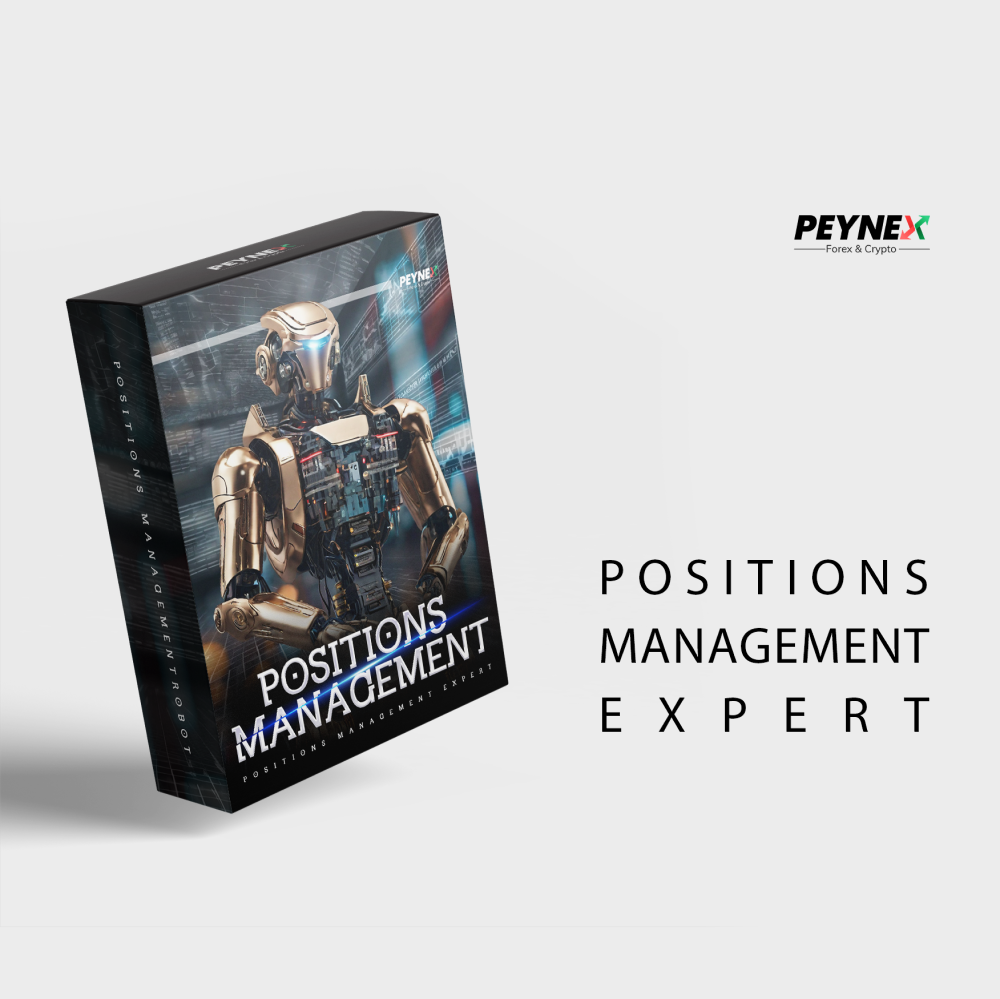
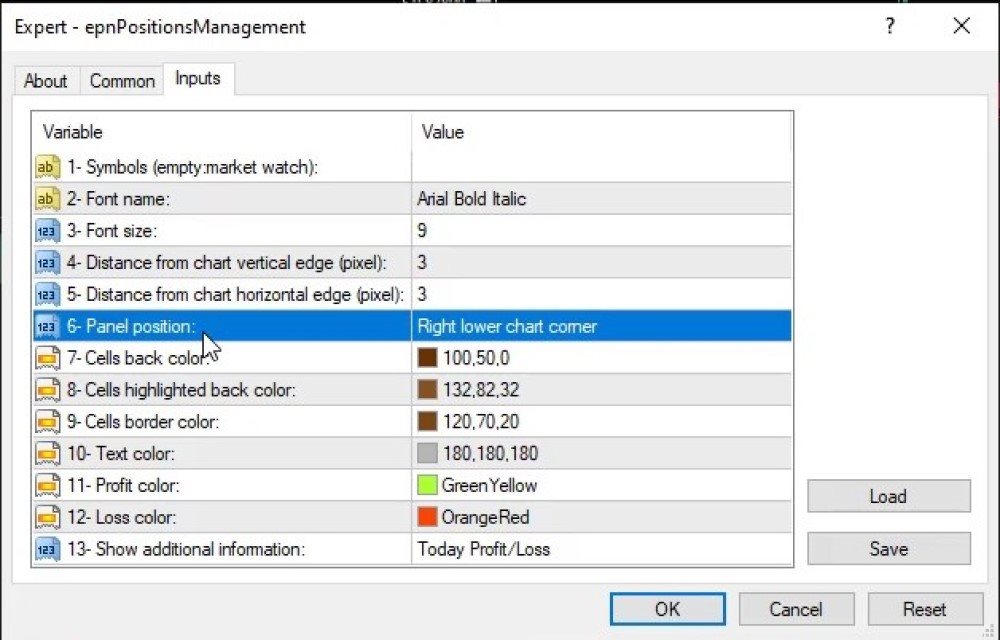
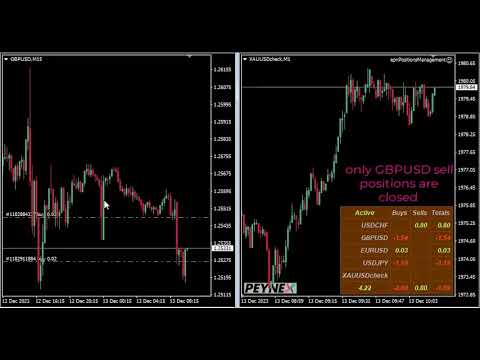
This Expert provides a panel to manage all positions you have on different pairs or any instruments.
not only you can close your positions just by clicking the amount of profit or loss shown on the related cell, but also you can customize whatever you see on the panel from font size  to lines and background colors.

Remember ,  auto trading on MT4 panel must be active, but in our Expert we have provided a key on the panel to activate or deactivate the panel to avoid closing by accident.

Any questions contact me in private

join our channel : https://www.mql5.com/en/channels/peynex
Any questions  contact me in private
telegram/Instagram support @peynex
推荐产品
This MT4 Expert Advisor (EA) is a   multi - timeframe trend - based trading assistant   with visualized UI and automated trading logic. Its core functions are as follows: Trend Analysis & Visualization Analyzes market trends by integrating multiple technical indicators including EMA (21/55), ADX (14), MACD (12/26/9), RSI (14) and volume data across different timeframes. Generates Chinese - language trend comments (e.g., "Bullish momentum surges" or "Bearish dominance prevails") and displays the
Ultimate MT4 to Telegram (UMT) sends controlled trades (via symbol, magic, comment) to your telegram channel. It sends open and closed trades, including pending orders and TP/SL modifications, along with chart screenshots, to any telegram channel. Additionally, you can send trade reports of open trades and summary profit/pip reports for day, week, or month. You can customize the design of the trade actions or reports with variables and emoticons.  A beautiful panel allows you to visualize all t
本版本仅支持 单个订单 交易 手数 <1 0 的订单,如果 单个订单 交易 手数 >1 0 ,请订阅更高版本   本 EA 并非主动盈利,只利用交易时间增加交易次数达到节省掉期费用的目的。 工作原理:本 EA 在当日交易截止前,会生成 \MQL4\Experts\Orderhis_today.csv 文件用于记录当天已开仓的信息,生成 \MQL4\Experts\Orderhis.csv 文件用于记录运行本 EA 后所有的需要平仓的开仓信息,对需支付掉期费用的已开仓订单进行平仓,然后在交易次日开盘后读取 Orderhis_today.csv 补回前日已关闭的仓位,这样避免产生掉期费用。 1、 注意市场交易时间。市场报价 - 相应品种 - 规格,查看交易时间,根据券商的交易时间调整 EA 参数 2、 本 EA 仅平仓已开仓订单,对于 limit 和 stop 的挂单不做处理 免责声明: 1、 由于交易商、网络等不可控的原因过多,所以本产品不保证每个订单的交易都可以成功。 2、 挂单补仓价格由使用者通过设定回补价差参数自行调整   预期节省测算 以掉期 -9.4 测算,总交易量达 1 手
One Click Trader is a tool designed for MetaTrader 4 platform, which enables you to take your trading to the next level. It enables you to open, manage and close your trades in simple an efficient way by just one click of your mouse button. Up arrow minimizes the OCT panel Down arrow maximizes the OCT panel Right arrow displays the next panel with additional features Left arrow hides the panel with additional features Red SELL button enables you to open short market orders Red SELL STOP button e
Send periodic (Health Check) notification from your MT4 terminal to your mobile phone to be sure that your MT4 terminal is still running. When you did not receive the notification, it means that your terminal is unavailable. Optional information like Account Equity and Trading Pairs are also available. Notification Period - 1 Hour, 2 Hours, 4 Hours, 8 Hours, 12 Hours, 24 Hours Attach EA to any H1 chart
Limit Scalper
Heiko Kendziorra
5 (1)
Buy the dip - sell the spike. This simple strategy, executed with limit orders, makes slippage your friend. The extended Take Profit sets no limits to profits, often profits far above the normal scalping profit are achieved. See screenshots below. No martingale, no grid, always just one order open with StopLoss.  Live Signal:  https://www.mql5.com/en/signals/1495331   The default settings   are for   GBPUSD M5   chart.   Timing is important!   Set   SetUTC   (GMT) according to the timezone of
Trade Desk for MT4
Mostafa Saad Saeed Shawara
Trade Desk 是 MetaTrader 上的交易面板( trade panel )和交易管理器( trade manager )。在图表上规划入场,用手数计算器( lot size calculator )确定仓位,然后在同一面板管理持仓( open positions ):止损( stop loss )、多个止盈( multiple take profit )、保本( break even )和移动止损( trailing stop )。 附加说明: 模拟账户试用版 — MetaTrader 5 版 Trade Desk 价格: 当前价格 $30 是限时开售价,适用于前 10 位买家。常规价格为 $99。 多数图表工具只帮助下单。成交之后仍需要仓位管理器( position manager )。 Trade Desk 把这两件事放在同一张图表上。拖动价位并实时看到风险回报比( risk reward ratio ),从面板发送订单,再选中任意持仓进行修改,不必打开单独的下单窗口。发给经纪商的修改会保持为预览,直到按下 Update,因此拖动线条不会意外改动持仓。 主要功能 图
InfinityBreak v3.0 – 更聪明交易,不再辛苦! 掌控市场,利用最新突破的自动化交易。InfinityBreak v3.0 自动识别关键突破,管理 TP、SL、部分 TP 和仓位大小,让您像专业人士一样交易 XAU/USD。 优化用于 M1 时间框架 – 快速、精准、可靠。 智能风险管理 – 无马丁格尔,无高风险策略。 适合初学者和中级交易者 – 全自动,简单且强大。 将每一次市场突破转化为交易机会,无需压力或持续监控。   MT5 Version:  Infinity Gold Break 3 | Buy Trading Robot (Expert Advisor) for MetaTrader 5     Infinity EAs Channel:  Private Messages - Evan Pierre Clement - KurukoPro - Trader's profile Pricing Info: 每 10 次购买价格增加 $50。 最终价格: $ ? Why InfinityBreak Stan
MT4 Alert to Telegram
Heka Maju Online Trading
MT4 Alert to Telegram   MT4 Alert to Telegram is tool, which sends selected trades to telegram channel. Tool sends trades when open and close with chart to telegram channel. Tool can send multiple charts and pairs from a single chart. Send information of all type of orders: Opened (including Pending Orders), and closed triggered. functions - user can custom self-sending message text even in their native language - user can send own advertisement text periodically - attach expert in one chart an
Close Asistent
Catur Sulistiyanto A Md Tem
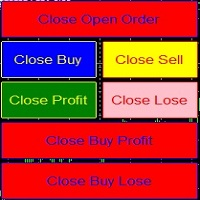
metatrader 4 close asisstent install ea in any pair and run it.. Congratulations on using the ea close assistant you can get free ea by registering FBS broker through my link https://fbs.partners?ibl=621087&ibp=24536958 Button Function : Close Open Order        = function to close all open orders Close Sell                    = function to close all open sell orders Close Buy                    = function to close all open buy orders Close Profit                 = function to close all profita
本エキスパートアドバイザ(EA)は、以下の条件をすべて満たした注文が決済された場合に、自動的に同一内容の注文を再設定します。 対象となるのは指値注文または逆指値注文で、必ずテイクプロフィット(TP)とストップロス(SL)が設定されているものです。 そして、その注文がTPまたはSLによって決済された際、同じロット数・価格・TP・SL・有効期限などの条件を引き継いだ注文を自動で再発注します。 これにより、一度設定した戦略を継続的に適用でき、裁量判断なしに取引を繰り返すことが可能となります。 ただし、ブローカーによっては再注文時にスリッページが発生する場合がありますので、必ずご利用環境をご確認の上、自己責任でお使いください。
This tool working You can buy or sell from the button of this tool, the lot size can be filled manually, as for the close all buy button to end all buy positions, close all sell button to end all sell positions, Close All profit button to end  All  profit position, Close All Loss button to end all loss position, Delete Pending button to delete all Pending order, close all orders to end all orders. The variable, you can use close all percent for close all orders when profit in percent, if close
Signal Provider Utility Pro (Telegram & Discord) The Professional Solution for Signal Providers. Automated Broadcasting | Smart GUI Panel | Performance Reports Stop managing your signals manually.   Signal Provider Utility Pro   is the realiable bridge between your MetaTrader 4 terminal and your community on Telegram and Discord. Designed for high-performance signal services, this tool gives you instant control over your broadcasts without ever needing to open the settings window. From   real-ti
This tool monitors your current Expert Advisors and manages stop losses and take profits. You can customize which EAs and/or which currencies to monitor. It is primarily meant for EAs that you feel manage stop losses and/or take profits poorly. If you want this tool to be able to monitor manual trades, please use '0' (zero) as the magic number. Supports hidden stoploss and take profit Supports ATR-calculated dynamic stoploss Supports Breakeven for individual trades Supports Trailing stop Lower r
交易特惠 – 40% 折扣 高级交易管理器 – 终极一体化解决方案,助您更快、更智能、更安全地进行手动交易。 使用 NextGen Trade Manager AI 革新您的手动交易体验。这款专业的图表面板将即时执行、可视化交易计划和强大的风险管理功能整合到一个直观易用的工具中。无需离开图表,即可比以往更快地执行订单、管理风险并保护利润。完美满足所有希望提升交易精准度和效率的交易者的需求。 在 MT4 策略测试器中无风险测试 下载演示版本,解锁模拟交易功能。这是在安全模拟的环境中练习执行、测试风险管理规则和完善策略的理想方式,让您在实盘交易前做好充分准备。 如需完整的用户手册和分步指南,请访问: https://www.mql5.com/en/blogs/post/764217 主要优势: 快速交易:一键执行订单、设置止损和平仓。 更智能的风险管理:根据固定风险、账户余额或净值自动调整手数。轻松验证止损是否符合经纪商规则。 内置保护:自动设置盈亏平衡点、启用追踪止损,并使用部分平仓来锁定利润并最大限度地降低风险。 避免代价高昂的错误:市价单和平仓功能的安全确认确保
StarBot
Dmitry Bondarenko
The StarBot utility works with open Sell and Buy orders, partially closes profit when the specified level is passed. There are three levels for partially closing the Sell and Buy orders. The utility also transfers Stop Loss to breakeven when the specified level is passed. It works on all currency pairs and timeframes. Demo version for testing can be downloaded at: https://www.mql5.com/en/market/product/27247 Input parameters Follow the orders - manage all orders, or select from Sell and Buy. Al
点差成本 是指交易中由点差造成的损失金额, 隔夜息收益 是指隔夜持仓获得的收益金额。 点差成本 对于短线交易者尤其是超短线交易者来说是一个重要的指标, 隔夜息收益 则对长线交易者来说是一个很重要的指标。由于MT4平台中得到的点差及隔夜息都是以点表示的,我们需要将它转换成以账户货币计价的金额 。本工具可以在不同的账户类型(美元账户、欧元账户等等)下,通过面板表格展示平台报价中所有外汇货币对(包括黄金XAU、白银XAG)的 点差成本 及 隔夜息收益 。面板表格中所有的数据都是实时更新的。 计算方法 点差成本 = Lots × OnePointValue × Spreads 隔夜息收益 = Lots × OnePointValue × Swaps 其中: Lots: 交易手数 OnePointValue: 以账户货币表示,一个点代表的金额 Spreads: 点差(以点表示) Swaps: 隔夜息(以点表示) 注意:在每周按“三日隔夜息”结算的那天,通常为每周周三, 隔夜息收益 的结果要再乘以3。 有关OnePointValue的详细计算方法,见文章: 外汇货币对的交易成本 Part1 如
基于时间算法的自动平仓订单管理工具(MT4)—— 技术说明 概述 本工具为基于时间算法的自动订单管理EA。其核心功能是根据用户预设的持仓时间周期,自动执行相应的平仓操作,旨在帮助交易者以机械化方式执行既定规则,减少人为情绪干扰。 核心功能模式 平仓模式 功能定义 全部平仓(Close All) 到达指定时间后,关闭所有符合过滤条件的持仓。 盈利平仓(Close Profit) 仅关闭当前处于盈利状态的持仓。 亏损平仓(Close Loss) 仅关闭当前处于亏损状态的持仓。 平多头(Close Buy) 仅关闭所有多头(买入)持仓。 平空头(Close Sell) 仅关闭所有空头(卖出)持仓。 核心算法与参数配置 时间监测引擎 :EA持续监控每个持仓的“存活时间”,当达到用户设定的持仓时间周期时,触发预设的平仓逻辑。 参数配置 :用户可设置检查时间周期、选择上述五种平仓模式之一,并通过魔术数字(Magic Number)和交易品种过滤功能实现精确的订单管理。 使用流程 :将EA加载至监控品种图表,配置持仓时间周期与平仓模式,EA即自动运行。 技术特点 完全基于时间条件执行操作,不涉及任
ProfRoboTrading Dashboard MultiSymbol   is   Expert Advisor  a lightweight on-chart control panel that provides a clear overview of your trading account and open positions across multiple symbols. The dashboard displays key account metrics, summarizes open BUY/SELL orders and lots per symbol, calculates profit for Day/Week/Month, and offers quick manual close actions directly from the table. Key features Multi-symbol table   (symbols list configurable). Account metrics panel:   Balance, Equity,
「Binary Lab Simulator」是一个用于练习和验证交易策略的工具。 该工具全天候运行,包括周末和非交易时间,并支持多种到期时间,如30秒、1分钟和3分钟,创建类似真实交易的环境。 它兼容外部工具以分析进入结果。 可以轻松保存多个模板,从在线环境无缝测试到模拟器。 「Binary Lab Simulator」可以单独使用,但与「SpeedManager」、「Practice Simulator Sync」和「ArwByIdx」结合使用时功能更强大。 「SpeedManager」在指定的进入点自动停止 「Practice Simulator Sync」允许同步不同时间框架和货币对的图表 「ArwByIdx」与外部指标和信号工具集成,自动关联进入点 与Signal Tool结合使用时,它可以在指定的交易次数后进行进入、关闭或自动停止。 您还可以跟踪连续的赢/输次数或保存交易结果的图像。 该工具提供了一个真实的训练环境。 优点: 周末和节假日的操作 可调节的交易到期时间 高效练习的速度调整 不同时间框架和货币对的同步 与其他指标的兼容性 与信号工具协调的进入 输出结果图像的能力
RedFox Copier Pro
Rui Manh Tien
4.7 (10)
Time saving and fast execution Whether you’re traveling or sleeping, always know that Telegram To Mt4 performs the trades for you. In other words, Our   Telegram MT4 Signal Trader  will analyze the trading signals you receive on your selected Telegram channels and execute them to your Telegram to MT4 account. Reduce The Risk Telegram To Mt4   defines the whole experience of copying signals from   Telegram signal copier to mt4 platforms. Users not only can follow all instructions from the signa
Telegram Signal Sender
Biswarup Banerjee
5 (1)
通过 Telegram Signal Sender MT4 提升您的外汇信号分享能力,这是一款强大的工具,旨在自动化并简化将交易信号发送到您的 Telegram 频道的流程,非常适合有志成为信号提供者或已建立信号提供服务的交易者。在 Forex Factory 和 Reddit 的 r/Forex 等交易社区中广受好评,并在 Investopedia 和 MQL5 论坛的讨论中因其高效的信号传播而备受关注,该工具深受希望扩大受众的交易者喜爱。用户报告称,由于及时且专业的信号传递,关注者参与度提高了 30-40%,许多人指出手动发送信号的时间减少了 50%。主要优势包括自动生成信号、可定制的风险管理以及用户友好的界面,简化了向公共或私人 Telegram 频道分享高质量信号的过程,从而提升您作为可靠信号提供者的声誉。 Telegram Signal Sender MT4 提供了一个可定制的面板(通过 PANEL_TOP、PANEL_LEFT、PANEL_WIDTH_PCT、PANEL_HIGHT_PCT、TEXT_HIGHT_PCT 和颜色等输入进行配置),用于根据用户定义的风险回报比率
The Trading Panel is designed for easy, convenient, and intuitive use. It is built for both scalping and day trading. The Trading Panel is designed to recognize every instrument it is applied to, without the need to calculate pips or points. The Trading Panel includes Breakeven and Trailing functions, as well as the ability to open and close multiple orders simultaneously. The Breakeven and Trailing functions can be activated either together or separately. The number of trades opened at the same
This utility allows you to easily close profit or loss positions. You can close profit or loss positions by clicking each buttons. If profit or loss positions reaches or exceed value specified as pips, they would be closed. This panel would be placed left bottom corner of the chart. If the users want to change the placement and functions contact me. Important :  -Check allow live trading. -Enable Auto Trade trading.
Quantized Trend
Oleg Pechenezhskiy
This utility automatically draws the trend channel on the price chart. For the time interval from the specified date to the current bar, the drawn channel is almost optimal. Placing the beginning of the channel at a more distant historical price extremum, you get a visualization of a longer-term trend. Channel slope is not a continuous value, but takes one of discrete values (in AxB format, where A is the number of price points (points), and B is the number of timeframes). This program works ONL
Grid Trading Manager EA
Ibrahim Mohamed Ibrahim Mohamed Elsahafy
Professional grid management EA with 3-tab GUI, progressive placement, 5 take profit levels (TP1-TP5), basket breakeven protection, and advanced trailing stop. Automatically manages manual trades with intelligent limit order distribution. --- ### KEY FEATURES **3-Tab Interactive GUI** - STATUS: Real-time monitoring, profit tracking, trailing targets - SETTINGS: Runtime configuration without EA restart - TAKE PROFIT: Configure 5 sequential TP levels **Progressive Order Placement** - Wave-
FREE
Multiple Orders
Opengates Success International
5 (1)
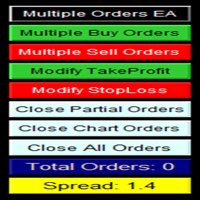
多单实用工具 多单实用工具的设计目的是让交易者在价格出现小幅波动时,就能轻松获利,而不必等待价格走很长的距离才能实现目标。 该工具可以同时在同一货币对、同一方向上开启多个订单,数量由用户设定,或由您的经纪商允许的最大数量决定。 它的理念是:与其追逐 100–200 点(这在短时间内可能难以实现,甚至不现实),不如在同一时间开启多个订单,并设定一个较短的止盈目标。例如,交易者可以开启 5 笔或更多订单,并设定 20–25 点作为止盈目标,这个目标会自动应用到所有订单。实现 25 点比追求更大幅度的波动容易得多,但结果却可以相同:例如 5 笔订单,每笔 25 点,总计等于 125 点,而价格只需移动 25 点即可。 虽然该工具易于使用,但在入场之前必须对市场走势和价格的未来方向进行准确分析,否则可能会造成较大的回撤。除非您选择 1:1 或 1:2 的止损与止盈比例,否则一定要设置止损,以避免风险——这就是所谓的交易纪律(交易无止损是非常不好的习惯!)。 为了降低风险,该工具内置了保本功能(默认设置):当价格比开仓价上涨 10 点时,系统会自动将所有订单的止损调整到开仓价之后 5 点的位置。
风险控制专家顾问,该程序可让您控制交易顾问对您账户的总风险。 使用此程序,您可以控制所有顾问在账户上允许的最大风险。 例如,您设置了最大回撤的 30% 的风险,这意味着如果您的股票交易机器人超过 30% 的风险,风险控制员将关闭顾问的所有仓位,也可以关闭所有打开的图表,从而防止顾问进一步工作。 当您用鞅交易平均机器人并希望在不可抗力或其他不可预见的情况下限制机器人的最大损失时,EA 将是“安宁睡眠”所必需的,因为与其希望市场逆转。 The Risk Controller Expert Advisor is a very important and, in my opinion, necessary program for every trader who trades robots. 可以以账户上最大损失的限制货币美元等值和百分比来进行控制。 为了让顾问工作,只需将其附加到货币对的图表上,并以存款货币或当前余额的百分比设置最大允许风险。 顾问功能 在达到指定的总损失水平后平仓所有头寸 $ 和% 在达到以美元和百分比表示的总利润后平仓所有头寸 当达到指定的亏损/盈利时删除挂单 达到指定
Aegis Capital Protector MT4 Institutional-Grade Equity Protection & Risk Control System Protect capital. Control exposure. Preserve trading survival. Overview Aegis Capital Protector MT4 is a professional-grade capital protection and risk management system designed for MetaTrader 4 traders who prioritize account survival over speculation. Unlike trading Expert Advisors, Aegis does not generate buy or sell signals. Instead, it functions as a real-time risk control layer that continuously mo
Zirk Trading Management Zirk Trading Management is a powerful trade management utility for MetaTrader that helps traders execute trades with consistent risk management. It is designed to simplify position sizing by automatically calculating the correct lot size based on your chosen risk percentage and stop-loss distance. Instead of manually calculating lot sizes, simply set your desired account risk (e.g., 1%), place your stop loss, and the utility instantly determines the appropriate trade vol
该产品的买家也购买
面板 FFx 隐藏管理 轻松帮助您在图表上直接管理您的订单。下面描述所有特征: 止盈, 止损和尾随停止均隐藏 每笔交易在图表上都有自己的指示线 可按您的需要拖拽任何线来改变止盈/止损 当止盈 #1 到达,自动将止损位移到盈亏平衡位置的选项 选择止盈/止损类型的选项 (通过点数或价格) 选择尾随停止类型的选项 (通过点数, MA, 分形, PSAR 或 ATR) 定义哪些订单您希望在当前图表上进行管理 (所有订单或特定单号) 最大化 / 最小化面板按钮 在图表上将面板拖拽到任意位置 显示交易信息的选项 如何使用它? (参看以下截图) 选择您希望管理的订单 (所有或特定的) 设置您的目标, 止损和尾随停止 … 之后点击 “放置”。它们都独立工作,这样您就只需设置一次。 如果您希望删除一个止盈, 止损或尾随停止, 选择正确的订单 … 然后点击 “删除” 当您选择设置 “所有当前符号”, 则 “当前设置”显示在面板里。这些设置将自动用于所有新开订单。若要重置/删除这些设置, 点击 “重置所有”。 如果 “显示交易信息”被选中, 一个新的小表格显示在面板之下, 包括每笔订单及其当前的目标和尾随停
FFx Risk Calculator panel will help you to calculate very easily your trades size, SL or the risk directly on the chart. All features are described below: Option to select which parameter to calculate: Risk, Stop Loss or Lot Size The panel will show if the lot size is allowed according to the current account free margin Button to maximize/minimize the panel Drag and Drop the panel anywhere on the chart How to use it? Select the parameter you want to be calculated. It will be based on the 2 other
FFx Watcher PRO
Eric Venturi-Bloxs
The FFx Watcher PRO is a dashboard displaying on a single chart the current direction of up to 15 standard indicators and up to 9 timeframes. It has 2 different modes: 1. Watcher mode: Multi Indicators User is able to select up to 15 indicators to be displayed User is able to select up to 9 timeframes to be displayed 2. Watcher mode: Multi Pairs User is able to select any number of pairs/symbols User is able to select up to 9 timeframes to be displayed This mode uses one of the standard indicat
This Stacker EA will: Automatically set Stop loss on a new order Automatically set Take profit on a new order Stack (or open up to 4 additional orders at the same time) when a new order is placed, the SL/TP can be preset individually for each order. Provides a transparent replacement for the standard 1-click trading buttons in MetaTrader 4 (1 click still works and SL/TP will automatically be set as well as Stacking). Automatically calculate lot order size according to preset risk management perc
Crypto Market Pro
Daniil Kurmyshev
5 (1)
New opportunities for analyzing cryptocurrency in the usual MetaTrader 4. For example : We select the symbol of the cryptocurrency and attach any indicators, Expert Advisors or scripts. Startup Mode View cryptocurrency; Data collection. Capabilities Work as with a standard currency chart; Automatic update of open charts; Selection of individual cryptocurrency for updating; Selection of individual timeframes for updating; Work on the desired timeframes; Open charts do not affect the work of Cry
斐波那契折返和扩展画线工具 适用于MT4平台的斐波那契折返和扩展画线工具,非常适合于利用帝纳波利点位交易法和黄金分割交易的交易者 主要功能: 1.可以直接画线多组斐波那契折返,重要折返点之间的关系一目了然 2.可以画出斐波那契扩展 3.画线的斐波那契折返和扩展均可左右移动方便观察,有数值显示 4.图表显示非常清爽 5.可通过数字键切换周期 功能键: 1.按 [ 画折返,按需画折返,最多可画8组 2.按 ] 画扩展 3.按 \ 删除当前周期下的所有扩展和折返 4.移动、删除折返和扩展 (1)点击第一组折返的F5线条, 点击1次(变成黄色),按键盘上的Delete可删除该焦点的折返。 点击2次(恢复颜色),可以移动折返到合适的位置 (2)点击COP的线条 点击1次(变成黄色),按键盘上的Delete可该组折返 点击2次(恢复颜色),可以移动扩展到合适的位置 5.修改折返和扩展: (1)选择焦点F或反弹点数字(F或反弹点字体变大,变成黄色),移动鼠标。 (2)选择ABC三点中的某一个(字体变大,变成黄色),移动鼠标。 如何使用可以看相关视频
Советник риск-менеджер с огромным арсеналом возможностей защиты вашего депозита. Для инвесторов, которые решили передать капитал в доверительное управление. Когда у трейдера нет доступа к настройкам - нивелирует торговые риски. А также для трейдеров, которые осознали необходимость стороннего контроля за их торговлей для улучшения торговых результатов.  Для максимальных результатов - должен стоять на отдельном VPS сервере и у трейдера не должно быть возможности менять настройки в торговый период.
Grid Hero War Pad
Chock Hwee Ng
3.4 (5)
Grid Hero War Pad is a  GRAPHICAL MANUAL TRADER version of the original Grid Hero EA, designed and created for ADVANCED TRADERS who are experienced in plotting their own market entries. It is coded using ADVANCED GRAPHICAL INTERFACE programming, that combines the power of discretionary trading with Grid Hero algorithm in the form of a graphical console with button-click easy execution. It allows you to execute trades manually using Market Orders and Pending Orders, and then automatically uses th
MirrorEA
Eugenio Bravetti
The new version of  MirrorSoftware 2021  has been completely rewriten and optimized.  This version requires to be loaded only on a single chart because  it can detect all actions on every symbol and not only the actions of symbol where it is loaded. Even the  graphics and the configuration mode  have been completely redesigned. The MirrorSoftware is composed of two components (all components are required to work):  MirrorController  (free indicator): This component must be loaded into the MASTER
Open charts
Maksim Slovakov
Скрипт открывает графики по всем инструментам находящимся в окне "Обзор рынка" и по желанию может задать для всех графиков один шаблон. Так-же можно удалить все графике открытые в терминале Мт4. В скрипте имеются следующие настройки: "Таймфрейм" по умолчанию M30;             (Можно поставить свой: M1, M5, M15, M30, H1, H4, D1, W1, MN.) "Задержка" по умолчанию "0";                  (Задержка перед открытием следующего графика в миллисекундах.) "Шаблон" по умолчанию "True";                (True=пр
Forex Market View Dashboard and CSM
Opengates Success International
5 (1)
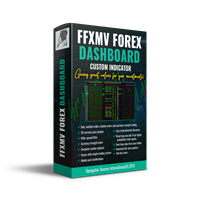
FFXMV Dashboard + CSM is a custom indicator combined with Currency Strength Meter . It is created to give the Traders a full view of what is going on in the market. It uses a real time data to access the market and display every bit of information needed to make a successful trading. Before attaching this Indicator to your window chart, go to your MT4's Market Watch panel and HIDE all the Currency pairs you don't need or trade and leave the rest there. The reason is that FFMV Dashboard will DISP
NewsReady
Joel Protusada
NewsReady is a semi-automated Expert Advisor that uses a smart straddle methods It needs to be set in charts 2 to 10 minutes before Economic Data release with a red-flag impact on currencies related to the news. Then it run pending orders in specified number of minutes indicated in the time-period parameter. After the specified time, it will stop trading and will remove all pending orders. Important You can not backtest this tool because it is semi-automated and can only be set and run a few min
Advanced Smart Renko and Heiken Ashi Candle Trader is ONE STOP SOLUTION based semi/fully - automated multi-currency EA carefully engineered for traders to enter the trade based on their Analysis or in fully automated mode for scalping, trend trading, candle breakout trades and also automated news trading with inbuilt trade management solution.    Advantages    No grid / Martingale Works on Classic Renko, Renko Heiken Ashi charts and classic Heiken Ashi charts    Features Multi-Currency Ma
Binary expert
Dmitriy Konogorov
Expert for a binary options on mt4, he have  two built-in a indicators and many different settings. The expert has one a level of martingale, but it is recommended to use it on  the instruments with a yield of 85 percent. it can be used simultaneously on a variety of currency instruments. All settings have already been made, but you can also configure them yourself . Currency for do trading is a Russian ruble. Good trading to everyone.
This program is created by algorithm which economy based logic in the trading market. 1. The program able to work with all of currency and trading items  2. Take profit and loss are basically handled by EA program Recommendation: EUR_USD is the most preferred. Please use this program only for MT4. LOT should be managed depends on own deposit. Otherwise, high risk will be driven(e.g 0.1~0.2 lot is recommended when the deposit is 10,000 dollar)
1.   记录每一个Tick交易的价格数据。     数据文件内容:“Tick时间”、“ASK价格”、“BID价格”、“SPREAD价差”、“Tick报价数量”。 2.   同时,生成一个1分钟周期的报价数据文件。     1min数据文件内容:“ASK时间”、“ ASK OPEN价格 ”、“ASK HIGH 价格”、“ASK LOW 价格”、“ASK CLOSE 价格”、 “ BID 时间”、“BID OPEN价格 ”、“ BID HIGH 价格”、“ BID LOW 价格”、“ BID CLOSE 价格”、 “Tick报价数量”。 3. 每天将所有报价数据保存在一个文件中,方便使用者进行数据分析和数据整理。 4.这个EA程序,任何时刻加载到MT4图标中,就可以直接开始价格数据的记录。确保记录下市场中出现的每一个报价。 5.文件存储位置:MQL4/Files/
Утилита-риск-менеджер для защиты вашего депозита от полной потери денег. Если вы инвестор и решили передать деньги в доверительное управление, вам нужен Trade Control. Так трейдер не нарушит свои же правила риск-менеджмента и не сольет все ваши деньги. Для этого Trade Control должен находится на вашем VPS. И у управляющего трейдера не должно быть доступа к настройкам данной улититы. В момент слабости, трейдер не сможет увеличить заложенные в торговлю риски. И не потеряет ваш депозит за один неуд
L   H E D G E R   S C A L P E R    A fully automated Expert Advisor that uses counter-trend scalping, managed semi-martingale strategy and lock hedging to execute a complete trading scheme from entry analysis to risk-calculated money management to exit analysis plan execution.         V E R Y  I M P O R T A N T    You can use only ECN type of account. Otherwise, it's a disaster. You can use only the GBPJPY currency pair. Open and attach with 1 chart only. Use a minimum of $5
P Y R A M I D   E X P E R T    This Forex utility is a complex exit strategy and order management tool that executes four trading methods; scalping, pyramid style, hedging, and scaling method to close trades with a profit.           V E R Y  I M P O R T A N T     This is not a stand alone expert advisor. Use it with your own volatility-based strategy. Once you found the currency pair to trade, you can just attach this tool to the chart of the chosen pair and it will do the
Tool sends trades when open and close with chart to telegram channel.  Tool can send multiple charts and magic numbers and pairs from a single chart. Send information of all type of orders: Opened (including Pending Orders), closed tiggered, and modified orders. Telegram Setup instruction Open your Telegram APP and search for "BotFather". Type  /start  and click/type  /newbot  to create a new bot. Give your bot a nickname and username (e.g., nickname: Bestnavisignal and username: Bestnavisignal
The EA Protection Filter ( MT5 version here ) provides a news filter as well as a stock market crash filter, which can be used in combination with other EAs. Therefore, it serves as an additional protective layer for other EAs that do provide such filters.  During backtest analysis of my own night scalpers, which already use a stock market crash filter, I noticed that the historic drawdown,  especially during stock market crash phases like 2007-2008, was reduced significantly by using such a fil
FiboPlusWaves
Sergey Malysh
5 (1)
FiboPlusWave Series products Ready-made trading system based on Elliott waves and Fibonacci retracement levels . It is simple and affordable. Display of the marking of Elliott waves (main or alternative option) on the chart. Construction of horizontal levels, support and resistance lines, a channel. Superposition of Fibonacci levels on waves 1, 3, 5, A Alert system (on-screen, E-Mail, Push notifications).    Features: without delving into the Elliott wave theory, you can immediately open one of
Pro Indicator Trader is a professional trading tool with which you can automate/create a trading strategy using the 31 classical Metatrader 4 indicators.  An elegant and intuitive interface allows you to customize your strategy down to the smallest detail and choose whenever the EA should open a buy or sell position. For each entry-trade rule, you can use up to 14 different indicators. The EA is designed for professional traders, therefore it has many advanced functions. The EA records the order
Monitor floating profit of trades and close half of the lot size when profit reach target. Can monitor either all trades in whole account or by specified magic number. Can set amount of slippage and spread tolerance. Can set retry times and sleep seconds if split order was rejected Can set max split order times. Able to close trades after split when floating profit goes down and near 0, to prevent lose.
A   rocket   (from   Italian :   rocchetto ,   lit. 'bobbin/spool') [nb 1] [1]   is a   projectile   that   spacecraft ,   aircraft   or other   vehicles   use to obtain   thrust   from a   rocket engine . Rocket engine exhaust is formed entirely from   propellant   carried within the rocket. [2]   Rocket engines work by   action and reaction   and push rockets forward simply by expelling their exhaust in the opposite direction at high speed, and can therefore work in the   vacuum   of space. In
Программа работает на сочетании двух индикаторов.   Set _ Lot = 0.01 – значение объема лота Set _ TP = 100 – значение тейкпрофит в пунктах Set _ SL = 100 – значение стоплосс в пунктах Up _ Limit _ CCI = 100 – верхний предел CCI Down _ Limit _ CCI = -100 – нижний предел CCI Delta _ CCI = 25 – отклонение CCI от первой свечи Set _ Time _ Frame _ CCI = 15 – значение таймфрейма для расчета CCI Set _ Period _ CCI = 14 – значение периода для расчета CCI Set _ Price _ CCI = 0 – тип цены, по которому вед
The utility allows you to open, monitor and manage open positions on the forex market and only on instruments in which it is possible to create triangulations or those instruments that share the same currency in the numerator or denominator: ex: EURSUSD --- GBPUSD --- EURGBP The help of operational lines and valuable information on the panel allow the trader to manage trades more easily. Recommended for novice and experienced traders. External variables CrossSymbol = choose the cross on which
PLEASE NOTE:   The "AUTO" function of the EA has NOT yet been activated . It's still ongoing testing. Once it becomes available, clients will get a free upgrade to EA 2.0                        Also .... PLEASE follow the instructions below in order for the functions to work properly. Introduction: The Phoenix Project (EA) Our Expert Advisor is both refined and practical. It is geared towards helping the traders be constantly aware of their risk PER trade while it helps them manage that risk.
Reward Multiplier is a semi-automatic trade manager based on pyramid trading that opens additional orders with the running profit of your trades to maximize return exponentially without increasing the risk. Unlike other similar EAs, this tool shows potential profit/loss and reward to risk ratio before even entering the first trade! Download Demo here  (starting lot is fixed at 0.01) Contact me to get a 7 days trial version of the product with full functionality. Guide + tips here MT5 version  
Welcome guys !  I offer to you this MT4 project I've been working on for the last 2 years ( roughly over 900h of work.. ).  This is a complete tool that will change the way you see MT4, because I almost recoded it entirely ! It will provides you a solid base for risk management, order positionning, hedging, account preservation and journaling. I wanted an all-in-one panel that covers both scalping and swing trading and that suits every type of trader.       Main goal was : NO INPUTS. Never
作者的更多信息
By using this indicator you can easily find out how much your position is in profit right on the volume line on the chart. no need to take your mouse pointer on the lines. --- if you have different positions you can set all your TPs or SLs to a specific price to know the final value if the price reaches there. key features are : --- opened positions TP/SL value right on the chart. --- live value of the open position right on the volume line. --- commissions and swaps are being calculated. --- fo
Accuwiser
Arash Nikniazi
Accuwiser Expert Advisor We have developed a strategy for GOLD which is now available for everyone through Accuwiser Expert advisor. Tight money management and risk management have been applied to this expert. The way we handle losing trades is unique and 3 different methods are applied if any trade goes in loss. Furthermore Entering a trade is time-based and differs in various modes we recommend. Different risk levels which have been provided have no interaction with higher lot size. Only dif
ASR Indicator
Arash Nikniazi
ASR (Accurate Support Resistance) Indicator Uniqe formula behind this indicator makes it one the world's best support resistance indicator. watch the tutorial video It is user-friendly and here are some key features : -- different calculations for swing traders and scalpers. -- the lower the accuracy number the further the lines distance is. --easily applicable on all charts. ( try to find the best accuracy number ) recommended accuracy number for Gold is 5or 6, for eurusd 6 or 7. other instrum
Peynex Pivots

Arash Nikniazi
Pivots Indicator Traders have been using this indicator for a long time, but the main difference or might better call it betterment applied to well known pivots indicator is that you can change how the pivot can be illustrated. There are two ways to get the pivots on the chart. you can use either number of candles or the movement of the market using points of retracement. you can find out more on the video. furthermore pivots lines can be drawn to see the possible support and resistance prices w
筛选:
无评论
回复评论