Netsrac ADR Dashboard
- Göstergeler
- Sürüm: 4.8
- Güncellendi: 19 Haziran 2026
- Etkinleştirmeler: 15

ADR Dashboard for MT4 – Put Price Movements into Context
How far has a market already moved today? Is its current trading range unusually narrow or already close to its historical average? The ADR Dashboard helps you answer these questions at a glance – across multiple configurable markets or directly on a single asset’s chart.
What Does the Dashboard Show?
ADR stands for Average Daily Range: the average difference between a day’s highest and lowest prices. It measures the daily trading range, rather than the price change from the previous day.
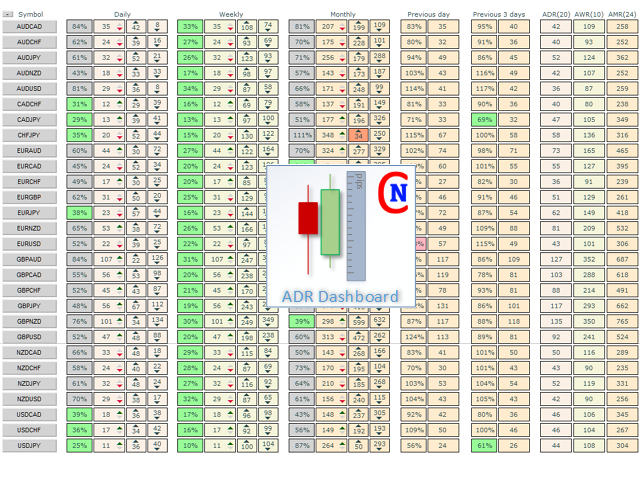
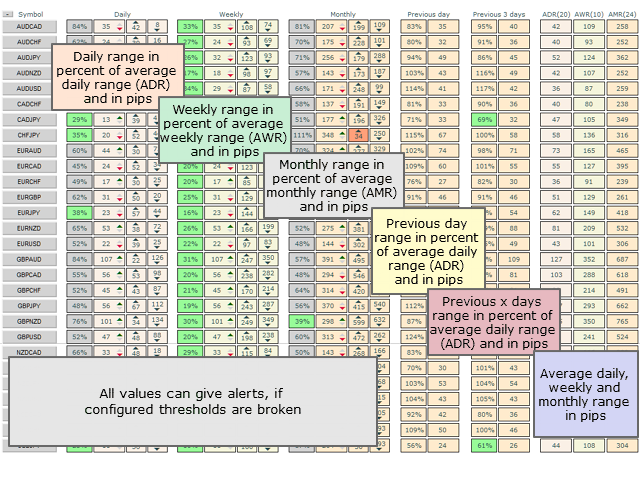
The dashboard compares the current daily, weekly and monthly trading ranges with their respective historical averages. This helps you identify markets that have already made a substantial move and those that have remained relatively quiet.
For example, a reading of 80% of the average daily range means that today’s high-to-low range has reached four fifths of its historical average. It does not mean that only 20% of movement remains: an average is a reference value, not a fixed price limit.
How Can You Use This Information?
- Assess extended movements: When a market has already covered much of its average range, you can evaluate a potential entry in the context of the movement that has already taken place.
- Monitor quiet markets: A small range relative to the average can indicate a quiet trading session. This may be useful when looking for potential breakout setups.
- Compare different time horizons: The daily, weekly and monthly views help you place short-term price movements within a broader context.
Reaching the average range is not, by itself, a reversal signal. Likewise, a narrow range does not automatically predict a breakout. Use the dashboard as an additional source of information within your own trading strategy.
Monitor Multiple Markets or Focus on One Chart
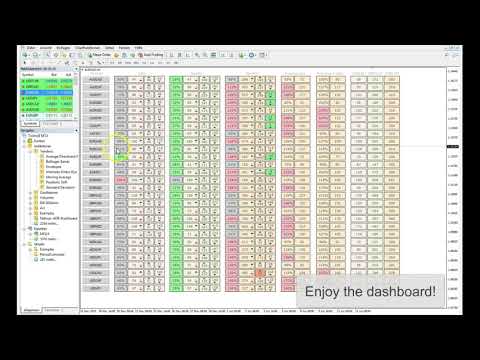
In Dashboard Mode, you can monitor your configured assets together. This makes it easier to compare markets and focus your attention on those that deserve a closer look.
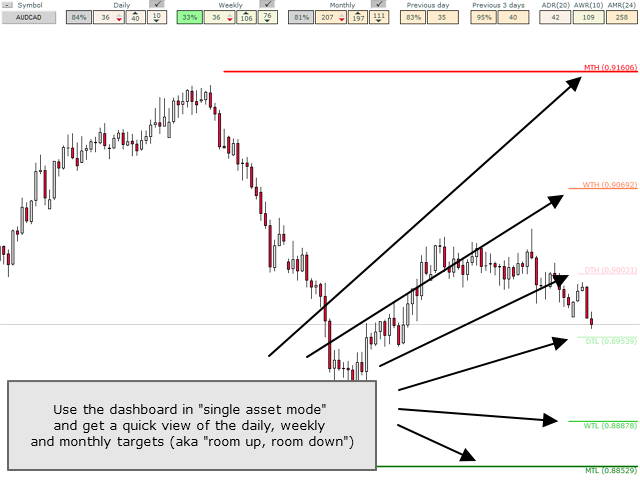
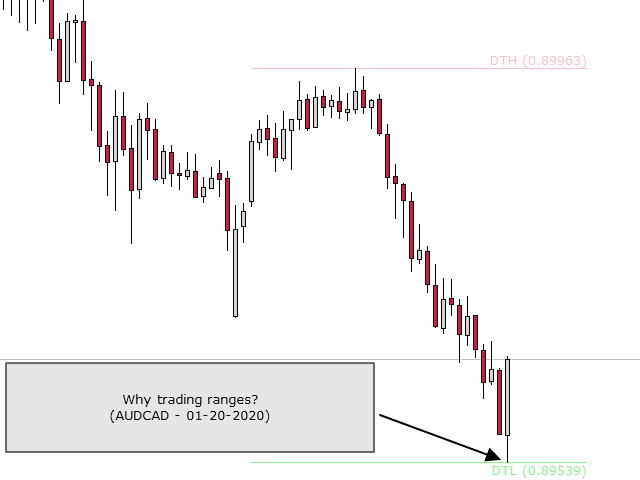
In Single-Asset Mode, the indicator displays potential reversal areas directly on the chart. You can assess these statistical reference areas alongside current price action. They provide guidance, rather than guaranteed turning points.
Alerts for Your Defined Thresholds
When a configured threshold is exceeded, the dashboard can trigger an on-screen alert, send a push notification to your mobile MT4, or notify you by email. Push notifications and email require the corresponding settings to be configured in your terminal.
User Guide and Free Test Version
For a detailed explanation of the settings and controls, please see the user guide on my blog.
Please note: This indicator cannot be used in the Strategy Tester. The Market demo therefore cannot be used to evaluate it. Please use the free version of the ADR Dashboard for testing instead.
This product is the MT4 version. If you use MetaTrader 5, you can find the MT5 version here.


















































Netsrac ADR Dashboard by Carsten Pflug is truly one of the best indicators I’ve ever used. It’s extremely helpful for reading market range, identifying continuation or exhaustion zones, and aligns perfectly with my own trading system. Carsten Pflug is an outstanding developer — very fast to respond, professional, and always willing to share useful tips whenever I ask questions. Thank you so much for this powerful indicator — it has really helped me make clearer and more confident trading decisions every single day!