CandlePulse Candle Timer MT5

  • Göstergeler
  • Guad Bibar
    Guad Bibar
    • Founder & MQL4/MQL5 Developer at  Quantum Labs
    • İsrail
    • 1625
    5 (1)
    Quantum Labs | MetaTrader tools with clear rules
    I develop MQL4/MQL5 indicators, Expert Advisors and utilities, with a focus on chart analysis, configurable trading logic and practical dashboards.
    Choosing a product
  • Sürüm: 1.0

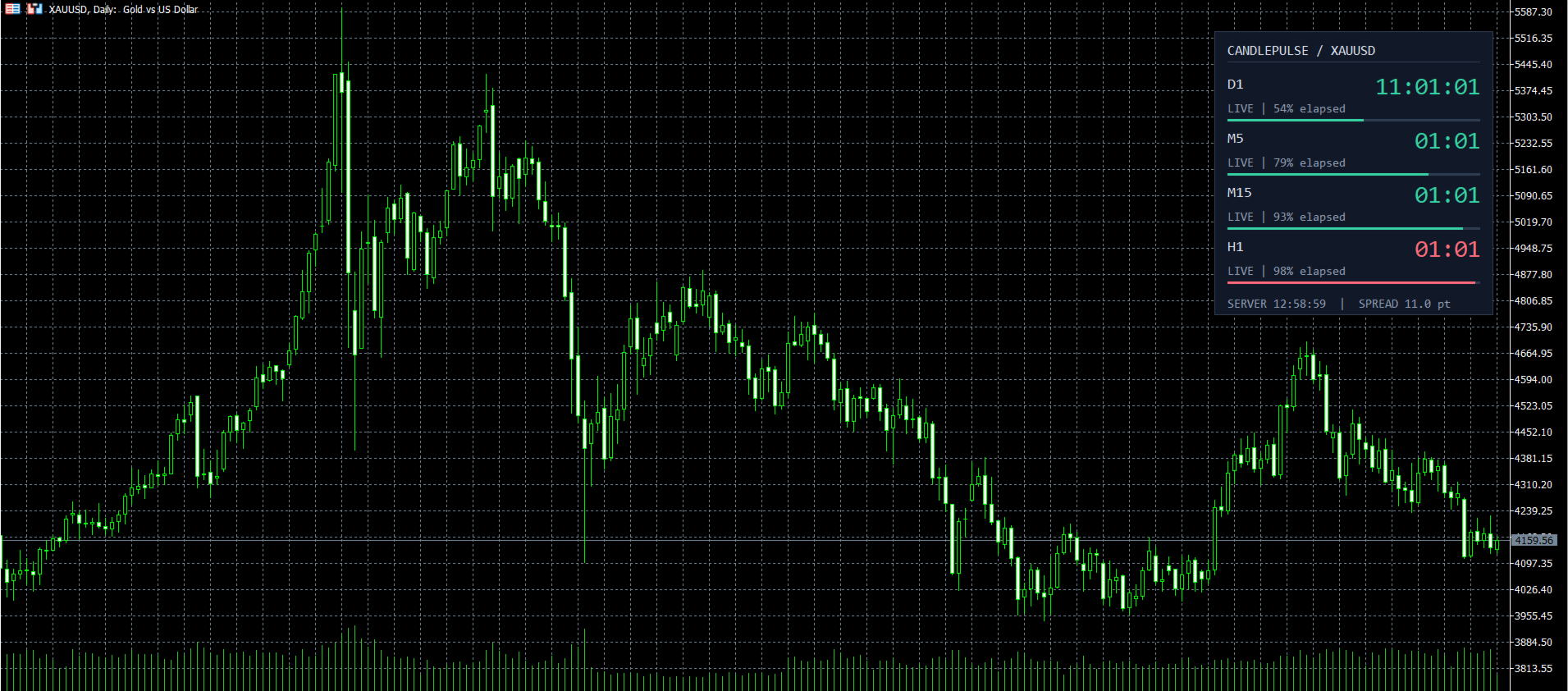
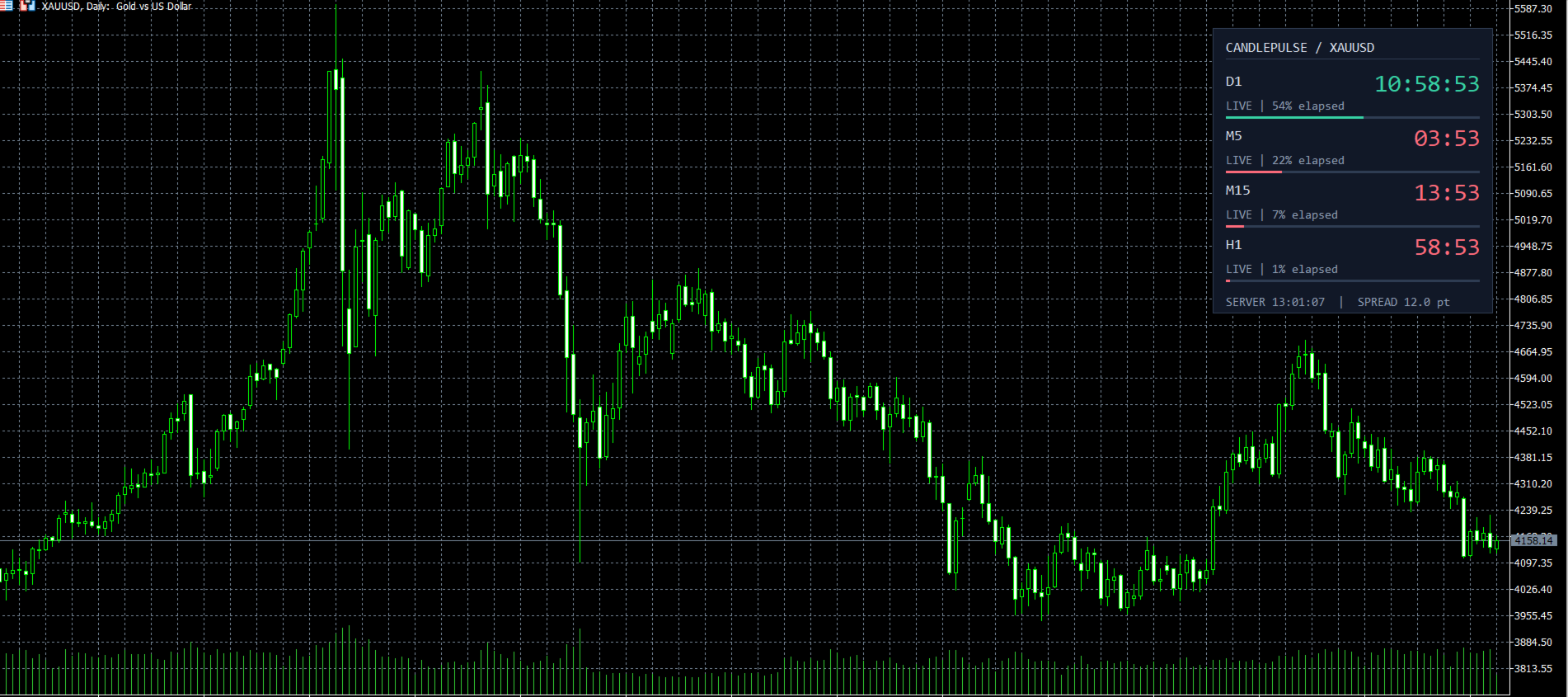
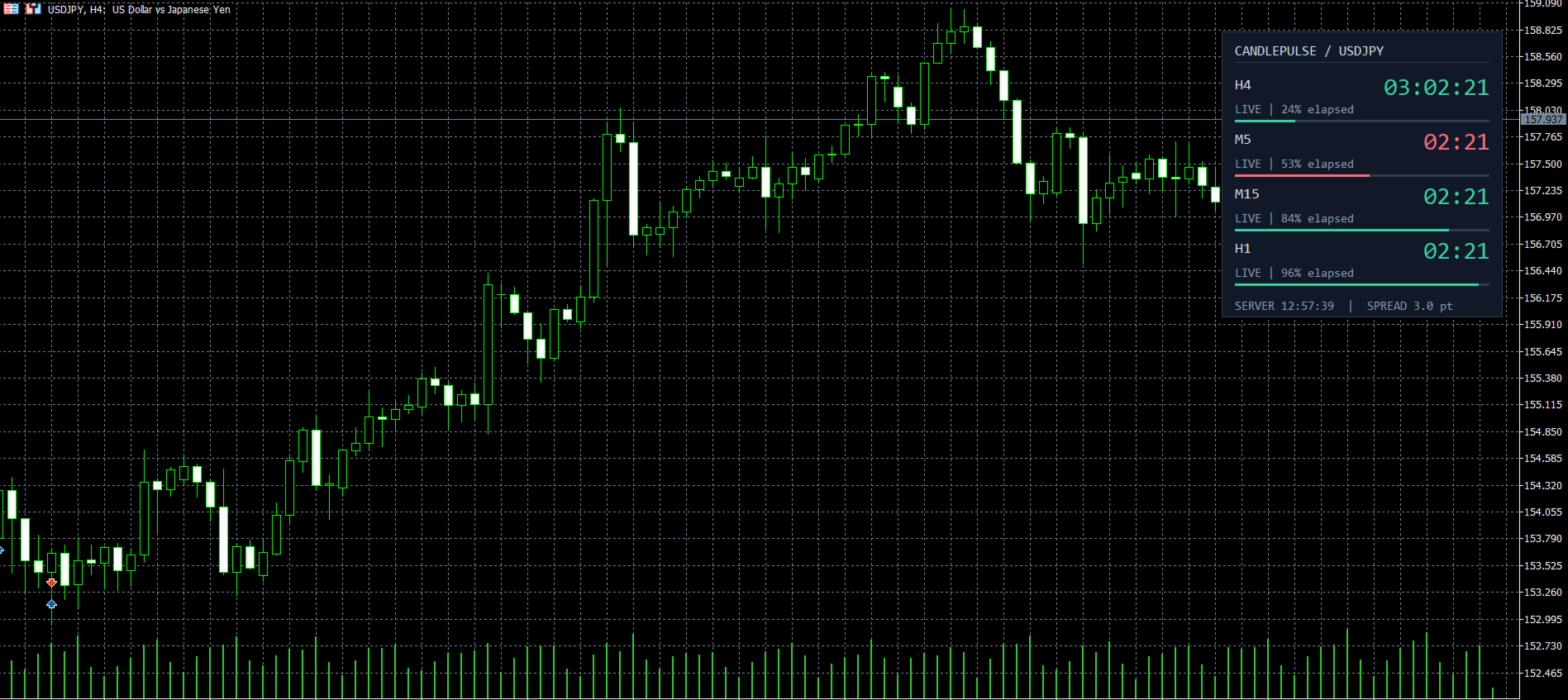
CandlePulse Candle Timer MT5 shows the time remaining in the current candle, with a dashboard for up to four timeframes and optional candle-close alerts. Choose a full panel, a compact corner timer, or a countdown beside the latest candle.

All features are included at no charge. There is no subscription, external account, or DLL requirement.

Main features

  • Multi-timeframe dashboard: monitor the chart timeframe plus up to three additional periods. Duplicate periods are combined into one row.
  • Three layouts: dashboard, compact display, and beside-candle timer.
  • Countdown updates between price ticks, with elapsed-time progress bars in dashboard mode.
  • Optional alerts before the candle closes or when a new bar arrives. Choose popup, sound, push notification, or email.
  • Adjustable fonts, colors, chart corner, spacing, and position. Use your own colors or follow the chart candle colors.
  • Final-seconds highlighting, optional spread in points, and an estimated broker server clock.
  • Feed status messages for stale quotes, disconnection, missing history, and waiting for the next bar.
  • Custom period duration and close-time offset for the main timer.

Quick start

  1. Install from the Market in desktop MetaTrader 5 and attach CandlePulse to a chart.
  2. Keep the default dashboard or select your preferred layout in Inputs.
  3. Choose the main timeframe and optional extra dashboard timeframes. The default extra periods are M5, M15, and H1.
  4. To use alerts, enable the desired event and at least one delivery channel. Alerts are off by default. Push and email require configuration in the terminal's Options.

Timing and compatibility

The timer targets the nominal end of a time-based candle. A new bar is confirmed only when MT5 receives its actual opening timestamp. After a scheduled boundary, the display stays at zero while waiting for that next bar. Stale or disconnected feed states suppress alerts.

Monthly periods follow calendar-month boundaries. Custom duration changes the timer calculation; it does not generate custom candles. Renko, range, and other non-time-based bars do not have a predictable time of closure. Network delays, broker clock corrections, and market sessions can affect timing.

Requires desktop MetaTrader 5. This is a visual timing utility with no buy or sell signals and no trade execution. The screenshots show the indicator running in MT5 with generated test prices to demonstrate the interface.

For help, questions, and feature suggestions, use the Comments tab or MQL5 messaging.
Yazarın diğer ürünleri
Northstar Flow Candles MT5 is a free chart indicator for traders who use Heikin Ashi candles to review trend context. Its purpose is visual analysis, with candle states and optional markers on the MetaTrader 5 chart. This is a visual tool. It does not place trades or provide popup, push or email notifications. Chart context Five candle states: strong bullish, bullish, balanced, bearish and strong bearish. Context settings based on fast and slow exponential moving averages, ADX and ATR-normalize
FREE
Regime Structure Pro MT5 is an analysis indicator for traders who want to review market regime, support and resistance, and price interaction with chart levels in one workspace. Use the dashboard and chart markings as context for your own decisions. The indicator does not automatically open, modify or close trades. What the display covers Market-regime labels: uptrend, downtrend, range and chop. Support and resistance, market structure and level-interaction context. Liquidity, fair value gap, o
Northstar Flow Arrow Trader MT5 is an Expert Advisor for traders who want to evaluate automated entries and position management based on the Northstar Flow approach. This is an automated trading tool. Review the direction, fixed volume, filters and exit settings in the Strategy Tester before allowing it to trade a demo account. Configuration areas Flow signal settings: EMA, ATR, ADX, candle-body, breakout and signal-spacing inputs. Optional range/choppiness, higher-timeframe Ichimoku and Fibona
Trend Ensemble Pro MT5 is a trend-following Expert Advisor intended for traders evaluating an automated XAUUSD H4 strategy with configurable entry, exit and risk settings. Begin with a Strategy Tester evaluation and a demo account. Review the operating dashboard and all inputs before enabling trading. What to configure Trend-entry and confirmation settings, including direction and higher-timeframe context. Position sizing, spread limits and free-margin reserve. Daily activity limits, loss/drawdo
Prism Regime MT5 Prism Regime is a chart indicator for traders who want trend context, completed-candle signals and reference trade levels in one view. Choose Trend, Scalp or Reversal mode and see why the current market does or does not qualify for a setup. Its distinguishing feature is an explicit regime gate: directional efficiency, relative volatility, historical spread and completed higher-timeframe direction filter the candidate signals. The dashboard names the condition currently blocking
VectorScalp Pro brings closed-candle signals, configurable technical filters and reference price levels into one MetaTrader 5 chart. It is an analysis indicator for reviewing trend and momentum conditions. It does not open, modify or close orders. Signals and filters The engine combines a Supertrend regime with eight optional filters: fast/slow exponential moving averages, server-day tick-volume VWAP, RSI, ADX with directional movement, relative tick volume, Bollinger bands, MACD momentum and
From a closed-candle signal to a defined trade plan VectorEntry MT5 brings buy and sell setups, pending entry levels, stop loss, three targets and an estimated position size onto one chart. It is built for manual traders who want to see the conditions of a setup before deciding whether to trade. The indicator combines trend direction, breakout or pullback structure, momentum and candle quality. When the conditions align on a completed candle, it marks the setup and calculates its levels. You rem
Filtrele:
Değerlendirme yok
Değerlendirmeye yanıt