VectorEntry MT5
- Göstergeler
- Sürüm: 1.0
- Etkinleştirmeler: 20

From a closed-candle signal to a defined trade plan
VectorEntry MT5 brings buy and sell setups, pending entry levels, stop loss, three targets and an estimated position size onto one chart. It is built for manual traders who want to see the conditions of a setup before deciding whether to trade.
The indicator combines trend direction, breakout or pullback structure, momentum and candle quality. When the conditions align on a completed candle, it marks the setup and calculates its levels. You remain in control of every trading decision.
What you see on your chart
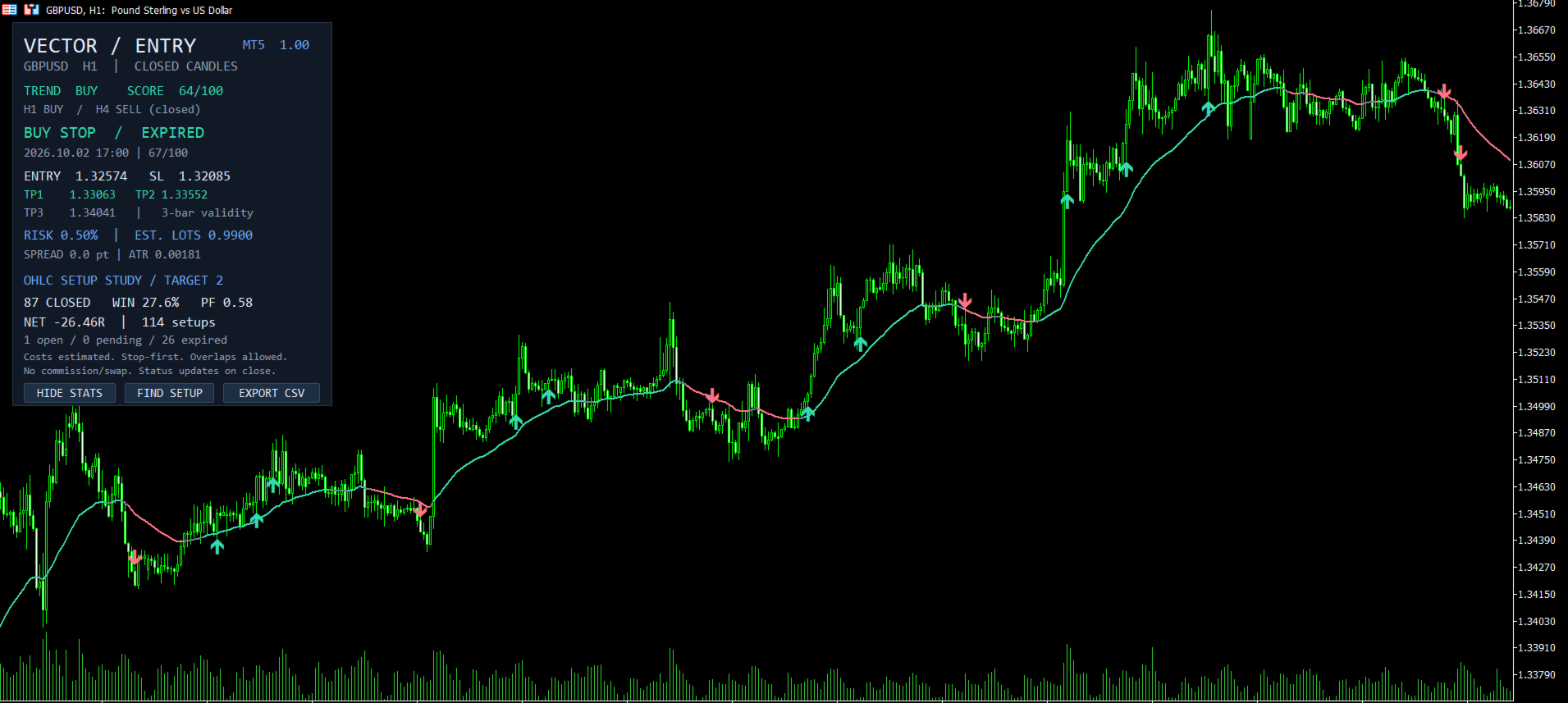
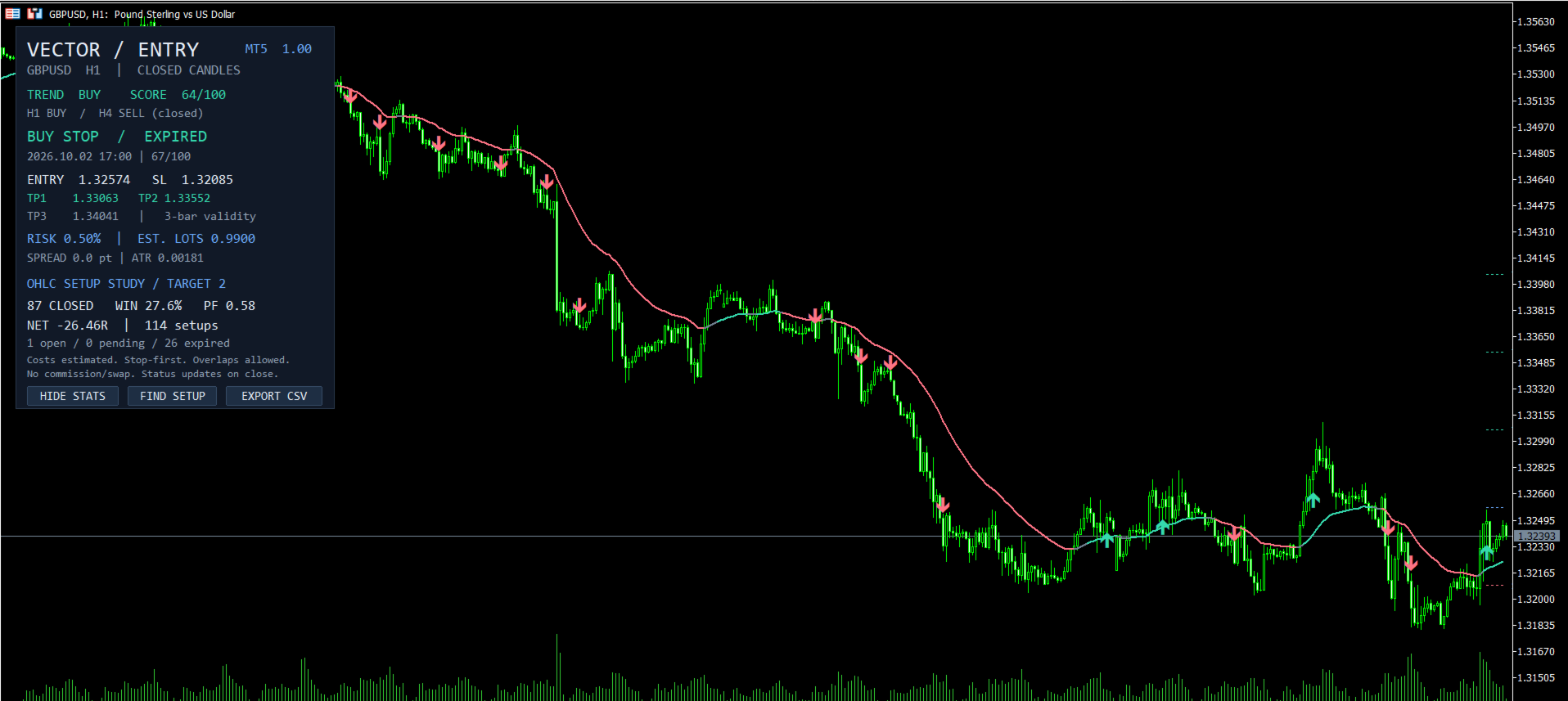
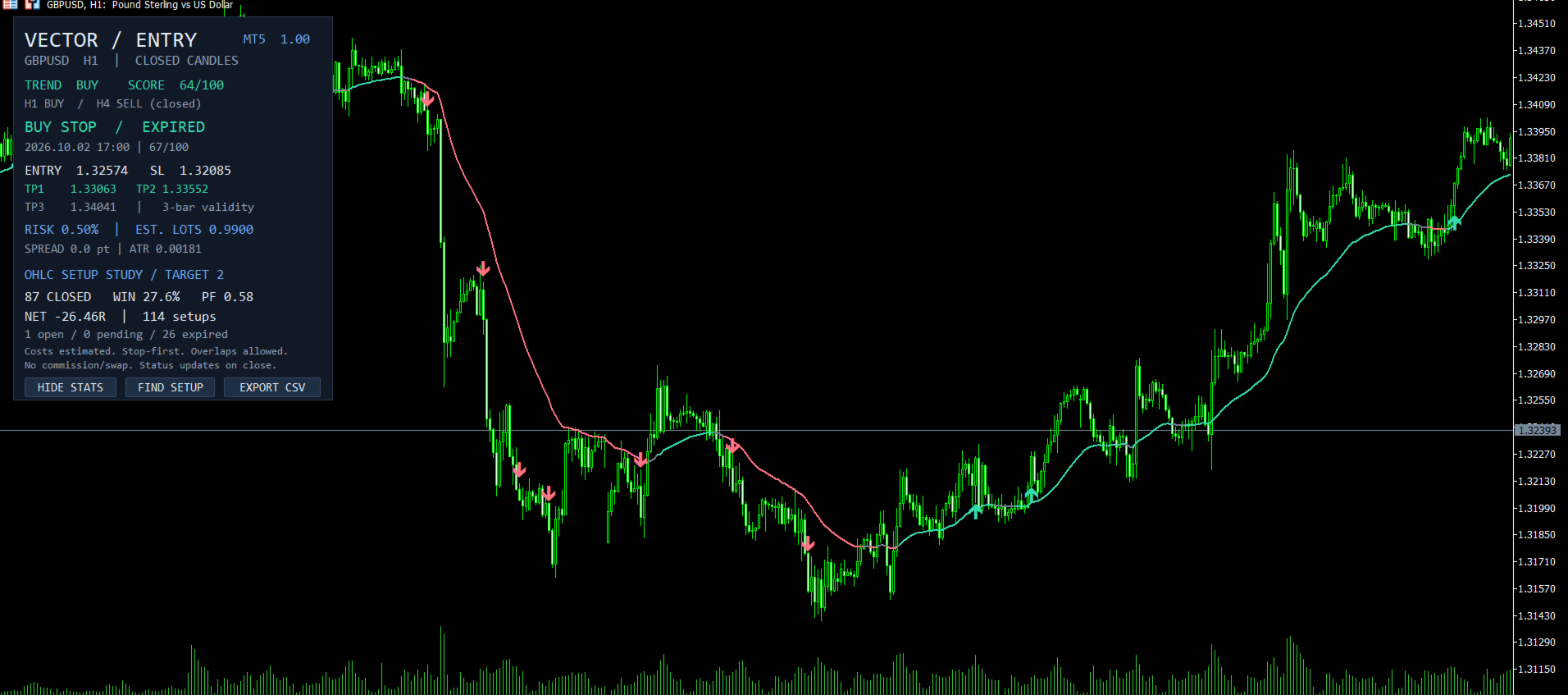
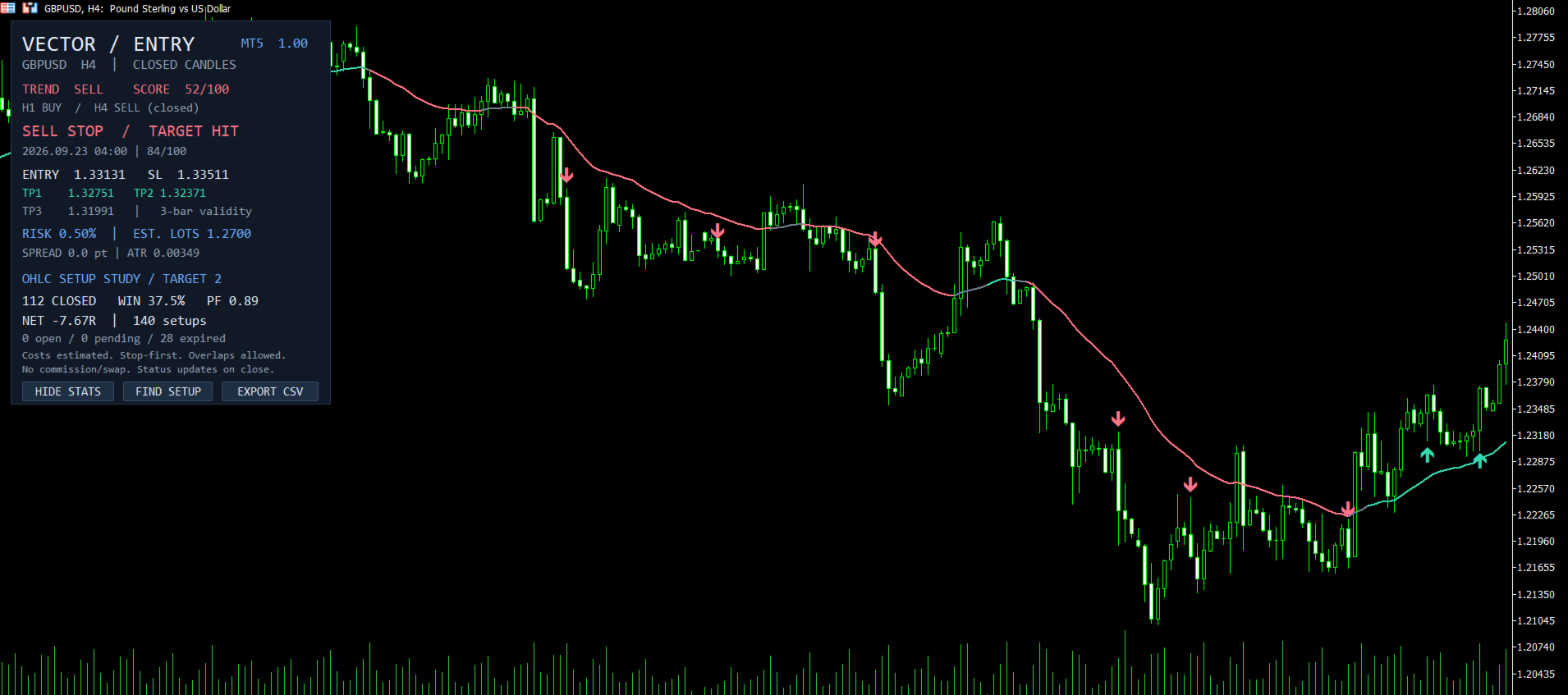
- Closed-candle arrows: buy and sell candidates appear after the signal candle closes.
- A defined entry and stop: a Buy Stop or Sell Stop level beyond the signal candle, with a stop based on volatility and nearby price structure.
- Three targets: adjustable reward-to-risk levels, with 1R, 2R and 3R defaults.
- Estimated position size: lot sizing from your chosen risk percentage, equity and the symbol's tick values.
- Chart context: a trend baseline, a rule-based setup score and completed-candle H1/H4 trend context.
- Review tools: historical setup statistics, CSV export, a button to find the latest setup, and optional popup, sound, push and email alerts.
A simple three-step workflow
- Wait for a signal candle to close and an arrow to appear.
- Review the pending entry, stop, targets and estimated lots. Check the broker's spread, margin and order-distance requirements.
- Decide whether to place an order. The default setup expires if its breakout entry is not reached within the next three bars.
The indicator displays a plan; it does not open or manage account trades. Its pending, triggered and completed statuses belong to the historical study and update on candle close.
Signals that can be reviewed
VectorEntry uses only the signal candle and earlier data. It does not move a completed signal because later candles appeared. Entry, stop and target levels are calculated from that setup's data. Changing inputs or corrected broker history can change historical results; bars outside the selected rolling history window are removed from the display. The current candle has no signal.
The 0–100 score summarizes rule alignment; it is not a win probability. H1/H4 context is informational and does not retrospectively filter chart signals.
Statistics with stated assumptions
The dashboard evaluates historical setups on the selected chart. It shows completed outcomes, win rate, profit factor, aggregate R, and counts of open, pending and expired setups. You can choose which target to study and set a maximum holding period.
This is an OHLC approximation of independent, potentially overlapping setups, not an account-performance record. The model uses estimated spread and slippage, treats ambiguous stop/target candles adversely, and excludes commission and swap. Aggregate R is not an account return. Lot estimates require valid broker data and do not guarantee execution risk.
Setup and customization
Attach VectorEntry to an MT5 desktop chart with sufficient history. Default inputs require at least 111 candles. Choose breakout, pullback or combined mode, then adjust trend periods, score thresholds, volatility filters, pending validity, risk percentage and target ratios. Settings apply to the selected symbol and timeframe and should be evaluated on a demo account.
No DLL imports, API keys or external services are required. Alerts are disabled by default; enable the desired channels in Inputs and configure MT5 push or email settings first. The indicator also exposes signal and price buffers for developers.
Try the demo and review the behavior
Use the Market demo in MT5's visual Strategy Tester to inspect the arrows, levels and controls before buying. Gallery screenshots show the interface on GBPUSD H1 and H4. Their dashboard statistics are historical model estimates, include losing results, and are not a verified trading-account record. Real-market profitability has not been established, and no trading result is promised.
For setup questions, use the product comments or contact the author through MQL5 private messages.