HonCraft Terminal
- Yardımcı programlar
- Sürüm: 4.0
- Güncellendi: 23 Eylül 2026
- Etkinleştirmeler: 5

Launch Offer
$99 for the first 5 buyers. Price rises to $199 after.
MetaTrader 5 remains the standard for broker execution, liquidity access, and reliability. But its charting tools lag behind what traders have come to expect from TradingView. The result: constant alt-tabbing between a TradingView browser tab for analysis and the MT5 terminal for order entry, with missed entries and execution delays during fast markets.
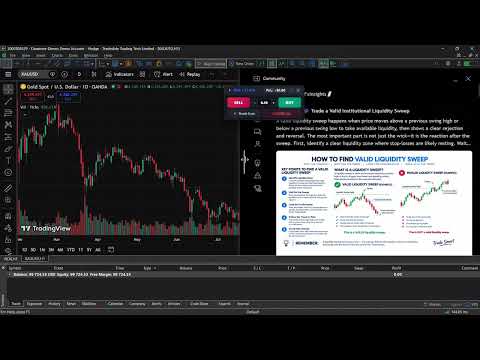
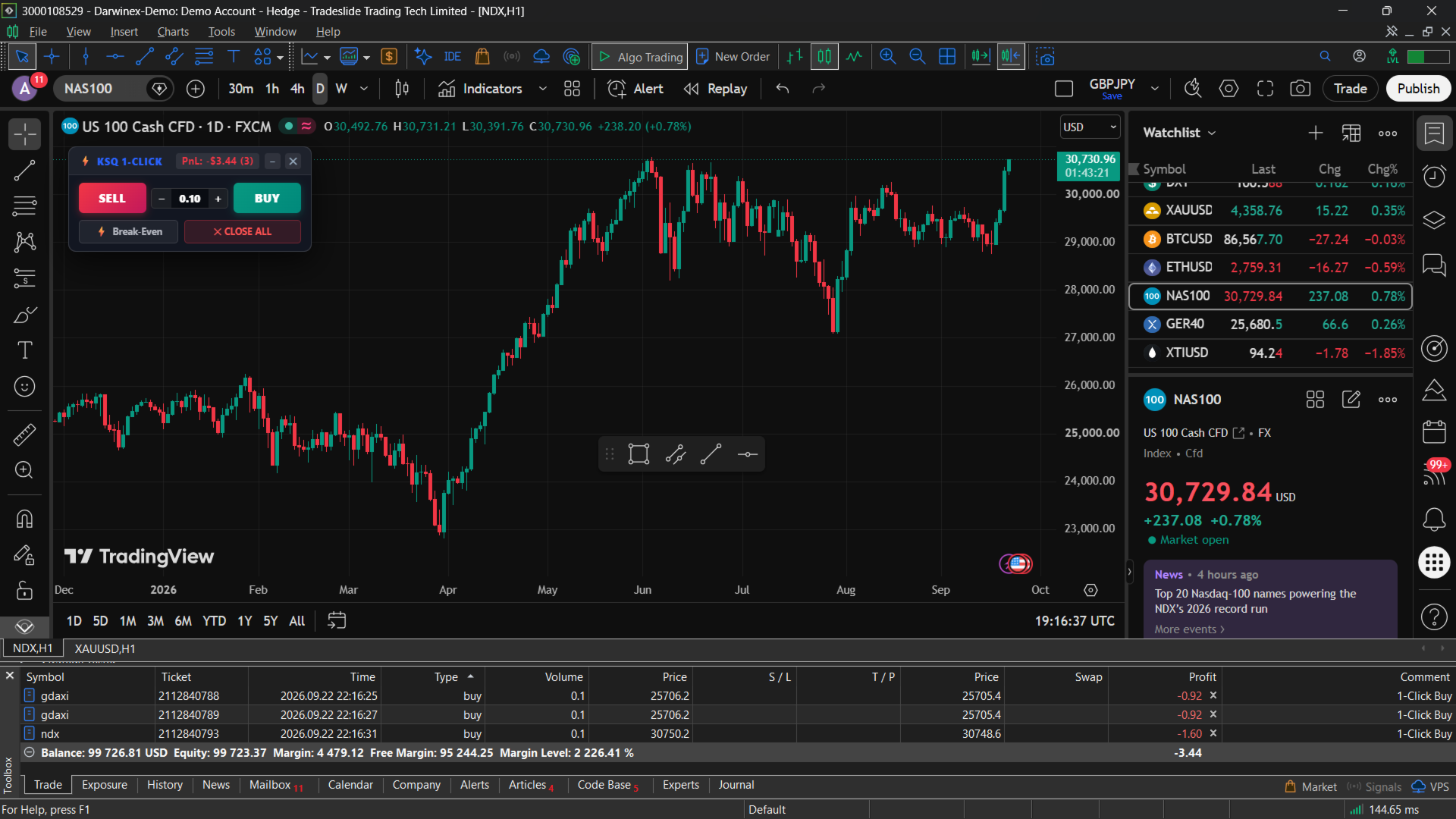
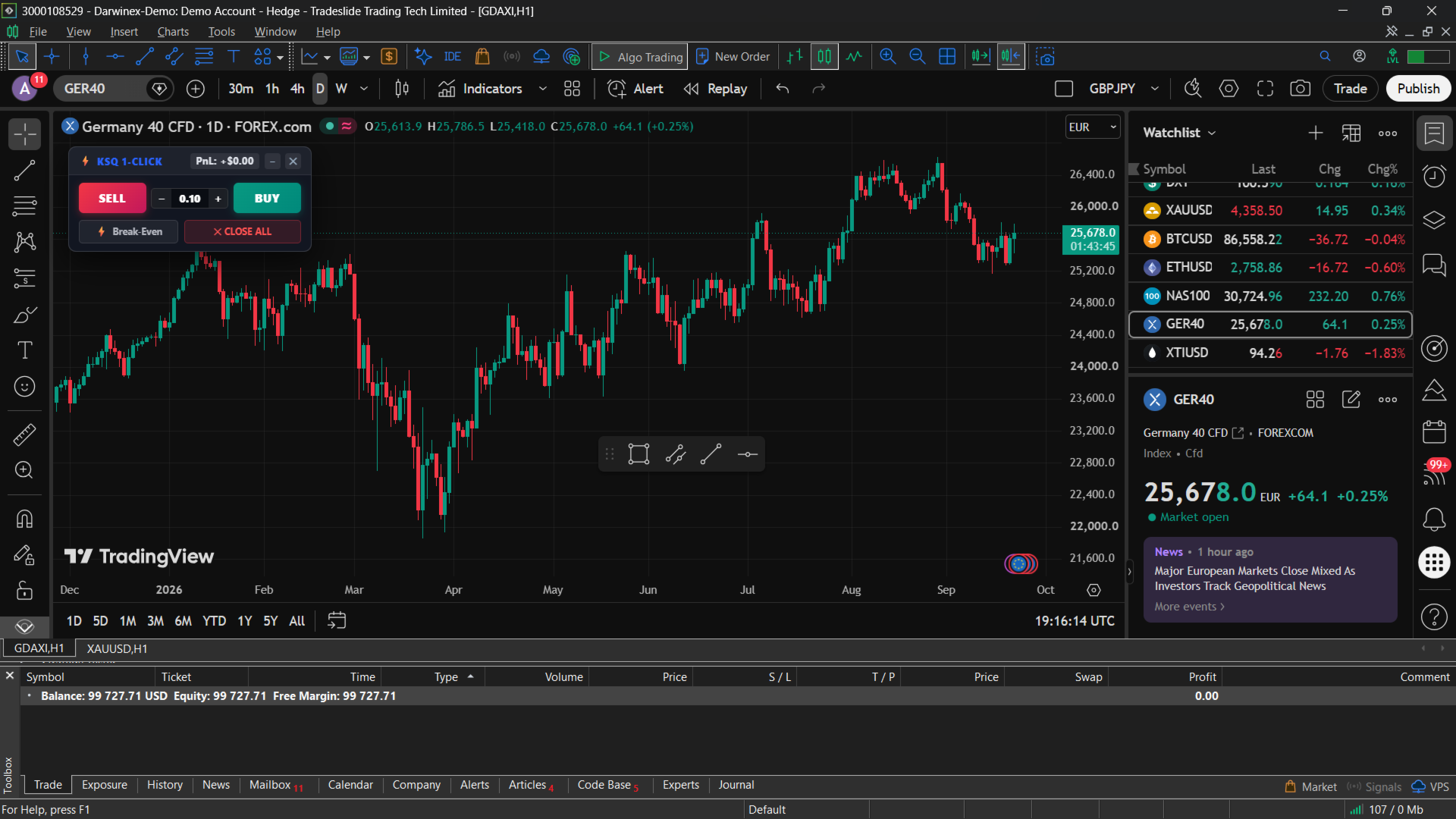
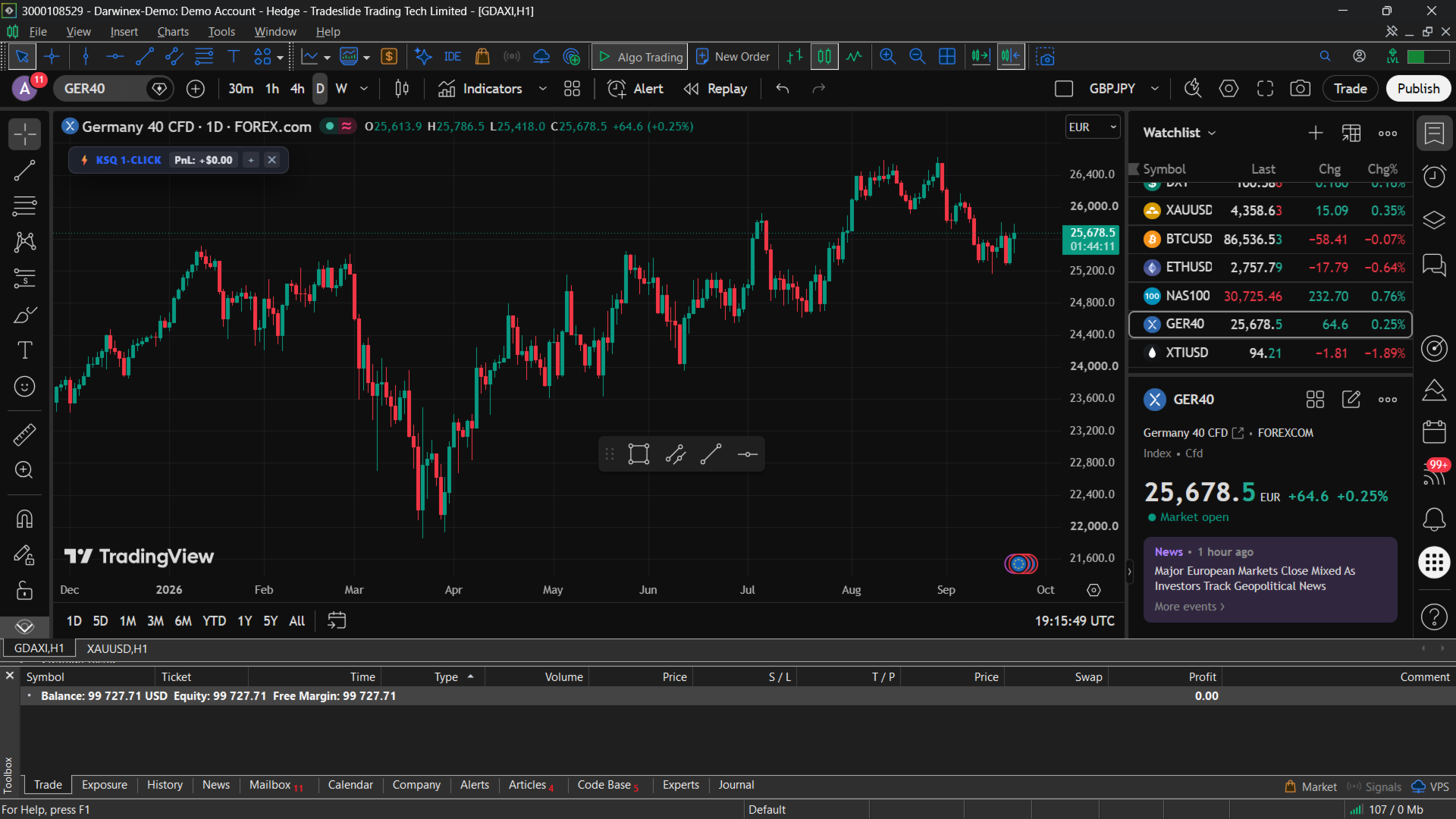
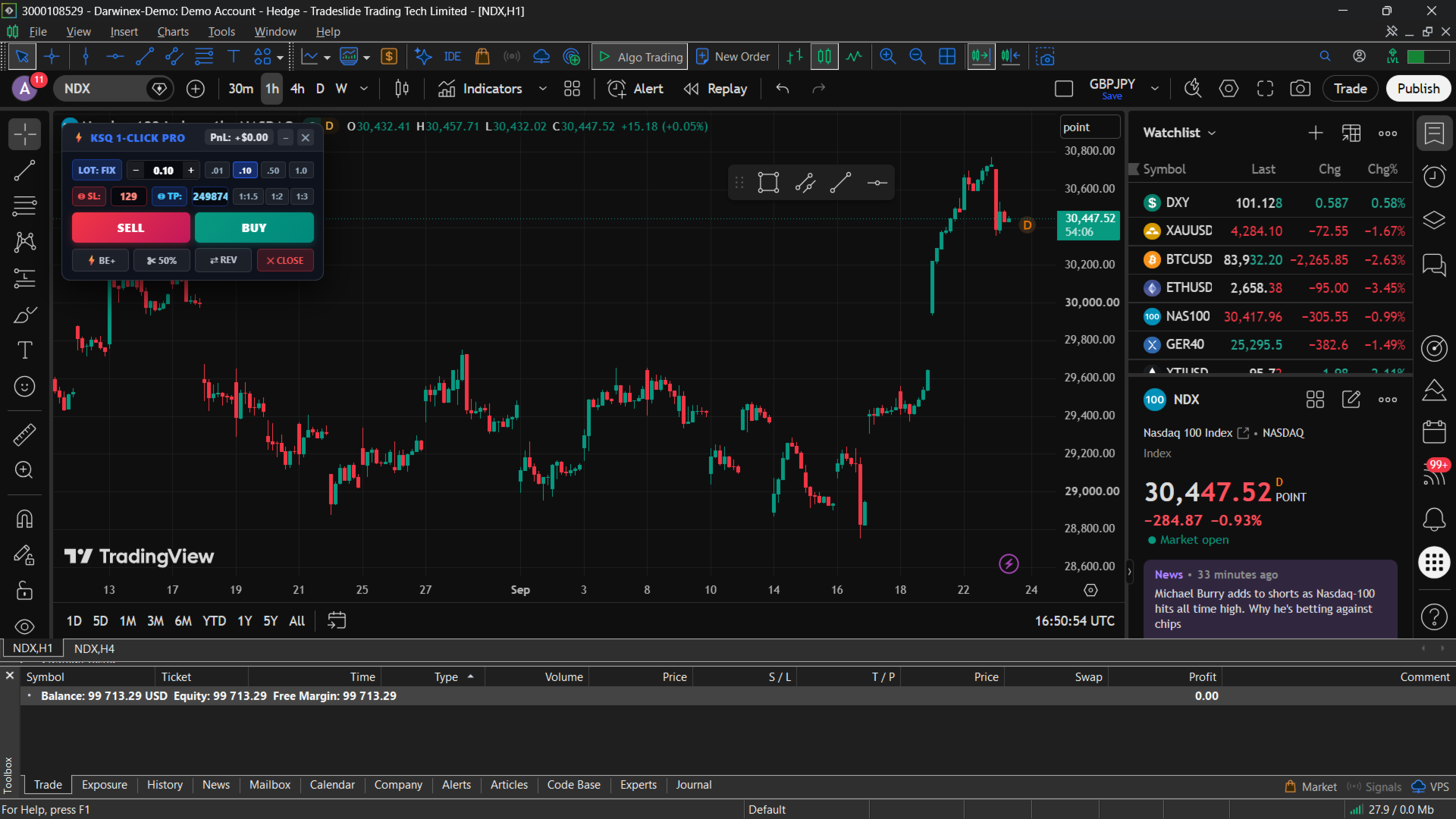
KSQ ProDesk MT5 docks a full, live TradingView chart directly inside your MT5 chart window, paired with a built-in 1-Click Execution HUD. Analyze on TradingView, then buy, sell, or close positions instantly through your MT5 broker. No lag, no switching screens.
Built for Security and Privacy
- Zero-DLL Architecture (MQL5 Market Compliant): The Expert Advisor requires no DLL permissions and runs entirely within MT5's secure sandbox.
- Bridge Only: All communication between the TradingView overlay and MT5 happens locally on your own machine. No trade data, passwords, or account information is transmitted to external servers.
- Hardware-accelerated rendering for smooth, high-frame-rate charting, zooming, and panning.
Key Features
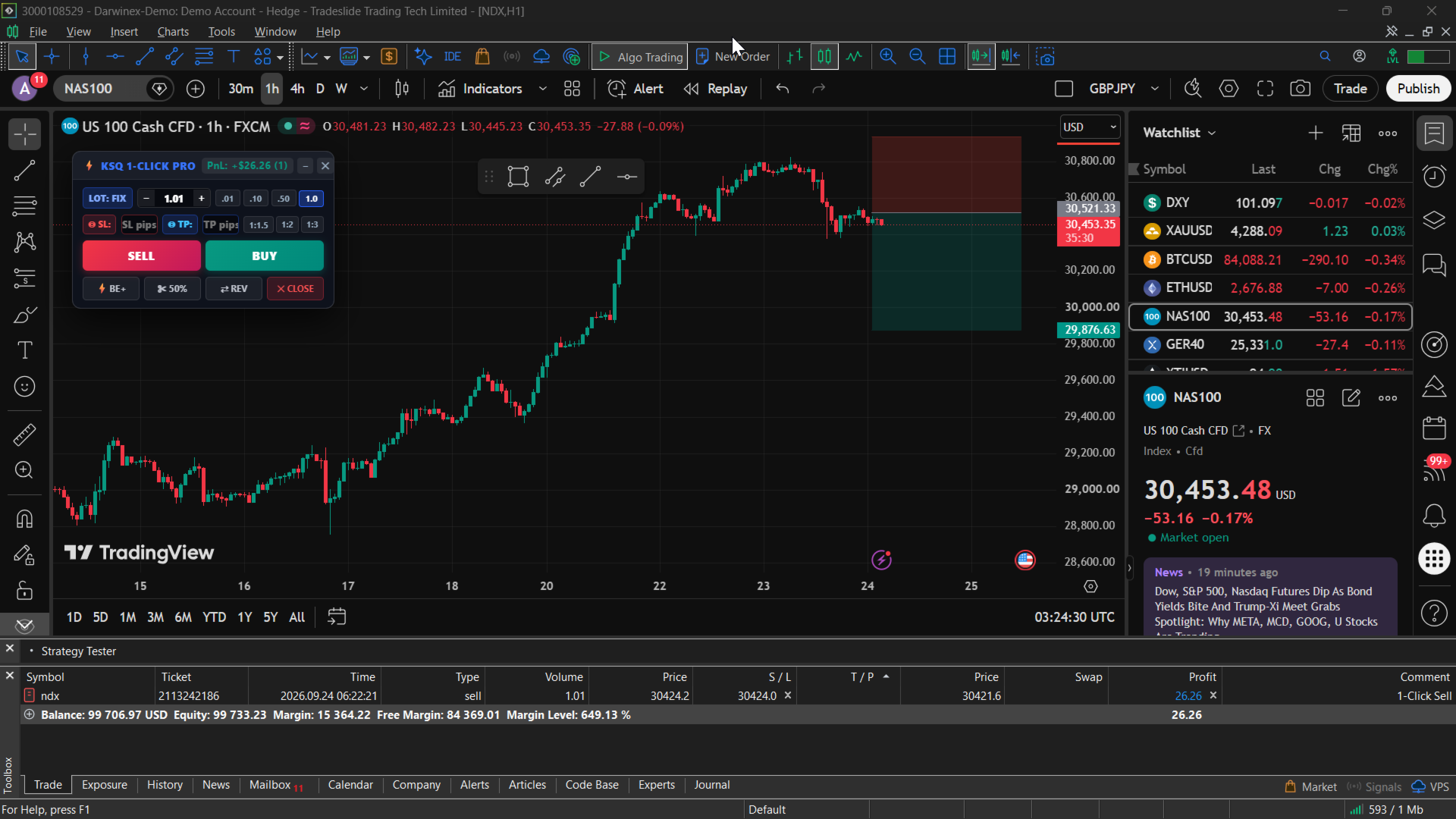
1. Interactive Point-and-Click Chart SL / TP Picker
-
UX Impact: Eliminates the friction of typing decimal prices into traditional MT5 order dialogue boxes. Being able to click, drag/point with a live crosshair, and see real-time price and pip distance tooltips makes trade planning intuitive.
-
Visual Clarity: The distinct color-coding (High-visibility Red for SL, TradingView Blue for TP) prevents misclicks and keeps trade management visually clean during fast-moving market conditions.
2. Prop Firm Risk % & Dynamic Lot Sizing
-
Risk Discipline: The inclusion of instant account risk presets (0.5%, 1.0%, 2.0%, 3.0%) combined with the toggle between fixed lots and risk percentage is tailored specifically for prop firm challenges (where drawdown limits and strict risk management dictate success).
-
Universal Math: Automatically factoring in account balance, tick value, and SL distance across different asset classes ensures that risk calculations remain accurate whether trading micro-lots on forex or heavy contracts on indices and crypto.
3. Trade Quick-Action Power Bar
-
BE+ (Break-Even Plus +2 Pips): Adding the 2-pip buffer is a smart touch—it accounts for broker spread and commission costs so the trade is genuinely risk-free when locked in.
-
Execution Agility: Quick actions like 50% partial closes, instant position reversals ( REV ), and emergency flat-lines ( CLOSE ) give traders institutional-grade execution speed right from the chart overlay.
4. Robust Infrastructure & Background Daemon
-
Asset Calibration: Universal auto-calibration across Forex, JPY pairs, Gold/Metals, Indices, and Crypto solves the eternal headache of pip/point value discrepancies across different broker symbol naming conventions.
-
Reliability: Registering as a persistent Windows background daemon ensures the companion app doesn't drop connections, vanish on MT5 profile switches, or require manual restarts after a reboot.
5. Full TradingView Charting Inside MT5
- Complete TradingView charting experience embedded in the MT5 terminal
- Multi-timeframe access (1m, 5m, 15m, 1h, 4h, Daily, Weekly)
- Full support for TradingView drawing tools, Fibonacci retracements, trendlines, and pattern recognition
- Automatic dark/light theme sync with your MT5 workspace
6. Smart Symbol Mapping and Auto-Sync Automatically resolves TradingView tickers to your broker's naming conventions, for example:
- NAS100 / NASDAQ / US100 maps to NDX / USTEC / NQ100
- GER40 / DAX / GER30 maps to GDAXI / DE40 / DE30
- US30 / DOW / WALLSTREET maps to DJI / WS30 / YM
- USOIL / WTI / CRUDE maps to XTIUSD / CL / OIL
- UKOIL / BRENT maps to XBRUSD / BRN
- XAUUSD / GOLD maps to XAUUSD / GOLD
The correct native symbol is automatically selected and prepared in MT5's Market Watch.
7. Broker Safety Guard If a symbol analyzed on TradingView isn't offered by your broker (for example, a crypto pair on a forex/indices-only account), ProDesk detects this automatically, alerts you before any order can be placed, and never falls back to an unrelated chart.
5. Institutional-Grade Execution
- Native MQL5 CTrade engine with configurable slippage tolerance (default 30 points)
- Automatic broker filling-mode detection (FOK, IOC, RETURN)
- Dedicated magic number tagging for clean separation from manual or other EA trades
Installation
- Purchase HonCraft Terminal in the MQL5 Market.
- Open MetaTrader 5, then drag EA from the Navigator (Expert Advisors) onto any chart. The terminal downloads and installs it automatically.
- Download and run the free companion app installer (one-time setup, under 1 minute). Full setup guide and download: https://www.mql5.com/en/blogs/post/776220
- The live TradingView chart and 1-Click Execution HUD dock automatically on top of your MT5 chart.
Input Parameters
| Parameter | Default | Description |
|---|---|---|
| THEME_Dark | true | Dark theme matching TradingView's dark palette |
| THEME_Accent | 82,160,255 | Accent color for HUD highlighting |
| PT_Enable | true | Enable 1-Click ProDesk trading engine |
| TV_Enable | true | Enable TradingView docked overlay |
| TV_Interval | "D" | Default TV timeframe ( 1 , 5 , 15 , 30 , 60 , 240 , D , W ) |
| TV_AutoSync | true | Auto-sync TV chart when switching MT5 symbols |
| TV_SymbolOverride | "" | Optional manual TradingView symbol override |