
Trade Copier MT5 MT4 V1
- Yardımcı programlar
- Sürüm: 2.0

OB FVG Trade Copier: Unified Master & Slave EA
Version: 2.00
Type: Trade Copier / Risk Management Utility
Compatibility: MetaTrader 4 & MetaTrader 5 (Cross-compatible codebase)
Overview
The OB FVG Trade Copier is a professional-grade, unified trade copying system designed to mirror trades between Master and Slave accounts seamlessly. Built with a unified architecture, a single EA file serves as both the sender (Master) and receiver (Slave) simply by toggling the EA Mode in the settings. It utilizes ultra-fast local file sharing via the terminal's Common folder to ensure near-instantaneous trade execution, modification, and closure synchronization across multiple MetaTrader terminals on the same PC or VPS.
It features a highly intuitive, drag-and-drop graphical user interface (GUI) with 10 built-in dynamic color themes that automatically adapt your chart's background and candlestick colors.
Key Features
🔄 Unified Core Engine
- Master Mode (Sender): Continuously scans the account for open positions and broadcasts their data (Ticket, Symbol, Type, Volume, SL, TP) to a secure, shared text file every second.
- Slave Mode (Receiver): Reads the broadcast channel every second, executing new trades, mirroring Stop Loss/Take Profit adjustments, and closing trades the moment they are closed on the Master account.
- Custom Channels: Supports custom "Channel Names," allowing you to run multiple independent master/slave groups on the same machine without cross-talk.
💰 Advanced Risk Management (Slave Settings)
- Fixed Lot Size: Overrides the Master's trade size and executes all copied trades at a predetermined fixed lot size (e.g., 0.01 ).
- Lot Multiplier: Dynamically scales the copied trade size based on the Master's volume. (e.g., A multiplier of 2.0 turns a Master's 0.50 lot trade into a 1.00 lot trade on the Slave).
- News Filter Toggle: A manual override switch to temporarily pause the Slave from taking new trades during high-impact news events.
🎨 Dynamic GUI & Visuals
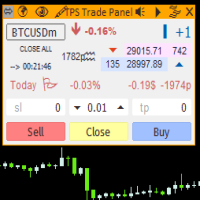
- Interactive Panel: Features a draggable, minimizable on-chart control panel displaying your current Role, Channel, Lot Sizing, and News Filter status.
- 10 Dynamic Themes: Includes a built-in theme engine that reskins the UI panel, chart background, grid, and Bull/Bear candlesticks with a single click.
How It Works Under the Hood
- The Broadcast: When set to MODE_MASTER , the EA uses OnTimer() to cycle every 1 second, writing current active trade parameters to a .txt file located in the MetaTrader Terminal\Common\Files directory.
- The Reception: When set to MODE_SLAVE , the EA reads this same file. It uses a virtual memory string ( MemoryRAM ) and custom trade comments ( OBFVG_[MasterTicket] ) to ensure trades are never duplicated.
- The Sync: If the Slave detects an open trade on its account that is no longer listed in the Master's text file, it immediately triggers the SyncClosures function to close the trade, keeping both accounts in perfect harmony.





















































Kullanıcı değerlendirmeye herhangi bir yorum bırakmadı