SessionsPro
- Göstergeler
-
Tshivhidzo Moss Mbedzi
 I build MetaTrader 5 Expert Advisors for gold and forex, and I publish the parts most sellers hide: the losing months, the strategies I rejected, and a test year I never tune on.
How I build:
• A stop-loss on every trade, from entry. No martingale, no grid, no averaging, no recovery mode. - Sürüm: 1.10
- Etkinleştirmeler: 15
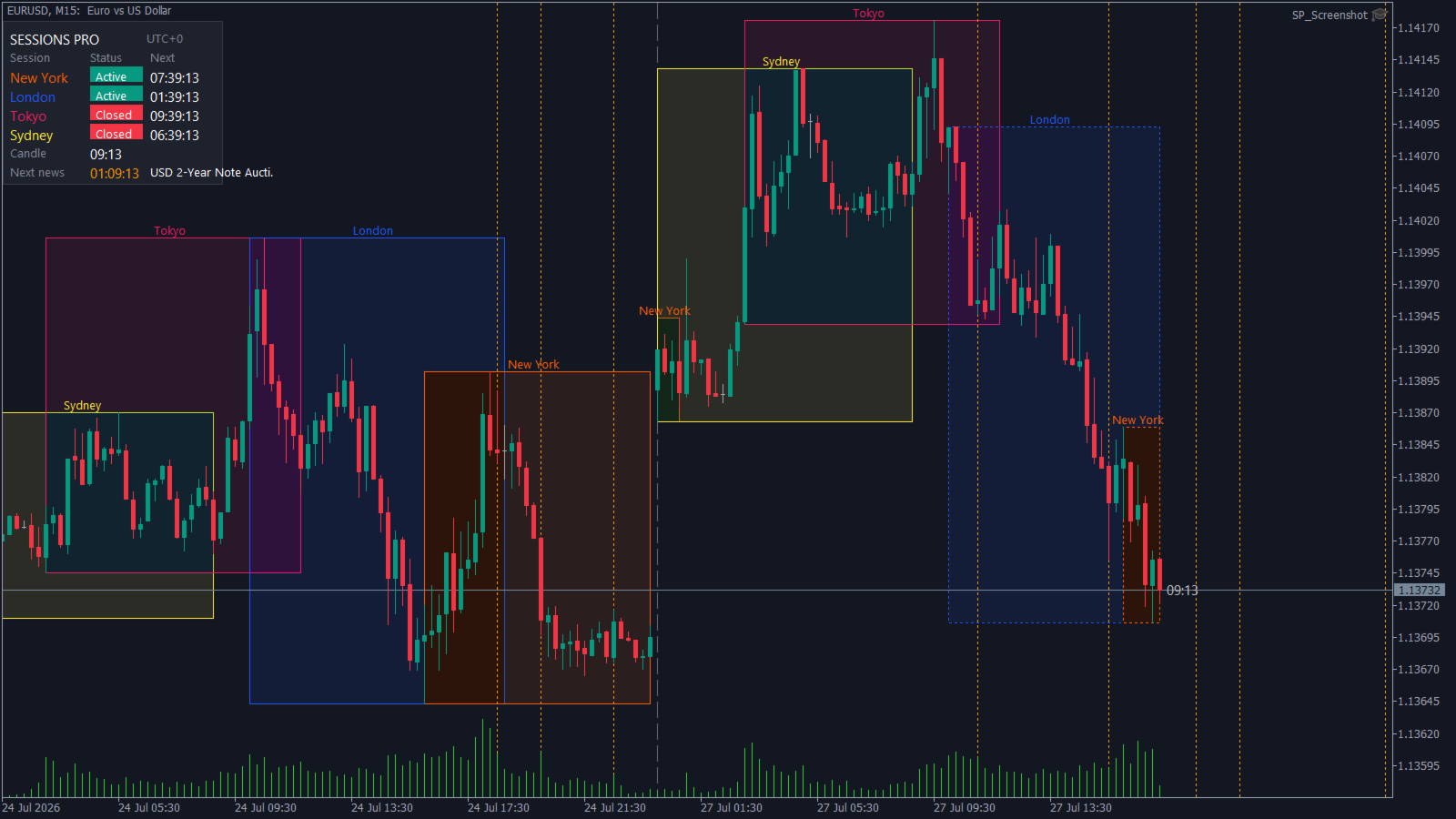
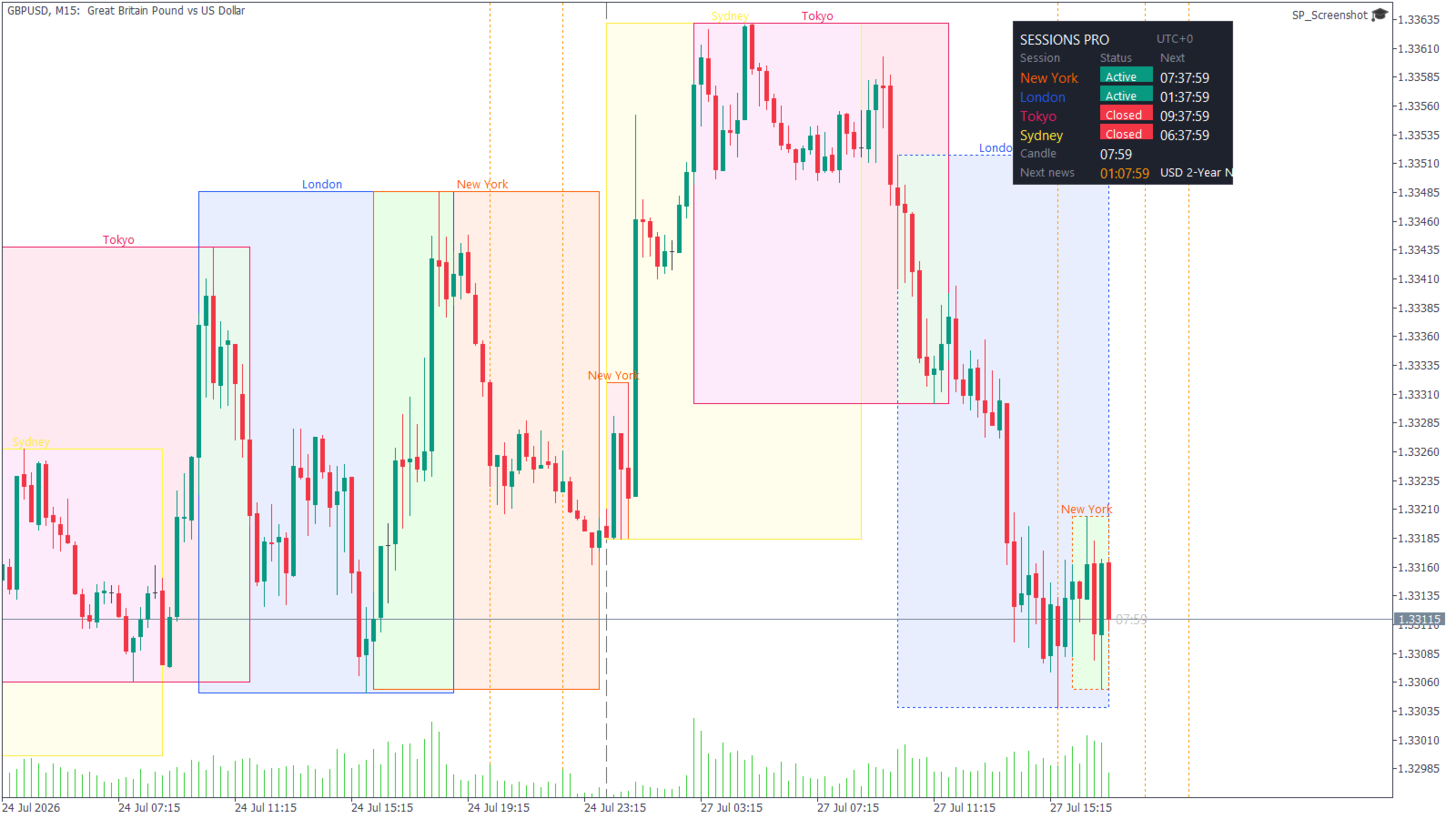
Sessions Pro is a trading sessions indicator for MetaTrader 5 that draws the London, New York, Tokyo and Sydney sessions with their high/low ranges, session VWAP, an economic calendar news filter, a candle countdown timer and a live dashboard panel. One indicator instead of the five most traders stack on a chart.
It works on any symbol - forex, indices, metals, crypto - on every timeframe from M1 to H12. All four sessions are fully configurable: rename them, change their hours, restrict them to chosen weekdays, or repurpose them as your own killzones and custom trading windows.
Session Ranges and Breakout Levels
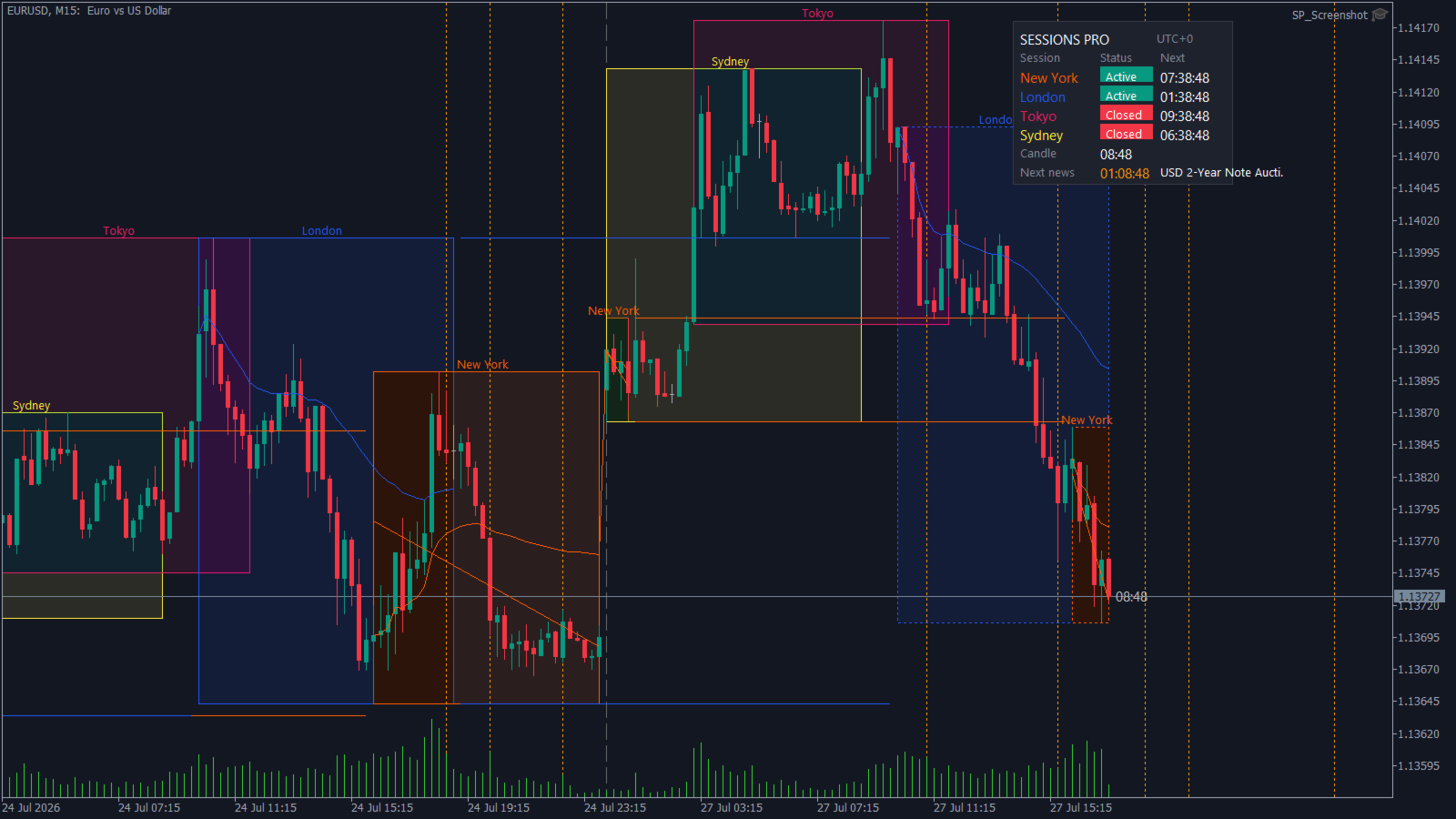
Each session gets a high/low range box with a transparent fill, labelled with the session name. The session still forming is outlined with a dotted border. The moment it closes the outline turns solid, so a finished session range is never confused with one that is still moving.
When a session closes, its session high and session low project forward as horizontal levels until the next session opens. That is the session breakout reference most traders draw by hand, kept accurate automatically on every chart.
Session VWAP
Volume weighted average price accumulated from each session open - not from midnight and not from the start of the trading day. London VWAP, New York VWAP and Asian session VWAP are each tracked separately. The value is published as an indicator buffer, so an Expert Advisor can read it as easily as you can see it.
Session Statistics and Trend
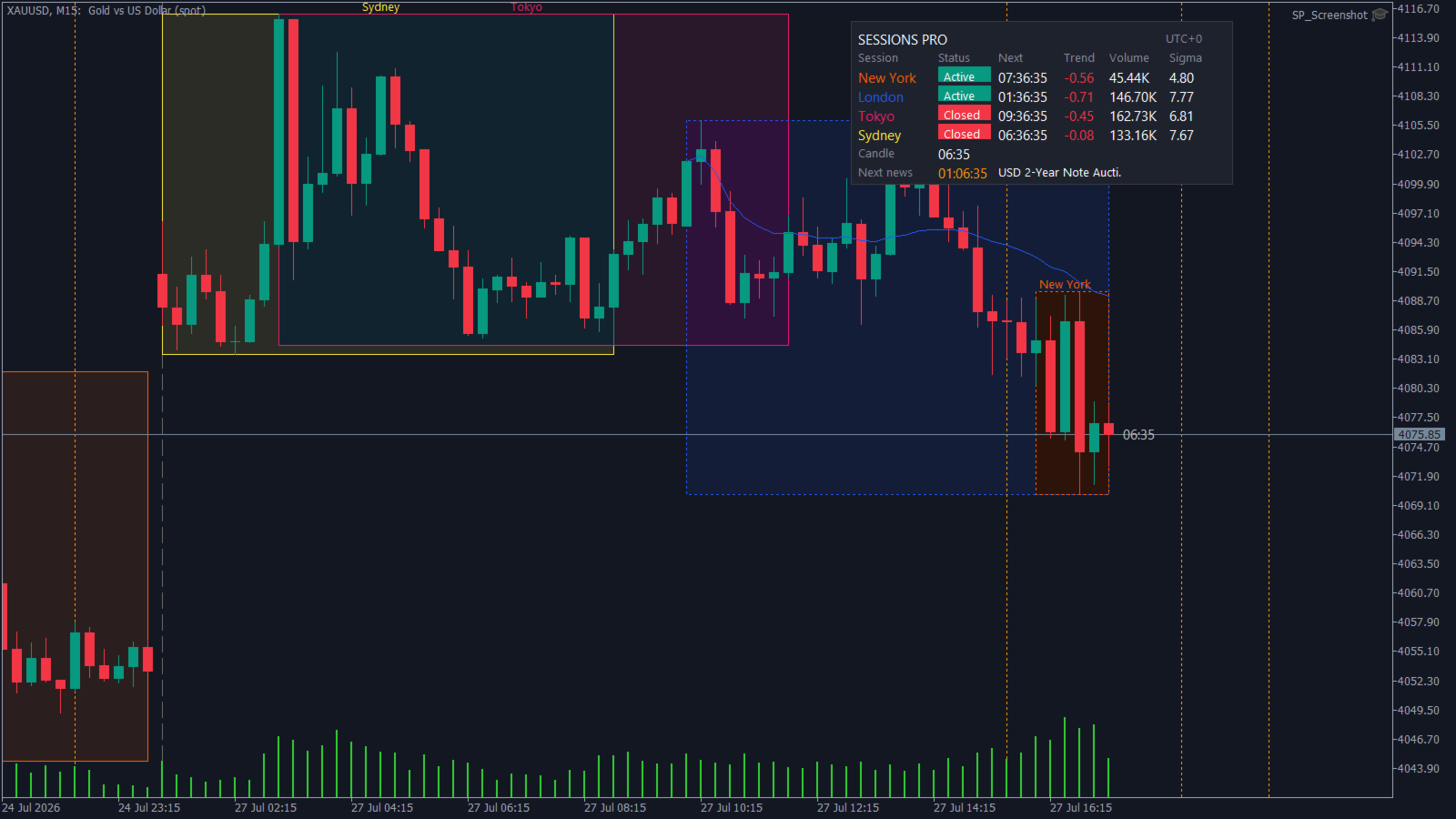
A least squares linear regression line is fitted to each session's closes, and the dashboard reports three numbers per session:
- Trend - the correlation between price and time inside the session. Near zero means the session is chopping. A large positive or negative value means a clean directional session.
- Volume - volume accumulated since the session opened.
- Sigma - the standard deviation of the session's closes, in price units.
This answers "is this session trending or ranging" with a number instead of an impression.
Economic Calendar News Filter
News events are read from MetaTrader's own economic calendar. There is no external data feed, no subscription and no web request.
- Filter events by impact: high impact only, medium and high, or all news events.
- Events are filtered automatically to the currencies of the chart symbol, so EURUSD shows EUR and USD releases and hides everything else. A custom currency list is also available.
- Event lines are colour coded by impact and labelled with the event name.
- Upcoming news is drawn ahead of price, not only past releases.
- Optional news blackout zones shade a configurable window around high impact releases - useful if your trading plan or funded account rules keep you flat around news.
- Optional alert a chosen number of minutes before a release.
Live Dashboard and Candle Timer
A compact panel shows every session's status - open or closed - with a countdown to its next close or next open. Below the session table sits a candle countdown timer showing the time remaining on the current bar, and the next scheduled news event with its own countdown.
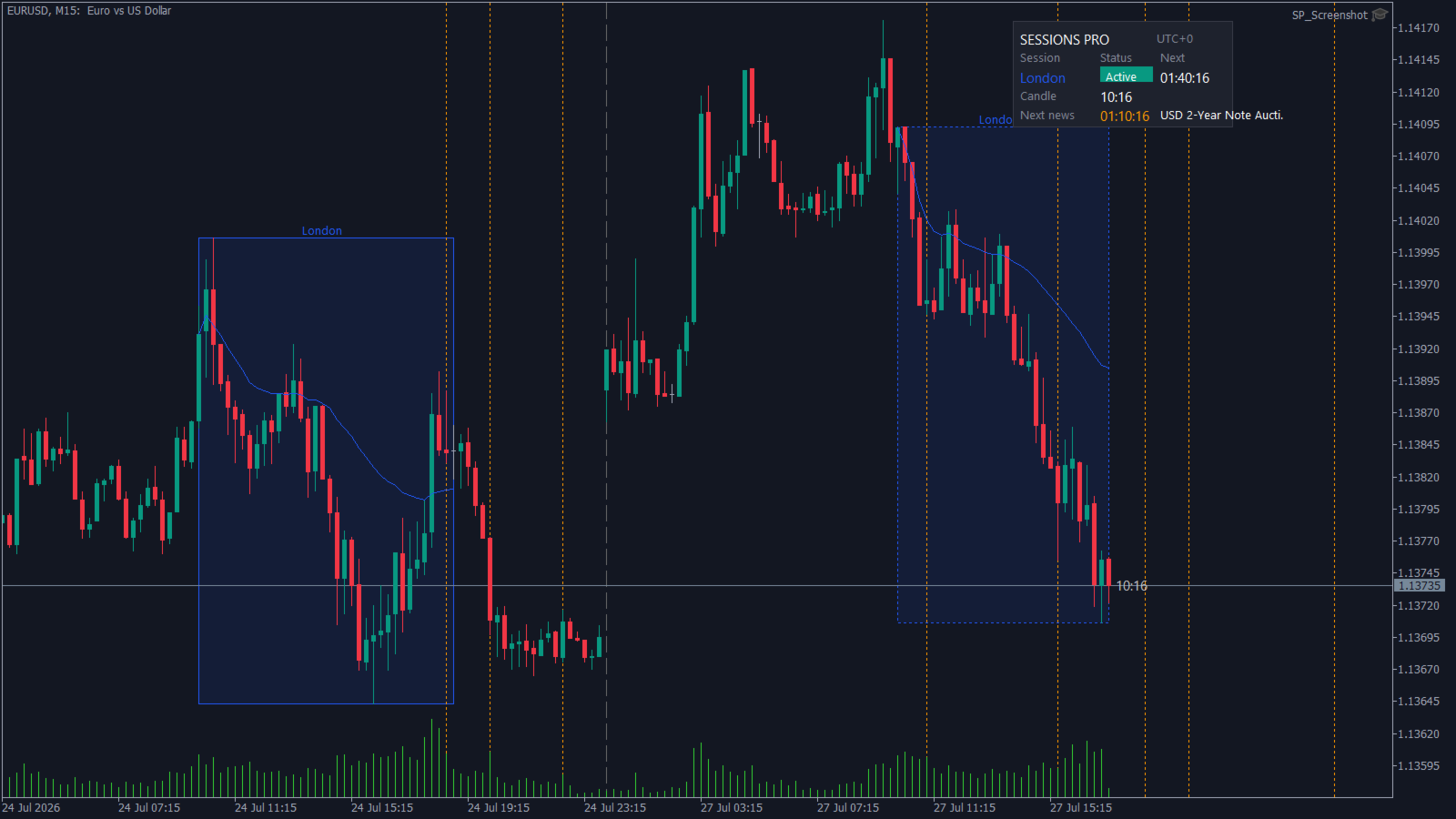
The panel can be placed in any corner, re-fits when the chart is resized, and hides sessions you have switched off instead of showing empty rows. The countdowns keep running on a quiet market where no ticks are arriving.
Timezone Handling That Survives a Broker Change
Most session indicators break when the broker server time is not what the settings assume. Sessions Pro separates the two things that actually matter: which timezone your session hours are written in, and what your broker's GMT offset is.
Write your session hours in UTC and let the indicator detect the broker GMT offset from the terminal, or write them directly in broker server time. Either way, moving to a different broker or a different prop firm does not mean re-entering every session window by hand.
Built for Automation
Twelve indicator buffers are published - projected session high, projected session low and session VWAP for each of the four sessions - so an Expert Advisor can trade session levels and session breakouts directly. An integration header with a configuration structure and typed helper functions is available for developers who want to build on it.
What It Does Not Do
This is an analysis tool, not a trading system. It places no orders, generates no buy or sell signals, and makes no claims about profitability. It shows you where the sessions are, what they did, and when the next event lands.
Requirements and Notes
- Timeframes M1 to H12. On D1 and above the indicator reports that session windows cannot be resolved, because a single bar spans the whole day.
- The news filter needs a live terminal connection with the economic calendar available. MetaTrader blocks calendar access inside the Strategy Tester, so news is disabled automatically there. Every other feature works normally in the tester.
- Session VWAP uses tick volume by default and can be switched to real volume on symbols where the broker publishes it.
- One instance per chart.
Input Parameters
Session A, Session B, Session C, Session D
Four identical blocks, one per session.
- enabled - master switch for this session.
- label - the name shown on the range box and in the dashboard.
- session window - written as HHMM-HHMM, for example 1300-2200. Sessions crossing midnight are supported, such as 2100-0600, and are tracked as a single session. An optional weekday filter can be appended, where 1 is Sunday: 0930-1600:23456 restricts the session to weekdays.
- colour - used for the box, outline, label, lines and dashboard row.
- draw range box - the filled session high/low box.
- draw regression trendline - least squares fit over the session's closes.
- draw mean line - running mean of the session's closes.
- plot session VWAP - publishes the VWAP buffer.
- project high/low forward - publishes the session High and Low buffers.
Timezone
- Session times reference - whether your session hours are written in broker server time or in UTC.
- Session times UTC offset - the offset your hours are written in.
- Broker GMT offset mode - detect the broker offset from the terminal, or set it manually.
- Broker GMT offset - the value used in manual mode.
Range Boxes
- Fill transparency - 0 is solid, 100 is invisible. Blended against the chart background.
- Draw range outline - a crisp border in the pure session colour.
- Outline style, running session - dotted by default.
- Outline style, completed session - solid by default, so closed ranges read differently from the one still forming.
- Outline width.
- Draw range label and range label font size.
- Sessions kept per type - how many past sessions stay on the chart.
- Max bars processed - limit on how much history is walked.
Dashboard
- Show dashboard.
- Advanced dashboard - adds the Trend, Volume and Sigma columns.
- Dashboard corner, X offset, Y offset, font size and font.
- Background, border, text, active and inactive colours.
Dividers
- Show session open dividers - a vertical line in the session colour.
- Show daily dividers and show weekday name on divider.
- Daily divider colour and style.
Candle Timer
- Candle close timer - off, on the chart beside price, in the dashboard, or both.
- Timer colour and timer colour when closing.
- Warn when seconds remaining below - when the timer switches to the warning colour.
- Timer font size.
News Filter
- Show economic calendar events.
- Minimum importance - high only, medium and high, or all.
- Currency filter - chart symbol currencies, a custom list, or every currency.
- Custom currency list - comma separated, for example USD,EUR,GBP.
- Past events shown in days, and upcoming events shown in hours.
- High, medium and low impact colours.
- Event line style and width.
- Show event name on the line.
- Draw blackout zone around events, with its own minimum importance, minutes before, minutes after and transparency.
- Alert minutes before event - set to 0 to disable.
- Max events kept and calendar refresh interval.
Data and Alerts
- Volume source - tick volume or real volume.
- Alert on session open, on session close, and on session range breakout.
- Alert channels - terminal popup, push notification, email and sound.
- Alert sound file.
Branding
- Dashboard title and an optional footer row. Empty by default.