FX Analysis
- Göstergeler
-
Lee Teik Hong
 THE FOREX CUES
AN EFFECTIVE PLAN WITH A HIGH-QUALITY STRATEGY
A lucrative trade is frequently generated by the "Repeat and Repeat" pattern. Many expert traders that I believe, would agree with this assertion. - Sürüm: 1.49
- Güncellendi: 26 Ağustos 2026
- Etkinleştirmeler: 20
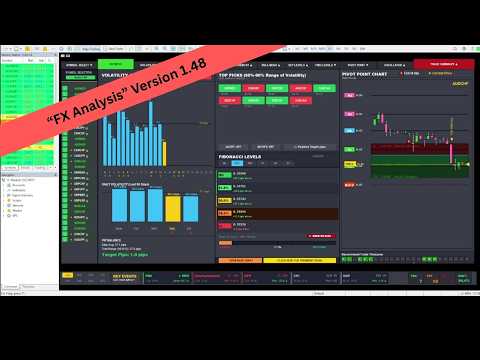
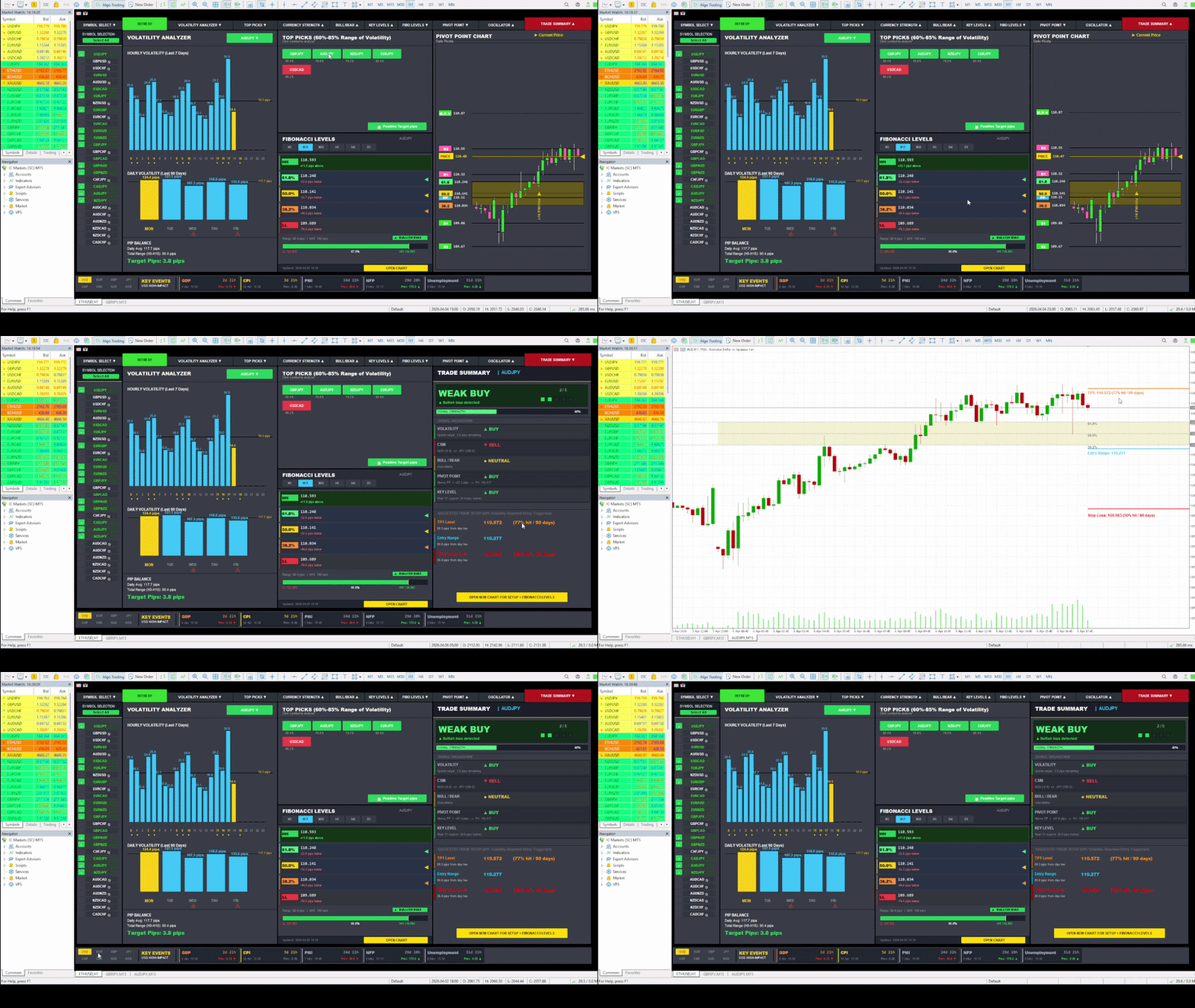
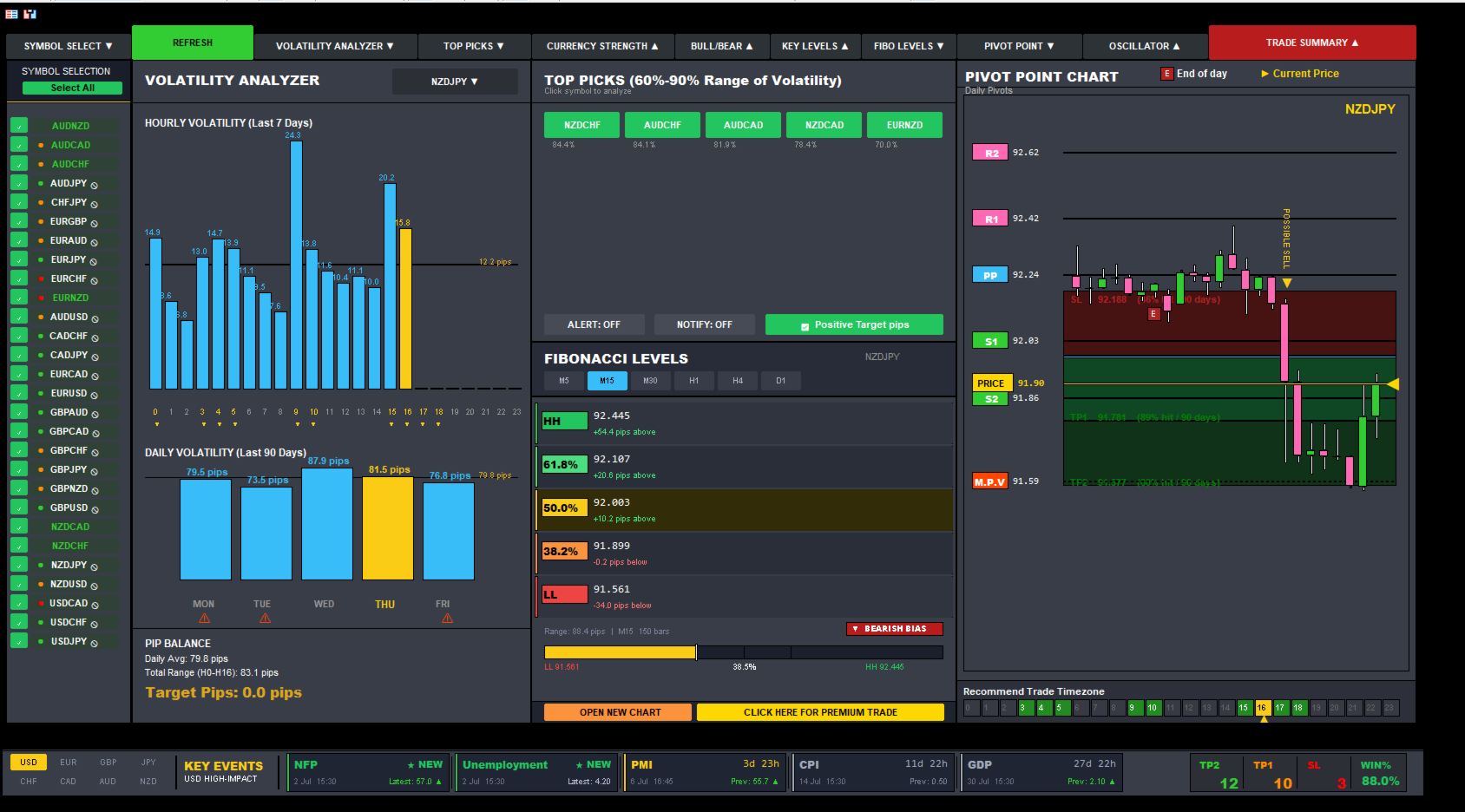
FX Analysis is an all-in-one MT5 indicator dashboard that combines eight analytical tools in a single panel, helping traders identify high-probability setups without switching between charts or indicators.
Designed for standard forex pairs on MetaTrader 5. Best results on M15 - H4 timeframes when all components are used together as part of the included workflow.
Components
Volatility Analyzer
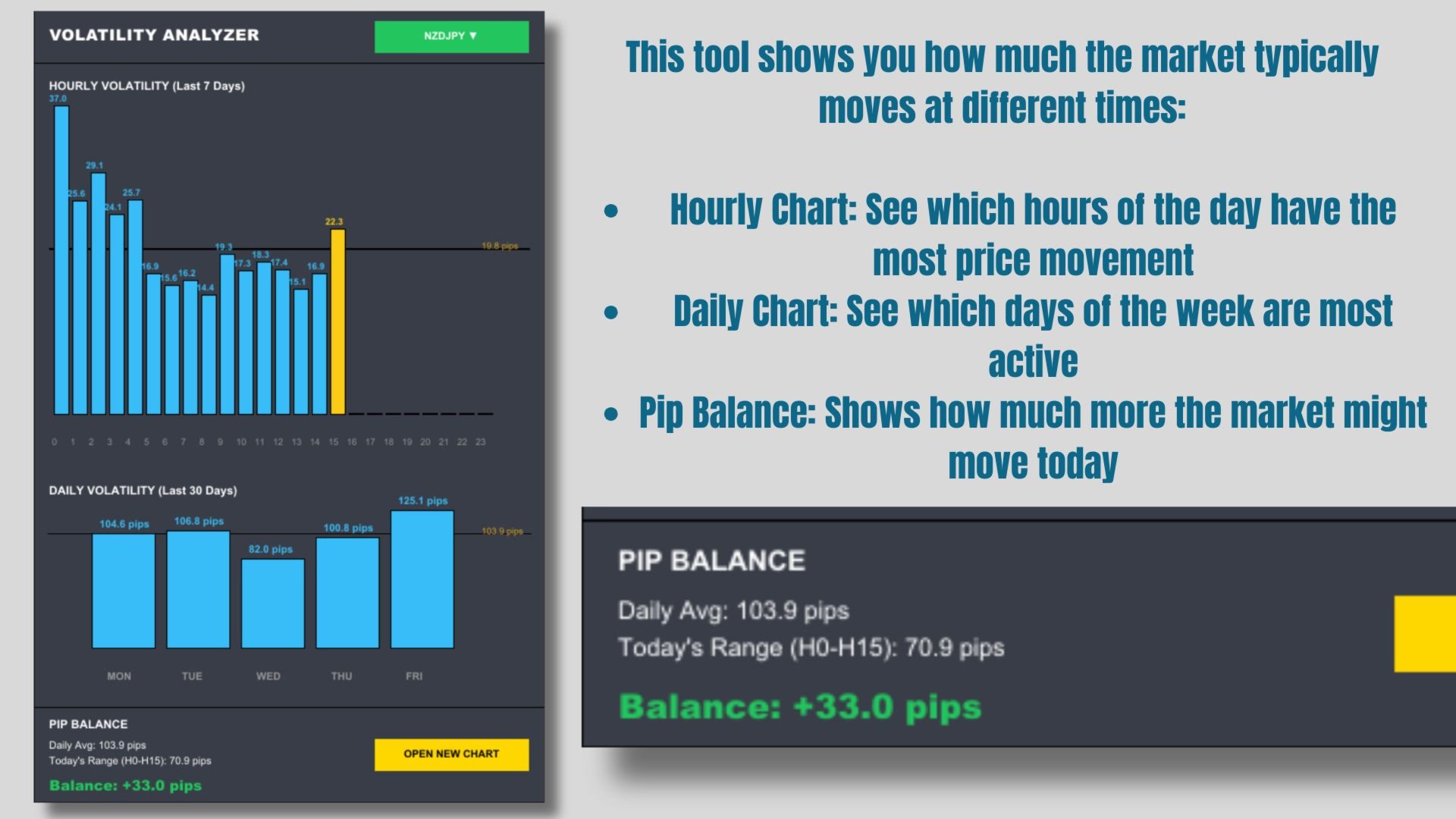
Displays historical average movement by hour and by day of the week. A real-time Pip Balance shows the remaining expected range for the current session. For example, if the daily average is 100 pips and price has moved 60 pips, the balance displays +40 pips — useful for setting realistic Take Profit targets.
Currency Strength Meter
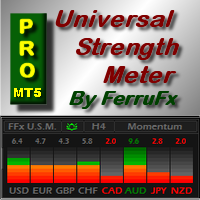
Calculates relative strength across 28 major forex pairs and ranks all 8 base currencies from strongest to weakest. Green bars indicate strong currencies; red bars indicate weak ones. Use this to pair the strongest currency against the weakest for higher-confluence trade entries.
Oscillator Panel
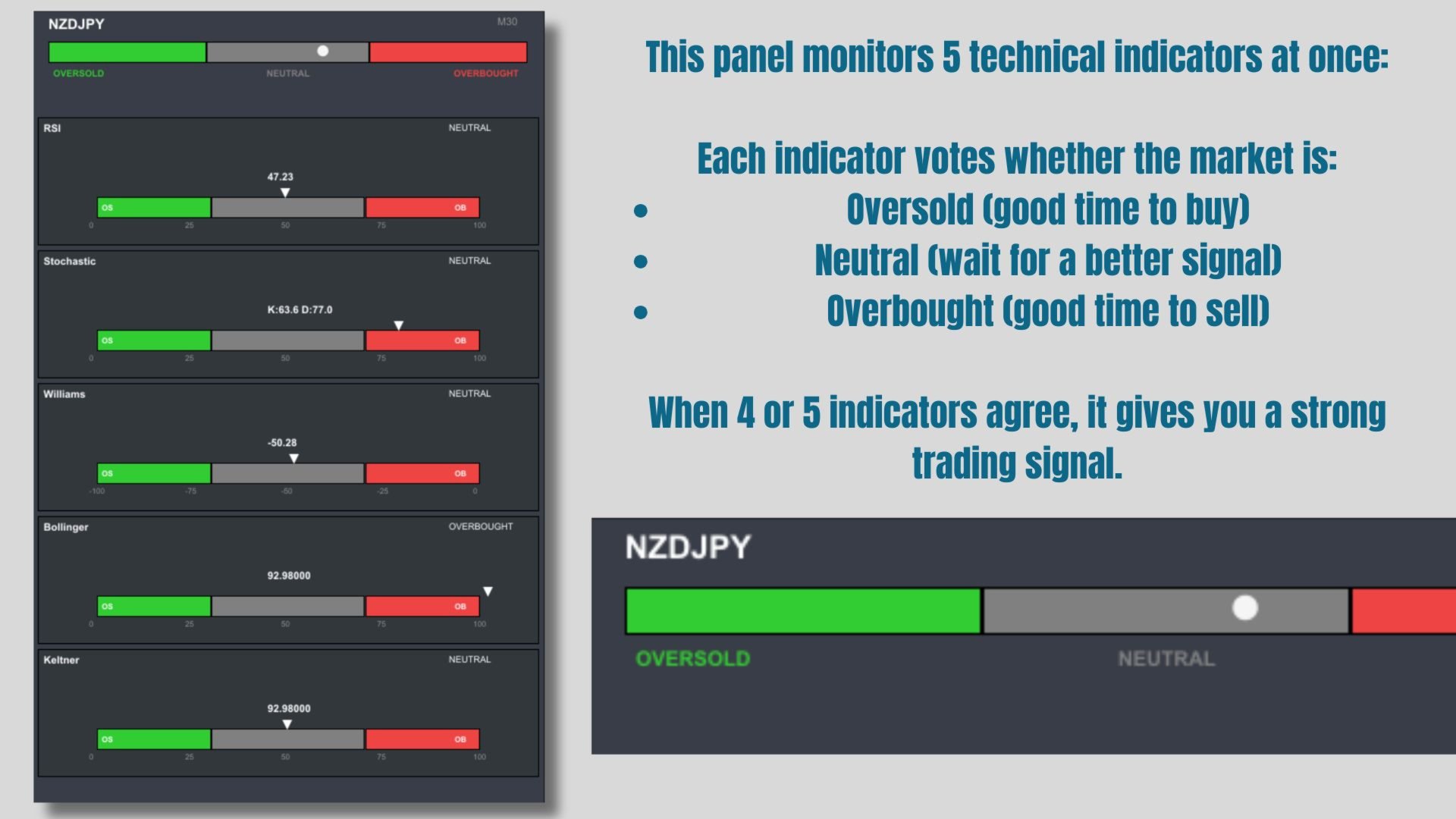
Monitors RSI, Stochastic, Williams %R, Bollinger Bands, and Keltner Channels simultaneously. Each indicator casts a vote — Oversold, Neutral, or Overbought. A consensus of four or five indicators in agreement provides a stronger directional signal.
Top Picks Panel
Automatically scans all monitored symbols and surfaces pairs currently within 60–90% of their daily average range — the zone where price still has meaningful movement potential. Green buttons indicate a bullish bias; red buttons indicate bearish. Clicking any symbol loads its full analysis instantly.
Open New Chart
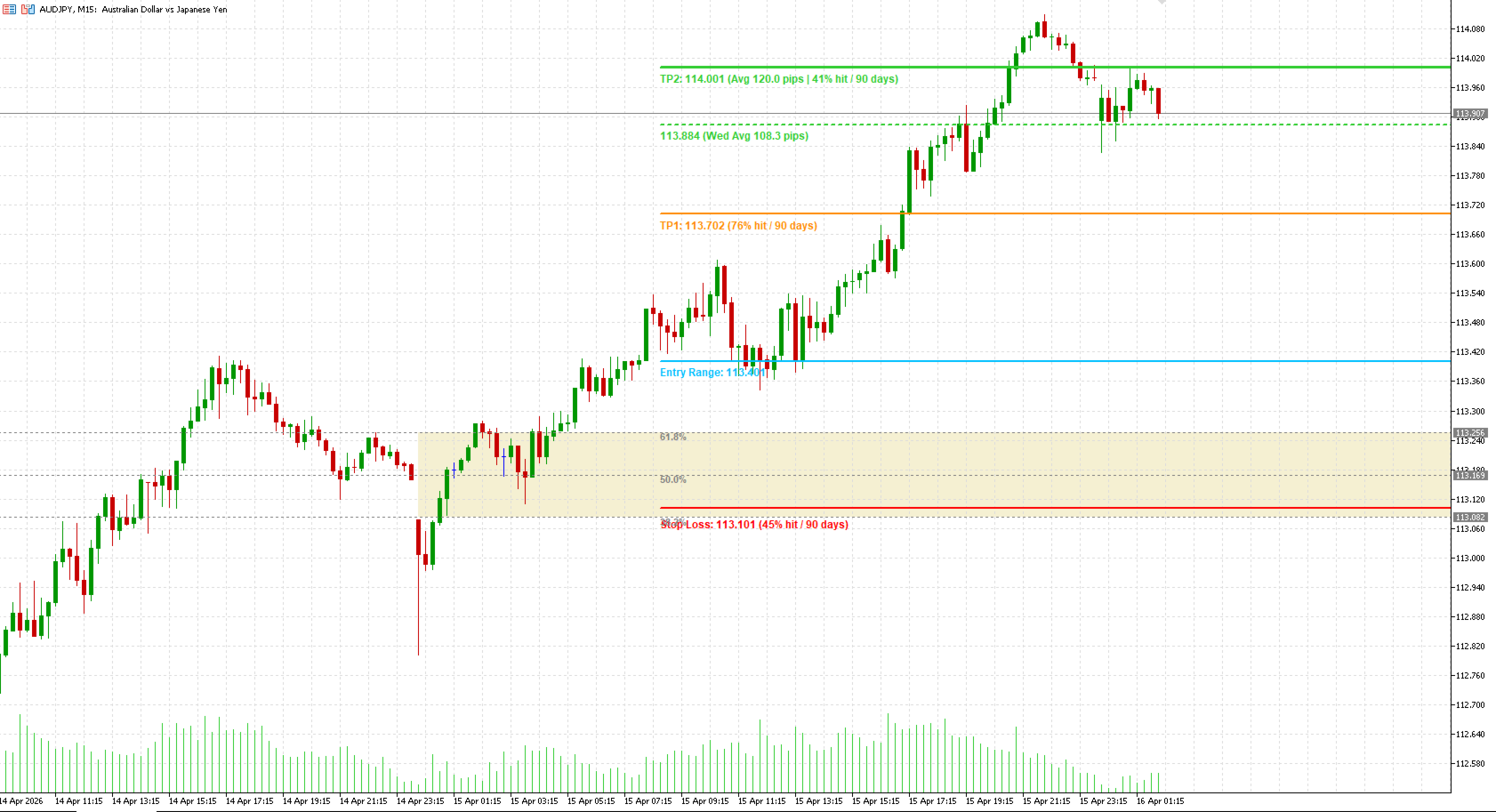
Available for any Top Picks symbol. Opens a dedicated chart window and plots a target line based on the remaining daily pip balance, giving a clear visual reference for potential price extension.
Pivot Points
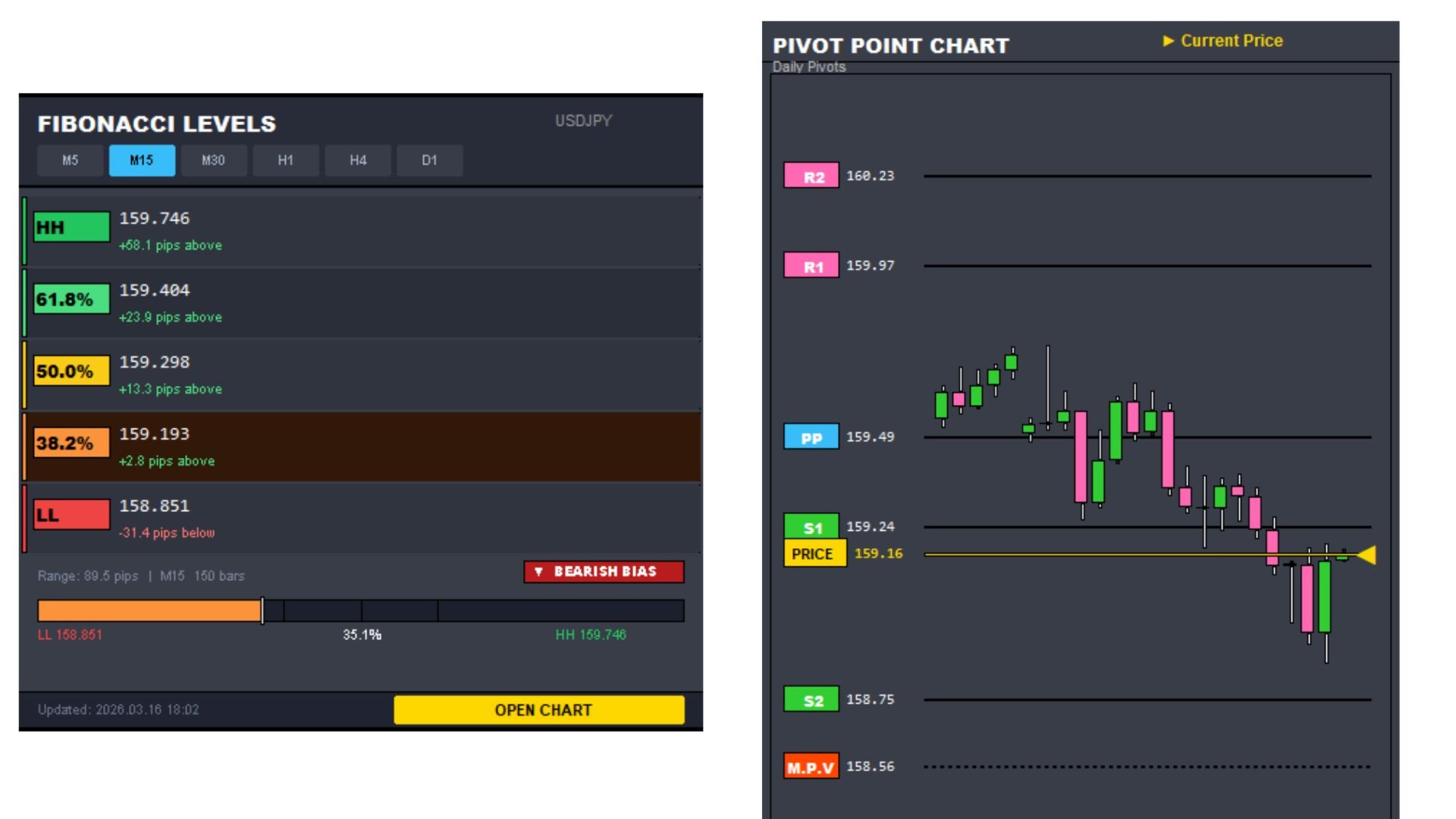
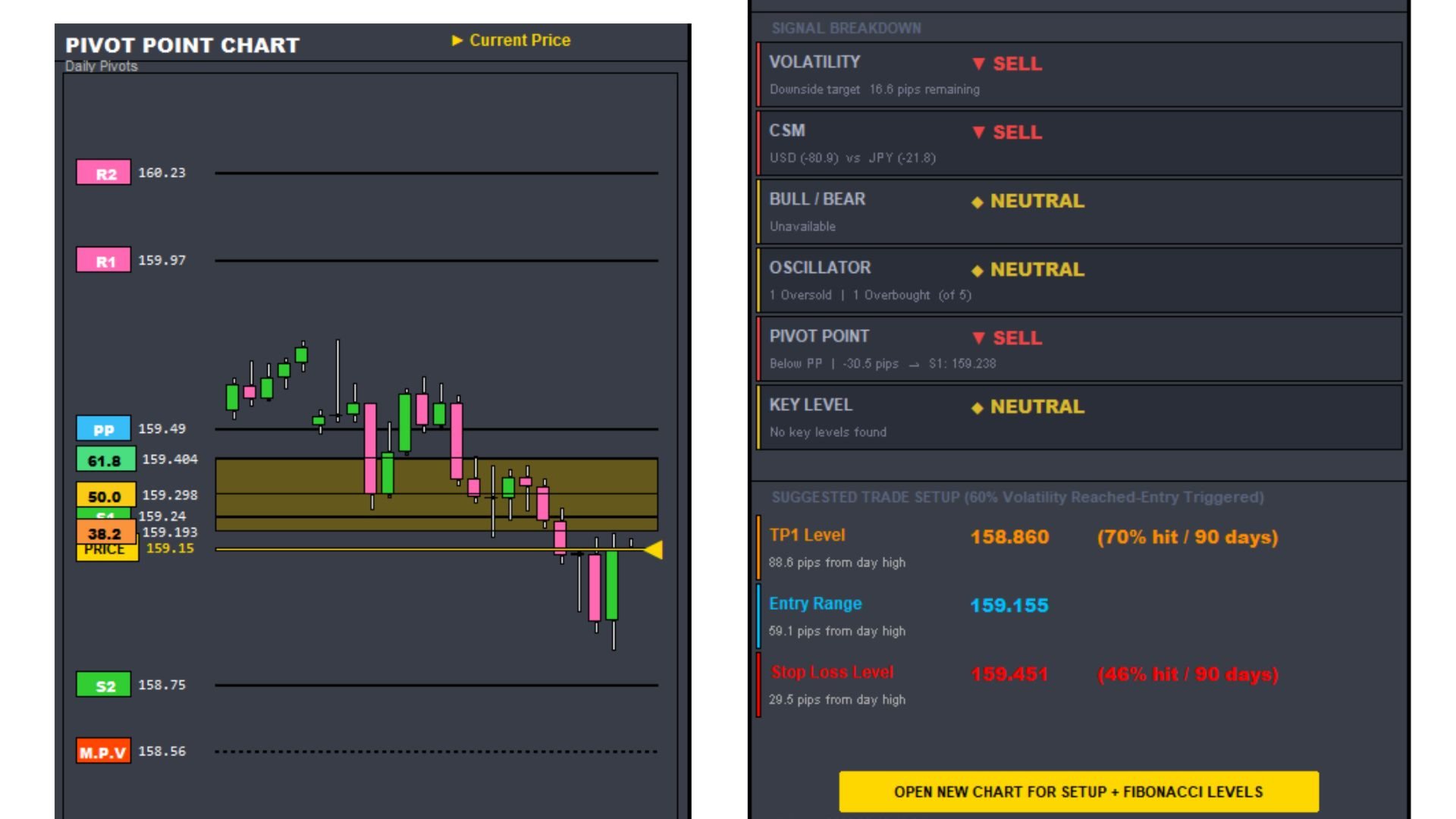
Plots five classic pivot levels on a mini-chart. When price reaches 50% of its daily average range, a dotted MPV (Max-Point Volatility) line appears as an alert reference for potential reversals or continuations.
Bullish and Bearish Strength
Displays a real-time directional strength reading for the currently selected symbol, giving a quick snapshot of momentum bias at a glance.
Key Levels and Trade Summary
Automatically draws Entry, Stop Loss, and Take Profit levels directly on the chart based on current analysis. All lines are auto-generated and update dynamically as market conditions change.
Suggested workflow
1 Open the Top Picks panel and identify symbols in the 60–90% volatility range.
2 Select a symbol and review the Volatility Analyzer — confirm the pip balance is positive and the current hour is historically active.
3 Check the Currency Strength Meter — a wide gap between the two constituent currencies improves trade quality.
4 Review the Oscillator Panel — act when four or more indicators agree on a bullish or bearish condition.
5 Click Open New Chart to view the target level and place your trade.
This indicator is designed for use on MetaTrader 5 with standard forex pairs.
Past price data does not guarantee future movement. Always apply independent risk management before entering any trade.