AI Trading Assistant System
- Yardımcı programlar
- Sürüm: 1.0
- Etkinleştirmeler: 5

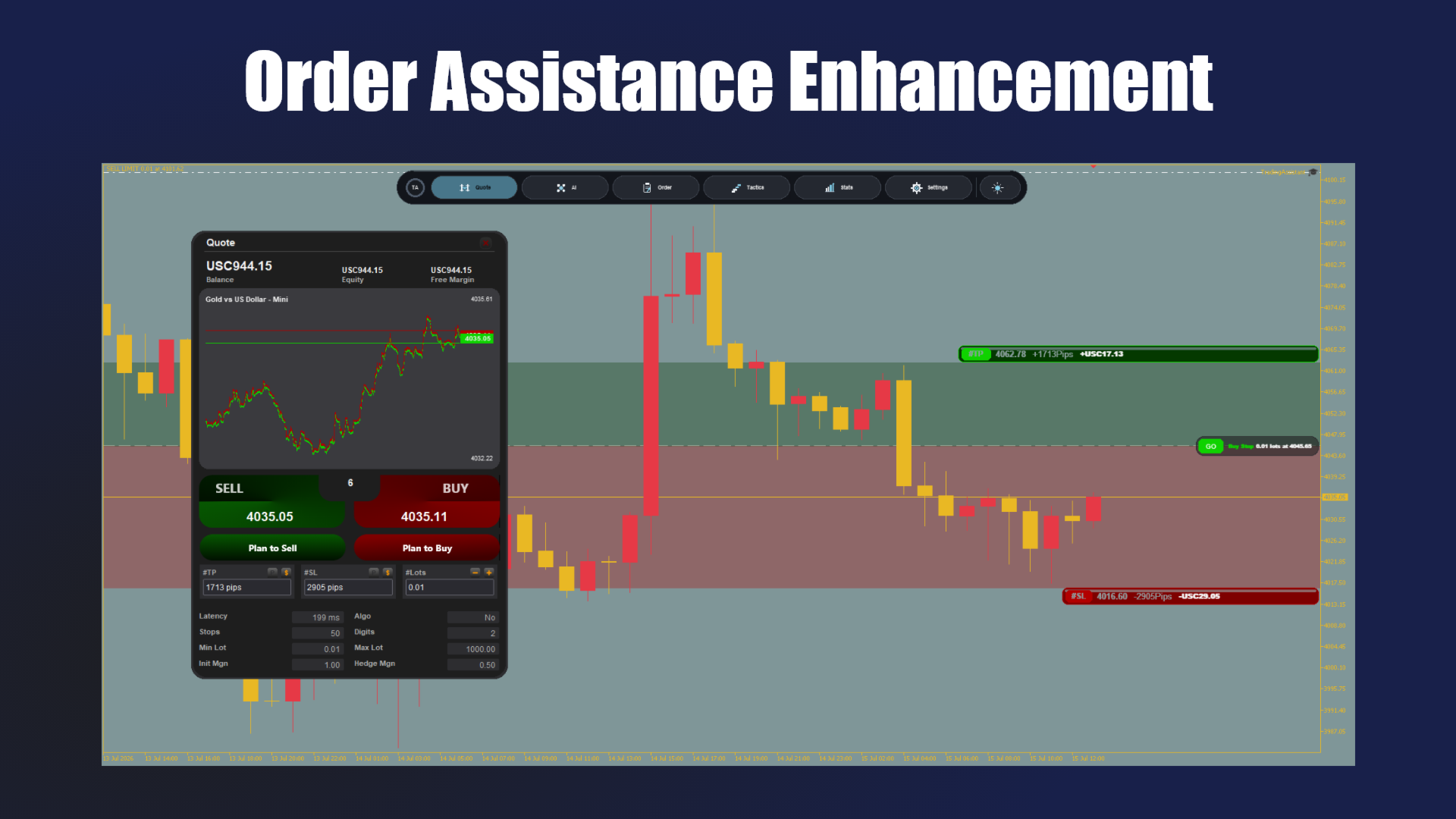
MT5 chart-embedded trading assistant: quotes & order entry, AI signals, position management, tactics, stats, and settings — all in the Module Dock. AI signals require your confirmation before placing orders.
1. AI Configuration Tutorial (do this first)1.1 Fill F7 inputs (recommended)
After attaching the EA, press F7. AI parameters are at the top:
· AI.1 API Key — API secret key
· AI.2 Model — model name, default deepseek-chat
· AI.3 API URL — default https://api.deepseek.com/chat/completions
· AI.4 timeout — WebRequest timeout (ms)
· AI.5 max signals — max signals per request (about 3–5)
1.2 Allow WebRequest (required)
· MT5: Tools → Options → Expert Advisors
· Check "Allow WebRequest for listed URL"
· Add the API root host, e.g. https://api.deepseek.com (must match AI.3 host)
1.3 Fill the panel and generate signals
· Open the Dock AI Signals page
· Click "From Inputs" next to URL / Key to load AI.1 / AI.3 from F7 (or type directly)
· Confirm model and settings, then click Generate AI Signals
· Review direction, prices, lots, and rationale on each card, then click Place
Tip: If AI.1 / AI.3 are empty, From Inputs does nothing — fill F7 first or type in the panel.
2. Install and Attach· Place this project under MQL5\Experts\ (keep folder structure)
· Open TradingAssistant.mq5 in MetaEditor and compile
· Drag from Navigator onto the target chart
· After ~10s loading, Module Dock appears; start in Settings to confirm language, Magic, lots, TP/SL
3. Feature ModulesTop Dock: six entries + theme toggle (dark / light):
· Quote — quick buy/sell, planned orders; lots / TP / SL; drag rounded price cards on chart
· AI Signals — chat completions (default DeepSeek); structured signal cards; confirm per row then Place
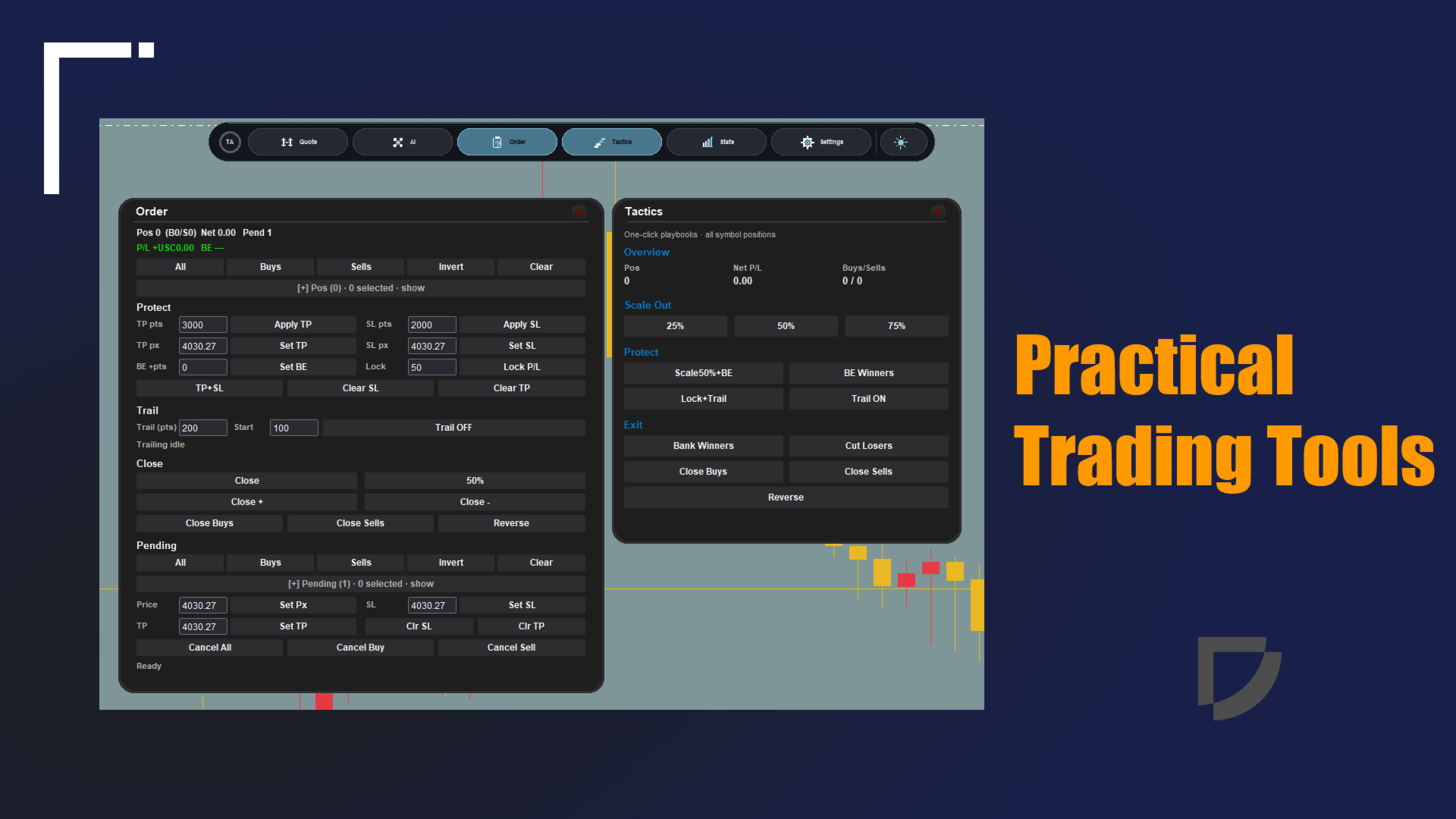
· Order — positions / pendings; protect (TP/SL, BE, lock P/L), trail, close / reverse, amend pendings
· Tactics — all open positions on current symbol: scale out, BE, lock+trail, bank / cut
· Stats — day / month KPIs, equity curve, slippage, trade history
· Settings — language (EN / ZH / AR), theme presets, trading defaults, panel visibility
4. Common Inputs (selected)See Input/input.mq5:
· AI.1–AI.5 — Key, model, URL, timeout, max signals
· Remark — Magic, order comment
· Risk — default TP / SL / lots
· Tools — default trail distance, activation profit points, partial %
5. Notes· AI is assistive only: signals may be biased or stale; you must confirm before Place — do not blindly follow
· Demo first: connect, generate, place, protect/trail, and verify stats before live
· API Key: do not share screenshots containing the key or casually copy terminal files
· Price levels: while EA is attached, chart built-in trade-level dragging is off — use rounded cards or Order module
· Magic: when Magic filter is on, avoid conflicts with other EAs
6. Layout (brief)TradingAssistant.mq5 (entry), MyApp.mq5 (hub), UI/, OneClickTrading/, AiSignalsModule/, ToolsModule/, TacticsModule/, StatsModule/, SettingsModule/, DragAdjuster/, Input/input.mq5