PropPortfolio
- Uzmanlar
- Sürüm: 1.26
- Etkinleştirmeler: 5

PropPortfolio RSI RangeGuard EA
PropPortfolio RSI RangeGuard EA is a professional Expert Advisor designed for MetaTrader 5.
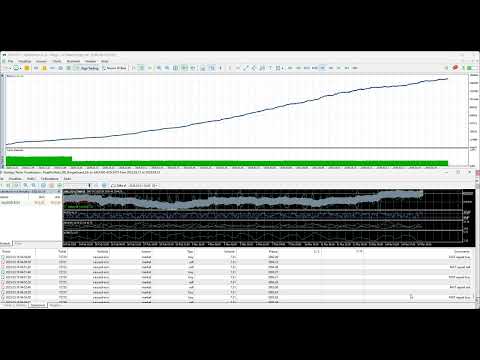
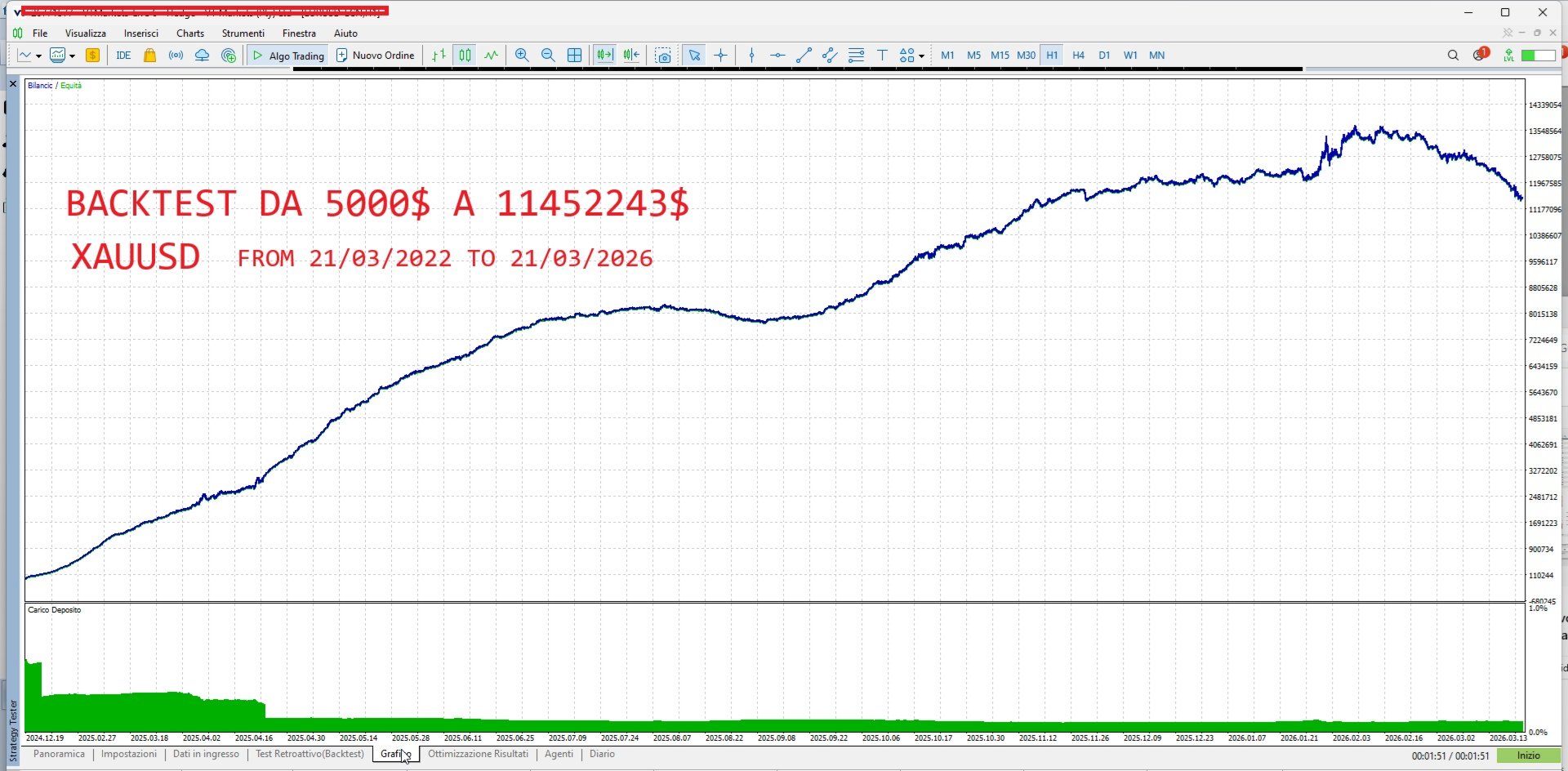
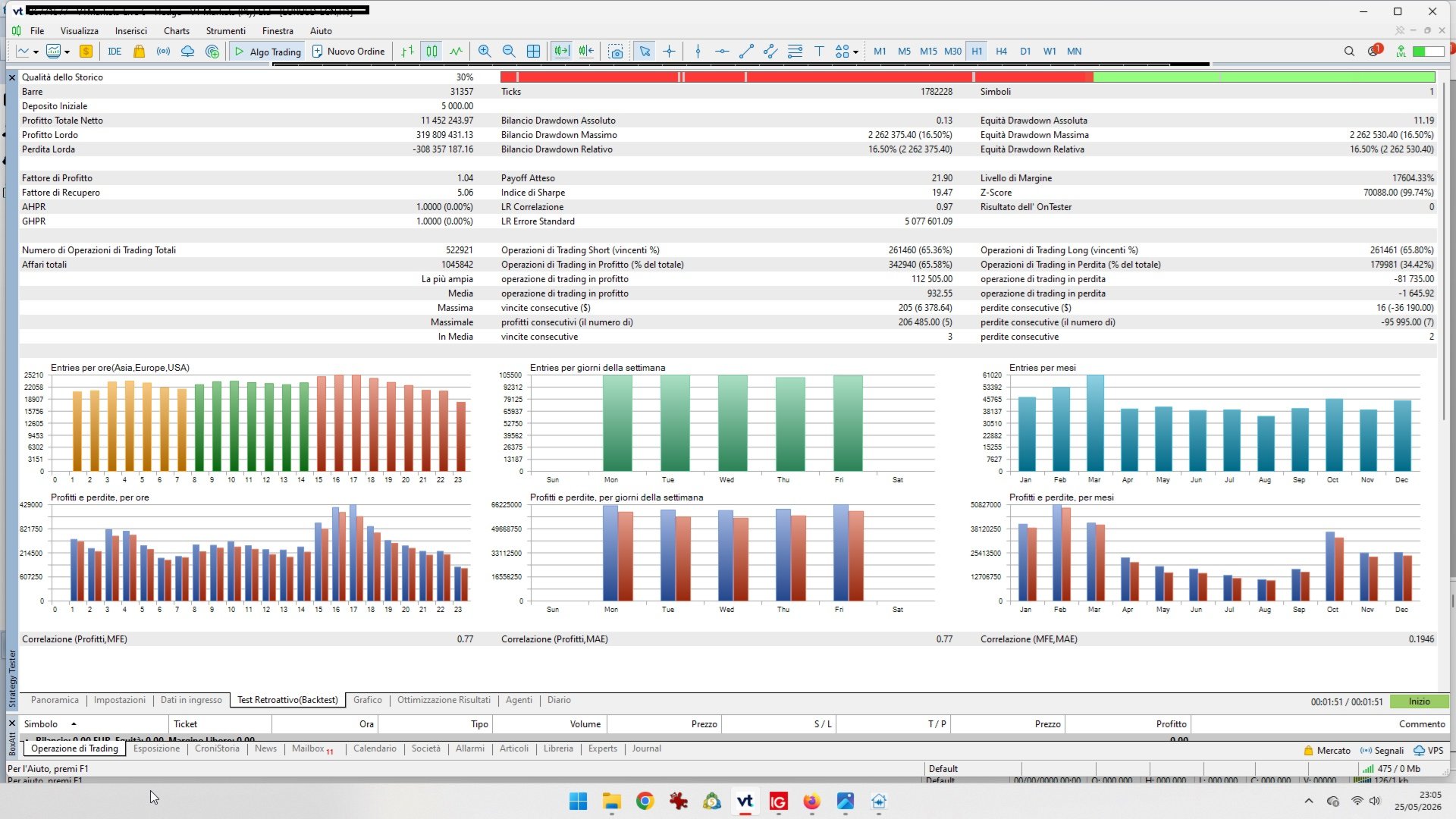
It combines RSI-based market analysis, range protection logic, portfolio-style symbol management, and controlled risk settings to identify trading opportunities in active market conditions. This Expert Advisor was developed to follow a fully automated, disciplined, and rule-based trading approach. In historical backtesting from 2022 to 2026, starting with an initial balance of approximately €2,000, the strategy showed remarkable simulated growth, reaching over €11,000,000. This result highlights the potential of the algorithm under test conditions, combining automated trade management, risk control, and systematic execution.
Now only $199 — this is a temporary offer. Secure your copy before the price goes back up.
The EA is designed for traders who want an automated strategy with flexible configuration, symbol-specific presets, and built-in protection features.
Main Strategy Concept
PropPortfolio RSI RangeGuard EA is based on the idea that markets often move between overbought and oversold zones before returning toward a more balanced area.
The EA analyzes market conditions using RSI logic and additional range-control filters. It can be used on different instruments such as Forex, Gold, and Crypto, depending on the broker’s symbol availability and trading conditions.
The strategy focuses on:
RSI-based entries RangeGuard market filtering Portfolio-style symbol selection Controlled lot management Automatic protection logic Multi-symbol preset compatibility
Key Features
RSI RangeGuard Logic
The EA uses RSI conditions together with range-control logic to avoid trading in unsuitable or unstable market phases.
Portfolio Symbol Support
The EA can be configured for individual symbols or used with separate set files for different instruments such as EURUSD, XAUUSD, and BTCUSD.
Soft Equity Cycle Management
The EA includes equity-cycle protection logic designed to reduce trading exposure after strong account growth phases, avoiding excessive risk escalation.
Automatic Losing Trade Protection
Optional protection can close losing trades after a defined number of hours, for example after 24 hours, helping avoid positions remaining open for too long.
Adjustable Risk and Lot Settings
The EA allows flexible lot sizing and risk-related parameters, making it suitable for different account sizes and trading styles.
Optimized Preset Files
The product can be used with dedicated set files for different symbols. Each symbol should be tested separately because broker spreads, commissions, swaps, and execution quality can affect results.
Recommended Markets
The EA is mainly suitable for:
EURUSD XAUUSD Major Forex pairs Gold Crypto CFDs, where supported by the broker
Recommended use depends on your broker’s trading conditions, spread, commission, leverage, and symbol specifications.
Recommended Settings
For best results, use the provided preset files as a starting point.
Suggested configuration:
EURUSD: low spread account recommended XAUUSD: suitable for accounts with stable gold execution BTCUSD: use only with brokers offering acceptable crypto spread and trading conditions
Before live trading, always run your own backtest and forward test using your broker’s data.
Important Parameters
PortfolioSymbols
Defines the symbol or symbols to trade.
If your broker uses suffixes such as EURUSD.a , XAUUSDm , or BTCUSD# , enter the exact symbol name from Market Watch.
EquityCycle_Reset_Multiple
Controls when the EA resets the equity growth cycle.
A lower value creates more frequent protection. A higher value allows longer growth before exposure is reduced.
EquityCycle_Reset_Retain_Lot_Pct
Defines how much of the previous lot exposure is retained after an equity-cycle reset.
This helps avoid a very sharp volume reduction after strong growth.
AutoClose_Losing_After_1_Day
Enables automatic closing of losing trades after the configured time period.
AutoClose_Losing_After_Hours
Defines the number of hours after which a losing position may be closed automatically.
Suggested Timeframe
The EA can be tested on different timeframes depending on the preset used.
For best results, use the timeframe specified in the set file or the one used during your own optimization.
Installation
- Download and install the EA in MetaTrader 5.
- Open the desired chart.
- Attach the EA to the chart.
- Load the appropriate .set file.
- Enable Algo Trading.
- Check that the symbol name matches your broker’s Market Watch.
- Test on a demo account before using real funds.
Backtesting Recommendations
When testing the EA, use:
Real ticks Variable spread, if available Correct commission settings Correct leverage Accurate symbol specifications Long testing period Out-of-sample verification
Results may differ between brokers due to spread, execution, commissions, swaps, liquidity, and trading server conditions.
Who Is This EA For?
PropPortfolio RSI RangeGuard EA is suitable for traders who want:
An automated RSI-based trading system Portfolio-style symbol management Configurable protection logic A strategy adaptable to Forex, Gold, and Crypto Preset-based setup A professional MetaTrader 5 trading tool
Risk Warning
Trading Forex, CFDs, Gold, and Crypto involves significant risk.
Past performance, backtests, and optimization results do not guarantee future profits. Market conditions can change, and any automated trading system can experience losses.
Use proper risk management and test the EA on a demo account before using it on a live account.