Precision News Filter
- Yardımcı programlar
-
Dennis Muchiri Miano
 I build MetaTrader 5 tools for my own trading and publish them on the MQL5 Market under DeeFX. I trade with the tools I build: a tool ships only after it has done its job on my own charts, so it can do the same job on yours.
What I build
- Risk and drawdown guards for prop-firm rules - Sürüm: 4.1
- Güncellendi: 25 Kasım 2026
- Etkinleştirmeler: 13
Precision News Filter tells your Expert Advisors when a news window is on, for every symbol in Market Watch. It reads the economic calendar built into MetaTrader 5 and signals: it has no strategy and opens no trades.
On the chart
- One panel for the whole terminal: how many symbols are blocked, how many events are ahead, and when the calendar was last read
- One row per symbol: BLOCKED with the time until it clears, or clear with the time until the next block, and the event behind it
- The next three events that matter to your symbols, in server time
- One alert when symbols become blocked and one when they clear, optionally as a push notification to your phone
Which news blocks which symbol
- News for the base and the profit currency: EURUSD by EUR and USD news, USDJPY by USD and JPY news
- Gold and silver follow their money side: XAUUSD by USD news. An index or other CFD follows the base and profit currencies your broker sets for it
- Broker suffixes do not matter: the currencies come from the symbol's properties, not its name
- Windows that overlap count as one block; only events with an exact release time count
Your choices
- Minutes before and after the release, and high impact only or high and medium
- All of Market Watch, or your own list of symbols
- Whether every symbol is blocked while the calendar cannot be read
- Close before news: optional and off by default. Switched on, it closes every trade and deletes every pending order on a symbol while its window is on, manual trades and other programs' trades too
For Expert Advisors
- For each symbol a terminal global variable NewsBlock_ followed by the symbol name: 1.0 while blocked, 0.0 while clear
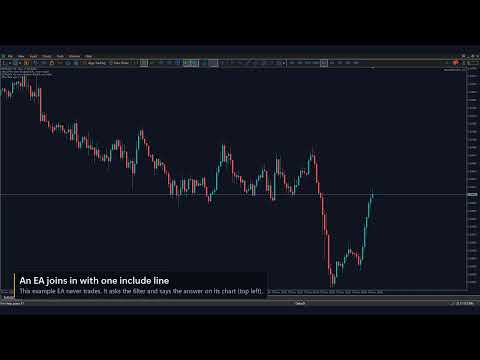
- With the companion file NewsFilter.mqh, one include line and one line at the top of OnTick: if(NewsTradingBlocked(_Symbol)) return;
- An EA connected with the companion file ignores a block after 20 minutes without an update, so a stopped terminal cannot leave it blocked for good
- The companion file and the step-by-step instructions are in the product comments. EAs connected to version 3.0 keep working with no change
How to use
- Attach it to one chart, any symbol and timeframe, and leave that chart open. One filter per terminal is enough
- Put the symbols your EAs trade into Market Watch, or type them into "Symbols to watch"
- Set the minutes and the impact level
- Connect your EAs with the companion file and the one line of code
Good to know
- It does not stop an EA that is not connected: MetaTrader gives one program no way to stop another from sending orders
- It reads only the terminal's calendar: no web address to allow. If your broker's terminal shows no calendar, the filter has no events
- It shows no forecasts, actual values or past news, and its windows are fixed minutes around the release time
- It works while the terminal runs with the filter on a chart. When it is removed, every variable is set back to clear
- Strategy Tester: the calendar has no data there, so the filter shows a fixed weekly list of made-up sample events (named "Sample: ..."). They are not real news. With the close mode switched on it also opens one small demonstration trade a day so that a sample window has something to close; those trades are not a strategy and their result means nothing. With the default inputs no trade is placed, the mode never runs on a live chart, and an input switches it off. An EA you backtest is not blocked by this utility
- Trading carries risk, and a news filter does not remove it
Questions, bugs and ideas: post in the comments, or join the DeeFX Tools group on MQL5.