Precision News Filter

  • ユーティリティ
  • Dennis Muchiri Miano
    Dennis Muchiri Miano
    • Developer and seller of MetaTrader 5 tools for risk, prop firms, gold and major forex pairs において  DeeFX
    • ケニア
    • 924
    I build MetaTrader 5 tools for my own trading and publish them on the MQL5 Market under DeeFX. I trade with the tools I build: a tool ships only after it has done its job on my own charts, so it can do the same job on yours.
    What I build
    - Risk and drawdown guards for prop-firm rules
  • バージョン: 4.1
  • アップデート済み: 25 11月 2026
  • アクティベーション: 13

Precision News Filter tells your Expert Advisors when a news window is on, for every symbol in Market Watch. It reads the economic calendar built into MetaTrader 5 and signals: it has no strategy and opens no trades.

On the chart

  • One panel for the whole terminal: how many symbols are blocked, how many events are ahead, and when the calendar was last read
  • One row per symbol: BLOCKED with the time until it clears, or clear with the time until the next block, and the event behind it
  • The next three events that matter to your symbols, in server time
  • One alert when symbols become blocked and one when they clear, optionally as a push notification to your phone

Which news blocks which symbol

  • News for the base and the profit currency: EURUSD by EUR and USD news, USDJPY by USD and JPY news
  • Gold and silver follow their money side: XAUUSD by USD news. An index or other CFD follows the base and profit currencies your broker sets for it
  • Broker suffixes do not matter: the currencies come from the symbol's properties, not its name
  • Windows that overlap count as one block; only events with an exact release time count

Your choices

  • Minutes before and after the release, and high impact only or high and medium
  • All of Market Watch, or your own list of symbols
  • Whether every symbol is blocked while the calendar cannot be read
  • Close before news: optional and off by default. Switched on, it closes every trade and deletes every pending order on a symbol while its window is on, manual trades and other programs' trades too

For Expert Advisors

  • For each symbol a terminal global variable NewsBlock_ followed by the symbol name: 1.0 while blocked, 0.0 while clear
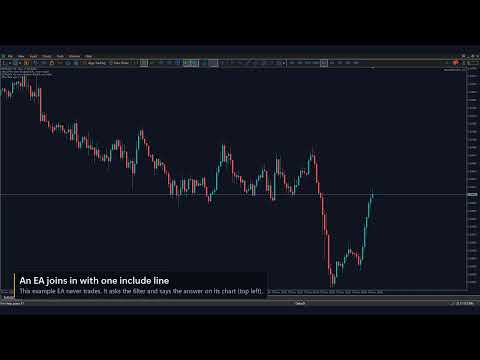
  • With the companion file NewsFilter.mqh, one include line and one line at the top of OnTick: if(NewsTradingBlocked(_Symbol)) return;
  • An EA connected with the companion file ignores a block after 20 minutes without an update, so a stopped terminal cannot leave it blocked for good
  • The companion file and the step-by-step instructions are in the product comments. EAs connected to version 3.0 keep working with no change

How to use

  1. Attach it to one chart, any symbol and timeframe, and leave that chart open. One filter per terminal is enough
  2. Put the symbols your EAs trade into Market Watch, or type them into "Symbols to watch"
  3. Set the minutes and the impact level
  4. Connect your EAs with the companion file and the one line of code

Good to know

  • It does not stop an EA that is not connected: MetaTrader gives one program no way to stop another from sending orders
  • It reads only the terminal's calendar: no web address to allow. If your broker's terminal shows no calendar, the filter has no events
  • It shows no forecasts, actual values or past news, and its windows are fixed minutes around the release time
  • It works while the terminal runs with the filter on a chart. When it is removed, every variable is set back to clear
  • Strategy Tester: the calendar has no data there, so the filter shows a fixed weekly list of made-up sample events (named "Sample: ..."). They are not real news. With the close mode switched on it also opens one small demonstration trade a day so that a sample window has something to close; those trades are not a strategy and their result means nothing. With the default inputs no trade is placed, the mode never runs on a live chart, and an input switches it off. An EA you backtest is not blocked by this utility
  • Trading carries risk, and a news filter does not remove it

Questions, bugs and ideas: post in the comments, or join the DeeFX Tools group on MQL5.
おすすめのプロダクト
SkyRebound
Sylvestre Setufa Djagbavi
Strategy Overview This robot follows a simple and structured technical logic: identify areas where the market shows excess, then enter when a coherent reversal signal begins to form.The goal is to capture clean movements without stacking positions or using risky methods.The robot uses no grid, no martingale, and never increases lot sizes. Buy Conditions A buy position can be opened only when multiple technical elements align: The market is above the Ichimoku cloud, indicating an underlying bull
RRtoolbox - Professional Tools: Risk:Reward Trading Tool (SL/TP Horizontals + Pending orders + Diagonals), Alerts set on trend lines (for alerts on diagonal levels), SelfManagement (BE, partials...), close/cancelling by time, Statistics, Info and trading on chart. One-Click Trading with Visual Risk:Reward Management RRtoolbox is a comprehensive trading panel that combines one-click order execution,  statistics and  powerful visual Risk:Reward tools, alerts set with trendlines, on chart butt
SMC Venom Model BPR MT5 は、Smart Money Concept(SMC)に基づいて BPR/FVG ゾーンを視覚的に分析するためのインジケーターです。チャート上の重要な価格の不均衡ゾーンを自動検出し、現在の時間足だけでなく、複数の時間足を組み合わせた分析にも対応します。 FVG (Fair Value Gap)— 3本のローソク足によって形成される価格の不均衡ゾーンで、1本目と3本目の間に未充足の価格帯が生じます。 BPR (Balanced Price Range)— 方向が反対の2つの FVG に関連する構造で、以前の価格不均衡に対する均衡、回帰、価格の相互作用が生じる領域を形成します。 このインジケーターは、BPR/FVG ゾーン、その状態、現在価格との位置関係、上位時間足の市場環境を視覚的に確認するために役立ちます。市場構造や価格の不均衡、注目すべき価格帯を分析する補助ツールとして使用できます。 ゾーンは長方形で表示されます。さらに、シグナル矢印、レベル、柔軟な通知システム、チャート上での時間足レイヤーの操作にも対応しています。 ユーザーガイド: M
Sweep Hunter XAU M5 Gold moves fast, and every point counts. Sweep Hunter XAU M5 is an automated trading system built for the speed and volatility of XAUUSD. It reads the market structure on every bar and enters at the moments it has chosen. It manages each position from entry to final exit with no manual work. If you want a robot that trades actively every day, keeps control of every order and works within a clear time window, run Sweep Hunter in the Strategy Tester and see how it behaves on go
Aura Gold Pro Edition
Stanislav Tomilov
4.56 (9)
金市場を支配するために作られた。 公式情報 出品者プロフィール 公式チャンネル ユーザーガイド 期間限定価格 — $599 Aura Gold Pro Edition は10月末まで $599 でご利用いただけます。 11月1日より価格は $999 に値上げされます — 値上げ前にぜひご購入ください。 ライブ取引シグナル  Roboforex   https://www.mql5.com/en/signals/2366593 FPMarkets   https://www.mql5.com/en/signals/2358523 ICTrading   https://www.mql5.com/en/signals/2380859 説明 Aura Gold PRO Editionは、金市場向けに綿密に設計された信頼性の高い取引アルゴリズムです。長期的な安定性と資本保護に重点を置き、不当なリスクを回避するシステムを構築しました。EAのライブシグナルは優れた結果と着実な成長を示しており、その基盤となるロジックの有効性を証明しています。このシステムの最大の強みの一つは、高い回復力です。これによ
Product Name: Anchor auto TP and SL Trade Manager Pro MT5 The ultimate manual assistant. Turns trades into auto-grids with Hedging, Zero-Loss Breakeven & Spread Detection. Your manual trade will be managed automatically. Anchor Auto TP and SL Trade Manager MT5 Pro is the advanced edition of our popular trade assistant. It transforms simple manual trades into sophisticated, professional-grade recovery grids. Unlike the free version, this PRO edition fully supports Hedging (simultaneous Buy & Sell
Somewhere over the rainbow It is a system that tries to operate the market from the exhaustion of the trend with a correction algorithm that tries to cut losses at the cost of increasing the margin This system makes all the adjustments automatically, analyzing the pair and the market to decide which is the most efficient step to reach your destination. Somewhere over the rainbow is a multiple trade and multi lot system(The maximum batch can be up to 5 times the initial batch distributed in mult
General Idea of the Strategy The robot is based on a simple yet highly effective principle: Identifying clear breakouts of the moving average accompanied by strong price elasticity. The goal is to detect moments when the market creates a genuine impulse , a sign that a real trend is forming, not just a random fluctuation. By focusing only on strong and confirmed breakouts, the robot filters out most of the false signals that trap manual traders. It continuously monitors candle behavior around t
MACD Sniper Pro is an advanced automated trading system designed for traders seeking high-precision entries and robust risk management. By combining the classic momentum of MACD Crossover with a strict ADX Volatility Filter and Dynamic ATR Management , this EA completely eliminates emotional trading and filters out dangerous flat/sideways markets. Unlike standard MACD indicators that suffer during consolidation, MACD Sniper Pro verifies trend strength before entering and protects your capital us
プレミアムレベルは、正しい予測の精度が80%を超える独自の指標です。 この指標は、最高のトレーディングスペシャリストによって2か月以上テストされています。 あなたが他のどこにも見つけられない作者の指標! スクリーンショットから、このツールの正確さを自分で確認できます。 1は、1キャンドルの有効期限を持つバイナリーオプションの取引に最適です。 2はすべての通貨ペア、株式、商品、暗号通貨で機能します 手順: 赤い矢印が表示されたらすぐにダウントレードを開き、青い矢印が表示されたら閉じます。青い矢印の後に開くこともできます。 試してテストしてください!推奨設定はデフォルトです! 日足チャートで最高の精度を示します! インディケータは、2600 Pipsの収益性に対して、約10Pipsという非常に小さなマージンを使用します。
Suvarna Scalper
Dhokiyas Money Map Investment Consultants - FZCO
Suvarna Scalper Suvarna Scalper は XAUUSD 取引用に設計された、Gold 専用のプレミアム Expert Advisor です。シンプルな設定、制御されたリカバリーロジック、そしてチャート上で分かりやすい監視を求めるトレーダー向けに作られています。 この EA は短期間のバックテストで良く見せるためだけに作られたものではありません。Suvarna Scalper の大きな強みは、長期的な生存を重視した構造です。Grid trading は本質的にリスクがあり、多くの Grid EA は一定期間利益を出すことがありますが、市場が強く一方向に動くと失敗することがあります。Suvarna Scalper は、Gold 市場の圧力により賢く対応するため、制御されたバスケット管理で構築されています。 特別なポイント Suvarna Scalper の特別なポイントは、Grid trading の条件下で長期間生き残ることを目的として設計されている点です。通常の Grid trading では、強い市場変動時に口座が破綻することがよくあります。この EA は
FREE
Fvg Edge
Ahmad Meftah Abdulsalam Alawwami
5 (4)
FVG Smart Zones – 無料版 MetaTrader 5 (MT5)用 公正価値ギャップ(FVG)検出インジケーター ただのランダムなインジケーターではなく、 本格的なトレーディングツール をお探しですか? FVG Smart Zones – 無料版 は、公正価値ギャップ(FVG)を自動で検出し、チャート上に 高確率トレーディングゾーン をハイライトして、プロフェッショナルな市場の洞察を提供します。 以下のトレーダー向けに設計されています: スマートマネーコンセプト (SMC) ICTトレーディングコンセプト プライスアクション (Price Action) 需給分析 (Supply & Demand) 機関投資家向けトレーディング戦略 このインジケーターは、 価格が反応しやすいゾーン に集中するのを助けます。 主な機能 スマートゾーン検出 上昇・下降FVGの自動検出 クリーンでプロフェッショナルなビジュアルゾーン 弱い、または関連性の低いギャップを除去するインテリジェントフィルター 高度な確認機能 上位時間軸(HTF)
FREE
SolarTrade Suite 金融ロボット: LaunchPad Market Expert - 取引を開始するために設計されています! これは、革新的で高度なアルゴリズムを使用して値を計算する取引ロボットであり、金融​​市場の世界でのアシスタントです。 SolarTrade Suite シリーズのインジケーター セットを使用して、このロボットを起動するタイミングをより適切に選択してください。 説明の下部にある SolarTrade Suite シリーズの他の製品をご覧ください。 投資と金融市場の世界を自信を持ってナビゲートしたいですか? SolarTrade Suite 金融ロボット: LaunchPad Market Expert は、情報に基づいた投資決定を行い、利益を増やすのに役立つ革新的なソフトウェアです。 SolarTrade Suite 金融ロボット: LaunchPad Market Expert の利点: - 正確な計算: 当社のロボットは、高度なアルゴリズムと分析方法を使用して、市場の動きを正確に予測します。 資産を売買するのに最適なタイミングを
NQX Opening Break Daily BiasはMetaTrader 5用のシグナルインジケーターです:オープニングブレイクのシグナル(日足のバイアス方向にのみシグナルを出します)。 その日のオープニングレンジのブレイクアウトを検出するNQX独自のロジックです。日足のバイアス方向にのみシグナルを出します。推奨エントリー、短いストップ、遠めのターゲット(3:1、5:1、10:1、スイングでは最大20:1)を表示します。判断するのはあなたです。 チャート上に表示されるもの - 確定したシグナル足に矢印を表示します(確定したシグナルがリペイントされることはありません)。 - 推奨エントリー、短いストップ、遠めの推奨ターゲット(デフォルトはリスクの5倍)、さらに3 x 1、5 x 1、10 x 1の参考ライン。 - レベルに到達すると、チャート上にラベル(ターゲットまたはストップ)が表示されます。 - 最新のシグナルと、表示中の履歴に出現したシグナル数を示すパネル。 - 新しいシグナルのポップアップ通知とプッシュ通知(オプション)。 NQX独占ロジック:他のどのNQXインジケーターも
ProTrade EA
Jim Ariel Camarce Ignao
Key Features   Automated Candle Pattern Recognition 10 Professional Patterns : Detects Bullish/Bearish Engulfing, Hammer/Shooting Star, Morning/Evening Star, Piercing/Dark Cloud, and 6 additional professional candlestick patterns Smart Filtering : Combine multiple patterns with configurable confirmation logic Volume Confirmation : Optional volume filter to validate pattern strength Multi-Timeframe Analysis : Separate execution and bias timeframes for better timing   Trading Dashboard Int
LT Support Resistance - サポート&レジスタンスを100%自動で識別 手動でサポートラインやレジスタンスラインを引く作業に、時間を取られて疲れていませんか?あるいは、重要なレベルをいつも見落としてしまい、悔しい思いをしていませんか?LT Support Resistanceは、そのような煩わしい作業をなくすために開発されました。複数のタイムフレーム(時間足)を同時に分析し、取引しているアセットの最も重要なゾーンを自動的に識別してチャート上に描画します。 == 重要レベルのスマート自動化 == 主観的で時間の Gann(ガン)かかる手動のライン引きとは異なり、このインジケーターは価格の履歴を分析し、重要な反転ポイントを特定して、価格が「実際に」意識しているサポート・レジスタンスラインを描画します。その結果、客観的で素早い、データに基づいた分析が可能になります。 == 主な特徴 == 100% 自動検出: 手動による分析なしでサポート/レジスタンスを識別 マルチタイムフレーム (MTF): M5(5分足)チャート上に、H1、H4、D1、W1のレベルを同時に表示可能 ス
Exclusive Imperium MT5 — 自動売買システム Exclusive Imperium MT5 は MetaTrader 5 用のエキスパートアドバイザー(EA)で、市場分析アルゴリズムとリスク管理に基づいています。EAは完全自動で稼働し、トレーダーの介入は最小限で済みます。 注意!購入後すぐにご連絡ください 。設定手順をお渡しします! 重要: すべての例、スクリーンショット、テストはデモ目的のみです。あるブローカーで特定の通貨ペアが良好な結果を示しても、他のブローカーでも同様になるとは限りません。各ブローカーには独自のレート、スプレッド、取引条件があります。したがって、 各通貨ペアはユーザー自身が個別に最適化する必要があります 。実際の口座では 単一通貨モードのみ で稼働させてください。マルチ通貨モードのスクリーンショットは参考例にすぎません。市場環境は変化するため、最適化は少なくとも 年に1回 繰り返すことを推奨します。 重要情報: EAのデモ版は評価目的のみです。最適化なしのテスト結果はアルゴリズムの実際の動作を反映しません。完全な利用には、ブローカー、資金、選
パラメータスイープの勝者を採用したトレーダー向けに、バックテストフォルダ内の最良の結果が実は最も運のよかった結果だった可能性がどれくらいあるかを示します。あなたの選択を決済済み取引のあらゆる分割で再実行し、過剰最適化の問題に、1つの選択確率と1つの判定で答えます。 勝者が持ちこたえたかを確かめます:タイムラインをS個のスライスに切り分け、半分ずつに分けるすべての分割で、一方の側で最良の構成を選び、もう一方の側でその順位を付けます。その構成が中央値を下回った分割の割合が、あなたの選択確率です。 試行の数を数えます:デフレーテッド・シャープレシオと試行予算が、あなたの信頼水準のもとで、その結果がいくつの構成を試しても耐えられたかを示します。 合わないレポートを見つけます:すべての約定行は、レポートに印字された約定数と純利益に0.01以内で一致していなければならず、一致しないファイルは平均に混ぜ込まれず、名前を挙げて却下されます。 フォルダをそのまま読みます:ストラテジーテスターが書き出した.htmと.htmlのファイルがあれば十分で、テスターの呼び出しも、再エクスポートも、インターネット接
CosmiCLab SMC FIBO CosmiCLab SMC FIBO is a professional trading indicator designed for traders who use Smart Money Concepts (SMC), market structure analysis and Fibonacci retracement levels. The indicator automatically detects market swings and builds Fibonacci levels based on the latest impulse movement. It also identifies market structure changes such as BOS (Break of Structure) and CHOCH (Change of Character), helping traders understand the current market direction. CosmiCLab SMC FIBO also pr
インディケータは現在のクオートを作成し、これを過去のものと比較して、これに基づいて価格変動予測を行います。インジケータには、目的の日付にすばやく移動するためのテキスト フィールドがあります。 オプション: シンボル - インジケーターが表示するシンボルの選択; SymbolPeriod - 指標がデータを取る期間の選択; IndicatorColor - インジケータの色; HorisontalShift - 指定されたバー数だけインディケータによって描画されたクオートのシフト; Inverse - true は引用符を逆にします。false - 元のビュー。 ChartVerticalShiftStep - チャートを垂直方向にシフトします (キーボードの上下矢印)。 次は日付を入力できるテキストフィールドの設定で、「Enter」を押すとすぐにジャンプできます。
Mt5TradeCopier
Mcblastus Gicharu Ndiba
Forex Trade copier MT5.  It copies forex trades, positions, orders from any accounts to any other account,  MT5 even multiple accounts. The unique copying algorithm exactly copies all trades from the master account to your client account. It is also noted for its high operation speed and Tough error handling. It also can copy from demo account to live account too. It is one of the best free trade copiers that can do ,  MT5 or to multiple accounts  MT5 to multiple accounts  Features of Trade Copi
Dolphin Wave Rider IMM is an automated MetaTrader 5 strategy designed to evaluate structured trend opportunities using hourly price data. The strategy combines market-structure breaks with trend alignment and Relative Strength Index confirmation. By default, trading decisions use completed candles to reduce intrabar signal changes. ### Trade management Automatic entries use broker-adapted stop-loss and take-profit prices. Position volume can be calculated from an equity-risk percentage or a fixe
Hello friends. I wrote this utility specifically for use in my profile with a large number of Expert Advisors and sets ("Joint_profiles_from_grid_sets"   https://www.mql5.com/en/blogs/post/747929 ). Now, in order to limit losses on the account, there is no need to change the "Close_positions_at_percentage_of_loss" parameter on each chart. Just open   one   additional chart, attach this utility and set the desired percentage for closing all trades on the account. The utility has the following fu
Grid Trading EA is a semi-automated one-click trading EA for both Normal Trading and Grid/Martingale Trading . Normal Trading Simply click Buy or Sell directly from the chart. The EA will automatically manage trades by: Setting Stop Loss and Take Profit Managing Trailing Stop Grid / Martingale Trading (For Hedging Account Type Only) When Grid Trading mode is enabled, the EA will automatically open additional grid orders at specified distances while increasing the lot size based on your settings.
概要 Adaptive Grid Pro   は、MetaTrader 5向けのプロフェッショナルなトレーディングエキスパートアドバイザー(EA)で、高度なポジション管理機能を備えたグリッドトレーディング戦略を実装しています。単純なマーチンゲールEAとは異なり、このロボットはリスク管理システム、柔軟なパラメーター設定、および取引操作の完全な透明性を提供します。 コアコンセプト ロボットは一方向に一連のポジションを構築し、エントリー価格を段階的に平均化します。価格が最初のポジションと逆方向に動いた場合、設定で指定されたロットサイズで新規注文が開かれ、アダプティブグリッドを形成します。目標利益に達すると、全てのポジションは共通のテイクプロフィットでクローズされます。 ️ 1. 多段階ドローダウン保護 セキュリティシステムは、トレーダーの介入を必要とせずに自動で動作する2つの独立した保護レベルに基づいています。 レベル1(ソフト保護) 設定されたドローダウンしきい値(MaxDrawdown1)に達すると作動 動作メカニズム: 取引が自動的に一時停止 タイマーが開始(時間単位で
Here   our more valuable tools SMC Trend Trading   ,  Easy SMC Trading  ,  Institutional SMC Architect Volume Analysis Tools  ,  Volume flow Profile  ,  Market volume profile  , FVG with Volume  , Liquidity Heatmap Profile  ,  Volume Spread Analysis You Give an Instruction: When you run the script, a window pops up with a dropdown menu. You choose exactly what you want it to do from the list (e.g., "Close Profit Only" or "Delete Pending Orders"). It Scans Your Positions: The script then reads
DOUBLEorNOTHING Daily is the version of the DOUBLEorNOTHING family designed to combine an aggressive Gold / XAUUSD trading strategy with a capital-management model focused on frequently protecting realized profits. The core idea behind the DOUBLEorNOTHING family is simple: recovery strategies may generate strong growth, but they can also experience significant drawdowns. For this reason, every version uses the same main trading concept while handling capital and profits differently. In Daily mod
FiveStarFX Gold Reversal Edge Professional automated trading solution designed for structured execution and controlled risk management in the Gold market. Built for traders who value discipline, precision, and consistency. Key Features Fully automated trading One trade at a time (controlled exposure) Fixed Stop Loss and Take Profit Smart Break-Even protection Profit lock with buffer Step-based trailing management Spread protection system Works on any broker Trade Management The E
FREE
Camarilla Swing Trade is an Expert Advisor. It has a Swing Trade trading strategy using entry and exit points from Camarilla Pivot Points, trading when there is an advantage in buying or selling. And there is a system to prevent damage to the investment portfolio by not trading in cases where the price on TF week is very volatile. Support and resistance points are calculated from the High Low Close of the previous TF Week's price. Testing from testing EURUSD on TF for 1 hour during 01.01.2021 to
Mine Farm is one of the most classic and time-tested scalping strategies based on the breakdown of strong price levels. Mine Farm is the author's modification of the system for determining entry and exit points into the market... Mine Farm - is the combination of great potential with reliability and safety. Why Mine Farm?! - each order has a short dynamic Stop Loss - the advisor does not use any risky methods (averaging, martingale, grid, locking, etc.) - the advisor tries to get the most
このプロダクトを購入した人は以下も購入しています
Trade Assistant MT5
Evgeniy Kravchenko
4.43 (216)
取引 ごとのリスクの 計算、新規注文 の 簡単 な 設置、部分的 な 決済機能 を 持 つ 注文管理、 7 種類 のトレーリングストップなど 、便利 な 機能 を 備 えています 。 追加の資料と説明書 インストール手順   -   アプリケーションの手順   ライン機能 チャート上にオープニングライン、ストップロス、テイクプロフィットを表示します。この機能により、新規注文を簡単に設定することができ、注文を出す前にその特徴を確認することができます。   リスク計算 リスク計算機能は、設定されたリスクとストップロス注文のサイズを考慮して、新規注文のボリュームを計算します。ストップロスの大きさを自由に設定できると同時に、設定したリスクを守ることができます。 Lot calc ボタン - リスク 計算 を 有効 / 無効 にします 。 Risk フィールドでは 、必要 なリスクの 値 を 0 から 100 までのパーセンテージまたは 預金通貨 で 設定 します 。 設定」 タブで 、 リスク 計算 の 種類 を 選択 します :「 $ 通貨」、「 % 残高」、「 % エクイティ 」、「
Trade Manager EAへようこそ。これは、取引をより直感的、正確、そして効率的にするために設計された究極の リスク管理ツール です。これは単なるオーダー実行ツールではなく、包括的な取引計画、ポジション管理、リスク管理のためのソリューションです。初心者から上級者、迅速な実行を必要とするスキャルパーまで、Trade Manager EAはあらゆるニーズに対応し、為替、指数、商品、暗号通貨などさまざまな市場で柔軟に対応します。 Trade Manager EAを使用すると、複雑な計算が過去のものになります。市場を分析し、エントリーポイント、ストップロス、テイクプロフィットのレベルをチャート上のラインでマークし、リスクを設定するだけで、Trade Managerが最適なポジションサイズを即座に計算し、SLとTPをピップ、ポイント、口座通貨でリアルタイムに表示します。すべての取引が簡単かつ効果的に管理されます。 主な機能: ポジションサイズ計算機 :定義されたリスクに基づいて取引サイズを瞬時に決定します。 簡単な取引計画 :エントリー、ストップロス、テイクプロフィットを設定するためのド
Black Week: 購入価格 69.99 USD。このオファーは 11 月 27 日(金)に終了します。 Telegram to MT5 Multi-Channel Copier   は、 Telegram と Discord チャンネルのトレードシグナルを MetaTrader 5 へ自動コピーします。ボット不要、ブラウザ拡張不要、手動コピー不要。Telegram や Discord にシグナルが届くと、EA が数秒であなたのターミナルに注文を出します。 さらに、チャンネルをコピーする前に、内蔵バックテスターでそのチャンネルがあなたの口座でどう動いたかを確認できます。 製品は 2 つのコンポーネントで構成されます:Telegram チャンネルを監視する Windows アプリと、MT5 ターミナルでシグナルを執行する本 EA です。MT4 版もあります   こちら . 購入前にお試しください:   アプリは無料でダウンロードできます。ご自身のチャンネルを接続し、各シグナルがどのように読み取られるかをご確認ください。Backtest タブと実際の取引には、購入またはレンタルした E
Local Trade Copier EA MT5
Juvenille Emperor Limited
4.94 (150)
Local Trade Copier EA MT5 は、同一の Windows PC または Windows VPS 上で稼働する複数の MetaTrader 5 口座間で、取引をコピーおよび管理するための高速で柔軟なトレードコピーツールです。 ローカルでの取引同期に加え、Receiver 側でロットサイズ、リスク管理、取引フィルター、シンボルマッピング、取引管理、口座保護を個別に設定できます。 Transmitter と Receiver のターミナルは約 1分 で設定でき、同一ブローカーまたは異なるブローカーの口座間で、手動取引や EA による取引をコピーできます。適切な条件下では、ローカルの MetaTrader ターミナル間で取引情報を 0.5秒未満 で同期できます。実際の約定速度は、ブローカーのレイテンシー、ネットワーク状況、PC/VPS の性能、ターミナルの負荷によって異なります。 ご購入前に無料デモをお試しください Local Trade Copier EA MT5 の完全機能版無料デモ を、MT5 デモ口座で 1回につき4時間 テストできます。 Local Trad
Farmed Hedge Yield Farming | All Markets (Manual - Hybrid - Semi/Automated EA) VERIFIED TRADING RESULTS - Farmed Hedge Yield Axi Copy:  https://www.mql5.com/en/signals/2356376 - Farmed Hedge Yield Exn Copy:   https://www.mql5.com/en/signals/2356404 - Farmed Hedge Yield V Copy:  https://www.mql5.com/en/signals/2357156 IMPORTANT NOTICE: FarmedHedge is a MANUAL-FOCUSED TRADING UTILITY ,not a fully automated EA. Results shown on this Signal include manual trades and overall strategic management.
TradePanel MT5
Alfiya Fazylova
4.89 (176)
Trade Panelは多機能なトレーディングアシスタントです。アプリには手動取引用の50以上のトレーディング機能が搭載されており、ほとんどの取引作業を自動化することができます。 アプリの説明書: https://www.mql5.com/en/blogs/post/756482 デモ口座用アプリの試用版: https://www.mql5.com/en/blogs/post/750865 アプリのインストール方法: https://www.mql5.com/en/blogs/post/756239 アプリをビジュアルモードでテストする方法: https://www.mql5.com/en/blogs/post/770277 VPSのMetaTraderにアプリをインストールする方法: https://www.mql5.com/en/blogs/post/770190 取引。 ワンクリックで取引操作を行うことができます: リスクを自動計算して指値注文やポジションを開く。 複数の注文やポジションをワンクリックで開く。 注文のグリッドを開く。 保留中の注文やポジションをグループごとに閉じる
EA Overfitter
Stephen J Martret
5 (5)
That backtest looks great. But will it still be making money tomorrow, next week, next month? EA Overfitter re-runs your EA on 100 price histories it has never seen. One score tells you if the edge is real. A backtest tells you what an EA did on one price history — the one that happened to occur. What you cannot tell from it is how much of that result was the strategy and how much was the particular path. EA Overfitter answers that. It builds up to 100 synthetic price histories your EA has n
自分の取引ルールで Telegram のシグナルをコピー Telegram to MT5 Signal Trader は、Telegram の公開・非公開チャンネルやグループから、テキスト形式の取引シグナルを MetaTrader 5 へ自動でコピーします。1つのデスクトップアプリで複数の配信者と MT5 口座を管理し、 配信者ごとにリスクと取引設定を個別に指定 できます。 シグナルのコピーに Telegram ボットや API 設定は必要ありません。 電話番号または QR コードでご自身の Telegram アカウントにログインし、すでに参加しているチャンネルやグループを選ぶだけです。ボットの作成や、Telegram API トークン、API ID、API hash の入力は不要です。 ポジションサイズを選び、複数の利確水準に分けて決済し、建値へのストップ移動やトレーリングストップを自動化できます。配信者のシグナルを受け取りながら、実際の取引方法は自分で管理できます。 本製品は、この MT5 エキスパートアドバイザ(EA)と、必須の Windows 連携アプリで構成されます。 インス
Exp COPYLOT CLIENT for MT5
Vladislav Andruschenko
3.97 (35)
MetaTrader 5 用のプロフェッショナル取引コピー機 MetaTrader 向けの高速・高性能・信頼性の高い 取引コピー機 です。 COPYLOT は、MT4 と MT5 のターミナル間で Forex 取引をコピーでき、 Hedge 口座と Netting 口座の両方に対応しています。 COPYLOT MT5 版の対応構成: - MT5 Hedge → MT5 Hedge - MT5 Hedge → MT5 Netting - MT5 Netting → MT5 Hedge - MT5 Netting → MT5 Netting - MT4 → MT5 Hedge - MT4 → MT5 Netting MT4 版 完全な説明 + DEMO + PDF 購入方法 インストール方法 ログファイルの取得方法 テストと最適化の方法 Expforex のすべての製品 MT4 ターミナルへのコピーも可能です(MT4 → MT4、MT5 → MT4): COPYLOT CLIENT for MT4 COPYLOT は、2台、3台、さらには10台のターミナル間で同時に動作できる、プロフェッ
AI Agent Supervisor is NOT an Expert Advisor. AI Agent Supervisor   is a   multi-agent AI risk & portfolio supervisor   that watches every EA on your account and intervenes in real time.  WANT AN AI PORTFOLIO MANAGER WATCHING YOUR FLEET 24/7?   Run your fleet on the same brokers I do:   IC MARKETS , IC TRADING   .  Unlike the centralized stock market, Forex has no single, unified price feed.  Every broker sources liquidity from different providers, creating unique data streams. The Supervisor r
================================================================================ POC BREAKOUT - V20.72. Full Professional Grade Toolkit ================================================================================ POC Breakout is a full MetaTrader 5 trading dashboard for discretionary traders who want breakout signals, Point of Control (POC) context, volume profiles, order flow, market structure, news, alerts, and advanced trade planning in one professional workspace. Attached directly to you
News Trade EA MT5
Konstantin Kulikov
4.55 (11)
僕自身が数年間使っている便利なロボットをご紹介します。半自動モードでも完全自動モードでもお使いいただけます。 >>> Chat <<< 当プログラムは経済指標カレンダーで発表されるニュースをもとにした取引の柔軟な設定が可能です。戦略テスターでは確認不可です。実際の取引のみです。 最新の設定アーカイブをダウンロードしてください: https://www.mql5.com/en/blogs/post/747929 シグナルモニタリング: https://www.mql5.com/en/signals/author/test-standart 当該エキスパート・アドバイザーのためのカスタマイズ設定セットを作る場合は、ブログの全パラメータの説明を参照してください :   https://www.mql5.com/en/blogs/post/748545 。 基本的なデフォルト設定について 一つのチャートからGBPとの通貨ペア(GBPUSD、EURGBP、GBPJPY、GBPCAD、GBPAUD、GBPCHF)で取引をします。GBPは最もボラティリティの高い通貨のため、取引が成功するチ
The product will copy all telegram signal to MT5 ( which you are member) , also it can work as remote copier.  Easy to set up, copy order instant, can work with almost signal formats, image signal,  s upport to translate other language to English Work with all type of channel or group, even channel have "Restrict Saving Content", work with  multi channel, multi MT5 Work as remote copier: with signal have ticket number, it will copy exactly via ticket number. Support to backtest signal. How to s
EA Auditor
Stephen J Martret
5 (7)
EA Auditor is an independent analysis tool for traders evaluating Expert Advisors and trading signals on MetaTrader 5. It audits backtest reports, reviews posted developer signals, and cross-verifies the two against each other to help traders assess strategies before committing capital. The MQL5 market offers a wide range of Expert Advisors from many developers, with varying approaches, quality, and transparency. EA Auditor provides a consistent, data-driven framework for reviewing them, answer
25% discount on the release of the tool: only for the next 3 buyers Send a message to receive a demo version. AstroTrade Trading Assistant AstroTrade is a comprehensive multi-functional trading utility developed for the MetaTrader 5 platform. It integrates essential tools for trade execution, risk management, and technical monitoring into a single unified interface. The application is designed to assist traders in managing their daily operations through a visual and structured environment. Vi
Power Candles Strategy Scanner:自己最適化するマルチシンボル・セットアップファインダー わずかな動きのたびに鳴るスキャナーは、やがて無視されるようになります。慌ただしいローソク足の確定ひとつでアラートが次々と届き、本当にトレードしたい唯一のセットアップがノイズに埋もれてしまう。 Power Candles Strategy Scanner は、自己最適化する Power Candles エンジンを Market Watch のすべてのシンボルで動かし、あなた自身のフィルターを通過したものだけを知らせます。基準は、直近の確定足の強さ、セットアップのリスクリワード、リアルタイムのスプレッド、そしてあなたがトレードする資産クラスです。シンボルがリストに入った瞬間、スキャナーがあなたを呼びます。フィルターで外したものはすべて静かなまま。同じローソク足の確定で出たヒットは、すべて1通のメッセージにまとめて届きます。 購入前にパネルとすべてのフィルターをご覧ください。 スクリーンショット、全機能のツアー、Power Candles との連携ワークフロー: stein.
Timeless Charts
Samuel Manoel De Souza
5 (9)
Timeless Charts is an all-in-one trading utility for professional traders. It combines custom chart types such as Seconds Charts and Renko with advanced order flow analysis using Footprints , Clusters , Volume Profiles , VWAP studies, and anchored analysis tools for deeper market insight. Trading and position management are handled directly from the chart through an integrated trade management panel , while Market Replay and Virtual Accounts provide environments for practicing trading skills and
Zentral Trading Manager
Ray Zeanrik Parreno Fredeluces
5 (4)
Zentral Manager Your Command Center for Precision Trading — Now Stronger than Ever Take control of your trades like never before. Zentral Trading Manager is your all-in-one manual trading panel for MetaTrader 5 — built for scalpers, day traders, and serious strategy execution. Fully compatible with both Mac and Windows laptops. High-DPI safe. No more layout issues. Key Features (Latest 2025 Update): • One-Click Close – Instantly close Buy/Sell, winning/losing trades, or even half positions with
KT Equity Protector MT5
KEENBASE SOFTWARE SOLUTIONS
3.6 (5)
An equity protection EA for MetaTrader that enforces your loss limits and profit target for you: when your account reaches a rule you set, it closes your trades on every symbol, before one bad day turns into a lost account. It suits prop firm challenges and personal accounts alike. Attach it to one chart, answer a few questions in the on-chart setup wizard, and it watches your whole account in the background while you trade by hand or with other EAs. What it protects Daily loss limit: a percenta
Custom Alerts:複数市場を監視し、重要なチャンスを見逃さない 概要 Custom Alerts は、複数の銘柄にまたがるトレードチャンスを一元的に監視したいトレーダーのためのダイナミックなソリューションです。FX Power、FX Volume、FX Dynamic、FX Levels、IX Power などの主要ツールと連携し、複数のチャートを切り替える手間なく、重要な市場変動を自動で通知します。ブローカーが提供するすべての資産クラスに対応しており、シンボルを入力する必要はありません。設定で資産クラスを選択するだけで、すぐにアラートを構成できます。 1. Custom Alerts がトレーダーにとって非常に有益な理由 オールインワンの市場監視 • Custom Alerts は、為替、金属、暗号資産、指数、株式(ブローカーが対応している場合)からのシグナルを収集・統合します。 • 複数のチャートを切り替える必要がなくなり、明確で一元化された通知が得られます。 戦略に合わせたアラート構成 • ボリューム急増、通貨強弱の閾値、極端な価格変動など、目的に応じたアラート
クリックする前にリスクを把握し、その後はトレードを管理しましょう。 ラインをドラッグして BUY または SELL をクリックするだけで、ロットサイズは自動で計算されます。その後は、建値ストップ、部分決済、複数ターゲットなどでトレードを管理できます。 Mercurial Position Sizing PRO は、裁量トレーダー向けの MT5 ツールです。口座残高、リスク率、ストップロスまでの距離から適切なロットサイズを計算し、SL と TP を設定済みの状態で注文を出します。無料版のすべての機能に加えて、より多くのコントロールを求めるトレーダー向けの追加ツールが含まれています。 トレーダーに好まれるポイント チャート上には2本のラインだけ。ワンクリックで取引。複雑なパネルも、pip 価値の手計算も不要です。 使い方 1. EA をチャートに追加し、Algo Trading が有効になっていることを確認します。 2. リスク率を設定します(例:1%)。 3. New Position をクリックして EA を起動します。必要ないときは待機状態のままです。 4. Pending Or
Telegram チャンネルのシグナルを、数秒で MetaTrader 4 と MetaTrader 5 にコピーします。TradingMind Signal Bridge は、あなたが選んだチャンネルやグループを読み取り、高速な内蔵ルールで各シグナルを認識します。形式が崩れたメッセージは、スクリーンショットで投稿されたシグナルも含めて AI モデルに渡し、注文をターミナル上のエキスパートアドバイザー(EA)へ送ります。ニュースフィルター、プロップファーム口座の保護機能、リモート操作用の Telegram ボットにより、何を取引するかの判断は常にあなたの手元に残ります。 この製品でできること TradingView のアラートと、あらゆる Telegram チャンネル・グループのシグナル Telegram アカウント数にもシグナル元の数にも制限なし ルールで解析できなかったメッセージは AI が読み取り、スクリーンショットにも対応 Telegram ボットへのコマンド一つで、スマートフォンからすべての取引を停止 初めての方へ。スクリーンショット付きの詳しい設定手順はブログにあります:
Seconds Chart - MetaTrader 5で秒足チャートを作成するユニークなツールです。 Seconds Chart を使用すると、秒単位のタイムフレームでチャートを構築でき、標準的な分足や時間足チャートでは得られない柔軟性と分析精度を実現します。例えば、 S15 は15秒足を表します。カスタムシンボルをサポートしているインジケーターやEAをすべて使用できます。標準的なチャートと同様に便利に操作できます。 標準的なツールとは異なり、 Seconds Chart は超短期のタイムフレームでも高い精度と遅延なく作業できるように設計されています。 Free Demo: Seconds Chart v2.29 Demo.ex5 無料デモをダウンロードしてご自身でお確かめください: 完全機能版 - すべての機能が利用可能 24時間テスト - 精度と利便性を評価するのに十分な時間 デモ口座のみ - ほとんどのブローカーで簡単に開設可能 GBPCADチャートのみ - ほとんどの端末で利用可能 これらの制限はデモ版のみに適用されます。製品版は、あらゆる口座タイプ(リアル、デモ、コンテス
Prop Guardian Risk Manager MT5 – Drawdown, Risk & Hedge Protection for Prop Firm and Managed Accounts Prop Guardian Risk Manager is a professional risk-control utility for MetaTrader 5, designed for prop firm traders, money managers and anyone who wants strict account-level risk protection. It does not generate trading signals, strategy entries or trading decisions. Instead, it runs in the background, monitors your account risk and can automatically block new exposure, close managed positions or
Trade Dashboard simplifies how you open, manage, and control your trades, with built-in lot size calculation. It allows you to execute trades, manage risk, and control positions directly on the chart, with tools such as partial close, breakeven, and trailing stop. Designed to reduce manual work and help you stay focused on your trading decisions. A demo version is available for testing. Detailed explanations of features are provided within the MQL5 platform. Installation instructions are include
次回アップデート — バージョン 2.52 近日公開!【新機能】 市場分析とトレードワークフローを強化する、4つの主要な新機能にご期待ください 皆様のトレードニーズに応える4つの新機能により、市場分析を次のレベルへと引き上げます。新機能をご紹介します: 1. TRADE OVERVIEW DASHBOARD 2. CONFLUENCE AT ZONE 3. STRONG & WEAK HIGH/LOW 4. OTE 1. TRADE OVERVIEW DASHBOARD 市場全体の状況をより簡単に把握できるダッシュボードです。トレード判断をサポートするガイダンスを提供し、市場分析とトレード計画を体系的に行えるよう支援します。すべてを1つの画面で確認できます。 マルチタイムフレーム市場概要(Multi-Timeframe Market Overview) 市場の方向性と価格構造をより明確に把握 市場状況をすばやく確認 体系的な市場分析とエントリー計画のためのガイダンス 2. CONFLUENCE AT ZONE 価格が重要なゾーンに入るとき…いくつのサポート要因が一致しているかを確認で
REVDEN AI Desk:あなた自身の AI との一つの会話で、REVDEN のマーケットコンテキストをもとにトレードを運営する トレードのすべてを一つの会話で運営する姿を想像してみてください。 REVDEN AI Desk はそれを MetaTrader 5 にもたらします。あなた自身の AI に相場をどう読んでいるかを尋ねると、AI はあなたが取引する銘柄について REVDEN の完全なコンテキストをもとに答えます。銘柄の状態、リスク像、今後の指標発表まで含めてです。AI の提案はエントリー、ストップ、ターゲット、リスクとともに届き、合うものをあなたが承認します。ルールの変更も同じ方法です。変えたい点を書けば、AI が新しいルールブックの草案を作り、採用するかどうかはあなたが決めます。会話の周りには、マーケット全体が一つの画面にまとまっています。 デスクとセットアップガイドをご覧ください。 すべての画面、すべての設定、そしてあなた自身の AI との最初のステップ: stein.investments/products/revden-ai-desk AI との一つの会話、マーケッ
MT5 to Telegram MultiChannel Sender   は、MetaTrader 5 の取引を Telegram へ自動送信します。送信先は 1 つまたは複数のチャンネル、グループ、個人チャットです。エントリー、SL/TP の変更、部分決済、決済、指値・逆指値注文が数秒以内に投稿され、チャート上のパネルで同じ口座からフルチャンネルと制限付きチャンネルを運営できます。プログラミングもパラメーター入力も不要です。 逆方向、つまり Telegram の取引を MT5 にコピーしたい場合は   Telegram to MT5 MultiChannel Copier   をご覧ください。 セットアップガイド:   https://www.mql5.com/ja/blogs/post/779512 現在の価格は今後値上げされます。 仕組み @BotFather で無料の Telegram ボットを作成し、チャンネルの管理者に追加します。 口座のチャートのひとつに EA を適用します。 チャートパネルの 3 ステップ(ボットトークンの貼り付け、接続の確認、チャンネルの検出)を実行
Experience trading without friction. Zentriq Trade Manager is a modern, high-performance trade management utility engineered with a high-DPI canvas interface, anticipatory workflow design, and an integrated Macroeconomic News Filter. Designed for discretionary traders, scalpers, and prop firm traders who demand speed, precision, zero-clutter ergonomics, and automated news event protection. User Manual Get the most out of Zentriq Trade Manager with the complete user manual: Complete User Manual:
Coppy Master MT5 は、   MetaTrader 4 端末と MetaTrader 5 端末間で取引をコピーするためのツールです。両方向のコピーをサポートします: MT5 から MT4、MT4 から MT5、また同じタイプのアカウント間でも可能です。 正しく動作させるには、すべてのターミナルを 1 台のコンピューターまたは VPS で起動する必要があります。 [ Instruction  and Demo ]  MetaTrader 4 にコピーするには、製品の別のバージョンである Coppy Master MT4 が 必要です。 主な機能: 接続タイプ マスターモードとレシーバーモード。注文の送受信ロジックを柔軟に設定できます。 注文管理 成行注文と保留注文のコピー。取引の同期クローズ、部分クローズ、取引の反転、SL/TP の変更のサポート。 シンボルの操作 プレフィックスとサフィックスのサポート。個々の文字の除外/包含。アセットにカスタム名を割り当てる機能。 制限とリスク管理 1 日あたりの取引回数、1 日の最大損失、コピーを停止する残高レベルの制限。 音量
作者のその他のプロダクト
Inside Bar Zone marks every inside bar on your chart as a zone, with its High, Mid and Low prices. An inside bar is a bar whose whole range lies inside the bar before it. The indicator does not trade. On the chart A shaded zone from each inside bar's high to its low, running as many bars to the right as you choose High, Mid and Low labels on the newest zones Drag a zone's right edge forward: the prices stay put, and the edge is kept after a restart Overlapping zones stay visible, each with its o
FREE
DeeFX Risk Calculator shows the lot size for the risk you choose: drag a stop line on the chart and read the answer from the panel. It is a calculator for manual traders and prop-firm accounts, and it never opens, changes or closes a trade. On the chart A red stop line and a green target line you drag with the mouse Below the price is a buy, above it a sell; the target follows to the other side with its reward-to-risk Lot size, rounded down to your broker's volume step Loss at the stop in money
FREE
PRECISION NEWS FILTER Automatic News Protection for MT4   —   Manual & Automated Trading   Attach once   ·   Runs forever   ·   Protects every trade Precision News Filter Public Group:   Click here to join   You had a perfect setup. Then the news fired.  Price spiked 100 pips in seconds. Your stop was taken out. A week of careful trading gone in one candle. It was not bad luck. It was news volatility. And it happens to every MT4 trader, every single week. The economic calendar has 15 to 25 si
LagShield Pro watches the chart it is attached to for two problems: quotes that stop arriving, and a connection to the trade server that is slow or lost. Green while all is well, amber when something is slow, red when it has lasted long enough to count as a lag. It has no strategy, opens no trades, and never closes anything by itself. What counts as a lag No connection to the trade server for 3 seconds Quotes that stop for 3 seconds past the limit: 500 ms, or 3 times the symbol's usual gap betwe
DeeFX Trade Manager places and manages your own trades from the chart. You drag the stop line to where it belongs, the panel sizes the order from your risk, and one button sends it with the stop-loss attached. It has no strategy: it trades only when you press a button. Placing orders A red stop line, a green target line and, for pending orders, a blue entry line you drag with the mouse Stop below the price is a buy, above it a sell; Flip turns the plan around Market or pending: the panel picks b
DeeFX Prop Firm Guardian watches one account against the two limits a prop firm sets: the daily loss and the maximum drawdown. It watches every trade on the account, manual ones and those of every Expert Advisor, on every symbol. It has no strategy and opens no trades. At a limit: your choice Warn only: an alert, nothing is closed. This is how it starts, so nothing closes until you change it Close once: every trade is closed and every pending order deleted Close and keep flat: the same, and anyt
フィルタ:
レビューなし
レビューに返信