DeeFX Trade Manager
- Yardımcı programlar
-
Dennis Muchiri Miano
 I build MetaTrader 5 tools for my own trading and publish them on the MQL5 Market under DeeFX. I trade with the tools I build: a tool ships only after it has done its job on my own charts, so it can do the same job on yours.
What I build
- Risk and drawdown guards for prop-firm rules - Sürüm: 1.0
- Etkinleştirmeler: 10
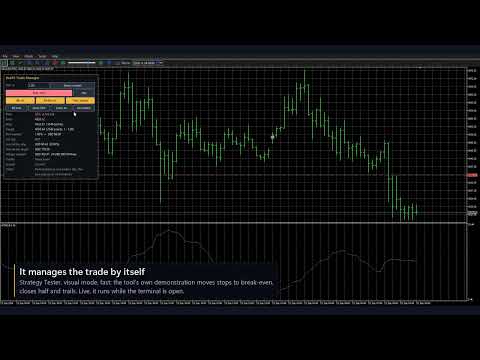
DeeFX Trade Manager places and manages your own trades from the chart. You drag the stop line to where it belongs, the panel sizes the order from your risk, and one button sends it with the stop-loss attached. It has no strategy: it trades only when you press a button.
Placing orders
- A red stop line, a green target line and, for pending orders, a blue entry line you drag with the mouse
- Stop below the price is a buy, above it a sell; Flip turns the plan around
- Market or pending: the panel picks buy limit, buy stop, sell limit or sell stop from where the lines are
- Before you send: lot size, loss at the stop in money and percent, gain at the target, reward-to-risk, margin
- Every order carries a stop-loss; a second click confirms it (an input)
- When an order cannot be sent, the panel says why: market closed, stop too close for your broker, lot below the minimum
Managing open trades
- Break-even: the stop moves to the entry once the trade has earned a multiple of its initial risk
- Partial close: part of the position is closed once, at a multiple of its initial risk
- Trailing stop: an ATR distance behind the price, or behind the last swing low or high
- Triggers are multiples of each trade's own risk, so one setting fits any symbol and timeframe
- The stop moves only forward, only when the step is worth sending, and never inside your broker's limits
- Buttons: BE now, Close 50%, Close all, Del orders
Lot size
- Risk as a percent of equity, a percent of balance, or an amount of money
- Worked out from your broker's own contract data: right for any gold contract size, indices, and pairs whose profit is in another currency
- Rounded down; the round-turn commission is measured from your recent trades or typed in
For prop-firm accounts (optional)
- The room left before your daily-loss limit and your maximum-drawdown limit, on the panel
- The lot is reduced when that room is smaller than the risk you asked for, open trades and orders counted first
- New orders are refused once a limit is reached; the view itself never closes trades
- Four firm presets as a starting point; your firm's dashboard is the authority
How to use
- Attach it to the chart you trade and allow Algo Trading
- Type your risk on the panel and press Enter
- Drag the stop line (and the target, and the entry for a pending order)
- Press the button, then press it again to confirm
Good to know
- Which trades it manages: only its own by default; one input widens that to every trade on the symbol, manual ones too
- Break-even, partial close and trailing work while the terminal is open with the panel on the chart
- A partial close needs a hedging account; stop-limit orders are not supported
- The numbers come from the current price: a real fill, or a stop in a gap, can be worse
- Optional news hold: no new orders around high-impact news, from the terminal's calendar (no data in the Strategy Tester)
- Strategy Tester: a program gets no clicks there, so the lines follow the price and the panel places one demonstration trade a day by itself and presses its own buttons, to show the mechanics. Those trades are not a strategy and their result means nothing; the mode never runs on a live chart and an input switches it off
- All its objects start with FXTM_ and are removed with the tool
Questions, bugs and ideas: post in the comments, or join the DeeFX Tools group on MQL5.