SwingFinderLive
- Индикаторы
- Версия: 1.1
- Активации: 5

Short description:
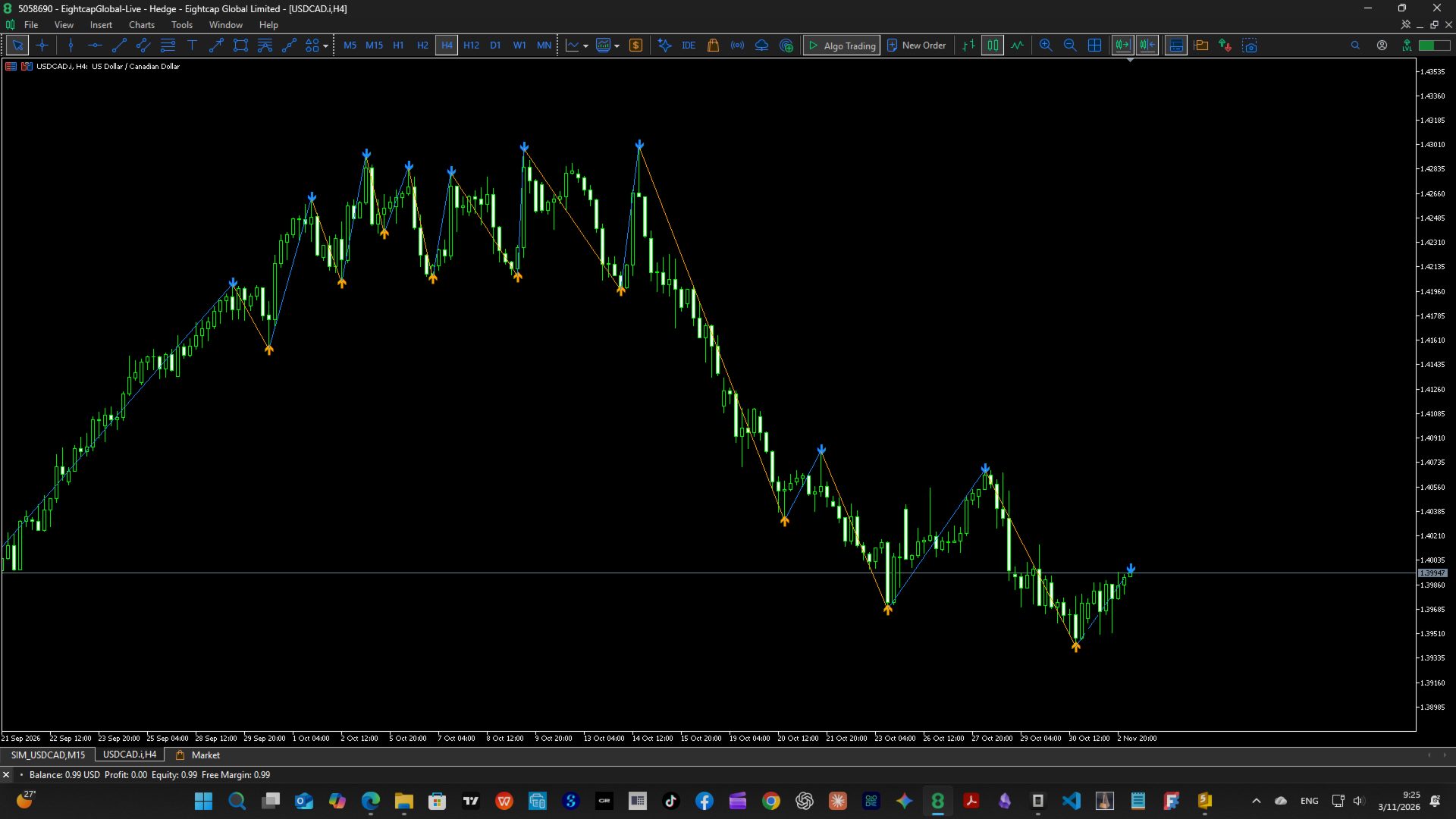
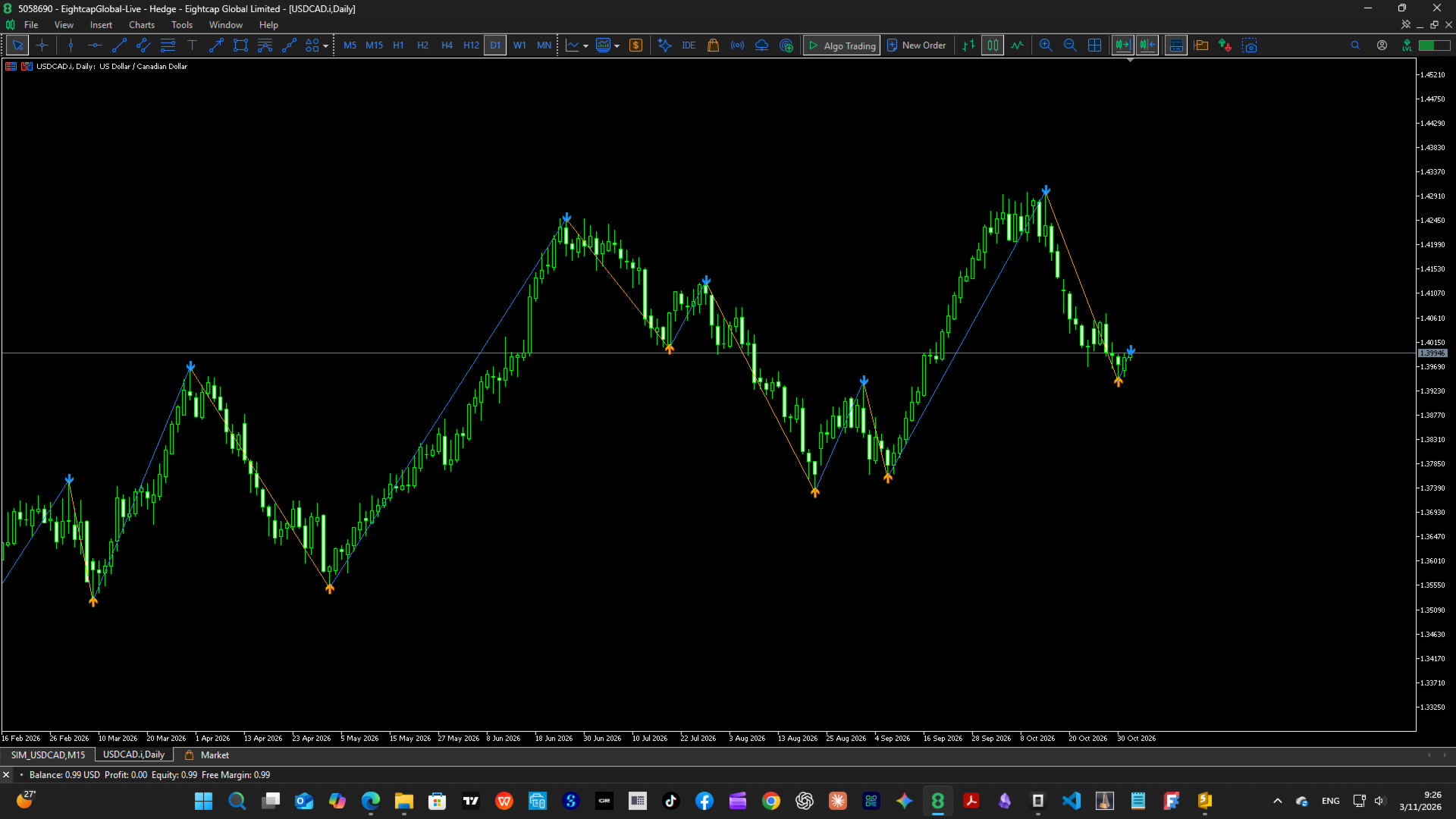
Fractal-based swing structure indicator with instant early confirmation, live forming tail, and automatic fractal width per timeframe. Draws clean ZigZag-style swings for market structure analysis (HH/HL/LH/LL, S/R).
Key Features
- Fractal swing detection — connects confirmed swing highs/lows into a clean ZigZag-style structure line (like the built-in Fractals, but with fully configurable width)
- Early Confirmation mode (default ON) — accepts a pivot using the still-forming right side (minimum 1 bar), so the newest swing appears immediately instead of waiting for all confirmation bars
- Live Tail mode (default A) — dashed tail drawn from the last confirmed pivot to the current forming extreme; the tip ends exactly on the extreme bar and price (not just the latest bar), like a live ZigZag
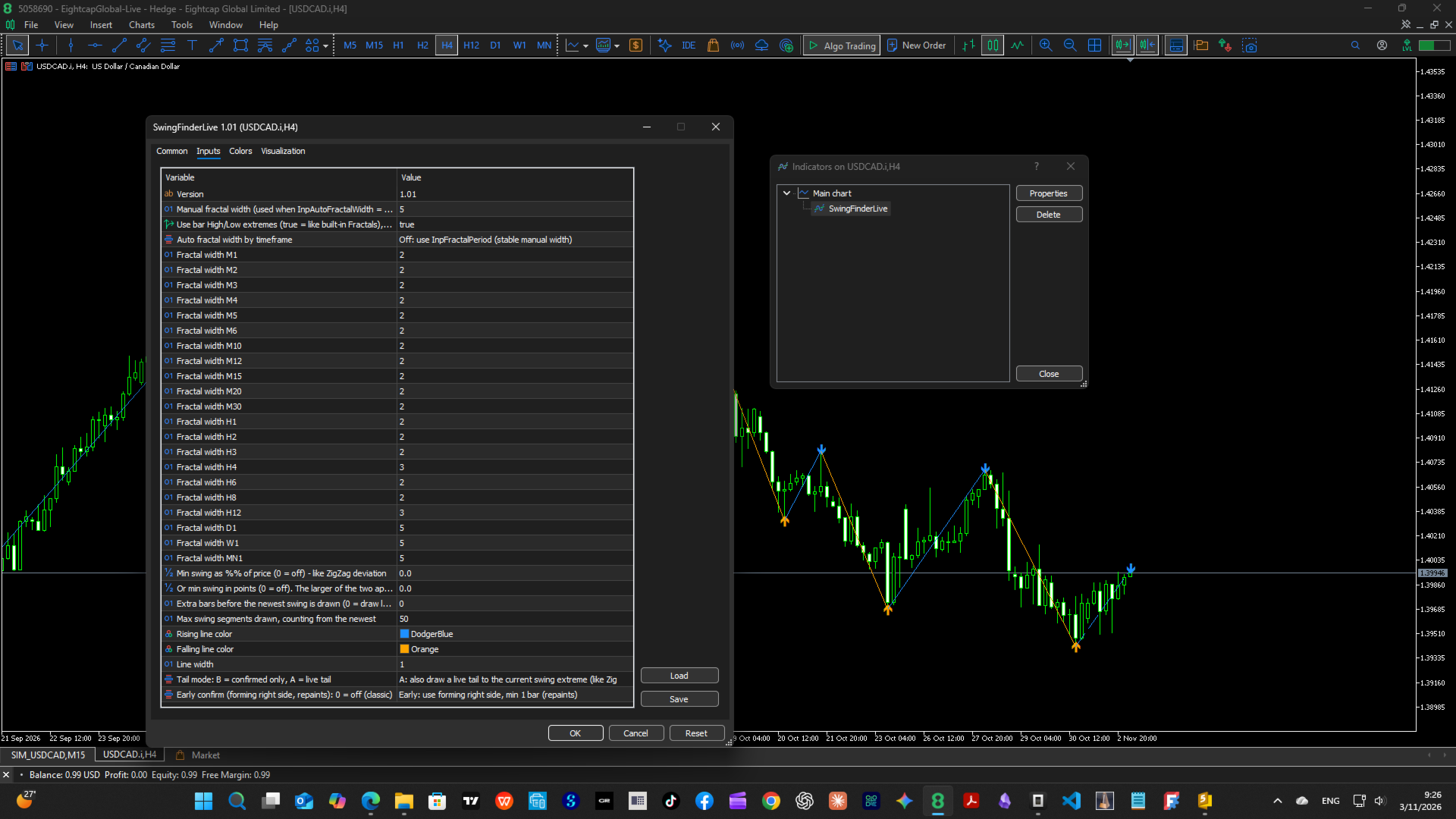
- Automatic fractal width per timeframe — separate editable width for 21 timeframes (M1 → MN1); switch to Off and use one manual width if you prefer
- ZigZag-style noise filtering — minimum swing size as % of price and/or in points (larger applies), plus structural validity rules (a new high must break the previous low, same-direction pivots keep only the stronger extreme)
- Repaint control — Early Confirmation OFF = classic behavior: full-width confirmation, no repaint
- Extra safety controls — confirmation delay (draw the newest swing N bars later) and max drawn segments (performance)
- Visual markers — triangle arrows on swing points + Data Window values ("Fractal Up" / "Fractal Down")
- Two-color scheme — rising legs and falling legs colored separately (color + line width configurable); confirmed segments solid, live tail dashed
- Lightweight & clean — redraws only when the swing state changes (no flicker), objects are non-selectable, own objects auto-removed when the indicator is deleted
- Purely visual — no orders, no DLLs, no external dependencies; works on any symbol and timeframe
Advantages
- See the current market structure instantly — the forming swing is on your chart from the first bars, not after p confirmation bars
- Honest repaint handling — early mode is clearly labeled as repainting, and one switch restores classic non-repainting confirmation
- One attach for all charts — automatic per-timeframe width keeps swing sensitivity consistent from M5 to D1 without re-tuning each chart
- Cleaner structure — the minimum-move filter removes tiny noise swings so HH/HL/LH/LL and S/R levels stay readable
- Precise reference points — the live tail tip lands exactly on the extreme price/bar, useful for marking stop-loss and breakout levels
- Fast and stable — objects are rebuilt only when the swing list actually changes, so the chart stays smooth
How to Use
- Attach the indicator to any chart (Navigator → Indicators → SwingFinderLive)
- Defaults are ready to go: Early Confirmation ON, Auto width ON, Live tail ON — swings appear immediately
- Read the structure: the solid line connects confirmed swings (rising line = swing low → swing high), the dashed tail shows the swing currently forming, triangles mark the fractal points
- For a non-repainting view, set Early confirm = Off (classic full-width confirmation)
- Tune fractal width: keep Auto ON and adjust the per-timeframe inputs, or set Auto OFF and use one manual width ( InpFractalPeriod )
- Optionally set a minimum move (% or points) to filter noise, and a confirm delay if you want extra safety before a swing is drawn
- Combine with your own analysis (market structure, S/R zones, trend direction) — this indicator draws structure only; it generates no trading signals or alerts
Repaint notice: In Early Confirmation mode (default) the newest pivot is provisional and may be redrawn or removed if a later bar exceeds the extreme. Set InpEarlyConfirm = Off for fully confirmed, non-repainting swings.
Inputs
Fractal settings
- InpVersion — version label (display only)
- InpFractalPeriod — manual fractal width (used when Auto width = Off); default 5
- InpUseExtremes — true = use bar High/Low (like built-in Fractals), false = use Close
Auto width
- InpAutoFractalWidth — On = use the per-timeframe widths below, Off = use InpFractalPeriod
- InpWidthM1 … InpWidthMN1 — fractal width for each timeframe (M1–M30, H1–H12, D1, W1, MN1). Defaults: 2 for intraday/H1–H3/H6/H8, 3 for H4 and H12, 5 for D1/W1/MN1
Filtering
- InpMinMovePercent — minimum swing size as % of price (0 = off), like ZigZag deviation
- InpMinMovePoints — minimum swing size in points (0 = off); when both are set, the larger threshold applies
Display
- InpConfirmDelay — extra bars to wait before the newest swing is drawn (0 = draw immediately)
- InpMaxSegments — maximum number of swing segments drawn, counted from the newest (default 50)
- InpUpLineColor — rising line color (default DodgerBlue)
- InpDownLineColor — falling line color (default Orange)
- InpLineWidth — line width (default 1)
Modes
- InpTailMode — A: Live tail (default) = also draw the forming swing to its current extreme · B: Confirmed only = calm view, no repaint from the tail
- InpEarlyConfirm — 1: Early (default) = confirm with the forming right side, minimum 1 bar (repaints) · 0: Classic = wait for all width bars (no repaint)