Telegram CopySignal PRO mt5

ALIEN Telegram Copy Signal PRO MT5

Telegram Signal Copier and Automated Trading System for MetaTrader 5

ALIEN Telegram Copy Signal PRO MT5 is a Telegram-to-MetaTrader 5 signal copying Expert Advisor designed to receive trading signals from Telegram channels and automatically execute corresponding orders in MT5.

The system combines two Telegram connection methods in one Expert Advisor:

PUBLIC WEBREQUEST — Receive trading signals from supported public Telegram channels.

TELEGRAM BOT API — Receive trading signals through an authorized Telegram bot.

HYBRID MODE — Use both connection methods simultaneously.

The Expert Advisor communicates directly with Telegram using WebRequest. No Python installation, external receiver application, or DLL is required.

The system includes trade execution, signal filtering, risk management, position protection, duplicate prevention, and an integrated monitoring panel.

1. TWO TELEGRAM CONNECTION METHODS

MODE 1 — PUBLIC WEBREQUEST

Receive trading signals directly from publicly accessible Telegram channels.

The Expert Advisor retrieves channel messages through Telegram's public web preview.

Features:

  • Monitor multiple public Telegram channels.

  • Automatically check for new trading signals.

  • Detect BUY and SELL instructions.

  • Extract entry prices, Stop Loss, and Take Profit levels.

  • Filter previously processed messages.

  • Convert compatible signals into MT5 trading orders.

  • Configure the channel monitoring interval.

No Telegram bot or API token is required for this mode.

Important: This method works only with channels that provide publicly accessible message previews. Private Telegram channels are not supported through public WebRequest.

Availability depends on the Telegram web preview structure.

MODE 2 — TELEGRAM BOT API

Receive signals using the official Telegram Bot API.

This method is suitable for channels and groups where the user can grant the bot the necessary access.

Features:

  • Receive messages from authorized Telegram sources.

  • Filter messages by permitted Chat IDs.

  • Process compatible trading signals.

  • Support configurable message polling.

  • Optionally process edited messages.

  • Support selected trade management instructions.

  • Prevent duplicate signal execution.

The bot must have permission to access messages from the configured Telegram destination.

MODE 3 — HYBRID

Both connection methods operate simultaneously.

For example:

Public Gold Channel → XAUUSD

Telegram Bot Channel → EURUSD

Public Forex Channel → GBPUSD

Telegram Bot Group → BTCUSD

The same Expert Advisor can process signals from multiple configured sources and execute trades on the connected MetaTrader 5 account.

2. AUTOMATIC BUY AND SELL EXECUTION

ALIEN Telegram Copy Signal PRO can recognize compatible trading messages and convert them into orders.

Supported trade directions:

BUY

SELL

Supported order types:

Market Orders

  • BUY MARKET

  • SELL MARKET

Pending Orders

  • BUY LIMIT

  • SELL LIMIT

  • BUY STOP

  • SELL STOP

The Expert Advisor checks the signal parameters before submitting an order.

The execution process includes validation of the trading symbol, entry price, Stop Loss, Take Profit, spread, broker trading conditions, and available margin.

Order execution is subject to broker acceptance and market conditions.

3. AUTOMATIC SIGNAL PARSER

The integrated signal parser extracts trading information from supported Telegram message formats.

Recognized information includes:

  • Trading symbol

  • BUY or SELL direction

  • Order type

  • Entry price

  • Stop Loss

  • TP1

  • TP2

  • TP3

  • TP4

Example Telegram Signal

GOLD BUY XAUUSD

ENTRY: 2750.50

SL: 2745.50

TP1: 2755.50

TP2: 2760.50

TP3: 2765.50

TP4: 2770.50

The Expert Advisor analyzes the message and prepares an order using the configured risk parameters.

Signal Validation

The system can reject incomplete or ambiguous trading messages.

By default, the parser requires:

  • A recognized trading symbol.

  • A valid BUY or SELL direction.

  • A numeric entry price.

  • A valid Stop Loss.

  • A valid selected Take Profit.

Messages containing ambiguous entry ranges can be rejected.

This reduces the risk of executing incorrectly interpreted signals.

The parser is designed for supported text patterns. It does not automatically understand every possible Telegram signal format.

4. TAKE PROFIT MANAGEMENT

The system supports extracting up to four Take Profit levels from Telegram messages.

Supported levels:

TP1

TP2

TP3

TP4

Users can select which Take Profit level will be used for order execution.

Example:

InpUseTP = 1

Use TP1.

InpUseTP = 2

Use TP2.

InpUseTP = 3

Use TP3.

InpUseTP = 4

Use TP4.

The current version opens one order per accepted signal using the selected TP level.

Automatic position splitting across TP1–TP4 is not included in version 1.02.

5. AUTOMATIC RISK MANAGEMENT

ALIEN Telegram Copy Signal PRO includes position sizing based on the selected monetary risk.

Risk-Based Lot Calculation

The Expert Advisor calculates trading volume using:

  • Account currency

  • Selected monetary risk

  • Entry price

  • Stop Loss distance

  • Broker symbol specifications

  • Available trading volume increments

Example:

InpRiskAccountCurrency = 40

The system calculates a trading volume targeting a maximum planned Stop Loss risk of 40 units of the account currency.

For a USD account, this corresponds to approximately $40 of planned risk.

If the broker's minimum permitted lot would exceed the configured risk, the trade can be rejected.

Actual trading losses can exceed the calculated amount because of slippage, gaps, commissions, and market execution conditions.

6. TRADING LIMITS AND ACCOUNT PROTECTION

The Expert Advisor includes configurable protection mechanisms designed to control trading activity.

Available settings:

Maximum Positions Overall

Limit the total number of open positions.

Maximum Positions Per Symbol

Limit simultaneous positions on the same instrument.

Maximum Pending Orders

Limit pending orders.

Maximum Trades Per Day

Control the number of new trades.

Daily Loss Limit

Block new trading entries when the configured account loss threshold is reached.

Daily Profit Limit

Stop opening new trades when the configured profit threshold is reached.

Portfolio Profit Lock

Monitor total realized and floating account Profit/Loss and activate a protection level.

Maximum Spread

Reject trading signals when the current spread exceeds the configured limit.

Maximum Signal Age

Reject outdated Telegram signals.

Maximum Entry Price Deviation

Prevent execution when the current market price is too far from the entry price provided in the signal.

These features are designed to reduce uncontrolled order execution.

They do not guarantee a maximum account loss under all market conditions.

7. AUTOMATIC BREAK EVEN

ALIEN Telegram Copy Signal PRO includes automatic Break Even management.

The Expert Advisor can move Stop Loss toward the entry price after a position reaches a configurable profit threshold.

Risk-Based Break Even

Example:

InpBreakEvenAtR = 0.8

Break Even activates when the position reaches approximately 0.8R.

The user can also configure an additional Stop Loss offset.

Available settings:

InpBreakEvenEnabled

InpBreakEvenAtR

InpBEPlusPoints

Break Even management is applied to eligible positions controlled by the Expert Advisor.

8. AUTOMATIC TRAILING STOP

The system includes optional fixed-distance Trailing Stop management.

Available settings:

InpFixedTrailingEnabled

InpTrailingStartPoints

InpTrailingDistancePoints

The Trailing Stop can begin after the position reaches a configured profit distance.

The system then attempts to adjust Stop Loss according to the selected trailing distance.

Trailing Stop is optional and can be enabled or disabled independently of Break Even.

9. TELEGRAM TRADE MANAGEMENT

The Telegram Bot API mode supports selected follow-up instructions related to an original trading signal.

Supported actions include:

Modify Stop Loss

Update SL for a matching trade.

Modify Take Profit

Update TP for a matching trade.

Move Stop Loss to Break Even

Apply a Break Even instruction.

Close Position

Close a matching position when remote closing is enabled.

Cancel Pending Order

Cancel a matching pending order when cancellation is enabled.

For security, follow-up commands must be associated with the original signal message.

The Expert Advisor uses internal identifiers to match instructions with orders originating from the corresponding Telegram signal.

Remote modification and closing permissions can be enabled or disabled independently.

The system is designed to avoid modifying unrelated manually opened positions.

10. DUPLICATE SIGNAL PROTECTION

ALIEN Telegram Copy Signal PRO includes duplicate protection.

The system tracks processed Telegram messages and uses source information and message identifiers to prevent repeated execution.

This is useful when:

  • Telegram messages are checked repeatedly.

  • The connection is temporarily interrupted.

  • The Expert Advisor is restarted.

  • The same channel contains older messages.

  • Multiple signal sources are configured.

Processed signal information is stored locally to support duplicate detection across restarts.

The system can also avoid processing historical channel messages when first started.

11. TRADING SESSION FILTER

The Expert Advisor includes an optional trading session filter.

Users can define trading windows according to the broker server time.

Example configuration:

Session 1: 08:00–10:00

Session 2: 14:30–17:00

The EA can accept new trading signals only during the configured sessions.

Excluded Trading Windows

Two additional exclusion periods are available.

Example:

Exclude Window 1: 09:00–09:15

Exclude Window 2: 16:45–17:00

This allows users to block new entries during selected periods without disabling the entire Expert Advisor.

When trading is blocked by the session filter, the panel can display the corresponding reason.

12. SYMBOL FILTERING AND BROKER SYMBOL MAPPING

ALIEN Telegram Copy Signal PRO supports multiple trading instruments.

Examples:

XAUUSD

EURUSD

GBPUSD

USDJPY

BTCUSD

ETHUSD

NAS100

US30

GER40

The actual supported instruments depend on the connected broker and the configured symbol allowlist.

Automatic Symbol Mapping

Users can configure a mapping between Telegram symbol names and broker symbol names.

For example:

XAUUSD=XAUUSD.a

EURUSD=EURUSD.pro

BTCUSD=BTCUSDm

This is useful when different brokers use different suffixes or naming conventions.

13. COMPACT GRAPHICAL CONTROL PANEL

ALIEN Telegram Copy Signal PRO includes a compact graphical monitoring panel.

The panel uses a dark background, readable text, and color-coded status indicators.

Default panel width: 380 pixels.

The panel displays:

AUTO TRADE

Current automatic trading status.

STATUS

Reason why trading is enabled or blocked.

SOURCE

Selected Telegram connection mode.

PUBLIC

Public channel monitoring status.

BOT API

Telegram Bot API connection status.

RISK

Configured monetary risk.

TAKE PROFIT

Selected TP level.

DAILY P/L

Current daily account result.

POSITIONS

Number of open positions.

HANDLED

Number of successfully processed actions.

SKIPPED

Number of rejected actions.

LAST EVENT

Most recent monitoring or trading event.

Panel Minimization

The panel can be minimized to a small colored square.

Default minimized size: 38 × 38 pixels.

GREEN

Trading is enabled and no current blocking condition has been detected.

RED

Trading is disabled, blocked by a protection rule, or a Telegram connection problem has been detected.

Click the minimized control to restore the full panel.

Adjustable Panel Settings

Users can configure:

  • Panel position.

  • Panel width.

  • Font size.

  • Minimized square size.

  • Initial minimized state.

The panel is designed to display essential information while occupying a limited area of the chart.

14. TRADING STATUS AND BLOCKING REASONS

The monitoring panel provides information about conditions preventing new trades.

Possible status messages include:

MONITOR ONLY

OUTSIDE SESSION

DAILY LOSS LIMIT

DAILY PROFIT LIMIT

PORTFOLIO PROFIT LOCK

SPREAD LIMIT

MAXIMUM POSITIONS

BROKER DISCONNECTED

TRADING NOT ALLOWED

INVALID SIGNAL

INVALID SL/TP

INSUFFICIENT MARGIN

The panel separates trading availability from the most recent Telegram event.

This helps users identify whether the Expert Advisor is ready to trade or currently blocked.

15. THREE OPERATING MODES

PUBLIC MODE

Receive trading signals from supported public Telegram channels.

No bot token is required.

BOT MODE

Receive signals through Telegram Bot API from authorized channels and chats.

Requires a Telegram bot and the appropriate Chat IDs.

HYBRID MODE

Use both PUBLIC and BOT connections simultaneously.

All three modes use the same trade execution and risk management engine.

Users can also disable automatic trading to monitor and analyze incoming signals without opening positions.

16. INSTALLATION AND CONFIGURATION

Step 1 — Install the Expert Advisor

Install ALIEN Telegram Copy Signal PRO in MetaTrader 5.

Step 2 — Enable WebRequest

Open:

Tools → Options → Expert Advisors

Enable WebRequest for the required Telegram services.

For PUBLIC mode, allow the Telegram public preview domain:

https://t.me

For BOT mode, allow the official Telegram API endpoint:

https://api.telegram.org

Step 3 — Configure Signal Sources

PUBLIC mode:

Enter the public Telegram channel usernames.

BOT mode:

Enter your Telegram Bot Token and the permitted Chat IDs.

HYBRID mode:

Configure both source types.

Step 4 — Configure Trading Parameters

Set:

  • Allowed trading symbols.

  • Risk per signal.

  • Maximum simultaneous positions.

  • Daily trading limits.

  • Stop Loss and Take Profit requirements.

  • Break Even settings.

  • Trailing Stop settings.

  • Trading sessions.

Step 5 — Test Signal Recognition

Initially, keep automatic trading disabled.

Verify that the Expert Advisor recognizes the correct symbols, directions, entry prices, Stop Loss levels, and Take Profit values.

Step 6 — Enable Automatic Trading

After validating the configuration, automatic trading can be enabled.

A demo trading account is recommended for initial testing.

Telegram communication through WebRequest requires a running MT5 terminal and cannot be fully tested in the Strategy Tester.

17. WHO IS THIS EXPERT ADVISOR FOR?

Telegram Signal Subscribers

Automatically process compatible trading signals from Telegram channels.

Forex Traders

Copy BUY and SELL signals into MetaTrader 5.

Gold Traders

Monitor XAUUSD trading signals from public or authorized Telegram sources.

Cryptocurrency Traders

Process supported BTCUSD and other cryptocurrency signals.

Algorithmic Traders

Combine Telegram signal reception with automated risk management.

Multi-Channel Signal Users

Monitor several Telegram sources using one Expert Advisor.

VPS Users

Run Telegram signal monitoring on a continuously operating MT5 terminal.

KEY FEATURES

  • Two Telegram connection methods.

  • PUBLIC WEBREQUEST and Telegram BOT API.

  • Combined HYBRID connection mode.

  • No Python installation required.

  • No external DLL required.

  • Automatic BUY and SELL execution.

  • Market, Limit, and Stop orders.

  • Entry, SL, and TP1–TP4 signal parsing.

  • Selectable Take Profit level.

  • Monetary risk-based lot calculation.

  • Automatic Break Even at configurable R.

  • Optional fixed Trailing Stop.

  • Telegram SL/TP modification support.

  • Optional remote trade closing.

  • Pending order cancellation.

  • Duplicate signal protection.

  • Maximum signal age filter.

  • Entry deviation protection.

  • Spread filter.

  • Daily loss and profit limits.

  • Portfolio Profit Lock.

  • Position and pending order limits.

  • Trading session filters.

  • Two configurable session exclusion windows.

  • Multiple trading symbols.

  • Broker symbol mapping.

  • Compact graphical monitoring panel.

  • Green and red status indicator.

  • Minimized panel mode.

  • Monitoring without trade execution.

  • VPS-compatible operation.

IMPORTANT INFORMATION

ALIEN Telegram Copy Signal PRO MT5 is an automated signal execution Expert Advisor.

It does not independently generate trading signals or guarantee trading performance.

Trading results depend on the signal provider, broker execution, market conditions, spreads, slippage, and risk settings.

The system processes supported Telegram message formats. Messages with unsupported or ambiguous formats may be rejected.

PUBLIC mode requires accessible public Telegram channel previews. Changes to Telegram's public webpage structure may affect message retrieval.

BOT mode requires appropriate bot permissions. A bot cannot automatically read arbitrary private channels without access.

The same Telegram bot should not be used simultaneously by multiple independent applications polling updates, as this can interfere with message reception.

The current version uses one selected Take Profit level per signal and does not split positions automatically across TP1–TP4.

Actual account losses can exceed configured risk thresholds during market gaps, slippage, or other exceptional execution conditions.

A stable internet connection and an active MetaTrader 5 terminal are required for continuous operation.

Test the Expert Advisor on a demo account and verify signal parsing, broker symbol mapping, and order execution before enabling live trading.

ALIEN TELEGRAM COPY SIGNAL PRO MT5

TELEGRAM TO METATRADER 5

PUBLIC CHANNELS + BOT API

AUTOMATIC BUY/SELL TRADING

RISK MANAGEMENT AND POSITION PROTECTION

MULTIPLE SIGNAL SOURCES

COMPACT TRADING CONTROL PANEL

Receive Signals. Manage Risk. Automate Execution.


Рекомендуем также
If you want something as below: Sell FOREX trading signal. Manage multiple accounts. Follow the trading from somebody. "TradeCopier_follow" and   "TradeCopier_source"   can help you! Features: Copying from one source (master) account to multiple follower (slave) accounts. Allow investor (read only) password for the source (master) account. There are no complicated settings and input parameters, everything is easy. Works with different Brokers. Works with different symbols (EURUSD_FX, eurusd_m, e
FREE
Global Stop Loss and Take Profit Manager Drag Lines Auto Apply Already using my free Global Stop Loss and Take Profit Setter? This is the always on version. Instead of setting levels once, you drag two lines on the chart and every manual position on that symbol — plus every new one you open — instantly inherits the Stop Loss and Take Profit. No clicking into each order. No forgetting a stop. Global Stop Loss and Target Manager is a drag-and-drop risk tool for manual traders on MetaTrader 5. Pu
RVH Monitor MT5
Trade The Volume Waves Single Member P.C.
This is an indicator to control the Parameters of Range Volume Hybrid Generator expert advisor -It does not work as stand alone, it works as a remote control of Range Volume Hybrid Generator and must be applied on the custom chart generated by the EA. To get Range Volume Hybrid Generator expert advisor:  https://www.mql5.com/en/market/product/165557 Parameters that can be adjusted: Trading Style as well as manual setting of Range, Volume and start Date of data collection. What's the video for 
FREE
Task Panel Nxfx Trade Manager Task Panel Nxfx Trade Manager is a trading utility designed to simplify manual trading, position management, and risk control in MetaTrader 4 and MetaTrader 5. The panel provides quick access to trading functions directly from the chart. Traders can place orders, configure Stop Loss and Take Profit levels, manage position sizes, and monitor open trades through a clear and convenient interface. The tool is suitable for scalping, day trading, swing trading, and other
FREE
Real-Time Spread Display Tool A   real-time spread display tool   is a specialized software or application designed to provide traders and investors with instant, live data on the   spread —the difference between the bid price (the price at which buyers are willing to purchase an asset) and the ask price (the price at which sellers are willing to sell it)—for various financial instruments. This tool is critical in markets such as forex (FX), stocks, futures, and cryptocurrencies, where price f
EW Close All – Один клик. Всё закрыто. EW Close All — это лёгкий, многоязычный эксперт-советник, который позволяет мгновенно закрыть все сделки и отменить все отложенные ордера — всего одним нажатием кнопки. Закрывает все открытые позиции   Отменяет все отложенные ордера   Работает на любом символе и любом таймфрейме   Многоязычный интерфейс   Чистый, быстрый и надёжный Идеально подходит для быстрого выхода из рынка, контроля рисков или очистки перед окончанием торгового дня. Оста
FREE
SL TP Manager MMS
Muhammad Masood Sarkar
5 (2)
SL TP Manager is a compact on-chart panel that sets the stop loss or take profit of all open trades on a symbol in one click, or moves every stop loss to break-even. It is designed for traders who scale in with several positions and do not want to edit each trade one by one. HOW IT WORKS - Type a price in the SL box and click Set SL: the stop loss is applied to every open trade on the chart's symbol. - Type a price in the TP box and click Set TP: the take profit is applied the same way. - Clic
FREE
This indicator is especially for the binary trading. Time frame is 1 minutes and exp time 5 or 3 minutes only. You must be use martingale 3 step. So you must put lots size is 10 % at most. You should use Mt2 trading platform to connect with my indicator to get more signal without human working. This indicator wining rate is over 80% but you may get 100% of profit by using martingale 3 step. You should use MT2 Trading Platform to connect meta trader platform and binary platform . You can get mt2
FREE
Close In Quick Script
Mathew Louis Sau Kinminja
The Close In Quick Script is an optimized, high-performance MQL5 script designed to swiftly close all open positions for the current chart's symbol on the MetaTrader 5 platform. Engineered for speed and reliability, it leverages asynchronous trading, minimal system checks, and robust error handling to ensure seamless trade closure. Whether you're a day trader, scalper, or portfolio manager, this script is an essential tool for efficiently managing and exiting trades. Key Features: Asynchronous t
FREE
MT Radar For MT5
Rustamzhan Salidzhanov
MT-Radar — бесплатный мониторинг терминалов MetaTrader с телефона Хотите знать, что ваш советник работает, а терминал на связи, но не хотите каждый раз подключаться к VPS по RDP? MT-Radar показывает состояние всех ваших терминалов MT4/MT5 в одной защищённой веб-панели. Откройте её на телефоне, планшете или любом компьютере и за секунды убедитесь, что всё работает как должно. Что показывает MT-Radar: Счёт и терминал — информация о счёте и общие сведения о терминале Журналы — журнал терминала и
FREE
Bneu Trade Manager
Marvinson Salavia Caballero
Bneu Trade Manager is a professional trading utility Expert Advisor for MetaTrader 5 designed to help manual traders plan, execute, protect and manage trades directly from a visual chart dashboard. It combines drag-and-drop trade planning, risk-based position sizing, one-click execution, pending orders, automated trade management for both EA and manual trades, protection tools, templates, reporting and performance analytics in one organized panel. The latest version includes a reorganized dash
FREE
Telegram Notification Worker (v5.31) Telegram Notification Worker is a high-performance, professional utility designed to bridge the gap between your MetaTrader 5 terminal and Telegram. It acts as a dedicated background worker that forwards custom alerts, trade events, and system status messages from any of your Expert Advisors (EAs) directly to your Telegram chat or channel. Key Technical Features: Asynchronous Messaging Engine: Unlike standard notification scripts, this worker uses an asynchr
FREE
Forget about enabling templates when you launch the window. Auto Template Master Service  is a professional utility tool that runs as a system service in MetaTrader 5, and it will do it for you. Unlike traditional indicators or expert advisors (EAs), the program runs in the background of the entire terminal and doesn't require you to add it to each window individually. As soon as you open a new chart of any instrument (Forex, Stocks, Crypto), the service immediately detects the new window and a
Clear All Stops and Takes — Простое решение для мгновенного удаления уровней SL/TP Удалите все уровни Stop Loss и Take Profit одним кликом! Clear All Stops and Takes — это удобный скрипт, созданный для трейдеров, которые хотят быстро и эффективно удалить уровни SL и TP на всех открытых позициях. Простое управление и мгновенное выполнение делают этот инструмент незаменимым для работы в динамичных условиях рынка. Основные преимущества: Экономия времени: Не нужно вручную редактировать каждую позици
FREE
Strifor SmartTrade Expert
Strifor (Mauritius) Ltd
4.86 (7)
Strifor SmartTrade Expert — это решение для профессионального трейдера, которое автоматизирует ключевые этапы открытия сделки: моментально выставляет стоп-лосс и тейк-профит; закрепляет фиксированный риск на сделку (задаётся в настройках эксперта); экономит время и исключает ошибки ручного ввода; идеально работает в связке со Strifor Lot Calculator (лот рассчитывается калькулятором, а в эксперте задаётся тот же риск). Горячая клавиша ALT+F4 — быстрый ввод заявки. Одним нажатием открывается ордер
FREE
Индикатор Crypto_Forex "WPR с 2 скользящими средними" для MT5, без перерисовки. - Сам по себе WPR является одним из лучших осцилляторов для скальпинга. - Индикатор "WPR и 2 скользящие средние" позволяет видеть быстрые и медленные скользящие средние осциллятора WPR. - Индикатор дает возможность увидеть коррекцию цены на очень ранней стадии. - Этот индикатор очень легко настроить через параметры, его можно использовать на любом таймфрейме. - Условия входа на покупку и продажу показаны на изображ
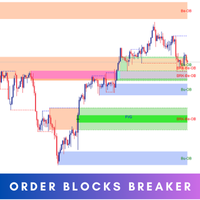
Introducing   Order Blocks Breaker , a brand-new way to identify and leverage order blocks in your trading strategy. After developing multiple order block tools with unique concepts, I’m proud to present this tool that takes things to the next level. Unlike previous tools,   Order Blocks Breaker   not only identifies order blocks but also highlights   Breaker Order Blocks —key areas where the price is likely to retest after a breakout. MT4 -  https://www.mql5.com/en/market/product/124101/ This t
Reverse
Konstantin Chernov
1 (1)
Скрипт для быстрого переворота позиций и/или ордеров. Если вам необходимо перевернуть позицию с равным лотом, выставить встречную позицию объемом отличным от текущей, то этот скрипт избавит вас от рутинных действий! Разрешите авто-торговлю перед запуском скрипта. Использование: Запустите скрипт на графике. Данный скрипт является усеченной версией платного продукта https://www.mql5.com/ru/market/product/638 и позволяет переворачивать только позиции. Входные параметры скрипт не запрашивает. Такие
FREE
Утилита для установки общего стоп-лосса для нескольких ордеров. Бета версия. После теста будет добавлен тейк профит,  закрытие ордеров, и другие нужные функции, пожалуйста не ставьте плохие оценки это бесплатная бета версия, если Вам нравится, поставьте хорошую оценку, напишите автору об ошибках, если они есть и о том, что бы вы хотели видеть в утилите, я сделал эту утилиту для себя и пользуюсь ей ежедневно, делюсь ей с Вами. Далее будет выпущена коммерческая версия с большим функционалом.
FREE
MA Flow No.2 See the Flow of Bulls & Bears at a Glance, and Keep the Rhythm of the Market in Your Hands Tired of staring at dozens of moving averages until your eyes blur? Unsure when to enter, or where to place your stop? MA Flow No.2 upgrades the humble moving average into a complete trend-trading system. No more scattered lines on your chart — instead, a living "river of bulls and bears". Up to 100 moving averages roll together in real time. On every single bar, you can see at a glance w
SAB Advance Assistant - это панель ручного управления сделками для MetaTrader 5. Стройте каждую сделку визуально на графике, точно контролируйте риск и позвольте встроенному движку управлять частичными тейк-профитами, безубытком и трейлингом - всё из одной аккуратной панели с изменяемым размером. Создано для дискреционных и ICT/SMC трейдеров, которым нужна точность без таблиц. КЛЮЧЕВЫЕ ВОЗМОЖНОСТИ - Перетаскиваемые линии Entry, Stop Loss, TP1-TP5 и Final TP с живыми подписями   (пункты, деньг
Phoenix Breakeven Button
PHOENIX GLOBAL INVESTMENTS LTD
Ручное перемещение стоп-лоссов на уровень безубыточности по нескольким открытым позициям занимает много времени в условиях быстро меняющегося рынка, к тому же легко случайно применить эту функцию к позиции, которая все еще находится в минусе. Кнопка «Phoenix Breakeven» одним щелчком мыши перемещает стоп-лосс каждой прибыльной открытой позиции на уровень безубыточности, автоматически пропуская все позиции, которые все еще находятся в минусе. Как это защищает вашу прибыль - Один клик обеспечив
FREE
VPOB Smart Order Block Alert MT5 VPOB Smart Order Block Alert MT5 is an Order Block detection and alert system designed for MetaTrader 5. The system automatically analyzes price structure, detects Bullish and Bearish Order Blocks, evaluates Volume Profile information and POC, and provides a Quality Score to help traders identify important price zones. MAIN FEATURES • Automatic Bullish Order Block detection • Automatic Bearish Order Block detection • Volume Profile analysis • Point of Contro
FREE
Chart Link
David Gitau Gakunga
4.83 (12)
Chart Link  allows you to control multiple charts from one chart or multiple charts from multiple charts. Features 1. Synchronised Scrolling :     Scrolling the master chart also scrolls all linked sub charts to the same position.     Sub charts inherit offset and auto-scroll settings from the master chart. 2. Synchronised Timeframe :     Switching the master chart timeframe also switches all linked sub charts. 3. Synchronised   Symbol   :     Switching the master chart symbol also switches all

FREE
Cкрипт для быстрого выбора инструмента с высокой корреляцией. Скрипт ставится на инструмент к которому нужно подобрать второй коррелирующий. Далее можно изменять число бар для расчета и таймфрейм. Скрипт перебирает все доступные символы в обзоре рынка и выдает 20 наиболее коррелирующих. Вы можете использовать выбранные пары для торговли советником NEW SH
FREE
One Click Trader  is a tool designed for MetaTrader 4 platform, which enables you to take your trading to the next level. It enables you to open, manage and close your trades in simple an efficient way by just one click of your mouse button. "-"   ,  "+"  change OCT window size  Up arrow minimizes the OCT panel Down arrow maximizes the OCT panel Right arrow displays the next panel with additional features Left arrow hides the panel with additional features Red  SELL  button enables you to open s
CloseAllPosition
Konstantin Chernov
4 (2)
Скрипт для закрытия позиций Если Вам необходимо быстро закрыть несколько позиций, то этот скрипт избавит Вас от рутинных действий! Входные параметры скрипт не запрашивает. Разрешите авто-торговлю перед запуском скрипта. Использование: Запустите скрипт на графике. Если Вам необходимо указать максимальное отклонение или количество попыток для закрытия, то используйте скрипт с входными параметрами https://www.mql5.com/ru/market/product/625 Версию для MetaTrader 4 можно скачать здесь: https://www.m
FREE
TradingTimeControl — это утилита, реализованная в виде советника для MetaTrader 5. Она автоматически закрывает все открытые позиции и удаляет отложенные ордера в заданное время каждый день. Утилита создана для трейдеров, которым нужна автоматизация управления позициями с гибкими настройками. Основные функции Закрывает позиции и ордера в указанное время ( CloseHour , CloseMinute ) ежедневно. Позволяет менять время закрытия в любой момент, сразу применяя новые настройки. Поддерживает MagicNumber
FREE
ARMOR Risk Calculator Trade with a plan. Calculate your risk before you enter the market. ARMOR Risk Calculator is a professional and easy-to-use risk management tool for MetaTrader 5, designed to help traders calculate their position size and potential trade risk before placing a trade. Instead of manually calculating lot sizes and risk values, ARMOR Risk Calculator provides a clean and intuitive dashboard where you can enter your trade parameters and instantly review the calculated results. Ke
FREE
MultiTradeNews
Leeank Andres Fernandez Molano
Этот скрипт предназначен для трейдеров, которым необходимо быстро открывать сделки по нескольким валютным парам во время важных экономических новостей, когда каждая секунда имеет значение. С помощью этого инструмента вы можете заранее выбрать валютные пары и задать индивидуальный объем для каждой из них. Когда выходит важная новость, такая как данные по занятости вне сельского хозяйства (NFP) или индексы деловой активности (PMI), скрипт позволяет мгновенно выполнить все сделки, не тратя время на
FREE
С этим продуктом покупают
Trade Assistant MT5
Evgeniy Kravchenko
4.43 (216)
Помогает рассчитать риск на сделку, простая установка нового ордера с помощью линий, управление ордерами с функциями частичного закрытия, 7 типов трейлинг-стопа и другие полезные функции. Дополнительные материалы и инструкции Инструкция по установке - Инструкция к приложению Функция Линии   - отображает на графике линию открытия, стоп-лосс, тейк-профит. С помощью этой функции легко установить новый ордер и увидеть его дополнительные характеристики перед открытием. Управление риском   -   функ
Добро пожаловать в Trade Manager EA — лучший инструмент для управления рисками, предназначенный для упрощения, точности и эффективности торговли. Это не просто инструмент для размещения ордеров; это комплексное решение для удобного планирования торгов, управления позициями и усиленного контроля над рисками. Независимо от того, начинающий вы трейдер, опытный специалист или скальпер, нуждающийся в быстром исполнении, Trade Manager EA адаптируется к вашим потребностям и работает с любыми активами:
Farmed Hedge Yield Farming | All Markets (Manual - Hybrid - Semi/Automated EA) VERIFIED TRADING RESULTS - Farmed Hedge Yield Axi Copy:  https://www.mql5.com/en/signals/2356376 - Farmed Hedge Yield Exn Copy:   https://www.mql5.com/en/signals/2356404 - Farmed Hedge Yield V Copy:  https://www.mql5.com/en/signals/2357156 IMPORTANT NOTICE: FarmedHedge is a MANUAL-FOCUSED TRADING UTILITY ,not a fully automated EA. Results shown on this Signal include manual trades and overall strategic management.
Telegram to MT5 Multi-Channel Copier   автоматически копирует торговые сигналы из ваших Telegram- и Discord -каналов прямо в MetaTrader 5. Без ботов, без браузерных расширений, без ручного копирования. Сигнал приходит в Telegram или Discord — и советник открывает сделку в вашем терминале за считанные секунды. А перед тем как копировать канал, встроенный бэктестер покажет, что этот канал сделал бы на вашем счёте. Продукт состоит из двух компонентов: приложения для Windows, которое слушает ваши Te
Local Trade Copier EA MT5
Juvenille Emperor Limited
4.94 (149)
Local Trade Copier EA MT5 — это быстрый и гибкий копировщик сделок для копирования и управления сделками между несколькими счетами MetaTrader 5 на одном компьютере с Windows или Windows VPS. Он сочетает локальную синхронизацию сделок с настройками на стороне Receiver для управления размером лота, рисками, фильтрацией сделок, сопоставлением символов, управлением сделками и защитой счета. Настройте терминалы Transmitter и Receiver примерно за 1 минуту и копируйте ручные сделки или сделки, открыты
Strategy Ledger Pro
Abdullah Uygar Tuna
5 (14)
Теперь доступно на русском языке. Strategy Ledger Pro — панель анализа счёта для MetaTrader 5, работающая только на чтение. Она разделяет результаты счёта по советникам, стратегиям, символам и magic-номерам, чтобы было видно, что на самом деле вносит каждый из них. Панель доступна на 11 языках: English, Français, Deutsch, Español, Italiano, Português, Русский, Türkçe, 中文, 日本語 и 한국어. Перед загрузкой демоверсии. Маркет запускает демоверсию любого платного продукта только в тестере стратегий. Эта
Копируйте сигналы из Telegram по своим торговым правилам Telegram to MT5 Signal Trader автоматически копирует текстовые торговые сигналы из открытых и закрытых каналов и групп Telegram в MetaTrader 5. Управляйте несколькими поставщиками сигналов и счетами MT5 из одного приложения для компьютера, задавая индивидуальные параметры риска и торговли для каждого поставщика . Для копирования не нужны бот Telegram и настройка API. Просто войдите в свой аккаунт Telegram по номеру телефона или QR-коду и в
TradePanel MT5
Alfiya Fazylova
4.88 (170)
Trade Panel — это многофункциональный торговый помощник. Приложение содержит более 50 торговых функций для ручной торговли и позволяет автоматизировать большинство торговых операций. Инструкция к приложению: https://www.mql5.com/ru/blogs/post/756476 Пробная версия приложения для демо-счета: https://www.mql5.com/ru/blogs/post/750864 Как установить приложение: https://www.mql5.com/ru/blogs/post/750096 Как тестировать приложение в визуальном режиме: https://www.mql5.com/ru/blogs/post/770274 Как уст
================================================================================ POC BREAKOUT - V20.72. Full Professional Grade Toolkit ================================================================================ POC Breakout is a full MetaTrader 5 trading dashboard for discretionary traders who want breakout signals, Point of Control (POC) context, volume profiles, order flow, market structure, news, alerts, and advanced trade planning in one professional workspace. Attached directly to you
MT5 to Telegram Signal Provider — это простой в использовании полностью настраиваемый инструмент, который позволяет отправлять определённые сигналы в чат, канал или группу Telegram, превращая вашу учётную запись в провайдера сигналов . В отличие от большинства конкурирующих продуктов, он не использует импорт DLL. [ Демо ]   [ Руководство ] [ Версия MT4 ] [ Версия для Discord ] [ Канал в Telegram ]  New: [ Telegram To MT5 ] Настройка Доступно пошаговое руководство пользователя . Никаких знаний A
VirtualTradePad PRO SE MT5 — профессиональный торговый центр управления для MetaTrader 5 VirtualTradePad PRO SE — это премиальная торговая панель и рабочая среда управления сделками на графике для MetaTrader 5 . Она создана для трейдеров, которым нужны более быстрое исполнение, более понятный контроль позиций, структурированное управление сделками, визуальное планирование уровней и профессиональный рабочий процесс прямо с графика. Это не просто панель BUY / SELL. PRO SE объединяет ручную торговл
REVDEN AI Desk: ведите свою торговлю в одном разговоре с собственным ИИ на рыночном контексте REVDEN Представьте, что вся ваша торговля ведётся в одном разговоре. REVDEN AI Desk переносит это в MetaTrader 5: вы спрашиваете собственный ИИ, как он читает рынок, и он отвечает на основе полного контекста REVDEN по символам, которыми вы торгуете, с их состоянием, картиной риска и предстоящими релизами. Его предложения приходят с входом, стопом, целью и риском, и вы одобряете те, что вам подходят. Ваш
Trade copier MT5
Alfiya Fazylova
4.61 (57)
Trade Copier — это профессиональная утилита, предназначенная для копирования и синхронизации сделок между торговыми счетами. Копирование происходит от счета/терминала поставщика к счету/терминалу получателя, которые установлены на одном компьютере или vps. Перед покупкой вы можете протестировать демо-версию на демо-счете. Демо-версия здесь . Полная инструкция здесь . Основной функционал и преимущества: Русифицированный интерфейс, поддержка на русском языке. Поддерживает копирование МТ5 > МТ5, МТ
News Trade EA MT5
Konstantin Kulikov
4.55 (11)
Представляю полезного робота, которым пользуюсь сам уже несколько лет. Может использоваться как в полуавтоматическом, так и в полностью автоматическом режиме. >>> Chat <<< Программа содержит гибкие настройки торговли на новостях экономического календаря. В тестере стратегий проверить нельзя. Только реальная работа. Скачайте последний архив настроек: https://www.mql5.com/en/blogs/post/747929 Мониторинг сигналов: https://www.mql5.com/ru/signals/author/test-standart При создании своих собственных
Exp COPYLOT CLIENT for MT5
Vladislav Andruschenko
3.97 (35)
Профессиональный копировщик сделок для MetaTrader 5 Быстрый, профессиональный и надежный копировщик сделок для MetaTrader . COPYLOT позволяет копировать сделки Forex между терминалами MT4 и MT5 с поддержкой счетов Hedge и Netting . Версия COPYLOT для MT5 поддерживает: - MT5 Hedge → MT5 Hedge - MT5 Hedge → MT5 Netting - MT5 Netting → MT5 Hedge - MT5 Netting → MT5 Netting - MT4 → MT5 Hedge - MT4 → MT5 Netting Версия MT4 Полное описание + DEMO + PDF Как купить Как установить Как получить файлы жур
RETAILBERG FOOTPRINT CHART PRO — Order-Flow Workspace for MetaTrader 5 Version 7.00  |  Professional System  |  31 tools  |  One chart A full 150-page illustrated User Manual is included. Please read the full manual to understand this feature packed footprint chart elements and ui. https://www.mql5.com/en/blogs/post/777982 DEMO / STRATEGY TESTER — PLEASE READ FIRST
The Patch
Mian Rameez Ali
The Patch It never opens a trade. It walks behind the ones that did. Every open position, every pending order — checked twice a second for the one thing that's easy to forget: a stop, a target. Found bare, it doesn't ask. It writes the missing number in, measured in points from wherever the position began, and moves on to the next. No strategy, no opinion on direction. Just the quiet assumption that nothing should ever sit on the market unprotected — not because someone decided it shouldn't,
Telegram To MT5 Ultra
Mirel Daniel Gheonu
5 (5)
Telegram To MT5 — копировщик сигналов Превратите торговые сигналы из ваших Telegram-каналов в реальные ордера MT5 — автоматически, на любом количестве счетов, с полным контролем над риском и правилами. Telegram To MT5 связывает VIP / сигнальные каналы, на которые вы уже подписаны в Telegram, с вашим терминалом MetaTrader 5. Бесплатное приложение-компаньон для ПК читает сообщения (даже из каналов, которые не допускают ботов), а этот советник исполняет их на вашем счёте — применяя ваши настройки р
Следующее обновление — версия 2.52 уже скоро! [НОВОЕ] Приготовьтесь к 4 новым важным функциям, призванным улучшить ваш анализ рынка и торговый процесс. Мы выводим анализ рынка на новый уровень с помощью 4 новых функций, разработанных с учётом ваших потребностей в трейдинге. Представляем: 1. TRADE OVERVIEW DASHBOARD 2. CONFLUENCE AT ZONE 3. STRONG & WEAK HIGH/LOW 4. OTE 1. TRADE OVERVIEW DASHBOARD Панель, которая помогает легче понимать общую картину рынка, предоставляя рекомендации для поддержк
Grid Manual MT5
Alfiya Fazylova
4.73 (22)
Grid Manual — это торговая панель для работы с сеточными стратегиями. Утилита универсальная, имеет гибкие настройки и понятный интерфейс. Работает с сеткой ордеров не только в сторону усреднения убытков, но и в сторону наращивания прибыли. Трейдеру не нужно создавать и сопровождать сетку ордеров, это сделает утилита. Достаточно открыть ордер и Grid manual автоматически создаст ему сетку ордеров и будет сопровождать его до самого закрытия. Полная инструкция и демо-версия здесь . Основные особенно
HINN MAGIC ENTRY - лучший инструмент для входа и менеджмента позиций! ПРОСТО. БЫСТРО. ИНТУИТИВНО. МАКСИМАЛЬНО АВТОМАТИЗИРОВАНО. Выставляет ордера через выбор уровня на графике! полное описание    ::    demo-версия    ::   60-sec-video-description Основные функции: - Рыночные, лимитные и отложенные ордера -  Автоматический подсчет лоттажа  -  Автоматический учет спреда и комиссий -  Неограниченное количество промежуточных тейков для позиций - Перевод в безубыток и трейл стоп-лосса и тейк-проф
Anchor Trade Manager
Kalinskie Gilliam
5 (8)
Your EAs cannot see each other, but Anchor can. Anchor gives you one place to coordinate your EAs, manage risk, and decide when trading is allowed. It works alongside the trading bots you already use without any changes to them. The Problem One EA opens a trade. Then another starts trading. The next thing you know, you wake up to multiple grids built across your account. Each EA may be doing exactly what it was designed to do, but together they can place far more risk on your account than you in
EA Portfolio Control & Cloud Monitoring for MetaTrader 5 Your EAs manage trades. KONTROL_01 manages your EAs. A control system for traders running multiple Expert Advisors on the same account. Coordinate EA activity, manage trading risks and monitor your setup remotely. A detailed User Manual is available via DM after purchase. IN PRACTICE Multiple EAs. No coordination. Your EAs trade independently, unaware of each other's activity. KONTROL_01 coordinates them, limits simultaneous activity a
The product will copy all telegram signal to MT5 ( which you are member) , also it can work as remote copier.  Easy to set up, copy order instant, can work with almost signal formats, image signal,  s upport to translate other language to English Work with all type of channel or group, even channel have "Restrict Saving Content", work with  multi channel, multi MT5 Work as remote copier: with signal have ticket number, it will copy exactly via ticket number. Support to backtest signal. How to s
Astro Trade MT5
Indra Maulana
5 (8)
25% discount on the release of the tool: only for the next 3 buyers Send a message to receive a demo version. AstroTrade Trading Assistant AstroTrade is a comprehensive multi-functional trading utility developed for the MetaTrader 5 platform. It integrates essential tools for trade execution, risk management, and technical monitoring into a single unified interface. The application is designed to assist traders in managing their daily operations through a visual and structured environment. Vi
Timeless Charts
Samuel Manoel De Souza
5 (9)
Timeless Charts is an all-in-one trading utility for professional traders. It combines custom chart types such as Seconds Charts and Renko with advanced order flow analysis using Footprints , Clusters , Volume Profiles , VWAP studies, and anchored analysis tools for deeper market insight. Trading and position management are handled directly from the chart through an integrated trade management panel , while Market Replay and Virtual Accounts provide environments for practicing trading skills and
Floor Watch
Syed Tauqeer Hussain Shah
Floor Watch One number, watched every thirty seconds: how far equity has fallen since the day began — or since its highest point, if it's told to trail the peak instead of the open. Cross the line and it doesn't argue. Every open position closes, every pending order vanishes, and anything that slips through afterward gets shut the moment it appears. Not asked. Removed. The floor holds until the clock turns 5 AM Pakistan time — then, and only then, does the day start over. One rule. No except
RS Trade Copier - сверхбыстрый локальный копировщик сделок с полноценным графическим интерфейсом. Хватит вбивать номера счетов вручную. Никаких 200+ непонятных параметров в настройках. Надёжный и гибкий инструмент для копирования торговых операций между несколькими терминалами MT5 и MT4. Подходит как опытным трейдерам и сигнал-сервисам, так и частным инвесторам. Позволяет синхронизировать торговлю от одного или нескольких источников к одному или нескольким приёмникам с высокой точностью и минима
Seconds Chart MT5
Boris Sedov
4.61 (18)
Seconds Chart - уникальный инструмент для создания секундных графиков в MetaTrader 5 . С помощью Seconds Chart вы можете построить график с таймфреймом, заданным в секундах, получая идеальную гибкость и точность анализа, недоступную на стандартных минутных или часовых графиках. Например, таймфрейм S15 обозначает график со свечами продолжительностью 15 секунд. Вы можете использовать любые индикаторы и советники с поддержкой пользовательских символов. Работать с ними так же удобно, как и на станда
Power Candles Strategy Scanner — самооптимизирующийся инструмент для поиска настроек по нескольким инструментам Power Candles Strategy Scanner использует тот же самооптимизирующийся движок, что и индикатор Power Candles — для всех символов в вашем Market Watch, одновременно. На одной панели отображается информация о том, какие символы в данный момент являются статистически торгуемыми, какая стратегия выигрывает на каждом из них, оптимальная пара Stop Loss / Take Profit, а также отправляется увед
Другие продукты этого автора
Copy Trade Local ALIEN PRO MT5 Local Trade Copier with Master and Slave Account Synchronization Copy Trade Local ALIEN PRO MT5 is a trade copying system designed to synchronize trading activity between multiple MetaTrader 5 accounts running on the same computer or Windows VPS. The system uses a MASTER and SLAVE architecture. The MASTER monitors trading activity across an entire MT5 account, while SLAVE instances reproduce selected trading operations on other connected accounts. One MASTER can pr
FREE
Copy Trade Local ALIEN PRO MT5 Local Trade Copier with Master and Slave Account Synchronization Copy Trade Local ALIEN PRO MT5 is a trade copying system designed to synchronize trading activity between multiple MetaTrader 5 accounts running on the same computer or Windows VPS. The system uses a MASTER and SLAVE architecture. The MASTER monitors trading activity across an entire MT5 account, while SLAVE instances reproduce selected trading operations on other connected accounts. One MASTER can pr
FREE
ALIEN Telegram Master PRO MT5 Advanced Telegram Signal & Trading Account Monitoring System One Expert Advisor. All Charts. Multiple Trading Instruments. Multiple Telegram Channels. Four Languages. ALIEN Telegram Master PRO MT5 is a professional Telegram notification and trading activity monitoring system for MetaTrader 5. The Expert Advisor automatically monitors trading activity, indicator BUY/SELL signals, manual and automated trades, Stop Loss and Take Profit modifications, pending orders, an
FREE
ALIEN Telegram Master PRO MT4 Advanced Telegram Signal & Trading Account Monitoring System for MetaTrader 4 ONE EA — ALL CHARTS — ALL TRADING ACTIVITY — MULTIPLE TELEGRAM CHANNELS — FOUR LANGUAGES ALIEN Telegram Master PRO MT4 is an advanced Telegram notification and trading account monitoring Expert Advisor designed specifically for MetaTrader 4. The system automatically monitors trading activity, BUY/SELL indicator signals, manual and automated trades, Stop Loss and Take Profit modifications,
FREE
Фильтр:
Нет отзывов
Ответ на отзыв