LiveFX
- Утилиты
- Версия: 2.2

LiveFX — AI Trading Agent (MCP Bridge) for MetaTrader 5
Version 2.02 · livefx.info
Chat with market, AI trade for you.
FREE for DEMO accounts.
Real-account licenses are available for $5 / month at https://livefx.info
What LiveFX is for
LiveFX is a lightweight Expert Advisor that gives an AI assistant direct access to your MetaTrader 5 account. It does not trade on its own and it does not hide anything: it is a secure bridge between your terminal and the AI you choose.
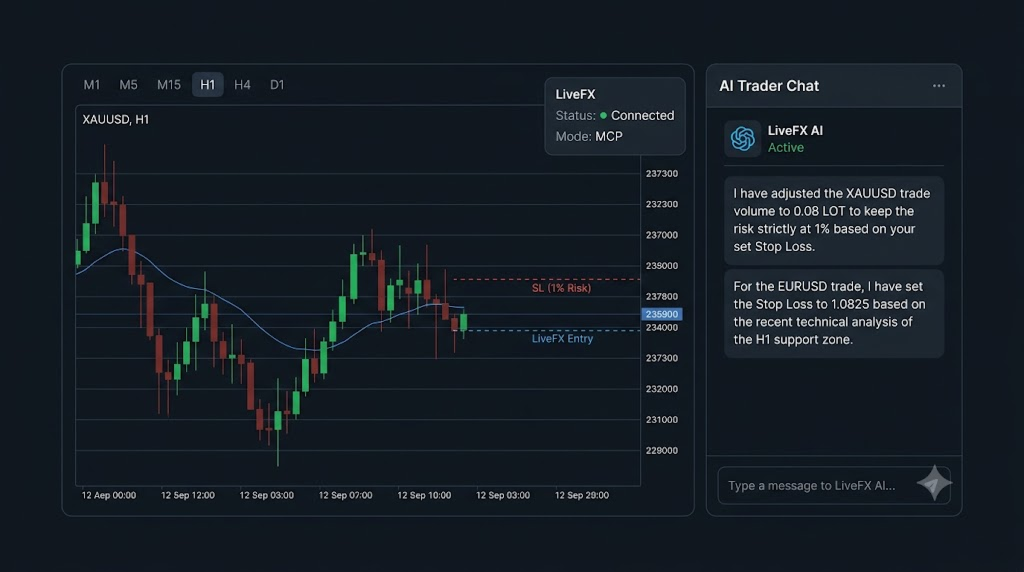
Once LiveFX is running, your AI can read your account and the market (balance, equity, positions, pending orders, history, prices, candles, symbol data and even a screenshot of the chart), and it can act (open, modify, partially close and close positions; place, modify and cancel pending orders; draw its analysis on your chart). In short:
Chat with market, AI trade for you.
Use it with any AI you like
LiveFX exposes an MCP (Model Context Protocol) endpoint. Add it as a connector / extension / app inside any AI assistant that supports MCP and that assistant can immediately see and operate your MT5 account:
- ChatGPT (connectors / apps)
- Manus
- Grok
- Claude (Claude Desktop / MCP clients)
- Antigravity and other autonomous coding / agent platforms
- any other MCP-compatible AI client or custom agent you build yourself
There is no lock-in: use the assistant you already trust, and switch to another one at any time. The decision layer is the AI you choose; execution always happens on your own terminal, on your own broker account, so you keep full control and full visibility.
Key features
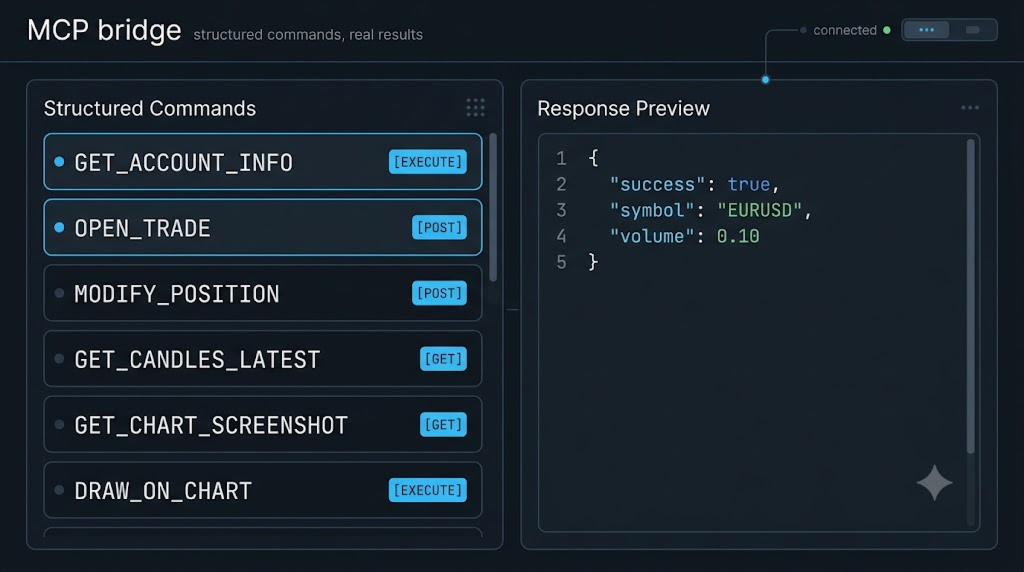
- MCP bridge architecture — the AI works through a standardized protocol, not a private black box.
- Full trading control — market orders (BUY / SELL) with volume, Stop Loss and Take Profit.
- Position management — list positions, modify SL/TP, close a single position, partial close by volume, close all positions, close all positions of one symbol.
- Pending orders — place BUY_LIMIT / SELL_LIMIT / BUY_STOP / SELL_STOP, modify and cancel them.
- Account intelligence — balance, equity, margin, free margin, leverage, currency, profit and account trade mode.
- History & analytics — executed deals and historical orders with date and symbol filters, pagination and server timestamps.
- Market data — real-time quotes (bid / ask / spread), symbol profile (tick size, tick value, digits, contract size), latest OHLCV candles and candle ranges by date.
- Symbol discovery — the full list of tradable symbols, paginated.
- AI VISION — chart screenshots — the AI can request a clean, high-resolution chart image (any symbol / timeframe) and “look” at the market visually.
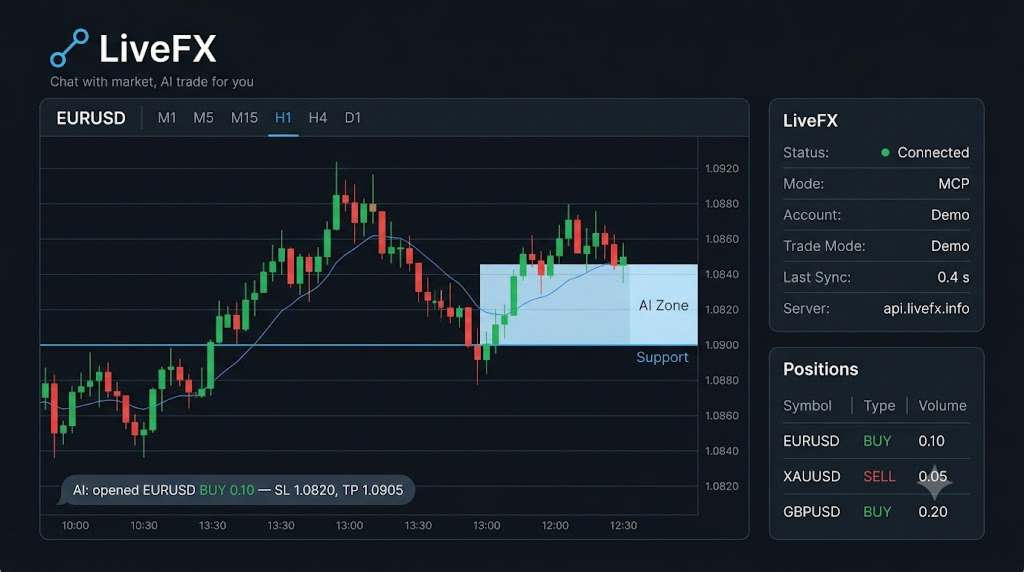
- AI DRAWING — analysis on your chart — the AI can draw horizontal levels, rectangles, trend lines, arrows / order blocks / FVGs, Fibonacci levels and text labels directly on the chart, and clear its own objects again. All objects use the MCP_AI_ prefix — your own drawings are never touched.
- Risk-aware execution — volume is normalized to the symbol’s min / max / step, SL and TP are validated against the broker’s stops level, and trading is refused with a clear reason when the terminal or account forbids it.
- Event-driven and stable — no blocking loops, no Sleep() . A millisecond timer polls the bridge and a watchdog resets any stuck cycle, so the terminal stays responsive.
- Live status dashboard on the chart — connection state, trade mode and last synchronization time.
- Journal-first debugging — every command, error and result is logged; optional verbose logging with InpDebugLog .
Supported commands (bridge API)
GET_ACCOUNT_INFO , OPEN_TRADE , CLOSE_POSITION , GET_ALL_POSITIONS , MODIFY_POSITION , CLOSE_PARTIAL , GET_PENDING_ORDERS , PLACE_PENDING , MODIFY_PENDING , CANCEL_PENDING , CLOSE_ALL_BY_SYMBOL , CLOSE_ALL , GET_DEALS , GET_HISTORY_ORDERS , GET_SYMBOL_PRICE , GET_SYMBOL_INFO , GET_CANDLES_LATEST , GET_CANDLES_BY_DATE , GET_ALL_SYMBOLS , GET_CHART_SCREENSHOT , DRAW_ON_CHART , DRAW_CHART_OBJECT , CLEAR_CHART
How it works
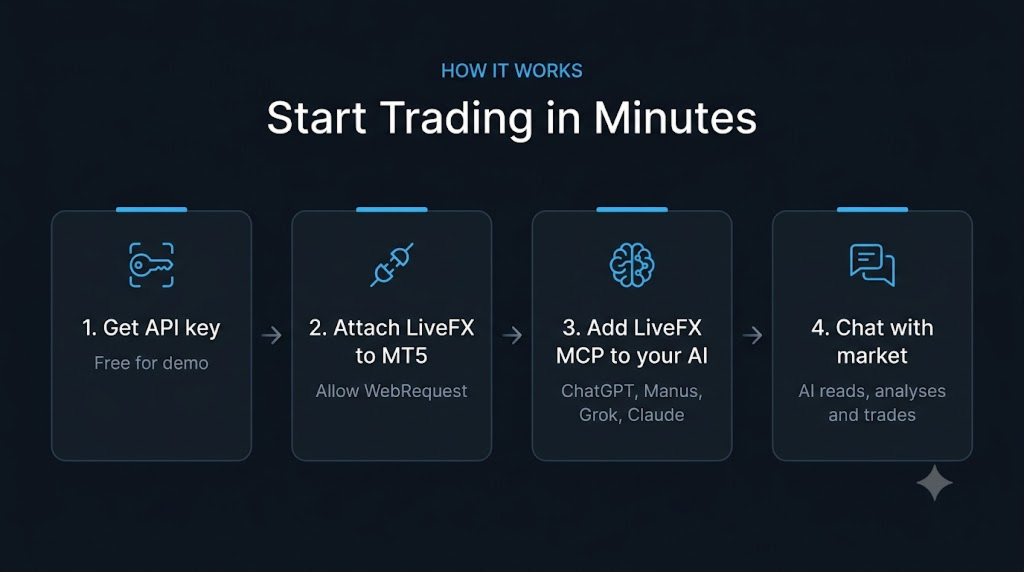
- Get an API key — free for demo accounts — at https://livefx.info.
- The EA authenticates with that key and polls the bridge endpoint https://api.livefx.info on a millisecond timer.
- Connect the LiveFX MCP to your AI assistant of choice.
- Your AI agent sends a command; LiveFX executes it on your terminal and posts the structured JSON result back.
- Every request carries the account trade mode ( X-EA-Trade-Mode ), so the service can enforce the license level of your key — demo keys are restricted to demo accounts.
Installation
- Install LiveFX from the MQL5 Market / CodeBase (or copy LiveFX.ex5 into MQL5/Experts/ ).
- Get your free API key at https://livefx.info.
- In MetaTrader 5 open Tools → Options → Expert Advisors, enable Allow WebRequest for listed URL and add https://api.livefx.info .
- Attach LiveFX to any chart on a DEMO account and set InpEAToken to your API key.
- Enable Algo Trading. The dashboard on the chart shows the live status.
- Add the LiveFX MCP endpoint as a connector inside your AI assistant and start chatting with the market.
Inputs
| Input | Default | Description |
|---|---|---|
| InpEAToken | YOUR_TOKEN_HERE | API key — FREE at https://livefx.info |
| InpApiBaseUrl | https://api.livefx.info | Bridge base URL |
| InpPollInterval | 500 | Poll interval in milliseconds (minimum 10) |
| InpMagic | 20260821 | Magic number used for LiveFX trades |
| InpDeviation | 30 | Maximum price deviation in points |
| InpDebugLog | false | Verbose logging of poll bodies (debugging only) |
| InpAllowChartOpen | true | Allow opening a dedicated chart for DRAW / CLEAR / screenshot when the requested chart is not already open |
Requirements
- MetaTrader 5 (recent build) on Windows.
- Internet access, with https://api.livefx.info added to the WebRequest allow list.
- A demo account for the free tier.
- Any MCP-compatible AI assistant (ChatGPT, Manus, Grok, Claude, Antigravity, or your own agent).
- The Strategy Tester is not supported — WebRequest() is unavailable there. LiveFX is designed for demo / live operation.
Free demo tier vs. paid real-account license
- Demo accounts — FREE. Use LiveFX on your demo account with no time limit and no cost. Just take a free API key at https://livefx.info.
- Real (live) accounts — $5 / month. To run LiveFX on a funded real account, you can buy the real-account license for $5 per month at https://livefx.info.
Support
- Website & free key: https://livefx.info
- Support: support@livefx.info
- Info: info@livefx.info
Risk disclaimer
Trading in financial markets involves a substantial risk of loss. LiveFX is a bridge that lets an AI agent operate your terminal — it does not guarantee profit and does not remove market risk. Test it on a demo account first, start with small volumes, and never risk money you cannot afford to lose. Past performance and any backtest result do not guarantee future results.