OneClick RiskSizer
- Утилиты
-
Benjamin Junior Nkoa Nkoa
 Algo Trader & MQL5 Developer - Price Action · Live Verified Systems
Four years before writing my first line of MQL5 code, I traded manually on the financial markets, with a focus on market structure-based strategies and precise risk management. - Версия: 1.0
OneClick RiskSizer: One-Click Trading Panel with Percentage-Risk Position Sizing
Stop calculating lot sizes by hand. OneClick RiskSizer sizes every position automatically from your risk % and Stop Loss, for faster, more reliable execution than manual math or third-party tools.
Key features
- One-click BUY and SELL buttons, always visible on the chart.
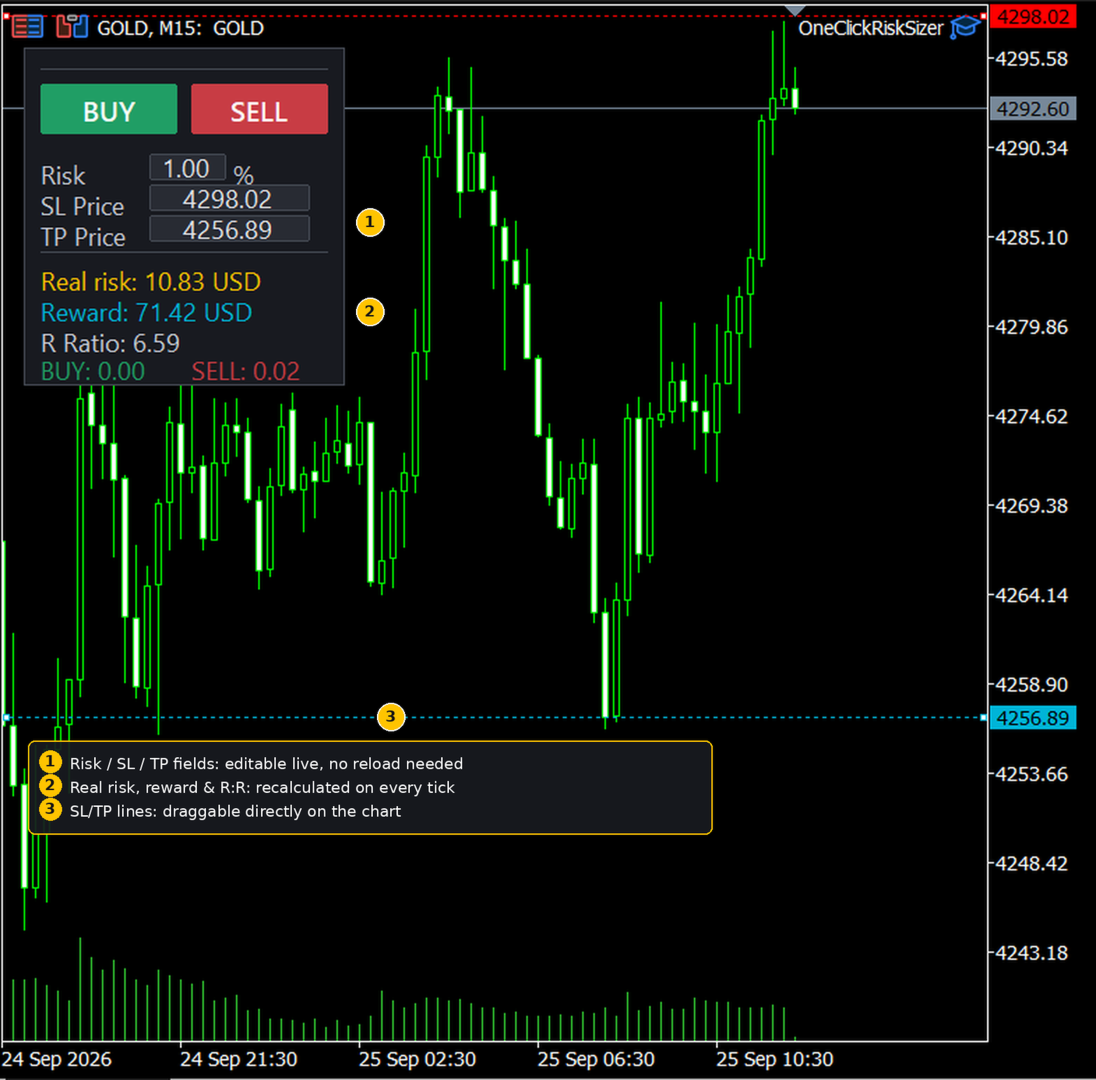
- Lot size calculated automatically from your risk % and SL distance, via OrderCalcProfit/OrderCalcMargin, not a rough points estimate.
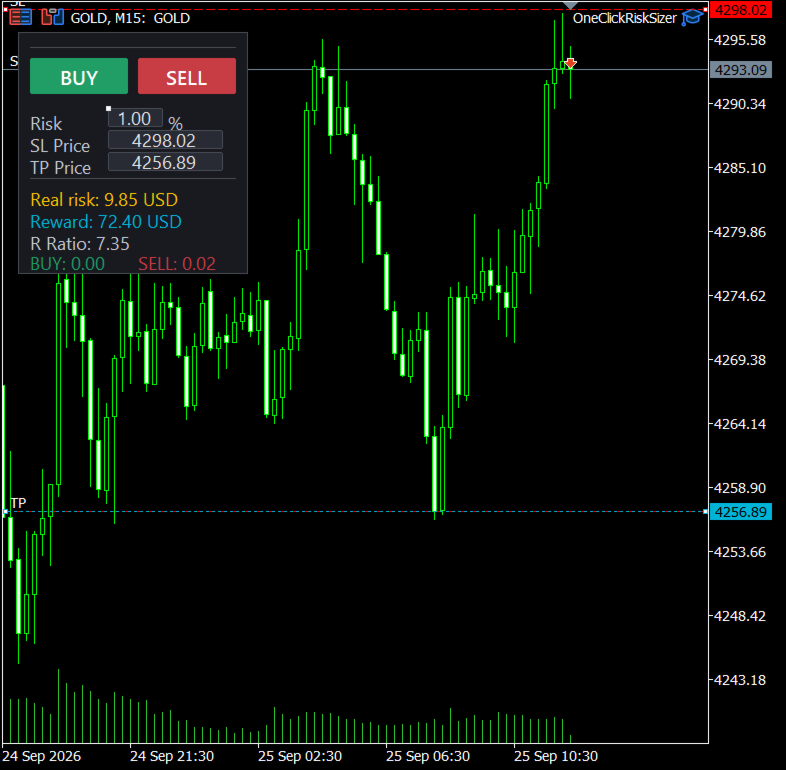
- Draggable SL and TP lines directly on the price chart: the SL line is red, the TP line is cyan.
- On-chart editable fields for Risk %, SL price and TP price: change any of them without ever reloading the EA.
- Live recap: lot size, real monetary risk, reward and R:R ratio, all recalculated on every tick.
- Compatible with hedging accounts.
- Persistent panel: survives timeframe and symbol changes.
How it works
- Attach OneClick RiskSizer to any chart.
- Set your risk % and drag the SL (red) and TP (cyan) lines to your desired prices, or type them directly in the on-chart fields.
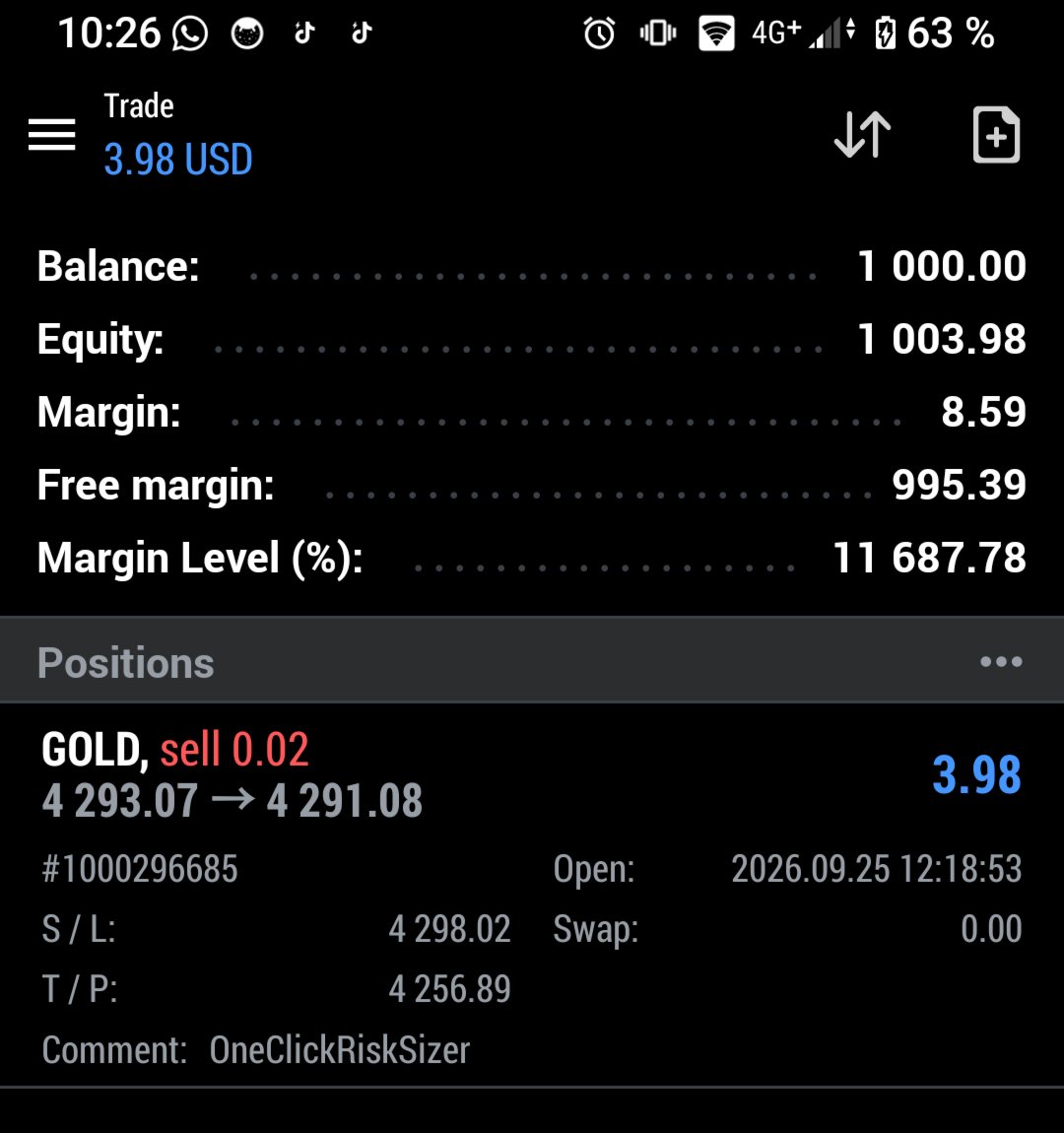
- Click BUY or SELL: the position opens instantly with a lot size matching your chosen risk.
Important
- This is a manual trading script, not an automated strategy. No trade is ever opened without a BUY/SELL click from you.
- AutoTrading must be enabled in MetaTrader 5 for the buttons to send orders.
- Built-in direction safeguard: only one SL line is used for both directions, and only the button matching its current side is active. This is intentional: it prevents accidentally opening a SELL when you meant a BUY, or vice versa. A BUY is only available when the SL line sits below the current price, and a SELL only when it sits above. Move the line to the correct side to switch which button is active.
- Works on any symbol and timeframe.
Inputs
- Risk % of balance - starting value
The percentage of your account balance you want to risk on each trade. This is only a starting value: once the panel is on the chart, you can change it at any time by typing directly into the Risk field, no reload needed. - Tolerance %
Broker lot sizes only come in fixed steps (e.g. 0.01), so the exact lot for your target risk almost never exists. The tool always calculates the lot immediately below your target (the safe, conservative choice) and also checks what the next lot step up would cost in risk. This input sets how many extra percentage points of risk you are willing to accept in order to round up to that larger lot and get closer to your target.
Example: balance $10,000, risk set to 1% ($100 target). The lot rounded down risks $92 (0.92%); the next lot step up would risk $105 (1.05%), a deviation of 0.05 percentage points above target.- If Tolerance = 0.10: since 0.05 is less than or equal to 0.10, the tool rounds up and uses the $105 lot, closer to your 1% target.
- If Tolerance = 0.03: since 0.05 is greater than 0.03, the tool stays conservative and keeps the $92 lot.
- Initial SL line offset (points)
Distance in points between the current price and the red Stop Loss line when the panel first appears. Purely a starting position: drag the line anywhere on the chart, or type an exact price into the SL field, at any time. - Initial TP line offset (points)
Distance in points between the current price and the cyan Take Profit line when the panel first appears. Same as the SL line: only a starting position, freely draggable or editable afterward.
By Benjamin Nkoa, Finova Capital.