NuStar Navigator
- Индикаторы
- Версия: 7.50
- Активации: 5

NuStar Navigator MT4
Overview
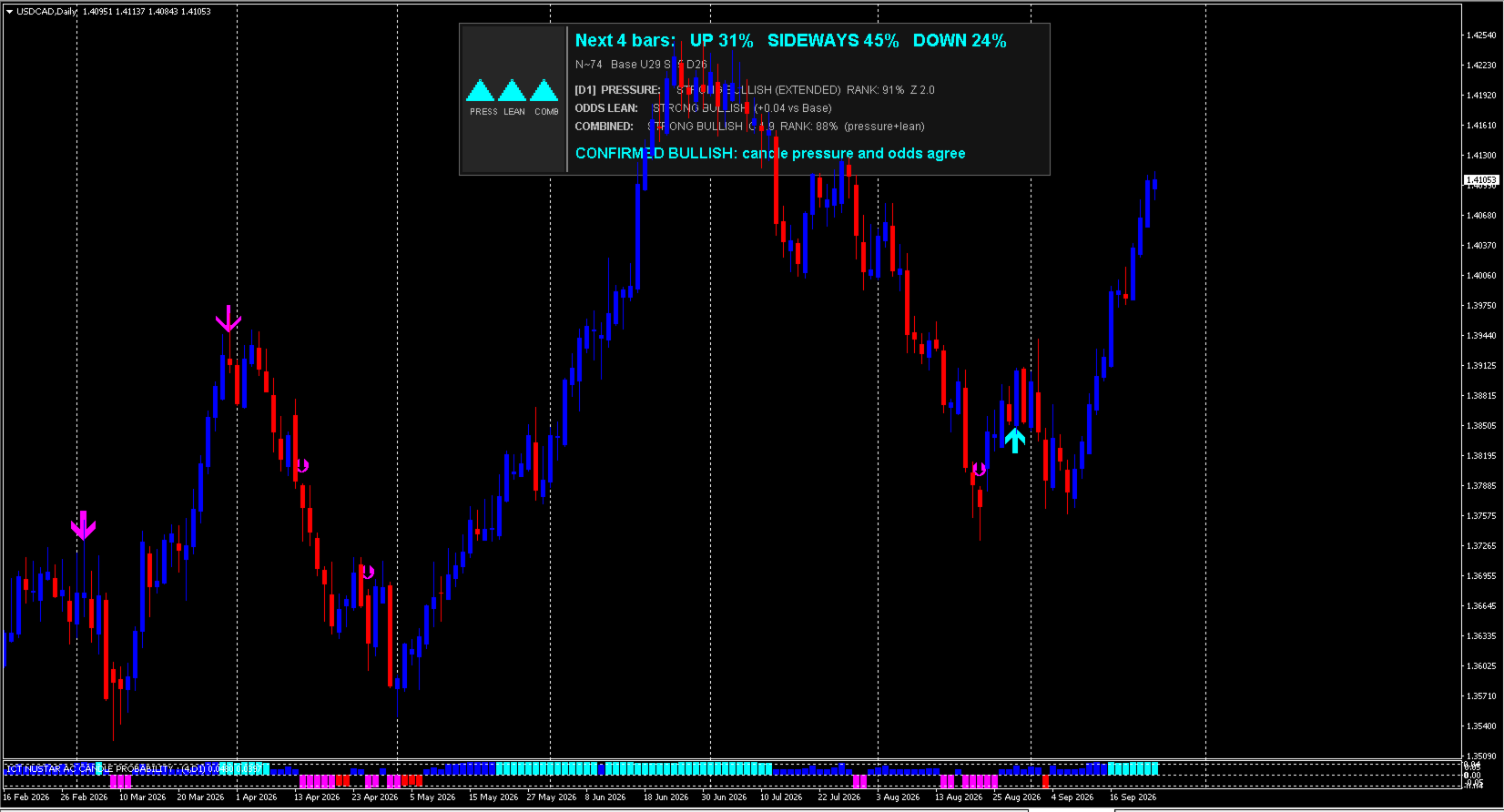
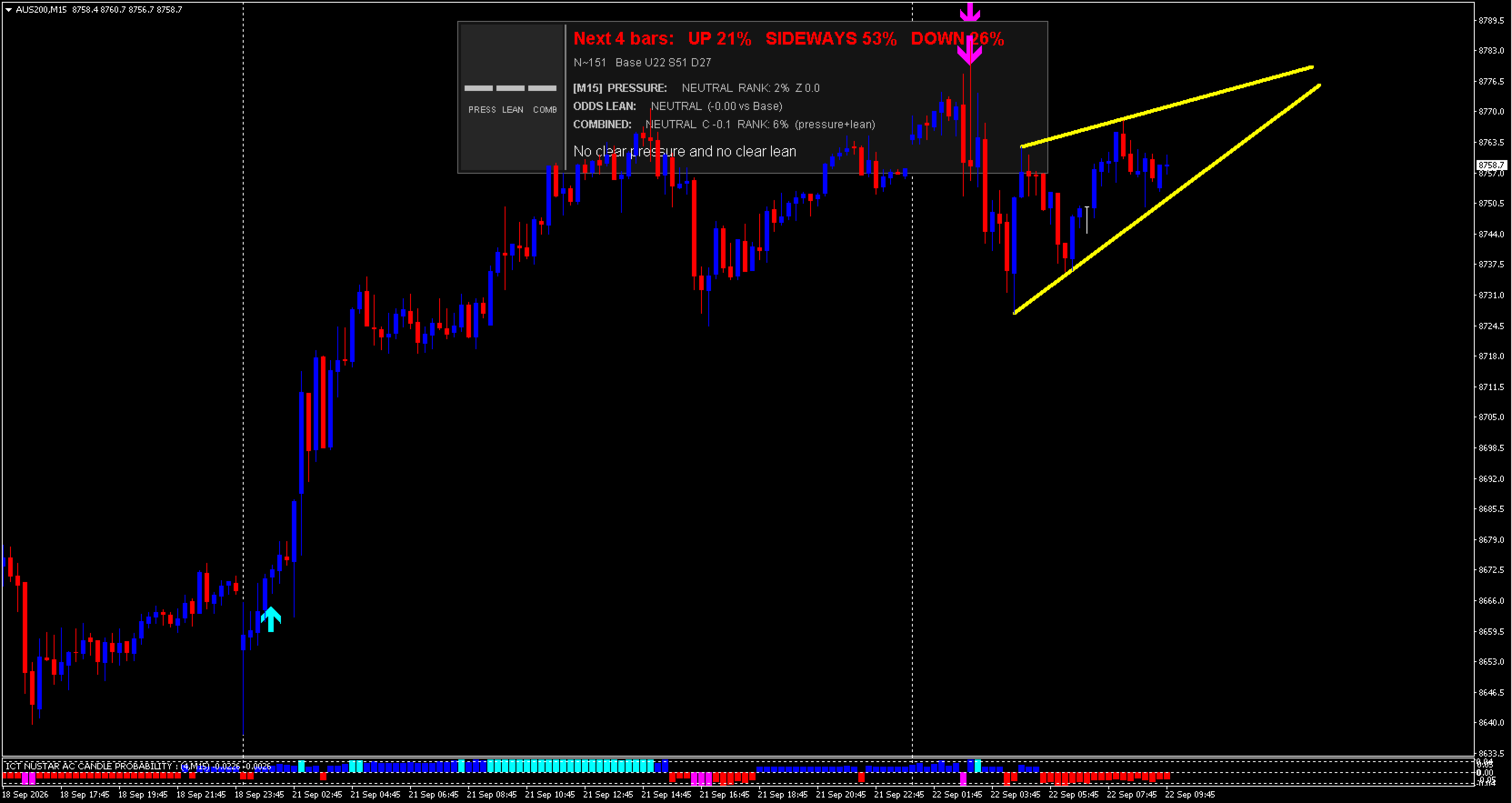
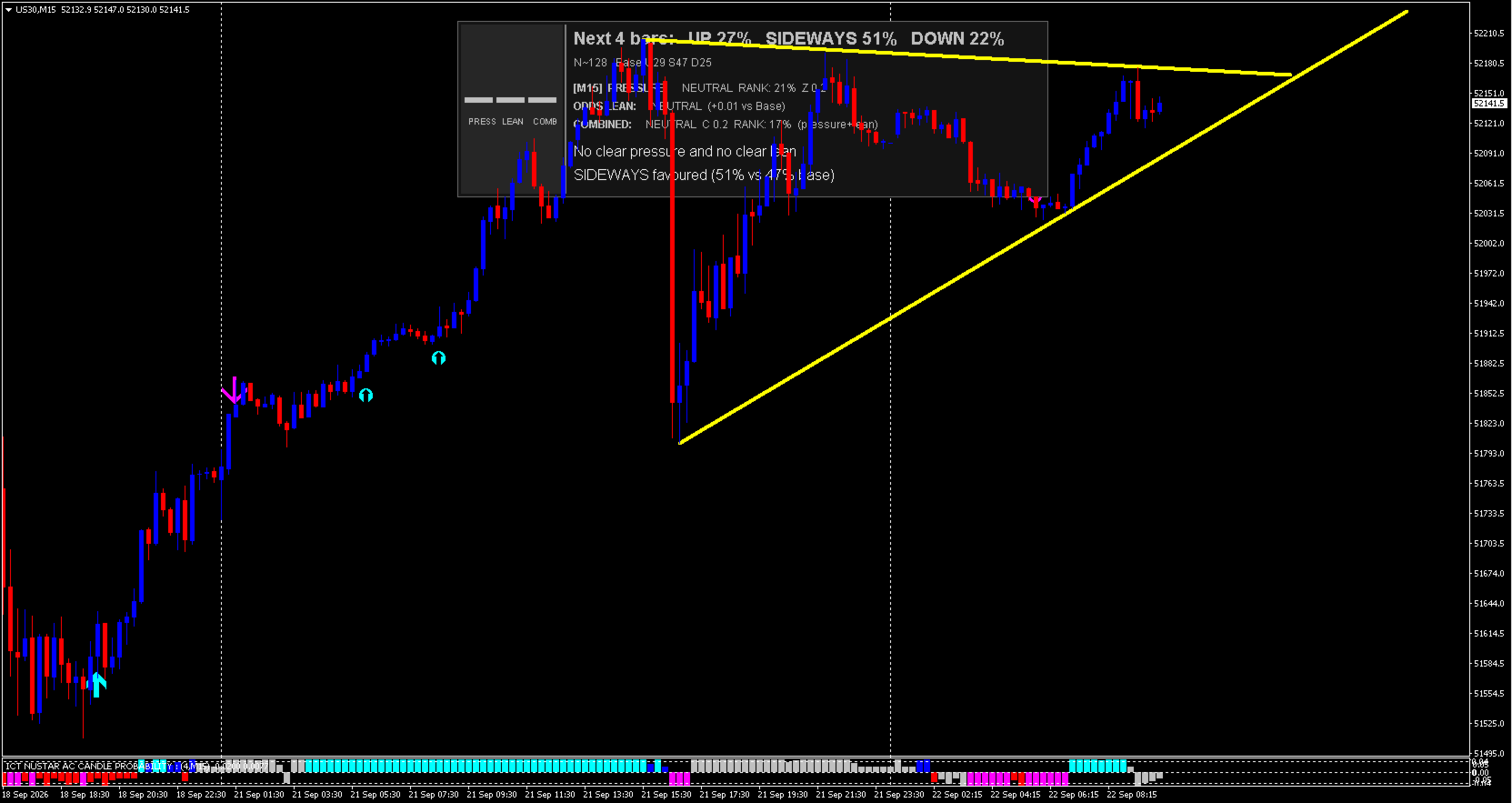
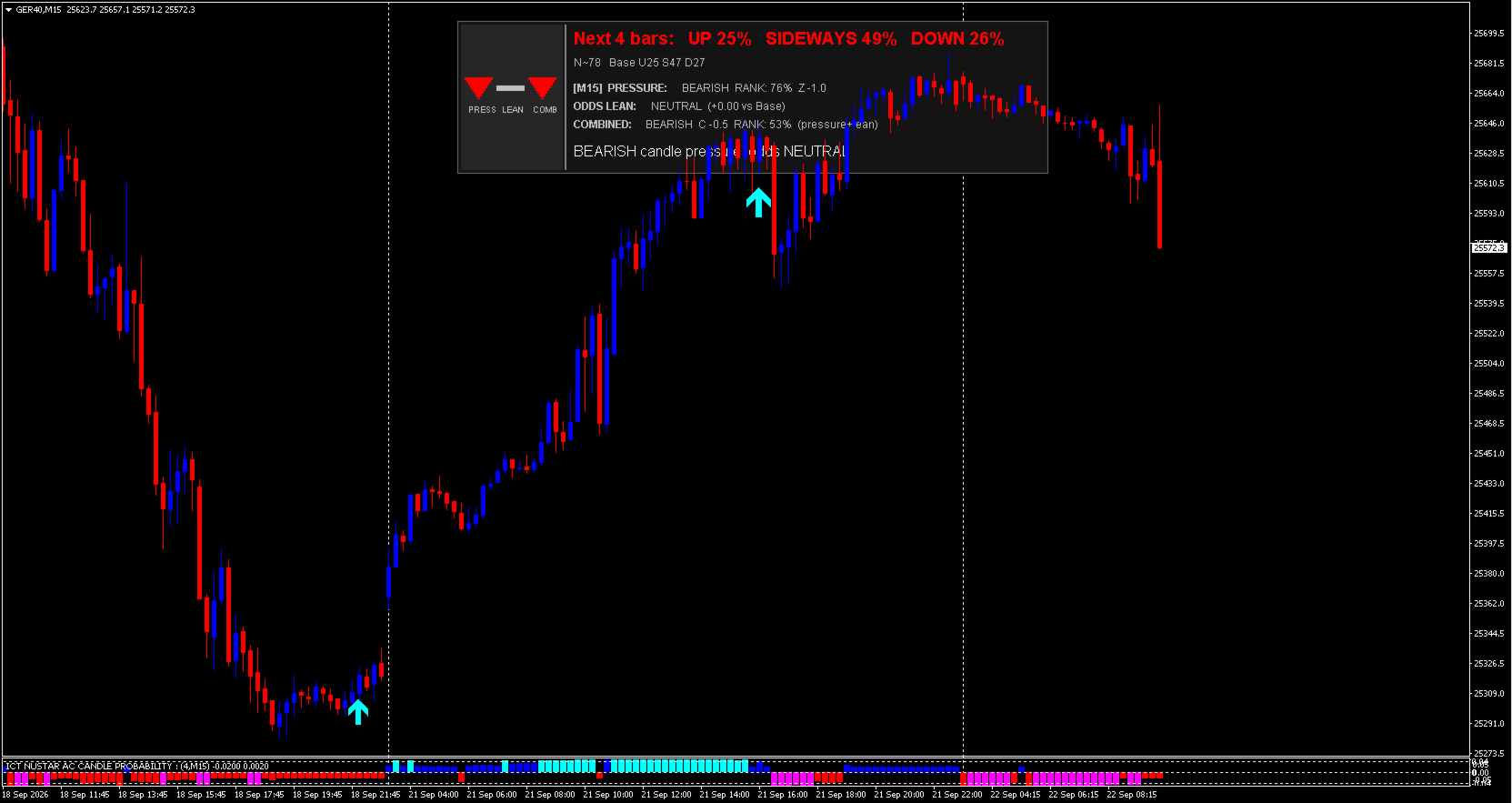
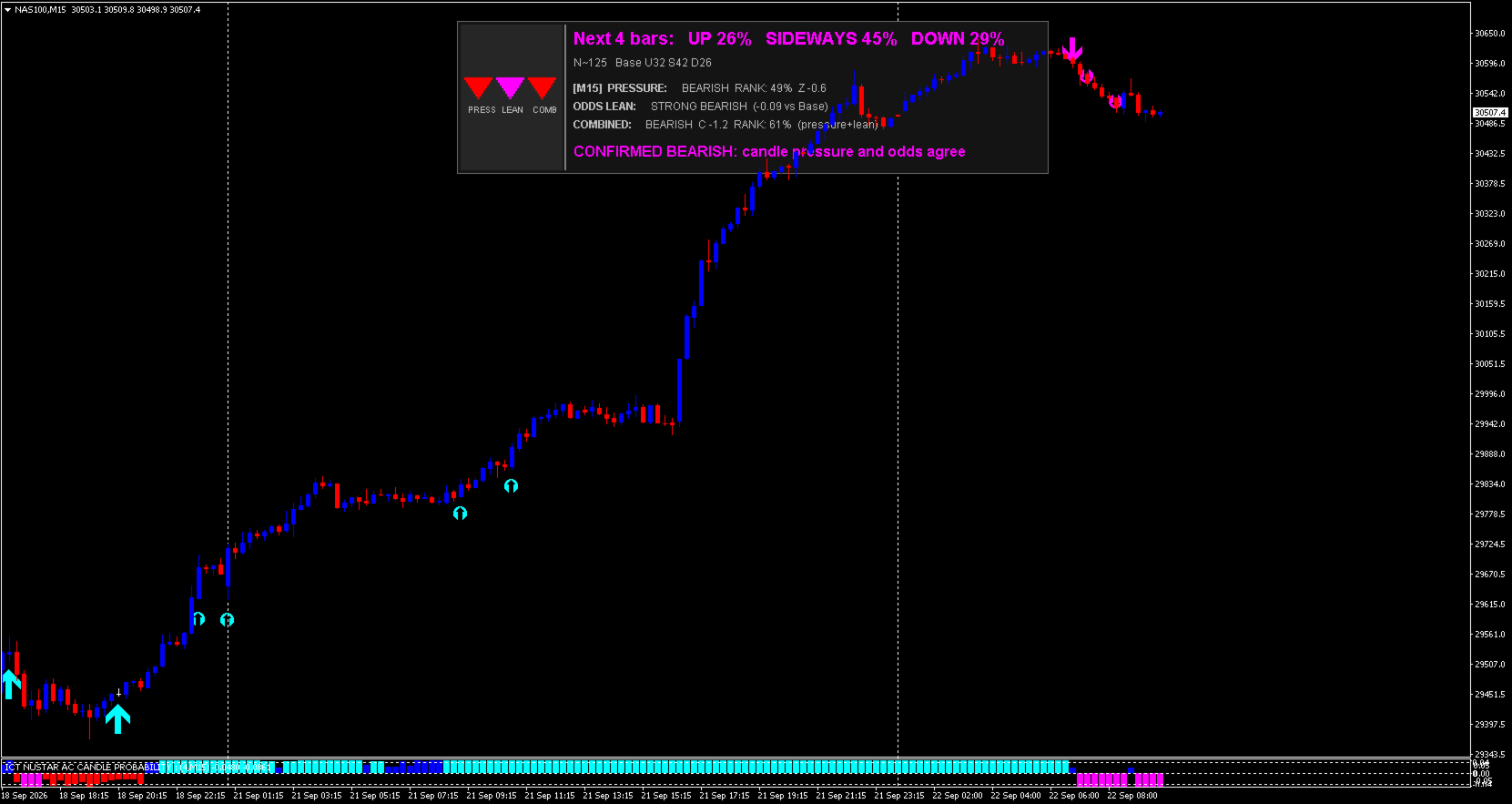
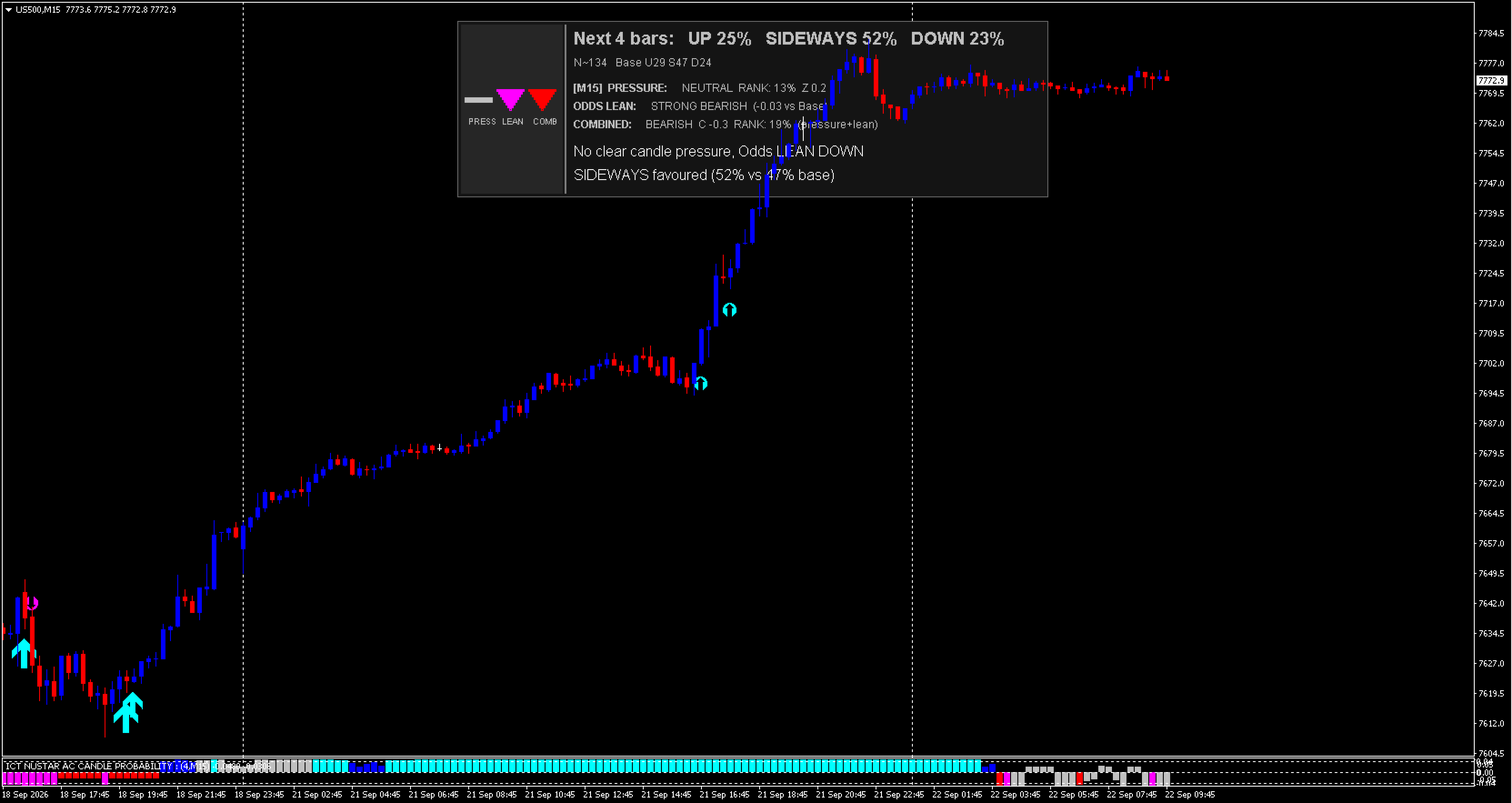
NuStar Navigator MT4 is a non-repainting, complete trading system for any instrument (market). It guides you through when to enter, when to hold and when to exit your trade with realtime on screen visual guidance. NuStar Navigator MT4 is a trend following system that uses OHLC candle prices to predict the NEXT 4 BARS using probability. It compares previous candle patterns to the current setup to determine where the market may go next. It uses a smoothed candle "pressure" z-score to measure whether the market is trending vs choppy.
NuStar Navigator MT4 includes in-built Pin Bar & Rounded Bottom entry arrows as well as pyramid points so you can add to winning positions when a trend has been established. If you're serious about trading then NuStar Navigator MT4 is all you need!
Key features
- Non-repainting probability engine with three bar-display modes: Pressure, Odds Lean, and Combined
- On-chart read-out box: live probabilities, base rates, and a CONFIRMED / BOUNCE-RISK / PULLBACK-RISK status line
- Pyramid Arrows: trend-start and pullback re-entry signals
- Pin Bar entry arrows: swept swing high/low + rejection wick + expansion vs its own ATR regime + confirmed structural break
- Rounded Bottom entry arrows: multi-bar base (decline → calm recovery → higher lows → breakout)
- Independent desktop/mobile alerts per signal type; multi-timeframe support
How to trade using NuStar Navigator MT4
Use the probability/histogram reading as a regime filter and trade with the dominant colour - it's that simple! Stand aside when SIDEWAYS is the dominent direction. Take PIN BAR ARROWS for sharp reversals off a swept high/low once price breaks back through. Take ROUNDED BOTTOM ARROWS for slower base-and-breakout reversals. Use PYRAMID ARROWS for trend continuation/pullback entries. Treat a BOUNCE RISK or PULLBACK RISK read-out as a warning not to add in the trend direction.
Key inputs
- Pin Bar: EntryWickRatio — minimum rejection-wick fraction of the candle's range. Lower = more signals but weaker rejections. ( EntryRangeATR is the secondary lever, controlling how large/expansive the sweep candle must be.)
- Rounded Bottom: RBMaxRangeATR — how calm the recovery leg must be (lower = stricter, fewer bases). Pair with RBMinDeclineATR , which sets how large the prior decline into the base must be.
All Inputs
Core Engine (pressure/probability calculation)
- TimeFrame — timeframe the readings are calculated on (default: current chart)
- ATRPeriod — volatility period used to normalise candle bodies
- ClipATR — caps bodies at ± this many ATR to control outliers
- FastLen — fast EMA length of the body pressure
- SlowLen — slow EMA length of body pressure; also the chop-gauge window
- VolLen — window used for the body-volatility z-score
- ZDead — |z| the pressure must exceed to flip trend direction
- PriceType — price used as "close" (close / median / weighted close / typical)
Display / Bar Colour Mode
- BarMeaning — what the histogram shows: raw pressure, odds lean, or combined
- CombineLen — bars used to scale pressure and lean onto the same axis (Combined mode)
- CombineDemean — removes trailing average pressure/drift first (Combined mode)
- LeanDead — |lean| below this is treated as neutral/grey (Lean mode)
- ConfirmLean — minimum odds-lean strength for the read-out to say CONFIRMED
- NeutralWhenFlat — greys the bar when |z| sits inside the dead-zone (Pressure mode)
- BarWidth — histogram bar thickness
- ScaleLimit — clipping/scale limit; keep matched to indicator min/max
- MaxBars — bars of history displayed on the chosen timeframe
Probability Model
- ImpulseZ — fast pressure needed in the trend direction (Pyramid Arrows)
- ExtendedZ — blocks Pyramid Arrows once slow pressure is beyond this (trend "mature")
- ClimaxATR — blocks Pyramid Arrows on a blow-off candle this large or bigger
- StrongMode — source for a "strong" colour: lift, pressure rank, or either
- StrongPct — percentile of Lookback that counts as a "strong" pressure rank
- Horizon — bars ahead over which follow-through is measured
- SideBand — band (× ATR × √Horizon) within which an outcome counts as sideways
- Lookback — bars of history the probabilities are learned from
- BandZ — kernel width on the pressure score
- BandER — kernel width on the efficiency ratio
- PriorWeight — pulls thin/rare samples toward the base rate
- MinWeight — widens the kernel for rare states until this much history is found (0 = off)
- StrongEdge — follow-through edge required for a "strong" colour / threshold lines
- SideLift — how far P(sideways) must exceed its base rate to turn a bar grey
- Hyst — hysteresis so bar colours don't flicker
Pyramid Arrows — Sensitivity & Custom Thresholds
- ArrowSensitivity — preset firing frequency (or Custom, using the 5 inputs below)
- ArrowLift — (Custom) required edge of P(direction) over its base rate
- ArrowEdge — (Custom) follow-through edge required, separate from colour threshold
- MinSamples — minimum independent-sample estimate required for an arrow
- ArrowCooldown — (Custom) minimum bars between arrows
- ArrowsOnClose — true = only fire on closed bars (no repaint/flicker)
Pyramid Arrows — Re-entry (Pullback) Signals
- ReentryArrows — enables marking pullback re-entries inside an existing trend
- ReentryZS — required slow-pressure strength already in the trend direction
- PullbackBars — bars looked back to find the dip
- PullbackZ — fast pressure must have dipped to this level or lower
- ResumeZ — fast pressure must recover back above this to trigger re-entry
- ReentryLift — required P(direction) edge over base rate
- ReentryEdge — required follow-through edge
Pyramid Arrows — Alerts & Chart Display
- AlertDesktop / AlertMobile — pop-up / push notification for each new Pyramid Arrow
- ShowSubArrows — show Pyramid Arrows inside the indicator sub-window
- ShowChartArrows — show Pyramid Arrows on the price chart
- PyramidUpCode / PyramidDnCode — Wingdings codes for the bullish/bearish arrow glyphs
Read-out Box (on-chart probability panel)
- ShowReadout — show/hide the probability read-out box
- ReadoutCorner — chart corner the box is anchored to
- ReadoutX / ReadoutY — offset from that corner, in pixels
- ReadoutWidth / ReadoutHeight — box size (height grows if more rows are needed)
- ReadoutBg — box background colour
- ReadoutPanelBg — background of the triangle panel on the left
- ReadoutDivider — divider line colour between panel and text
- ProbTextSize — font size of the probability line
- StatusTextSize — font size of the status line
- ReadoutGap — spacing between the box's text groups
- StatusTextColor — colour of the status line (except CONFIRMED, which uses the state colour)
- ReadoutBlue — colour used for the bullish state (triangles/text)
- RiskTextColor — colour of the BOUNCE RISK / PULLBACK RISK line
Entry Arrows — Master Switch
- EntryArrowOn — master on/off for both Pin Bar and Rounded Bottom entry signals
Pin Bar Entry Arrow
- PinBarOn — on/off for this pattern specifically
- EntrySwingLookback — bars used to confirm the signal candle is a genuine local swing
- EntryConfirmWithin — breakout must occur within this many bars, or setup expires
- EntryWickRatio — minimum rejection-wick fraction of the candle's range (key pin-bar tuning input)
- EntryRangeATR — minimum signal-candle range in ATR (expansion filter)
- EntryATRAvgLen — bars averaged to judge the prevailing ATR regime
- EntryATRRegime — signal candle's ATR must be at least this × the regime average
- EntryRequireBreak — confirmation candle must close beyond the signal candle's high/low
- EntryRequireCombined — sweep candle's own Combined reading must oppose the entry direction
- EntryPriceType — price type used for this pattern's own bullish/bearish/wick/break checks
- EntryRequireCloseThruSweepOpen — confirmation close must also clear the sweep candle's open
- EntrySweepDominanceMult — sweep candle's range vs. the local average range just before it (0 = off)
- EntrySweepDominanceLen — bars used for that local-average comparison
- EntryCooldownBars — bars to wait before another Pin Bar signal can fire
- EntryBlockAgainstSlowTrend — requires an established counter-move (slow pressure) opposing the entry
- EntryMaxAgainstSlowZ — threshold (in slow-pressure z) for the filter above
- EntryConfirmHoldBars — consecutive bars that must hold beyond the breakout level (1 = off)
- EntryConfirmBodyATR — minimum confirmation-candle body size in ATR (0 = off)
- EntryUpColor / EntryDnColor — arrow colours
- EntryArrowWidth — arrow size
- EntryUpCode / EntryDnCode — Wingdings glyph codes
- EntryAlertDesktop / EntryAlertMobile — independent alert switches for this pattern
Rounded Bottom Entry Arrow
- RoundedBottomOn — on/off for this pattern specifically
- RBLookback — bars examined as the candidate base/rounding window
- RBMinBars — minimum bars since the base's low before a breakout can confirm
- RBMinDeclineATR — minimum prior decline (in ATR) into the base — ensures a real move to round out from
- RBMaxRangeATR — maximum average candle range in the recovery leg (key rounded-bottom tuning input — defines the "calm" character)
- RBATRAvgLen — bars averaged for this pattern's own ATR regime
- RBRequireHigherLows — requires higher lows in the half closer to confirmation
- RBConfirmWithin — breakout must occur within this many bars or the setup expires
- RBCooldownBars — bars to wait before another Rounded Bottom signal can fire
- RBPriceType — price type used for this pattern's own checks
- RBUpColor / RBDnColor — arrow colours
- RBArrowWidth — arrow size
- RBUpCode / RBDnCode — Wingdings glyph codes
- RBAlertDesktop / RBAlertMobile — independent alert switches for this pattern
Note: Trading financial instruments carries a high level of risk to your capital. You may lose more than your initial deposit. Ensure you fully understand the risks and manage your exposure.