Watchman News Filter and Drawdown Guard

Watchman is a news filter and drawdown guard for MetaTrader 5. It pauses any Expert Advisor during high-impact economic news, closes or protects open positions, and enforces daily loss and maximum drawdown limits across the whole account. It works with any EA, including commercial products with no built-in news filter and no accessible source code.

Attach Watchman to one empty chart. It finds every chart in the terminal running an EA, reads the MetaTrader economic calendar for events affecting those symbols, and acts before the release arrives. There is no chart list to configure and no symbol list to type. Charts opened later are picked up automatically.

Watchman does not run in the Strategy Tester, which has no calendar data. Evaluate the demo on a live chart.

News filter

  • Uses the built-in MetaTrader economic calendar. No external connection, no web request, no data subscription.
  • Currencies are read from each symbol's base and profit currency, so broker suffixes, micro accounts and metals are handled without configuration.
  • Filter by impact level.
  • Keyword list for events the calendar rates too low, each with its own window length.
  • Exclusion list for events the calendar rates too high, such as bond auctions and money supply figures.
  • Manual entries for releases the calendar does not carry, either one-off or weekly.
  • Separate minutes before and after each event.
  • Overlapping events merge into one continuous window, so a rate decision and its press conference are treated as a single period.

Drawdown and equity protection

  • Daily loss limit as a percentage of the day's starting balance.
  • Maximum drawdown limit measured from peak equity.
  • Hard equity floor in account currency.
  • Peak equity is written to disk and survives restarts, so the drawdown baseline does not reset when the terminal reboots or the EA is reattached.
  • Per-EA floating loss limit that locks one chart while the others keep trading.
  • On breach: pause Expert Advisors, close positions, or both.
  • The lock releases at a configurable daily reset hour, or only on manual intervention.

Position handling during news

  • Move stop loss to breakeven before news and restore the original level afterwards.
  • Widen stop loss away from price before news and restore afterwards.
  • Close positions before news, for grid and recovery strategies.
  • Select positions by magic number, order comment, or a wildcard with exclusions.
  • Broker minimum stop distance and freeze level are respected, with automatic retry when a modification is rejected.

Expert Advisor control

  • Pauses EAs during the specified news window and reattaches them afterwards with identical inputs and settings.
  • Optional cooldown holds EAs off for a set period after the window ends, so they do not re-enter into a widened spread.
  • Pause EAs at specified account drawdown.
  • EAs monitoring on all charts in MT5 terminal.

Monitoring and safety

  • On-chart panel showing every protected chart, its state, the triggering event, current equity and drawdown.
  • Push notifications on window entry and exit, on any equity breach, and on any failure.
  • Daily summary of windows handled, positions adjusted, and errors.
  • CSV audit log of every action taken.
  • Protective mode if the calendar becomes unreachable while running.
  • Alert when the broker's GMT offset changes, such as at a daylight saving transition.
  • State file so an interrupted news window or equity lock resumes correctly after a restart.
  • Test event input for running the full cycle on demand without waiting for a real release.
  • No DLL imports required.

Setup

  1. Save an empty chart as a template named watchman_blank .
  2. Open the charts you want protected and attach your Expert Advisors.
  3. Attach Watchman to a separate empty chart.
  4. Choose an operating mode: Watch only, Protect positions, or Full guard.
  5. Set your daily loss and drawdown limits, or leave them at zero to use news filtering alone.

Рекомендуем также
Название:   DCFX Ultimate Risk Manager v5.65 – Полуавтоматический риск-менеджер для MT5 Краткое описание: Профессиональный помощник для управления рисками и позициями в MT5. Рассчитывает лот по проценту риска, работает с визуальными ордерами (линии), автоматически фиксирует прибыль по режимам SAFE (1:1), EXIT (1:2), SING (закрытие одной сделки 1:2), 50% @ 1:2 + безубыток. Есть целевая прибыль (Target Profit) и отложенные ордера. Подробное описание: DCFX Ultimate Risk Manager v5.65 – это полуавт
Хватит рассчитывать размер лота вручную — защитите свои финансируемые счета! Apex Panel Pro — это передовая институциональная утилита для управления сделками и рисками в MetaTrader 5. Разработанная для трейдеров проп-компаний, скальперов и алгоритмической торговли, она превращает ваш график в высокоскоростной командный центр с функциями умной сетки ордеров, пирамидинга, виртуальных скрытых выходов и автоматической защиты от просадок. 1. Управление рисками и расчет размера позиции Расчет л
AUTO RISK MANAGER PRO: ваш партнёр в торговле на Форекс! AUTO RISK MANAGER PRO_MT4  версия для мт4  Demo версия + подробное описание   Перестаньте терять деньги из-за эмоций! Пора доверить управление рисками профессиональному алгоритму. Представьте ситуацию: рынок резко идёт против вашей позиции, а вы в это время спите, работаете или проводите время с семьёй. Обычная история? С Auto Risk Manager Pro — больше нет! Преимущества: Революционный подход к управлению рисками  Автоматическая защита кап
Trading Rules Enforcer is a deterministic account-discipline monitor for trade-count, loss, time and exposure rules. Key functions: - Clear rule status dashboard - Trading-session restrictions - Overtrading controls - Symbol and Magic Number scope - Daily loss and exposure monitoring - Clear blocking reasons - Operational event history The utility enforces rules configured by the user. It does not generate entry signals, predict market direction or guarantee trading results. Test all rule comb
RealCost Auditor MT5 is an execution-cost monitor for MetaTrader 5. It does not open, close, or modify trades. It watches the chart symbol, samples live spread, records executed deals, estimates signed slippage when the terminal exposes the requested price, and saves a local CSV audit file. Many backtests use spread, slippage, commission, and swap assumptions that are cleaner than real trading conditions. This utility gives you broker and account data from your own terminal before you trust a s
Orion Telegram Notifier Bot  allows the trader to receive trade notifications in his Telegram whenever a position is opened or closed. The EA sends notifications showing the Symbol, Magic Number, Direction, Lot (Volume), Entry Price, Exit Price, Take Profit, Stop-Loss and Profit of the position. How to setup Orion Telegram Notifier? Open Telegram and Search for “BotFather” Click or Type “/newbot” Create a nickname and username (Example: nickname: MT5trades   - username: MT5TelegramBot) *The use
Chart Date Jump Chart Date Jump is a lightweight MetaTrader 5 utility that helps you open historical chart context in seconds. Enter a target Day / Month / Year / Hour / Minute , press Go to datetime , and the chart scrolls to the matching bar and centers it in the window. A vertical marker is drawn on the located candle so you can instantly see the exact time you jumped to. Key features Jump to an exact date and time on the current symbol/period Center the found bar in the visible chart area Ma
This script is an Intelligence Gathering Utility designed to give you full control over your data exports from MetaTrader 5. It allows you to synchronize up to three different symbols into a single file with precise timestamping. 1. Setting the Data Range (Range) You can define exactly which historical period you want to capture: Date Mode : If Last N bars (0 = use date range above) is set to 0 , the script will export all data between your chosen start and end dates. Bar Mode : By entering a nu
Do you think it's a bit cumbersome when you need to switch symbols or timeframes with mouse click? 1. What is this? This is a program that can switch symbols and timeframes with direction keys. Fast switching, very convenient, no mouse click required. For traders, one symbol with multi-timeframe charts are usually added,  you can change symbol on those charts  easily . For multi-currency traders, different symbol charts are usually added, you can also change those timeframes easily. I wrote thi
Stop Loss Manager - Точное управление рисками Дополнительные материалы и инструкции Полное руководство   -   MT4 версия   -   MT5 версия Не позволяйте прибыльной сделке снова превратиться в убыток. Попробуйте бесплатно: 14-дневная ознакомительная версия доступна на нашем   сайте . Stop Loss Manager - это профессиональное автоматическое управление рисками для MetaTrader. Как только вы открываете сделку, приложение немедленно устанавливает интеллектуальный стоп-лосс и сопровождает его пятью пров
Xiao Dan Kuai Pao is a fast and clean one-click order panel for MetaTrader 5. Open and manage your trades instantly, with Stop Loss and Take Profit placed automatically — no more typing TP distances by hand. Key features: - One-click buttons: BUY, SELL, CLOSE, BREAK EVEN - Custom Stop Loss and Take Profit (in points) — set any distance you want - Flexible risk/reward — combine SL and TP freely to build any ratio, such as 1:1, 1:2, 1:3, 1:4 or 1:5 - Real-time price display (Bid) - Bar countdown t
Automatic Trade Journal Proo
Mohammadebrahimijahromi Khodabandehjahromi
Automatic Trade Journal Proo — ваш автоматический дневник трейдера Больше не нужно гадать, почему вы открыли ту или иную сделку. Trade Journal PRO превращает каждую позицию на вашем счете в полноценную запись с возможностью поиска — автоматически и без каких-либо ручных действий. Что вы получаете: Автоматические скриншоты графиков — в момент открытия сделки советник (EA) делает снимок графика с отмеченными точками входа, уровнями Stop Loss и Take Profit. Вы сможете точно увидеть ситуацию тако
MTForge
Hyumilkumar Suryakantbhai Patel
Конечно. Ниже представлен полный перевод описания продукта на русский язык с сохранением структуры и технической терминологии. MTForge Chart Trader — Профессиональная панель управления и исполнения сделок прямо на графике Самая полная система исполнения ордеров на графике, созданная специально для MetaTrader 5 MT5 Chart Trader привносит инструменты исполнения ордеров институционального уровня, управление брекет-ордерами (ATM) и контроль рисков в MetaTrader 5 через стильную, полностью интерактив
Have you ever take a long time to watch a Symbol when the network link is not good ? Have you ever wait for a long time when you switch chart between different Symbols or different TimeFrames ? If you do long-term backtesting , Have you ever to be downloaded datas for a long time ? Yes, If there is no data in the system, those will happen.  1. What is this: Download all the Symbol data in Market Watch to the system. PS: This is not outputting data to Files. This Link go to Demo version: https:/
Volatility Regime Monitor is a professional MetaTrader 5 dashboard for classifying current volatility with transparent, measurable context. It combines ATR, recent bar-range statistics and historical percentiles to show whether the market is compressed, normal or expanding without generating entry signals. MAIN FEATURES • ATR and recent range context • Historical volatility percentile state • Compression, normal and expansion classification • Historical regime table • Transparent thresholds and
Bot to attach to any different chart than the one using to get the orders and send them to telegram Inputs: Telegram Bot Token, Telegram Chat ID Sends Open Price, Order Type, Lots, Take Profit and Stop Loss instantly after the trade is executed. Easy to SetUp and to use My other Bot for XAUUSD and USDCHF:   https://www.mql5.com/en/market/product/94001 Just remember to go to Tolls->Options->ExpertAdvisors->Allow Web Request for listed URL:  https://api.telegram.org/
EA Performance Monitor Утилита для MetaTrader 5, которая автоматически обнаруживает все активные советники на открытых графиках, сопоставляет каждый советник с его торговыми данными и отображает в одной панели просадку, прибыль, процент побед и метрики открытых позиций в режиме реального времени. EA Performance Monitor — это автоматизированная утилита мониторинга для MetaTrader 5. Она сканирует все открытые графики с настраиваемым интервалом, идентифицирует каждый работающий советник по магическ
FREE
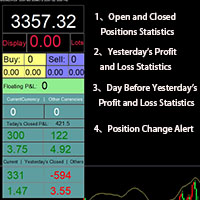
Smart Trading Monitor - Real-Time Position Tracking, P/L Analysis & Alert System Real-Time Monitoring: Automatically tracks open/closed positions, clearly displays yesterday's/previous day's P/L - no more manual calculations! Smart Alerts (Premium only): Instant push notifications + sound alerts for position changes - never miss a trading opportunity! Simple & Intuitive: One-click installation with key data displayed directly on charts for faster decision making High Compatibility: Su
Здравствуйте друзья Инвестирование считается сложным и рискованным бизнесом в глазах людей. Но если вы инвестируете, приобретая знания и навыки, рынок никогда не причинит вам вреда. Написание фильтров на рынке капитала — одно из действий, которые предпринимают профессионалы в этой области для повышения производительности и экономии времени. Из-за активности большого количества символов объем хранимой информации и данных очень велик. Людям, работающим на этом рынке, иногда требуется ряд информа
All Pending Orders with StopLoss открывает любую комбинацию отложенных ордеров (Buy Stop, Sell Stop, Buy Limit и Sell Limit) и закрывает все существующие отложенные ордера. При boolSL = true данный скрипт рассчитает одно общее значение стоп-лосса для первых/последних ордеров и установит данное значения для всех отложенных ордеров. Входные параметры Перед выставлением отложенных ордеров открывается окно входных параметров, в котором их можно редактировать: DeleteAllPendings : в значении true все
Spread Control — компактный индикатор для MetaTrader 5, который позволяет видеть текущий спред и его динамику прямо на графике инструмента. Возможности Текущий спред в реальном времени График изменения спреда с историей последних значений Расчёт LOW / AVG / HIGH за отображаемый период Цветовая индикация состояния спреда: нормальный уровень; предупреждение; критический уровень Визуальная шкала текущего значения Отображение текущих Bid и Ask Индикатор активности рынка: LIVE — котировки изменяются;
Drawdown monitor constantly monitors your account, preventing you from blowing your account and losing more money than you expected! You can monitor the overall drawdown as well as up to two additional drawdowns for specific magic numbers This licensed version of Drawdown monitor EA  can be used  both  on demo and live accounts without any limitation. Before using Drawdown monitor EA on a live account , I advise you to configure and test all parameters and verify that its operation meets your
AlgoMania Trade Manager
Ehab Basheer Abdulsalam Yahia
Introducing our advanced MT5 Trade Manager – an indispensable tool tailored for astute traders employing the martingale strategy and executing multiple trades on a single chart. Key Features: Effortless Lot Size Management: Streamline your trading process with intuitive and rapid lot size adjustments through simple mouse clicks. One-Click Trade Management: Close all trades or selectively close profitable ones with unparalleled ease, enhancing efficiency and saving valuable time. Comprehensive S
YET Trade Integrity Guard MT5 YET Trade Integrity Guard MT5 is a manual trade and risk management utility designed around one simple rule: choose your risk before entry, and after entry that risk should only decrease. The utility provides a compact trading panel for placing manual Buy and Sell orders while applying predefined risk controls before and after entry. Main features Stop-loss integrity Once a protected stop-loss is established, the utility monitors it while running. For Buy positions,
ZenRisk 2
Craig Joshua Binnekamp
ZenRisk 2.0 — The Minimalist Visual Trade Manager Trade with clarity. Zero chart bloat, maximum precision. Are you tired of trade managers that take up half your screen with confusing menus and unnecessary features? ZenRisk 2.0 is a professional, visual trade execution tool built specifically to remove the guesswork from risk management—without the distracting bloat. Unlike heavy, cluttered panels, ZenRisk is designed for traders who want their focus to remain entirely on the chart. It tucks a
eng description ฺBelow คุณสมบัติ EA OneClickTradingPro v5.46 (ไทย / ENG) ภาษาไทย EA OneClickTradingPro v5.46 เป็น Expert Advisor สำหรับ MetaTrader 5 ที่ออกแบบมาเพื่อการเทรดแบบคลิกเดียว รองรับการทำงานบนหลาย Timeframe พร้อมกัน และมีฟีเจอร์ครบครันดังนี้: 1. การเปิดออร์เดอร์ด้วยปุ่มลัด (Hotkeys) B – เปิดออร์เดอร์ Buy (Market Order) S – เปิดออร์เดอร์ Sell (Market Order) P – เปิด Pending Buy Limit (ต่ำกว่าราคาปัจจุบัน) L – เปิด Pending Sell Limit (สูงกว่าราคาปัจจุบัน) I – เพิ่ม Lot Size เป็น
NeuronCopier — a local MT5 trade copier that actually thinks Most copiers blindly mirror lots. NeuronCopier verifies the symbol by price, sizes each trade by risk, scores the master it is copying, protects the receiving account against prop-firm and drawdown breaches, and ships with a full on-chart trade manager. It mirrors trades from one MetaTrader 5 account to one or many others running on the same PC , instantly and reliably, through the shared terminal data folder. 100% native MQL5 — no DLL
Risk Manager Rocket – MT5 Daily Loss Limit & Drawdown Protection EA Take full control of your trading risk with Risk Manager Rocket , a professional-grade MetaTrader 5 Expert Advisor designed to protect your account from excessive losses and enforce strict risk discipline. Whether you are trading manually or using automated strategies, this EA acts as a risk firewall , ensuring you never exceed your predefined daily loss limit. Core Features Daily Loss Limit (Hard Protection) Automatically track
FREE
Этот инструмент поможет вам закрыть все открытые ордера одним щелчком мыши, просто нажмите «Закрыть все». Если вы хотите закрыть только прибыльные ордера, нажмите кнопку «Закрыть прибыльные», после нажатия все плавающие ордера будут закрыты; Если вы хотите закрыть только ордера с плавающими убытками, нажмите кнопку «Закрыть убыточные», после нажатия все ордера с плавающими убытками будут закрыты.
Session panel
Timo Mario Hoffmann
Session Panel for MT5 Session Panel is a free MT5 indicator that gives you a fast and convenient live overview of the major trading sessions directly from the chart. Monitor Tokyo, London, and New York session times, see which session is currently active, track countdowns to the next session, and view session overlap information in one compact dashboard. Built for traders who want better market timing, clearer session awareness, and a cleaner chart workflow in live market conditions. Session Pan
FREE
С этим продуктом покупают
Farmed Hedge Yield Farming | All Markets (Manual - Hybrid - Semi/Automated EA) VERIFIED TRADING RESULTS - Farmed Hedge Yield Axi Copy:  https://www.mql5.com/en/signals/2356376 - Farmed Hedge Yield Exn Copy:   https://www.mql5.com/en/signals/2356404 - Farmed Hedge Yield V Copy:  https://www.mql5.com/en/signals/2357156 * Before purchasing, please feel free to send me a message if you have any questions about the product or setup. - You can test the system using Strategy Tester: Visual Mode , a
FUTURES ORDERFLOW FOOTPRINT CHART Professional OrderFlow EA for MetaTrader 5 Version 1.01| Professional tool for real traders | Institutional-Grade Visualization STRATEGY TESTER USERS - PLEASE SELECT EVERY REAL TICK WHEN TESTING AND YOU HAVE DOWNLOADED HISTORICAL DATA. IF YOU SEE A WAITING SCREEN AND IT IS NOT DOWNLOADING, IT MEANS YOU HAVE LOW HISTORICAL DATA. TRY 1 MIN AND 5 MIN FIRST ON 1 DAY DATA. ONE DAY DATA SHOULD BE THE NEWEST AND MOST CURRENT DATE. PLEASE WAIT UNTIL THE MARKET HAS ROL
Prop Firm Os
Gayathiri Gopalakrishnan
5 (1)
PROP FIRM OS Structured Trading Assistant for MetaTrader 5 PROP FIRM OS is a structured trading assistant designed for MetaTrader 5 users who prefer rule-based market analysis and organized trading workflows. The Expert Advisor combines market analysis tools, scanner functions, dashboard monitoring, alerts, risk-control settings, and trade management features inside one system. PROP FIRM OS is designed to help traders follow selected rules, filters, and monitoring conditions during trading activ
YuClusters
Yury Kulikov
4.93 (43)
Внимание: Ознакомиться с работой программы можно с помощью бесплатной версии  YuClusters DEMO . YuClusters это профессиональная система анализа рынка. Для трейдера открываются уникальные возможности анализа потока ордеров, объемов торговли, движения цены используя различные графики, профили, индикаторы, графические объекты. YuClusters оперирует данными на основе ленты сделок или тиковой информации, в зависимости от того, что доступно в котировках финансового инструмента.  YuClusters позволяет с
Quant AI Agents
Ho Tuan Thang
5 (1)
Quant AI Agents are independent trading Expert Advisors. Instead of trading using a fixed strategy like other conventional EAs, Quant AI Agents   is a   multi-agent AI trading framework   that turns natural-language strategy prompts into live.  WANT THE SAME RESULTS AS MY LIVE SIGNAL?   Use the exact same brokers I do:   IC MARKETS , IC TRADING   .  Unlike the centralized stock market, Forex has no single, unified price feed.  Every broker sources liquidity from different providers, creating un

Custom Alerts AIO: Универсальный сканер рынка — Без настройки Обзор Custom Alerts AIO — это самый быстрый и простой способ отслеживать рыночные сигналы в реальном времени на множестве инструментов без дополнительной настройки и без необходимости покупать другие продукты. В состав входят все необходимые индикаторы от Stein Investments, что делает этот инструмент идеальным решением «всё в одном» для трейдеров, ценящих простоту и эффективность. Просто установите на график и сразу получайте сигнал
AI Agent Supervisor is NOT an Expert Advisor. AI Agent Supervisor   is a   multi-agent AI risk & portfolio supervisor   that watches every EA on your account and intervenes in real time.  WANT AN AI PORTFOLIO MANAGER WATCHING YOUR FLEET 24/7?   Run your fleet on the same brokers I do:   IC MARKETS , IC TRADING   .  Unlike the centralized stock market, Forex has no single, unified price feed.  Every broker sources liquidity from different providers, creating unique data streams. The Supervisor r
Global Investing FX Terminal
Santiago Nicolas Pla Casuriaga
5 (1)
Global Investing FX Terminal — это комплексный FX-дашборд для MetaTrader 5 — процентные ставки центральных банков, позиции COT CFTC, рэнкинг carry, индексы экономических сюрпризов, перекос опционов, настроения ритейла и корреляции, тринадцать панелей в общей сложности — отображается на едином канвасе без мерцания и обновляется каждые 10 секунд через один прикреплённый EA. Никаких внешних программ не требуется. Профессиональный анализ валютного рынка требует одновременного доступа к данным, котор
Trading Chaos Expert
Gennadiy Stanilevych
5 (11)
Этот программный продукт не имеет аналогов в мире, поскольку он является универсальным "пультом управления" торговых операций, начиная от получения торговых сигналов, автоматизации входа в позиции, установки стоп-лоссов и тейк-профитов, а также трейлинга прибыли одновременно по множеству сделок в одном открытом окне. Интуитивно понятное управление экспертом в "три клика" на экране монитора позволяет полноценно использовать все его функции на разного рода компьютерах, включая планшетные. Взаимоде
EasyInsight AIO MT5
Alain Verleyen
4.92 (12)
EASY Insight AIO – Всё-в-одном для умного и простого трейдинга Обзор Представьте, что вы можете просканировать весь рынок — Форекс, золото, криптовалюты, индексы и даже акции — всего за несколько секунд, без ручного просмотра графиков, сложной установки или настройки индикаторов. EASY Insight AIO — это ваш идеальный инструмент экспорта для трейдинга с поддержкой искусственного интеллекта. Он предоставляет полный снимок рынка в одном аккуратном CSV-файле — готовом к мгновенному анализу в ChatGP
TradePad
Ruslan Khasanov
5 (1)
TradePad - это инструмент как для ручной, так и алгоритмической торговли.  Представляем вам простое решение для быстрых торговых операций и контроля позиций на нескольких торговых инструментах. Внимание, приложение не работает в тестере стратегий! Пробная версия приложения для демо-счета и описание всех инструментов Интерфейс приложения адаптирован для мониторов с высоким разрешением, прост и интуитивно понятен. Для комфортной работы, трейдеру предлагается следующий набор инструментов: менеджер
Суть: используя юзер-интерфейс вы настраиваете параметры, которым должен соответствовать график до входа в позицию(позиции), настраиваете какие входные модели использовать, настраиваете правила по которым надо завершать торговлю и планирование. А всю рутину по наблюдению за графиком и исполнению Lazy Trader берет на себя. полное описание  :: 3 ключевых видео [1] -> [2] -> [3]  :: [ ДЕМО-ВЕРСИЯ ] Что он умеет? - Понимает структуру рынка по Ларри Вильямсу - Понимает Swing-структуру рынка по Майк
Check EA performance  https://www.mql5.com/en/signals/2376164?source=Site +Profile+Seller Spot vs Future Arbitrage EA for MT5 Spot vs Future Arbitrage EA is an automated Expert Advisor designed for MetaTrader 5 that operates using price differences between Gold spot and Gold futures instruments. The strategy opens positions on both instruments simultaneously to take advantage of temporary differences between spot and futures prices. Requirements The trading account must provide both Gold spot
The product will copy all  Discord  signal   to MT5   ( which you are member  ) , also it can work as remote copier.  Easy to set up. Work with almost signal formats, support to translate other language to English Work with multi channel, multi MT5. Work with Image signal. Copy order instant, auto detect symbol. Work as remote copier: with signal have ticket number, it will copy exactly via ticket number. How to setup and guide: Let read all details about setup and download Discord To MetaTrader
Telegram to mt5 pro
Janet Abu Khalil
4 (4)
Telegram to MT5 Pro — Расширенный копировщик сигналов Telegram с Auto-Fix, Multi-TP, управлением риском и полным управлением сделками Telegram to MT5 Pro — профессиональный копировщик сигналов Telegram Telegram to MT5 Pro автоматически копирует торговые сигналы из Telegram прямо в ваш аккаунт MetaTrader 5 в реальном времени с полным контролем риска, исполнения и управления сделками. Система состоит из двух компонентов: • Expert Advisor (EA), работающий внутри MetaTrader 5 • Desktop bridge прило
ManHedger MT5
Peter Mueller
4.83 (6)
THIS EA IS A SEMI-AUTO EA, IT NEEDS USER INPUT. Manual & Test Version Please TEST this product before BUYING  and watch my video about it. The price of the ManHedger will increase to 250$ after 20 copies sold. Contact me for user support or bug reports or if you want the MT4 version! MT4 Version  I do not guarantee any profits or financial success using this EA. With this Expert Advisor, you can: Implement your own Zone Recovery strategy to capitalize on trending markets. Create Grid trading s
Latency Arbitrage – Ultra Fast Execution & Price Inefficiency Capture Latency Arbitrage  utility tool is designed to exploit short-term price inefficiencies between fast and slow price feeds. Instead of predicting market direction, the EA focuses on execution speed and price deviation opportunities, allowing traders to capture micro-movements before the market fully adjusts. With built-in risk controls and smart filtering, it ensures precise and disciplined trading performance. Price increases b
Crystal Trade Manager – Advanced MT5 Risk and Trade Control Utility Overview Crystal Trade Manager (CTM) is a professional MetaTrader 5 utility designed for risk management, trade automation, and instant execution control. It provides traders with an integrated system for protecting equity, managing daily drawdowns, controlling lot sizes, and applying automation features such as automatic SL/TP, break-even, and trailing stop. The tool is suitable for manual traders, prop-firm challenge particip
Mt5 To InterativeBrokers Copier allows you to copy deals from MT5 account to Interactive Brokers. With this, you can run your EA strategy on a MT5 Demo/Real Account, then copy all the deals to Interactive Brokers account real time. Features: 1. Copy or Invert-Copy deals Realtime from MT5 to IB Account. 2. Synchronizing positions of both accounts periodicaly, in case any missing copying. 3. You can choose only Buy position or Sell position. Symbols Setup: General Format:  {MT Symbol} -> {IB S
RiskGuard Management
MONTORIO MICHELE
5 (22)
ВНИМАНИЕ : Чтобы получить бесплатную пробную версию, посетите мой сайт.  Руководство Руководство пользователя RiskGuard Management — ваш главный союзник для безкомпромиссной торговли. Lot Calculator — Автоматический расчет лота. Quantum — Автоматический риск для максимизации прибыли и снижения просадок. Automatic Journal — Включён и доступен для бесплатного скачивания на моем сайте. Automatic Screenshot — Два скриншота: при открытии и при закрытии сделки. Partial Profit — Умное частичное закры
Unlimited Trade Copier Pro - это мощный инструмент для удаленного копирования сделок между несколькими счетами MetaTrader 4/MetaTrader 5, расположенными удаленно друг от друга, по сети интернет. Это идеальное решение для провайдеров сигналов, которые хотят поделиться своей торговлей с другими трейдерами по всему миру. Один поставщик может копировать сделки на неограниченное количество счетов-получателей, а один получатель также может копировать сделки неограниченного количества провайдеров. Пост
# If you have any other requirements or are interested in collaboration, please contact  dev.quantech.london@gmail.com . Flash Trade (FT) Most friendly manual trading tool. Easy operation to secure your funds. Features of FT Click the chart to trade fast FT supports market orders and pending orders Click twice to complete the order and set SL and TP Click trice to complete the pending order and set SL and TP Automatically set the stop-loss amount of each order to a fixed percentage of the bala
Features   With MT5 to Interactive Brokers(IB) Trader, you can: 1. Load chart data from IB to MT5, and Analyze with all standard or customer Indicators. 2. Place Orders to IB Account Directly in MT5. 3. Make your Own EAs upon IB Securities by only making minus changes of the trading function. Usage 1) Installation Copy the "Mt5ToIBTraderEn.ex4" and sample files to [MT5 Data Folder]->MQL5->Experts.  2)  MT5 Settings Add the IP Address to the MT5 Allowed URLs in 'Tools->Options->Expert Adviso
Adam FTMO MT5
Vyacheslav Izvarin
5 (2)
ADAM EA Special Version for FTMO Please use ShowInfo= false for backtesting ! Our 1st EA created using ChatGPT technology Trade only GOOD and checked PROP FIRMS  Default parameters for Challenge $100,000 Tested on EURUSD and GBPUSD only  Use 15MIN Time Frame Close all deals and Auto-trading  before Weekend at 12:00 GMT+3  Friday For Prop Firms MUST use special Protector  https://www.mql5.com/en/market/product/94362 --------------------------------------------------------------------------------
Royal Copier
Janet Abu Khalil
5 (1)
Royal Copier — Профессиональный копировщик сделок для MT5 Royal Copier — это профессиональный локальный копировщик сделок в реальном времени для MetaTrader 5. Теперь он объединяет обе функции в одном MT5 Expert Advisor. В параметрах вы просто выбираете, будет ли EA работать в режиме Master или в режиме Client . Это означает, что один и тот же EA можно использовать как на исходном счёте, так и на принимающем счёте, при этом сохраняя исходное поведение копировщика. Royal Copier поддерживает копиро
MT5 Trading Deck
Manuel Michiels
5 (2)
One button. One trade. MT5 Trading Deck is a hotkey trading panel for MetaTrader 5 that turns the platform into a keyboard-driven execution cockpit. Stop loss, take profit and lot size are pre-calculated for every key; the moment you press, a market order is live on the broker. A complete technical user manual is attached in the product Comments section. It documents every input parameter, the full hotkey map, the recommended Stream Deck XL layout, and the advanced workflows for Pre-Limit orders
QCML Assistant
Maxime Turcotte-lafreniere
QCML Assistant MT5 Your Trading. Our Assistant. Your Edge. Looking for a tool that completely transforms your experience on MetaTrader 5? QCML Assistant is the all-in-one solution built by traders, for traders. Just one tool installed on your chart, and you get access to an ultra-complete, ultra-fast, and ultra-simple trading platform. No more hours wasted setting up your workspace. No more complicated trade entries. With QCML Assistant, everything becomes simple, smooth, and efficient right fro
Forex Analyzer Pro Панель аналитики торгового счета MT5 Forex Analyzer Pro — это веб-платформа для аналитики торговли, разработанная для пользователей MetaTrader 5. Forex Analyzer Pro синхронизирует активность счета из MetaTrader 5 и организует торговую информацию в инструменты аналитики, отчетности, мониторинга и ведения журнала через структурированную панель управления. Платформа позволяет пользователям получать доступ к своей торговой панели через поддерживаемые веб-браузеры на настольных ком
Telegram to MT5 Bridge Client EA Turn Any Telegram Trade Signal into Live MT5 Orders Uses AI to help you Adapt to future changing signal messages. Never miss a trading opportunity again. This Expert Advisor connects your MetaTrader 5 to your Telegram channels or groups – and executes trades automatically as soon as a signal is posted. Receive market orders, limit orders, and even multi‑level take‑profit signals (up to three targets). The EA does the heavy lifting for you: it detects entry price
Поднимите свою торговлю на институциональный уровень с FRATO Smart GEX. Это не просто еще один технический индикатор, основанный на скользящих средних или запаздывающих осцилляторах. Это инструмент количественного анализа, который отслеживает позиции основных маркет-мейкеров с помощью анализа GEX (гамма-экспозиция) и открытого интереса (OI) в реальном времени. Понимайте, куда крупные игроки толкают цену, и определяйте зоны поддержки и сопротивления, невидимые на обычном графике свечей! ОСН
Фильтр:
Нет отзывов
Ответ на отзыв