Watchman News Filter and Drawdown Guard

Watchman is a news filter and drawdown guard for MetaTrader 5. It pauses any Expert Advisor during high-impact economic news, closes or protects open positions, and enforces daily loss and maximum drawdown limits across the whole account. It works with any EA, including commercial products with no built-in news filter and no accessible source code.

Attach Watchman to one empty chart. It finds every chart in the terminal running an EA, reads the MetaTrader economic calendar for events affecting those symbols, and acts before the release arrives. There is no chart list to configure and no symbol list to type. Charts opened later are picked up automatically.

Watchman does not run in the Strategy Tester, which has no calendar data. Evaluate the demo on a live chart.

News filter

  • Uses the built-in MetaTrader economic calendar. No external connection, no web request, no data subscription.
  • Currencies are read from each symbol's base and profit currency, so broker suffixes, micro accounts and metals are handled without configuration.
  • Filter by impact level.
  • Keyword list for events the calendar rates too low, each with its own window length.
  • Exclusion list for events the calendar rates too high, such as bond auctions and money supply figures.
  • Manual entries for releases the calendar does not carry, either one-off or weekly.
  • Separate minutes before and after each event.
  • Overlapping events merge into one continuous window, so a rate decision and its press conference are treated as a single period.

Drawdown and equity protection

  • Daily loss limit as a percentage of the day's starting balance.
  • Maximum drawdown limit measured from peak equity.
  • Hard equity floor in account currency.
  • Peak equity is written to disk and survives restarts, so the drawdown baseline does not reset when the terminal reboots or the EA is reattached.
  • Per-EA floating loss limit that locks one chart while the others keep trading.
  • On breach: pause Expert Advisors, close positions, or both.
  • The lock releases at a configurable daily reset hour, or only on manual intervention.

Position handling during news

  • Move stop loss to breakeven before news and restore the original level afterwards.
  • Widen stop loss away from price before news and restore afterwards.
  • Close positions before news, for grid and recovery strategies.
  • Select positions by magic number, order comment, or a wildcard with exclusions.
  • Broker minimum stop distance and freeze level are respected, with automatic retry when a modification is rejected.

Expert Advisor control

  • Pauses EAs during the specified news window and reattaches them afterwards with identical inputs and settings.
  • Optional cooldown holds EAs off for a set period after the window ends, so they do not re-enter into a widened spread.
  • Pause EAs at specified account drawdown.
  • EAs monitoring on all charts in MT5 terminal.

Monitoring and safety

  • On-chart panel showing every protected chart, its state, the triggering event, current equity and drawdown.
  • Push notifications on window entry and exit, on any equity breach, and on any failure.
  • Daily summary of windows handled, positions adjusted, and errors.
  • CSV audit log of every action taken.
  • Protective mode if the calendar becomes unreachable while running.
  • Alert when the broker's GMT offset changes, such as at a daylight saving transition.
  • State file so an interrupted news window or equity lock resumes correctly after a restart.
  • Test event input for running the full cycle on demand without waiting for a real release.
  • No DLL imports required.

Setup

  1. Save an empty chart as a template named watchman_blank .
  2. Open the charts you want protected and attach your Expert Advisors.
  3. Attach Watchman to a separate empty chart.
  4. Choose an operating mode: Watch only, Protect positions, or Full guard.
  5. Set your daily loss and drawdown limits, or leave them at zero to use news filtering alone.

Prodotti consigliati
Name:   DCFX Ultimate Risk Manager v5.65 – Semi-automatic Risk Manager for MT5 Short description: Professional MT5 assistant for risk and position management. Calculates lot size based on risk %, works with visual orders (drag lines), automatically locks profits using SAFE (1:1), EXIT (1:2), SING (close only one trade at 1:2), 50% @ 1:2 + breakeven. Includes Target Profit and pending orders. Detailed description: DCFX Ultimate Risk Manager v5.65 is a semi-automatic tool for MetaTrader 5 traders
Smetti di calcolare le dimensioni dei lotti manualmente e proteggi i tuoi conti finanziati (Funded Accounts)! Apex Panel Pro è l'utility definitiva di livello istituzionale per la gestione delle operazioni e del rischio per MetaTrader 5. Progettato per i trader di Prop Firm, gli scalper e l'esecuzione algoritmica, trasforma il tuo grafico in un centro di comando ad alta velocità con Smart Grid DCA, Piramidazione (Pyramid), Uscite Virtuali Nascoste (Virtual Stealth Exits) e Scudi di Drawdown aut
AUTO RISK MANAGER PRO: il tuo partner nel trading Forex! AUTO RISK MANAGER PRO_MT4 — versione per MT4 Versione demo + descrizione dettagliata Smetti di perdere denaro a causa delle emozioni! È ora di affidare la gestione del rischio a un algoritmo professionale. Immagina questa situazione: il mercato si muove bruscamente contro la tua posizione mentre tu stai dormendo, lavorando o trascorrendo del tempo con la tua famiglia. Una storia comune? Con Auto Risk Manager Pro — mai più! Vantaggi: Appr
Trading Rules Enforcer is a deterministic account-discipline monitor for trade-count, loss, time and exposure rules. Key functions: - Clear rule status dashboard - Trading-session restrictions - Overtrading controls - Symbol and Magic Number scope - Daily loss and exposure monitoring - Clear blocking reasons - Operational event history The utility enforces rules configured by the user. It does not generate entry signals, predict market direction or guarantee trading results. Test all rule comb
RealCost Auditor MT5 is an execution-cost monitor for MetaTrader 5. It does not open, close, or modify trades. It watches the chart symbol, samples live spread, records executed deals, estimates signed slippage when the terminal exposes the requested price, and saves a local CSV audit file. Many backtests use spread, slippage, commission, and swap assumptions that are cleaner than real trading conditions. This utility gives you broker and account data from your own terminal before you trust a s
Orion Telegram Notifier Bot
Joao Paulo Botelho Silva
Orion Telegram Notifier Bot  allows the trader to receive trade notifications in his Telegram whenever a position is opened or closed. The EA sends notifications showing the Symbol, Magic Number, Direction, Lot (Volume), Entry Price, Exit Price, Take Profit, Stop-Loss and Profit of the position. How to setup Orion Telegram Notifier? Open Telegram and Search for “BotFather” Click or Type “/newbot” Create a nickname and username (Example: nickname: MT5trades   - username: MT5TelegramBot) *The use
Chart Date Jump Chart Date Jump is a lightweight MetaTrader 5 utility that helps you open historical chart context in seconds. Enter a target Day / Month / Year / Hour / Minute , press Go to datetime , and the chart scrolls to the matching bar and centers it in the window. A vertical marker is drawn on the located candle so you can instantly see the exact time you jumped to. Key features Jump to an exact date and time on the current symbol/period Center the found bar in the visible chart area Ma
This script is an Intelligence Gathering Utility designed to give you full control over your data exports from MetaTrader 5. It allows you to synchronize up to three different symbols into a single file with precise timestamping. 1. Setting the Data Range (Range) You can define exactly which historical period you want to capture: Date Mode : If Last N bars (0 = use date range above) is set to 0 , the script will export all data between your chosen start and end dates. Bar Mode : By entering a nu
Do you think it's a bit cumbersome when you need to switch symbols or timeframes with mouse click? 1. What is this? This is a program that can switch symbols and timeframes with direction keys. Fast switching, very convenient, no mouse click required. For traders, one symbol with multi-timeframe charts are usually added,  you can change symbol on those charts  easily . For multi-currency traders, different symbol charts are usually added, you can also change those timeframes easily. I wrote thi
Stop Loss Manager - Gestione del Rischio con Precisione Materiali aggiuntivi e istruzioni Manuale completo   -   Versione MT4   -   Versione MT5 Non permettere mai più che un'operazione vincente si trasformi in una perdita. Provalo gratis: una versione di valutazione di 14 giorni è disponibile sul nostro   sito web . Stop Loss Manager è una gestione del rischio professionale e automatica per MetaTrader. Nel momento in cui apri un'operazione, applica uno stop loss intelligente e lo segue utiliz
Xiao Dan Kuai Pao is a fast and clean one-click order panel for MetaTrader 5. Open and manage your trades instantly, with Stop Loss and Take Profit placed automatically — no more typing TP distances by hand. Key features: - One-click buttons: BUY, SELL, CLOSE, BREAK EVEN - Custom Stop Loss and Take Profit (in points) — set any distance you want - Flexible risk/reward — combine SL and TP freely to build any ratio, such as 1:1, 1:2, 1:3, 1:4 or 1:5 - Real-time price display (Bid) - Bar countdown t
Automatic Trade Journal Proo
Mohammadebrahimijahromi Khodabandehjahromi
Automatic Trade Journal Proo— Your Automatic Trading Diary Stop losing track of why you took a trade. AutomaticTrade Journal Proo turns every position on your account into a complete, searchable record — automatically, with zero manual work. What it does for you: Automatic Chart Screenshots — The moment you open a trade, the EA captures the exact chart with your entry, stop loss, and take profit marked — so you can see precisely what you saw at the moment of decision. ️ Voice Notes — One cl
MTForge
Hyumilkumar Suryakantbhai Patel
Certamente. Ecco la traduzione professionale della descrizione del prodotto in italiano, utilizzando la terminologia tecnica standard adottata dai trader che operano su MetaTrader 5. MTForge Chart Trader — Pannello Professionale per l’Esecuzione e la Gestione dei Trade direttamente sul Grafico Il sistema di esecuzione ordini su grafico più completo, sviluppato nativamente per MetaTrader 5 MT5 Chart Trader porta l'esecuzione degli ordini di livello istituzionale, la gestione dei bracket e il con
Have you ever take a long time to watch a Symbol when the network link is not good ? Have you ever wait for a long time when you switch chart between different Symbols or different TimeFrames ? If you do long-term backtesting , Have you ever to be downloaded datas for a long time ? Yes, If there is no data in the system, those will happen.  1. What is this: Download all the Symbol data in Market Watch to the system. PS: This is not outputting data to Files. This Link go to Demo version: https:/
Volatility Regime Monitor is a professional MetaTrader 5 dashboard for classifying current volatility with transparent, measurable context. It combines ATR, recent bar-range statistics and historical percentiles to show whether the market is compressed, normal or expanding without generating entry signals. MAIN FEATURES • ATR and recent range context • Historical volatility percentile state • Compression, normal and expansion classification • Historical regime table • Transparent thresholds and
MT5 to Telegram
Alessandro Lentini
Bot to attach to any different chart than the one using to get the orders and send them to telegram Inputs: Telegram Bot Token, Telegram Chat ID Sends Open Price, Order Type, Lots, Take Profit and Stop Loss instantly after the trade is executed. Easy to SetUp and to use My other Bot for XAUUSD and USDCHF:   https://www.mql5.com/en/market/product/94001 Just remember to go to Tolls->Options->ExpertAdvisors->Allow Web Request for listed URL:  https://api.telegram.org/
EA Performance Monitor Un'utilità per MetaTrader 5 che rileva automaticamente tutti gli Expert Advisor attivi sui grafici aperti, mappa ogni EA con i suoi dati di trading e visualizza in un unico pannello le metriche di drawdown, profitto, tasso di vincita e posizioni aperte in tempo reale. EA Performance Monitor è un'utilità di monitoraggio automatizzata per MetaTrader 5. Esegue la scansione di tutti i grafici aperti a un intervallo configurabile, identifica ogni Expert Advisor in esecuzione tr
FREE
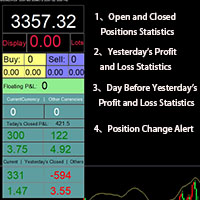
Smart Trading Monitor - Real-Time Position Tracking, P/L Analysis & Alert System Real-Time Monitoring: Automatically tracks open/closed positions, clearly displays yesterday's/previous day's P/L - no more manual calculations! Smart Alerts (Premium only): Instant push notifications + sound alerts for position changes - never miss a trading opportunity! Simple & Intuitive: One-click installation with key data displayed directly on charts for faster decision making High Compatibility: Su
Ciao amici Investire è considerato un’attività difficile e rischiosa agli occhi delle persone. Ma se investi acquisendo conoscenze e competenze, il mercato non ti farà mai del male. La scrittura di filtri nel mercato dei capitali è una delle azioni che i professionisti intraprendono in questo campo per aumentare la produttività e risparmiare tempo. A causa dell'attività di un gran numero di simboli, il volume delle informazioni e dei dati memorizzati è molto elevato. Le persone attive in quest

All Pending Orders with StopLoss opens any combination of Buy Stop, Sell Stop, Buy Limit and Sell Limit pending orders and closes all existing pending orders. If boolSL = true then this Script will calculate one common StopLoss value as the StopLoss for a first/last orders and put this value in all pending orders. Input Parameters Before placing all pending orders, the input window is opened allowing you to modify all input parameters: DeleteAllPendings : if true , then all pending orders (for
Spread Control MT5
Nikita Chernyshov
Spread Control è un indicatore compatto per MetaTrader 5 che consente di monitorare lo spread attuale e la sua dinamica direttamente sul grafico dello strumento. Funzionalità Spread attuale in tempo reale Grafico delle variazioni dello spread con lo storico degli ultimi valori Calcolo di LOW / AVG / HIGH per il periodo visualizzato Indicazione a colori dello stato dello spread: livello normale; livello di avviso; livello critico Scala visiva del valore corrente Visualizzazione dei valori attuali
Questo Drawdown Monitor ti consente di dormire "sonni tranquilli" ed evitare di bruciare il tuo conto. Assicurati di non perdere più denaro di quello che avevi previsto. Lui sorveglierà costantemente ogni singola posizione aperta e la chiuderà se il limite impostato sarà superato. È fondamentale per tutti i trader che utilizzano EA scaricati dalla rete e magari non sono ancora testati a fondo oppure che utilizzano strategie a martingala o griglia che potrebbero aumentare improvvisamente il vost
AlgoMania Trade Manager
Ehab Basheer Abdulsalam Yahia
Introducing our advanced MT5 Trade Manager – an indispensable tool tailored for astute traders employing the martingale strategy and executing multiple trades on a single chart. Key Features: Effortless Lot Size Management: Streamline your trading process with intuitive and rapid lot size adjustments through simple mouse clicks. One-Click Trade Management: Close all trades or selectively close profitable ones with unparalleled ease, enhancing efficiency and saving valuable time. Comprehensive S
YET Trade Integrity Guard MT5 YET Trade Integrity Guard MT5 is a manual trade and risk management utility designed around one simple rule: choose your risk before entry, and after entry that risk should only decrease. The utility provides a compact trading panel for placing manual Buy and Sell orders while applying predefined risk controls before and after entry. Main features Stop-loss integrity Once a protected stop-loss is established, the utility monitors it while running. For Buy positions,
ZenRisk 2
Craig Joshua Binnekamp
ZenRisk 2.0 — The Minimalist Visual Trade Manager Trade with clarity. Zero chart bloat, maximum precision. Are you tired of trade managers that take up half your screen with confusing menus and unnecessary features? ZenRisk 2.0 is a professional, visual trade execution tool built specifically to remove the guesswork from risk management—without the distracting bloat. Unlike heavy, cluttered panels, ZenRisk is designed for traders who want their focus to remain entirely on the chart. It tucks a
eng description ฺBelow คุณสมบัติ EA OneClickTradingPro v5.46 (ไทย / ENG) ภาษาไทย EA OneClickTradingPro v5.46 เป็น Expert Advisor สำหรับ MetaTrader 5 ที่ออกแบบมาเพื่อการเทรดแบบคลิกเดียว รองรับการทำงานบนหลาย Timeframe พร้อมกัน และมีฟีเจอร์ครบครันดังนี้: 1. การเปิดออร์เดอร์ด้วยปุ่มลัด (Hotkeys) B – เปิดออร์เดอร์ Buy (Market Order) S – เปิดออร์เดอร์ Sell (Market Order) P – เปิด Pending Buy Limit (ต่ำกว่าราคาปัจจุบัน) L – เปิด Pending Sell Limit (สูงกว่าราคาปัจจุบัน) I – เพิ่ม Lot Size เป็น
NeuronCopier — a local MT5 trade copier that actually thinks Most copiers blindly mirror lots. NeuronCopier verifies the symbol by price, sizes each trade by risk, scores the master it is copying, protects the receiving account against prop-firm and drawdown breaches, and ships with a full on-chart trade manager. It mirrors trades from one MetaTrader 5 account to one or many others running on the same PC , instantly and reliably, through the shared terminal data folder. 100% native MQL5 — no DLL
Risk Manager Rocket
Rick in t Veld
5 (1)
Risk Manager Rocket – MT5 Daily Loss Limit & Drawdown Protection EA Take full control of your trading risk with Risk Manager Rocket , a professional-grade MetaTrader 5 Expert Advisor designed to protect your account from excessive losses and enforce strict risk discipline. Whether you are trading manually or using automated strategies, this EA acts as a risk firewall , ensuring you never exceed your predefined daily loss limit. Core Features Daily Loss Limit (Hard Protection) Automatically track
FREE
Questo strumento può aiutarti a chiudere tutti gli ordini aperti con un clic, basta fare clic su "Chiudi tutto". Se desideri chiudere solo gli ordini redditizi, fai clic sul pulsante "Chiudi redditizi" Dopo aver cliccato, tutti gli ordini fluttuanti verranno chiusi; Se desideri chiudere solo gli ordini con perdite fluttuanti, fai clic sul pulsante "Chiudi perdibili" Dopo aver cliccato, tutti gli ordini con perdite fluttuanti verranno chiusi. Questo strumento è stato testato per un anno. La funzi
Session panel
Timo Mario Hoffmann
Session Panel for MT5 Session Panel is a free MT5 indicator that gives you a fast and convenient live overview of the major trading sessions directly from the chart. Monitor Tokyo, London, and New York session times, see which session is currently active, track countdowns to the next session, and view session overlap information in one compact dashboard. Built for traders who want better market timing, clearer session awareness, and a cleaner chart workflow in live market conditions. Session Pan
FREE
Gli utenti di questo prodotto hanno anche acquistato
FarmedHedge Pair Trading Dashboard
Tanapisit Tepawarapruek
5 (4)
Farmed Hedge Yield Farming | All Markets (Manual - Hybrid - Semi/Automated EA) VERIFIED TRADING RESULTS - Farmed Hedge Yield Axi Copy:  https://www.mql5.com/en/signals/2356376 - Farmed Hedge Yield Exn Copy:   https://www.mql5.com/en/signals/2356404 - Farmed Hedge Yield V Copy:  https://www.mql5.com/en/signals/2357156 * Before purchasing, please feel free to send me a message if you have any questions about the product or setup. - You can test the system using Strategy Tester: Visual Mode , a
FUTURES ORDERFLOW FOOTPRINT CHART Professional OrderFlow EA for MetaTrader 5 Version 1.01| Professional tool for real traders | Institutional-Grade Visualization STRATEGY TESTER USERS - PLEASE SELECT EVERY REAL TICK WHEN TESTING AND YOU HAVE DOWNLOADED HISTORICAL DATA. IF YOU SEE A WAITING SCREEN AND IT IS NOT DOWNLOADING, IT MEANS YOU HAVE LOW HISTORICAL DATA. TRY 1 MIN AND 5 MIN FIRST ON 1 DAY DATA. ONE DAY DATA SHOULD BE THE NEWEST AND MOST CURRENT DATE. PLEASE WAIT UNTIL THE MARKET HAS ROL
Prop Firm Os
Gayathiri Gopalakrishnan
5 (1)
PROP FIRM OS Structured Trading Assistant for MetaTrader 5 PROP FIRM OS is a structured trading assistant designed for MetaTrader 5 users who prefer rule-based market analysis and organized trading workflows. The Expert Advisor combines market analysis tools, scanner functions, dashboard monitoring, alerts, risk-control settings, and trade management features inside one system. PROP FIRM OS is designed to help traders follow selected rules, filters, and monitoring conditions during trading activ
YuClusters
Yury Kulikov
4.93 (43)
Attention: You can view the program operation in the free version  YuClusters DEMO .  YuClusters is a professional market analysis system. The trader has unique opportunities to analyze the flow of orders, trade volumes, price movements using various charts, profiles, indicators, and graphical objects. YuClusters operates on data based on Time&Sales or ticks information, depending on what is available in the quotes of a financial instrument. YuClusters allows you to build graphs by combining da
Quant AI Agents
Ho Tuan Thang
5 (1)
Quant AI Agents are independent trading Expert Advisors. Instead of trading using a fixed strategy like other conventional EAs, Quant AI Agents   is a   multi-agent AI trading framework   that turns natural-language strategy prompts into live.  WANT THE SAME RESULTS AS MY LIVE SIGNAL?   Use the exact same brokers I do:   IC MARKETS , IC TRADING   .  Unlike the centralized stock market, Forex has no single, unified price feed.  Every broker sources liquidity from different providers, creating un
Custom Alerts AIO: Monitora tutti i mercati — senza alcuna configurazione Panoramica Custom Alerts AIO è una soluzione di monitoraggio dei mercati pronta all’uso che non richiede alcuna configurazione. Tutti gli indicatori necessari — FX Power, FX Volume, FX Dynamic, FX Levels, IX Power — sono integrati internamente. Non vengono mostrati grafici, rendendolo ideale per generare alert in tempo reale in modo discreto ed efficiente. Supporta tutte le classi di asset offerte dal tuo broker: Forex,
AI Agents Supervisor
Ho Tuan Thang
5 (1)
AI Agent Supervisor is NOT an Expert Advisor. AI Agent Supervisor   is a   multi-agent AI risk & portfolio supervisor   that watches every EA on your account and intervenes in real time.  WANT AN AI PORTFOLIO MANAGER WATCHING YOUR FLEET 24/7?   Run your fleet on the same brokers I do:   IC MARKETS , IC TRADING   .  Unlike the centralized stock market, Forex has no single, unified price feed.  Every broker sources liquidity from different providers, creating unique data streams. The Supervisor r
EasyInsight AIO MT5
Alain Verleyen
4.92 (12)
EASY Insight AIO – La soluzione all-in-one per un trading intelligente e senza sforzo Panoramica Immagina di poter analizzare l’intero mercato — Forex, Oro, Cripto, Indici e persino Azioni — in pochi secondi, senza dover controllare manualmente i grafici, installare indicatori o affrontare configurazioni complicate. EASY Insight AIO è il tuo strumento definitivo di esportazione per il trading alimentato dall’IA, pronto all’uso. Offre una panoramica completa del mercato in un unico file CSV pul
Global Investing FX Terminal
Santiago Nicolas Pla Casuriaga
Il Global Investing FX Terminal è una dashboard FX tutto-in-uno per MetaTrader 5 — tassi di politica monetaria delle banche centrali, posizionamento COT del CFTC, ranking carry, sorprese economiche, skew delle opzioni, sentiment retail e correlazioni, tredici pannelli in totale — resa su un singolo overlay canvas privo di sfarfallio e aggiornata ogni 10 secondi da un singolo EA allegato. Nessun software esterno richiesto. L'analisi FX professionale richiede accesso simultaneo a dati che normalme
Trading Chaos Expert
Gennadiy Stanilevych
5 (11)
This software has no equals in the world and represents a universal trade "console" covering trading signals, automated market entry, setting of Stop Loss and Take Profit, as well as Trailing Profit for multiple trades at the same time in a single open window. Intuitive control of the Expert Advisor in "three clicks" ensures a comprehensive use of all its functions on different computers, including tablets PCs. Interacting with additional signal indicators that mark the chart to give a real mark
Features   With MT5 to Interactive Brokers(IB) Trader, you can: 1. Load chart data from IB to MT5, and Analyze with all standard or customer Indicators. 2. Place Orders to IB Account Directly in MT5. 3. Make your Own EAs upon IB Securities by only making minus changes of the trading function. Usage 1) Installation Copy the "Mt5ToIBTraderEn.ex4" and sample files to [MT5 Data Folder]->MQL5->Experts.  2)  MT5 Settings Add the IP Address to the MT5 Allowed URLs in 'Tools->Options->Expert Adviso
HINN Lazy Trader
ALGOFLOW OÜ
5 (1)
The core idea: using the user interface, you configure the parameters the chart must meet before entering a position (or positions), choose which entry models to use, and set the rules for when trading and planning should end. Lazy Trader  handles the rest: it  takes over all the routine chart watching and execution! full description  :: 3 key videos [1] ->  [2]   ->  [3] What can it do? - Understands Larry Williams market structure - Understands swing market structure by Michael Huddleston
Check EA performance  https://www.mql5.com/en/signals/2376164?source=Site +Profile+Seller Spot vs Future Arbitrage EA for MT5 Spot vs Future Arbitrage EA is an automated Expert Advisor designed for MetaTrader 5 that operates using price differences between Gold spot and Gold futures instruments. The strategy opens positions on both instruments simultaneously to take advantage of temporary differences between spot and futures prices. Requirements The trading account must provide both Gold spot
The product will copy all  Discord  signal   to MT5   ( which you are member  ) , also it can work as remote copier.  Easy to set up. Work with almost signal formats, support to translate other language to English Work with multi channel, multi MT5. Work with Image signal. Copy order instant, auto detect symbol. Work as remote copier: with signal have ticket number, it will copy exactly via ticket number. How to setup and guide: Let read all details about setup and download Discord To MetaTrader
Telegram to mt5 pro
Janet Abu Khalil
4 (4)
Telegram to MT5 Pro — Advanced Telegram Signal Copier with Auto-Fix, Multi-TP, Risk Control and Full Trade Management Telegram to MT5 Pro — Copiatore di segnali Telegram professionale Telegram to MT5 Pro è un copiatore di trading ad alte prestazioni che esegue automaticamente i segnali da Telegram direttamente nel tuo account MetaTrader 5, con pieno controllo su rischio, esecuzione e gestione del trading. Il sistema è composto da due componenti: • L’Expert Advisor (EA) che gira all’interno di M
ManHedger MT5
Peter Mueller
4.83 (6)
THIS EA IS A SEMI-AUTO EA, IT NEEDS USER INPUT. Manual & Test Version Please TEST this product before BUYING  and watch my video about it. The price of the ManHedger will increase to 250$ after 20 copies sold. Contact me for user support or bug reports or if you want the MT4 version! MT4 Version  I do not guarantee any profits or financial success using this EA. With this Expert Advisor, you can: Implement your own Zone Recovery strategy to capitalize on trending markets. Create Grid trading s
Latency Arbitrage
Heri Yusufu Kaniugu
Latency Arbitrage – Ultra Fast Execution & Price Inefficiency Capture Latency Arbitrage  utility tool is designed to exploit short-term price inefficiencies between fast and slow price feeds. Instead of predicting market direction, the EA focuses on execution speed and price deviation opportunities, allowing traders to capture micro-movements before the market fully adjusts. With built-in risk controls and smart filtering, it ensures precise and disciplined trading performance. Price increases b
Crystal Trade Manager – Advanced MT5 Risk and Trade Control Utility Overview Crystal Trade Manager (CTM) is a professional MetaTrader 5 utility designed for risk management, trade automation, and instant execution control. It provides traders with an integrated system for protecting equity, managing daily drawdowns, controlling lot sizes, and applying automation features such as automatic SL/TP, break-even, and trailing stop. The tool is suitable for manual traders, prop-firm challenge particip
Mt5 To InterativeBrokers Copier allows you to copy deals from MT5 account to Interactive Brokers. With this, you can run your EA strategy on a MT5 Demo/Real Account, then copy all the deals to Interactive Brokers account real time. Features: 1. Copy or Invert-Copy deals Realtime from MT5 to IB Account. 2. Synchronizing positions of both accounts periodicaly, in case any missing copying. 3. You can choose only Buy position or Sell position. Symbols Setup: General Format:  {MT Symbol} -> {IB S
RiskGuard Management
MONTORIO MICHELE
5 (22)
ATTENZIONE  per una versione di prova gratuita visita il mio sito web. Manuale QUANTUM RiskGuard Management — Il tuo alleato definitivo per un trading senza compromessi. Lot Calculator — Calcolo automatico della size. Quantum — Rischio automatico per massimizzare i profitti e ridurre i drawdown. Automatic Journal — Incluso e scaricabile gratuitamente dal mio sito. Automatic Screenshot — Due screenshot: uno in apertura e uno in chiusura del trade. Partial Profit — Uscite parziali gestite in modo
Unlimited Trade Copier Pro MT5 is a tool to copy trade remotely to multiple MT4, MT5 and cTrader accounts at different computers/locations over internet. This is an ideal solution for you if you are a signal provider and want to copy your trades to other receivers globally on your own rules. One provider can copy trades to multiple receivers and one receiver can get trade from multiple providers as well. The provider can even set the subscription expiry for each receiver, so that receiver will n
# If you have any other requirements or are interested in collaboration, please contact  dev.quantech.london@gmail.com . Flash Trade (FT) Most friendly manual trading tool. Easy operation to secure your funds. Features of FT Click the chart to trade fast FT supports market orders and pending orders Click twice to complete the order and set SL and TP Click trice to complete the pending order and set SL and TP Automatically set the stop-loss amount of each order to a fixed percentage of the bala
Adam FTMO MT5
Vyacheslav Izvarin
5 (2)
ADAM EA Special Version for FTMO Please use ShowInfo= false for backtesting ! Our 1st EA created using ChatGPT technology Trade only GOOD and checked PROP FIRMS  Default parameters for Challenge $100,000 Tested on EURUSD and GBPUSD only  Use 15MIN Time Frame Close all deals and Auto-trading  before Weekend at 12:00 GMT+3  Friday For Prop Firms MUST use special Protector  https://www.mql5.com/en/market/product/94362 --------------------------------------------------------------------------------
Royal Copier
Janet Abu Khalil
5 (1)
Royal Copier — Copiatore Professionale di Trade per MT5 Royal Copier è un copiatore locale professionale di trade in tempo reale per MetaTrader 5. Ora include entrambe le funzioni all’interno di un unico Expert Advisor MT5. Dagli input basta scegliere se l’EA deve funzionare in Modalità Master oppure in Modalità Client . Questo significa che lo stesso EA può essere utilizzato sia sull’account sorgente sia su quello ricevente, mantenendo il comportamento originale del copier. Royal Copier support
MT5 Trading Deck
Manuel Michiels
5 (2)
One button. One trade. MT5 Trading Deck is a hotkey trading panel for MetaTrader 5 that turns the platform into a keyboard-driven execution cockpit. Stop loss, take profit and lot size are pre-calculated for every key; the moment you press, a market order is live on the broker. A complete technical user manual is attached in the product Comments section. It documents every input parameter, the full hotkey map, the recommended Stream Deck XL layout, and the advanced workflows for Pre-Limit orders
QCML Assistant
Maxime Turcotte-lafreniere
QCML Assistant MT5 Your Trading. Our Assistant. Your Edge. Looking for a tool that completely transforms your experience on MetaTrader 5? QCML Assistant is the all-in-one solution built by traders, for traders. Just one tool installed on your chart, and you get access to an ultra-complete, ultra-fast, and ultra-simple trading platform. No more hours wasted setting up your workspace. No more complicated trade entries. With QCML Assistant, everything becomes simple, smooth, and efficient right fro
Forex Analyzer Pro Dashboard di Analisi del Conto di Trading MT5 Forex Analyzer Pro è una piattaforma web di analisi del trading progettata per gli utenti di MetaTrader 5. Forex Analyzer Pro sincronizza l'attività del conto MetaTrader 5 e organizza le informazioni di trading in strumenti di analisi, reportistica, monitoraggio e diario di trading attraverso una dashboard strutturata. La piattaforma consente agli utenti di accedere alla propria dashboard di trading tramite browser web supportati s
Ai universal telegram copier pro
Lawrence Chiiambb Mkandawi
Telegram to MT5 Bridge Client EA Turn Any Telegram Trade Signal into Live MT5 Orders Uses AI to help you Adapt to future changing signal messages. Never miss a trading opportunity again. This Expert Advisor connects your MetaTrader 5 to your Telegram channels or groups – and executes trades automatically as soon as a signal is posted. Receive market orders, limit orders, and even multi‑level take‑profit signals (up to three targets). The EA does the heavy lifting for you: it detects entry price
Hedge Trimmer EA
Michael Sipho Bhiya
Hedge Trimmer & Roll-Over EA Managing a hedged position means carrying two opposing trades simultaneously. Over time, the losing side grows while the profitable side offsets it. The standard problem is that closing the loser costs money you may not have sitting in cash — it has to come from somewhere. Hedge Trimmer EA solves this by using the floating profit on your winning trades as the funding source to progressively close down the losing side. It identifies which trades are in profit, uses a
Gamma Edge Pro MT5
Xuan Nam Diep
1 (1)
Gamma Edge Pro MT5 — GexBot Classic API Integration Gamma Edge Pro   brings institutional-grade   Gamma Exposure (GEX) data   directly onto your MetaTrader 5 chart — the same data used by professional options traders to anticipate price magnets, hedging flows, and dealer positioning. Powered by the   GexBot Classic API , this indicator automatically maps options market data from US-listed instruments onto any   MT5 CFD instrument   — Forex pairs, Gold, indices, and more — with intelligent price
Filtro:
Nessuna recensione
Rispondi alla recensione