Watchman News Filter and Drawdown Guard
- ユーティリティ
- バージョン: 2.18
- アップデート済み: 10 9月 2026
- アクティベーション: 15

Watchman is a news filter and drawdown guard for MetaTrader 5. It pauses any Expert Advisor during high-impact economic news, closes or protects open positions, and enforces daily loss and maximum drawdown limits across the whole account. It works with any EA, including commercial products with no built-in news filter and no accessible source code.
Attach Watchman to one empty chart. It finds every chart in the terminal running an EA, reads the MetaTrader economic calendar for events affecting those symbols, and acts before the release arrives. There is no chart list to configure and no symbol list to type. Charts opened later are picked up automatically.
Watchman does not run in the Strategy Tester, which has no calendar data. Evaluate the demo on a live chart.
News filter
- Uses the built-in MetaTrader economic calendar. No external connection, no web request, no data subscription.
- Currencies are read from each symbol's base and profit currency, so broker suffixes, micro accounts and metals are handled without configuration.
- Filter by impact level.
- Keyword list for events the calendar rates too low, each with its own window length.
- Exclusion list for events the calendar rates too high, such as bond auctions and money supply figures.
- Manual entries for releases the calendar does not carry, either one-off or weekly.
- Separate minutes before and after each event.
- Overlapping events merge into one continuous window, so a rate decision and its press conference are treated as a single period.
Drawdown and equity protection
- Daily loss limit as a percentage of the day's starting balance.
- Maximum drawdown limit measured from peak equity.
- Hard equity floor in account currency.
- Peak equity is written to disk and survives restarts, so the drawdown baseline does not reset when the terminal reboots or the EA is reattached.
- Per-EA floating loss limit that locks one chart while the others keep trading.
- On breach: pause Expert Advisors, close positions, or both.
- The lock releases at a configurable daily reset hour, or only on manual intervention.
Position handling during news
- Move stop loss to breakeven before news and restore the original level afterwards.
- Widen stop loss away from price before news and restore afterwards.
- Close positions before news, for grid and recovery strategies.
- Select positions by magic number, order comment, or a wildcard with exclusions.
- Broker minimum stop distance and freeze level are respected, with automatic retry when a modification is rejected.
Expert Advisor control
- Pauses EAs during the specified news window and reattaches them afterwards with identical inputs and settings.
- Optional cooldown holds EAs off for a set period after the window ends, so they do not re-enter into a widened spread.
- Pause EAs at specified account drawdown.
- EAs monitoring on all charts in MT5 terminal.
Monitoring and safety
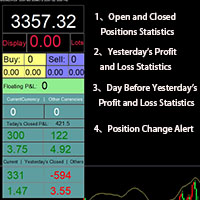
- On-chart panel showing every protected chart, its state, the triggering event, current equity and drawdown.
- Push notifications on window entry and exit, on any equity breach, and on any failure.
- Daily summary of windows handled, positions adjusted, and errors.
- CSV audit log of every action taken.
- Protective mode if the calendar becomes unreachable while running.
- Alert when the broker's GMT offset changes, such as at a daylight saving transition.
- State file so an interrupted news window or equity lock resumes correctly after a restart.
- Test event input for running the full cycle on demand without waiting for a real release.
- No DLL imports required.
Setup
- Save an empty chart as a template named watchman_blank .
- Open the charts you want protected and attach your Expert Advisors.
- Attach Watchman to a separate empty chart.
- Choose an operating mode: Watch only, Protect positions, or Full guard.
- Set your daily loss and drawdown limits, or leave them at zero to use news filtering alone.