Quantum Trader Panel
- Утилиты
- Версия: 1.0
- Активации: 5

QuantumTraderPanel — MQL5 Market Product Page
1. Short Description (Tagline)
QuantumTraderPanel is your all-in-one trade management cockpit — risk-based lot sizing, automatic break-even and trailing, and full basket protection, all in one panel.
Alternates:
- *"Stop managing trades by hand. QuantumTraderPanel calculates your lot size, protects your profit, and guards your whole basket — automatically."*
- *"One panel. Every trade sized right, every position protected, every basket under control."*
---
Product Overview
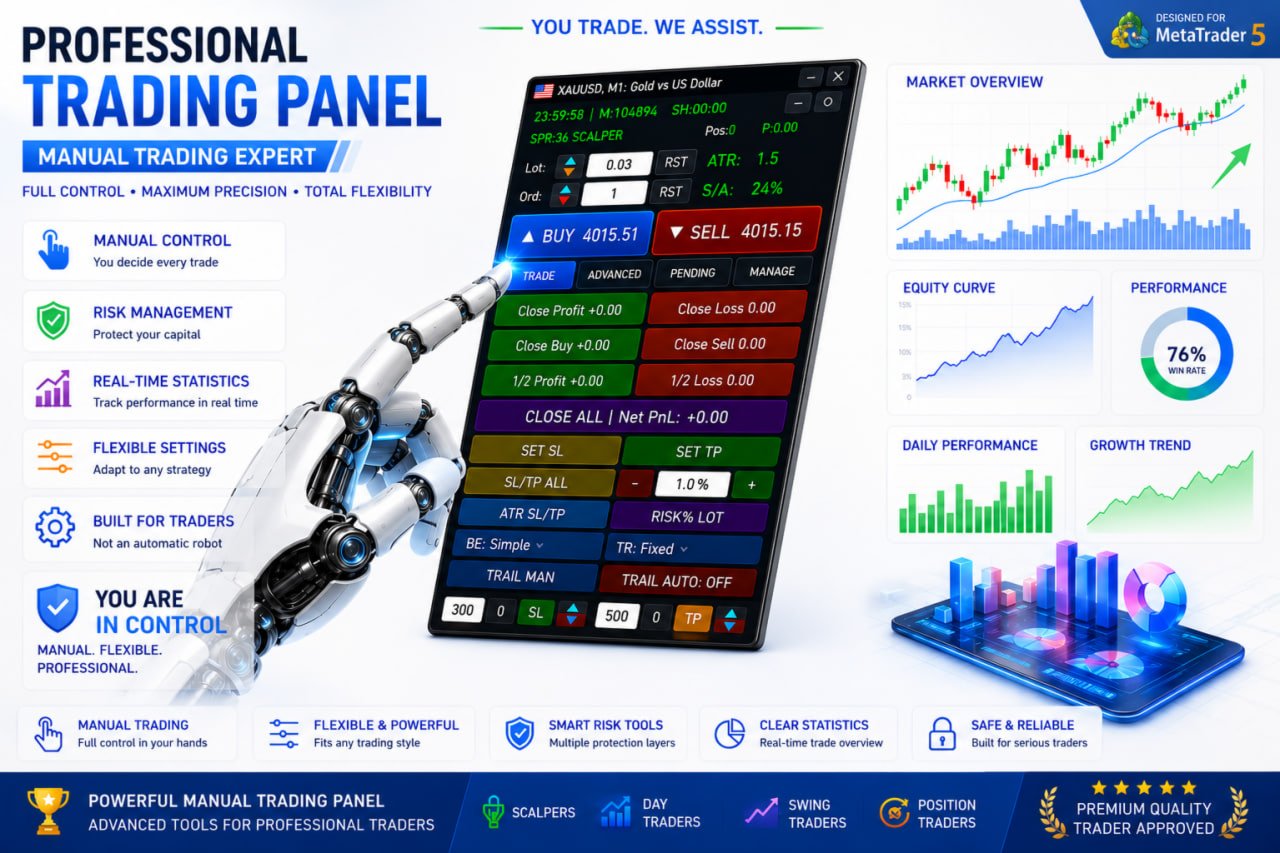
QuantumTraderPanel is a comprehensive, all-in-one trade management cockpit designed specifically for MetaTrader 5. It completely eliminates manual calculations by offering an advanced risk-based lot sizing tool. Traders can automatically define their position sizes based on equity percentage or fixed monetary risk, ensuring consistent money management.
The panel features an automated break-even assistant with six distinct execution modes and an adaptive trailing stop system operating on eight different technical methods, including ATR and price structure. For multi-position strategies, the built-in Basket Manager provides collective take-profit and stop-loss guards in account currency, alongside a staged margin protection mechanism to prevent unexpected margin calls.
Additionally, QuantumTraderPanel includes proprietary prop-firm protection tools such as hard daily loss limits and maximum drawdown caps. It is optimized for scalpers, day traders, and swing traders who demand rapid execution, tight risk control, and absolute flexibility over their manual trading operations.
---
2. Who Is This Product For?
- **Manual and discretionary traders** who enter trades themselves and want every position sized and managed consistently.
- **Scalpers** who need a fast one-click lot/SL/TP workflow without slowing down to do math.
- **Swing and basket traders** running several positions at once who need combined profit/loss control across the whole basket, not just single trades.
- **Traders managing funded accounts or strict risk-limited accounts** who need hard daily-loss limits and drawdown caps to stay inside firm rules.
---
3. Main Problems It Solves
- **"What lot size should I use?"** — calculated automatically from your risk %, so you never oversize a trade or reach for a calculator.
- **"Did I move my stop to break-even in time?"** — done automatically, the moment your trade qualifies.
- **"Should I tighten my stop now?"** — trailing stops follow the market for you, locking in profit while letting winners run.
- **"What happens to my account if margin drops?"** — a staged safety system starts reducing exposure before a margin call happens.
- **"How do I manage five open positions without missing one?"** — the basket panel treats your whole position group as a single, protected unit.
---
4. Key Features
**Risk-Based Lot Calculator**
Enter your risk % (or a fixed $ amount) and QuantumTraderPanel works out the exact lot size from your stop-loss distance and account balance — rounded correctly to your broker's lot rules. One click applies it to your trade.
**Automatic Break-Even**
Six ways to move a trade to break-even — from a simple fixed trigger to cost-aware, partial-close, and structure-based logic. Set it once; every position is covered without watching the chart.
**Adaptive Trailing Stop**
Eight trailing methods, including ATR-based, Parabolic SAR, price-structure, and multi-step trailing. Profits are locked in as price moves in your favor, without cutting winning trades short.
**Basket Manager**
Set a combined take-profit or stop-loss in dollars across a whole group of trades. A staged margin-protection system automatically starts closing the weakest position if your margin level drops, and a time-stop closes baskets that go nowhere.
**Partial Close & Multi-Level TP**
Close positions in stages at multiple profit targets, with each level tracked and managed automatically — no manual close-outs required.
**Drawdown & Daily-Loss Protection**
A hard daily loss limit locks trading for the day once hit. Account-wide drawdown protection and a minimum free-margin buffer keep risk in check before a trade is ever opened.
**Visual Risk/Reward Tool**
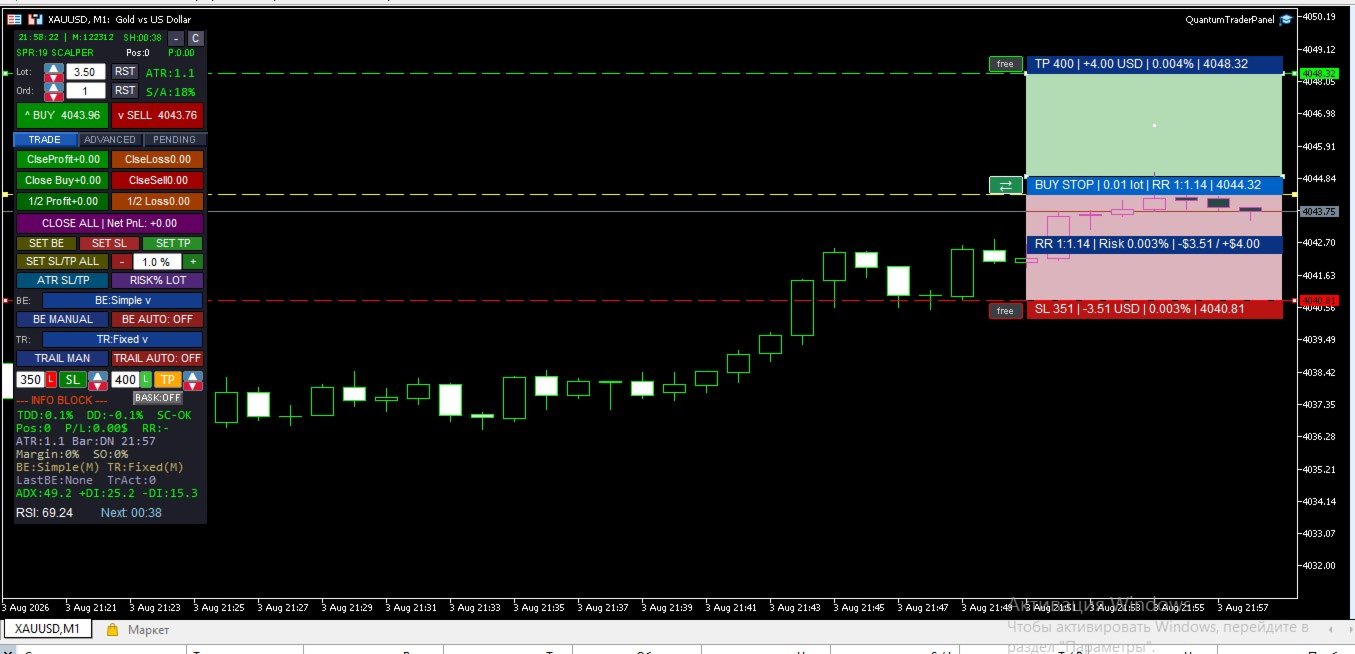
A TradingView-style visual on your chart shows your risk and reward zones anchored to real price and time, so you can see the trade before you take it.
**Average-Price Lines**
When managing multiple entries, live average buy/sell price lines keep your basket's real breakeven point visible at all times.
**Pending Orders & Grid Placement**
Place single pending orders or full grids (buy/sell, stop/limit) directly from the panel, with built-in spread and margin checks before anything is sent.
**Broker-Safe Execution**
Automatic fallback between execution modes and order-send timing controls reduce rejected orders on brokers with strict trading rules — so your orders go through the first time.
---
5. How It Works
1. **Size your trade** — pick Fixed Lot or Risk % mode; the panel calculates the correct lot size from your real stop distance and account risk.
2. **Set your management rules once** — choose your break-even and trailing modes; QuantumTraderPanel applies them to every open position automatically from then on.
3. **Protect the basket** — set a combined TP/SL, margin-safety stages, and a time-stop for the whole group of trades, not just one position at a time.
4. **Trade with a protection layer running underneath** — spread, margin, drawdown, and session checks run before every action, so mistakes are caught before they cost you.
5. **Everything stays in sync** — whichever panel you use, your settings, active trades, and risk state are always the same across the whole interface.
---
6. Panel Overview
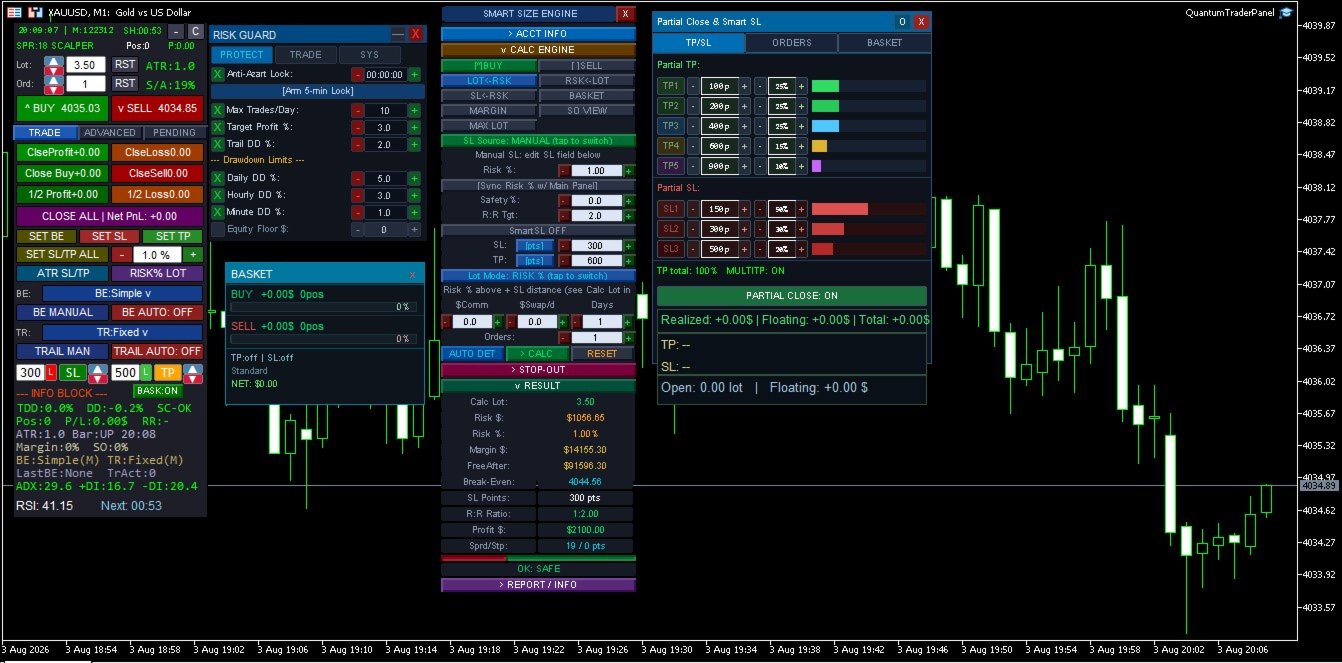
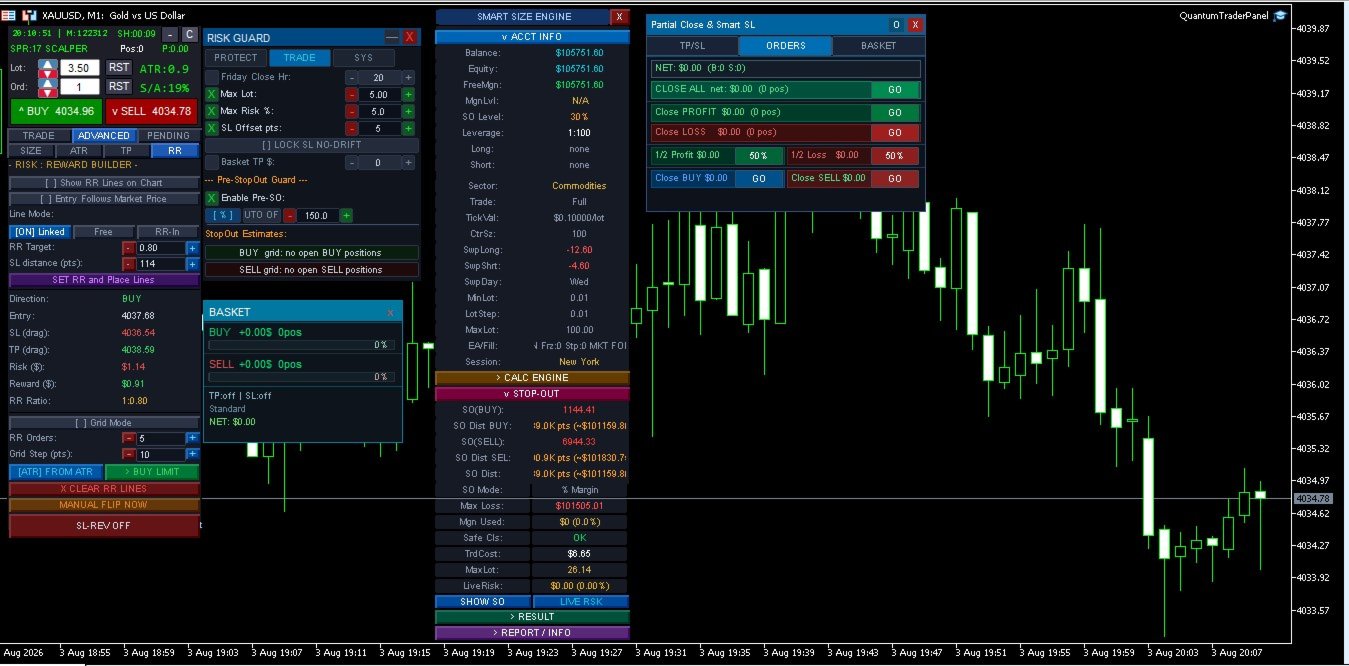
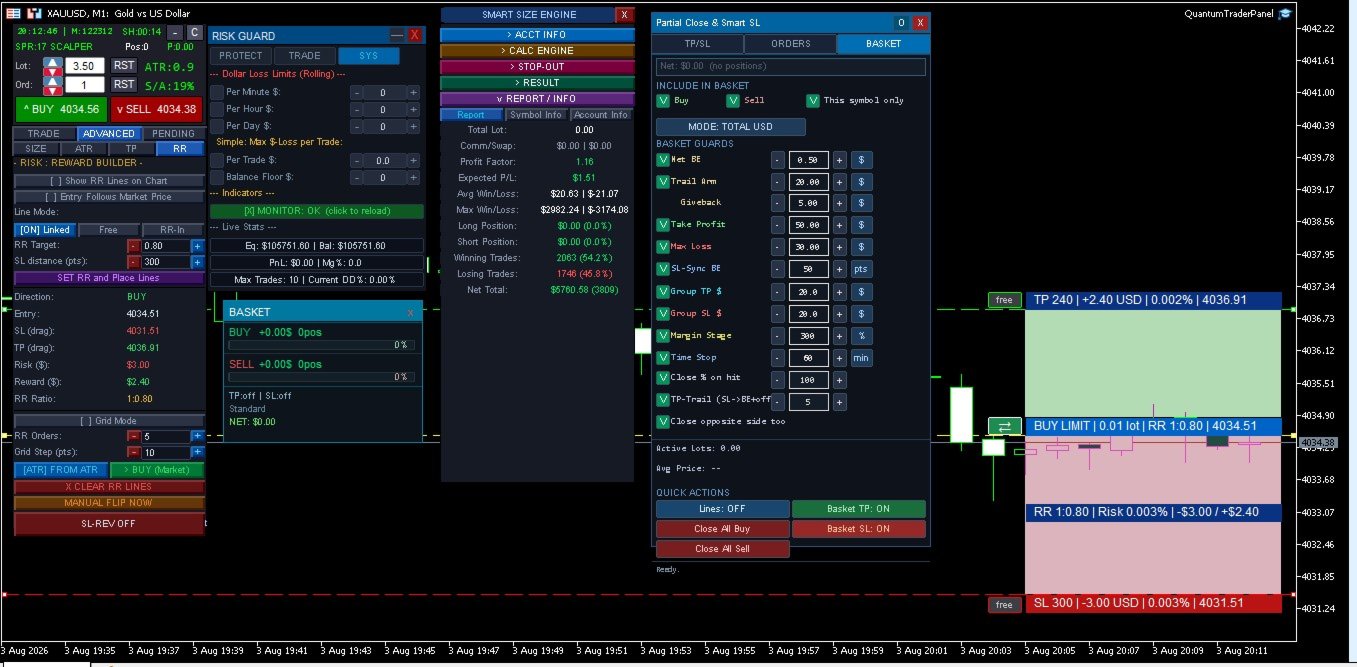
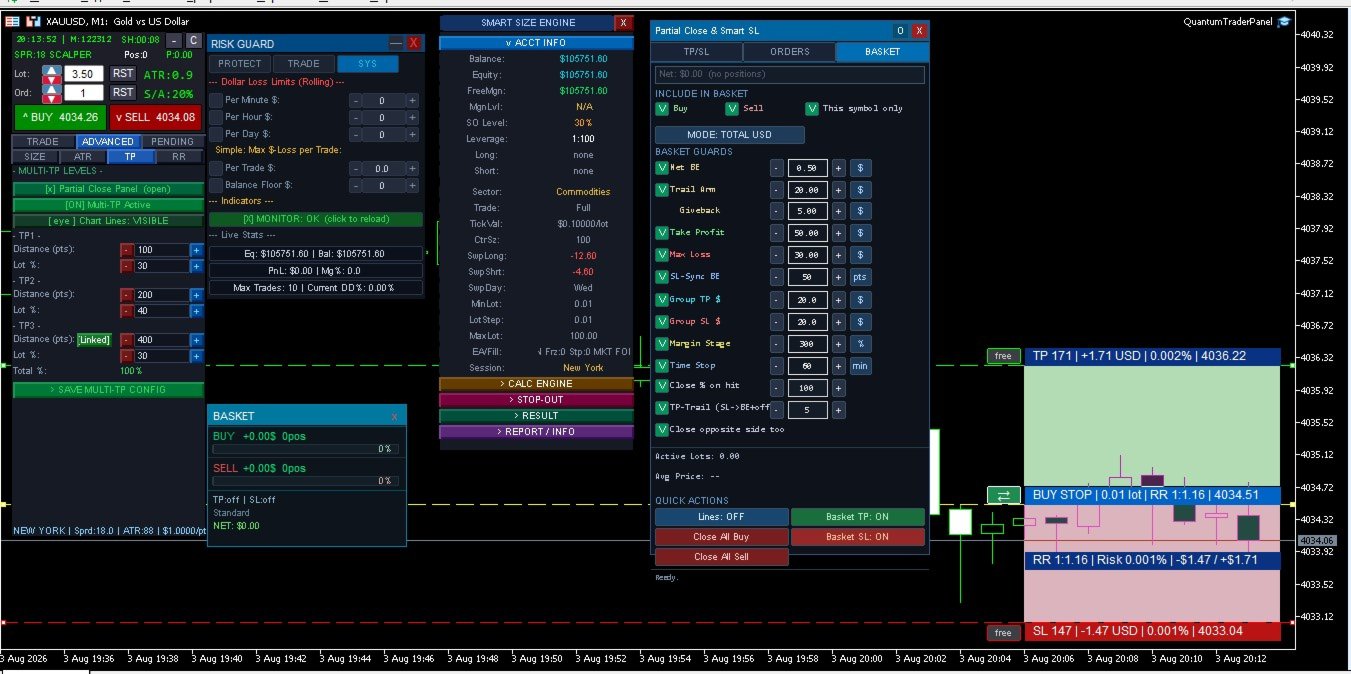
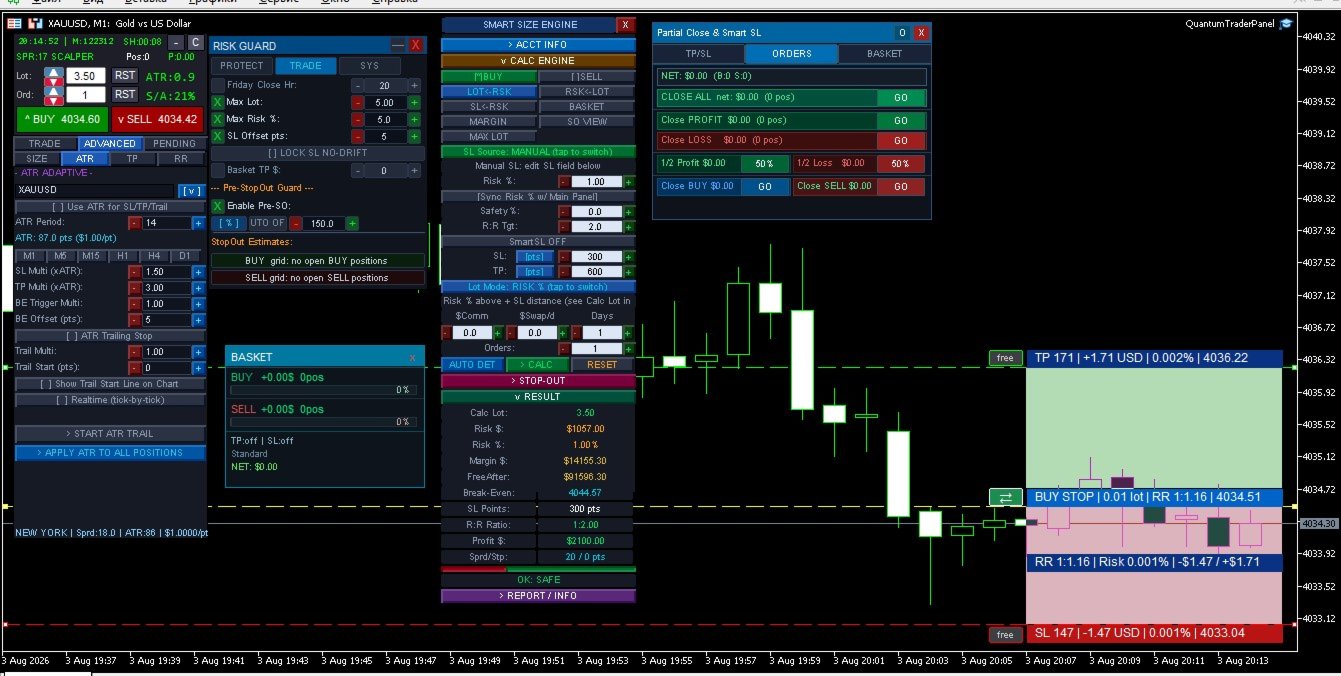
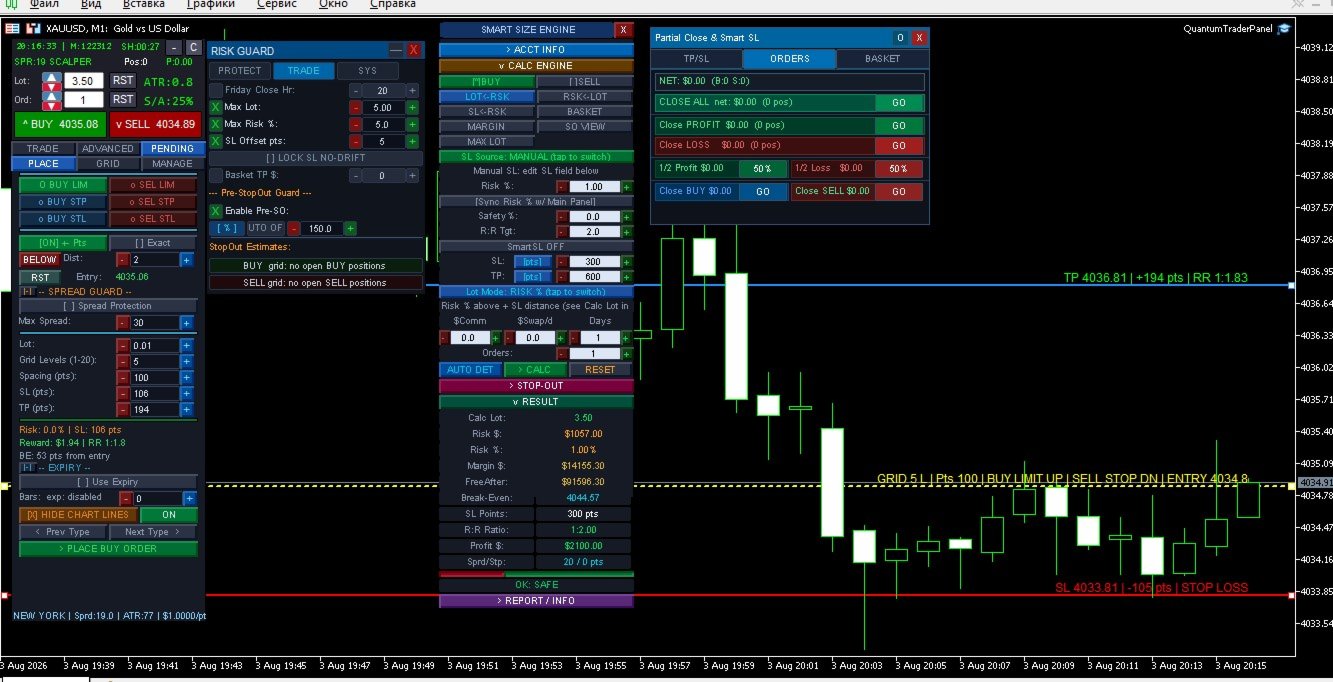
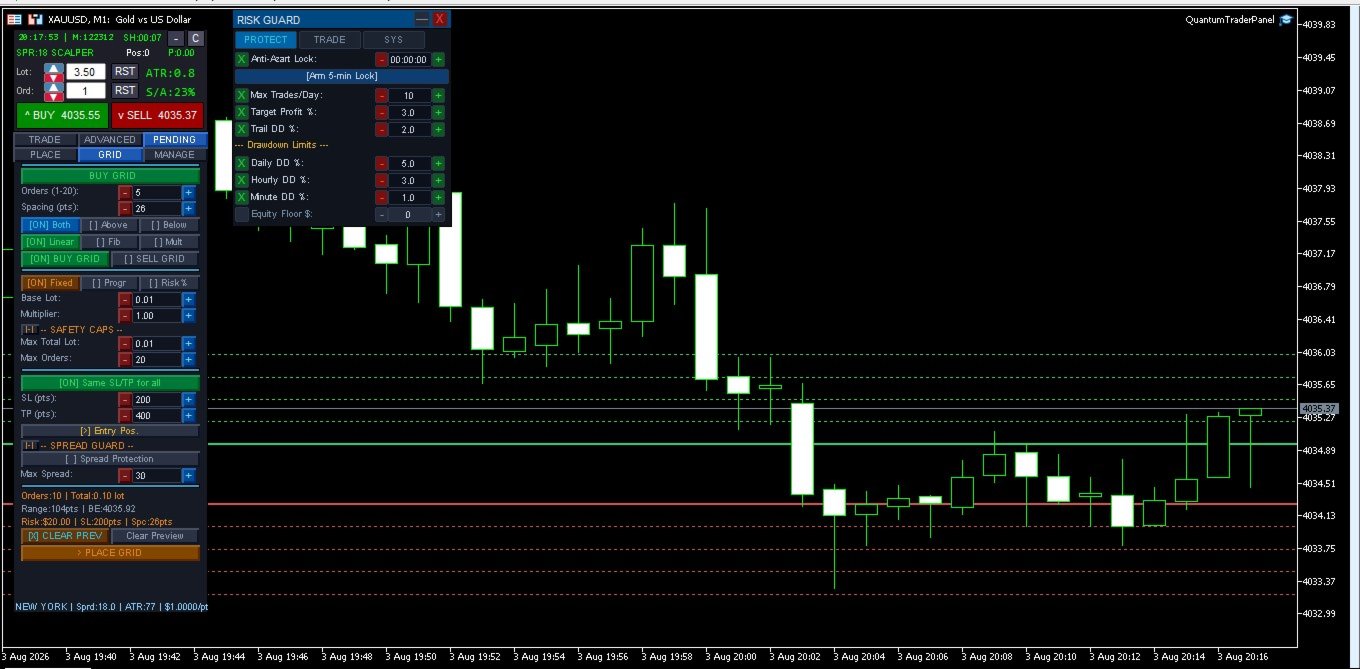
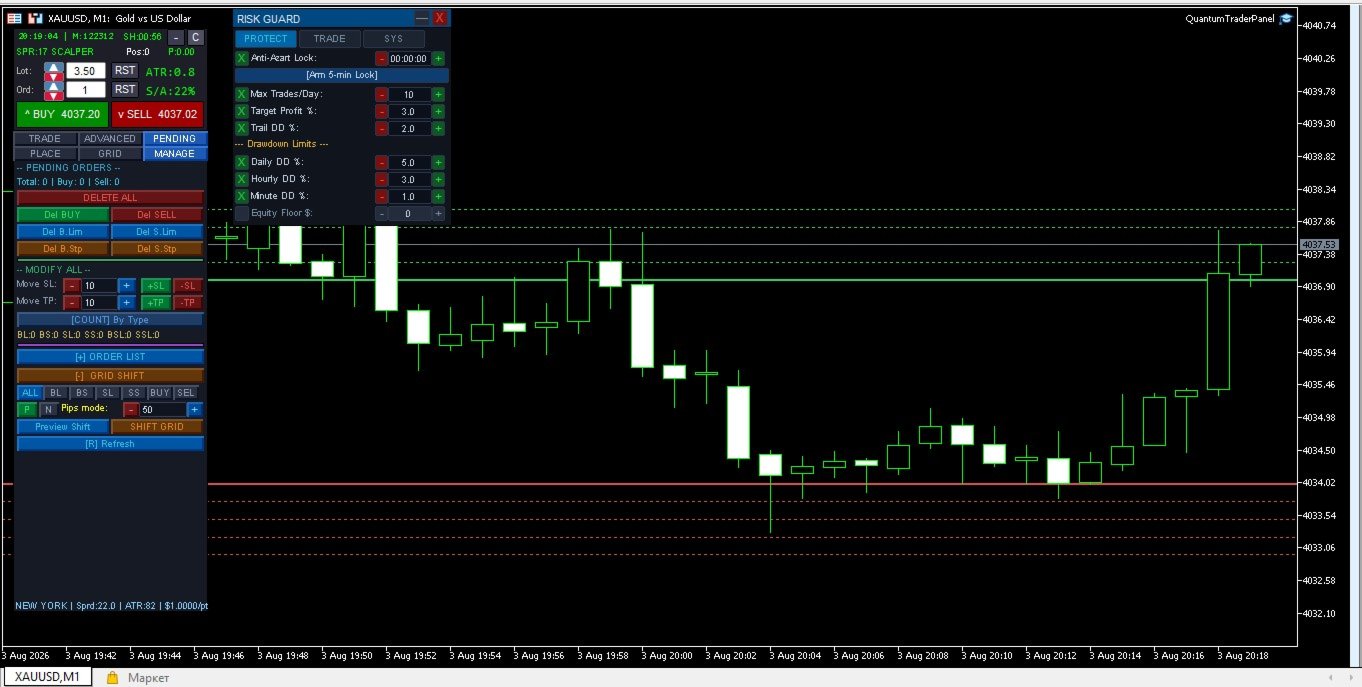
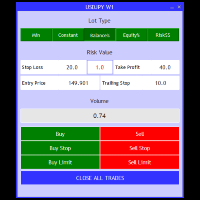
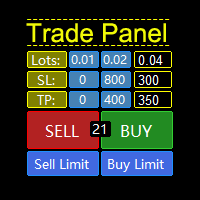
- **Advanced Panel** — the main command center: trade entry, position sizing, break-even/trailing setup, pending orders, and grid placement, organized into clear tabs.
- **Mini Risk Panel** — a compact, always-on-top guard showing your dollar-loss limits (per minute/hour/day) and a live equity monitor.
- **Partial Close Panel** — dedicated controls for staged take-profits, basket-wide guards, and the average-price line display.
*(Screenshots of each panel with sample trades and live values go here.)*
---
7. Input Groups
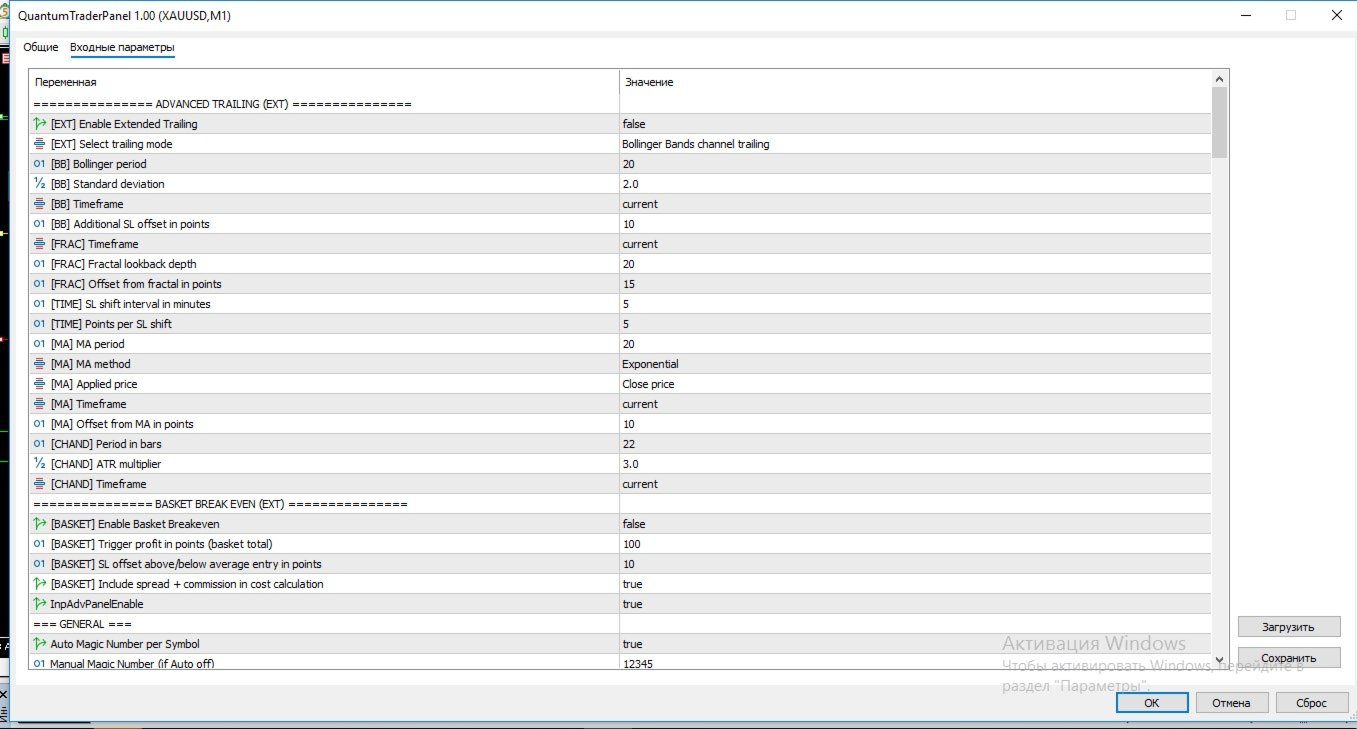
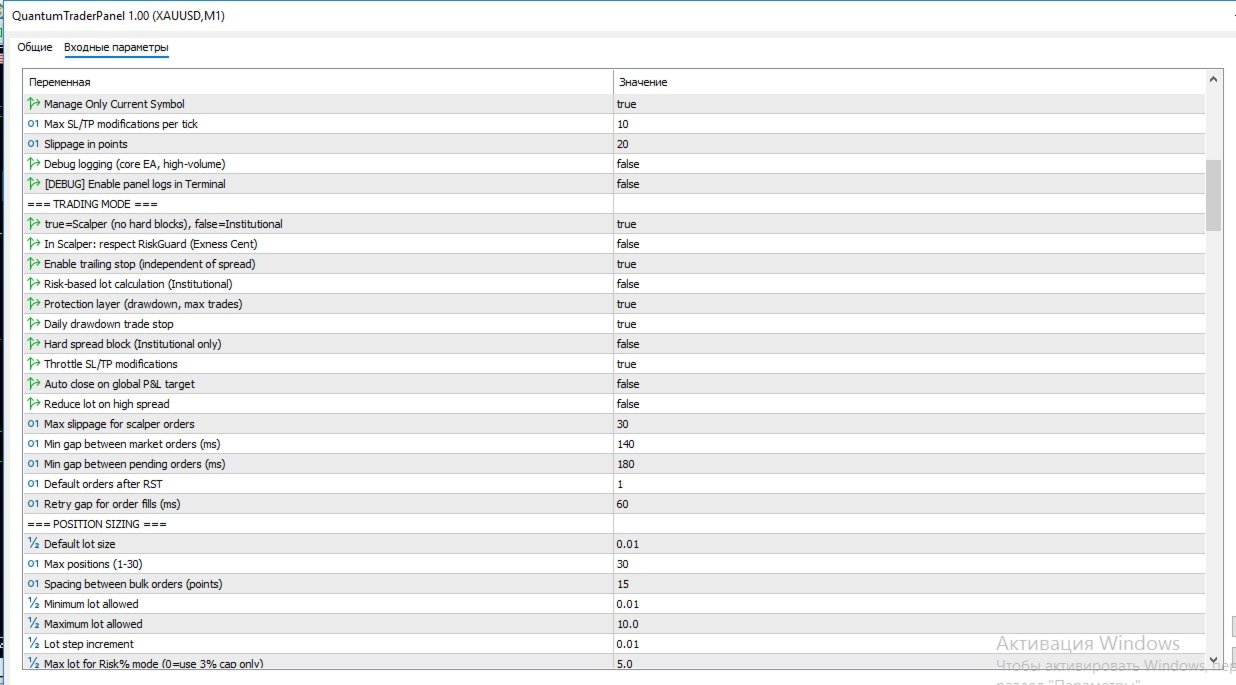
QuantumTraderPanel has an extensive settings list, organized into logical groups so you only configure what you need:
| Group | What You Control |
|---|---|
| **Execution & Magic Number** | Order slippage, symbol filtering, and multi-chart conflict protection |
| **Position Sizing** | Lot mode, risk %, and min/max lot safety caps |
| **Break-Even** | Which of the 6 modes runs, and its trigger distance |
| **Trailing Stop** | Which of the 8 modes runs, and its step/trigger settings |
| **Basket Guards** | Combined TP/SL, margin-safety stages, and time-stop rules |
| **Pending Orders & Grid** | Order type, spacing, and grid-specific risk checks |
| **Drawdown & Daily Loss** | Daily loss lock, drawdown cap, and margin buffer |
| **Sessions & Filters** | Trading session windows and optional Friday auto-close |
| **Display** | Panel size, position, and colors |
| **Visual RR Tool** | Colors for the on-chart risk/reward visualization |
*(Full per-parameter list is auto-generated by MQL5 in the Inputs tab of the product page.)*
---
8. FAQ
**Does this open trades automatically?**
No. QuantumTraderPanel manages trades you open — manually or via signal — it does not generate its own entries.
**Can I use it on multiple symbols at once?**
Yes, each chart instance manages its own symbol and magic number independently.
**Does it work with prop-firm accounts?**
Yes — the daily-loss lock and drawdown cap are designed for staying inside firm-imposed limits.
**What if my broker restricts stop-loss distance?**
A virtual SL/TP mode is available for brokers with minimum stop-level restrictions.
**Will it slow down my terminal?**
No — execution and risk checks are lightweight and optimized for real-time use.
---
9. System Requirements
- MetaTrader 5, hedging or netting account
- Any broker/symbol; tested extensively on XAUUSD
- VPS recommended for 24/5 basket management, not required for manual session use
---
10. Premium Advanced Feature: Interactive Slanted Virtual Lines QuantumTraderPanel features a cutting-edge, highly precise visual charting layer designed to revolutionize how you calculate risk and manage virtual levels directly on your workspace. - **Dynamic Angle Control (Slanted Lines):** Unlike rigid horizontal tools, our virtual Stop-Loss (SL) and Take-Profit (TP) lines can be rotated, tilted, and stretched at any custom angle. This allows you to lock risk parameters perfectly along diagonal trendlines, support/resistance channels, or complex price formations. - **On-Line Risk Intelligence:** As you stretch, drag, or change the slope of the lines, the panel performs live, microsecond-level mathematical calculations. The exact point distance, projected dollar risk/reward, and account equity percentage update dynamically right on the line's label. - **True Hidden Protection:** These lines operate purely within the virtual execution environment. Your broker never sees your real stop levels, protecting your capital from spread spikes and stop-hunting, while giving you complete diagonal freedom.
---
11. Version Notes
- Current build unifies position sizing, trade management, and basket protection into a single synchronized panel system.
- Recent updates: expanded multi-level take-profit/stop-loss tracking, improved basket break-even logic, and interactive edit fields across all panels.