Alexander Zelchert / Perfil
- Informações
|
9+ anos
experiência
|
102
produtos
|
971
versão demo
|
|
2
trabalhos
|
2
sinais
|
0
assinantes
|
______________ AW Trading Software ______________
📢 mql5com channel 👉 https://www.mql5.com/en/channels/awtradingsoftware
📢 Telegram channel 👉 https://t.me/AWSoftware
🎞️ YouTube 👉 https://www.youtube.com/@awtradingsoftware
__________⭐⭐⭐⭐⭐ 👇🏻 Top 👇🏻 ⭐⭐⭐⭐__________
✅ "AW Recovery"
Sistema para recuperar posições perdidas
👉 MT4 https://www.mql5.com/pt/market/product/49453
👉 MT5 https://www.mql5.com/pt/market/product/49692
📌 Instruções e descrição do orientador
👉 https://www.mql5.com/en/blogs/post/735029
____________________🔹 Products 🔹_____________________
💎 Consultores de Negociação 💎
👉 MT4 https://www.mql5.com/pt/market/mt4/expert?Filter=nechaevrealle
👉 MT5 https://www.mql5.com/pt/market/mt5/expert?Filter=nechaevrealle
💎 Utilitários de Negociação 💎
👉 MT4 https://www.mql5.com/pt/market/mt4/utility?Filter=nechaevrealle
👉 MT5 https://www.mql5.com/pt/market/mt5/utility?Filter=nechaevrealle
💎 Indicadores técnicos 💎
👉 MT4 https://www.mql5.com/pt/market/mt4/indicator?Filter=nechaevrealle
👉 MT5 https://www.mql5.com/pt/market/mt5/indicator?Filter=nechaevrealle
_____________________ 🔹 Blog 🔹 ______________________
📌 Todas as instruções no meu blog - https://www.mql5.com/en/users/nechaevrealle/blog
📢 mql5com channel 👉 https://www.mql5.com/en/channels/awtradingsoftware
📢 Telegram channel 👉 https://t.me/AWSoftware
🎞️ YouTube 👉 https://www.youtube.com/@awtradingsoftware
__________⭐⭐⭐⭐⭐ 👇🏻 Top 👇🏻 ⭐⭐⭐⭐__________
✅ "AW Recovery"
Sistema para recuperar posições perdidas
👉 MT4 https://www.mql5.com/pt/market/product/49453
👉 MT5 https://www.mql5.com/pt/market/product/49692
📌 Instruções e descrição do orientador
👉 https://www.mql5.com/en/blogs/post/735029
____________________🔹 Products 🔹_____________________
💎 Consultores de Negociação 💎
👉 MT4 https://www.mql5.com/pt/market/mt4/expert?Filter=nechaevrealle
👉 MT5 https://www.mql5.com/pt/market/mt5/expert?Filter=nechaevrealle
💎 Utilitários de Negociação 💎
👉 MT4 https://www.mql5.com/pt/market/mt4/utility?Filter=nechaevrealle
👉 MT5 https://www.mql5.com/pt/market/mt5/utility?Filter=nechaevrealle
💎 Indicadores técnicos 💎
👉 MT4 https://www.mql5.com/pt/market/mt4/indicator?Filter=nechaevrealle
👉 MT5 https://www.mql5.com/pt/market/mt5/indicator?Filter=nechaevrealle
_____________________ 🔹 Blog 🔹 ______________________
📌 Todas as instruções no meu blog - https://www.mql5.com/en/users/nechaevrealle/blog
Alexander Zelchert
-💎-💎-💎- AW Signal Lot Multiplier -💎-💎-💎-
🔹 Copying trades of any quantity and volume 🔹
AW Signal Lot Multiplier is a utility for duplicating orders on your terminal. The source can be selected any adviser, manual trading, a separate trading signal. It has wide functionality with a simple setup, as well as high speed and reliability.
🔹How to use the product:
To copy advisor trades - When using some types of advisers, it may be necessary to open duplicate orders. These features can be automated with AW Signal Lot Multiplier.
To copy trading signals - When working with the Signals service often there is a need to change the volumes received, as well as open additional orders. Advisor helps to automate these functions when accounting for additional copy closing handlers, such as trailing stop independent of the original order.
🔹Benefits:
Quickly and securely copies transactions,
Duplicates or resizes the lot when copying,
Duplicates or changes take profit, stop loss,
Can use a trailing stop,
For one ticket to be copied, you can specify any number of copies.
Get MT4 Version
👉 https://www.mql5.com/en/market/product/52267
Get MT5 Version
👉 https://www.mql5.com/en/market/product/52279
🔹 Copying trades of any quantity and volume 🔹
AW Signal Lot Multiplier is a utility for duplicating orders on your terminal. The source can be selected any adviser, manual trading, a separate trading signal. It has wide functionality with a simple setup, as well as high speed and reliability.
🔹How to use the product:
To copy advisor trades - When using some types of advisers, it may be necessary to open duplicate orders. These features can be automated with AW Signal Lot Multiplier.
To copy trading signals - When working with the Signals service often there is a need to change the volumes received, as well as open additional orders. Advisor helps to automate these functions when accounting for additional copy closing handlers, such as trailing stop independent of the original order.
🔹Benefits:
Quickly and securely copies transactions,
Duplicates or resizes the lot when copying,
Duplicates or changes take profit, stop loss,
Can use a trailing stop,
For one ticket to be copied, you can specify any number of copies.
Get MT4 Version
👉 https://www.mql5.com/en/market/product/52267
Get MT5 Version
👉 https://www.mql5.com/en/market/product/52279
Alexander Zelchert
⭐⭐⭐⭐⭐ AW Recovery EA ⭐⭐⭐⭐⭐
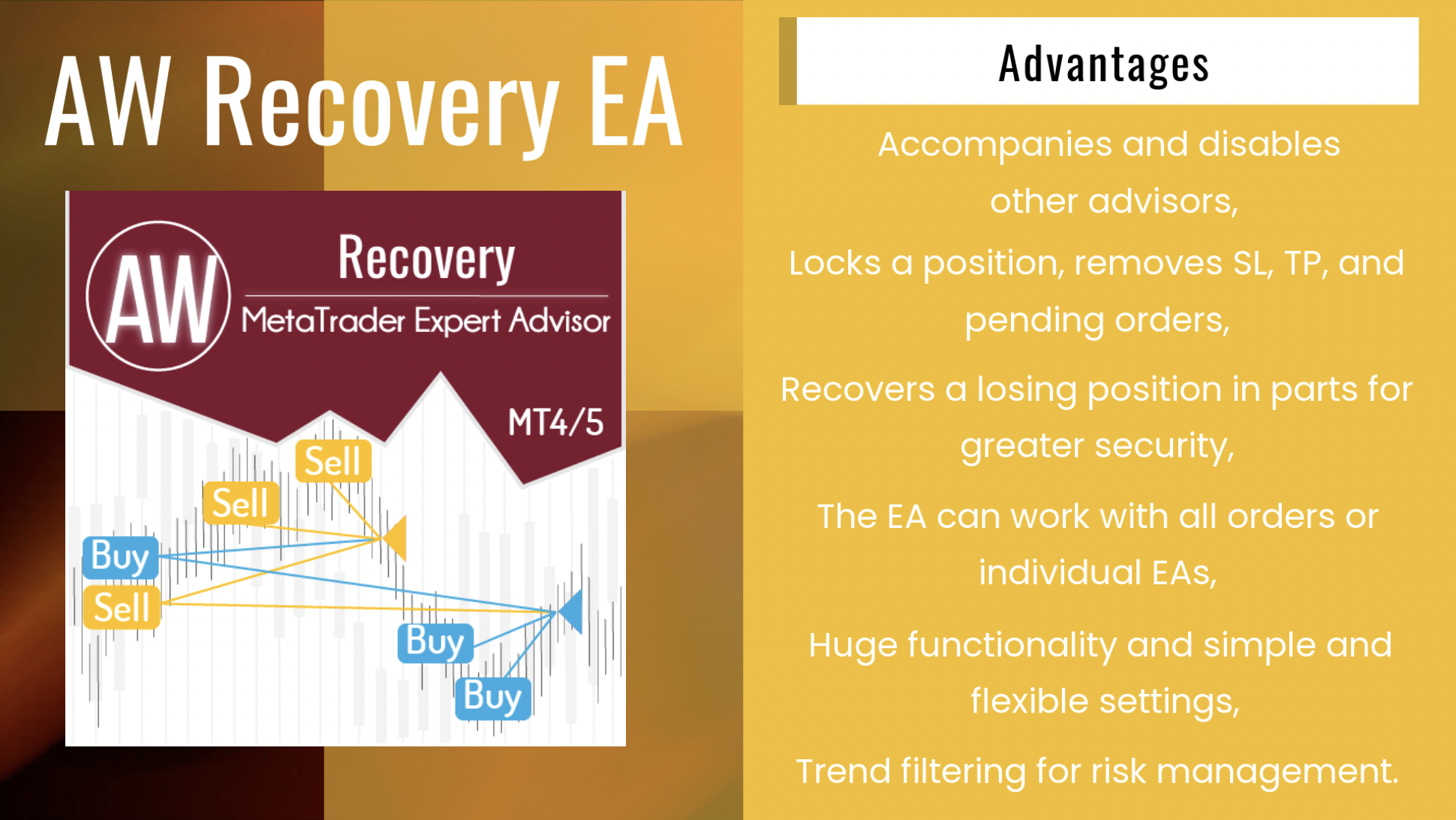
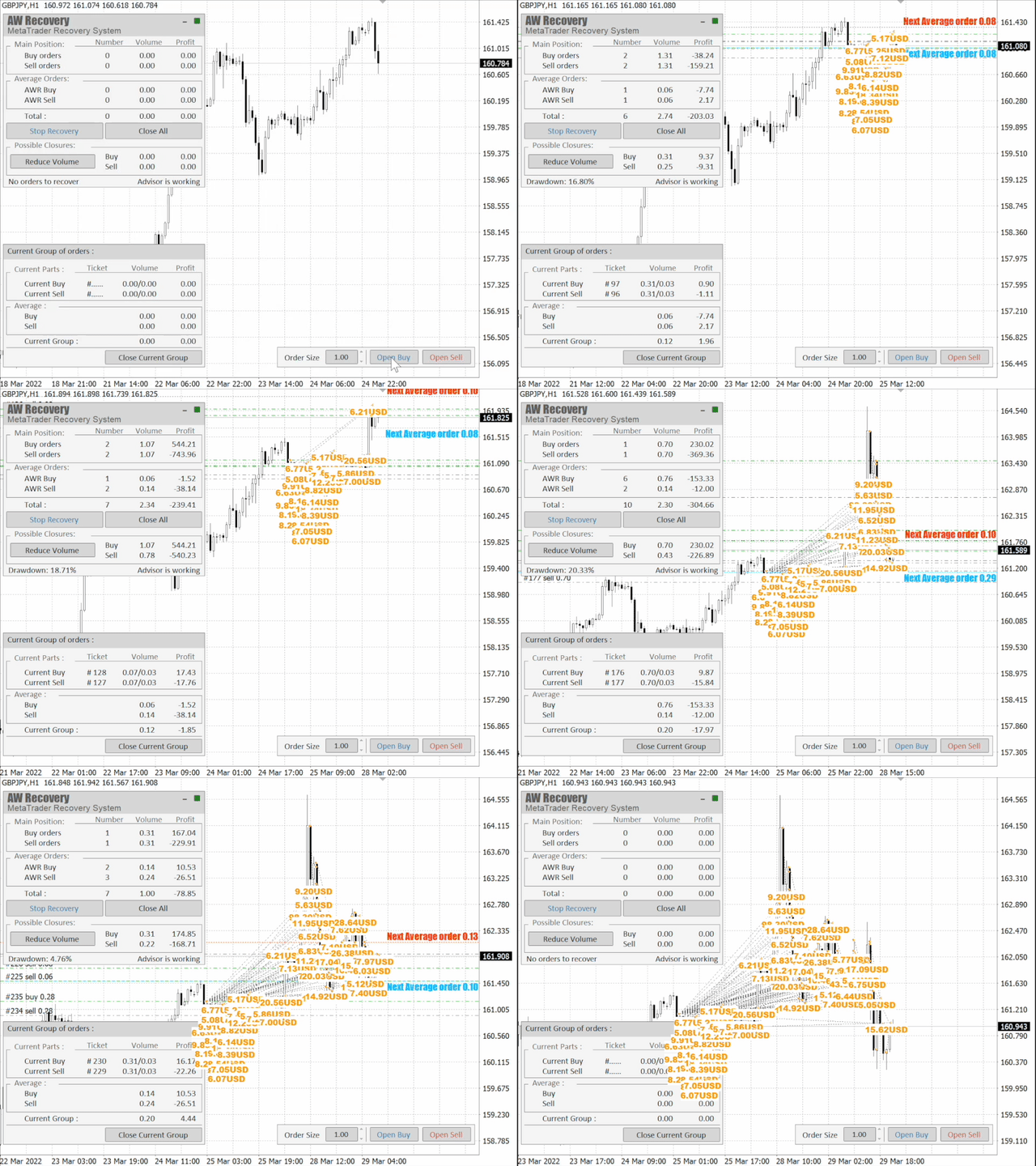
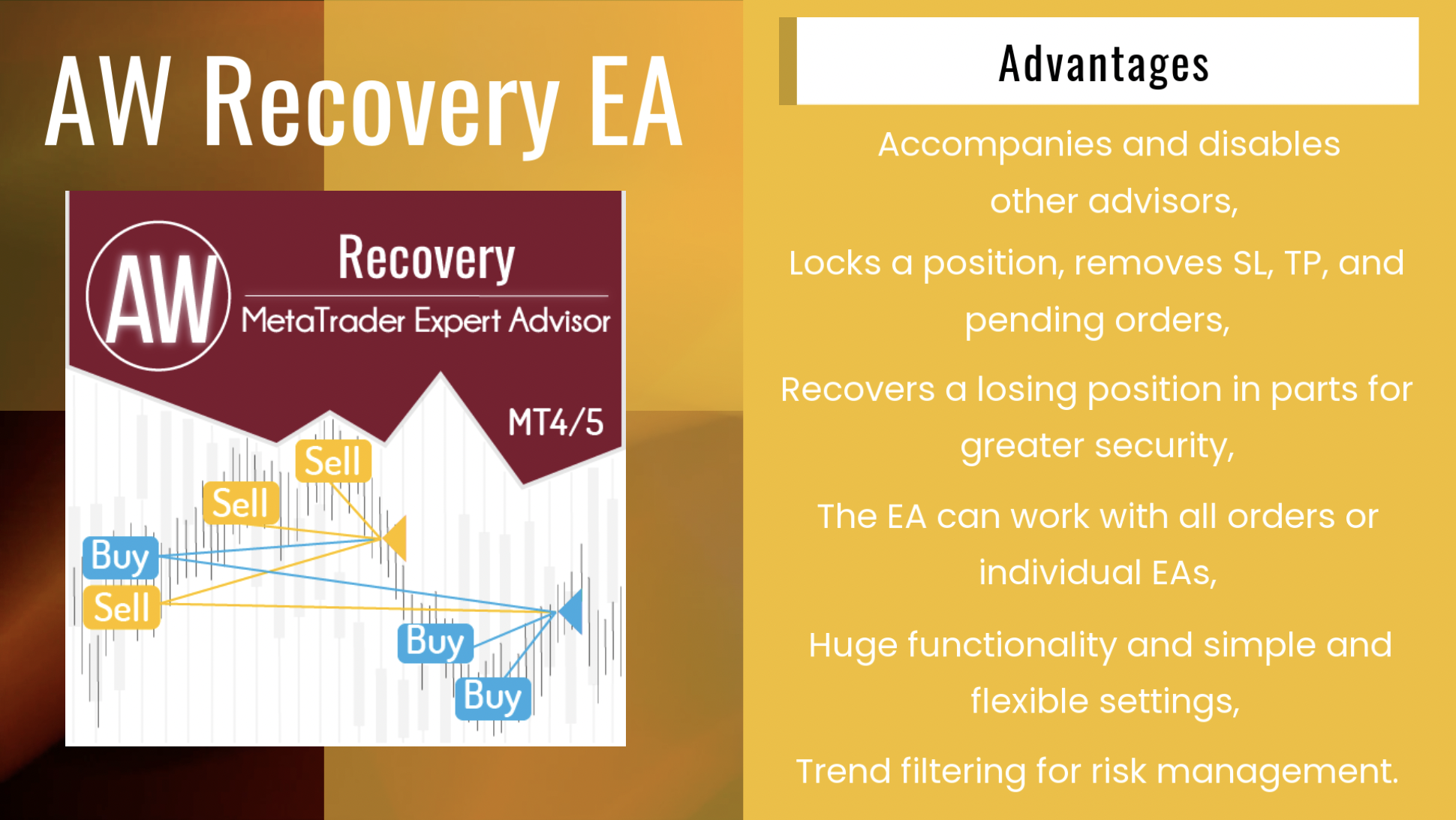
AW Recovery EA is a system designed to restore unprofitable positions. The author's algorithm locks a losing position, splits it into many separate parts, and closes each of them separately. Easy setup, delayed launch in case of drawdown, locking, disabling other Expert Advisors, averaging with trend filtering and partial closing of a losing position are built into one tool.
It is the use of closing losses in parts that allows you to reduce losses with a smaller deposit load, which ensures safer work with losses, unlike grid strategies that close orders only in whole groups.
✅How orders are restored:
⭐ AW Recovery can accompany other advisors and turn them off at the right time
⭐ The EA automatically locks the position, resets TP and SL levels, and deletes pending orders
⭐ Restores a losing position in parts, allowing you to work with a lower deposit load
⭐ Can be used to recover the loss of individual Expert Advisors or work on the current symbol
⭐ The robot combines functionality with simple and flexible settings for each specific situation
⭐ Built-in many protective functions, trend filtering, overlapping, etc. for risk management
✅How to trade with an advisor:
❗Step 1: Adjust the pitch and volumes
Adjust the volume of the first averaging order
Adjust the step for averaging orders
Adjust the ratio between averaging and closing and their volumes
❗Step 2: Set up additional features
Select period for trend filter(If used)
Choose a multiplier for averaging orders
Select Take Profit to close parts of a losing position with a specified profit
❗Step 3: Disable Other Expert Advisors
Disable other Expert Advisors working with these orders
Or let AW Recovery disable these Expert Advisors
Or work without locking
Get MT4 Version
👉 https://www.mql5.com/en/market/product/49453
Get MT5 Version
👉 https://www.mql5.com/en/market/product/49692
🎬 Video instruction 👉 https://youtu.be/Sx_QwmvSAEY
AW Recovery EA is a system designed to restore unprofitable positions. The author's algorithm locks a losing position, splits it into many separate parts, and closes each of them separately. Easy setup, delayed launch in case of drawdown, locking, disabling other Expert Advisors, averaging with trend filtering and partial closing of a losing position are built into one tool.
It is the use of closing losses in parts that allows you to reduce losses with a smaller deposit load, which ensures safer work with losses, unlike grid strategies that close orders only in whole groups.
✅How orders are restored:
⭐ AW Recovery can accompany other advisors and turn them off at the right time
⭐ The EA automatically locks the position, resets TP and SL levels, and deletes pending orders
⭐ Restores a losing position in parts, allowing you to work with a lower deposit load
⭐ Can be used to recover the loss of individual Expert Advisors or work on the current symbol
⭐ The robot combines functionality with simple and flexible settings for each specific situation
⭐ Built-in many protective functions, trend filtering, overlapping, etc. for risk management
✅How to trade with an advisor:
❗Step 1: Adjust the pitch and volumes
Adjust the volume of the first averaging order
Adjust the step for averaging orders
Adjust the ratio between averaging and closing and their volumes
❗Step 2: Set up additional features
Select period for trend filter(If used)
Choose a multiplier for averaging orders
Select Take Profit to close parts of a losing position with a specified profit
❗Step 3: Disable Other Expert Advisors
Disable other Expert Advisors working with these orders
Or let AW Recovery disable these Expert Advisors
Or work without locking
Get MT4 Version
👉 https://www.mql5.com/en/market/product/49453
Get MT5 Version
👉 https://www.mql5.com/en/market/product/49692
🎬 Video instruction 👉 https://youtu.be/Sx_QwmvSAEY
Alexander Zelchert
__🔥__AW Advanced Scalping EA__🔥__
MT4 👉 https://www.mql5.com/en/market/product/75999
MT5 👉 https://www.mql5.com/en/market/product/81941
📌 Advantages:
Automated system with the ability to add manual orders
Fixed and adjustable dynamic pitch
Adjustable Overlap Recovery Algorithm
Ability to trade in one or both directions
Uses averaging when moving in the opposite direction
Pluggable automatic volume calculation
Built-in ability to send all types of notifications
MT4 👉 https://www.mql5.com/en/market/product/75999
MT5 👉 https://www.mql5.com/en/market/product/81941
📌 Advantages:
Automated system with the ability to add manual orders
Fixed and adjustable dynamic pitch
Adjustable Overlap Recovery Algorithm
Ability to trade in one or both directions
Uses averaging when moving in the opposite direction
Pluggable automatic volume calculation
Built-in ability to send all types of notifications
Alexander Zelchert
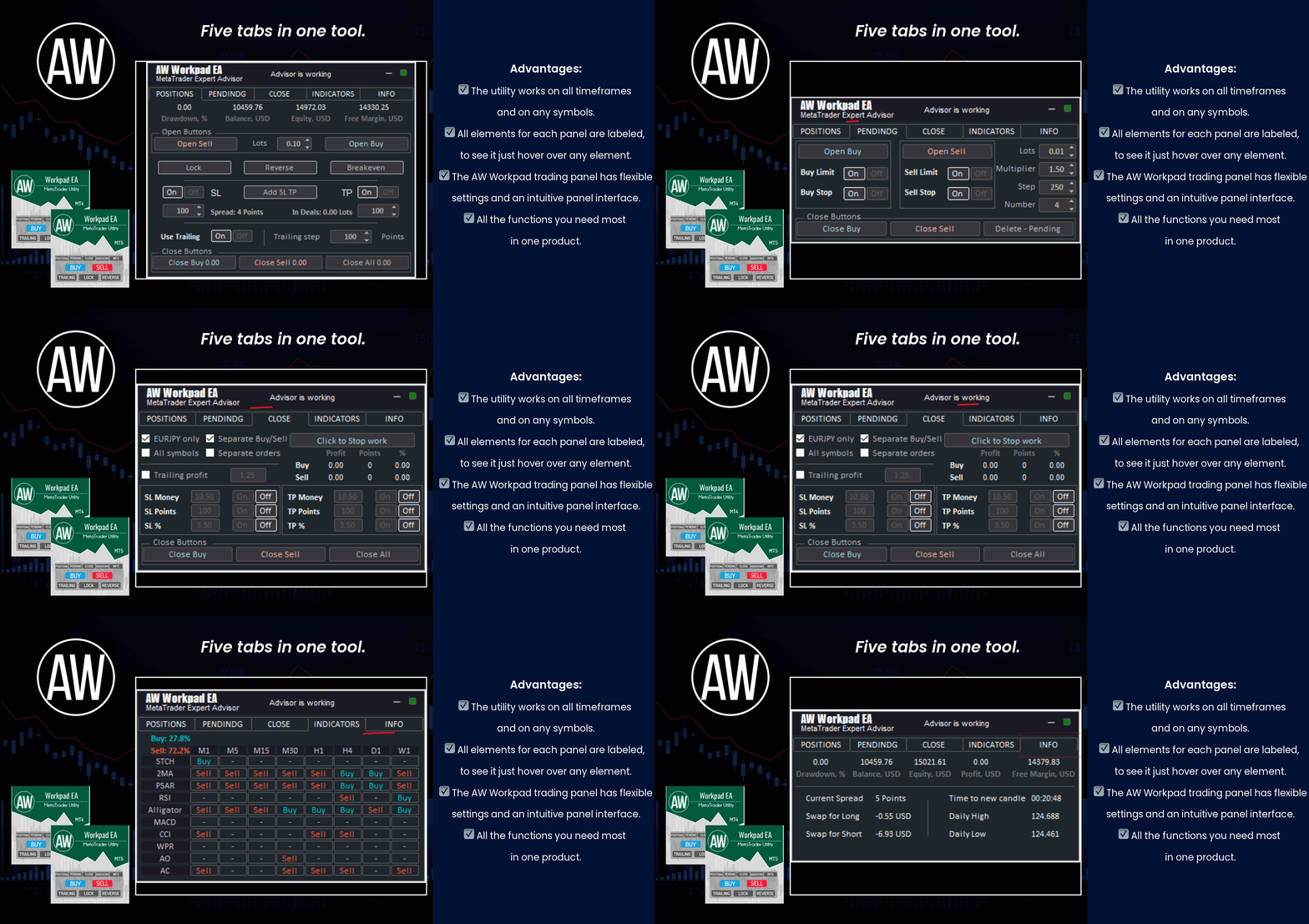
⭐⭐⭐⭐⭐ "AW Workpad" ⭐⭐⭐⭐⭐
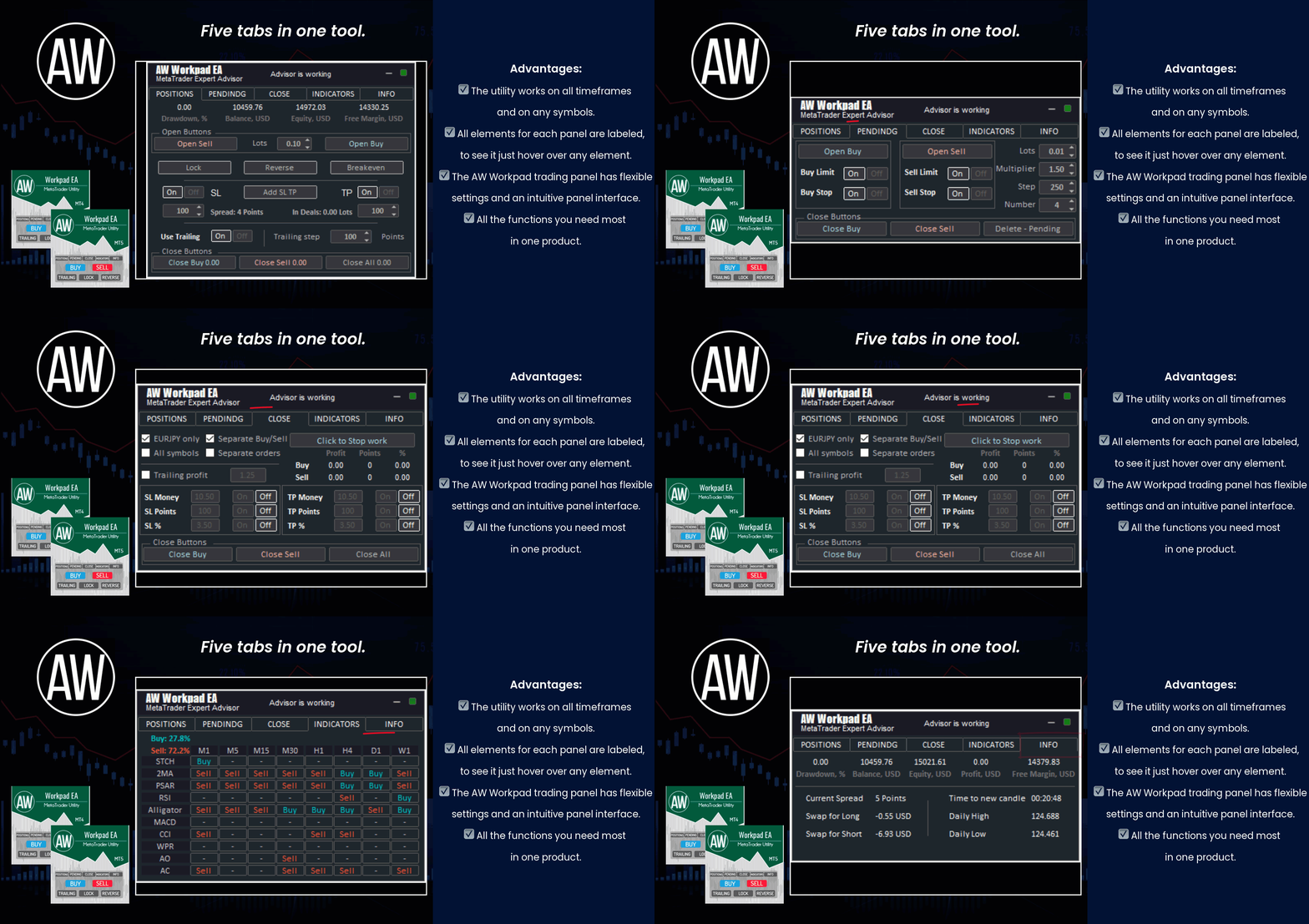
🔹 Multifunctional trading control panel designed for manual and semi-automatic trading
Get MT4 Version
👉 https://www.mql5.com/en/market/product/55886
Get MT5 Version
👉 https://www.mql5.com/en/market/product/56179
🔹 Multifunctional trading control panel designed for manual and semi-automatic trading
Get MT4 Version
👉 https://www.mql5.com/en/market/product/55886
Get MT5 Version
👉 https://www.mql5.com/en/market/product/56179
Alexander Zelchert
______"AW Momentum"________
🔹 Work in the direction of the current price movement. The breakdown of the Momentum indicator levels in the direction of the continuation of the price movement is used as signals. 🔹
MT4 👉 https://www.mql5.com/en/market/product/64760
MT5 👉 https://www.mql5.com/en/market/product/64766
🔹 Work in the direction of the current price movement. The breakdown of the Momentum indicator levels in the direction of the continuation of the price movement is used as signals. 🔹
MT4 👉 https://www.mql5.com/en/market/product/64760
MT5 👉 https://www.mql5.com/en/market/product/64766
Alexander Zelchert
⭐⭐⭐⭐⭐ AW Alligator EA ⭐⭐⭐⭐⭐
Advanced trading robot that works on the signals of the classic Alligator indicator.
📌Fully automated system,
📌Customizable indicator parameters,
📌Built-in automatic lot calculation,
📌Intuitive setup,
📌Multiplier setting,
📌Simple panel interface.
MT4 👉 https://www.mql5.com/en/market/product/76547
MT5 👉 https://www.mql5.com/en/market/product/78086
Advanced trading robot that works on the signals of the classic Alligator indicator.
📌Fully automated system,
📌Customizable indicator parameters,
📌Built-in automatic lot calculation,
📌Intuitive setup,
📌Multiplier setting,
📌Simple panel interface.
MT4 👉 https://www.mql5.com/en/market/product/76547
MT5 👉 https://www.mql5.com/en/market/product/78086
Alexander Zelchert
⭐⭐⭐⭐⭐ AW Recovery EA ⭐⭐⭐⭐⭐
AW Recovery EA is a system designed to restore unprofitable positions. The author's algorithm locks a losing position, splits it into many separate parts, and closes each of them separately. Easy setup, delayed launch in case of drawdown, locking, disabling other Expert Advisors, averaging with trend filtering and partial closing of a losing position are built into one tool.
It is the use of closing losses in parts that allows you to reduce losses with a smaller deposit load, which ensures safer work with losses, unlike grid strategies that close orders only in whole groups.
✅How orders are restored:
⭐ AW Recovery can accompany other advisors and turn them off at the right time
⭐ The EA automatically locks the position, resets TP and SL levels, and deletes pending orders
⭐ Restores a losing position in parts, allowing you to work with a lower deposit load
⭐ Can be used to recover the loss of individual Expert Advisors or work on the current symbol
⭐ The robot combines functionality with simple and flexible settings for each specific situation
⭐ Built-in many protective functions, trend filtering, overlapping, etc. for risk management
✅How to trade with an advisor:
❗Step 1: Adjust the pitch and volumes
Adjust the volume of the first averaging order
Adjust the step for averaging orders
Adjust the ratio between averaging and closing and their volumes
❗Step 2: Set up additional features
Select period for trend filter(If used)
Choose a multiplier for averaging orders
Select Take Profit to close parts of a losing position with a specified profit
❗Step 3: Disable Other Expert Advisors
Disable other Expert Advisors working with these orders
Or let AW Recovery disable these Expert Advisors
Or work without locking
Get MT4 Version
👉 https://www.mql5.com/en/market/product/49453
Get MT5 Version
👉 https://www.mql5.com/en/market/product/49692
🎬 Video instruction 👉 https://youtu.be/Sx_QwmvSAEY
AW Recovery EA is a system designed to restore unprofitable positions. The author's algorithm locks a losing position, splits it into many separate parts, and closes each of them separately. Easy setup, delayed launch in case of drawdown, locking, disabling other Expert Advisors, averaging with trend filtering and partial closing of a losing position are built into one tool.
It is the use of closing losses in parts that allows you to reduce losses with a smaller deposit load, which ensures safer work with losses, unlike grid strategies that close orders only in whole groups.
✅How orders are restored:
⭐ AW Recovery can accompany other advisors and turn them off at the right time
⭐ The EA automatically locks the position, resets TP and SL levels, and deletes pending orders
⭐ Restores a losing position in parts, allowing you to work with a lower deposit load
⭐ Can be used to recover the loss of individual Expert Advisors or work on the current symbol
⭐ The robot combines functionality with simple and flexible settings for each specific situation
⭐ Built-in many protective functions, trend filtering, overlapping, etc. for risk management
✅How to trade with an advisor:
❗Step 1: Adjust the pitch and volumes
Adjust the volume of the first averaging order
Adjust the step for averaging orders
Adjust the ratio between averaging and closing and their volumes
❗Step 2: Set up additional features
Select period for trend filter(If used)
Choose a multiplier for averaging orders
Select Take Profit to close parts of a losing position with a specified profit
❗Step 3: Disable Other Expert Advisors
Disable other Expert Advisors working with these orders
Or let AW Recovery disable these Expert Advisors
Or work without locking
Get MT4 Version
👉 https://www.mql5.com/en/market/product/49453
Get MT5 Version
👉 https://www.mql5.com/en/market/product/49692
🎬 Video instruction 👉 https://youtu.be/Sx_QwmvSAEY
Alexander Zelchert
AW Breakouts Dashboard is a great addition to the AW Breakouts Catcher indicator, which will expand the opportunities for breakdown trading.
After After the purchase of the AW Breakouts Catcher, write to me on this page https://www.mql5.com/en/users/nechaevrealle/news to get your Breakouts Dashboard for free.
Get MT4 Version
👉 https://www.mql5.com/en/market/product/25582
Get MT5 Version
👉 https://www.mql5.com/en/market/product/28263
🔹 get your Breakouts Dashboard for free 🔹
After After the purchase of the AW Breakouts Catcher, write to me on this page https://www.mql5.com/en/users/nechaevrealle/news to get your Breakouts Dashboard for free.
Get MT4 Version
👉 https://www.mql5.com/en/market/product/25582
Get MT5 Version
👉 https://www.mql5.com/en/market/product/28263
🔹 get your Breakouts Dashboard for free 🔹
Alexander Zelchert
⭐⭐⭐⭐⭐ AW Equity Protection⭐⭐⭐⭐⭐
📌The utility monitors the work of other advisers on all instruments and helps to prevent a drawdown on the deposit.
In the event that another EA generates a loss, the utility will be able to turn it off and then lock or delete unprofitable positions, as well as send you notifications about this.
MT4 👉 https://www.mql5.com/en/market/product/79259
📌The utility monitors the work of other advisers on all instruments and helps to prevent a drawdown on the deposit.
In the event that another EA generates a loss, the utility will be able to turn it off and then lock or delete unprofitable positions, as well as send you notifications about this.
MT4 👉 https://www.mql5.com/en/market/product/79259
Alexander Zelchert
⭐⭐⭐⭐⭐ AW Double Grids EA Trading Advisor ⭐⭐⭐⭐⭐
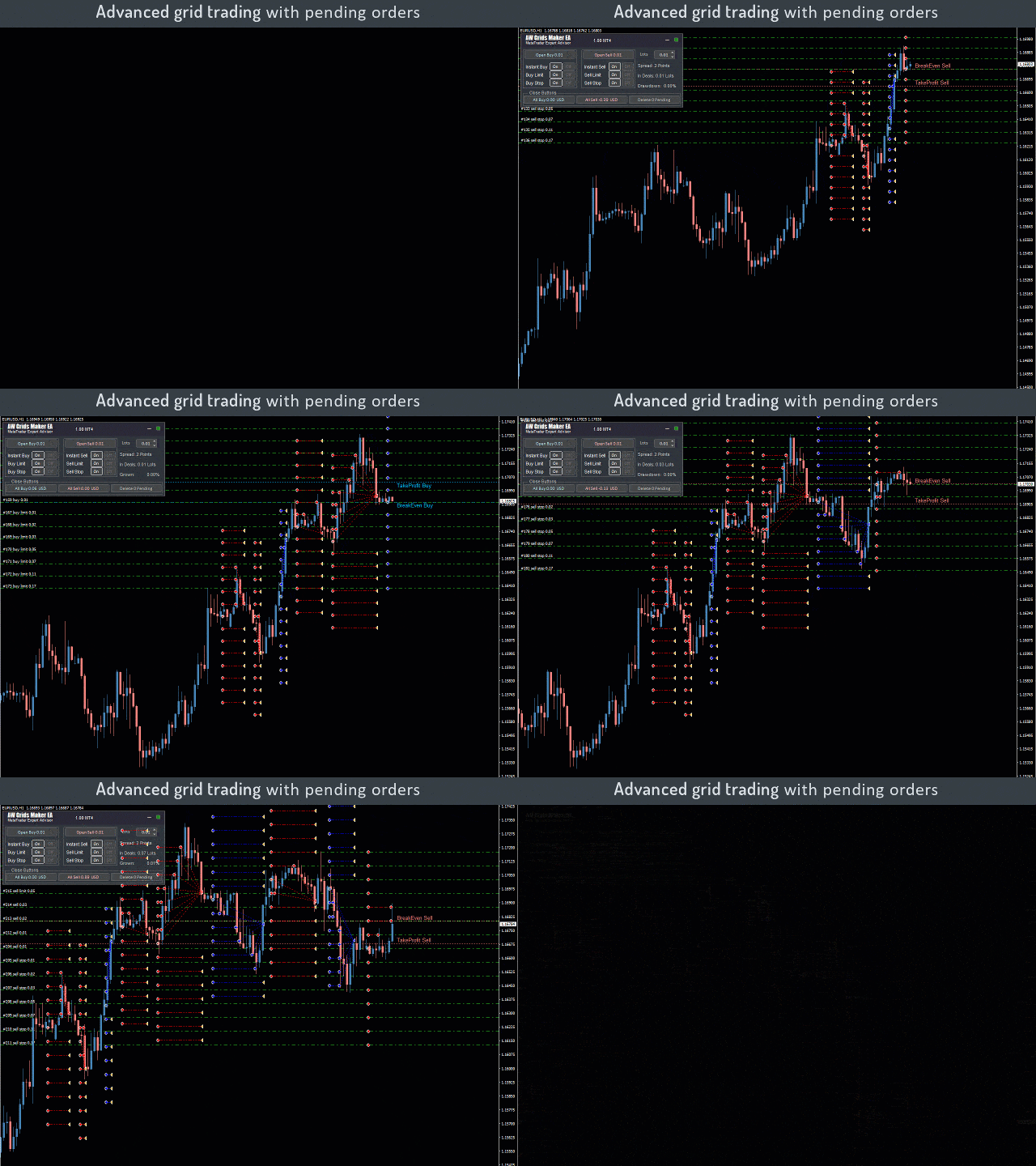
❗The AW Double Grids Expert Advisor is an aggressive, fully automated grid-based Expert Advisor with an informational trading panel and easy setup. The strategy consists in simultaneous two-sided work, multiplying the volume of one direction. Built-in automatic calculation of the lot, as well as a variation of the multiplication of orders.
❗How the advisor trades: The EA starts trading by opening two opposite orders. After closing a profitable order, the EA opens two orders again, multiplying the volume for the open direction. If there are open orders, the EA changes TakeProfit in points. TakeProfit is dynamic and is adjusted depending on the number of open orders in the opposite direction
Additional opening of grids of orders also has a dynamic step that changes depending on the number of open orders in the current direction
MT4 👉 https://www.mql5.com/en/market/product/48191
MT5 👉 https://www.mql5.com/en/market/product/48884
❗The AW Double Grids Expert Advisor is an aggressive, fully automated grid-based Expert Advisor with an informational trading panel and easy setup. The strategy consists in simultaneous two-sided work, multiplying the volume of one direction. Built-in automatic calculation of the lot, as well as a variation of the multiplication of orders.
❗How the advisor trades: The EA starts trading by opening two opposite orders. After closing a profitable order, the EA opens two orders again, multiplying the volume for the open direction. If there are open orders, the EA changes TakeProfit in points. TakeProfit is dynamic and is adjusted depending on the number of open orders in the opposite direction
Additional opening of grids of orders also has a dynamic step that changes depending on the number of open orders in the current direction
MT4 👉 https://www.mql5.com/en/market/product/48191
MT5 👉 https://www.mql5.com/en/market/product/48884
Alexander Zelchert
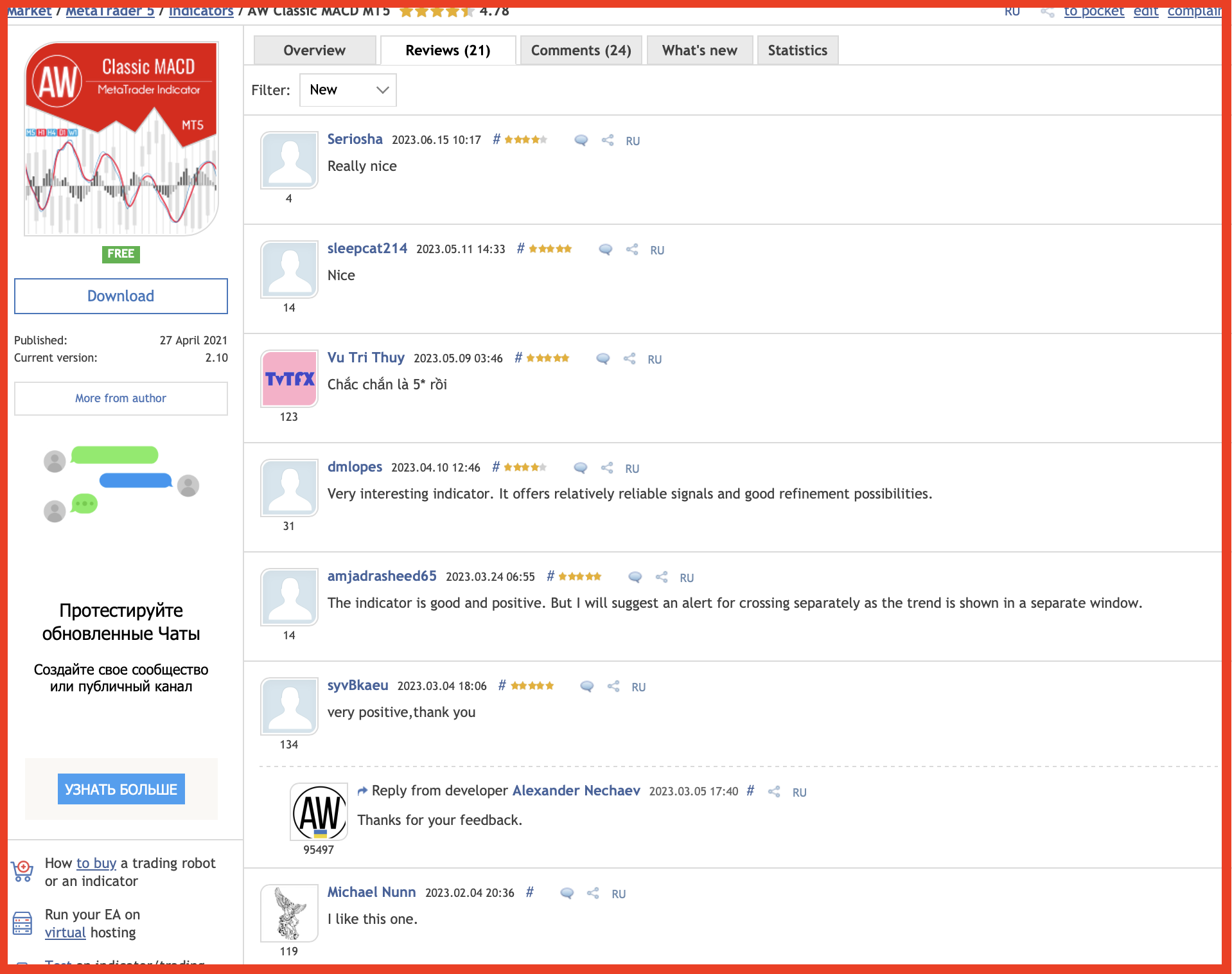
Thanks a lot for sharing your feedback.
Our products 👉 https://www.mql5.com/en/users/nechaevrealle/seller
Alexander Zelchert
💎 New free product 💎
___AW Candle Time___
Indicator of time until the end of the candle. Shows the time until the end of the candle, as well as the server time. Text can display the trend or direction of the candle, sound notifications are built-in.
MT4 version 👉 https://www.mql5.com/en/market/product/90373
___AW Candle Time___
Indicator of time until the end of the candle. Shows the time until the end of the candle, as well as the server time. Text can display the trend or direction of the candle, sound notifications are built-in.
MT4 version 👉 https://www.mql5.com/en/market/product/90373
Alexander Zelchert
⭐⭐⭐⭐⭐ AW Recovery EA ⭐⭐⭐⭐⭐
AW Recovery EA is a system designed to restore unprofitable positions. The author's algorithm locks a losing position, splits it into many separate parts, and closes each of them separately. Easy setup, delayed launch in case of drawdown, locking, disabling other Expert Advisors, averaging with trend filtering and partial closing of a losing position are built into one tool.
It is the use of closing losses in parts that allows you to reduce losses with a smaller deposit load, which ensures safer work with losses, unlike grid strategies that close orders only in whole groups.
Get MT4 Version
👉 https://www.mql5.com/en/market/product/49453
Get MT5 Version
👉 https://www.mql5.com/en/market/product/49692
🎬 Video instruction 👉 https://youtu.be/Sx_QwmvSAEY
AW Recovery EA is a system designed to restore unprofitable positions. The author's algorithm locks a losing position, splits it into many separate parts, and closes each of them separately. Easy setup, delayed launch in case of drawdown, locking, disabling other Expert Advisors, averaging with trend filtering and partial closing of a losing position are built into one tool.
It is the use of closing losses in parts that allows you to reduce losses with a smaller deposit load, which ensures safer work with losses, unlike grid strategies that close orders only in whole groups.
Get MT4 Version
👉 https://www.mql5.com/en/market/product/49453
Get MT5 Version
👉 https://www.mql5.com/en/market/product/49692
🎬 Video instruction 👉 https://youtu.be/Sx_QwmvSAEY
Alexander Zelchert
Produto publicado
Indicador de tempo até o final da vela. Mostra o tempo até o final da vela, bem como o tempo do servidor. O texto pode exibir a tendência ou direção da vela, as notificações sonoras são incorporadas Peculiaridades: Exibe o tempo até o final da vela atual, bem como outros prazos que podem ser ajustados ou desativados, se necessário AW Candle Time pode selecionar a direção da vela atual ou tendência com o indicador AW Super Trend A estratégia de tendência é destacada na cor selecionada
Alexander Zelchert
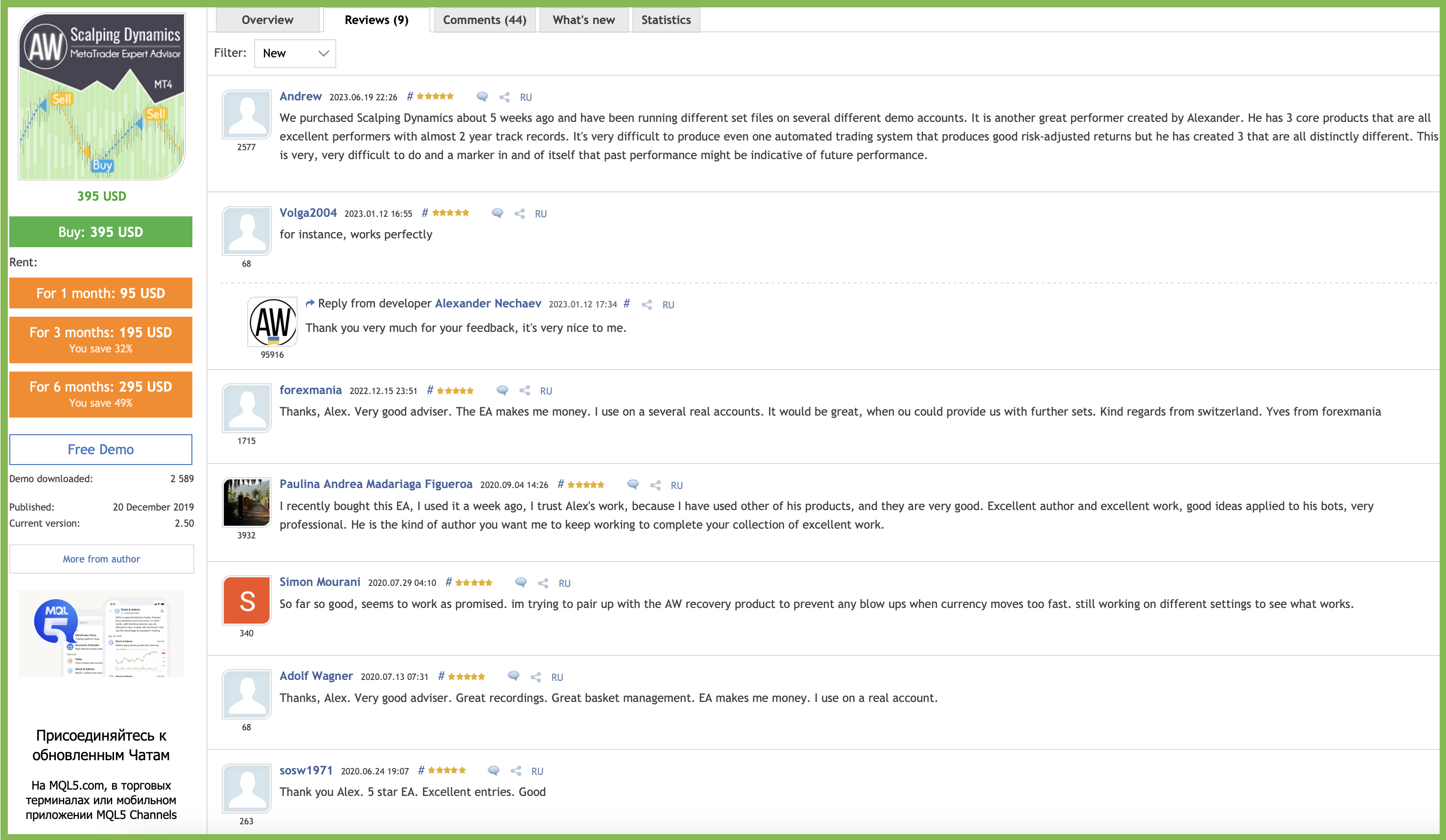
______"AW Scalping Dynamics"________
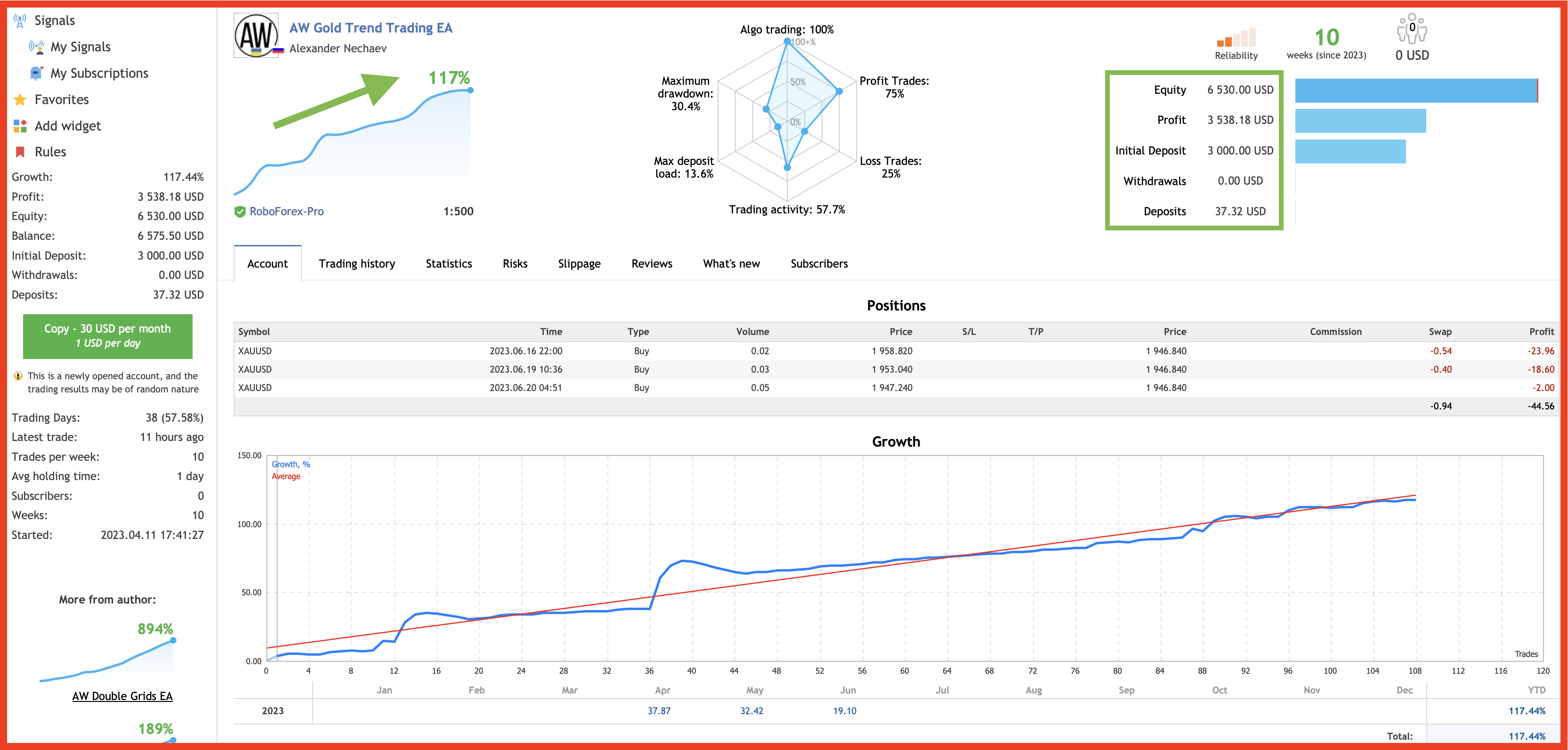
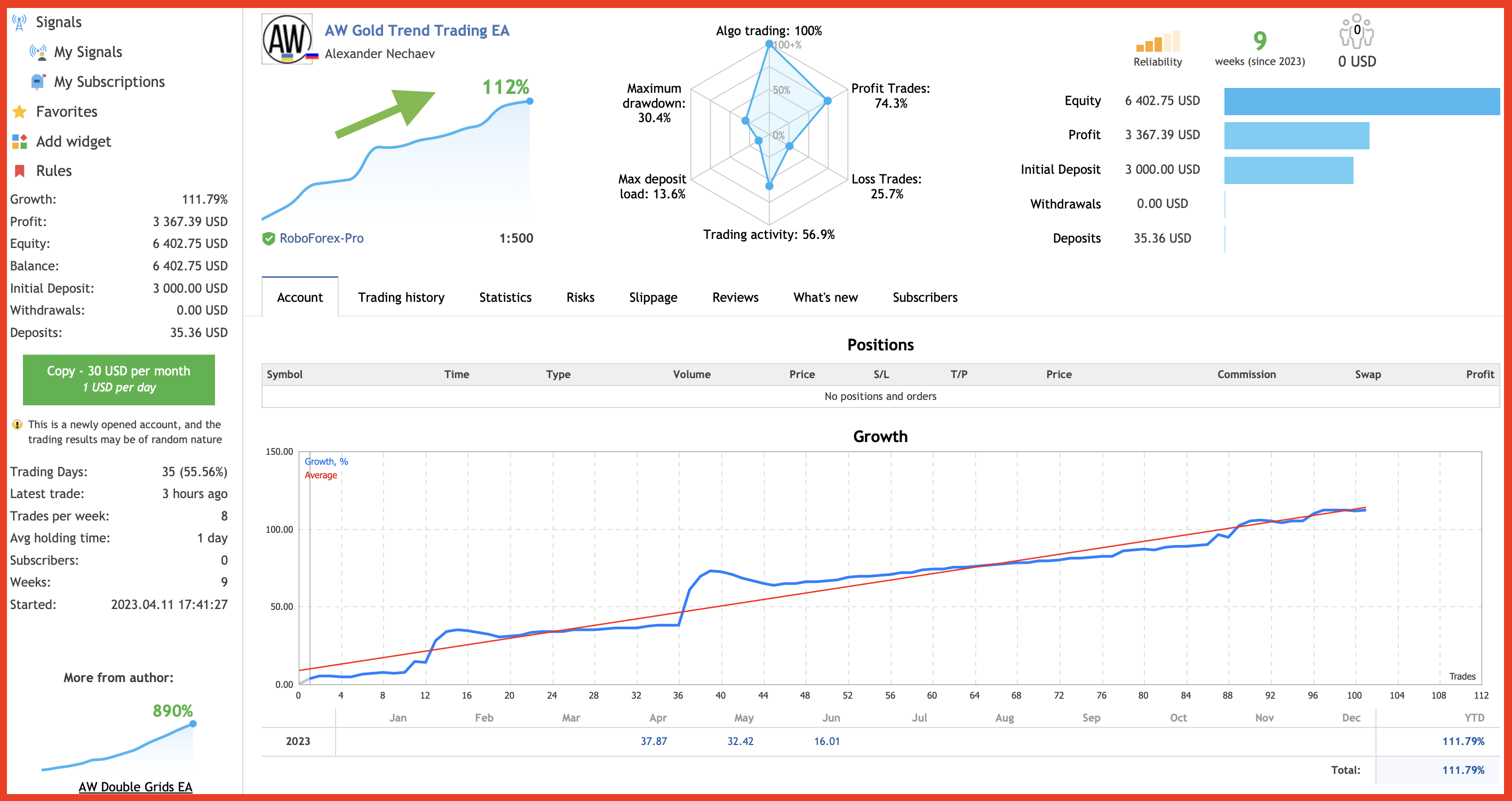
🔹 Screenshot of live trading 🔹
📌Signal monitoring
👉https://www.mql5.com/en/signals/1071496
MT4 👉 https://www.mql5.com/en/market/product/27079
MT5 👉 https://www.mql5.com/en/market/product/28908
🔹 Screenshot of live trading 🔹
📌Signal monitoring
👉https://www.mql5.com/en/signals/1071496
MT4 👉 https://www.mql5.com/en/market/product/27079
MT5 👉 https://www.mql5.com/en/market/product/28908
: